Kids Swimming Advanced Professional Website Template
Splash is a joyful, quiz-driven landing page template built for kids swimming equipment and gear stores. It guides parents through a three-step quiz, then reshuffles a modular card grid to show age- and skill-matched gear bundles. The design uses a bold Dopamine Pop palette and a Hero's Journey narrative structure to make every product feel personally chosen.
by Rocket studio
Quick summary
Splash is a single-page, quiz-powered shopping experience for children's swim gear. Parents answer three playful questions, and the card grid reshuffles to show exactly the right equipment for their child's skill level. From water-shy beginners to competitive swimmers, every product recommendation feels hand-picked rather than catalog-dumped.
Who this template is for
This template is built for swim gear retailers who want to connect the right product to the right child, fast. It fits stores where the buying decision is emotional, urgent, and personal.
- Parents of kids ages 3 to 14 buying gear for first lessons, summer camp, or swim team tryouts
- Summer camp counselors placing bulk orders for snorkels, fins, and swim caps
- Swim-team-focused retailers who serve experienced buyers looking for specific, performance-level gear
What problem this template solves
Browsing a full catalog of swim gear is overwhelming for most parents. They do not know whether their child needs a puddle jumper or a rash guard, a silicone cap or a latex one. The result is abandoned carts and frustrated shoppers.
- Parents leave without buying because they cannot confidently match products to their child's age and ability
- Generic product grids feel impersonal and do not reflect the child's actual swimming stage
- Stores miss email capture opportunities from parents who browse but are not yet ready to purchase poolside
What you get with this template
You get a complete, ready-to-customize landing page built around a three-step interactive quiz and a modular card grid. Every section follows the Hero's Journey arc, turning passive browsing into a guided, story-driven shopping experience.
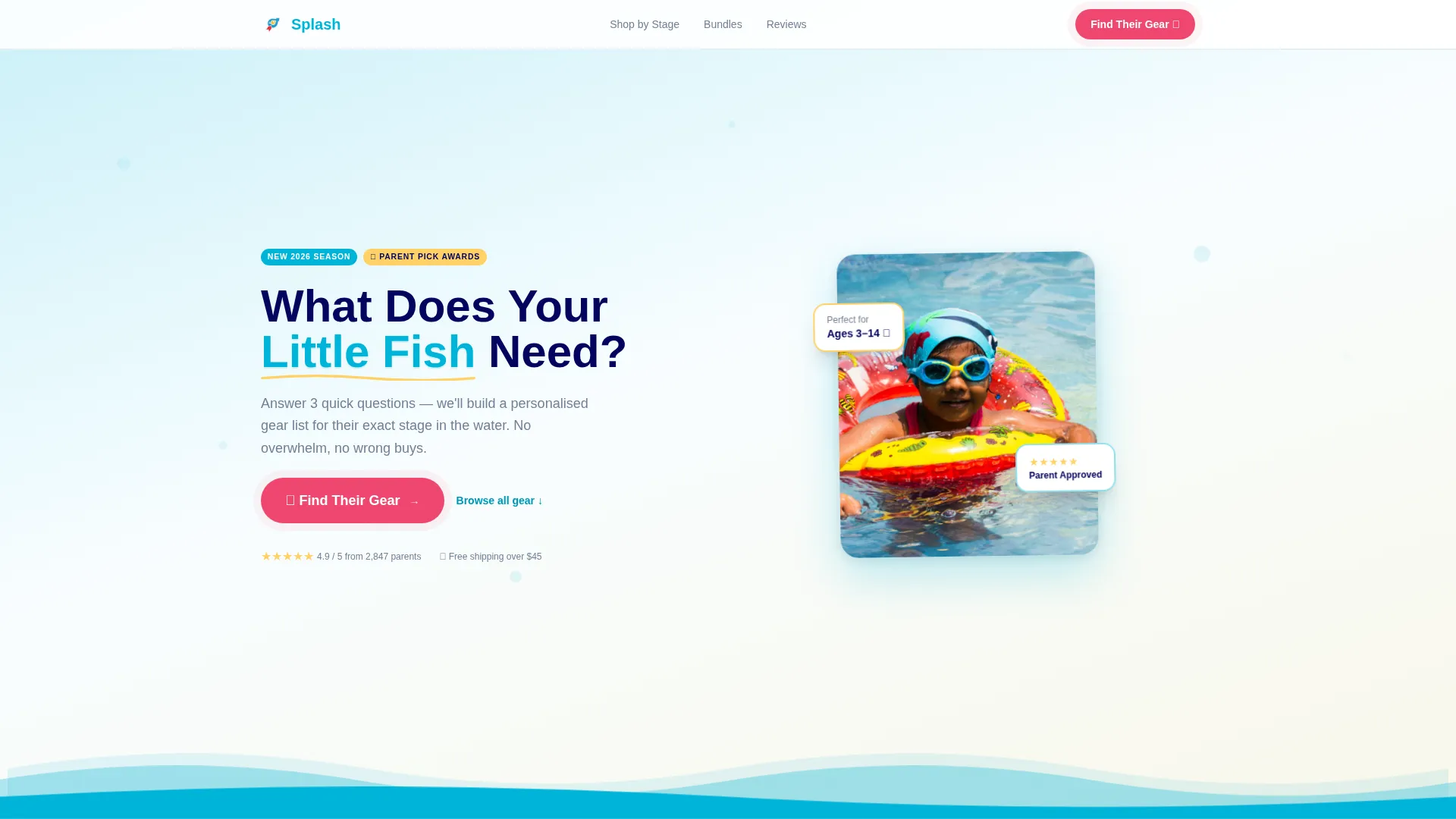
- A full-width quiz-starter hero with a cartoon pool illustration, animated ripple, and a bold "Find Their Gear" call to action
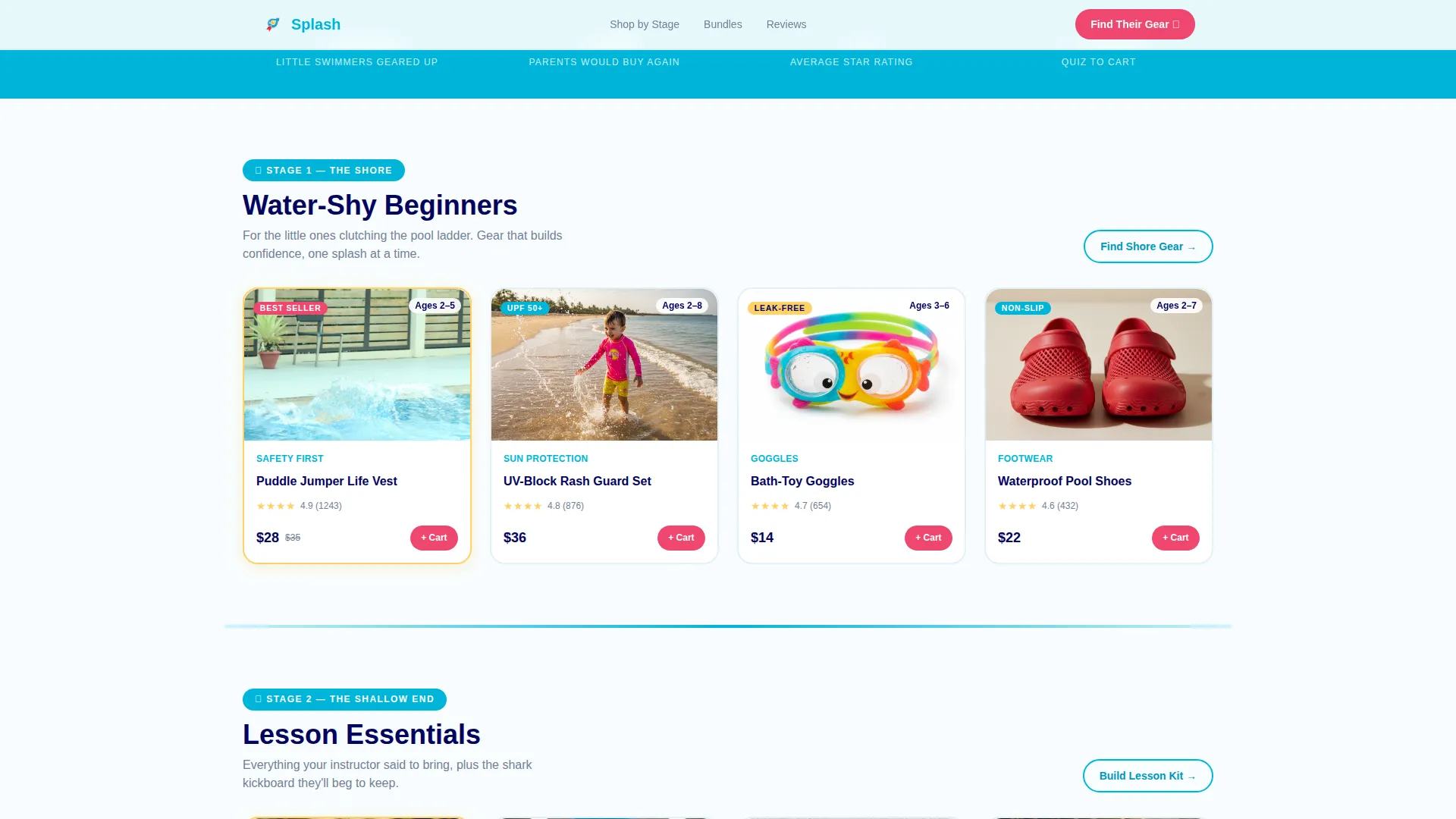
- Three journey-stage card rows ("The Shore," "The Shallow End," "The Deep End") that reshuffle based on quiz answers
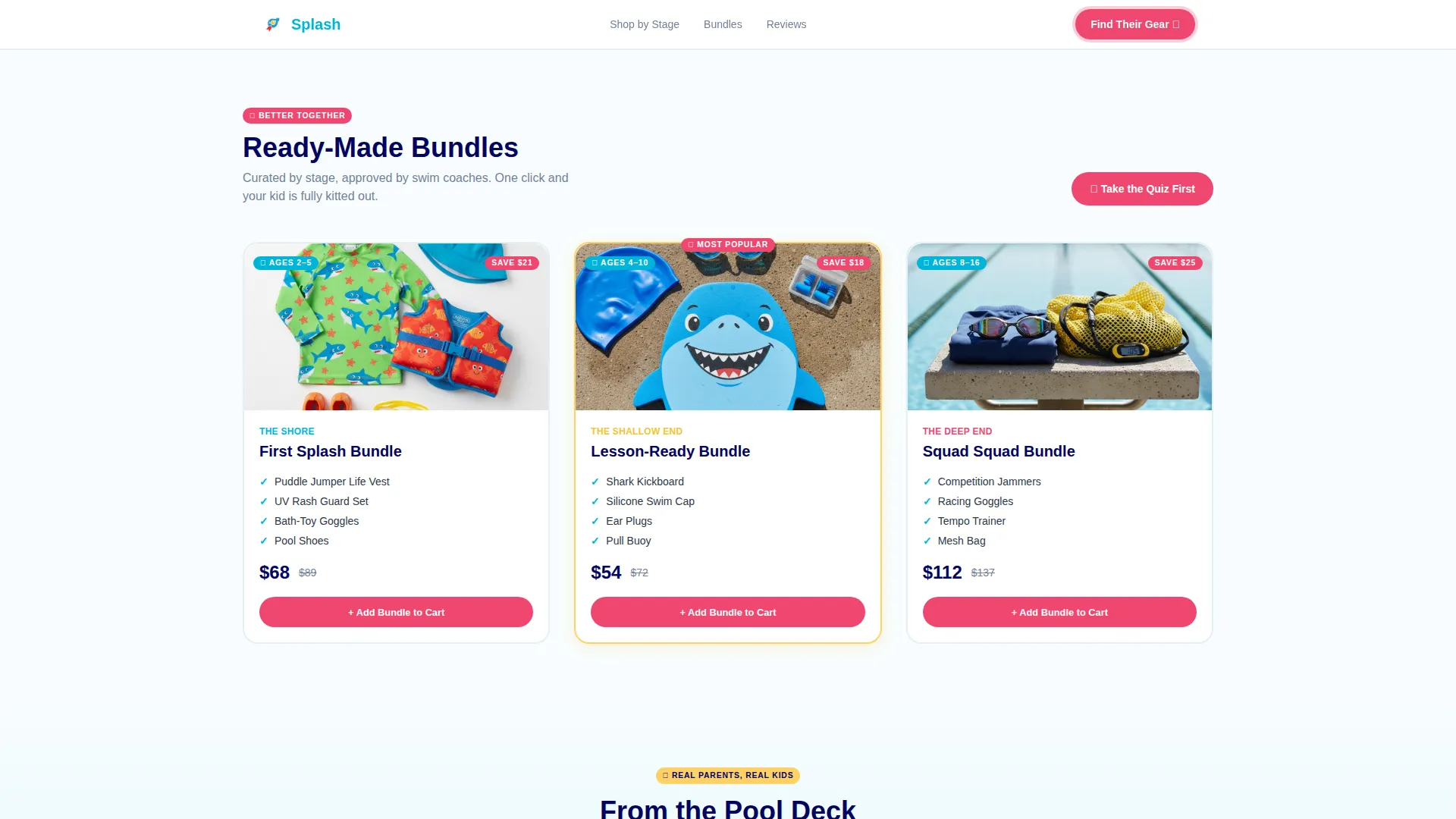
- A bundle builder result grid, an "Add Bundle to Cart" primary button, and an "Email Me This List" secondary capture path
Feature list
This template ships with purpose-built components designed around one goal: helping parents confidently choose the right swim gear for their child.
Three-Step Personalization Quiz
The quiz asks for age range (shown as illustrated icons), water comfort level, and the upcoming swim occasion. Answers drive which card row and which products appear in the result grid, so the page responds like a knowledgeable store assistant.
Hero's Journey Card Grid
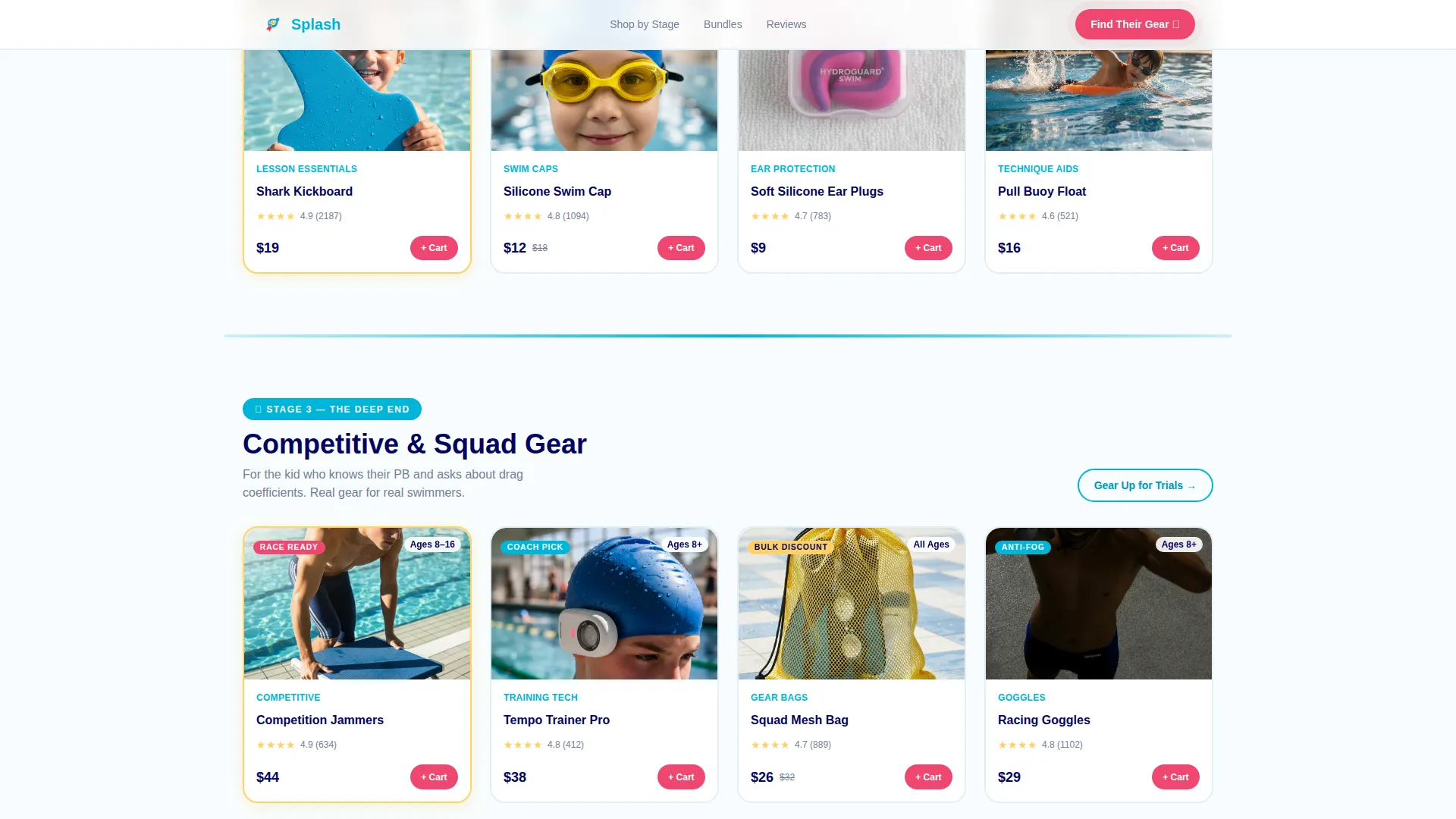
Products are organized into three narrative rows: "The Shore" for beginners, "The Shallow End" for lesson-stage kids, and "The Deep End" for competitive swimmers. The storytelling structure mirrors the child's real progress, keeping parents emotionally invested as they scroll.
Sticky Mobile Call-to-Action Bar
A "Find Their Gear" button stays fixed at the bottom of the screen on mobile devices. Parents browsing poolside on their phones always have one-tap access to start or resume the quiz without scrolling back to the top.
Bundle Builder Result Grid
After the quiz, a personalized card grid loads with matched products. An "Add Bundle to Cart" button lets parents convert in one action. The grid is modular, so product cards can be updated or reordered without rebuilding the layout.
Email Capture with Secondary Path
Parents who are not ready to buy immediately can tap "Email Me This List" to receive their personalized gear list later. This captures the parent's email address and keeps the store connected to a warm lead.
Social Proof Section
A stats bar and parent testimonials with specific product callouts and child ages build trust. Real-sounding specificity, such as star ratings and named products, helps hesitant first-time buyers feel confident.
Page sections overview
| Section | Purpose |
|---|---|
| Quiz Starter Hero | Launches the "Find Their Gear" quiz with a cartoon pool illustration and animated ripple |
| The Shore Row | Displays beginner gear cards (puddle jumpers, UV suits, bath-toy goggles) for water-shy kids |
| The Shallow End Row | Shows lesson-stage essentials (kickboards, ear plugs, swim caps) for kids in early lessons |
| The Deep End Row | Features competitive and squad gear (jammers, tempo trainers, mesh bags) for advanced swimmers |
| Social Proof Bar | Presents parent testimonials, star ratings, and specific product mentions to build trust |
| Bundle Builder Grid | Renders personalized product cards with an "Add Bundle to Cart" primary conversion button |
| Email Capture Section | Offers "Email Me This List" for parents not ready to buy, with trust badges |
| Page Footer | Horizontal flow footer with store links and supporting information |
Design & branding system
The visual identity runs on a Dopamine Pop color system that feels like a pool-party gift bag. Every color hits with energy, but generous chlorine white space keeps the layout clean and readable. Typography pairs Plus Jakarta Sans for headings with DM Sans for body copy, giving the page a playful but polished personality.
- Electric pool blue (#00B4D8) floods headers and section dividers, sunscreen yellow (#FFD166) marks borders and badges, and lifeguard-whistle red (#EF476F) powers every call-to-action button
- Product cards sit on a chlorine white (#F8FDFF) canvas, so colors feel bold without competing with product imagery
- Card hover states lift on interaction, quiz step transitions animate between stages, and a looping ripple runs along the bottom of the hero frame
Mobile & speed optimization
This template is designed mobile-first, recognizing that most parents browse while physically at the pool. The layout prioritizes thumb-friendly tap targets, a sticky bottom call-to-action bar, and a card grid that reflows cleanly on small screens.
- Images are lazy-loaded so the page feels snappy even on a poolside cellular connection
- CSS animations are built to run on the graphics processing unit (GPU), keeping the ripple loop and card lifts smooth without draining the device
- The three-step quiz uses illustrated icon selectors instead of dropdowns, making tap-based choices fast and clear on mobile
How this template helps you convert
Every design and layout decision in Splash is built to move a parent from curious to confident to purchased. The quiz creates momentum, the narrative sections hold attention, and the bundle grid removes friction at the point of decision.
- The quiz personalizes the experience immediately, so parents feel understood rather than overwhelmed by a full product catalog.
- The "Add Bundle to Cart" button on the result grid concentrates the purchase decision into one clear action after the quiz journey is complete.
- The "Email Me This List" secondary path captures parent emails from browsers who are not ready to buy today, keeping those leads warm for follow-up.
Other information about this template
Splash is built around a Family First theme, reflecting that swim gear decisions are driven by parental care, child safety, and family fun rather than pure performance metrics. The template style is a modular card grid, making it straightforward to add, remove, or reorder product categories as inventory changes.
- The footer follows a horizontal flow pattern, keeping the bottom of the page organized and navigable without visual clutter
- Localization is set for English, United States dollar (USD) pricing, and US date formatting out of the box
- The quiz state management supports three steps with animated transitions between each stage, and the card grid reshuffles client-side based on the selected answers
- The template is categorized under Kids and Family, subcategory Kids Swimming, and is purpose-built for the kids swimming equipment and gear store niche
Theme
Family First
Creative direction
Hero's Journey
Color system
Dopamine Pop
Style
Card Grid (Modular)
Direction
Quiz/Assessment
Page Sections
Three-step Personalization Quiz
Hero's Journey Card Grid
Sticky Mobile Call-to-action Bar
Bundle Builder Result Grid
Email Capture Secondary Path
Social Proof Section
Related questions
Can I customize the quiz questions and answer options?
How does the card grid reshuffle based on quiz answers?
Is this template suitable for bulk buyers like camp counselors?
Can I add or remove product card rows beyond the three journey stages?
What does the animated ripple in the hero section look like?



