Vetted Swim Lessons Landing Page Template
Paddle is a hero-dominant landing page template built for kids swimming instructor directories. It walks anxious parents through a warm, Saturday-morning lesson journey, from browsing a vetted coach profile to watching their child take a first unaided swim. Every section is designed to earn trust and guide visitors toward a single confident click.
by Rocket studio
Quick summary
Paddle is a single-page landing page template for a vetted kids swimming instructor directory. It uses a Day-in-the-Life scroll structure to move parents from the hero photo wall to a confident "Find Instructors Near You" tap. The design is warm and community-led, built mobile-first for parents searching at midnight on their phones.
Who this template is for
This template is built for swimming school operators, independent swim coaches, and directory founders who connect families with vetted instructors. It speaks directly to parents who want proof before they book a pool session for their child.
- Swim school owners launching a coach directory landing page
- Independent coaches who want a credibility-first profile showcase
- Directory founders targeting anxious parents searching for kids swimming lessons
What problem this template solves
Parents searching for children's swimming lessons face a wall of generic listings with no real proof. A coach's credentials, real lesson photos, and milestone-specific reviews are buried or missing entirely. This template solves that trust gap head-on.
- No visible instructor credentials or water safety certifications on competing pages
- Parents cannot picture the pool environment or the lesson experience before booking
- Friction-heavy booking flows lose midnight-Googlers before they ever tap a call to action
What you get with this template
This template delivers a fully structured landing page with five distinct content sections, each guiding a parent one step closer to booking a trial swim lesson. Every component is prompted by real parent behaviour and real conversion needs.
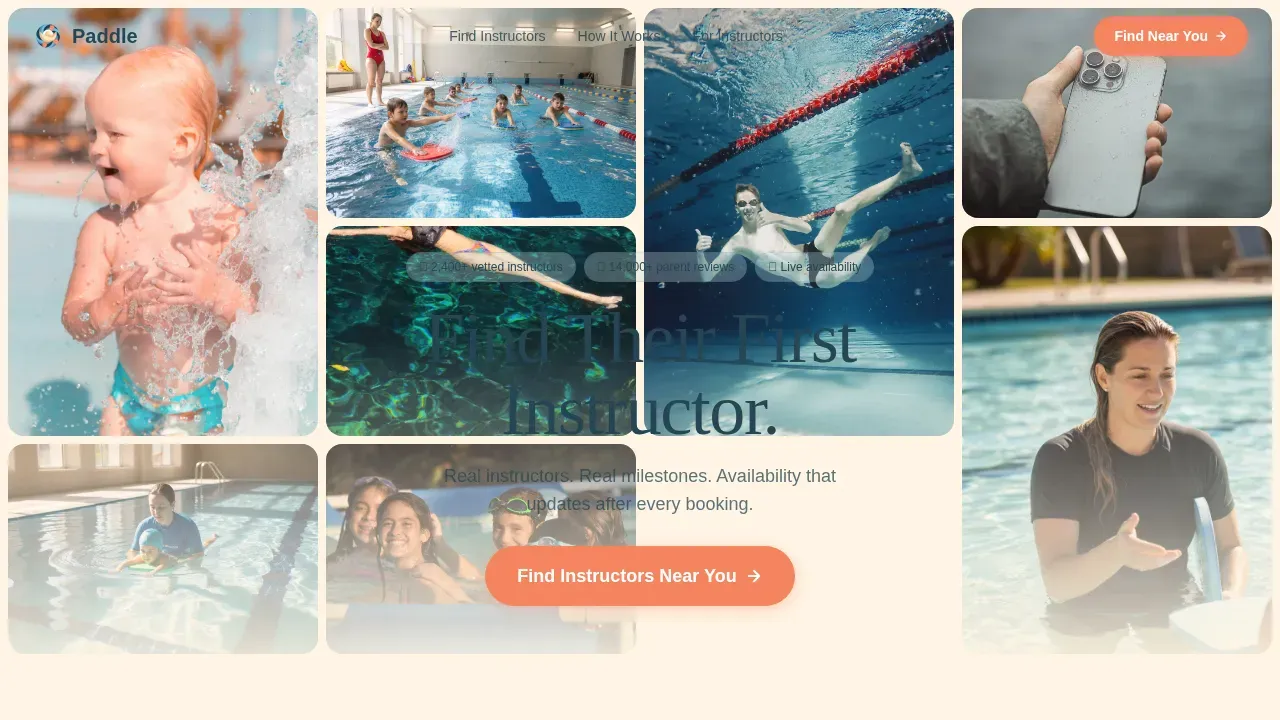
- A 90-viewport-height UGC Photo Wall hero with floating headline and coral call-to-action button
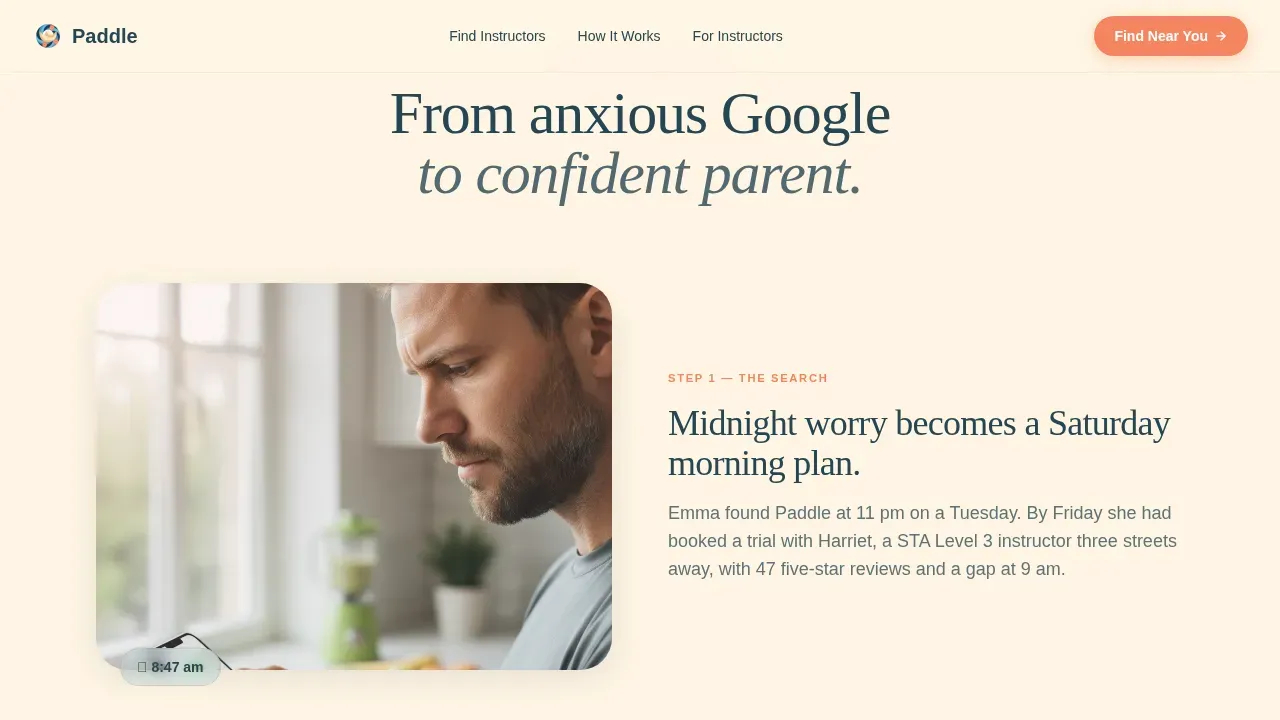
- A Day-in-the-Life scroll sequence covering profile browse, poolside meet, lesson snapshots, and post-lesson review
- A sticky mobile call-to-action bar that keeps "Find Instructors Near You" always within reach
Feature list
This template is purpose-built around the needs of children swimmers, anxious parents, and vetted swim coaches. Each feature below reflects a deliberate design and content decision from the source brief.
UGC Photo Wall Hero
A mosaic grid of parent-submitted photos fills ninety percent of the viewport. Images show a girl in arm bands mid-giggle, a coach crouched at pool-edge, and a child wrapped in a towel. Staggered tiles with cream gutters create a warm, lived-in feel that stock imagery cannot replicate.
Day-in-the-Life Scroll Journey
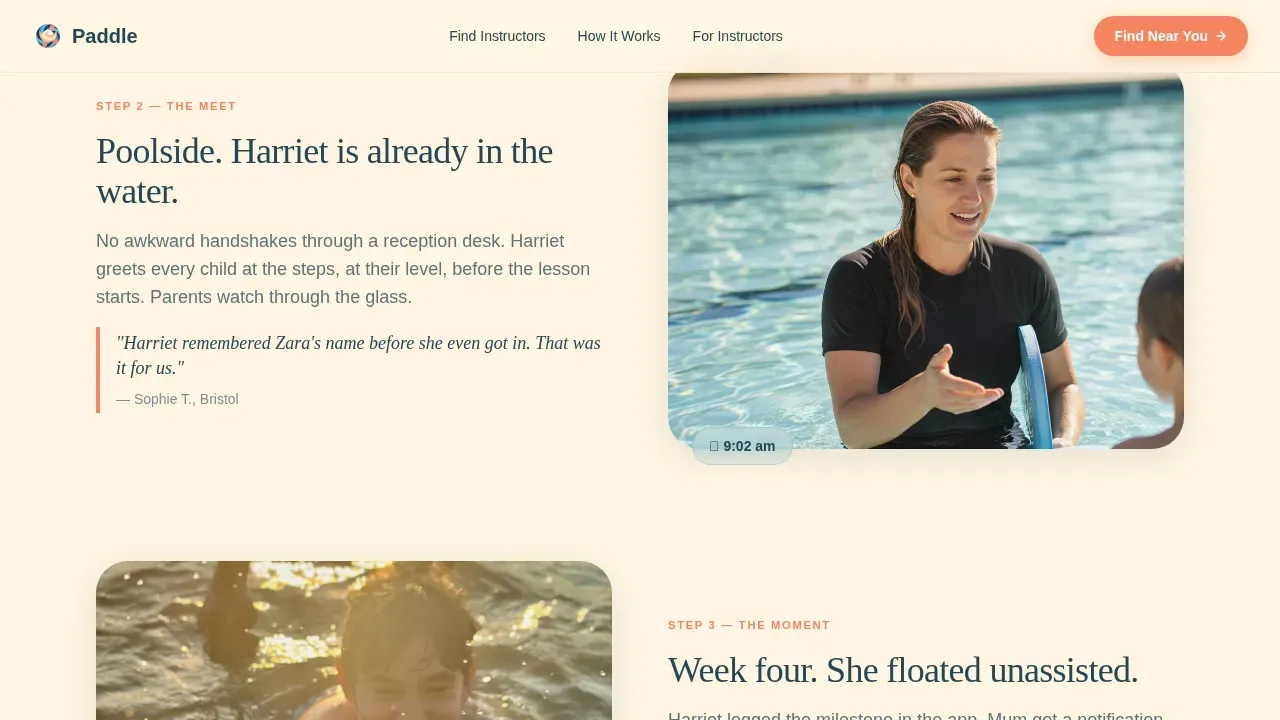
The page walks visitors through a full Saturday morning at the swimming pool: browsing a coach profile, tapping "Book Trial," a poolside meet-and-greet with a looping video clip, three skill snapshots with instructor credential badges, and the post-lesson review moment. Each section fades in like mist clearing.
Skill Snapshot Blocks with Credential Badges
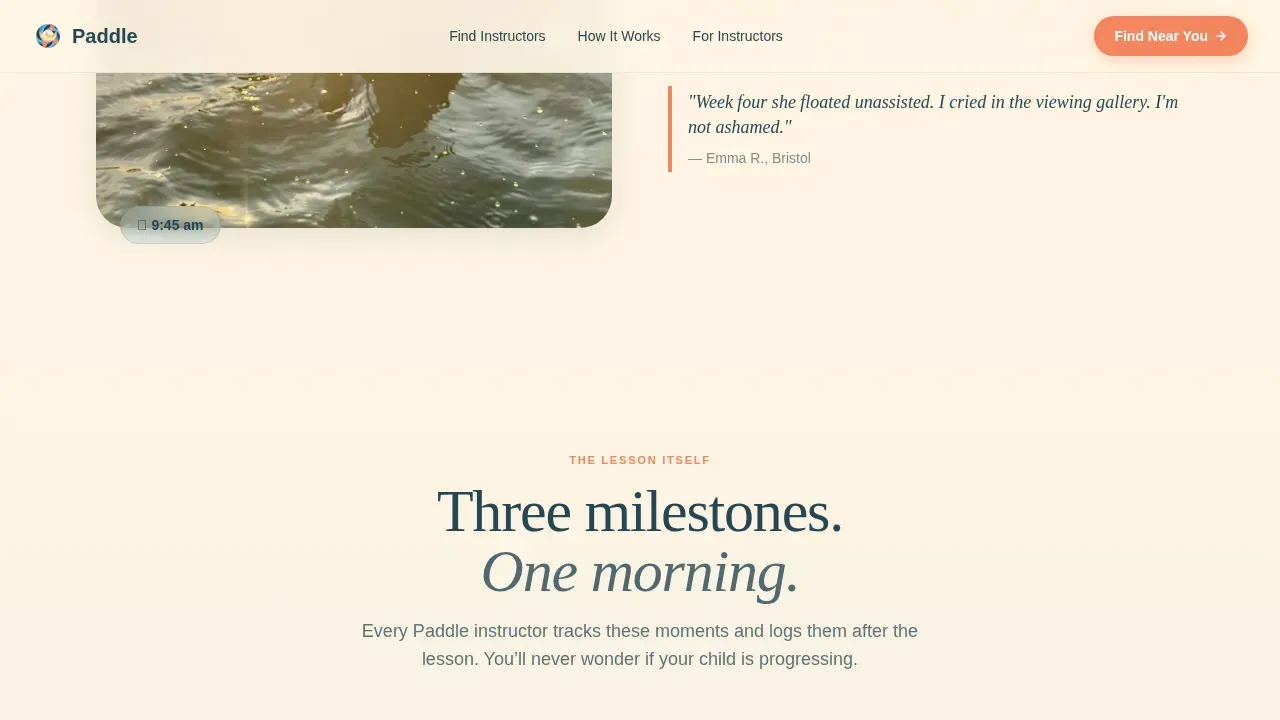
Three milestone moments are set out clearly: blowing bubbles, kicking with a board, and a first unaided glide. Each snapshot pairs the learning milestone with a visible instructor credential badge, so parents can see both the child's progress and the coach's qualifications at a glance.
Milestone-Specific Parent Reviews
Real parent quotes with specific callouts, such as "she floated unassisted at week four," are built into the review section. Testimonials from parents paired with photo proof are among the strongest training tools for converting a hesitant visitor into a confident one.
Sticky Mobile Call-to-Action Bar
A persistent coral button anchors the bottom of the screen on mobile devices. It eliminates scroll-back friction for parents browsing one-handed and keeps the single conversion goal, clicking through to the filtered directory, always visible.
Single-Goal Click-Through Architecture
Every section funnels toward one action. The coral "Find Instructors Near You" button appears beneath the hero, again after the lesson sequence, and in the sticky bar. No sign-up wall and no long form stand between the visitor and the directory.
Page sections overview
| Section | Purpose |
|---|---|
| UGC Photo Wall Hero | Captures attention within five seconds using warm parent-submitted pool photos |
| Profile and Book | Shows a parent browsing a vetted coach profile and tapping a trial booking |
| Poolside Meet-and-Greet | Looping video clip and a real parent pull-quote set the pool atmosphere |
| Skill Snapshot Blocks | Three milestone moments paired with instructor credential badges |
| Real Reviews Section | Milestone-specific parent testimonials with photo proof build trust |
| Trust and Final Call-to-Action | Reassurance signals and a prominent coral button anchor the conversion |
| Linear Footer | Single-row footer keeps the page clean and focused |
Design & branding system
The visual identity follows a Community Hearth theme using a Soft Mist colour palette. The palette feels like steam lifting off a heated outdoor swimming pool at seven in the morning: gentle, diffused, and never clinical.
- Morning-pool blue (#C4DFE6), warm towel cream (#FFF5E4), lane-rope coral (#F4845F), and deep-end navy (#264653)
- DM Serif Display for all headings and IBM Plex Sans for body copy
- Cream dominates backgrounds; coral appears only on buttons and trust badges; navy grounds every section header
Mobile & speed optimization
The template is designed mobile-first. Most parents searching for children's swim lessons will land on this page from a smartphone, often late at night. Every layout decision prioritises fast comprehension on a small screen.
- Images are lazy-loaded and arranged in CSS scroll-driven animations for smooth mist-fade transitions
- The sticky mobile call-to-action bar keeps the primary button visible without interrupting the scroll journey
- Staggered tile reveals and floating text entrances are set to medium animation weight, keeping the page feeling alive without slowing perception
How this template helps you convert
This landing page is built around one conversion goal: getting a parent to tap "Find Instructors Near You" and enter the directory. Every design and content decision serves that outcome.
- The hero photo wall earns trust before any text is read, showing real children swimmers and a real coach in a real pool environment
- The Day-in-the-Life sequence removes uncertainty by letting parents picture their own child moving through a Saturday morning swim lesson from arrival to towel-wrapped finish
- Milestone reviews and credential badges answer the two questions every parent has: is this coach qualified, and will my child actually learn to swim?
Other information about this template
This template can also support broader swimming school marketing beyond a directory context. The layout and section structure translate well to promotional flyer content, social media creative, and web designs for individual coaches.
- The paddle vetted kids swimming lessons landing page template is a ready-to-use starting point for any swim school wanting a credibility-first online presence
- Illustrations and graphics featuring a coach teaching kids characters, boys and girls at the pool, and diving sequences can slot into the skill snapshot blocks and hero tiles
- Vector-style kids characters and coach teaching kids characters assets work well in the credential badge and milestone snapshot areas
- The template structure supports flyer and web design repurposing for social media promotion campaigns
- Safety standards displayed in the template, such as a 1:3 instructor-to-student ratio, small class sizes, and warm pool conditions, can be set within the "Why Us" section to protect parent confidence and reinforce the swimming school's credentials
- Age-specific swim programmes with clearly outlined skill milestones for different age groups are a natural fit for the skill snapshot block structure
- A visible click-to-call icon or contact detail can be added to the footer to further boost trust as an exercise in reducing booking friction
Theme
Community Hearth
Creative direction
Day-in-the-Life
Color system
Soft Mist
Direction
Click-Through
Page Sections
UGC Photo Wall Hero Section
Day-in-the-life Scroll Sequence
Skill Snapshots with Credential Badges
Milestone-specific Parent Reviews
Sticky Mobile Call-to-action Bar
Single-goal Click-through Architecture
Related questions
Can I use this template for a single swim instructor rather than a full directory?
Does the template include the real parent photos and reviews shown in the preview?
Is this template suitable for promoting term-time group swimming lessons?
Can the landing page section designs be used to create a flyer or social media graphic?
How do I display instructor credentials and water safety certifications in this template?



