Kids Swimming Specialist Professional Website Template
Splash is a vibrant, card grid landing page built for kids swimming after-school programs. It combines a nine-tile photo mosaic hero, a four-step interactive quiz personalizer, and animated flip cards to help busy parents find the right swim level fast. The Dopamine Pop color palette and bold DM Sans typography make every section feel warm, energetic, and unmistakably built for families.
by Rocket studio
Quick summary
Splash is a single-page, card-grid template designed for kids swimming after-school programs. A mosaic hero grabs attention instantly. A guided quiz narrows down the right program level in seconds. Bold, rubbery colors and animated flip cards make the experience feel alive, and two clear registration paths move hesitant parents toward booking a free trial class.
Who this template is for
This template is built for swim schools, community pools, and recreation centers running structured after-school swim programs for children. It works best for programs with multiple skill levels and a need to match each child to the right group quickly.
- Program directors and swim school owners who want to simplify enrollment for busy parents
- After-school activity coordinators managing tiered programs for kids ages 3 to 12
- Community centers offering a structured 4 to 6 PM swim window for working families
What problem this template solves
Parents today are short on time and overwhelmed by generic program pages that list everything without helping them decide anything. A dual-income household arriving at school pickup needs a fast, confident answer, not a wall of text.
- Parents spend too long researching which swim level fits their child's age and comfort
- Generic registration pages do not build trust or reduce the anxiety of committing a child to a new activity
- Swim programs lose enrollments when the path from "interested" to "registered" takes more than a few minutes
What you get with this template
You get a fully structured, interactive landing page with everything a kids swimming after-school program needs to turn a curious parent into a registered family. Every section is built with purpose, from the mosaic hero down to the floating registration button.
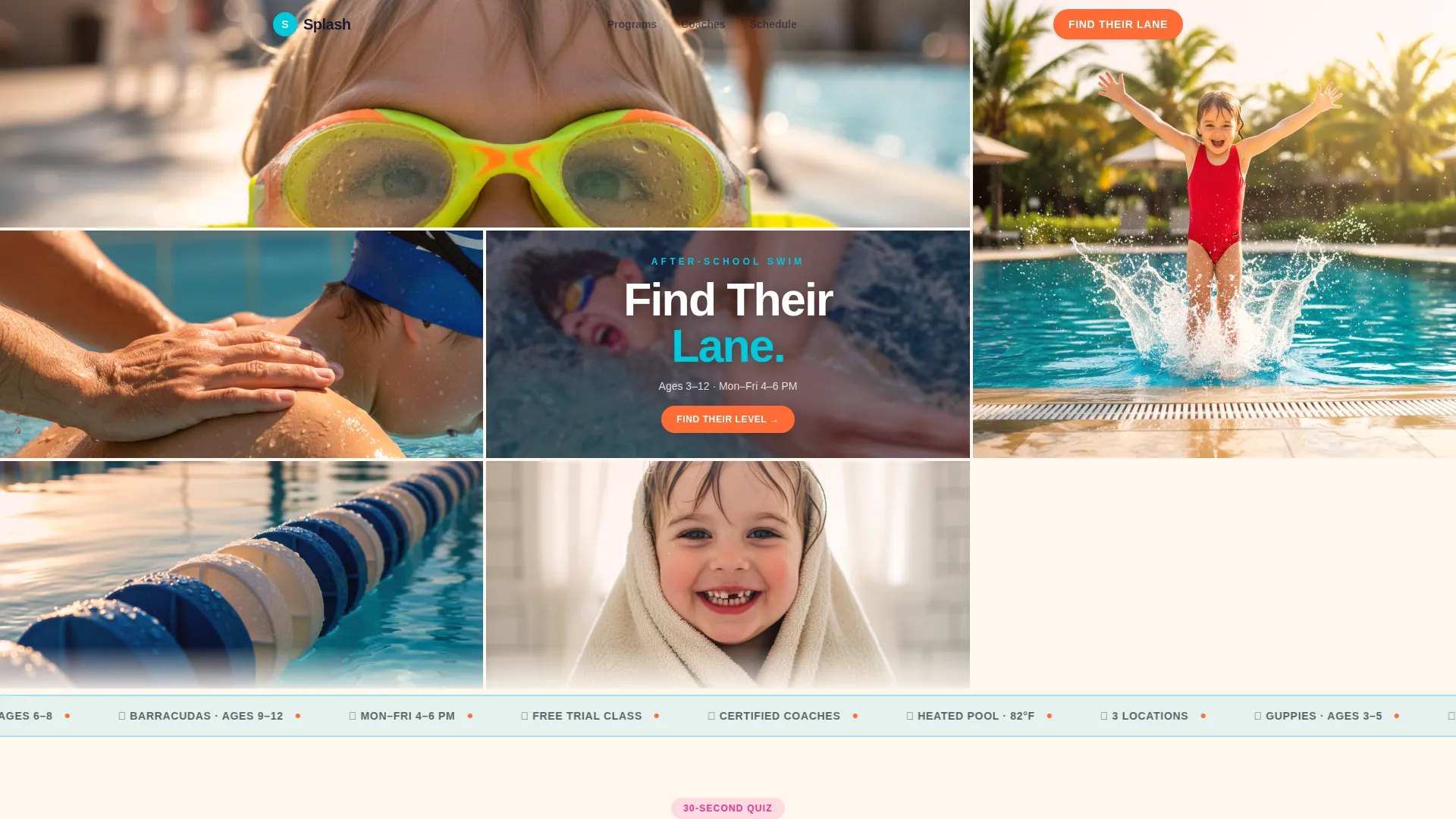
- A nine-tile photo grid mosaic hero with a bold centered headline
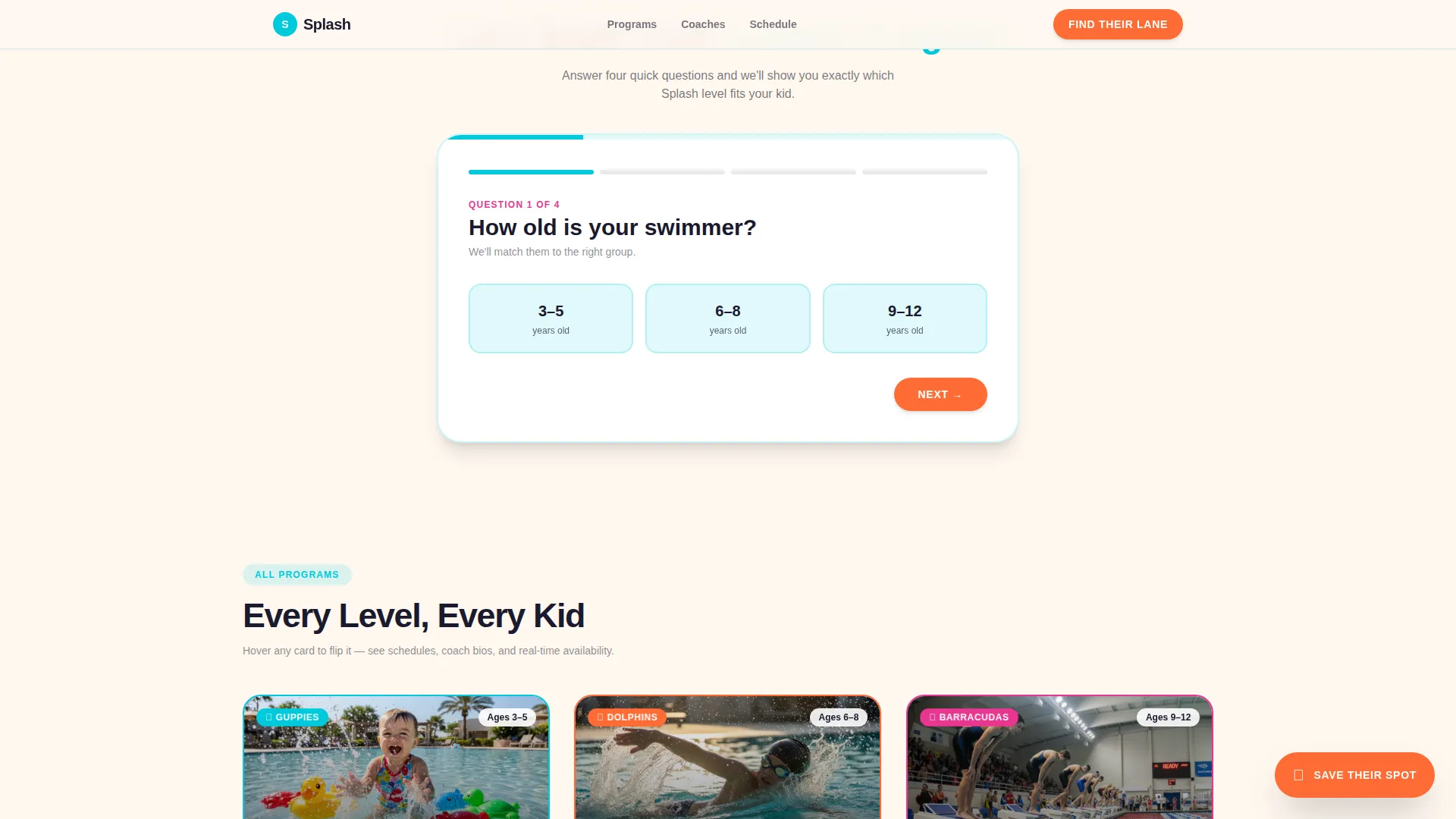
- A four-question quiz personalizer that filters and rearranges program cards in real time
- Three animated flip-card program tiers, a two-step registration modal, and a secondary low-commitment pool tour path
Feature list
A brief overview of the key built-in capabilities this template delivers.
Photo Grid Mosaic Hero
Nine unevenly cropped photo tiles fill the header edge to edge, showing real pool moments. A bold "Find Their Lane" headline punches through the center tile in rounded DM Sans type, setting an immediate, warm emotional tone.
Interactive Quiz Personalizer
A bright card below the hero asks parents four quick questions: child's age, water comfort level on an emoji scale, preferred days, and program goals. Answers animate the card grid below in real time, filtering and rearranging program cards so parents see only what fits their child.
Animated Flip-Card Program Grid
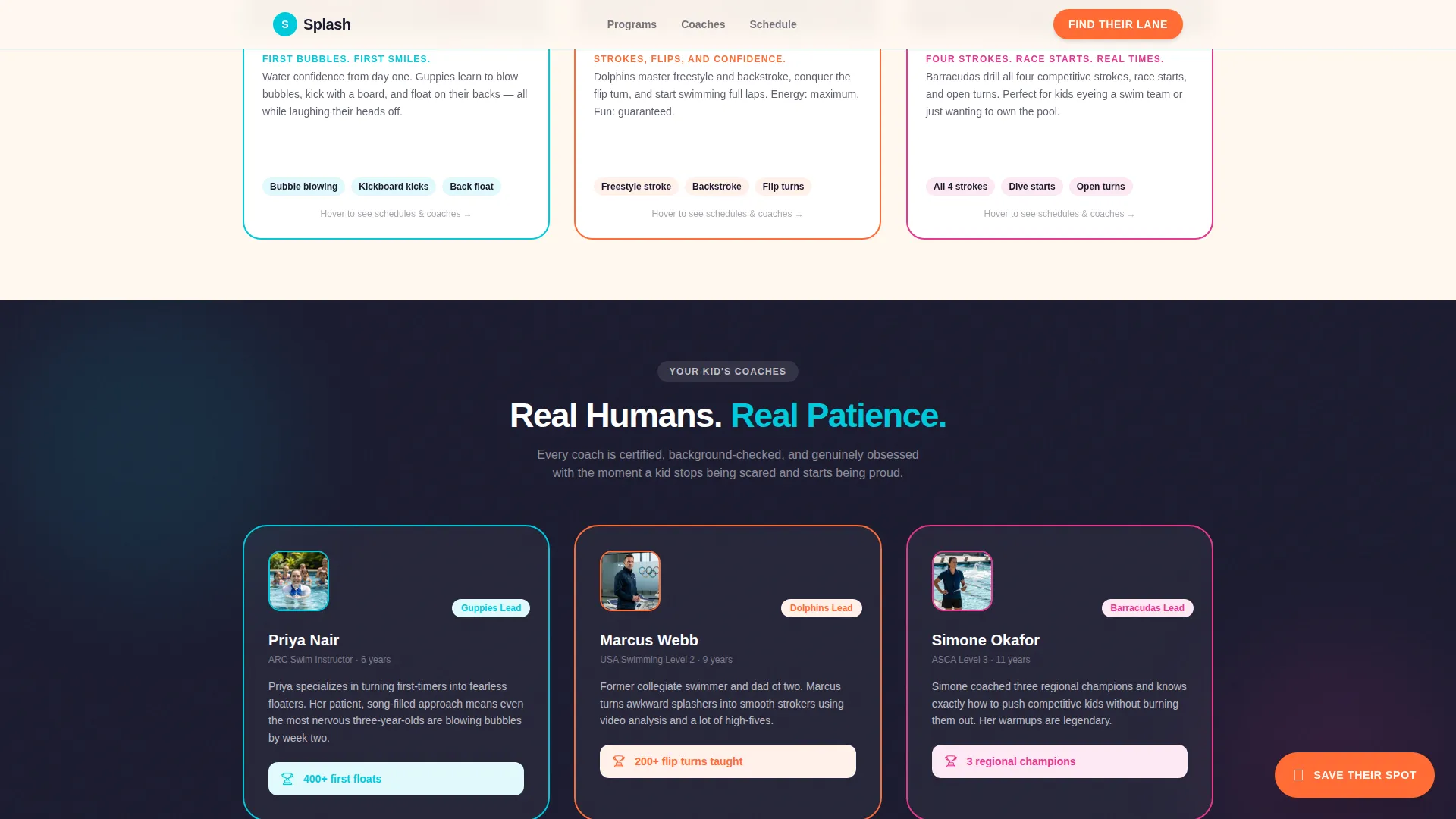
Program cards for Guppies, Dolphins, and Barracudas sit in a modular grid. Each card flips on hover to reveal that level's schedule, coach bio, and a short video clip, giving parents everything they need without leaving the page.
Two-Step Registration Modal
Clicking "Save Their Spot" opens a two-step form. Step one captures parent name, child's first name, and the quiz-recommended level, pre-filled from quiz results. Step two offers a calendar picker for free trial class dates with real-time availability indicators in green, yellow, and red.
Floating Call-to-Action Button
A tangerine "Save Their Spot" button stays pinned as parents scroll, so the registration entry point is always visible. This persistent element removes friction between decision and action at any point on the page.
Low-Commitment Pool Tour Path
A secondary call to action, "Just Watching? Join a Free Pool Tour," sits below the fold for families who are not ready to register. It reduces commitment to a ten-minute facility walkthrough, giving hesitant parents a lower-stakes way to engage.
Page sections overview
| Section | Purpose |
|---|---|
| Photo Grid Mosaic | Hero with nine tiles and centered headline |
| Quiz Personalizer Card | Filters program grid via four questions |
| Program Card Grid | Flip cards for Guppies, Dolphins, Barracudas |
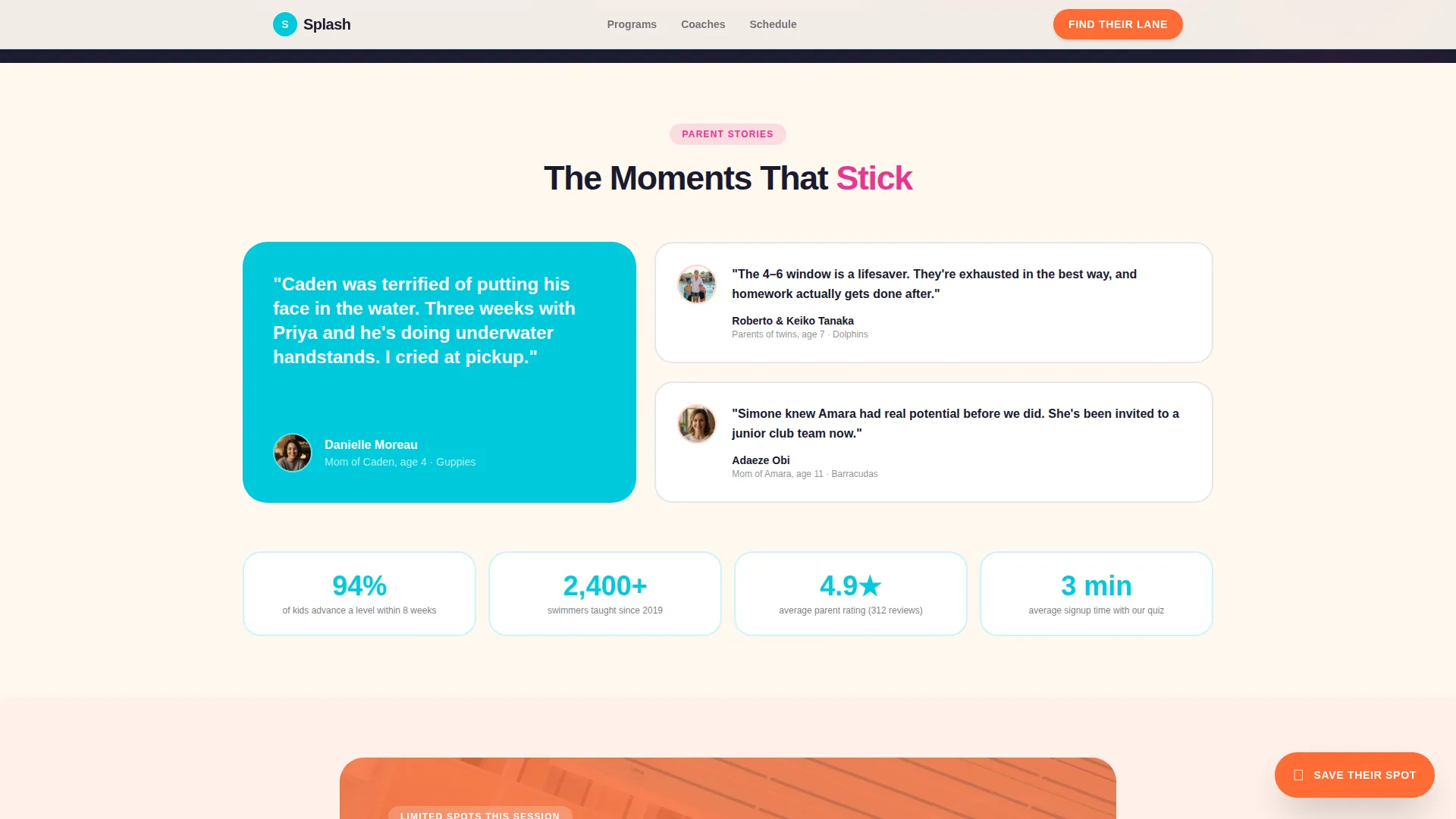
| Social Proof | Parent testimonials and coach bios |
| Registration Call to Action | "Save Their Spot" primary and pool tour secondary |
| Single-Row Footer | Contact links and program essentials |
Design & branding system
The visual identity follows a Community Hearth theme expressed through a Dopamine Pop color system. The palette feels loud and playful, like a bucket of pool toys on warm concrete, while the cream base keeps it readable and grounded.
- Core colors: pool-lane turquoise (#00C9DB) for dividers and card borders, kickboard tangerine (#FF6B35) for buttons and interactive states, whistle-blast magenta (#E8368F) for badges and progress indicators, sun-cream white (#FFF8F0) as the base background
- Typography: DM Sans in bold weights delivers a rounded, energetic feel that suits both headlines and short body copy
- Hero photography is warm and slightly overexposed, like a parent's phone camera, with no stock imagery, reinforcing an authentic community feel
Mobile & speed optimization
The template is built mobile-first, recognizing that most parents will land on the page from a phone at school pickup. Interactive components are structured as client-side elements while static sections like the hero and footer remain lightweight.
- Mobile-first layout ensures the quiz, flip cards, and registration modal all work cleanly on small screens
- Client components handle the interactive quiz state, card grid filtering, and modal form to keep heavy animation isolated from static content
- High-energy animations including card flips, quiz filter transitions, a marquee element, and a floating button are designed to run without disrupting the core page structure
How this template helps you convert
Every design and content decision in this template is oriented toward one outcome: moving a parent from "just browsing" to "spot reserved" in under two minutes.
- The quiz personalizer does the persuasion work early. By the time parents reach the program cards, the grid already shows their child's name next to a specific level, coach, and available day, making the decision feel made rather than pending.
- Two registration paths cover the full range of parent readiness. "Save Their Spot" captures ready-to-commit parents instantly, while the free pool tour captures hesitant families who need one more step of trust before enrolling.
Other information about this template
This template is part of a broader collection of Kids and Family templates designed for community enrichment programs. It is a strong fit for seasonal enrollment campaigns, back-to-school promotions, or year-round program recruitment.
- Template style: Card Grid (Modular), suited to programs with multiple tiers or levels
- Animation level: High, including card flip animations, quiz filter transitions, a marquee, and a floating call-to-action button
- Localization defaults: United States, USD pricing, 12-hour time format, and Eastern timezone references
- The layout supports parent testimonials with photos, coach credentials, and enrollment numbers in the social proof section
- Footer uses a linear single-row pattern to keep the bottom of the page clean and uncluttered
Theme
Community Hearth
Creative direction
Quiz & Personalize
Color system
Dopamine Pop
Style
Card Grid (Modular)
Direction
Event Registration
Page Sections
Photo Grid Mosaic Hero
Interactive Quiz Personalizer
Animated Flip-card Program Grid
Two-step Registration Modal
Floating Registration Button
Secondary Pool Tour Path
Related questions
Can I customize the program levels shown on the card grid?
How does the quiz personalizer work for parents visiting the page?
Does the registration form come pre-filled after the quiz?
Is this template suitable for a program with only one or two age groups?
What is the pool tour path and why is it included?



