Cable Installer Business FAQ Website Template
Splice is a single-column landing page template built for certified cable installation crews targeting B2B partnerships. It opens with a trust-building testimonial card, unfolds through a structured FAQ-driven scroll, and closes with a dual-call to action conversion path. The design follows an Ink and Paper color system that feels like a clean, authoritative service manual.
by Rocket studio
Quick summary
Splice is a single-column landing page template designed for certified cable installers pursuing regional ISP contracts, MDU pre-wire projects, and general contractor partnerships. The layout opens on social proof, unfolds as a structured FAQ sequence, and converts visitors through two clear paths: a subcontractor packet request form and a coverage map download.
Who this template is for
This template is built for B2B-focused cable installation businesses that need to present their credentials and service capacity to serious commercial buyers. It suits small, specialized crews that win work through vetting, not volume advertising.
- Certified cable installers pitching regional ISPs as subcontractors
- MDU property groups and general contractors scoping bulk pre-wire projects
- Two-person low-voltage crews that need a professional service area page to replace a generic portfolio site
What problem this template solves
Commercial buyers spend time vetting subcontractors through phone calls, email chains, and referrals. A cable installer without a structured, credentialed web presence loses those deals before the first conversation. Splice gives the crew a page that answers every vetting question upfront.
- Buyers can not quickly verify certifications, service coverage, or project capacity without a clear reference document
- Generic website templates do not reflect the technical authority that ISPs and property managers expect from a low-voltage partner
- Without a dual-path conversion setup, high-intent visitors leave without submitting any contact information
What you get with this template
Splice delivers a complete single-column landing page layout with every section mapped to a real step in the B2B vetting process. Nothing is decorative. Every block earns its place.
- A testimonial card header that leads with social proof before the visitor scrolls
- A FAQ-driven content flow covering certifications, unit capacity, and permit coordination with supporting data points
- A primary subcontractor packet request form and a secondary coverage map PDF download path
Feature list
This template's feature set is drawn directly from the brief. Each component serves the B2B cable installer use case.
Testimonial Card Header
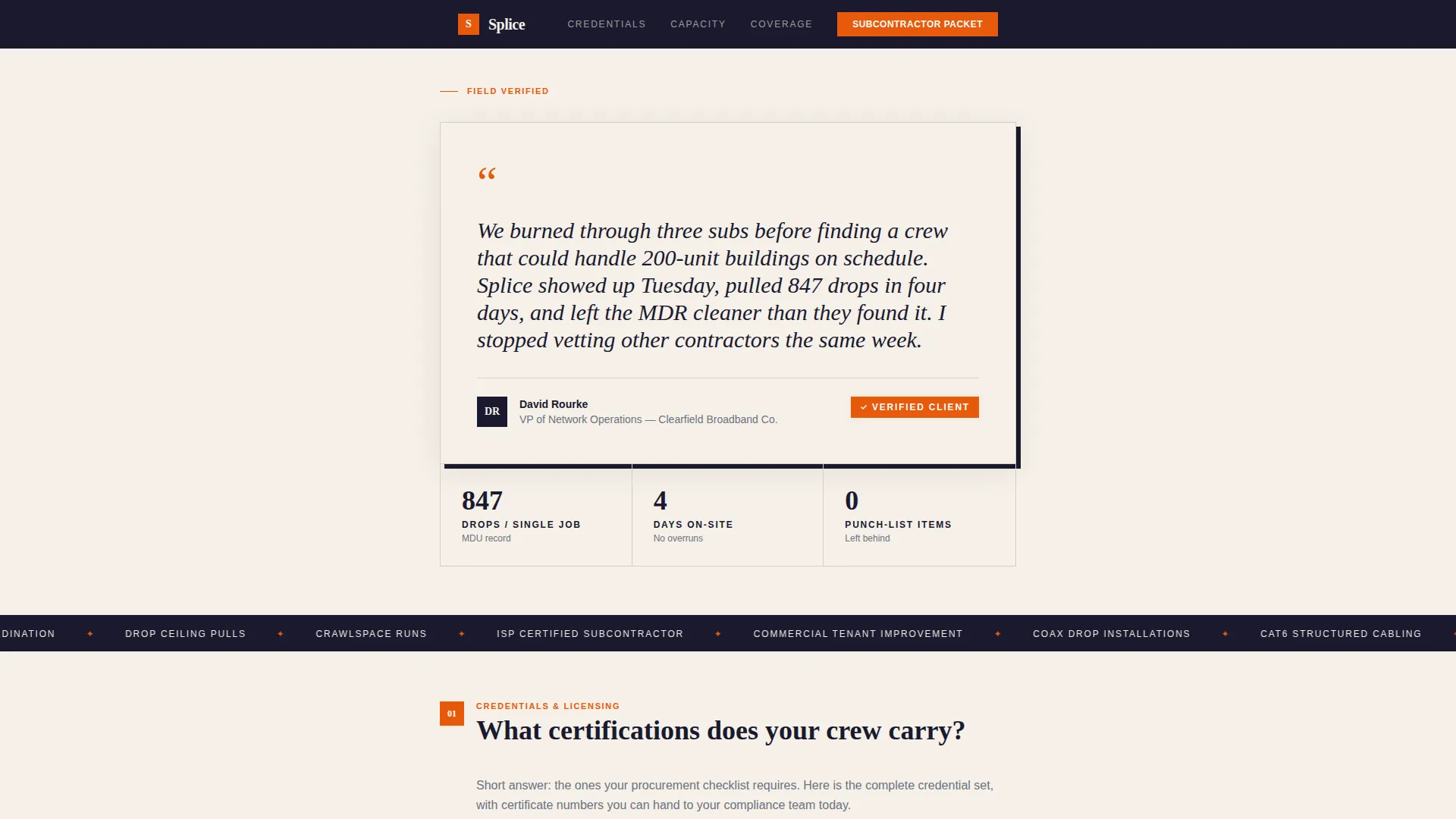
The page opens with a single oversized card on a warm parchment background. It shows a direct quote from a regional ISP operations director, a real name, a title, and a company. There is no stock photography. The social proof is the visual, and it builds credibility before a single scroll.
FAQ-Driven Content Sections
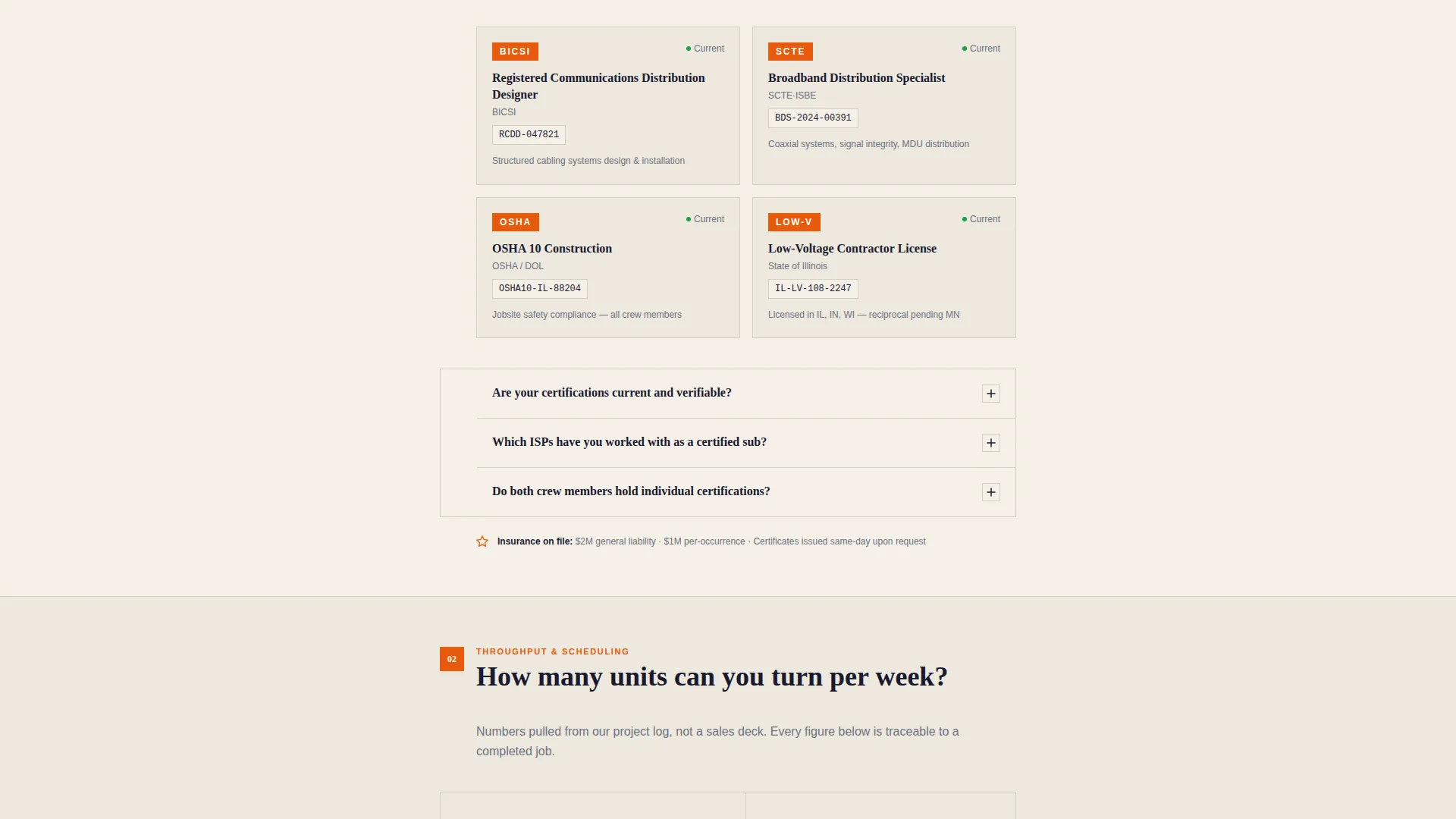
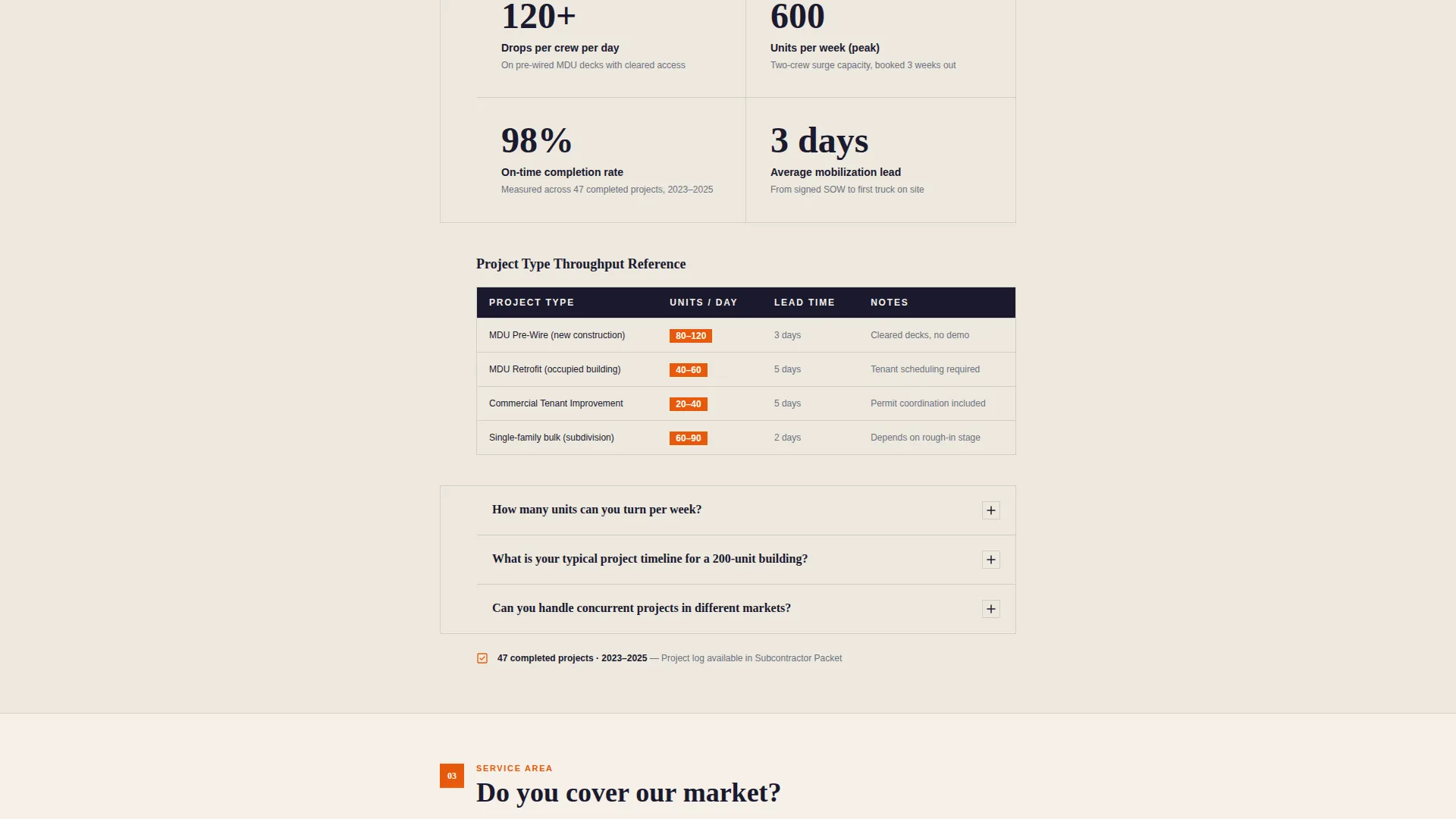
Each major section is framed as a question a prospective B2B partner would ask during vetting. The structure follows a consistent ask, answer, prove rhythm. Every section closes with a micro-credential or data point, such as license numbers, average weekly unit completion rates, or a zip-code-level service area map.
Dual Conversion Path
The primary call to action reads "Request Subcontractor Packet" and appears after the third FAQ section and again at the bottom of the page. A secondary path offers "Download Coverage Map PDF" in exchange for a business email address. This captures leads at two different commitment levels.
Partnership Form with Project Qualification
The subcontractor packet request form collects company name, project type (MDU pre-wire, retrofit, or commercial tenant improvement), estimated unit count, and preferred market region. These fields qualify the lead before any conversation starts.
Service Area Map with Zip-Code Overlays
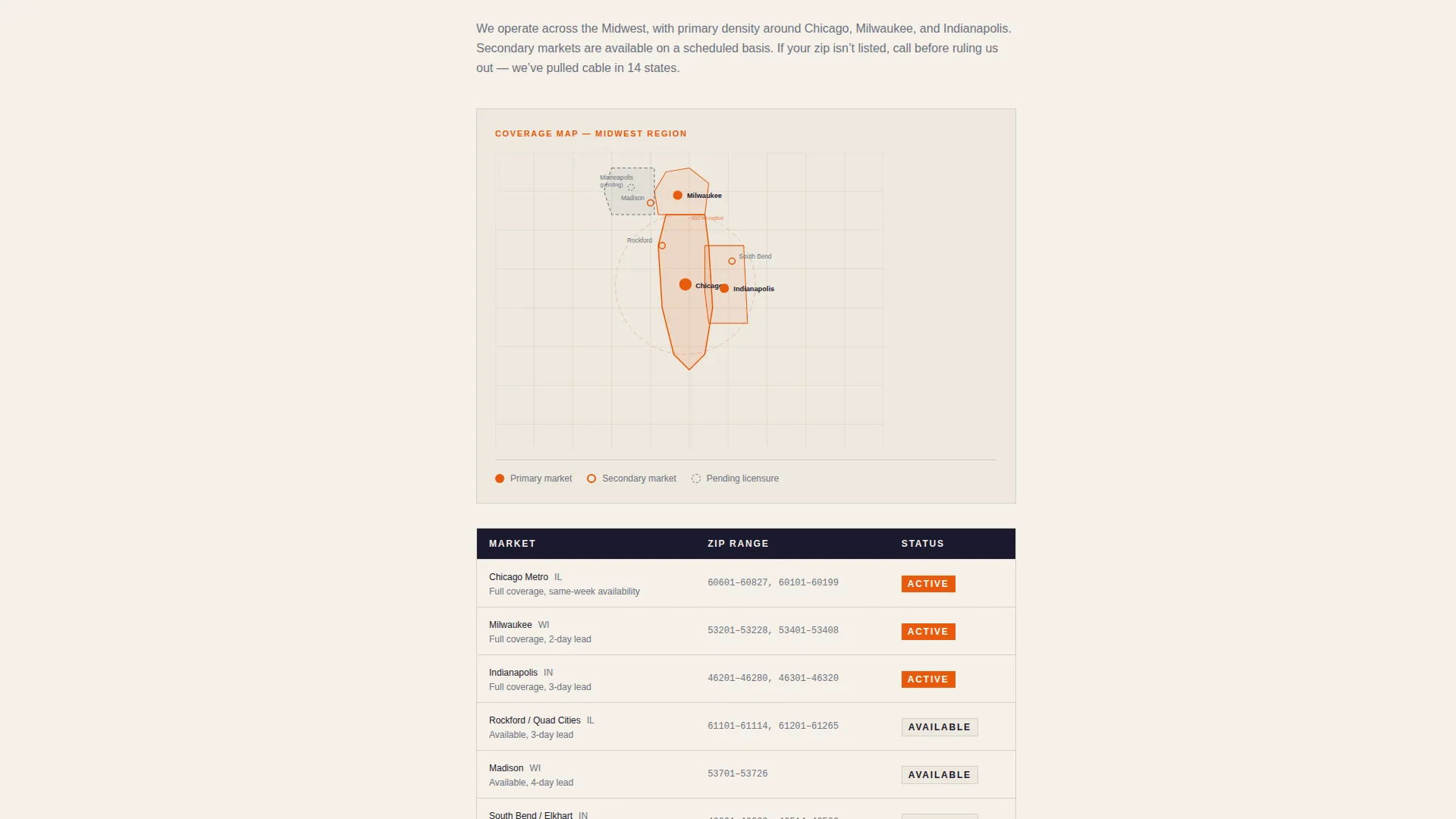
A visual coverage map with zip-code overlays is built into the page flow. It answers the service area question with a concrete visual rather than a vague description, matching the spec-sheet tone of the overall layout.
Ink and Paper Branding System
The color system uses deep manuscript black for all body text, warm parchment as the dominant background, margin-note gray for secondary labels, and contractor orange reserved for certifications, badges, and interactive elements. The result feels like a printed spec sheet rather than a marketing brochure.
Page sections overview
| Section | Purpose |
|---|---|
| Testimonial Card Header | Opens with ISP director quote to build immediate trust |
| FAQ Section One | Answers certification and license credential questions |
| FAQ Section Two | Covers weekly unit capacity and project completion rates |
| FAQ Section Three | Addresses permit coordination and scheduling reliability |
| Subcontractor Packet call to action | Primary conversion form after third FAQ section |
| Service Area Map | Visual zip-code coverage reference for scoping buyers |
| Coverage Map Download | Secondary lead capture for lower-commitment visitors |
| Bottom call to action Block | Repeats subcontractor packet request at page close |
Design & branding system
The Ink and Paper color system gives this template an authoritative, document-like quality. It avoids decorative elements and lets structure and contrast carry the visual weight.
- Deep manuscript black (#1A1A2E) for all body text, warm parchment (#F5F0E8) as the dominant background, and margin-note gray (#6B7280) for secondary labels and metadata
- Contractor orange (#E8590C) is used exclusively for certifications, badges, call-to-action buttons, and callout elements that signal importance
- The overall aesthetic follows an Educational Guide theme, referencing the feel of a freshly printed spec sheet on a clipboard
Mobile & speed optimization
The single-column layout is naturally suited to smaller screens. Every element stacks cleanly without requiring horizontal scrolling or complex reflows.
- The single-column flow means no grid breakpoints that could disrupt the reading sequence on mobile devices
- Card-based sections and clearly separated FAQ blocks maintain readability at any screen width
How this template helps you convert
Splice is built around the way B2B buyers actually evaluate subcontractors. The page removes friction at every stage of the vetting process.
- The testimonial card at the top immediately addresses skepticism from buyers who have already burned through unreliable subs, making them more receptive to reading further.
- The FAQ structure mirrors the real questions buyers ask during vetting, so visitors feel understood rather than marketed to, which increases the likelihood they complete the packet request form.
- The coverage map PDF download gives hesitant buyers a low-commitment first step, capturing their business email even if they are not ready to request a full subcontractor packet.
Other information about this template
Splice is part of a growing library of Professional Services landing page templates designed for niche trade and technical service businesses. It is a strong fit for any cable installer service area page that needs to look more like a vetted vendor profile than a contractor website.
- The template style is Single Column Flow, keeping all content in one readable vertical sequence without sidebars or tabbed navigation
- The Educational Guide theme makes it suitable for trades that need to demonstrate technical authority alongside availability and reliability
- The FAQ-Driven creative direction can be adapted to other low-voltage or structured cabling services by swapping the question set while keeping the same layout rhythm
- The Partnership and B2B landing page direction means the page is intentionally designed to support subcontractor agreements and project scoping conversations, not consumer bookings
Theme
Educational Guide
Creative direction
FAQ-Driven
Color system
Ink & Paper
Style
Single Column Flow
Direction
Partnership/B2B
Page Sections
Testimonial Card Header
Faq-driven Section Flow
Dual-path Lead Conversion
Project Qualification Form
Service Area Map with Zip-code Overlays
Ink and Paper Color System
Related questions
What type of businesses will get the most value from this template?
Can the FAQ sections be customized with different questions?
How does the dual call to action path work?
Does this template include the service area map as an editable component?
Is this template suitable for a solo cable installer or only for crews?



