Cable Installer Business Specialist Professional Website Template
Splice is a single-page landing page template built for professional cable installation businesses. It combines a stats-first layout with a zigzag alternating section structure to move visitors from credibility to quote request without friction. The design uses a Corporate Precision color system, a sticky quote call to action, and a gated PDF lead path for prospects still in planning mode.
by Rocket studio
Quick summary
Splice is a precision-built landing page template for cable installation contractors. It opens with press mentions and a bold 120px stat, then walks visitors through alternating proof sections, oversized numbers paired with job-site photography. A sticky "Get Your Install Quote" bar and a low-friction four-field form turn every scroll into a lead opportunity.
Who this template is for
This template is built for cable installation businesses that need to win commercial clients fast. If your crew handles structured cabling for offices, data centers, or tenant fit-outs, this page speaks directly to the people signing the purchase orders.
- Facilities managers coordinating tenant fit-outs on tight deadlines
- General contractors who need a certified and insured cabling subcontractor
- Information technology directors upgrading legacy copper cabling before a new system goes live
What problem this template solves
Most cable installers lose leads because their web presence does not match their on-site professionalism. A messy or generic page creates doubt right when a facilities manager or general contractor is ready to request a quote.
- Visitors have no immediate proof of scale, speed, or certification before they bounce
- Quote request forms ask for too much upfront, raising friction and killing conversions
- Prospects who are in planning mode but not ready to quote have no path to stay engaged
What you get with this template
You get a fully structured, single-page lead generation layout ready to represent a serious cabling operation. Every section is designed to build trust before asking for anything in return.
- A press mentions header bar with a dominant stat, metro area identifier, and certification callouts
- Zigzag alternating sections pairing oversized stats with proof photography, covering speed, scale, and safety
- A sticky bottom bar with a "Get Your Install Quote" call to action and a slide-up four-field quote form
- A secondary email-gated PDF download path for prospects who need a certified scope-of-work document first
Feature list
This template ships with purposeful components drawn from the brief. Every element earns its place.
Stats-First Hero Header
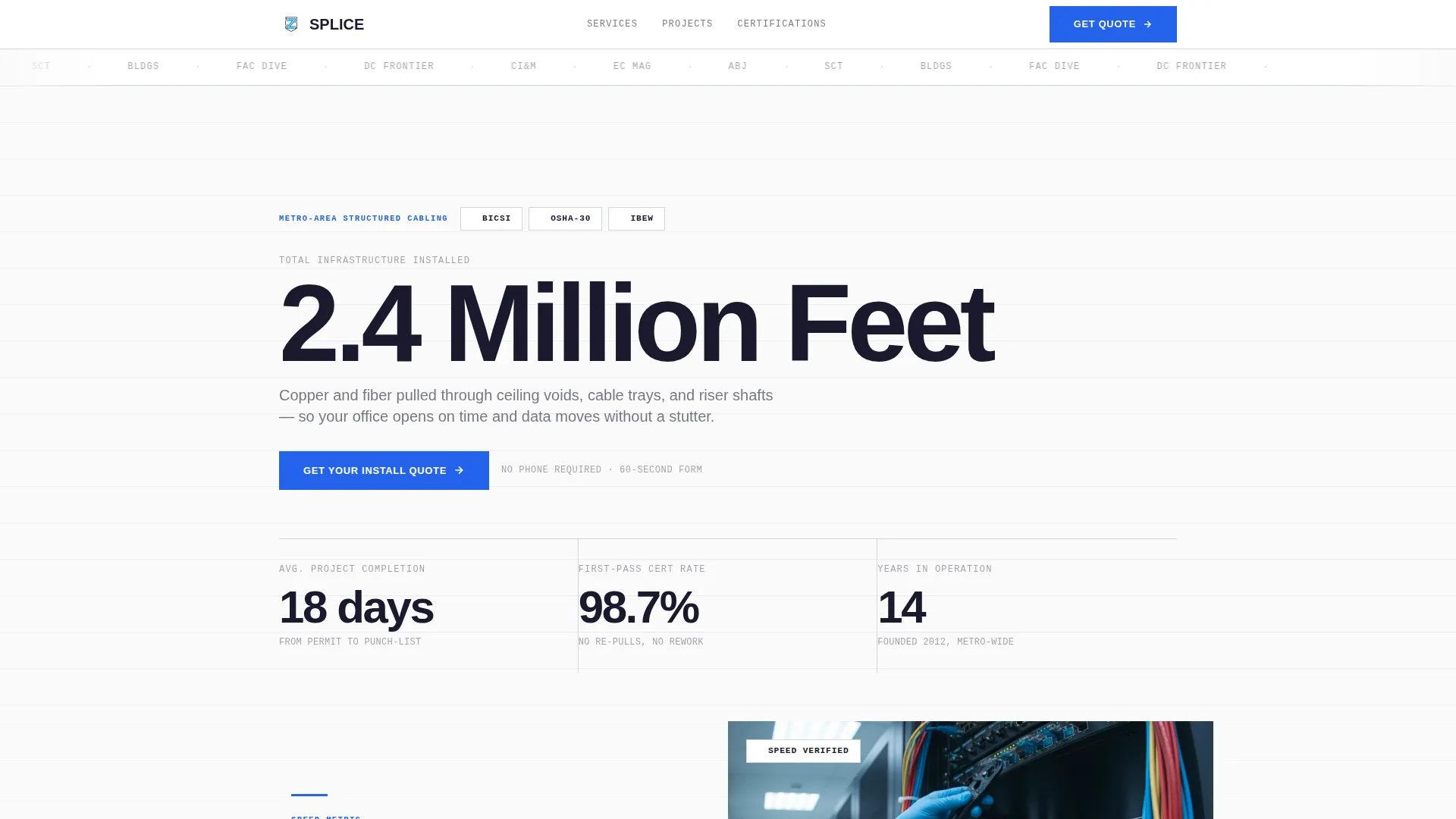
The page opens with a press mentions scroll bar above a single stat set at 120px bold, "2.4 Million Feet Installed." Below it, a tight subhead names the metro area and certifications (BICSI and OSHA-30), followed by three animated counter stats that tick up on load.
Zigzag Alternating Section Layout
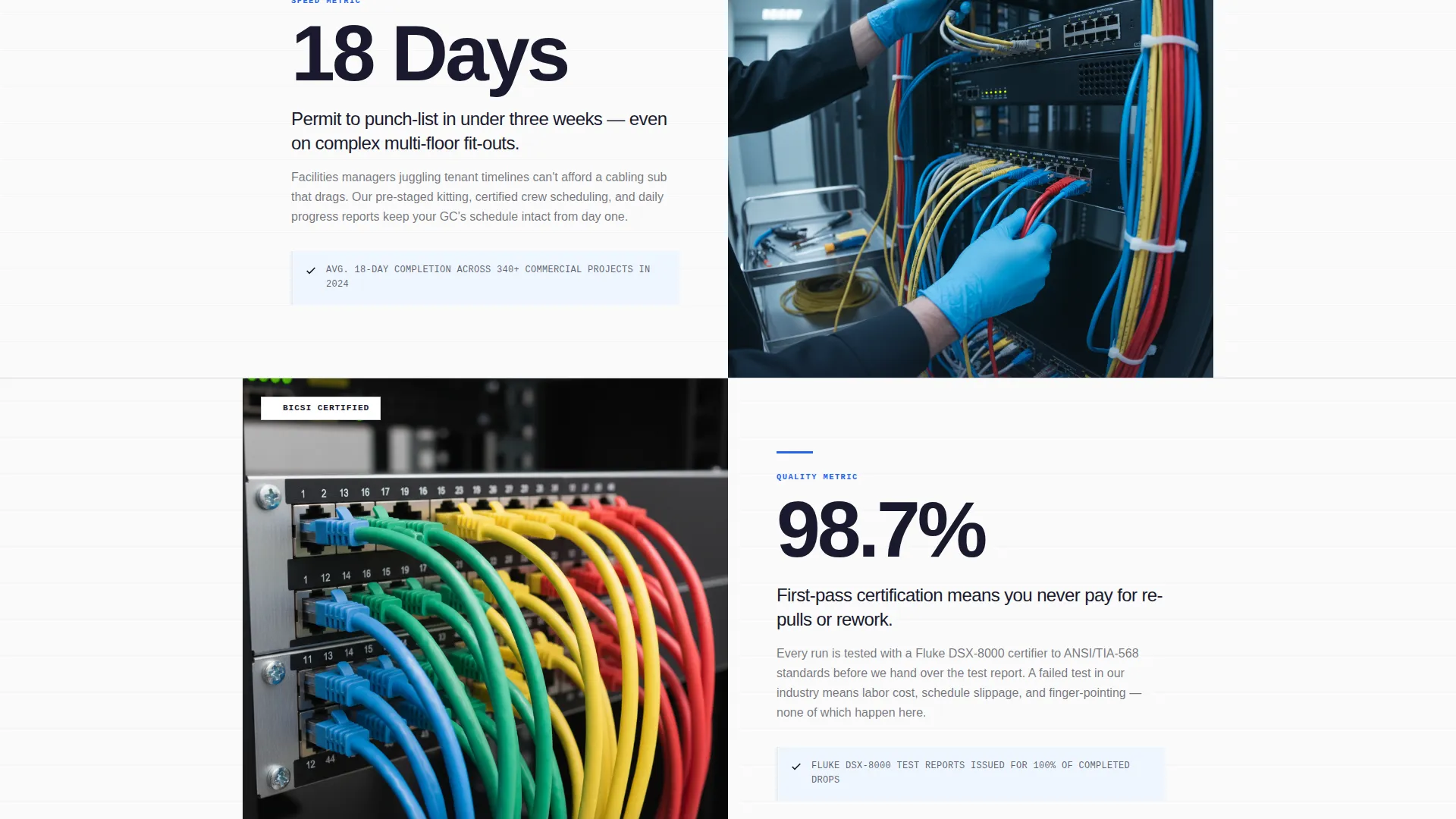
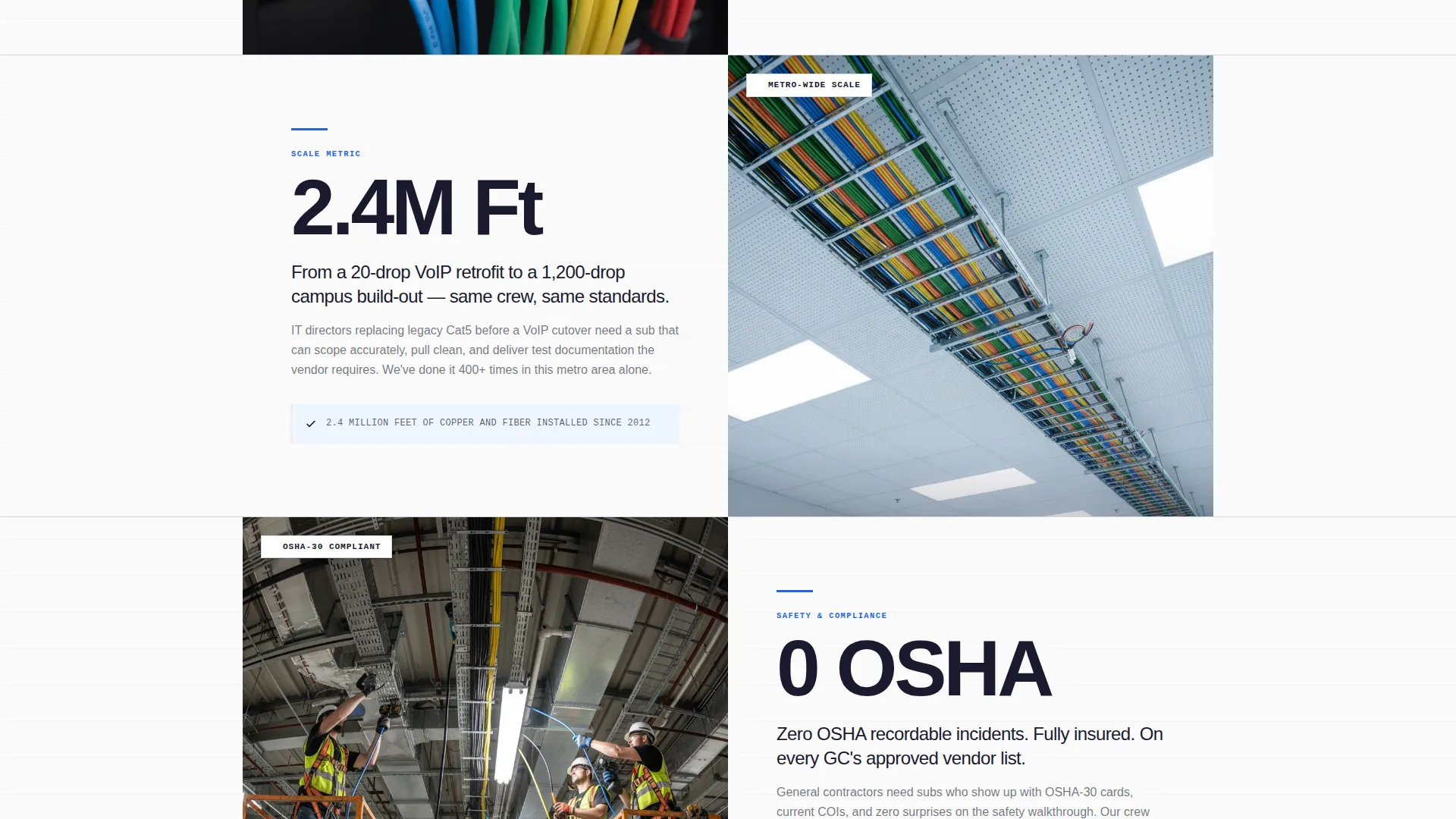
Each alternating row leads with an oversized stat in ink-black type followed by two explanatory sentences, then anchors the opposite side with a tight job-site photograph. The sequence escalates from speed metrics to scale metrics to safety metrics.
Sticky Quote call to action Bar
After the first scroll, a bottom bar locks into place carrying the "Get Your Install Quote" button. It stays visible through every section so the call to action is never more than one tap away.
Low-Friction Slide-Up Quote Form
The quote form slides up as a panel with four fields in a deliberate order: project type, estimated drop count, building address, and email. No phone field appears upfront, keeping the barrier to submission as low as possible.
Email-Gated PDF Lead Path
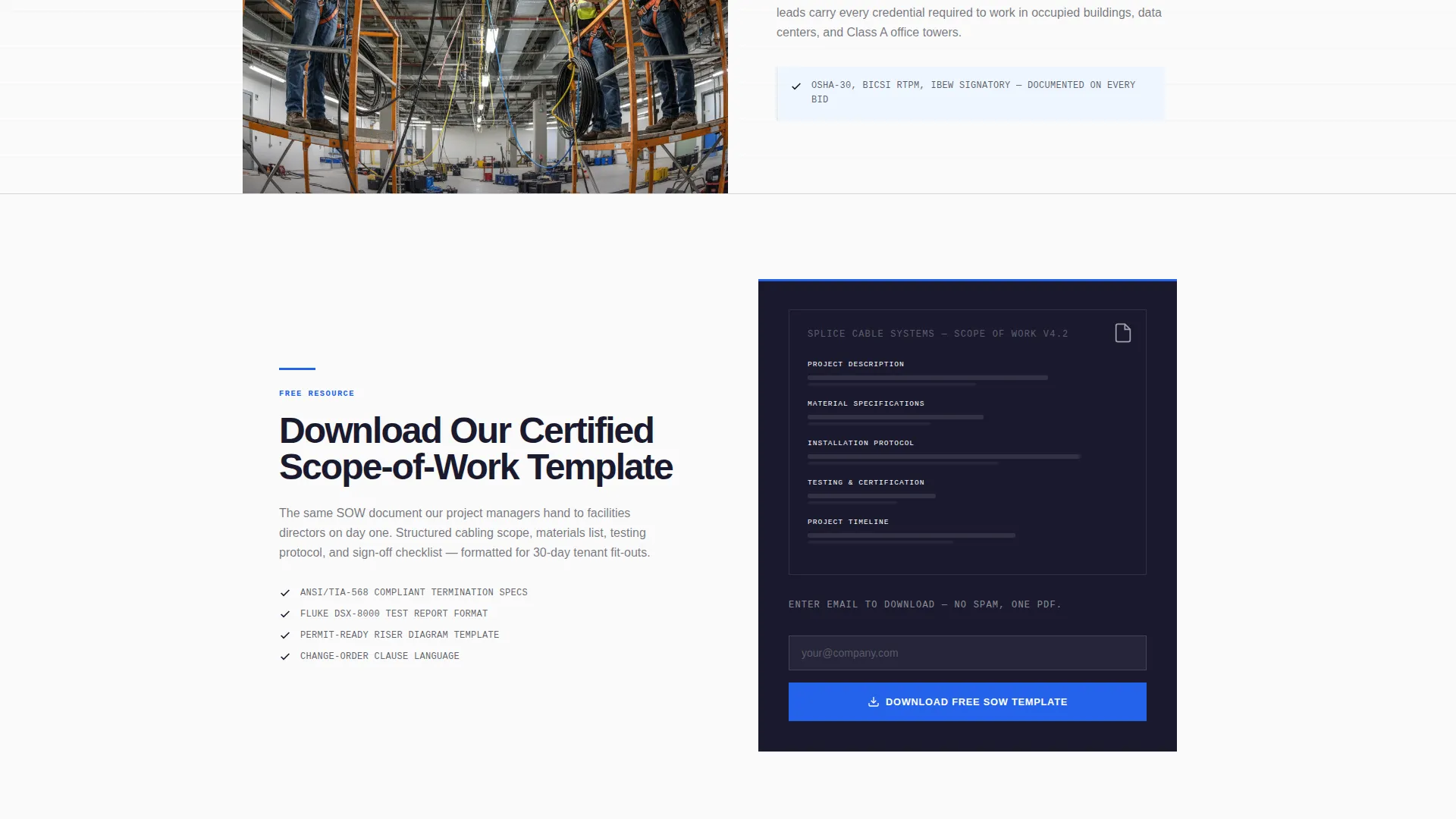
Below the final zigzag section, a secondary offer presents a downloadable PDF titled "Our Certified Scope-of-Work Template." Visitors enter their email to unlock it, capturing planning-stage leads who are not yet ready for a full quote.
Animated Counter Stats
Three key performance figures, average project completion days, first-pass test rate, and years in operation, animate upward on page load. The counting motion draws the eye and makes numbers feel earned rather than static.
Page sections overview
| Section | Purpose |
|---|---|
| Press Mentions Bar | Establishes media credibility above the fold |
| Hero Stat Display | Anchors scale with a single dominant number |
| Certifications Subhead | Names metro area, BICSI, and OSHA-30 credentials |
| Animated Stats Row | Shows three performance counters on load |
| Zigzag Stat + Photo | Pairs speed metrics with job-site proof images |
| Zigzag Scale Section | Escalates to volume and project size proof |
| Zigzag Safety Section | Closes the alternating proof arc with safety metrics |
| Sticky Quote Bar | Locks quote call to action after first scroll |
| Slide-Up Quote Form | Collects four low-friction lead fields |
| PDF Download Section | Captures planning-stage leads via email gate |
Design & branding system
The visual identity follows a Corporate Precision theme built on the Ink & Paper color system. Every color choice reinforces authority and legibility, like a scope-of-work document printed on heavyweight stock.
- Deep document black (#1A1A2E) for body text and dominant stat figures, clean bond white (#FAFAFA) for backgrounds, and ruled-line gray (#D1D5DB) for dividers and supporting elements
- Flagging-tape blue (#2563EB) reserved exclusively for call-to-action buttons and stat callouts, keeping visual hierarchy tight and intentional
- Typography scales from 120px animated hero figures down to tight subheads, maintaining a structured document feel throughout
Mobile & speed optimization
The layout is structured to function clearly on smaller screens without losing the stat-first impact that makes it work on desktop.
- Zigzag sections stack vertically on mobile so stat and image blocks remain readable without horizontal scrolling
- The sticky quote bar stays anchored at the bottom of the viewport on all screen sizes, keeping the primary call to action accessible at every point in the scroll
How this template helps you convert
Every design decision in this template is aimed at reducing doubt and shortening the path to a quote request.
- The stats-first structure, opening with "2.4 Million Feet Installed" and animated performance counters, establishes proof of scale before a visitor reads a single sentence of body copy.
- The sticky quote bar with the slide-up form removes the need to scroll back to find a contact point, cutting abandonment at the moment of intent.
- The email-gated PDF creates a second conversion path for visitors who need more time, so no qualified lead leaves the page empty-handed.
Other information about this template
This template is built specifically for the cable installer quote request use case within the professional services category. It is best suited for contractors operating in commercial markets where certifications and verifiable performance data matter to the buyer.
- The template style is Zigzag/Alternating, which is well-suited to presenting multiple proof points without the page feeling like a wall of text
- The header concept prioritizes press mentions because trade publications like Cabling Installation & Maintenance and Electrical Contractor Magazine carry credibility with facilities and contracting audiences
- The lp direction is Lead Generation, meaning every section is oriented toward either a quote submission or an email capture
- The creative direction is Stats-First Impact, which means numerical claims always precede narrative explanation in each section block
Theme
Corporate Precision
Creative direction
Stats-First Impact
Color system
Ink & Paper
Style
Zigzag/Alternating
Direction
Lead Generation
Page Sections
Stats-first Hero with Animated Counters
Zigzag Alternating Proof Sections
Sticky Quote Call to Action Bar
Low-friction Slide-up Quote Form
Email-gated PDF Lead Path
Related questions
Can I edit the stat figures and certifications shown in the template?
Does the quote form connect to any external system?
Can I use this template if my business covers multiple metro areas?
Is the PDF download section required, or can I remove it?
What type of photography works best in the zigzag sections?



