Mold Inspection Landing Page Template
Spore is a dark, immersive mold inspection landing page built for certified inspection teams. It opens with an address input header, moves visitors through split-screen thermal and visible-light case studies, and drives leads through a focused form. The charcoal-and-amber visual system creates urgency without hyperbole, turning hidden contamination evidence into a compelling reason to book.
by Rocket studio
Quick summary
Spore is a single-page lead generation template for mold inspection professionals. It pairs a stark address-input header with scrollable case study panels, pulsing statistic interstitials, and a conversion-focused booking form. The charcoal and amber color system makes every call-to-action feel like a warning signal, keeping visitors engaged from first load to form submission.
Who this template is for
This template is built for mold inspection businesses that need to convert worried visitors into booked appointments. It suits certified inspection teams who work with residential and commercial properties and want their visual presentation to match the seriousness of their work.
- Certified mold and home inspection companies serving first-time homebuyers, landlords, and families
- Inspection professionals handling real estate transactions where moisture or air quality concerns have been flagged
- Commercial building inspectors who want a credible, evidence-led page to attract property managers and tenants
What problem this template solves
Most inspection service pages look generic. They use stock photography, bland layouts, and calls-to-action that feel easy to ignore. Spore solves the problem of low-urgency presentation by making hidden contamination evidence visible and unavoidable as the visitor scrolls.
- Visitors arrive with vague worry but leave with visual proof that mold is a real, documented risk in properties like theirs
- The address input header immediately personalizes the experience, making the threat feel specific rather than abstract
- The secondary PDF conversion path captures leads who are not ready to book but are too concerned to leave empty-handed
What you get with this template
Spore delivers a fully designed single-page layout with every section ready to populate with your own inspection case data, statistics, and booking form. Nothing requires a separate design tool to adjust the core structure.
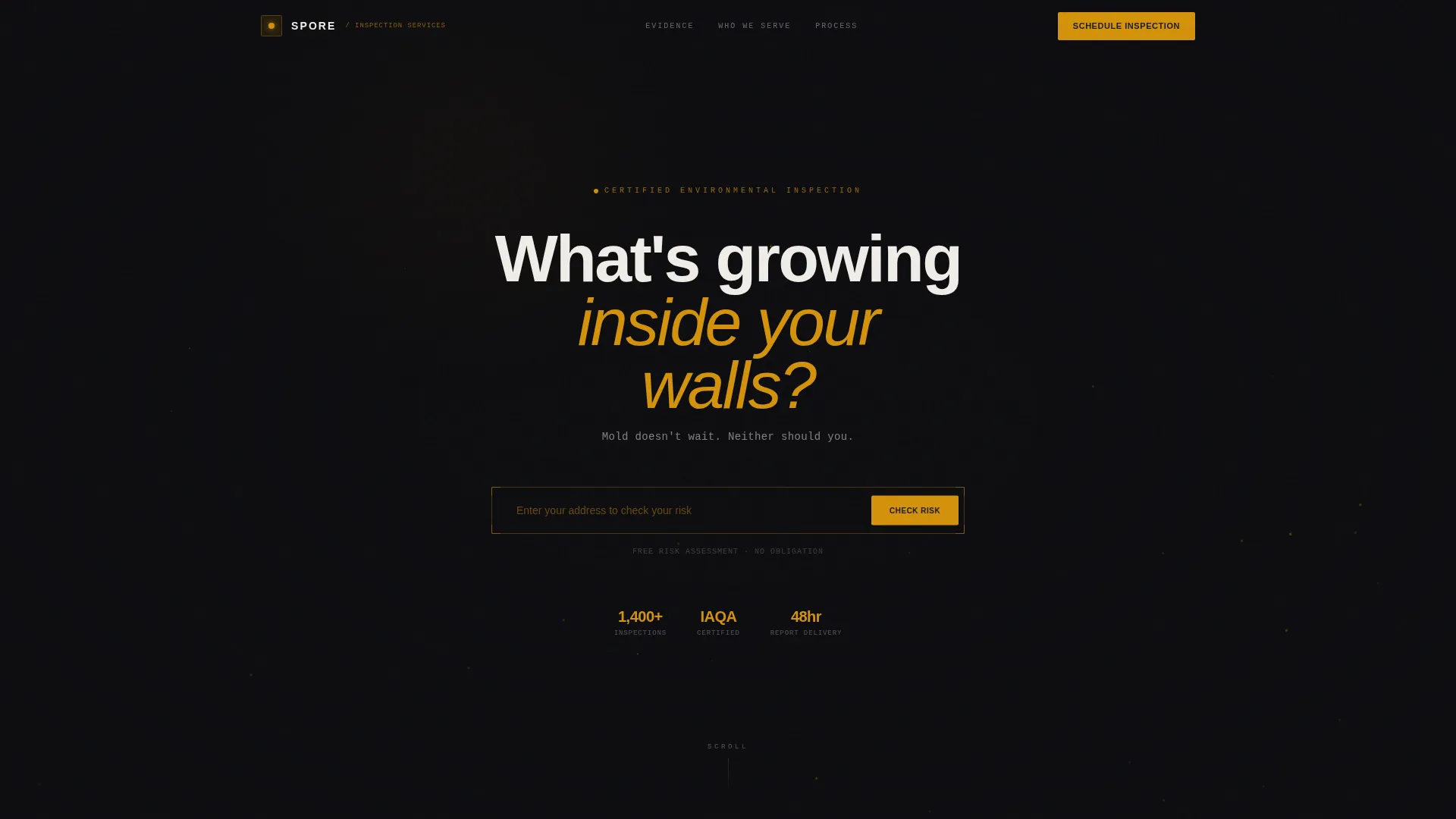
- A pitch-black address-input header with particle animation and a focused amber call-to-action
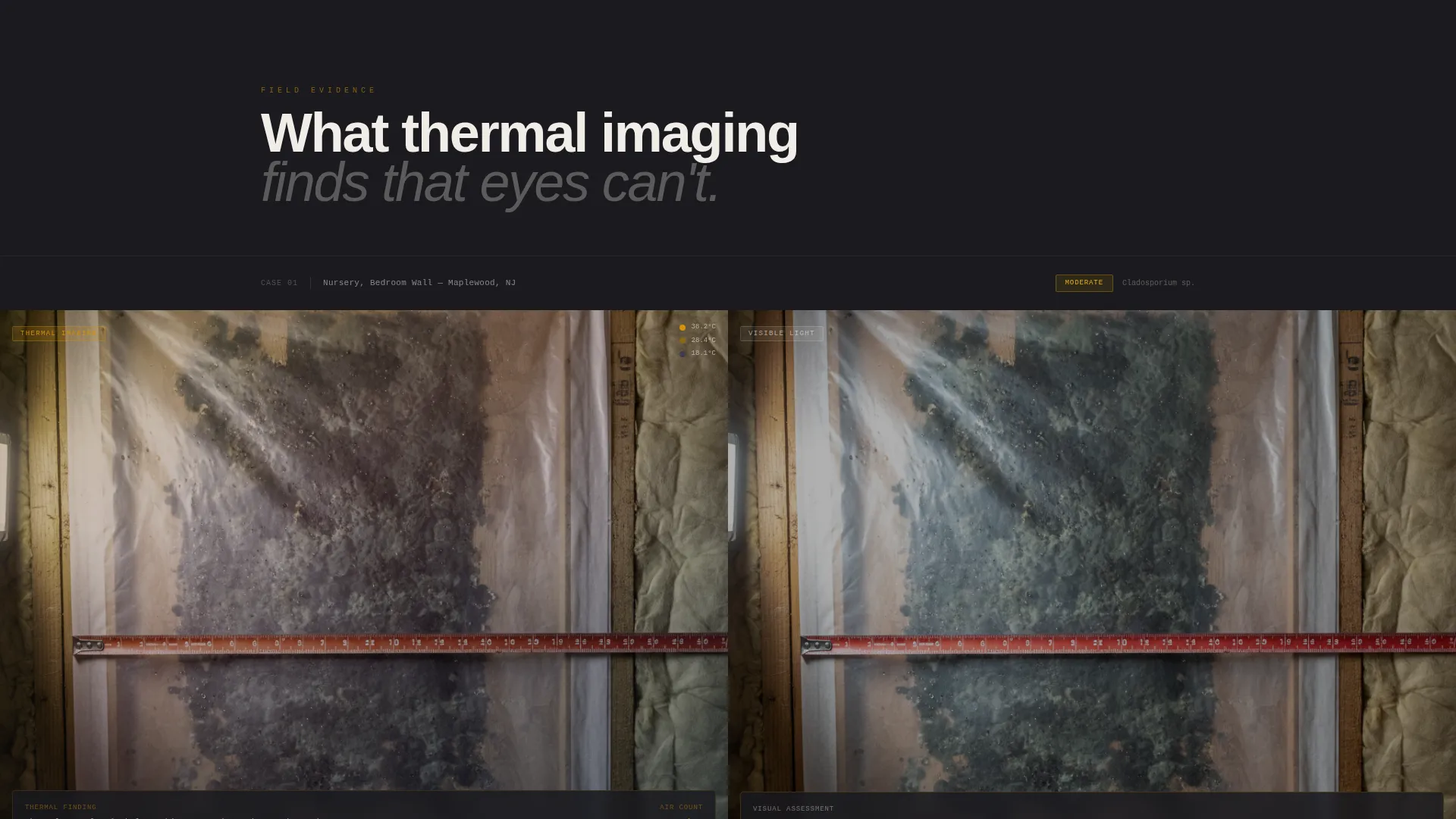
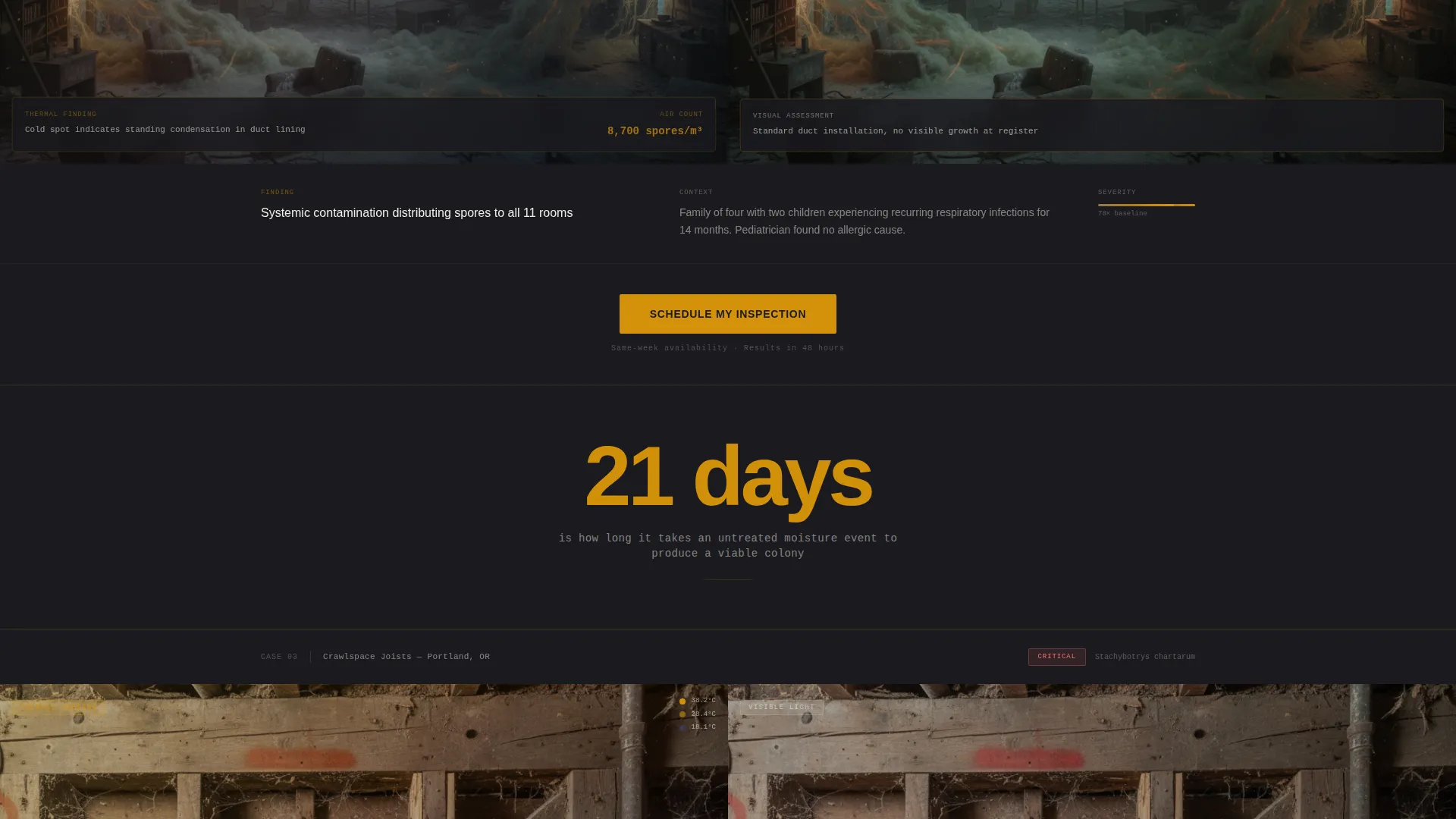
- Split-screen thermal imaging and visible-light case study panels that escalate in severity as the visitor scrolls
- A lead capture form with property address, property type, and a "What prompted your concern?" trigger dropdown, plus a secondary email-gated PDF download path
Feature list
A paragraph introducing the feature set: Every component in this template is designed around a single goal: turning ambient anxiety into a scheduled inspection. The features below are built directly into the page layout and do not require additional tools to activate.
Address-Input Hero Header
The header presents a single centered input field against a pitch-black viewport. Ghost text reads "Enter your address to check your risk" in a faint amber glow. A particle animation drifts across the background like airborne spores, and a clinical white subhead reads "Mold doesn't wait. Neither should you." The emptiness of the design is intentional, making visitors feel the unknown before they scroll.
Split-Screen Case Study Panels
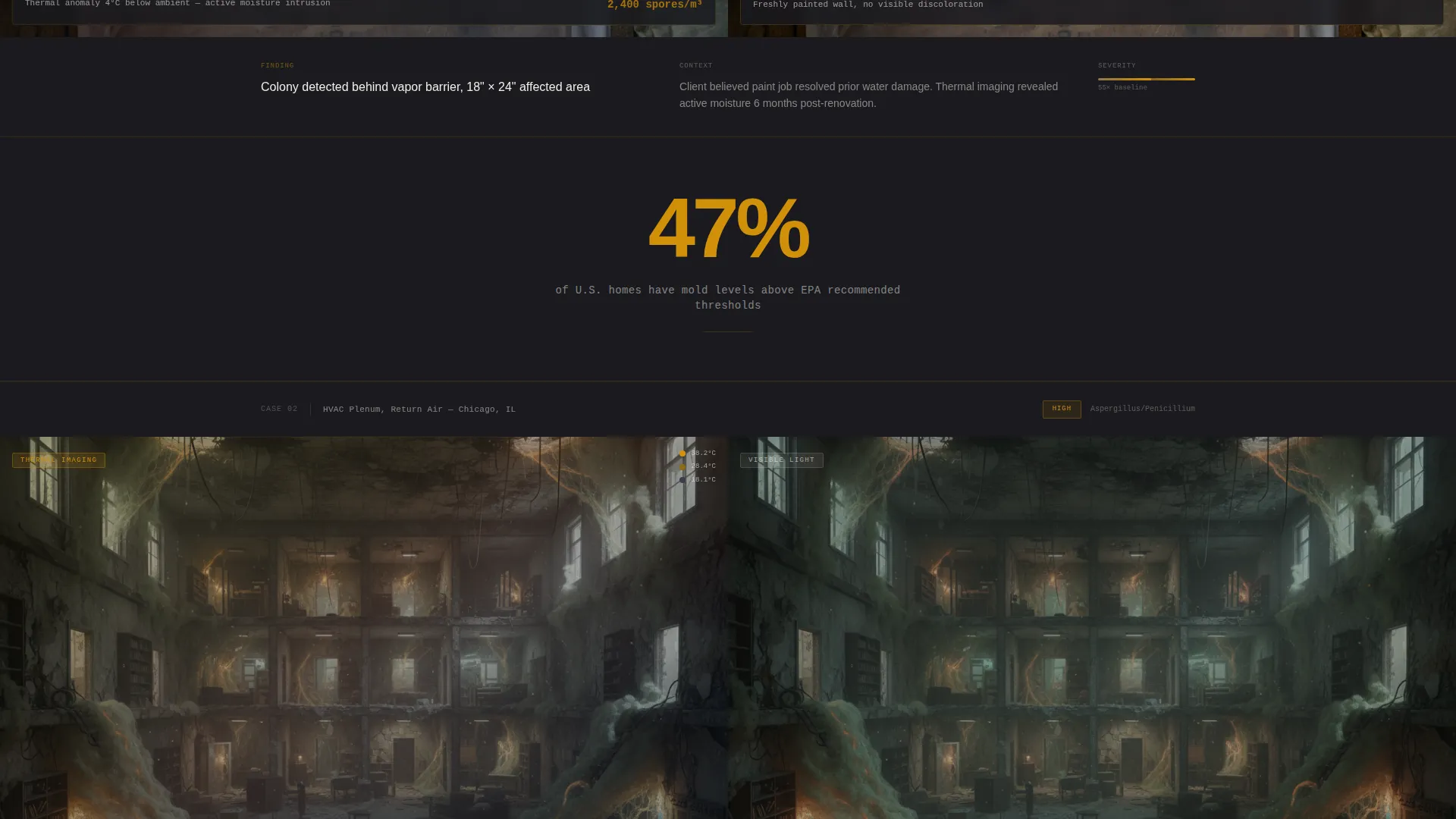
Each case study panel is a 50/50 split showing thermal imaging on the left and a visible-light photograph of the same surface on the right. Data overlays display air sample readings directly on the images. Cases escalate in severity as the visitor scrolls, building a documented visual argument for action.
Pulsing Statistic Interstitials
Between case study panels, single-stat interstitials appear in amber on charcoal. Each statistic pulses to draw attention, giving the scroll rhythm and reinforcing the scale of the problem with real-world data points.
Lead Generation Booking Form
The primary conversion form collects property address first, then property type from a dropdown, then the visitor's specific trigger from a second dropdown. Options include "Musty smell," "Visible growth," "Health symptoms," "Real estate transaction," and "Just want to know." The form is focused, low-friction, and tied to an amber call-to-action button labeled "Schedule My Inspection."
Secondary PDF Download Path
A second conversion option offers a free downloadable PDF titled "The Homeowner's Mold Risk Checklist." It is gated behind an email field, giving the page a second way to capture leads who are researching rather than ready to book.
Floating Mobile Call-to-Action
On mobile viewports, the "Schedule My Inspection" button is pinned as a floating element so it remains visible regardless of scroll position. This ensures the primary conversion action is always within reach on smaller screens.
Page sections overview
| Section | Purpose |
|---|---|
| Address Input Header | Opens with a focused input field to personalize visitor risk perception |
| Particle Animation Background | Drifts abstract spore visuals behind the header to set atmosphere |
| Case Study Panel 1 | First split-screen thermal and visible-light inspection evidence pair |
| Stat Interstitial 1 | Pulses a key contamination statistic between early case panels |
| Case Study Panel 2 | Second evidence pair escalating severity of hidden mold growth |
| Booking Form call to action | Primary lead capture after second case, with property and trigger fields |
| Case Study Panel 3 | Third pair showing the most severe documented inspection finding |
| Stat Interstitial 2 | Reinforces urgency with a second pulsing data point |
| PDF Download Gate | Secondary conversion path gated behind an email field |
| Floating Mobile Button | Pinned "Schedule My Inspection" button for mobile scroll sessions |
Design & branding system
The visual identity uses a dark immersive theme built around two functional roles for color. Charcoal tones form every background surface, amber marks every interactive and warning element, and clinical white carries all readable text and data overlays. The result reads like a thermal imaging readout in a darkened room.
- Background surfaces use deep structural charcoal (#1A1A1E) and damp slate gray (#2E2E38) to keep focus on the evidence panels
- Cautionary amber (#D4920B) is reserved for all calls-to-action, interactive elements, and statistic highlights so nothing important disappears into the dark
- Clinical white (#F0EDE8) is used exclusively for body text and data overlay typography, giving the page the precision feel of a laboratory report
Mobile & speed optimization
The layout is designed so that the most important conversion element, the booking form call-to-action, never leaves the screen on mobile devices. The floating button pattern ensures mobile visitors can act at any point in their scroll without hunting for the form.
- The floating "Schedule My Inspection" button pins to the bottom of mobile viewports throughout the scroll session
- Split-screen panels stack vertically on smaller screens so thermal and visible-light images remain readable without horizontal scrolling
- The address input header and booking form fields are sized for comfortable tap interaction on touch devices
How this template helps you convert
Spore is structured to move a visitor from vague concern to a completed booking form by the time they reach the bottom of the page. Every layout decision serves the conversion sequence.
- The address input header creates personal investment immediately, making the visitor think about their own property before they have seen a single piece of evidence.
- The escalating case study scroll builds documented urgency, so by the time the booking form appears after the second case panel, the visitor already has visual reasons to act.
- The PDF download gate provides a second conversion point for visitors who are not yet ready to book, keeping them connected to the business through a useful, specific resource.
Other information about this template
Spore fits naturally within the home inspection and property survey market, where trust is the primary conversion barrier. The template is designed to lower that barrier through evidence rather than claims. It is also well suited to commercial building inspection contexts, where property managers and landlords need to see documented methodology before committing to a service.
- The template style follows a modular card grid structure, making it straightforward to add or remove case study panels as your evidence library grows
- The immersive visual creative direction and location input header concept are matched specifically to the lead generation objective, creating a coherent visitor journey from first impression to form submission
- The Atelier Studio theme and charcoal and amber color system are pre-built into the template, so brand consistency is maintained without requiring additional design decisions at setup
Theme
Atelier Studio
Creative direction
Immersive Visual
Color system
Charcoal & Amber
Style
Card Grid (Modular)
Direction
Lead Generation
Page Sections
Address-input Hero Header
Split-screen Case Study Panels
Pulsing Statistic Interstitials
Lead Generation Booking Form
Email-gated PDF Download
Floating Mobile Call-to-action Button
Related questions
Can I replace the case study images with my own inspection photos?
Do I need to write new statistics for the interstitial sections?
Can this template work for commercial building inspectors?
What is the secondary conversion path in this template?
How does the floating button work on mobile devices?



