Trusted Cleaning | Free Website Template | Rocket
Spotless is a single-page lead generation landing page built for a Boston house cleaning service. It leads with hard numbers, anchors trust with a three-tier comparison table, and qualifies leads through a zip-code-first quote form. The Ink & Paper color system keeps the layout crisp, evidence-led, and focused on converting visitors into booked cleanings.
by Rocket studio
Quick summary
Spotless is a conversion-focused landing page template designed for a Boston house cleaning service. It opens with an oversized manifesto header, delivers trust through real statistics, and walks visitors toward a quote form through a structured comparison table. Every section builds credibility before asking for a contact, numbers first, commitment second.
Who this template is for
This template is built for cleaning service owners and operators who want a landing page that earns trust without relying on stock photography promises or vague brand language. It suits businesses that have real numbers to share and want those numbers to do the heavy lifting.
- House cleaning businesses serving a defined urban or neighborhood territory
- Solo operators or small crews ready to compete on transparency and proof
- Service owners targeting dual-income households, rental landlords, and remote workers
What problem this template solves
Most cleaning service pages lead with adjectives. Words like "reliable," "thorough," and "trusted" appear above the fold and prove nothing. Visitors arrive skeptical and leave without booking because the page never gave them a reason to believe the claims. This template flips that structure entirely.
- No more hiding pricing behind a "call us" button
- No more vague service descriptions that leave visitors guessing what they actually get
- No more generic layouts that look identical to every other local service page
What you get with this template
The template delivers a complete single-page layout organized around evidence and action. Every structural choice pushes the visitor toward the quote form by first giving them the information they actually want.
- A manifesto-style header with a real stat headline and three supporting proof numbers
- A three-tier comparison table covering Standard, Deep, and Move-In/Move-Out cleaning
- A zip-code-first lead form with home size, date preference, and optional special instructions
- A neighborhood map-dot visual showing completed cleanings across Boston zip codes
- A secondary scroll-to-pricing path for visitors not yet ready to submit contact details
Feature list
This section describes the core built-in components and layout capabilities included in the Spotless template.
Oversized Manifesto Header
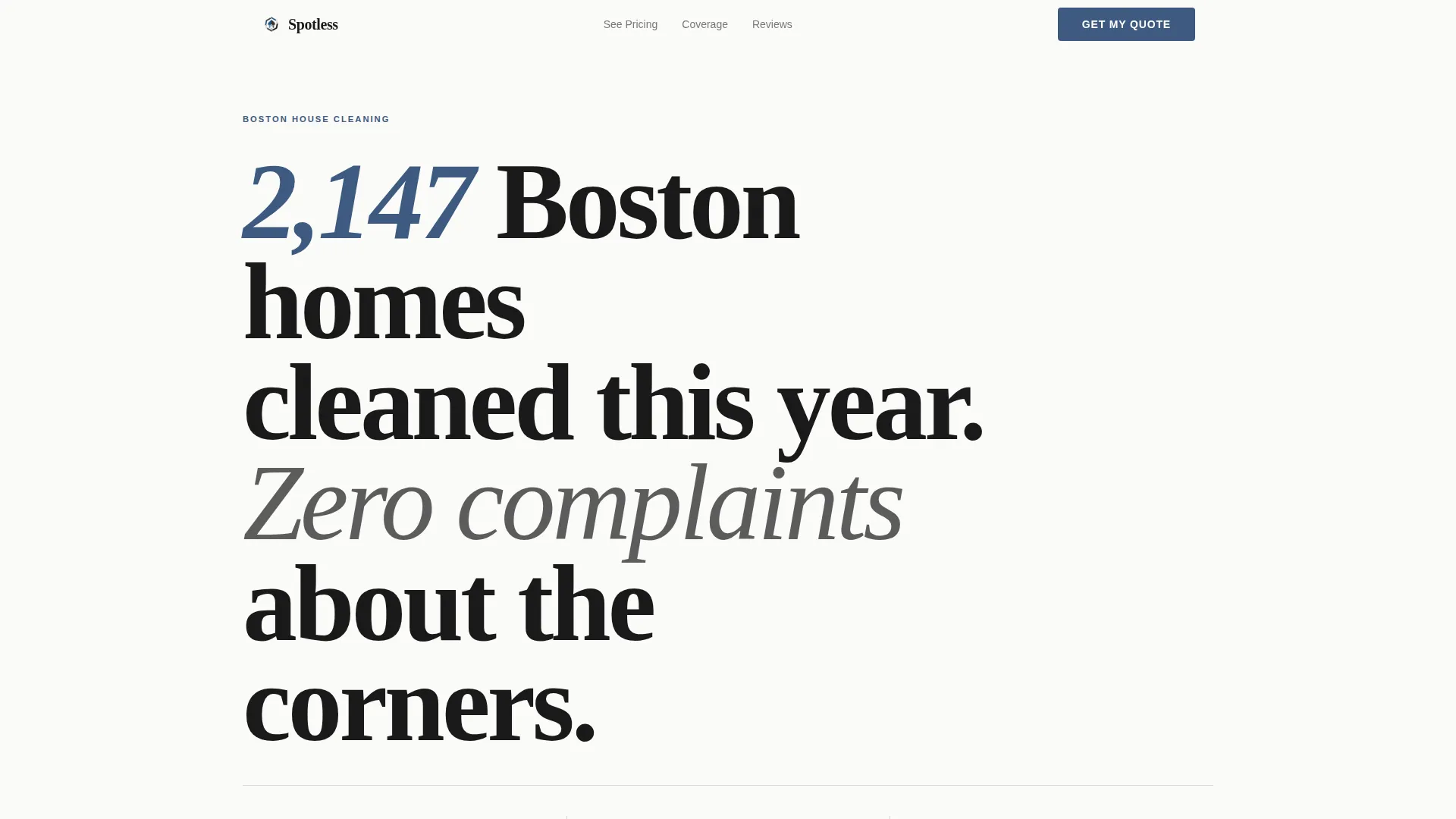
The header opens with a quote-style headline set in large serif type against a clean white background. A single thin rule separates it from three key stats rendered in archival blue. The layout commands attention before the visitor has scrolled a single pixel.
Three-Tier Comparison Table
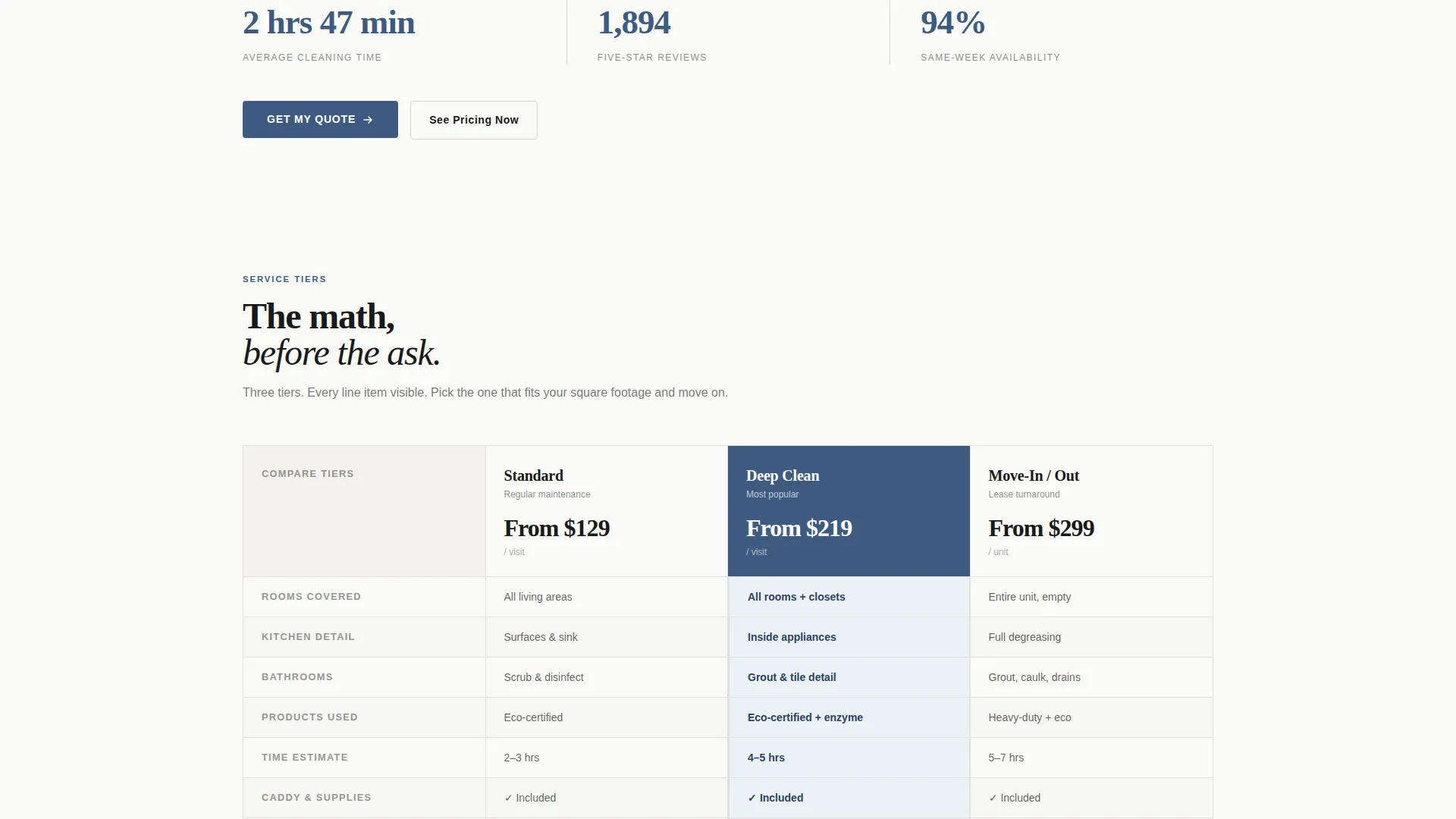
The comparison table sits at the center of the page and displays Standard, Deep, and Move-In/Move-Out service tiers side by side. Each tier row covers rooms included, products used, estimated time, and price. Visitors can compare options without asking a single question.
Zip-Code-First Quote Form
The lead form opens with a zip code field that instantly qualifies whether the visitor falls within the service area. It then steps through home size via a bedroom and bathroom counter, preferred date range, and an optional field for special instructions. The form is structured to reduce friction and improve lead quality at the same time.
Neighborhood Proof Map
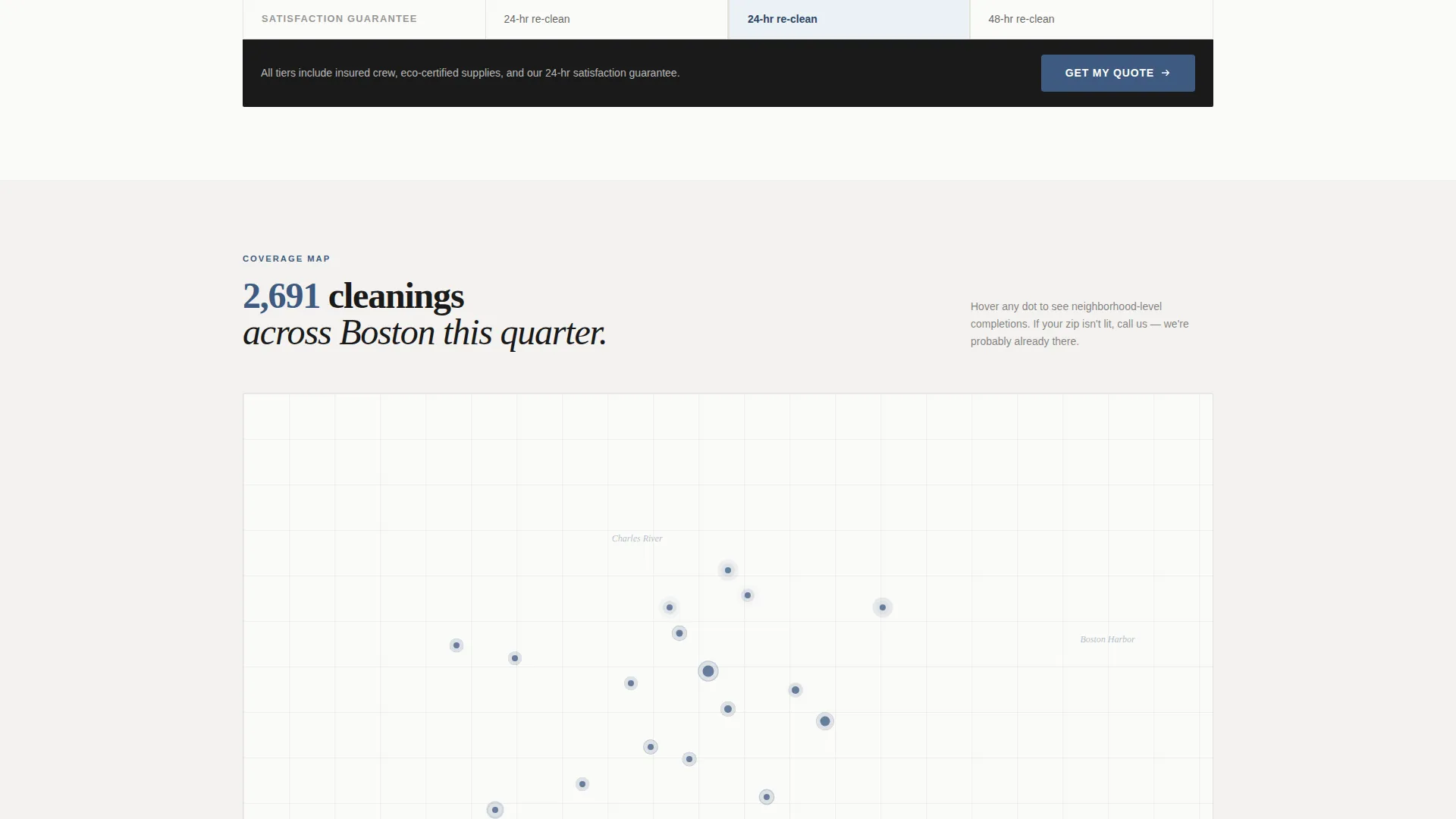
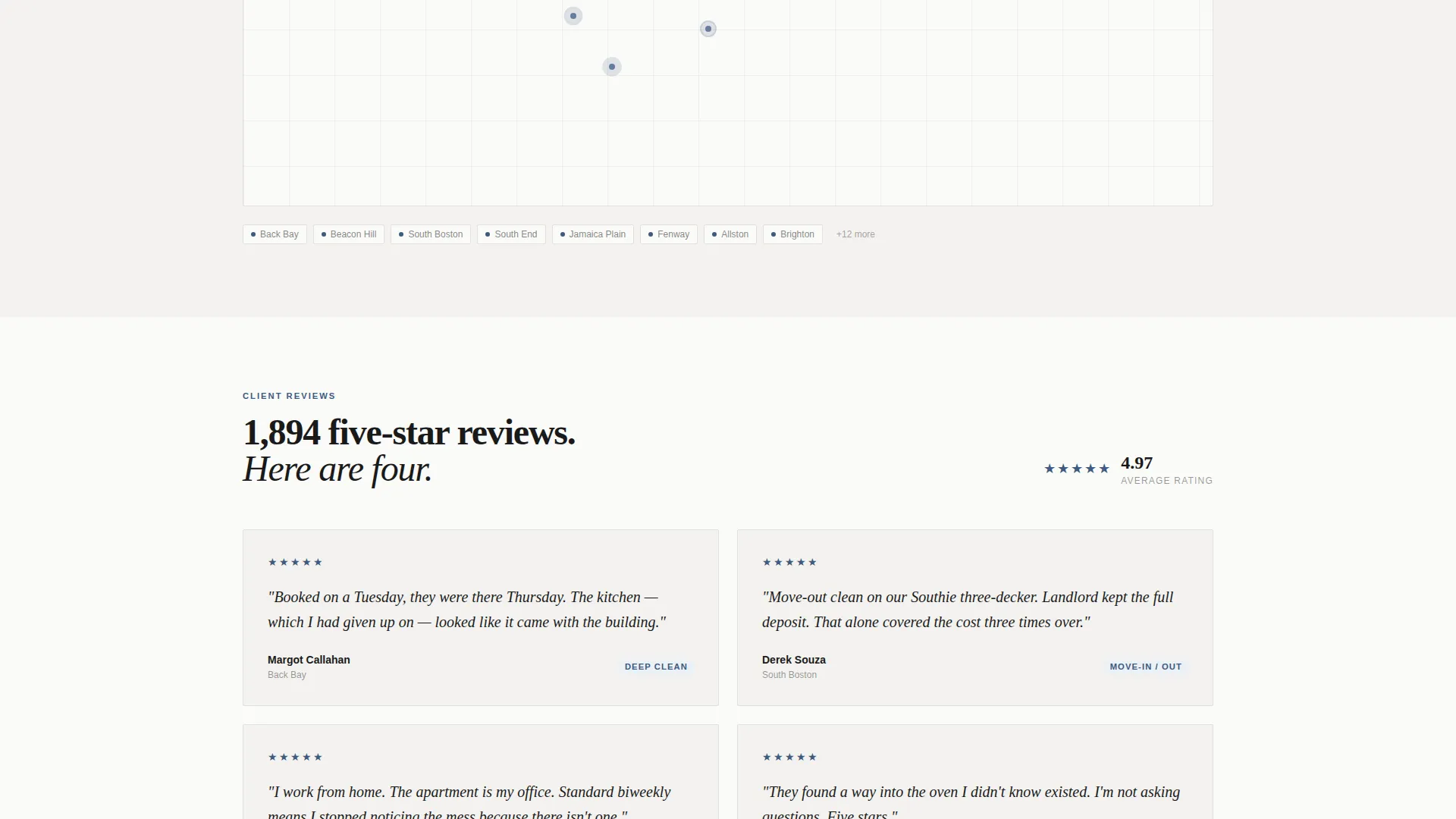
A map-dot visual below the comparison table shows completed cleanings plotted across Boston zip codes for the current quarter. The component replaces testimonial carousels with geographic evidence. It answers "do you serve my neighborhood?" before the visitor has to ask.
Stats-First Section Flow
Every scroll reveals a hard number before a soft promise. The three above-the-fold stats, the comparison table data, and the map visual accumulate credibility the way line items build an invoice. No section relies on adjectives alone.
Pinned and Repeated Call-to-Action
The primary "Get My Quote" call-to-action appears pinned at the comparison table footer and again at the bottom of the page. A secondary "See Pricing Now" link scrolls directly to the table for visitors who want to browse before committing. Both paths stay in view at the right moment in the visitor's decision process.
Page sections overview
| Section | Purpose |
|---|---|
| Manifesto Header | Opens with an oversized stat-driven headline and a thin rule separating it from three proof numbers |
| Above-Fold Stats | Displays average cleaning time, five-star review count, and same-week availability in archival blue |
| Comparison Table | Lets visitors evaluate Standard, Deep, and Move-In/Move-Out tiers across four rows of criteria |
| Neighborhood Map | Shows completed cleaning dots by Boston zip code to confirm local coverage and volume |
| Quote Request Form | Collects zip code, home size, date range, and optional instructions to generate a tailored quote |
| Page-Bottom call to action | Repeats the primary call-to-action for visitors who scrolled past the table before deciding |
Design & branding system
The Spotless template uses an Ink & Paper color system that prioritizes clarity over decoration. The palette feels like a freshly printed checklist on heavy cardstock: organized, quiet, and authoritative.
- Bond white (#FAFAF8) as the page background, typographic black (#1A1A1A) for all body text, and soft pencil gray (#D4D2CD) for dividers and secondary elements
- Archival blue (#3D5A80) reserved exclusively for call-to-action buttons and active table highlights, keeping it visually distinct from every other element on the page
- Oversized serif type in the header for billboard-scale impact, with clean sans-serif body text maintaining readability throughout the rest of the layout
Mobile & speed optimization
The layout is built to stay readable and functional on any screen size. The single-page structure avoids the overhead of multi-page navigation and keeps the visitor's path uninterrupted from header to form.
- The comparison table reflows cleanly on smaller screens so tier rows remain scannable without horizontal scrolling
- The quote form fields stack vertically on mobile, keeping the zip code entry and bedroom counter easy to tap in sequence
- The map-dot visual and stat rows adapt to narrower viewports without losing their visual hierarchy or legibility
How this template helps you convert
The page is designed around a single principle: show the math before asking for the contact. By the time a visitor reaches the form, the only question left is which tier fits their home.
- The manifesto header and above-fold stats establish scale and credibility in the first three seconds, removing the visitor's instinct to bounce before reading further.
- The comparison table answers pricing and scope questions up front, so the visitor arrives at the form already informed rather than uncertain.
- The zip-code-first form field qualifies the lead immediately and signals to the visitor that the service is genuinely local, which increases trust and form completion rate.
Other information about this template
This template is built within a Service Utility theme framework. That means the structural logic prioritizes functional communication over decorative layout choices. Every element serves a role in moving the visitor toward the form.
- Template style: Comparison Table, a layout format suited to services with tiered pricing or scope options
- Creative direction: Stats-First Impact, meaning hard evidence appears before soft brand language at every scroll depth
- Header concept: Quote/Manifesto, using oversized type to establish authority and tone before the visitor reads a single body paragraph
- Color system: Ink & Paper, combining bond white, typographic black, pencil gray, and archival blue into a palette that reads as organized and credible
- Landing page direction: Lead Generation, with both the primary and secondary calls-to-action oriented toward quote form submissions
- This template is well-suited for Boston house cleaning operators who want a page that reflects the professionalism of their service without overpromising on visual polish
Theme
Service Utility
Creative direction
Stats-First Impact
Color system
Ink & Paper
Style
Comparison Table
Direction
Lead Generation
Page Sections
Manifesto Header with Stat Headline
Three-tier Service Comparison Table
Zip-code-first Lead Generation Form
Neighborhood Map-dot Visual
Pinned and Page-bottom Ctas
Related questions
What type of cleaning business is this template built for?
Can I update the stats and comparison table with my own numbers?
What does the zip-code-first form field actually do?
Do I need to serve Boston specifically to use this template?
Is this a single page or a multi-page site?



