Kids Cooking Instructor Directory Landing Page
Sprinkle is a kids cooking instructor directory landing page template built for parents who want to find and book local cooking classes fast. It pairs a joyful Dopamine Pop color palette with a Hero's Journey scroll flow, a looping animated kitchen header, a Pinterest-style instructor masonry grid, and a three-step trial class booking flow designed for mobile-first browsing.
by Rocket studio
Quick summary
Sprinkle is a single-page kids cooking instructor directory template. It connects parents with vetted local cooking instructors through a colorful masonry layout, an animated hero, and a streamlined booking flow. The design feels like a cupcake decorating station mid-party: warm, playful, and impossible to leave without smiling.
Who this template is for
This template is built for anyone running or launching a kids cooking class directory or local activity marketplace. It speaks directly to the people doing the searching and the people organizing the offering.
- Parents searching for cooking classes for children ages 3 through 12, especially on mobile at night
- Homeschool co-op organizers looking to fill weekend activity slots with something hands-on
- Birthday party planners who want a flour-fight experience instead of a bounce house rental
What problem this template solves
Finding a trustworthy, nearby cooking class for a young child is surprisingly hard. Parents hit walls of generic search results, unclear pricing, and no sense of who the instructor actually is. This template solves that by putting the right information front and center, fast.
- Parents can not easily compare local instructors by proximity, age group, and availability in one place
- Booking friction is high when parents have to call, email, or leave a page to reserve a spot
- Gift-givers such as grandparents have no simple path to purchase a class without browsing the full directory
What you get with this template
You get a fully designed, single-page landing page template that covers the complete parent journey from curiosity to confirmed booking. Every section is built with mobile-first layout in mind.
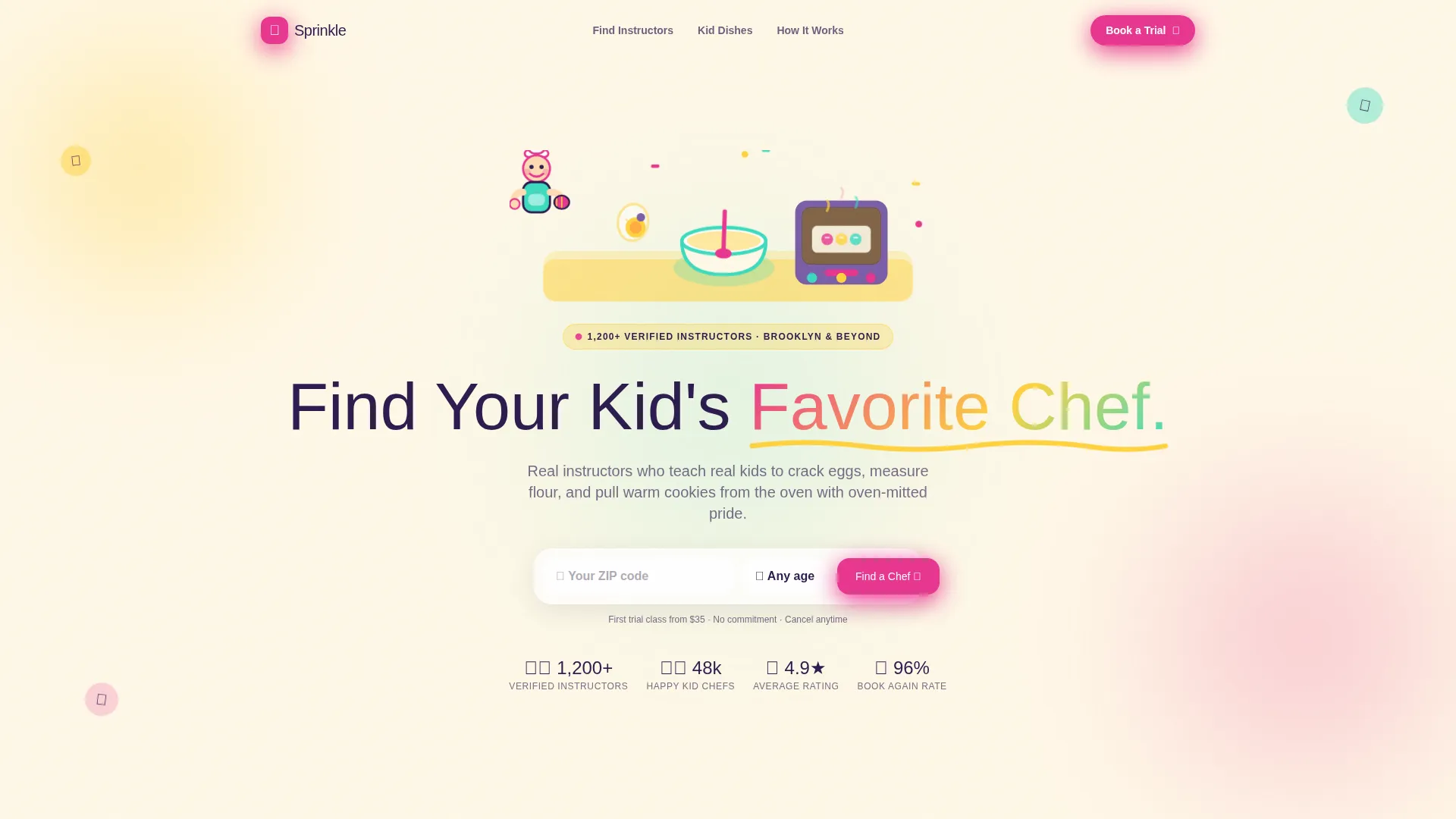
- An animated SVG hero section with a headline, zip code field, and age-group selector built in
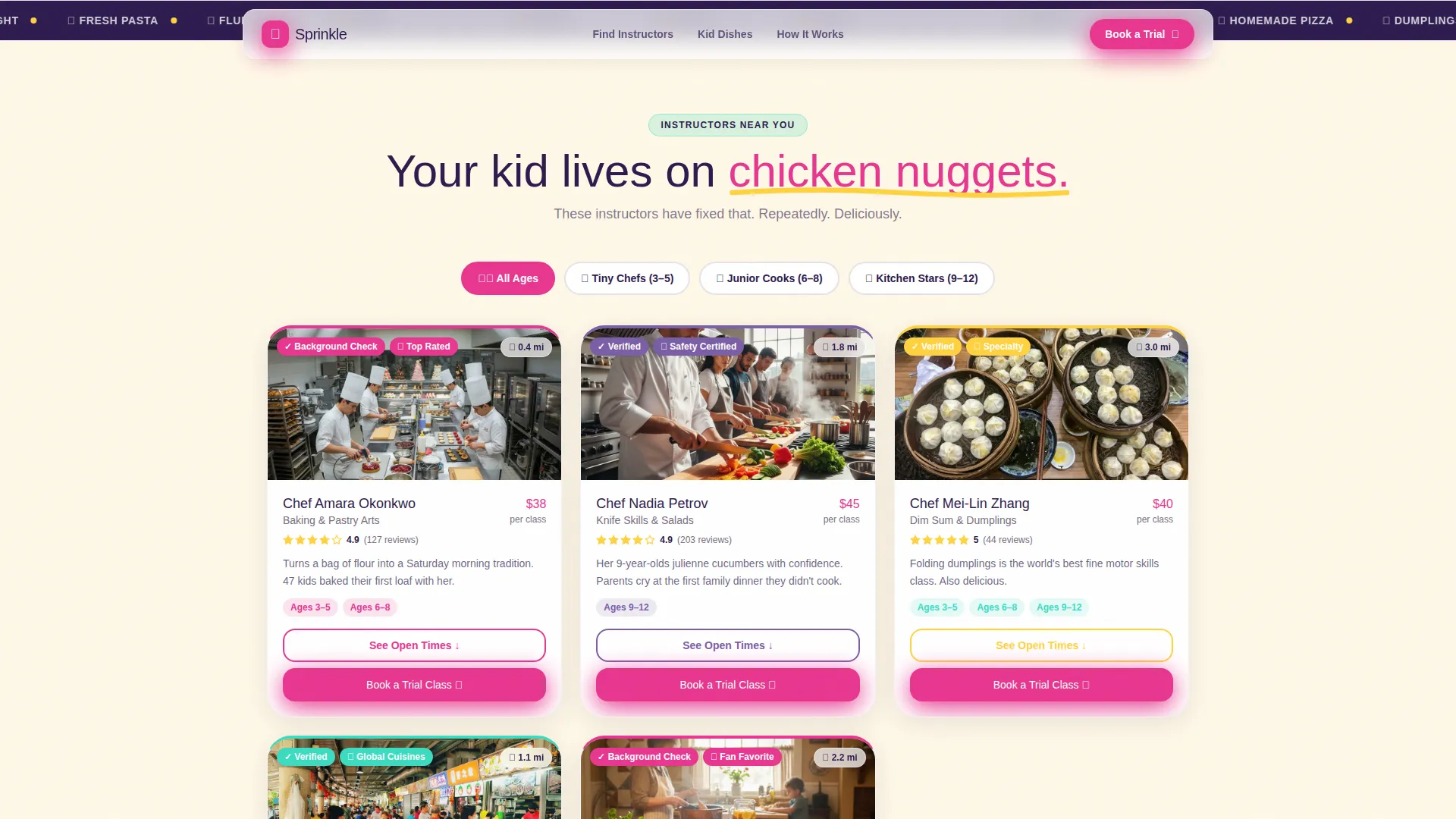
- A masonry instructor grid with rating badges, distance tags, and expandable mini calendars
- A three-step trial class booking flow plus a separate "Gift a Class" path with an email field and date picker
Feature list
This template ships with six purpose-built components that work together to move a parent from landing to booking in one smooth scroll.
Animated Kitchen Hero
The header opens with a looping Lottie animation of a hand-drawn kitchen scene. A tiny chef character cracks an egg, stirs a batter bowl with magenta and mint splashes, and slides a tray into a glowing oven. The loop runs eight seconds and uses a thick, wobbly line weight that looks like a child's drawing brought to life.
Masonry Instructor Grid
Instructor cards are arranged in a Pinterest-style masonry layout. Each card shows a photo of flour-dusted kids, a star rating, a distance tag, and age-group labels. Hover effects reveal more detail, and a "See Open Times" button expands a mini calendar directly on the card.
Three-Step Booking Flow
The primary conversion path takes three steps: zip code entry, an age-of-child selector covering age groups 3 to 5, 6 to 8, and 9 to 12, and an available-instructor carousel filtered by proximity. The flow is designed to feel fast and low-pressure for a parent browsing late at night.
Gift a Class Path
A secondary booking path lets gift-givers skip the directory entirely. A single email field and a date picker are all that is needed to purchase a class as a gift. This lowers friction significantly for grandparents, aunts, and family friends.
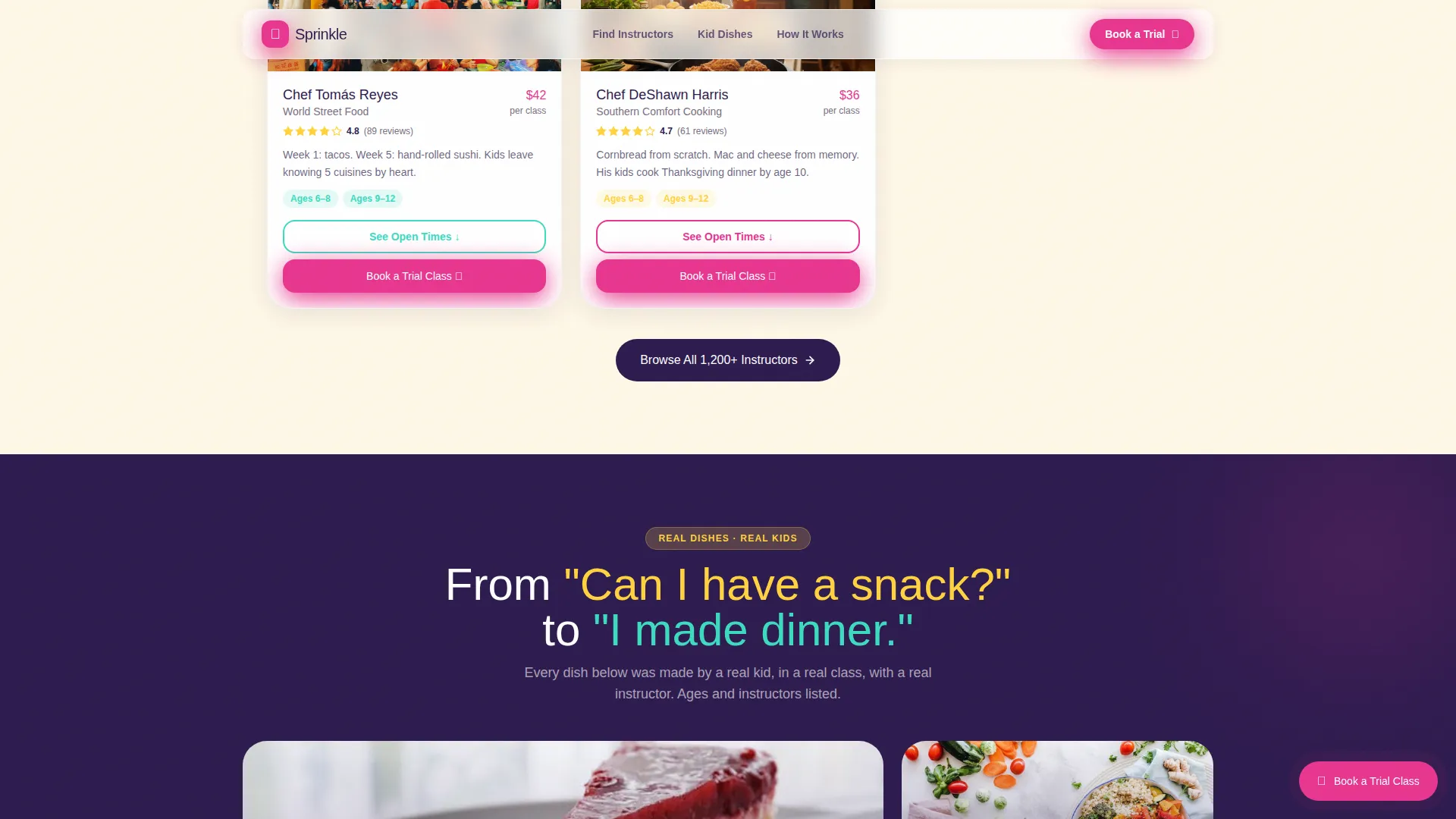
Kid Dishes Gallery
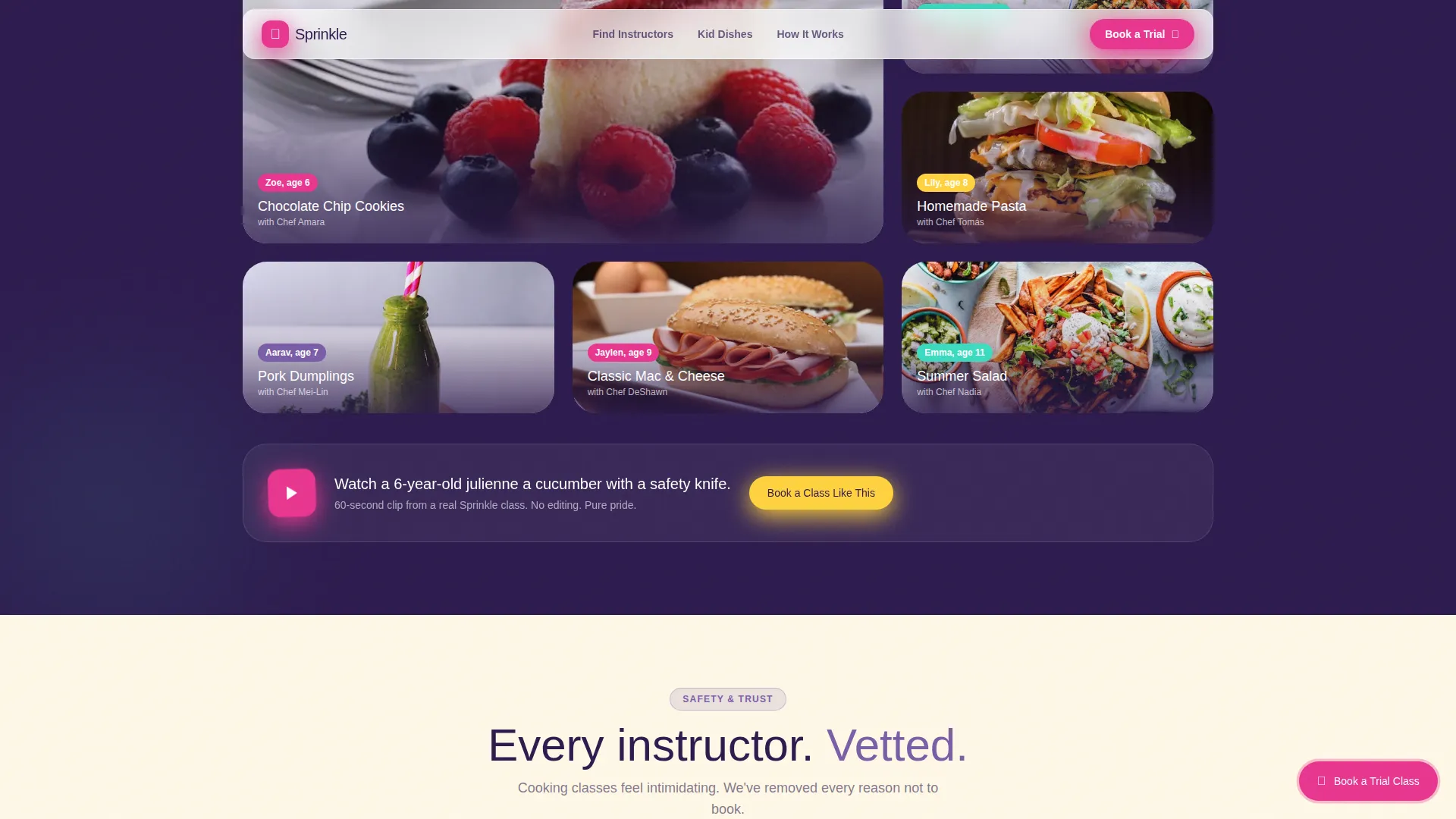
A real-dish photo gallery shows meals cooked by actual children, each captioned with the child's age and instructor name. The gallery builds trust by showing concrete outcomes. Stakes rise progressively from simple toast to a full Thanksgiving dinner.
Trust and Social Proof Layer
The template includes instructor verification badges, parent star ratings, and review quote blocks. A short looping video of a six-year-old using a safety knife is embedded in the trust section. Together these elements give a hesitant parent enough confidence to click "Book a Trial Class."
Page sections overview
| Section | Purpose |
|---|---|
| Animated Hero Section | Grabs attention, delivers headline, collects zip and age input |
| Instructor Masonry Grid | Browse vetted instructors by proximity, rating, and age tag |
| Kid Dishes Gallery | Shows real cooking outcomes with age and instructor captions |
| Trust and Reviews | Verification badges, star ratings, and parent review quotes |
| Trial Booking Flow | Three-step path to reserving a trial class by location and age |
| Gift a Class | Simplified purchase path for gift-givers via email and date picker |
| Footer | Single-row linear footer with essential navigation links |
Design & branding system
The visual identity follows a Nurture and Care theme expressed through a Dopamine Pop color system. Every color choice feels edible and energetic without being overwhelming.
- Five-color palette: egg-yolk yellow (#FFD23F), berry-smoothie magenta (#E8368F), mint-frosting green (#3CDBC0), warm batter cream (#FFF8E7) as the background, and blueberry purple (#7B5EA7) on buttons and badges
- Typography uses Nunito for headlines, giving the page a chunky, rounded warmth, paired with DM Sans for body text and user interface elements
- GSAP-powered scroll reveals and a marquee band add motion to the page without distracting from the booking goal
Mobile & speed optimization
The template is built mobile-first because the primary user is a mom searching on her phone late at night. Every layout decision starts at small screen size and scales up.
- Images across the masonry grid and dish gallery are lazy-loaded to keep the initial page load feeling responsive
- CSS animations are GPU-accelerated, keeping scroll and hover effects smooth on mid-range mobile devices
- The floating "Book a Trial Class" button in berry-smoothie magenta stays pinned after the first scroll on all screen sizes
How this template helps you convert
Every section of this template is sequenced to reduce hesitation and move the visitor toward a booking decision. The Hero's Journey narrative structure does the heavy lifting.
- The scroll narrative opens with the parent's real situation ("your kid lives on chicken nuggets"), surfaces the challenge of finding accessible classes, then resolves it through the directory itself, building emotional momentum toward the booking button.
- The pinned floating call-to-action button stays visible throughout the scroll so the parent never has to hunt for the next step, and the three-step booking flow keeps the commitment feel low and the path feel short.
Other information about this template
This template is part of the Kids and Family category, sitting inside the Kids Cooking for Kids instructor directory niche. It is designed as a consumer marketplace starting point for anyone building a local activity platform in this space.
- The template style is Masonry and Pinterest, making it visually familiar to parents who already browse activity ideas on image-heavy platforms
- Creative direction follows a Hero's Journey narrative arc, a proven structure for converting uncertain visitors into engaged users
- The header concept is built on a Lottie and vector animation system, making the kitchen scene both lightweight and visually rich
- The landing page direction is Booking and Scheduling, meaning every design choice serves the goal of getting a trial class reserved
- Color system is Dopamine Pop, a palette approach that signals joy, safety, and energy simultaneously
Theme
Nurture & Care
Creative direction
Hero's Journey
Color system
Dopamine Pop
Style
Masonry/Pinterest
Direction
Booking/Scheduling
Page Sections
Animated SVG Kitchen Hero
Pinterest-style Masonry Grid
Three-step Trial Class Booking
Gift a Class Path
Kid Dishes Gallery with Captions
Trust Layer with Verification and Reviews
Related questions
Who is this landing page template designed for?
Can I use this template for a birthday party booking service?
What age groups does the booking flow support?
Does the template include real instructor data or photos?
Is the animated kitchen header easy to customize?



