Infant (0-1) Products & Advanced Professional Website Template
Sprout is a single-page landing page template built for infant toy and activity brands. It guides parents, grandparents, and caregivers through a developmental timeline organized around the first twelve months of a baby's life. An interactive age-selector quiz, four zigzag milestone sections, and warm botanical visuals work together to turn curious visitors into confident shoppers.
by Rocket studio
Quick summary
Sprout is a botanically styled, educational-guide landing page template for infant toy brands. It opens with an interactive quiz that instantly surfaces a personalized milestone card, then walks visitors through four developmental leap sections in a zigzag layout. Every section pairs real-life photography with jargon-free science and a curated toy recommendation, building trust before any product is shown.
Who this template is for
This template is designed for direct-to-consumer infant toy and activity brands that want to sell through education rather than hard promotion. It fits teams who understand that the right toy for a three-month-old is entirely different from the right toy for a nine-month-old.
- First-time parent brands targeting caregivers scrolling on mobile during late-night feedings
- Gift-focused infant product sellers who want grandparents and relatives to shop with confidence
- Montessori-aligned or developmentally informed toy businesses that lead with purpose over novelty
What problem this template solves
Parents shopping for infant toys face a confusing wall of cute but vague options. They cannot easily tell which toy supports which skill, and they rarely have time or energy to research at 2 a.m. Grandparents want meaningful gifts but lack the developmental context to choose well. This template removes that friction entirely.
- It replaces generic product grids with a guided, age-specific journey that explains the why behind every toy
- It eliminates the need for a parent to already know what their baby needs, because the quiz does the sorting for them
- It gives gift-givers a clear, confident path to a purposeful purchase without requiring any prior knowledge of infant development
What you get with this template
You get a fully structured, single-page landing page built around a developmental arc from birth through twelve months. The layout, copy structure, interactions, and visual identity are all defined and ready to customize with your own product photography and brand copy.
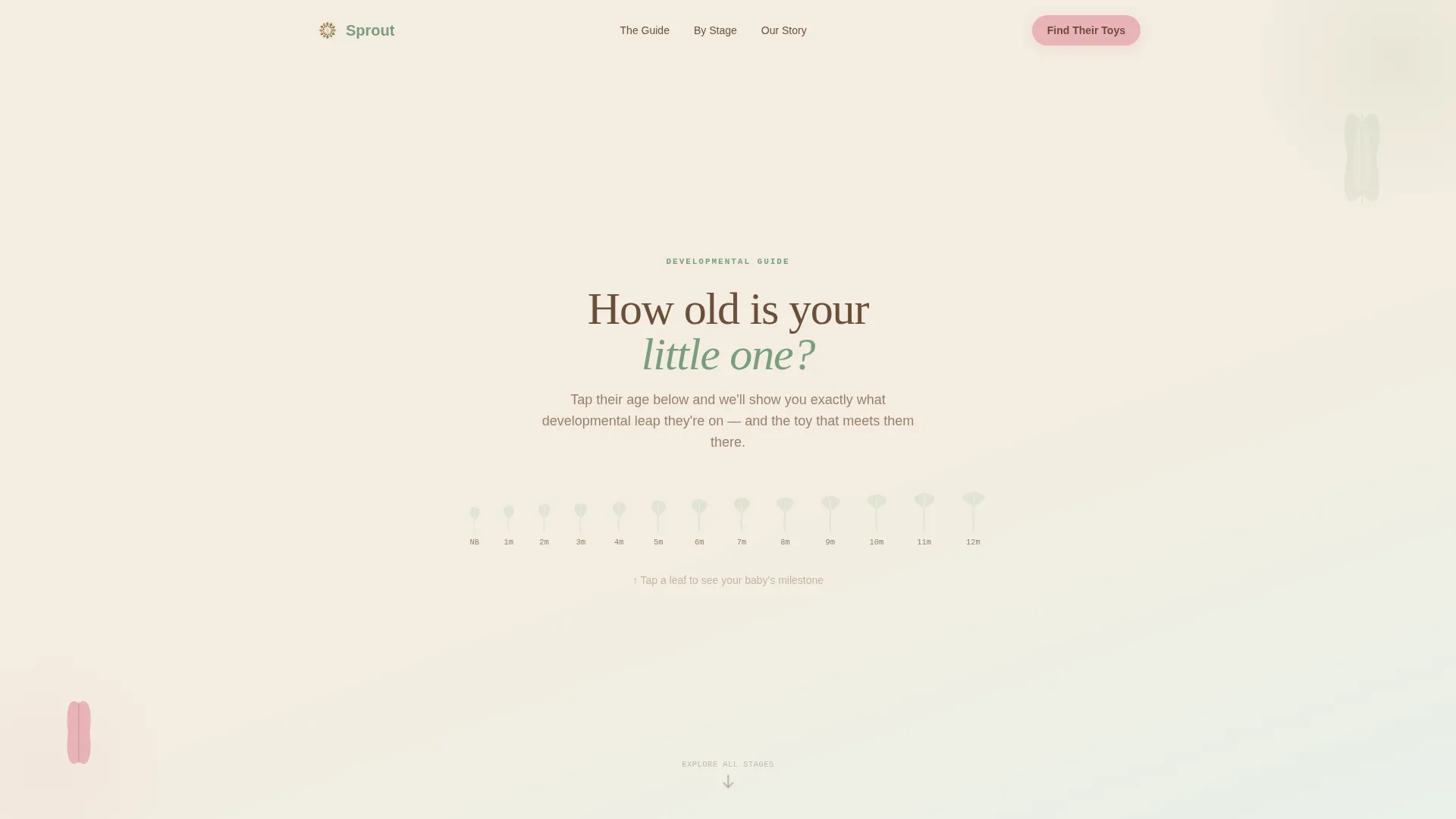
- A hero section with a twelve-leaf age-selector quiz and animated milestone card reveal
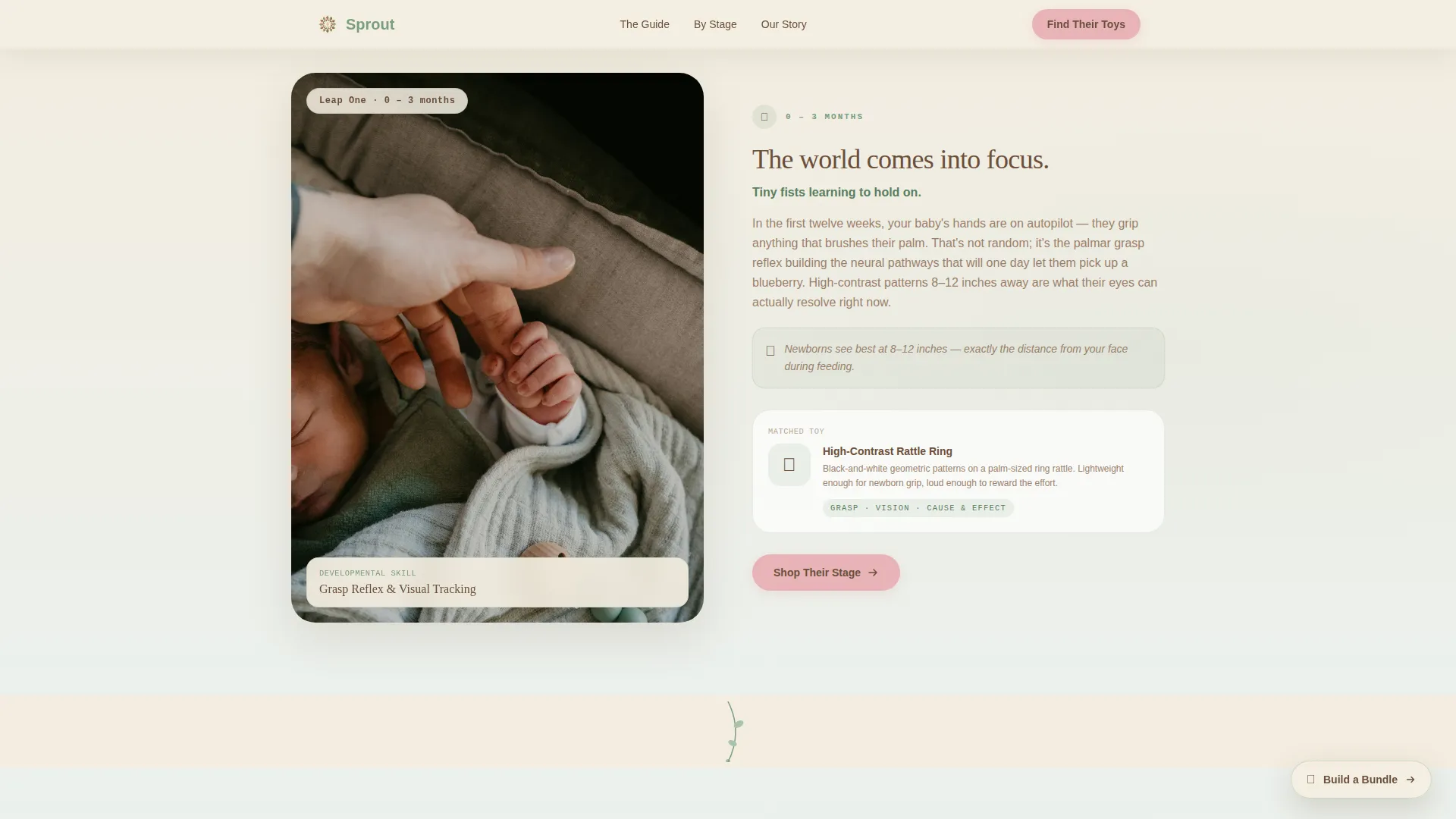
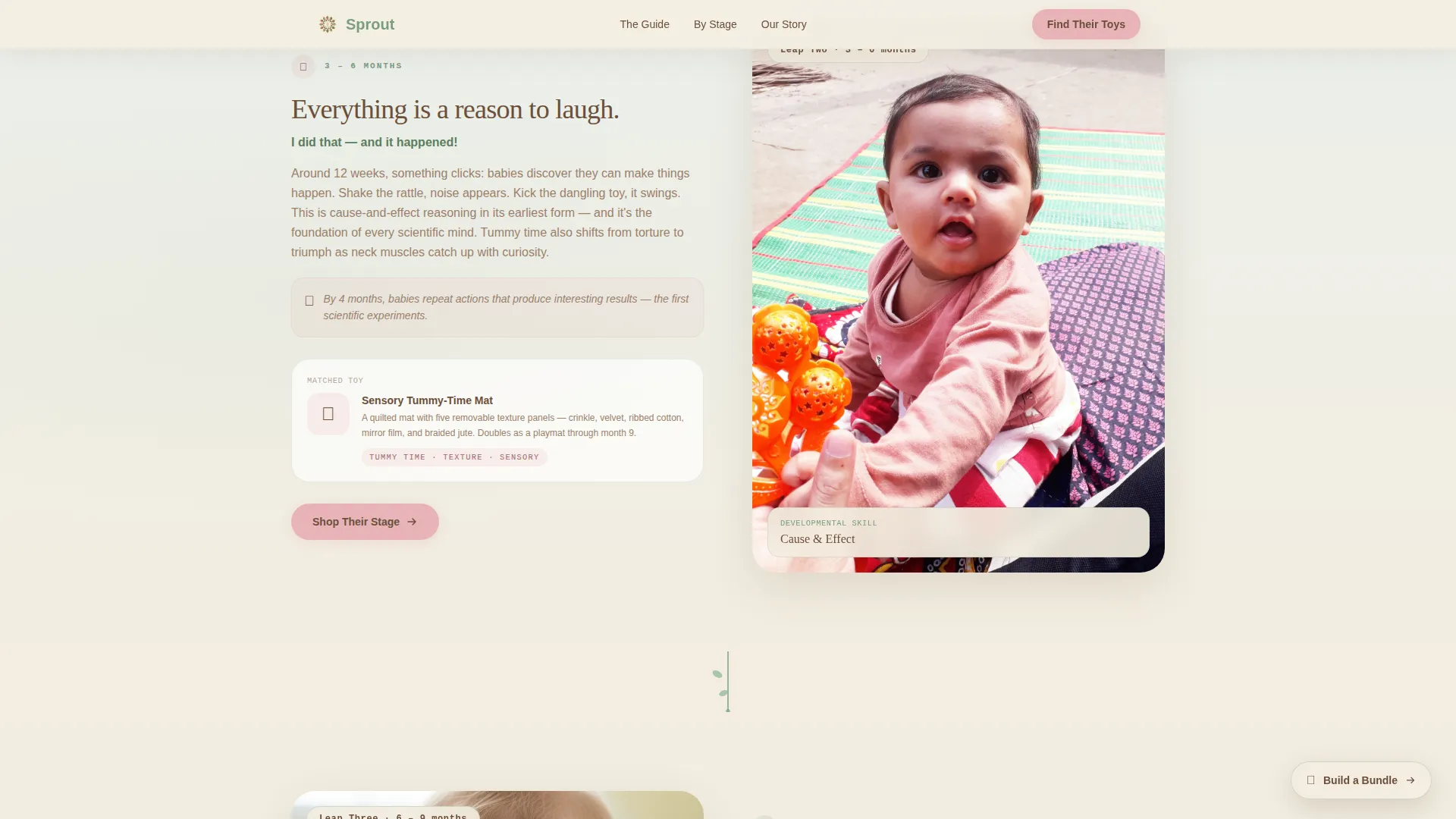
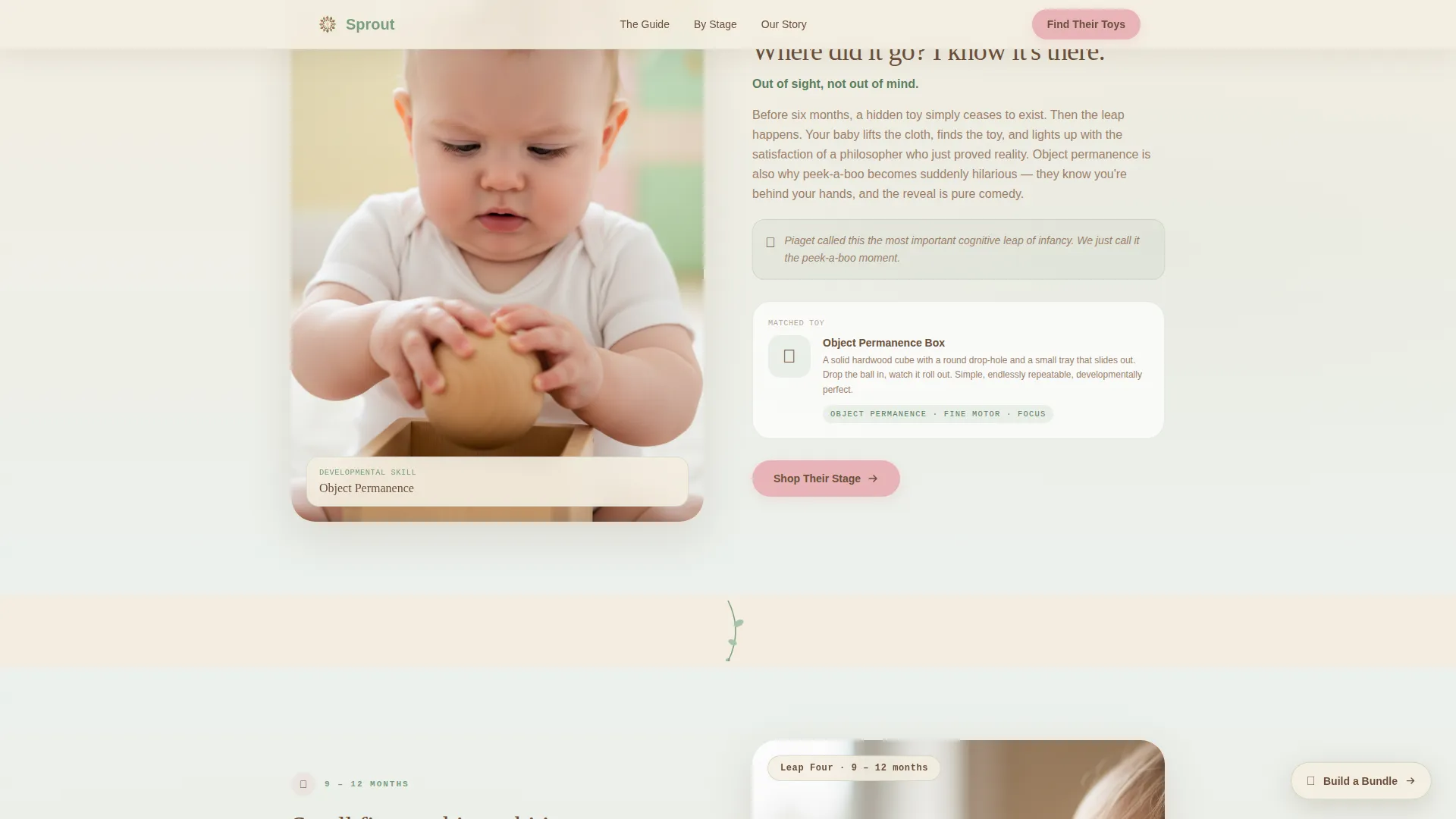
- Four alternating zigzag sections covering the 0-3, 3-6, 6-9, and 9-12 month developmental leaps, each with a toy pairing and a call-to-action button
- A floating secondary call-to-action button, a parent testimonial strip, and a split-layout footer with logo, tagline, and navigation links
Feature list
This template is built around a small set of high-impact features, each grounded in the developmental-guide concept and the specific needs of infant product shoppers.
Age-Selector Quiz with Milestone Card Reveal
The hero section presents a single oversized question alongside twelve illustrated leaf icons, one for each month from zero to twelve. The visitor taps their baby's age, the selected leaf blooms with a subtle animation, and a personalized milestone card appears instantly. The card names the developmental skill for that age and surfaces a curated toy pairing just below the fold.
Zigzag Developmental Timeline
Four alternating layout sections structure the scroll as a visual developmental journey. Each section covers a three-month leap and follows a consistent rhythm: lifestyle photograph on one side, jargon-free skill explanation and toy pairing on the other. The alternating direction keeps the scroll dynamic and mirrors the feeling of turning pages in a guide.
Vine Threading Navigation
A thin illustrated vine runs vertically between sections, connecting each developmental stage into one continuous visual story. This design element reinforces the growth metaphor and gives the page a sense of organic progression rather than a static list of products.
Persistent "Build a Bundle" Button
A secondary floating call-to-action button labeled "Build a Bundle" stays accessible as the visitor scrolls. It gives parents who want the full year's kit a shortcut at any point, without interrupting the guided reading experience for visitors who prefer to move through the timeline.
Parent Testimonial Strip
A dedicated social proof section sits between the 6-9 and 9-12 month blocks. It features real parent quotes with specific baby ages and outcome details, adding credibility at the exact moment a visitor is deepest in the guide and closest to clicking through.
Click-Through Focused Call-to-Action System
The primary "Shop Their Stage" button appears first inside the personalized quiz result card and repeats at the close of each three-month section. It is always styled in petal blush against the oat cream background. There is no cart on this page. Every action leads toward confident navigation into the right product collection.
Page sections overview
| Section | Purpose |
|---|---|
| Hero Quiz Starter | Personalizes the experience by letting visitors select their baby's age and revealing an instant developmental milestone card |
| Zigzag 0-3 Months | Introduces the grasp reflex milestone with a photo, skill explanation, and matched toy pairing |
| Zigzag 3-6 Months | Covers cause-and-effect development with an alternating layout, toy pairing, and section call to action |
| Zigzag 6-9 Months | Explores object permanence with a photo-science-toy rhythm and a mid-page testimonial-adjacent placement |
| Testimonial Strip | Displays specific parent quotes with baby ages and real outcomes to build trust before the final section |
| Zigzag 9-12 Months | Covers pincer grip and spatial reasoning, closes the timeline, and delivers the final call-to-action prompt |
| Split Footer | Presents logo and tagline on the left with navigation links on the right in an arc-split layout |
Design & branding system
The visual identity follows an educational-guide aesthetic that feels like a pressed-flower journal: earthy, warm, and rooted rather than clinical or plastic. The typeface system pairs a warm serif headline font with a clean sans-serif body font and a monospaced style for small labels and milestone tags. Every color and type choice reinforces the feeling of calm, patient growth.
- The four-tone botanical palette uses oat cream as the dominant background, fern green for headlines and iconography, soil brown for body text, and petal blush exclusively for call-to-action buttons and milestone markers
- Illustrated leaf icons, a vine threading SVG, and scroll-triggered reveal animations bring the botanical metaphor to life across the page without relying on heavy imagery
- Typography is set in warm serif headlines, a readable sans-serif body style, and a monospaced label style for developmental stage tags and small user interface elements
Mobile & speed optimization
This template is built with a mobile-first priority, because the primary visitor scenario is a parent scrolling on a phone during a late-night feeding. Every layout decision, interaction, and animation is sized and sequenced for a small screen first.
- The age-selector quiz uses large tap targets so it works accurately with one thumb in low light
- All animations are scroll-triggered and client-side only, keeping the interactive quiz fast without server dependency
- Section images are structured to support optimized loading so the scroll stays smooth even on slower mobile connections
How this template helps you convert
This template earns trust through the guide itself before asking for any click. By the time a visitor reaches the midpoint of the page, the content has already taught them something specific about their baby's development. The call to action that follows feels like a natural next step, not a sales push.
- The quiz result card places the primary "Shop Their Stage" call to action at the very start of the personalized experience, capturing high-intent visitors before they scroll past the hero
- Repeating the same call to action at the close of each developmental section means every visitor encounters it at a moment of peak engagement, right after learning something new about their baby
- The floating "Build a Bundle" button gives higher-intent visitors a direct path to a complete kit at any point in the scroll, reducing the chance of losing a buyer who is already convinced
Other information about this template
This template is part of the Kids and Family category, sitting specifically within the infant zero-to-twelve-month product niche. It is designed as a click-through landing page, meaning it routes visitors to a separate product collection page rather than completing a transaction directly. The template style is zigzag and alternating, with an educational-guide theme and a botanical color system throughout.
- The footer follows an arc-browser split pattern with the brand logo and tagline on the left and navigation links on the right
- The quiz interaction is entirely client-side, meaning it does not require a backend service or external data source to function
- This template suits brands selling rattles, tummy-time mats, sensory boards, and similar developmental infant activity products aimed at the zero-to-one-year age range
Theme
Educational Guide
Creative direction
Step-by-Step Guide
Color system
Botanical
Style
Zigzag/Alternating
Direction
Click-Through
Page Sections
Age-selector Quiz with Milestone Card Reveal
Zigzag Developmental Timeline Layout
Vine Threading Visual Connector
Persistent Build a Bundle Button
Parent Testimonial Strip
Click-through Call-to-action System
Related questions
Does this template include a shopping cart or checkout?
Can I use this template if my brand covers only one or two age ranges?
What happens when a visitor taps an age in the quiz?
Is this template suitable for gift-focused campaigns like baby showers?
How is the floating Build a Bundle button different from the main call to action?



