Pediatric Dentist Condition Library Landing Page
Sprout is a hub-and-spoke pediatric dental condition library landing page built for practices that want to earn a parent's trust before they ever pick up the phone. It organizes oral health conditions by age range, walks caregivers through each condition step by step, and converts anxious late-night visitors through an illustrated symptom quiz and a virtual consult booking path.
by Rocket studio
Quick summary
Sprout is a single-page pediatric dental education hub designed for practices serving parents of infants through school-age children. It groups conditions by age range, explains each one with illustrated deep-dive spoke sections, and guides visitors toward either a personalized symptom quiz or a direct virtual consult booking. The tone is warm, medically credible, and parent-first throughout.
Who this template is for
This template fits pediatric dental practices that want to do more than list their services. It works especially well for practices whose audience arrives with a specific worry already in mind, not just a general interest in dentistry.
- Pediatric dentists building a condition and treatment education library for parents
- Practices targeting first-time caregivers who search specific symptoms late at night
- Dental offices that want a quiz-led conversion path alongside a direct booking option
What problem this template solves
Parents searching for pediatric dental information online often land on frightening results with no clear next step. This template replaces that experience with a calm, organized, and medically structured reference that converts worry into action.
- Generic search results overwhelm parents without telling them what to do next
- Practices lose potential patients who bounce before finding a relevant condition or call to action
- No clear age-based navigation means caregivers can't quickly find content that matches their child's situation
What you get with this template
Sprout delivers a fully structured hub-and-spoke landing page with every section built around the parent's journey from worry to next step. The layout, illustration approach, quiz flow, and sticky conversion bar are all included in the template design.
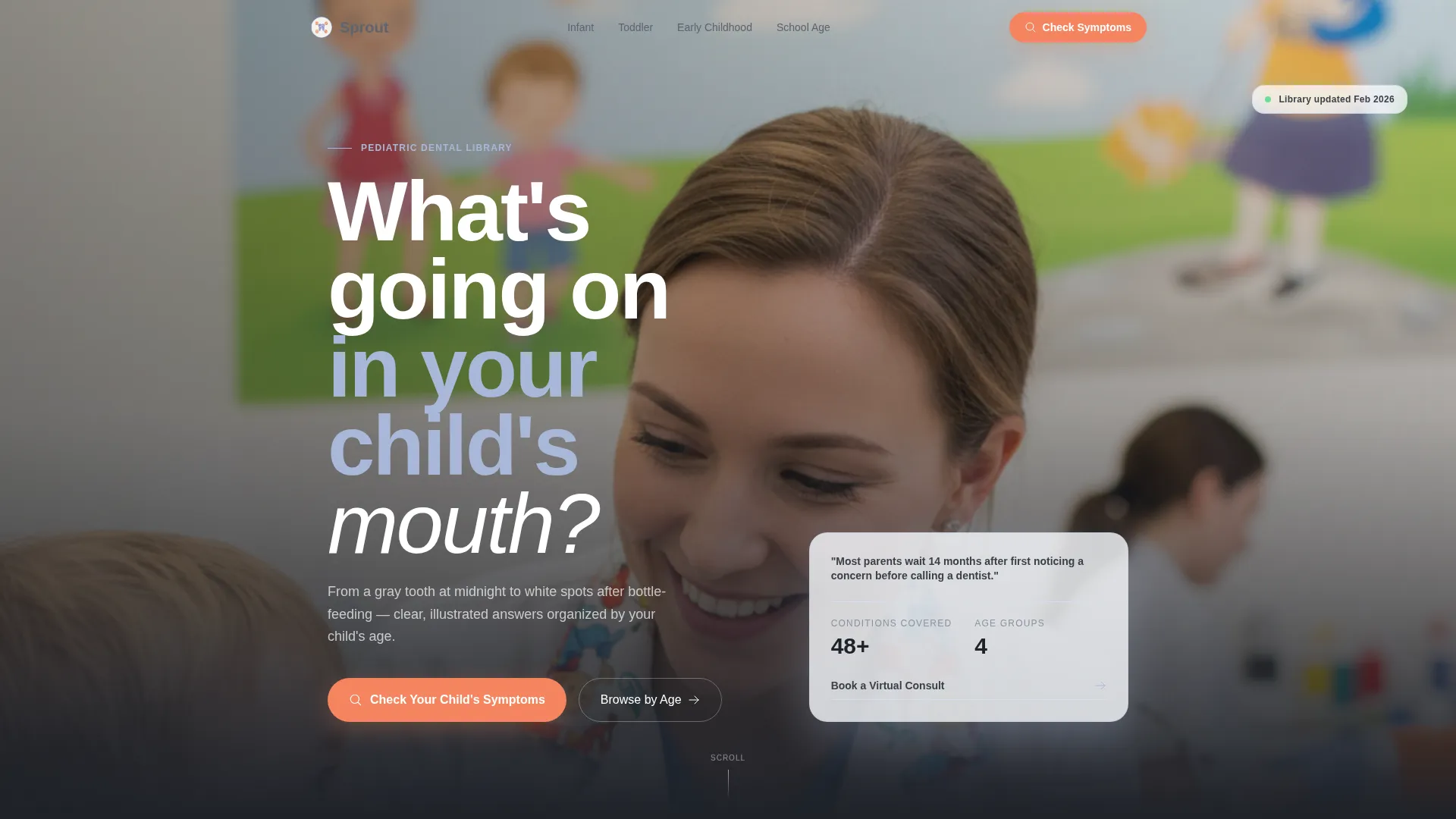
- A portrait-centered hero section with a glassmorphic card and two distinct conversion paths
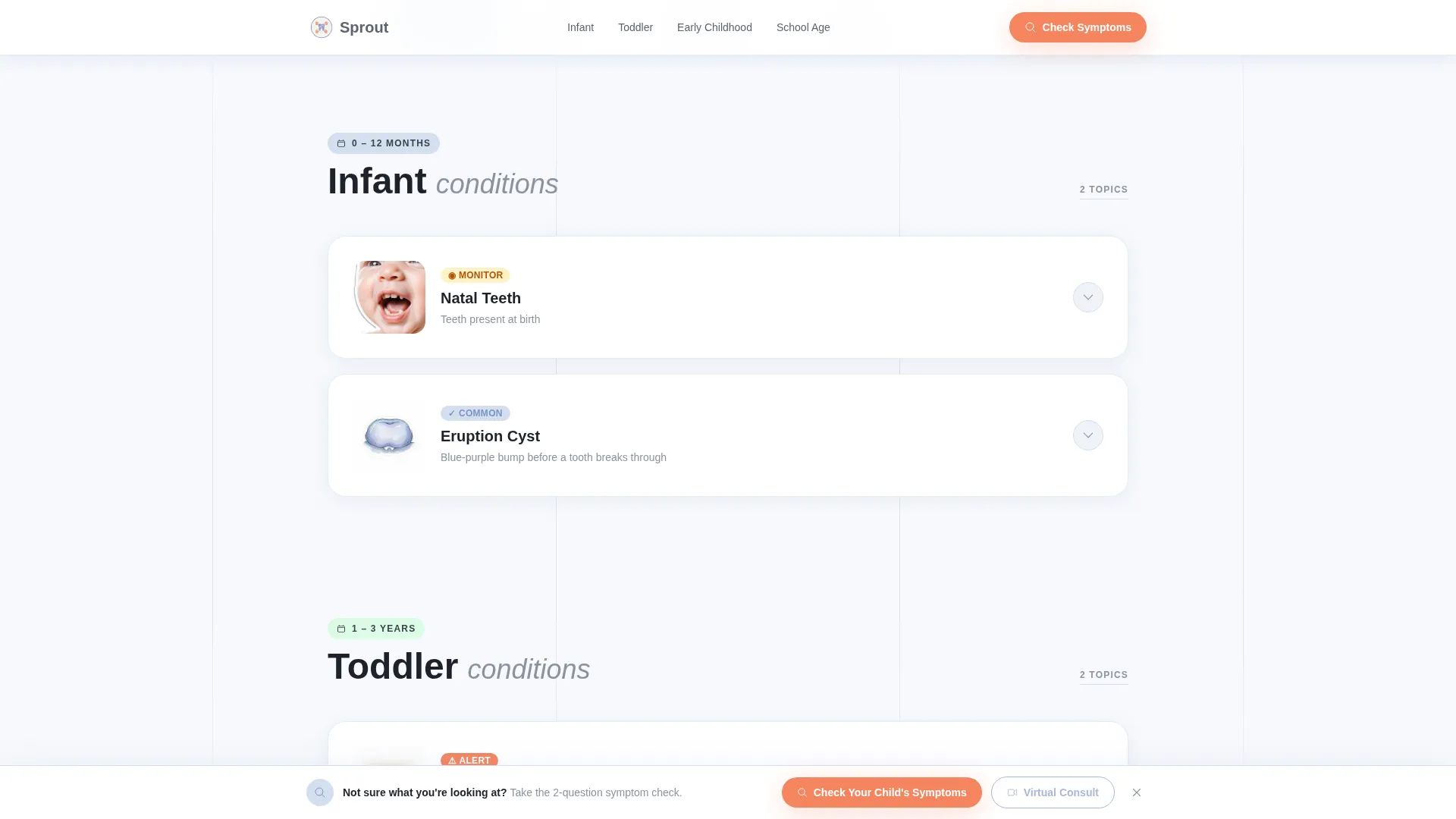
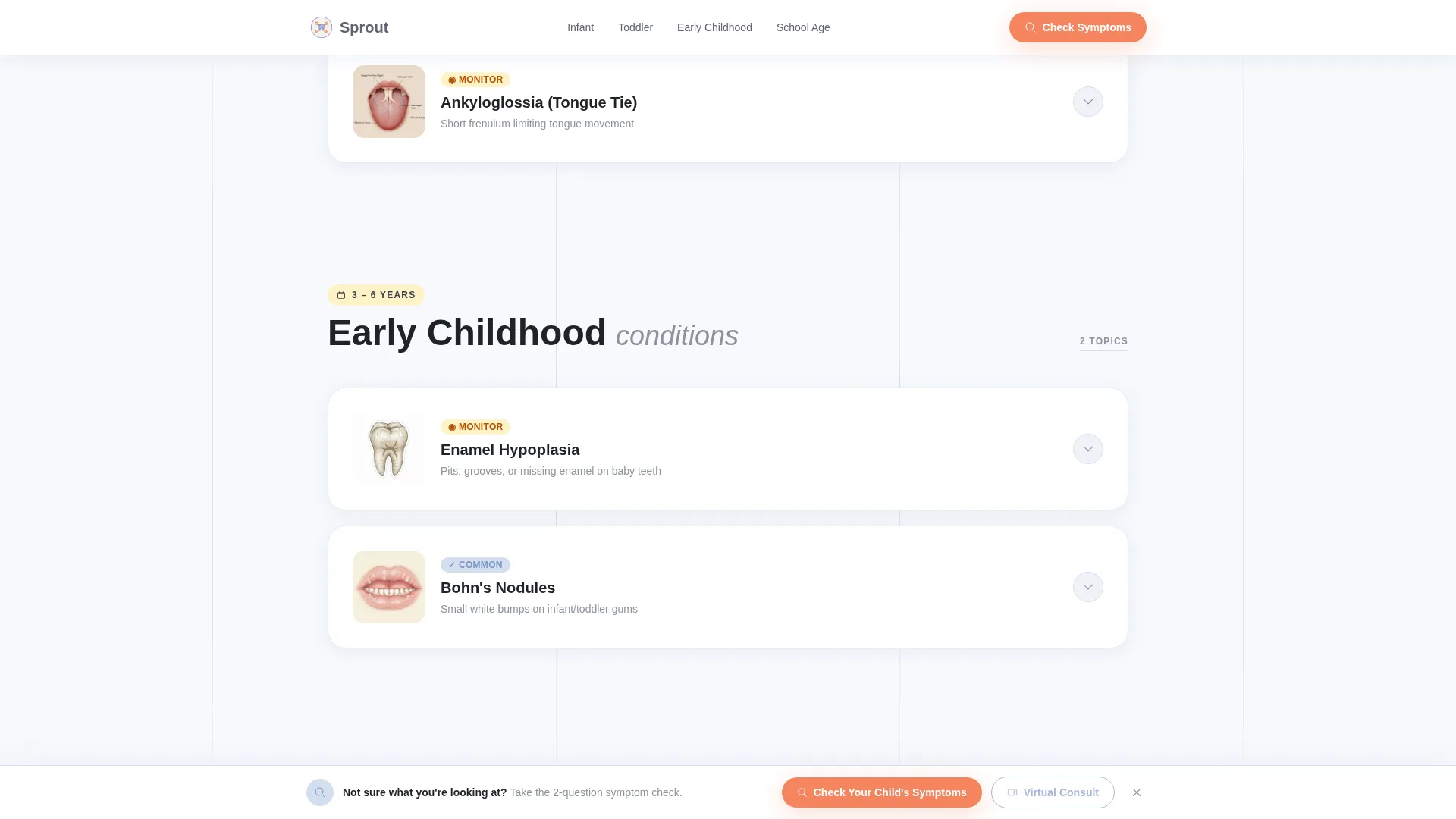
- An age-range anchor navigation hub grouping conditions into Infant, Toddler, Early Childhood, and School Age
- Four illustrated condition spoke sections covering enamel hypoplasia, tongue tie, eruption cysts, and early cavity
Feature list
This section covers the core built-in features delivered with this template based on what the design brief specifies.
Age-Range Anchor Navigation Hub
The left-rail anchor navigation groups every condition card by the child's age range. Parents click directly into the section that matches their child, rather than scrolling through unrelated content. The four groups are Infant, Toddler, Early Childhood, and School Age.
Illustrated Condition Spoke Sections
Each featured condition opens with a close-up anatomical illustration rendered in a gentle, non-frightening style. The spoke then steps the parent through cause, clinical signs, treatment steps, and recovery. Four conditions are pre-built: enamel hypoplasia, tongue tie, eruption cysts, and early cavity.
Symptom Quiz with Personalized Result
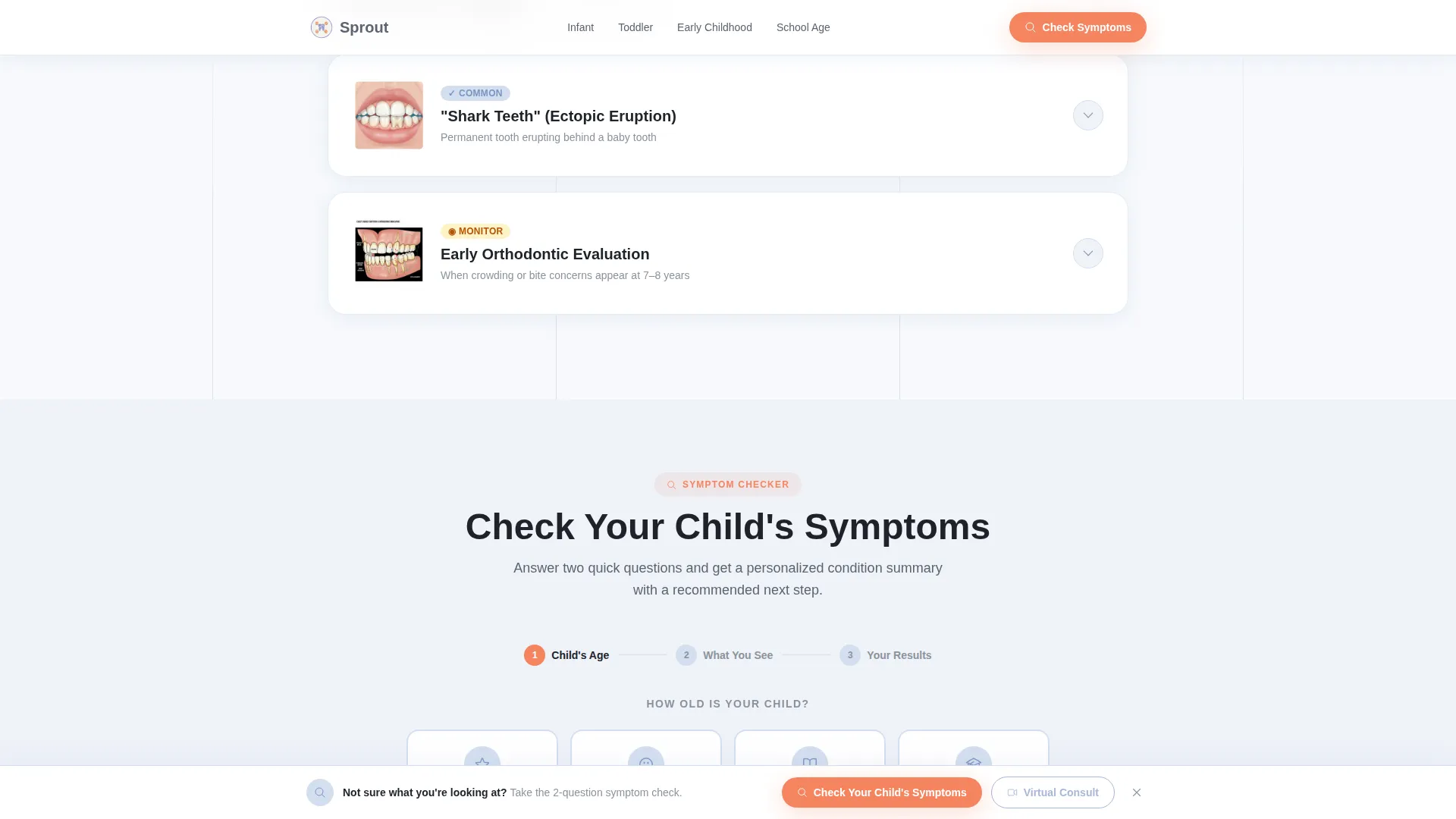
The primary conversion feature is an illustrated multiple-choice symptom assessment. It opens by asking for the child's age, then presents condition-matched illustrated cards. The quiz closes with a personalized condition summary and a recommended next step for the parent.
Sticky Symptom Check Bar
After the first scroll, a sticky bottom bar keeps the primary call to action visible at all times. The "Check Your Child's Symptoms" prompt stays accessible without interrupting the reading experience on any section of the page.
Virtual Consult Booking Path
A secondary conversion path appears on every condition spoke section. Parents who already recognize their child's condition can skip the quiz and book a virtual consult directly, reducing friction for higher-intent visitors.
Accordion Condition Expansion
Each condition card on the hub can expand inline, so parents get detail without losing their place on the page. The accordion interaction is designed to feel like turning a page in an illustrated reference book rather than navigating to a new screen.
Page sections overview
| Section | Purpose |
|---|---|
| Hero Portrait | Establishes warm trust with a dentist portrait, headline, and primary quiz call to action |
| Age-Range Nav Hub | Groups condition cards by Infant, Toddler, Early Childhood, School Age |
| Enamel Hypoplasia Spoke | Deep-dive condition page with illustration, cause, treatment, and recovery steps |
| Tongue Tie Spoke | Deep-dive condition page with illustration, cause, treatment, and recovery steps |
| Eruption Cysts Spoke | Deep-dive condition page with illustration, cause, treatment, and recovery steps |
| Early Cavity Spoke | Deep-dive condition page with illustration, cause, treatment, and recovery steps |
| Symptom Quiz Section | Illustrated multiple-choice assessment delivering a personalized condition result |
| Virtual Consult call to action | Trust section with dentist credibility context and direct consult booking path |
| Footer | Arc Browser Split pattern footer with practice and navigation links |
Design & branding system
The visual identity follows an Educational Guide theme using the Cloud Canvas color system. Every color choice is intentional: backgrounds stay calm, interactive elements are distinct, and urgent call-to-action moments are unmissable without feeling alarming.
- Cumulus white (#F7F9FC) for backgrounds, periwinkle (#A8B8D8) for navigation highlights and category cards, graphite (#5C6370) for body text
- Clementine (#F4845F) reserved for calls to action and alert-level condition badges, keeping urgency cues visually separate from informational content
- Typography uses Plus Jakarta Sans in bold for headings and DM Sans for body text, pairing readability with the soft illustrated aesthetic
Mobile & speed optimization
The template is built mobile-first because the primary use case is a parent reaching for their phone late at night with a specific concern. Every layout decision prioritizes that moment.
- Scroll-reveal animations and staggered card reveals are set at a medium intensity so they load quickly without janking on mid-range phones
- Static content sections use server components to keep the page responsive even while the interactive quiz state transitions load
- The sticky bottom bar and accordion condition spokes are both optimized for one-handed mobile navigation
How this template helps you convert
Sprout is built around two distinct conversion paths working together. Neither path feels like a hard sell; both feel like a natural next step for a parent who already came to the page with a question.
- The symptom quiz funnels uncertain visitors through an illustrated, age-aware assessment and delivers a personalized result that names the next step clearly, reducing drop-off from indecision.
- The "Book a Virtual Consult" path on every condition spoke section captures high-intent visitors who already know what they are looking at and simply need a frictionless way to act.
Other information about this template
Sprout is part of a broader Health and Medical template category covering pediatric dental practice websites and condition libraries. A few additional details are worth noting before you build.
- The template style is Hub and Spoke with Anchor Navigation, meaning the single page functions as both a library index and a deep-dive reference without requiring separate page builds
- The footer uses the Arc Browser Split pattern (Pattern 7), which organizes practice links and navigation into a clean split-column layout
- Creative direction follows the Transparent Process approach: every condition spoke walks the parent through cause, clinical view, step-by-step treatment, and recovery in sequence
- The header concept is Portrait-Centered, featuring a warmly lit shoulders-up dentist photo at child eye level with a softly blurred operatory background and a small hand detail in the foreground
- The template is localized for English (United States) with United States date formatting and implied United States Dollar pricing context
Theme
Educational Guide
Creative direction
Transparent Process
Color system
Cloud Canvas
Style
Hub & Spoke (Anchor Nav)
Direction
Quiz/Assessment
Page Sections
Age-range Anchor Navigation Hub
Illustrated Condition Spoke Sections
Illustrated Symptom Quiz
Sticky Symptom Check Bar
Virtual Consult Booking Path
Accordion Condition Expansion
Related questions
Can I replace the four pre-built condition spokes with different conditions?
Does the symptom quiz connect to an external booking system?
Is this template suitable for a general dentist who also sees children?
How does the anchor navigation work on mobile?
Can the 'Book a Virtual Consult' call to action be changed to an in-office booking link?



