Stats-First Civic Service Landing Page Template
A data-first, card grid landing page built for Social Security Administration offices. This template opens with three oversized federal statistics and a single primary call to action. Every card leads with a number, then explains what the office does about it. The scroll is structured as shock, explain, act, moving every visitor closer to checking their estimated benefit or booking an appointment.
by Rocket studio
Quick summary
This template gives any SSA office a sharp, institutional landing page that puts real federal data front and center. The hero infographic replaces stock imagery with three massive statistics. Modular service cards cover retirement, disability, survivors, Medicare, and supplemental income. Scenario cards reframe the data as personal stakes. Every section is built to earn a click through to the SSA portal.
Who this template is for
This page is built for government offices and civic service teams that need to communicate high-stakes information without confusion or delay. It works for anyone building a clear, data-driven public service presence online.
- Pre-retirees calculating benefit timing, disability applicants, and surviving spouses who need a page that respects their urgency
- Financial advisors and caregivers who browse on behalf of family members and need clear links to the right forms and next steps
- Government teams and no-code builders who want a credible, ready-to-deploy civic service landing page without starting from scratch
What problem this template solves
Most government service pages bury the most critical information. A person arrives not knowing their own benefit number, and the page does nothing to make that gap feel urgent. This template solves that directly.
- Visitors leave without acting because no single page moment creates enough demand to click
- Forms, fees, and appointment details are scattered, so users cannot find what they need in one place
- Service cards lack structure, leaving applicants unsure which category applies to their situation or what records to bring
What you get with this template
You get a fully structured, modular card grid landing page organized around five SSA service categories. Content is organized by what the citizen needs to do, not by agency department structure. That distinction is what makes this page feel usable rather than institutional.
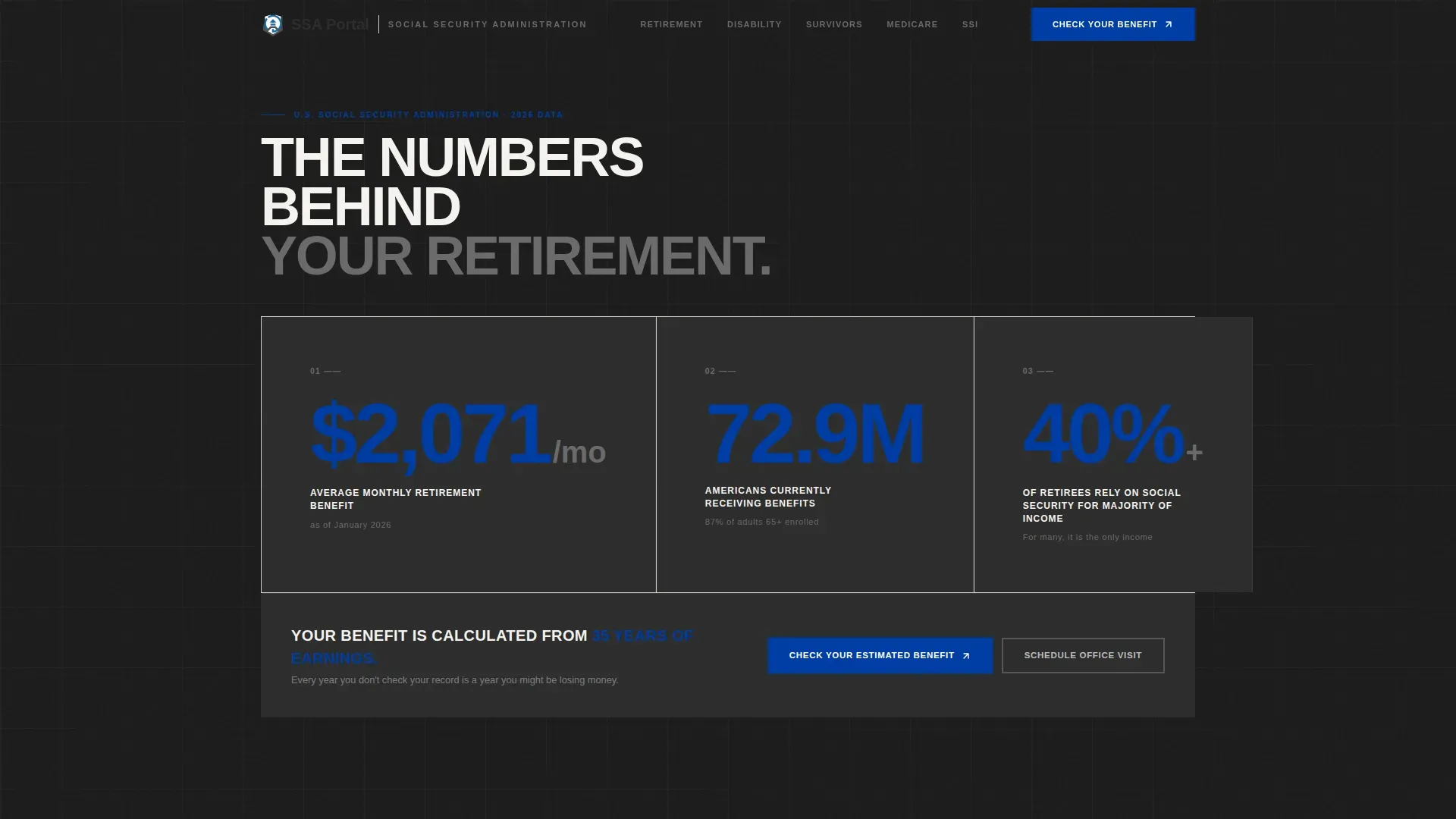
- A full-width hero infographic section with three oversized federal statistics and a primary "Check Your Estimated Benefit" call to action issued above the fold
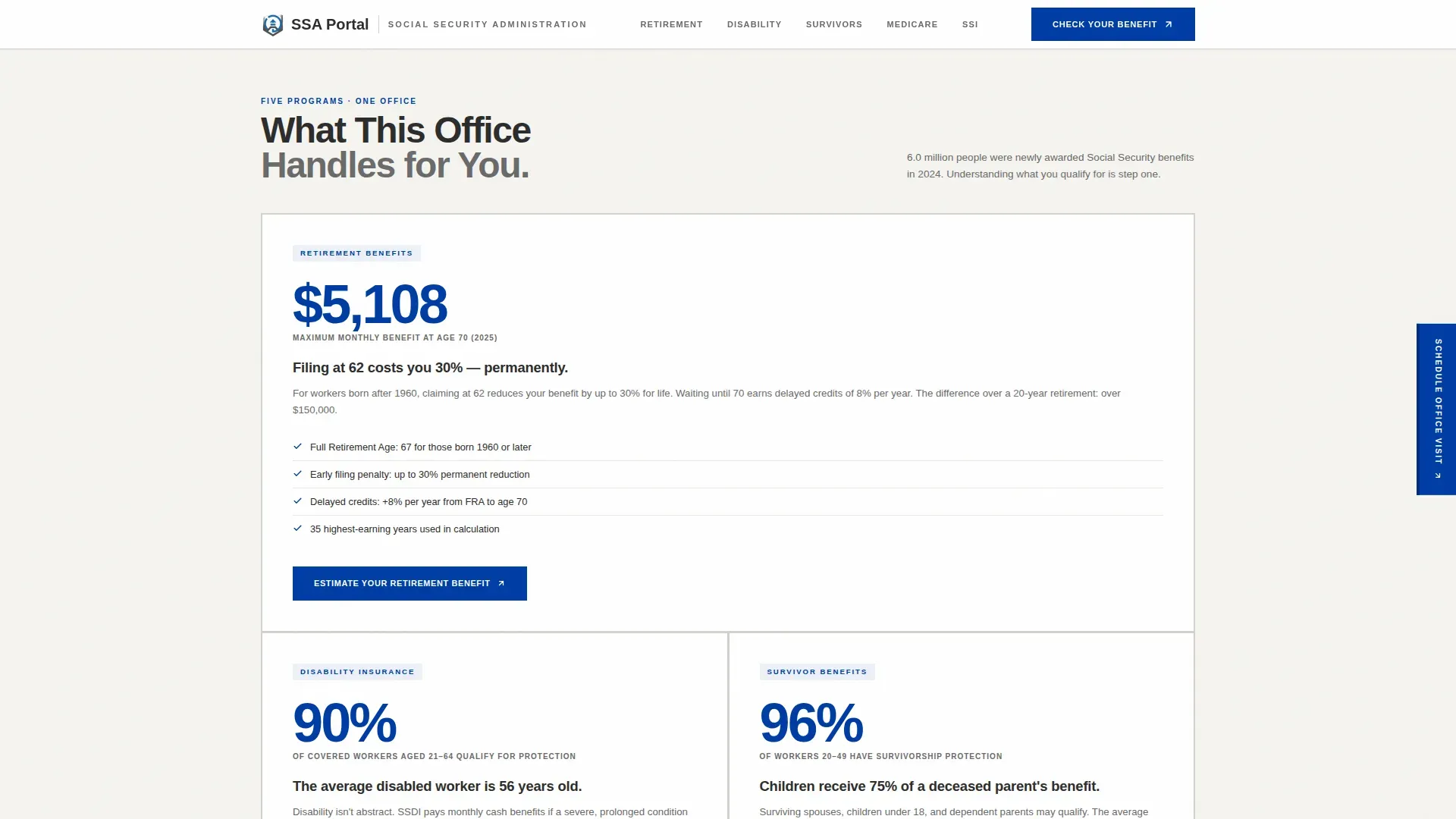
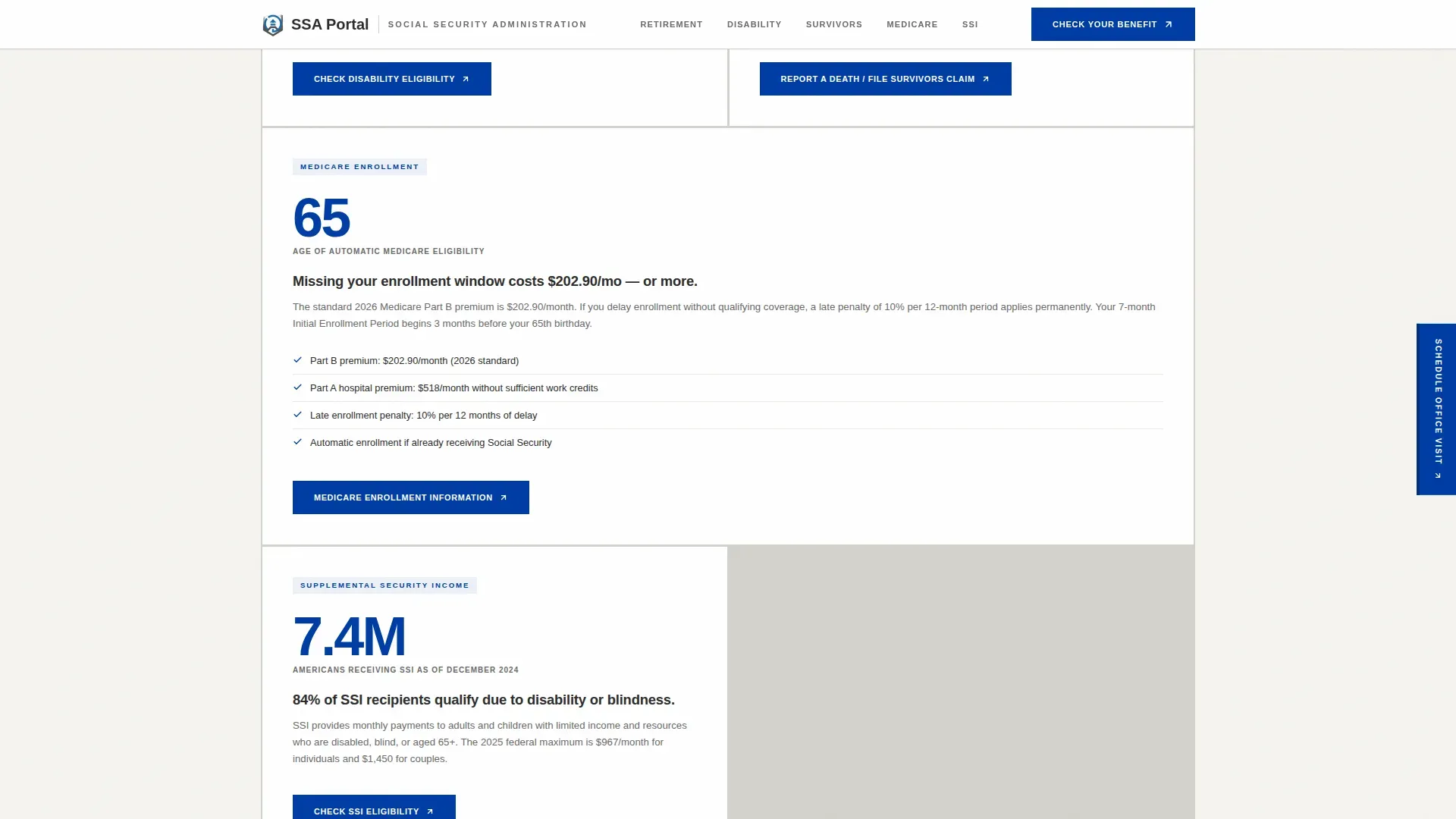
- Five modular service cards (Retirement, Disability, Survivors, Medicare, SSI), each stat-led with expandable document requirement checklists
- Three scenario cards that reframe data as personal stakes, plus a persistent scheduling bar on mobile and a fixed sidebar element on desktop
Feature list
This template includes a focused set of components derived directly from the source brief. Each one serves the core goal: make the visitor realize what they do not know, then give them a clear path to find out.
Hero Infographic with Oversized Statistics
The header fills the full viewport width with three condensed-type federal statistics set against institutional charcoal. Federal blue highlights the figures themselves. No photography and no illustrations are used. Below the numbers, a single grounding line reminds visitors that their benefit is calculated from 35 years of earnings. The primary call to action to check an estimated benefit is issued here first.
Modular Service Card Grid
Five uniform cards each cover one SSA service category. Every card leads with a startling statistic before explaining what the office does about it. Cards vary in density: some hold a single number and a sentence, while others expand into eligibility checklists and document requirements. This rhythm of shock, explain, act is maintained consistently across the grid.
Scenario Cards with Personal Stakes
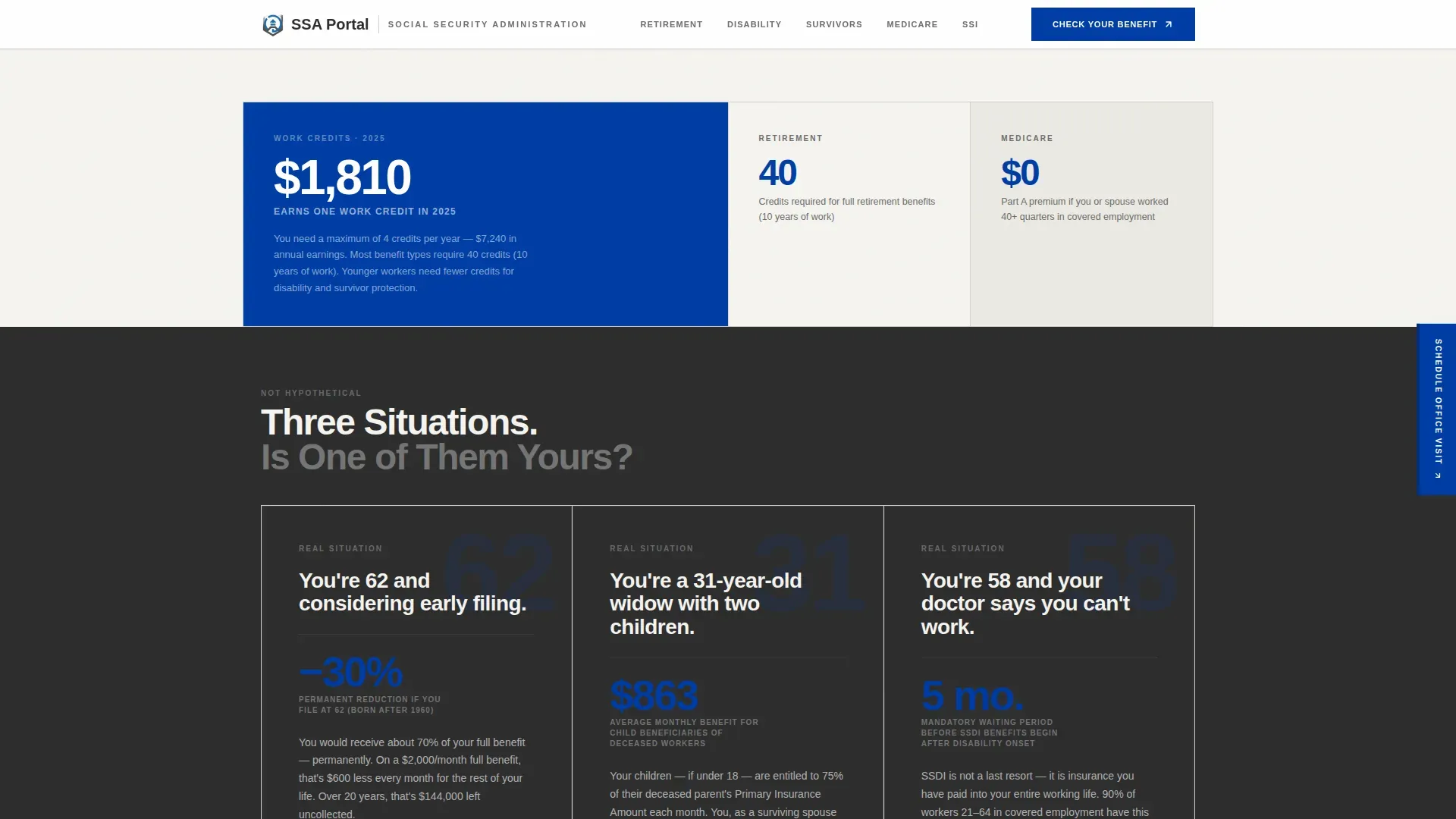
Every third card row introduces a real situation, not a testimonial. An example: "You're 62 and considering early filing." These scenario cards reframe the data so the information found on the page feels personally relevant. Each scenario is designed to surface the cost of inaction and push the visitor toward a next step.
Persistent Call-to-Action Bar
The primary call to action, "Check Your Estimated Benefit," repeats on every third card. A secondary path, "Schedule an Office Visit," is served as a persistent bottom bar on mobile and a fixed sidebar element on desktop. No form fields appear on the page itself. Every click passes the visitor through to the SSA portal.
Expandable Document Checklist Cards
Each service card can expand to show the specific forms, records, and document requirements for that category. Visitors can select their situation and immediately see what to bring. This reduces the number of appointment reschedules caused by incomplete paperwork and makes each office visit more productive from the first contact.
Scroll-Reveal Animation System
The page uses low-to-medium animation. Number count-up effects, scroll reveals, and card stagger transitions are built in. These animations serve the data-first direction: each statistic lands with the weight of something newly discovered, not something passively displayed.
Page sections overview
| Section | Purpose |
|---|---|
| Hero Infographic | Three oversized federal statistics plus primary call to action issued above the fold |
| Service Cards Grid | Five stat-led benefit category cards with expandable document checklists |
| Scenario Cards | Three real-life situations reframing data as personal stakes |
| Document Checklists | Expandable per-service requirement cards showing forms and records needed |
| Action call to action Bar | Persistent scheduling bar on mobile and fixed sidebar on desktop |
| Footer | Linear single-row footer with links and key contact information |
Design & branding system
The visual identity follows a Civic Service theme with a Monochrome Steel color system. Every color choice is deliberate and functional, not decorative. The palette communicates institutional authority without warmth.
- Institutional charcoal (#2D2D2D) for primary backgrounds, filing-cabinet gray (#6B6B6B) for secondary text, and form-paper white (#F5F4F0) as the page surface
- Federal blue (#003DA5) reserved exclusively for interactive elements and critical data points, ensuring every click target is immediately identifiable
- Plus Jakarta Sans for condensed oversized numerics in the hero, and DM Sans for body text across all cards and checklists
Mobile & speed optimization
Over 80% of traffic to civic service pages often comes from mobile devices. This template is built mobile-first, assuming many visitors are in a waiting room with a phone. Buttons are thumb-friendly and text is legible on small screens without zooming.
- The persistent "Schedule an Office Visit" bar is served at the bottom of the mobile viewport so the scheduling action is never left off screen
- The template uses a static-first build approach with minimal JavaScript, keeping the page responsive even on slower connections found in government-office environments
- Scroll-reveal and count-up animations are kept low-to-medium in intensity so they do not block content delivery on limited bandwidth
How this template helps you convert
This page earns the click by making the visitor realize they do not know their own benefit number, and that not knowing is costing them money. Every structural decision serves that moment of realization.
- The hero infographic creates immediate demand: three federal statistics issued above the fold make the stakes unavoidable before any scrolling occurs, and a single primary call to action is found right there.
- The service card rhythm, shock then explain then act, ensures each card section is released as a complete thought that ends with a clear next step, reducing the cognitive load that typically blocks a visitor from proceeding.
- The persistent scheduling bar means the appointment path is never blocked or buried. On mobile it stays fixed to the bottom. On desktop it is found in a sidebar. The visitor can submit their intent to schedule at any point during the scroll.
Other information about this template
This template is aligned with the SSA Stats First civic service landing page template direction, which is part of the Social Security Administration's 2025 website redesign initiative. Several important facts about records, fees, and representation apply when this page is used in a live SSA office context.
- The release of records or disclosure of client information is subject to existing federal, state, and county regulations. Each request for social services records will be evaluated according to the type of request and whether the records are confidential.
- Generally, the fact that an individual is a past or present client of the Social Services Agency is confidential and will not be disclosed. Adult Protective Services records require a court order for release and are not subject to subpoena.
- For Children and Family Services records, a requestor must file a Welfare and Institutions Code section 827 petition to obtain authorization to receive records. Subpoenas for records of Social Services Agency clients must be personally served along with all applicable fees.
- The production of records pursuant to a subpoena requires an advance minimum payment of $15.00. An advance deposit fee of $275 per day is required for a civil subpoena for appearance at a trial or hearing.
- To submit a Public Records Act request to the Social Services Agency, specific procedures must be followed. Any request submitted through email or mail should include the requestor's contact details and the specific records being sought.
- Appointed representatives, including an attorney or eligible non-attorney, can help social security claimants navigate the application process. The SSA has specific fee authorization processes for representatives, and registration requirements apply for direct payment of approved fees.
- Representatives must adhere to federal regulations regarding their conduct when representing claimants. Direct payment to eligible non-attorney representatives is allowed under certain conditions issued by the SSA.
- Best practices for appointed representatives include understanding SSA processes, maintaining proper documentation, and keeping complete records for all cases they handle.
Theme
Civic Service
Creative direction
Stats-First Impact
Color system
Monochrome Steel
Style
Card Grid (Modular)
Direction
Click-Through
Page Sections
Hero Infographic with Federal Statistics
Modular Stat-led Service Card Grid
Scenario Cards for Personal Stakes
Expandable Document Checklist Cards
Persistent Scheduling Call-to-action
Scroll-reveal Animation System
Related questions
What types of visitors is this page designed to serve?
Does the page include any forms or intake fields?
Can an attorney or representative use this page to guide clients?
How does the appointment scheduling work on this template?
What records and forms should a visitor prepare before their office visit?



