Kids Violin Reviews Website Template
Staccato is a zigzag landing page template built for kids violin online class providers. It guides parents through a warm, scroll-driven journey from a child's first bow hold to their first recital-ready piece. With embedded video previews, milestone testimonials, a scroll-linked progress bar, and a single click-through call to action, the template earns trust before it ever asks for a commitment.
by Rocket studio
Quick summary
Staccato is a single-page, click-through landing page template designed for online violin programs that teach young beginners. It uses a zigzag layout to walk parents through four student milestones, pairs each milestone with a video clip and a real parent testimonial, and routes every call to action to a free trial scheduling page. The aesthetic is warm, editorial, and immediately reassuring.
Who this template is for
This template is built for music educators and program creators who offer online violin lessons for children. It speaks directly to the parents and caregivers who make enrollment decisions.
- Homeschool parents looking for structured, scheduled enrichment that fits into a learning routine
- Dual-income families who need a flexible, at-home lesson format that slots between soccer and dinner
- Grandparents or gift-givers searching for a meaningful, lasting experience to give a child
What problem this template solves
Selling online music lessons to parents is hard when the product is invisible. Parents cannot hear the teacher, see the progress arc, or feel the warmth of the studio from a static webpage. Most lesson landing pages fail because they describe a curriculum instead of showing a journey.
- Parents leave before committing because they have no proof the method works for young beginners
- Generic enrollment forms feel clinical and create unnecessary friction before trust is built
- The learning timeline feels vague, so parents assume progress will be slow or hard to measure
What you get with this template
The template delivers a complete, scroll-driven landing page structured around four student milestones. Every section is pre-built and ready to customize with your own video clips, testimonials, and teacher credentials.
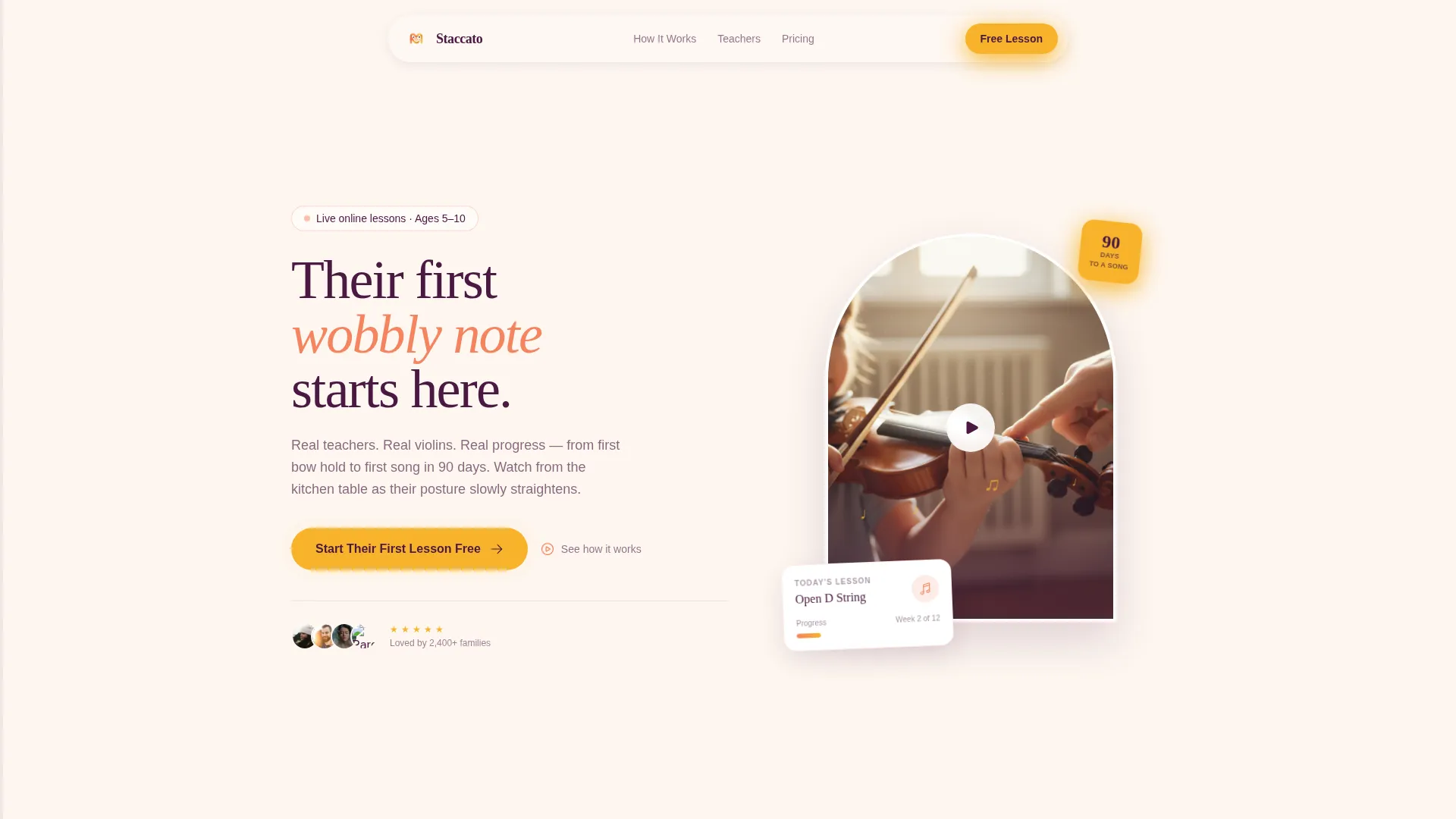
- A hero section with an arched video player frame, floating lesson card, animated music notes, and a pulsing primary call-to-action button
- Four alternating zigzag content sections, each pairing a looping video clip with a milestone description and an inline parent testimonial
- A scroll-linked progress bar along the page edge that fills from Day 1 to Month 3 as the visitor scrolls
Feature list
This section covers the template's core built-in components and interaction patterns, all grounded in the brief.
Zigzag Milestone Layout
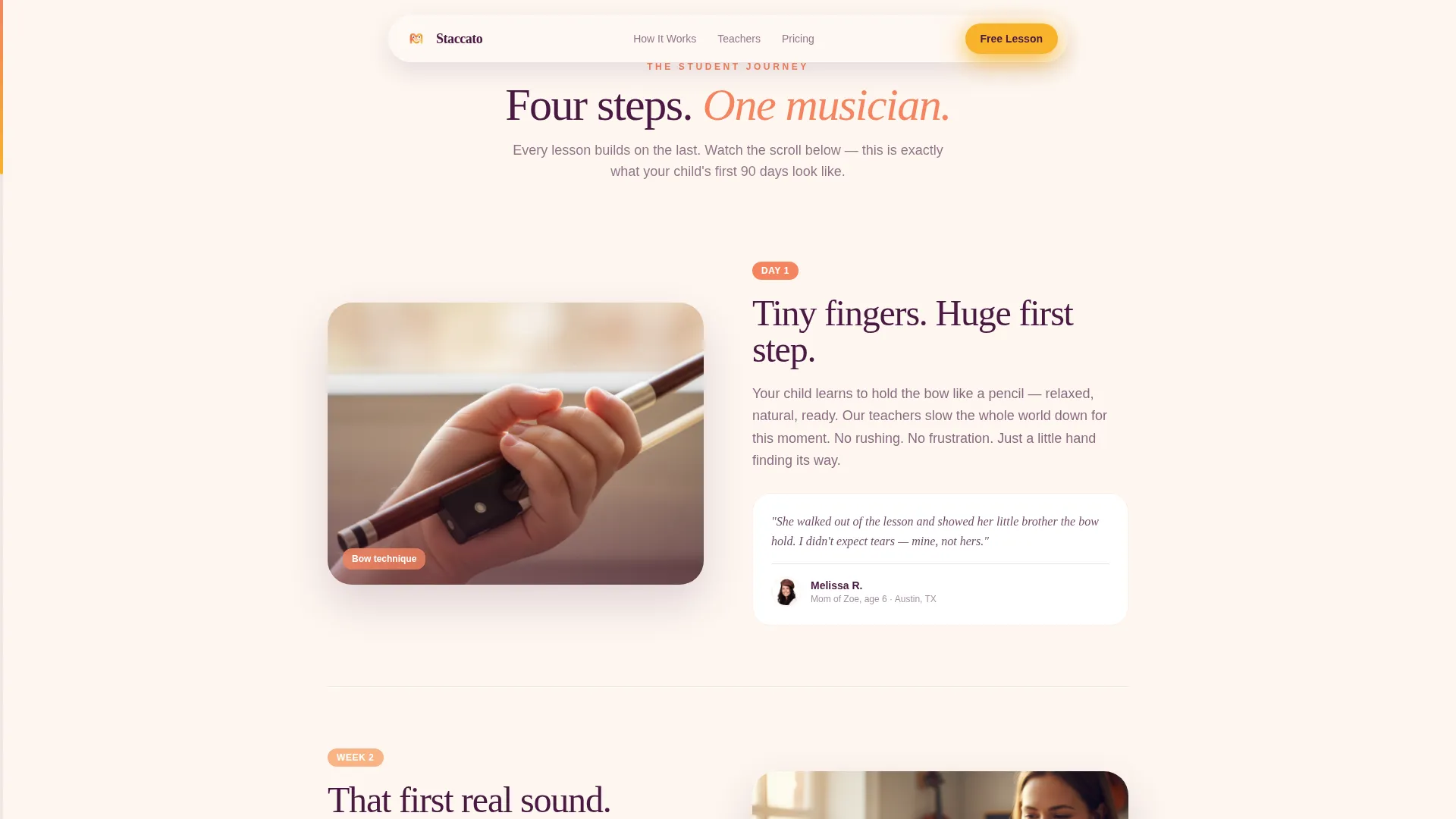
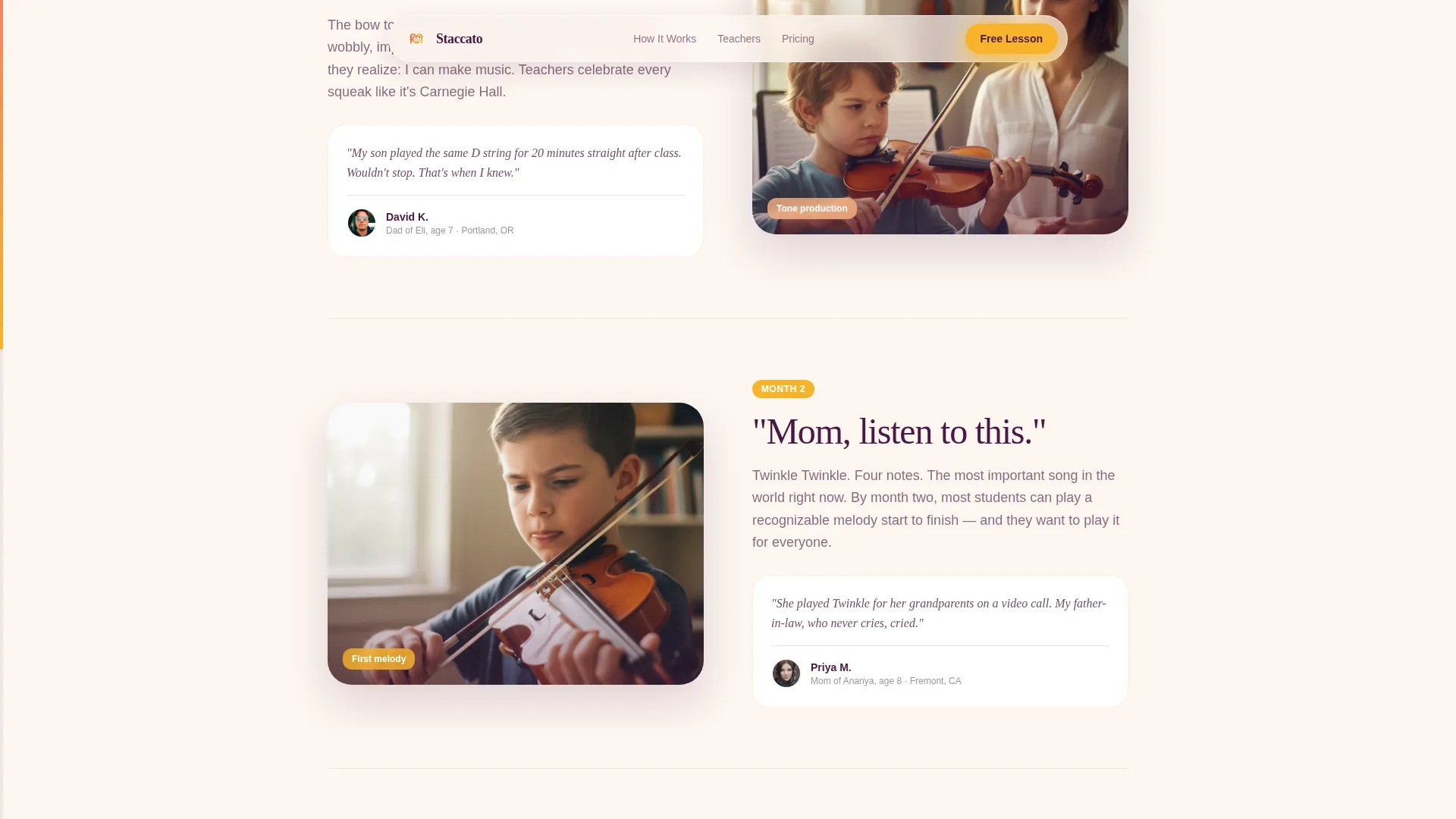
Four alternating left-right content sections represent the student journey: first bow hold, first open string, first simple song, and first recital-ready piece. The back-and-forth layout visually echoes the motion of bowing, giving the page a rhythm that feels intentional and content-led.
Embedded Video Player with Animated Notes
The hero includes a styled video player frame showing a close-up teacher demonstration. Animated music notes float upward from the frame using CSS animation. Audio is muted on load, making the play button irresistible without auto-playing sound.
Scroll-Linked Progress Bar
A subtle progress indicator runs along the page edge and fills incrementally as the visitor scrolls through each milestone section. It moves from a "Day 1" label to a "Month 3" label, making the path to mastery feel short and achievable.
Inline Parent Testimonials
Each zigzag section includes a dedicated parent testimonial block placed directly alongside the milestone description. Social proof appears in context, at the exact moment a parent might need reassurance, rather than being grouped at the bottom.
Click-Through Call to Action System
The primary call-to-action button reads "Start Their First Lesson Free" and appears three times: after the second zigzag section, at the midpoint milestone, and at the bottom alongside a parent quote. No form is present on this page. Every button routes to a scheduling page.
Mid-Page Gradient Call-to-Action Block
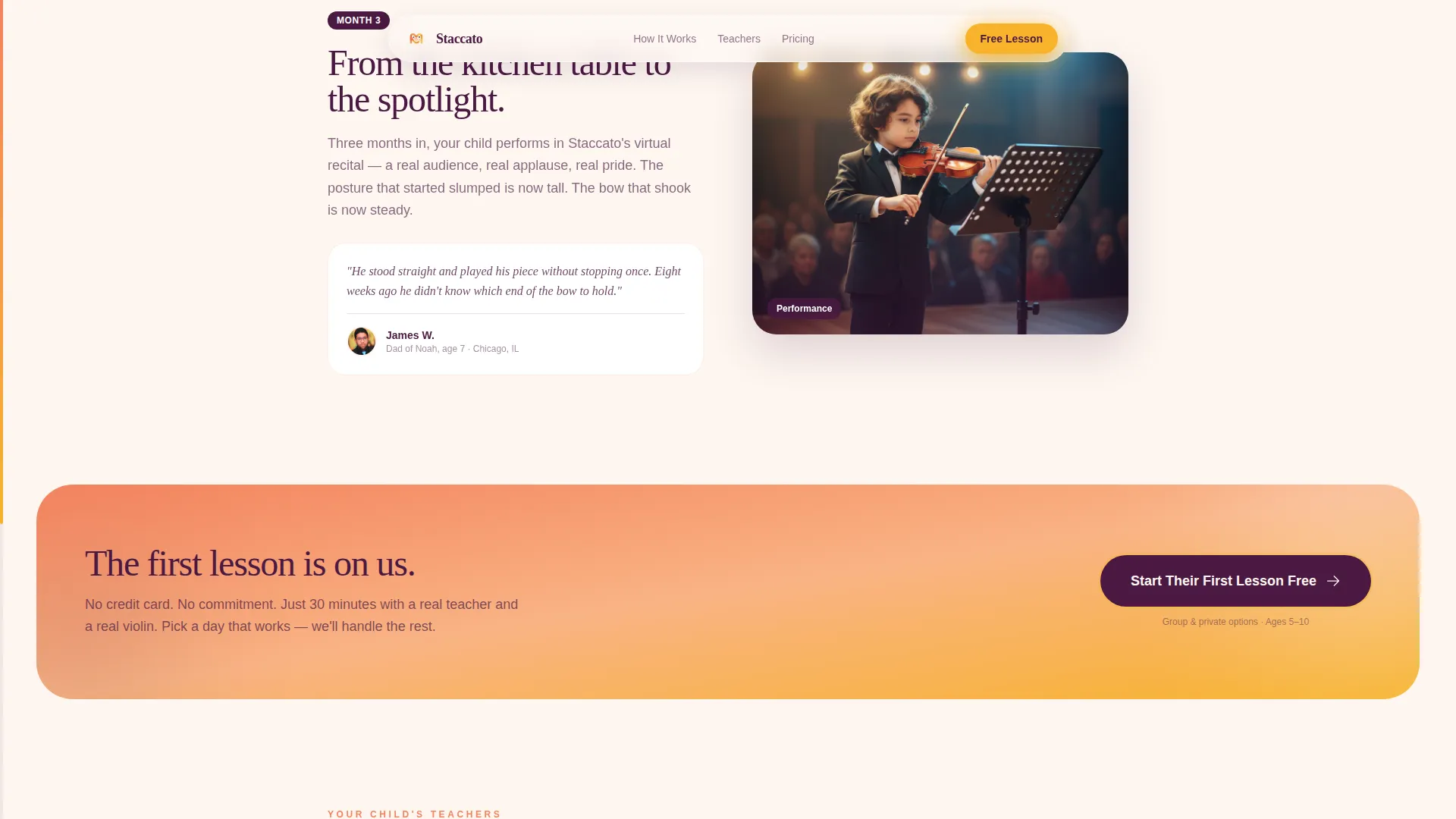
A full-width warm gradient section appears at the page midpoint. It features a highlighted parent quote and the primary call-to-action button, breaking the scroll rhythm in a way that prompts action without feeling pushy.
Page sections overview
| Section | Purpose |
|---|---|
| Hero split layout | Introduces the program with a video player, floating lesson card, animated notes, and primary call to action |
| Zigzag Section 1 | Shows the first bow hold milestone with a video still on the left and a testimonial on the right |
| Zigzag Section 2 | Continues the journey with the first open string, layout reversed for visual rhythm |
| Mid-page call to action | Full-width gradient block with a parent quote and the second call-to-action button |
| Zigzag Section 3 | Presents the first simple song milestone with a teacher card on the left |
| Zigzag Section 4 | Closes the journey with the first recital-ready piece and a progress showcase |
| Arc split footer | Wraps the page with final social proof and a last call-to-action button alongside a parent quote |
Design & branding system
The visual identity follows an Educational Guide theme built around a Sunset Gradient palette. Every color choice is warm and grounded, avoiding anything that feels clinical or cold.
- Apricot (#F4845F) bleeds into soft peach (#F9B384) across gradient backgrounds, evoking golden-hour light during after-school practice
- Deep plum (#4A1942) anchors all headings and body text, providing contrast without harshness
- Bright marigold (#F7B32B) is reserved for buttons and the scroll-linked progress bar, drawing the eye to every action point
- Typography pairs Fraunces serif headings with DM Sans body text, balancing warmth with readability
Mobile & speed optimization
The template is built with a mobile-first priority, reflecting the reality that most parents browse on their phones between activities. Layout and interaction choices are made for smaller screens first.
- Zigzag sections reflow into a stacked single-column layout on mobile without losing the milestone-to-testimonial pairing
- Animations include scroll reveal, floating music note CSS animation, and card tilt on hover, all implemented with minimal JavaScript to keep the page light
- Server Components handle all static sections, keeping interactive JavaScript isolated to the video player, pulsing call to action, and scroll progress indicator
How this template helps you convert
The page is designed to earn a click before it asks for one. Every structural decision prioritizes trust-building over premature commitment.
- The video-led hero creates immediate proof of teaching quality. Parents see a real teacher and a child's hand before reading a single word of copy, reducing skepticism from the first second.
- Each zigzag section layers another milestone with another parent voice. By the time the visitor reaches the mid-page call to action, they have already seen four stages of real progress, making the free trial feel like a low-risk next step rather than a leap of faith.
Other information about this template
This template is a strong fit for kids violin online class programs targeting beginners aged 5 to 10. It is particularly effective for providers who have short lesson videos, real parent testimonials, and a free trial or introductory scheduling flow ready to link to.
- The footer uses an Arc Split pattern (Pattern 7) for a polished, editorial close that does not feel like a standard website footer
- Localization defaults are set for English, United States Dollar pricing, and United States date format, making it ready for North American markets without adjustment
- The scheduling flow lives off this page entirely, keeping the landing page friction-free and focused on one job: earning the click
- Card tilt on hover adds a tactile, playful quality to the milestone cards that fits the kids music education context without feeling juvenile
Theme
Educational Guide
Creative direction
Step-by-Step Guide
Color system
Sunset Gradient
Style
Zigzag/Alternating
Direction
Click-Through
Page Sections
Zigzag Milestone Layout
Embedded Video Player with Animated Notes
Scroll-linked Progress Bar
Inline Parent Testimonials
Three-point Click-through Call to Action
Mid-page Gradient Call-to-action Block
Related questions
Does this template include a sign-up form?
How many call-to-action buttons does this template include?
Can I use this template if I only have a few short video clips?
Is this template suited for parents browsing on mobile phones?
What age range is this template designed to serve?



