Education & Learning Toy Education Website Template
Stackable is a single-column construction toy landing page template built for educational toy brands targeting parents, Montessori teachers, and grandparents. It combines scroll-triggered micro-interactions, a Lottie block-assembly header animation, and a lead-capture form into one warm, playful content destination designed to earn trust before asking for anything.
by Rocket studio
Quick summary
Stackable is a single-column landing page template for building block and construction toy brands. It uses scroll-triggered animations, interactive developmental diagrams, and a warm watercolor visual identity to guide parents, teachers, and grandparents toward a free Build Guide download. Every section earns attention before asking for an email address.
Who this template is for
This template is designed for educational toy brands, direct-to-consumer shops, and content creators in the building block and construction toy space. It works equally well for a small founder launching a first product and an established brand refreshing its content destination.
- Parents and gift-buyers looking for screen-free, educational toy options
- Montessori teachers and early childhood educators stocking classroom shelves
- Grandparents and caregivers seeking developmentally meaningful gift choices
What problem this template solves
Most toy brand pages lead with a product shot and a price. They skip the "why" entirely. Parents buying educational toys need to understand the developmental value first. Without that context, they hesitate, compare, and leave.
- Visitors leave before converting because the page never explains the learning benefit
- Generic layouts fail to create the warm, trustworthy feeling an educational brand requires
- Lead capture forms appear too early, before the visitor has absorbed any real value
What you get with this template
You get a complete, single-column landing page layout built around content and genuine value delivery. The template includes animated sections, a lead-capture form, an age-band browsing grid, and a structured flow that moves visitors from curiosity to conversion naturally.
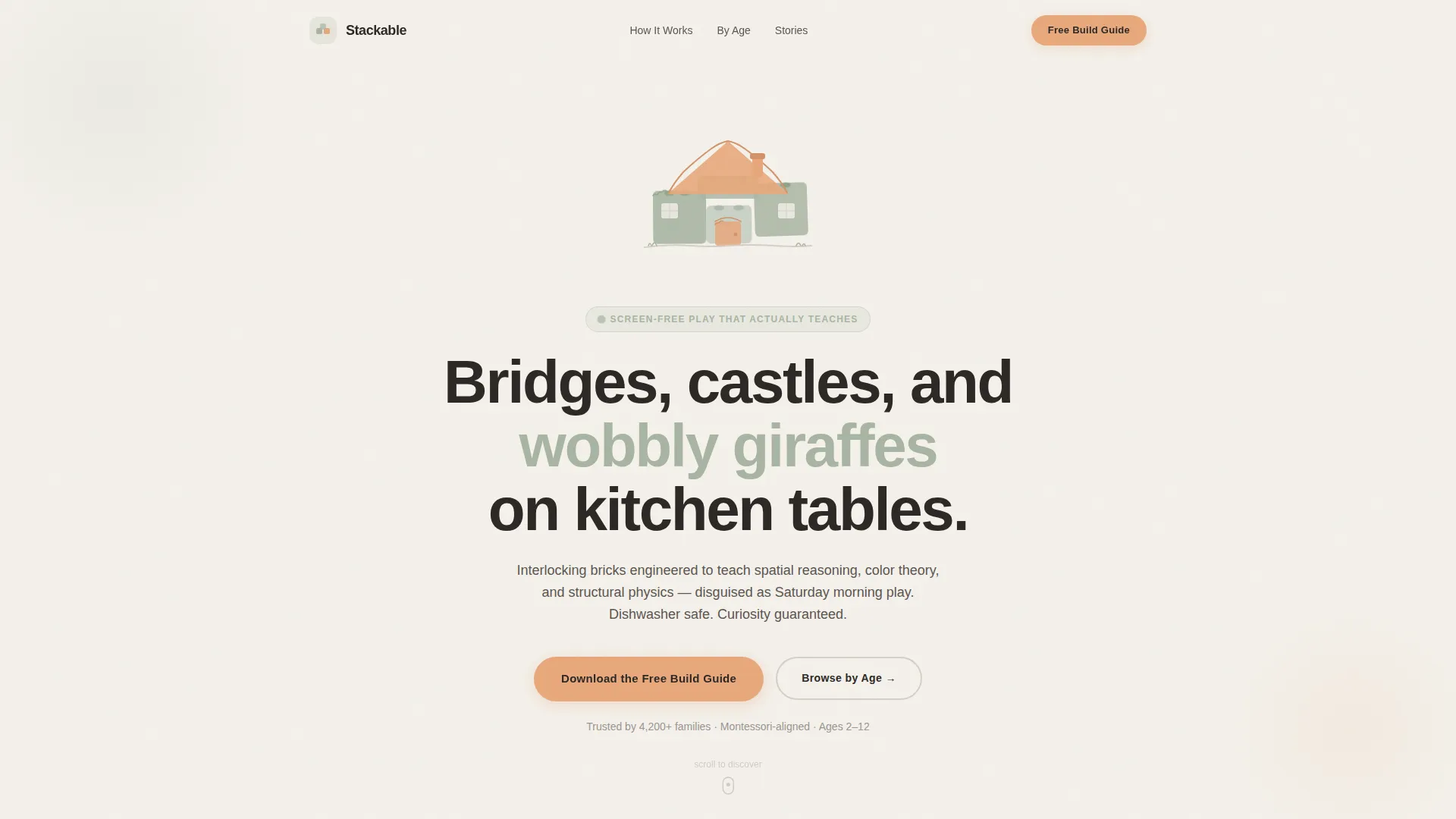
- A Lottie-powered header animation showing blocks assembling into a small house over five seconds
- Scroll-triggered micro-interactions including hover-wiggle blocks and a hidden animated dinosaur reveal
- A minimal email capture form pre-filled with warm placeholder text, asking only for a first name and email
Feature list
This template ships with a focused set of interactive and visual features drawn directly from the brief. Each one serves the educational toy audience and the content-first lead generation goal.
Lottie Block-Assembly Header
A hand-drawn vector animation opens the page. One block tumbles in, lands softly, and four more arrive from different directions until a small house assembles itself in five seconds. The animation uses sage and peach line art against a cloud-white background with playful easing curves and no product photography required.
Scroll-Triggered Micro-Interactions
GSAP-powered scroll triggers fire unique animations as the visitor moves down the page. The motor skills section features blocks that wiggle on hover. A developmental science paragraph hides an animated dinosaur that appears when the visitor scrolls past a set speed. Every third section breaks the visual rhythm with an unexpected animation or a color-shift background.
Interactive Developmental Science Bento
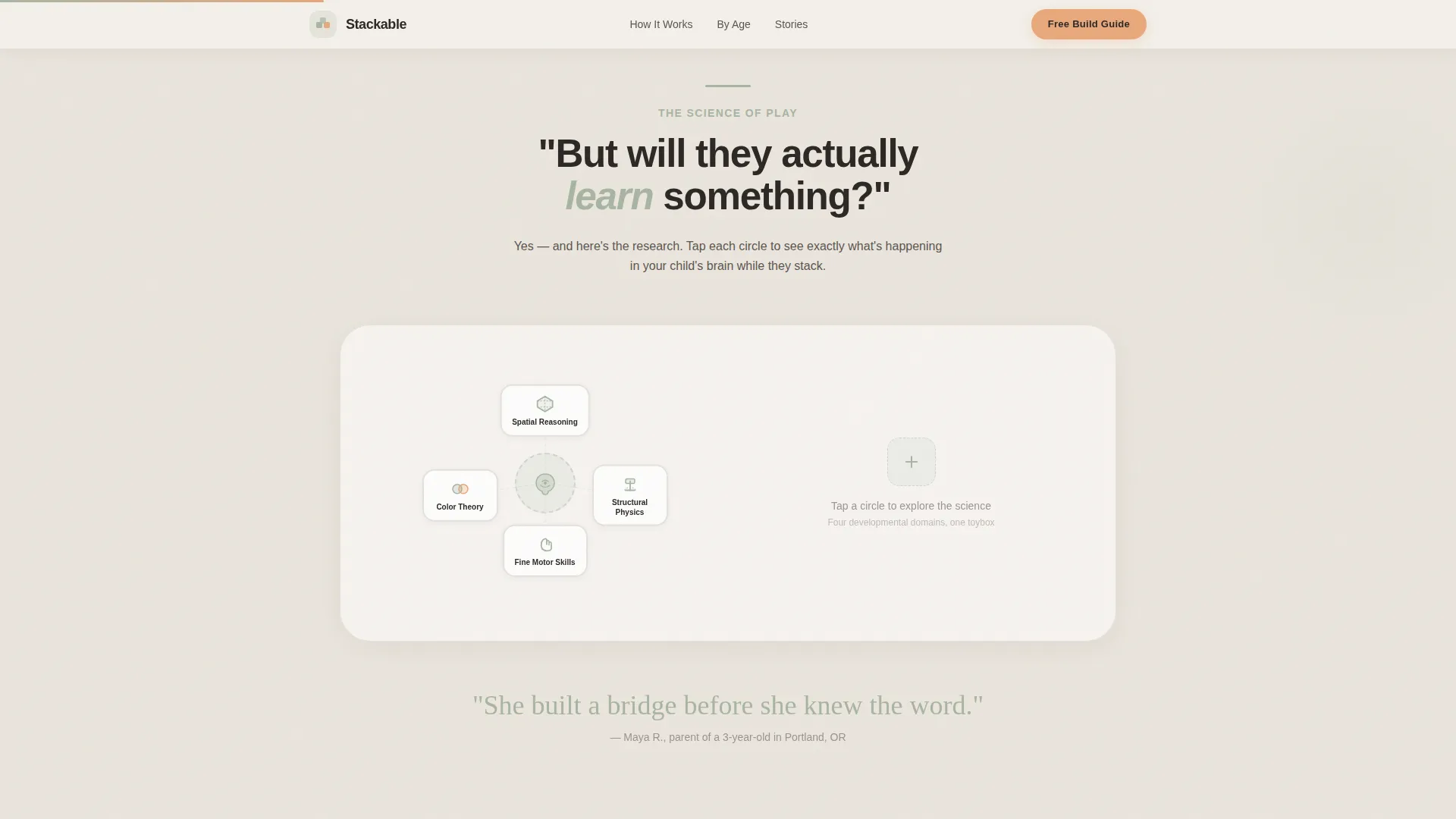
The "But will they actually learn something?" section answers parent questions with interactive diagrams rather than dense paragraphs. Each diagram communicates a developmental concept, such as spatial reasoning or color theory, through visual interaction rather than text walls.
Free Build Guide Lead Capture
A minimal form placed after the third content section asks only for a first name and email. Placeholder text reads "The builder's name" and "Where we send it." The form is positioned after two animation interactions, so visitors arrive primed and already engaged before they see any ask.
Browse by Age Anchor Grid
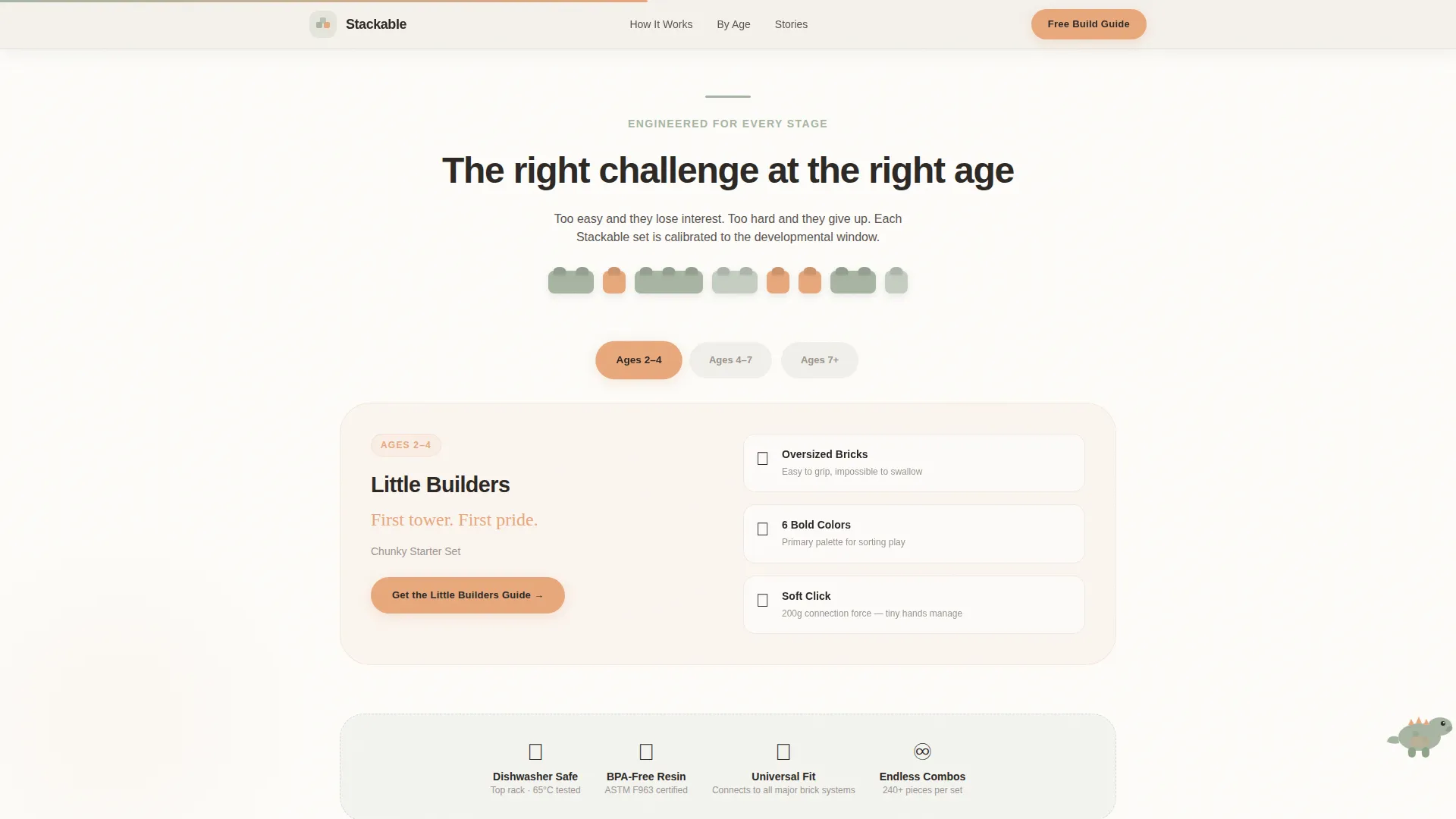
A secondary call-to-action button labeled "Browse by Age" scrolls the visitor down to a visual grid. The grid sorts printable build templates and developmental milestone checklists across three age bands: ages 2 to 4, ages 4 to 7, and ages 7 and up.
Social Proof Section
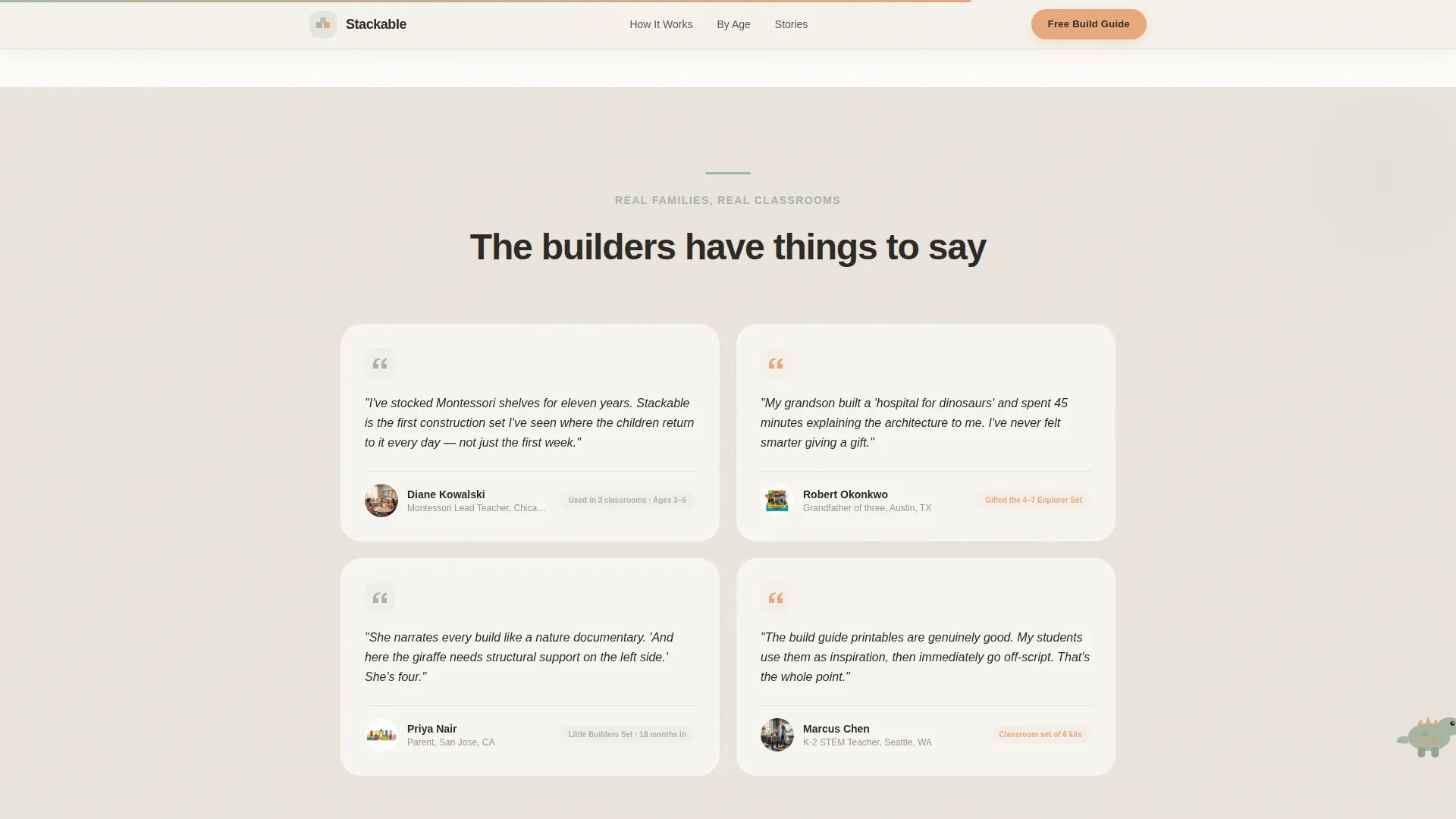
A dedicated testimonials section features quotes from teachers, parents, and grandparents. Milestone callouts ground the social proof in real developmental outcomes rather than generic five-star ratings.
Page sections overview
| Section | Purpose |
|---|---|
| Hero Animation | Opens with block-assembly Lottie animation and dual call-to-action |
| Developmental Science Bento | Answers "will they learn?" with interactive diagrams |
| Motor Skills Play | Hover-wiggle blocks and age-band feature highlights |
| Social Proof | Teacher, parent, and grandparent testimonials with milestone callouts |
| Build Guide call to action | Email capture form and Browse by Age anchor grid |
| Footer | Linear single-row footer pattern |
Design & branding system
The visual identity follows an Educational Guide theme using a Soft Mist color palette. Every color decision feels intentional, warm, and grounded in the watercolor-on-thick-paper aesthetic the brief calls for.
- Cloud white (#F4F1EB) and morning fog gray (#D6CFC7) handle all background surfaces
- Muted sage (#A8B5A2) anchors section dividers, iconography, and hand-drawn line art
- Warm peach (#E8A87C) appears exclusively on buttons and interactive tap targets; typography uses Plus Jakarta Sans for headings and DM Sans for body text
Mobile & speed optimization
The template is built mobile-first because the primary audience, parents and grandparents, shops primarily on phones. All interactive elements are touch-friendly and the animation stack relies on GPU-accelerated transforms only.
- Native CSS smooth scroll handles page anchoring without heavy JavaScript overhead
- GPU-accelerated transforms power all GSAP and CSS keyframe animations to keep motion fluid
- Mobile-first layout ensures the single-column flow reads cleanly on small screens before scaling up
How this template helps you convert
The conversion strategy is built on a content-first sequence. Visitors interact and absorb value before they ever see a form. The page earns the click rather than demanding it.
- Two scroll-triggered animations engage visitors early, creating delight and building trust before any call-to-action appears on screen.
- The free Build Guide offer, including printable build templates and developmental milestone checklists, delivers genuine value upfront so the email ask feels fair and worth accepting.
- The "Browse by Age" anchor button provides a low-commitment secondary path, keeping visitors on the page even if they are not ready to submit their email immediately.
Other information about this template
This template is categorized under Kids & Family, with a subcategory focus on Education & Learning Toy and a niche alignment to the building block and construction toy market. It is localized for English-speaking audiences in the United States, using USD pricing conventions and MM/DD/YYYY date formatting where relevant.
- The template style is a single-column flow, meaning all content reads top to bottom with no sidebar or multi-column grid layout outside the age-band grid section
- The creative direction is Surprise and Delight, a scroll experience designed so that no two consecutive sections feel identical in rhythm or interaction
- Pull-quotes styled in a child's handwriting font appear at rhythm-breaking intervals to reinforce the warm, educational brand personality
- The header concept uses a Lottie or vector animation format, making it straightforward to swap the assembled shape or adjust animation timing to match a specific brand
Theme
Educational Guide
Creative direction
Surprise & Delight
Color system
Soft Mist
Style
Single Column Flow
Direction
Content/Resource
Page Sections
Lottie Block-assembly Header Animation
Scroll-triggered Micro-interactions
Interactive Developmental Science Bento
Minimal Lead Capture Form
Browse by Age Anchor Grid
Social Proof with Milestone Callouts
Related questions
Can I use this template without coding experience?
Is this template suitable for a Montessori classroom resource page?
What does the email capture form collect?
Can I change the primary call-to-action to match my own offer?
Does the age-band grid come with content pre-filled?



