Public Library State Directory Landing Page Template
The Stacks Public Library State Directory Landing Page Template is a civic-grade single-page directory hub built for state library departments. It combines a split hero, animated stat counters, zigzag content sections, an interactive map call-to-action, a filterable grant calendar, and a gated annual report download. Every section earns visitor trust before asking for anything in return.
by Rocket studio
Quick summary
This landing page acts as the authoritative front door for a state public library system. It maps every branch across the territory, from large downtown flagship libraries to rural single-room outposts. Visitors can search for nearby libraries, view funding data, explore literacy programs, and download the annual report. The page is organized so that value appears long before any email prompt.
Who this template is for
This landing page template serves a wide range of visitors who need different things from the same resource. The design balances high-level statewide data with direct paths to local branch details, so every audience group finds what it needs quickly.
- Library directors and state administrators who need to view grant deadlines, funding data, and program statistics in one place
- City council members and school superintendents comparing per-capita resource allocation or exploring interlibrary loan partnerships
- Citizens searching for local branch hours, story time schedules, and contact details for their nearest library
What problem this template solves
State library departments often scatter their most important content across outdated pages that are hard to navigate. Visitors land on cluttered screens, click through multiple menus, and still leave without finding what they need. This landing page solves that fragmentation by consolidating the full directory, data tools, and program listings into a single, well-organized resource hub.
- No central location to search libraries by name, city, or zip code, leaving citizens frustrated before they even open a book
- Grant and funding details buried in unlinked documents, making it hard for administrators to save time and confirm deadlines quickly
- Program information scattered across branch sites, forcing school staff to navigate multiple pages to find applicable partnership options
What you get with this template
You get a complete, ready-to-customize landing page structured around five core content sections. Each section is designed to display a specific dimension of the library system. Together they build a compelling, evidence-first case for the department before the visitor reaches any call-to-action button.
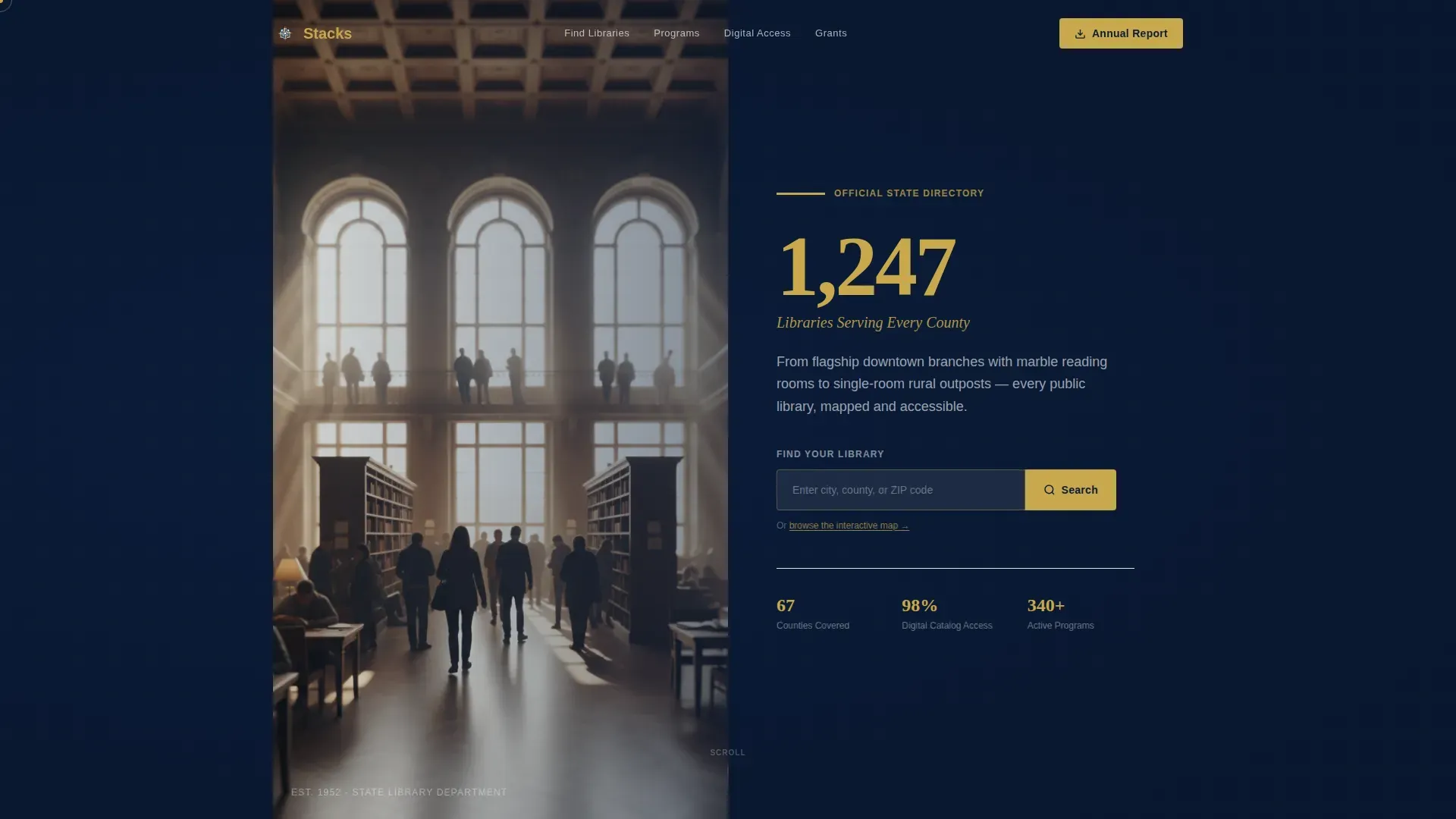
- A half-page split hero with a civic photograph, an animated headline stat, and a prominent search bar to find libraries by location
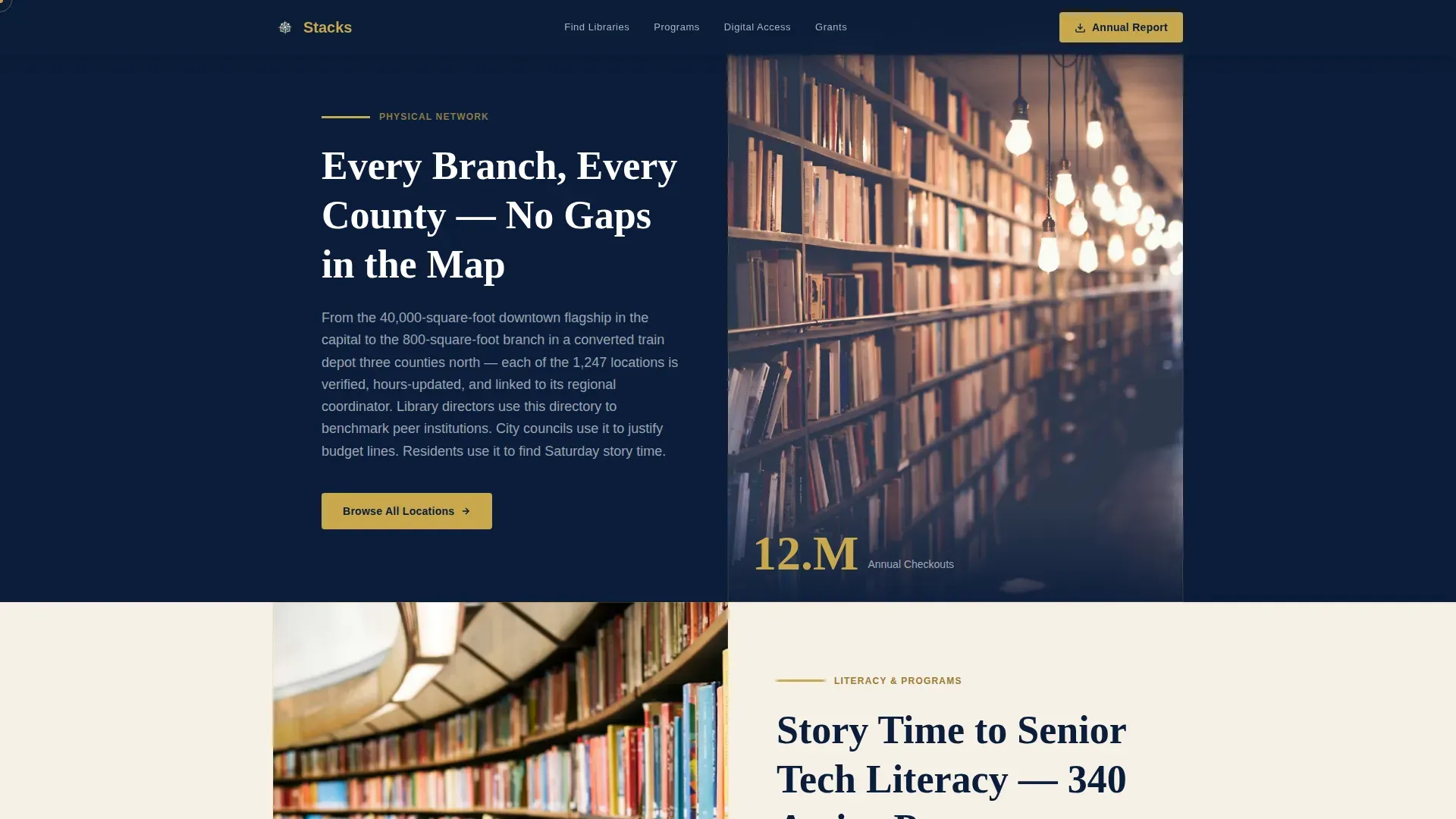
- Three zigzag content blocks that alternate between deep navy and catalog-card cream, each opening with a large-format animated number before the supporting paragraph and image load
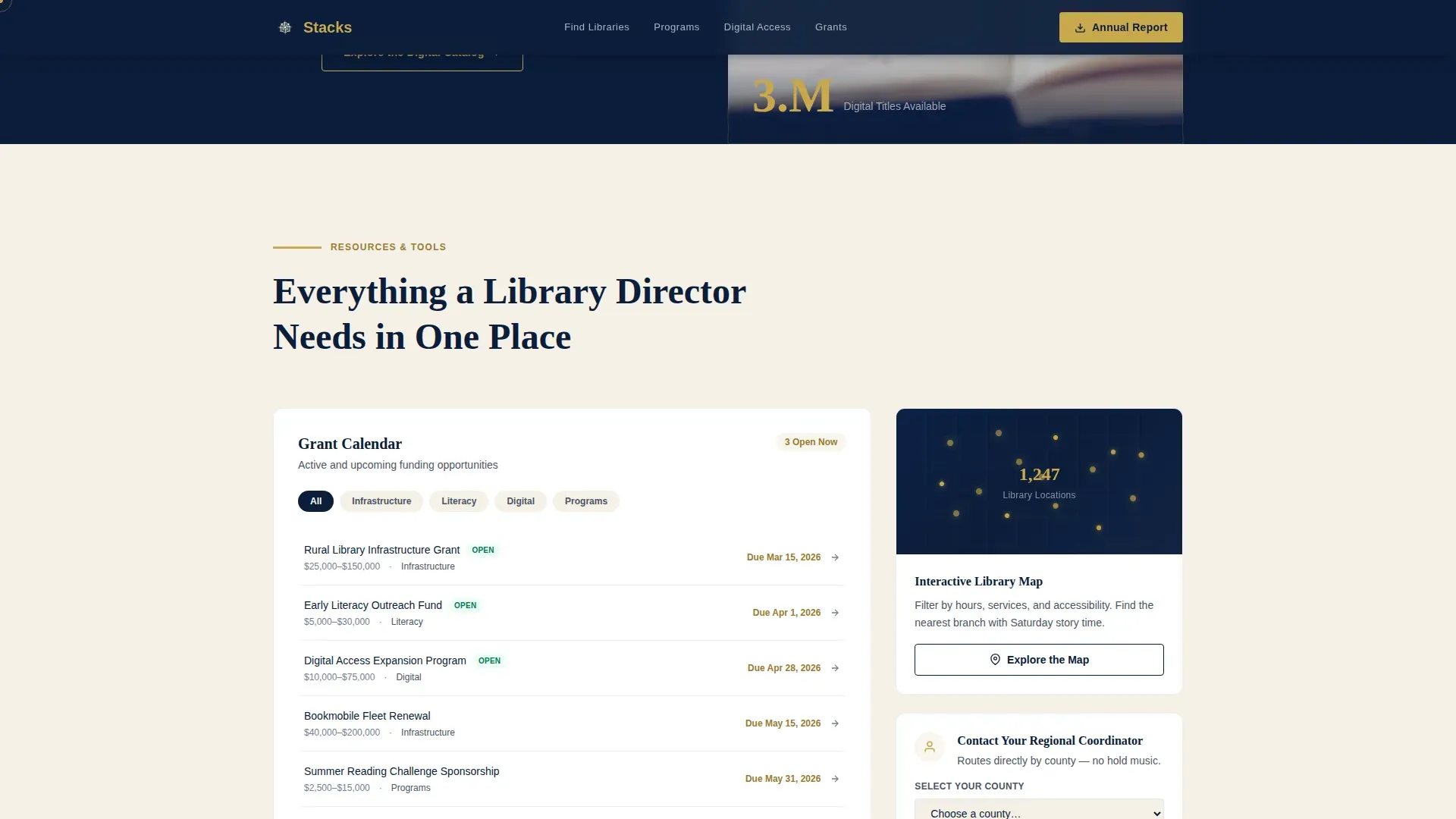
- A tools hub section containing an interactive map call-to-action, a filterable grant calendar, and a regional coordinator contact button that routes by county
Feature list
This landing page includes the following built-in features, each of which you can edit, configure, and save within the template system.
Animated Stat Counter Hero
The hero section splits the screen between a wide-angle library photograph and a bold animated number that appears in reading-lamp gold before the eye finishes scanning. A single-line subtitle and a search bar sit directly below, giving every visitor an immediate way to navigate to their nearest branch.
Zigzag Stats Content Blocks
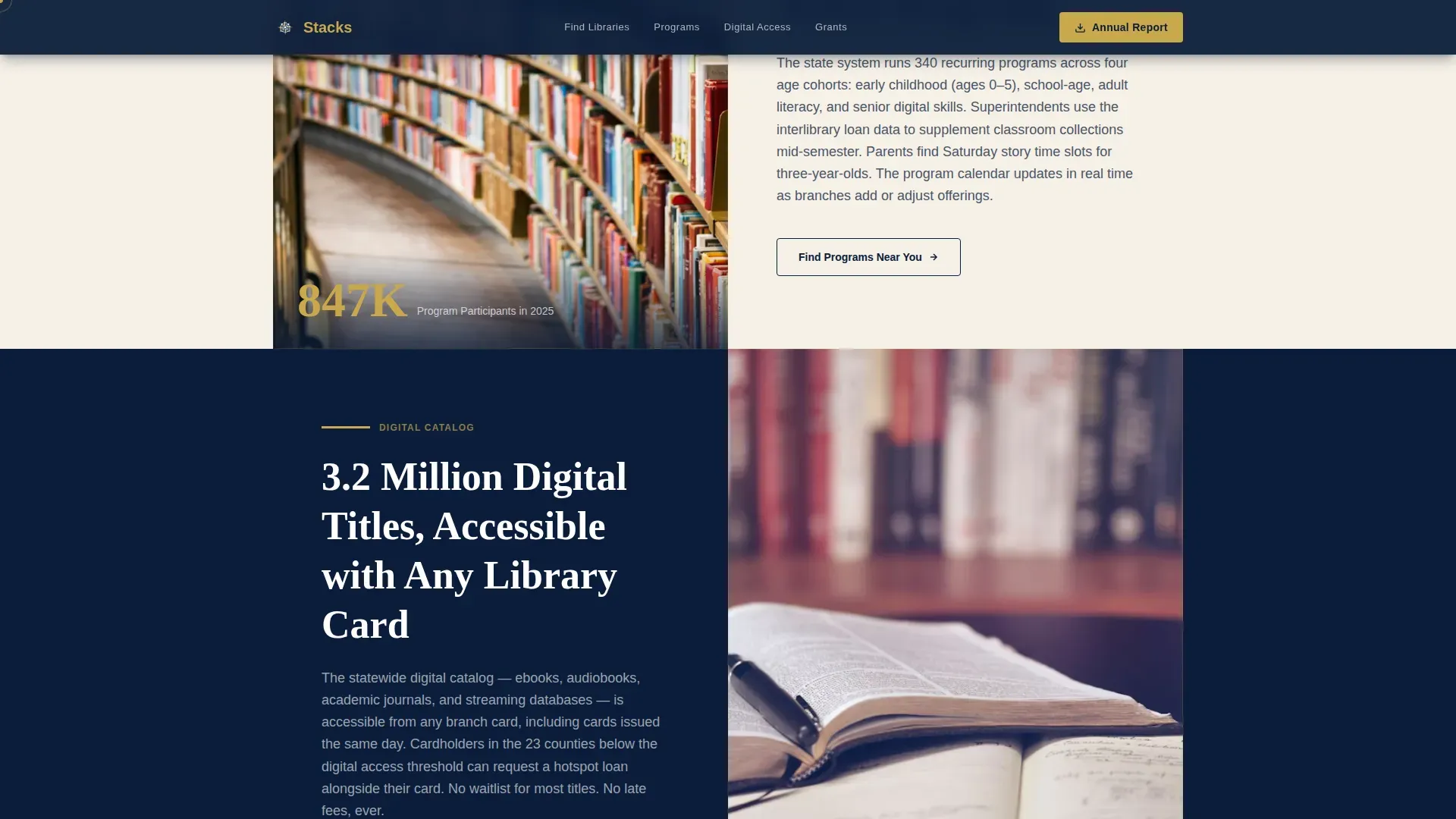
Three alternating content sections scroll through annual checkouts, program attendees, and digital resource totals. Each block opens with a large-format number that animates into view. The alternating cream-and-navy color scheme creates a page rhythm that guides the visitor through evidence of scale before they reach the tools hub.
Interactive Map and Grant Calendar Hub
The tools hub section groups three high-value resource items together. An interactive map call-to-action lets visitors view library locations geographically. A filterable grant calendar displays upcoming deadlines. A county-routing contact button connects administrators directly to their regional coordinator. This section appears ungated, so the resource value is visible before any sign-up is required.
Gated Annual Report Download
A single-field email input gates the annual library report download. Three full content sections appear before this prompt, meaning the page has already demonstrated its resource depth by the time the button appears. This approach earns the click through usefulness rather than demanding it upfront.
Resource Flow Integration Support
The template is structured to support Resource Flows, which are visual lists of resources displayed as scrolling items linked to catalog listings. When connected to an integrated library system, Resource Flows can automatically populate information such as title, author, and call number. You have options to enable or hide individual Resource Flow elements by toggling settings on or off.
Modular Section Layout
Every section on this landing page acts as a container that administrators can open, edit, and rearrange using a drag-and-drop layout builder. The Layout Builder allows administrators to choose from multiple section configurations. To save changes, click "Save Layout" at the top of the page. You can also remove a section by clicking the remove control in the corner; note that removing a section does not delete the content within it unless that content has already been cleared.
Page sections overview
| Section | Purpose |
|---|---|
| Split Hero | Display stat, search bar, civic image |
| Stats Block Navy | Annual checkout counter and physical network description |
| Stats Block Cream | Program attendee count and literacy programs overview |
| Stats Block Navy | Digital resource total and catalog access description |
| Tools Hub | Map link, grant calendar, regional coordinator button |
| Footer Row | Linear single-row links and department contact details |
Design & branding system
The visual identity follows a Directory and Discovery theme built around a Navy Authority color system. The palette feels like a brass-railed reference desk under warm overhead light: serious enough for a government department, inviting enough for a child's first library card visit.
- Deep institutional navy (#0B1D3A) for primary section backgrounds, reading-lamp gold (#C9A84C) for accent links and hover states, catalog-card cream (#F5F0E6) for alternating content blocks, and muted slate (#4A5568) for body text
- Fraunces serif display type for large-format numbers and section titles, paired with DM Sans for body paragraphs to keep the content readable at every column width
- A half-page photo composition in the hero uses a wide-angle interior library image with patrons silhouetted against natural light and shelves receding in soft focus, giving the page a civic warmth that static government templates rarely achieve
Mobile & speed optimization
The landing page is built desktop-first to serve the government and administrative users who represent the primary audience. Full mobile support is included so that citizens on a phone or tablet can still navigate the directory, view branch details, and click through to their local library page without friction.
- Responsive layout ensures every content block, image, and button reflows cleanly across screen sizes, from a large desktop window down to a compact mobile view
- Server-rendered components handle static sections for fast initial load, while animated counter elements and interactive items run on the client side to keep scroll transitions smooth
- Each library entry should link directly to its own detailed page or external site URL, so mobile users reach accurate, up-to-date branch information with a single tap
How this template helps you convert
This landing page is built on a value-first conversion plan. The page earns trust through three full sections of data and tools before it asks the visitor for anything. The result is a higher-quality click on the email gate because the visitor already understands the resource depth on offer.
- The hero search bar converts immediate intent: a citizen who needs library hours can enter a zip code and navigate to their branch in seconds, creating a positive first impression that encourages deeper exploration of the page
- The tools hub converts professional users by grouping the grant calendar, the interactive map, and the county coordinator contact button in one visible, ungated block, giving administrators a reason to bookmark and return to the site
- The gated annual report button converts engaged visitors who have already scrolled through three content sections, confirm their interest, and are ready to add their email in exchange for the full document
Other information about this template
This section covers additional configuration and platform context that is helpful for administrators setting up and managing this landing page.
- The Stacks platform uses a modular, drag-and-drop interface designed for library administrators. Using the Stacks dashboard, page creators can configure directory data by adding library entries, including name, location, and hours. To add new content, navigate to the dashboard, select the applicable section, and save configuration changes before publishing.
- The landing pages tile in the dashboard provides a quick view of all active and draft pages. From the operations column, administrators can edit, hide, or delete any landing page entry. If an error occurred during a save, check the log tab on the same screen for details; the topmost entry in the log will explain where the error originated, which is consistent with how a stack trace helps identify where an error occurred in an application.
- To add a Resource Flow to this landing page, follow the integration steps in the Stacks site documentation. Stacks can automatically import RSS feeds into a Resource Flow to display the latest items from the feed. Once the feed is connected, items can be queried to automatically populate information such as ISBN, title, author, and call number. You have options to expand or hide individual fields by toggling the applicable settings within the Resource Flow configuration window.
- When you check this box next to a Resource Flow block, the system enables a scrolling book-jacket list view linked to your catalog. Use the operations column to confirm the display order and save configuration settings. Paste the correct feed URL into the source field and click confirm to complete the connection.
- Each library listed on the landing page should link directly to its own detail page or external website. A well-designed directory landing page should prioritize usability and quick access to information, meaning every button, link, and search result should open the right destination with minimal clicks.
Theme
Directory & Discovery
Creative direction
Stats-First Impact
Color system
Navy Authority
Style
Zigzag/Alternating
Direction
Content/Resource
Page Sections
Animated Stat Counter Hero
Zigzag Stats Content Blocks
Interactive Map and Grant Calendar Hub
Gated Annual Report Download
Resource Flow Integration Support
Modular Drag-and-drop Layout
Related questions
Can I edit the content sections without affecting the overall layout?
How does the search bar help visitors find libraries?
What are Resource Flows and how do they work on this landing page?
How do I save changes after editing the landing page?
Can I hide the annual report download section if it is not applicable?



