Home Library Design Consulting Landing Page
Stacks is a split-screen landing page template built for home library design consultants. It pairs team portraits with finished project photos, guides visitors through a trust-building scroll, and funnels them into a three-step booking form. The charcoal and amber palette and award badge header give the page an immediate sense of craft, expertise, and quiet confidence.
by Rocket studio
Quick summary
Stacks is a single-page template designed for a specialty consulting service that turns spare rooms and forgotten corners into personal libraries. The split-screen layout pairs the people behind the work with the results they deliver. Every section builds trust, and every call to action points toward one clear goal: booking a shelf assessment.
Who this template is for
This template is built for home library design consultants who want a landing page that does the selling before a single conversation happens. It suits boutique studios with a small, skilled team and a clientele that cares about craft.
- Consultants serving bibliophiles, collectors, and homeowners with inherited architectural shelving
- Studios that want to lead with team credibility before asking for a booking
- Designers whose work is visual enough to let before-and-after comparisons do the talking
What problem this template solves
Most service landing pages bury the team and lead with the portfolio. That works for product shops, but not for a service where someone is literally inviting you into their home. Visitors need to feel they know the people first.
- Clients hesitate to book consultations when they cannot picture who is coming to their door
- Generic contact forms lose people who are curious but not yet ready to commit to a call
- Award credentials and press recognition often get lost in footers instead of anchoring first impressions
What you get with this template
The template delivers a full single-page layout structured around team introductions, project results, and a sequential booking flow. Every component is mapped to a specific conversion moment.
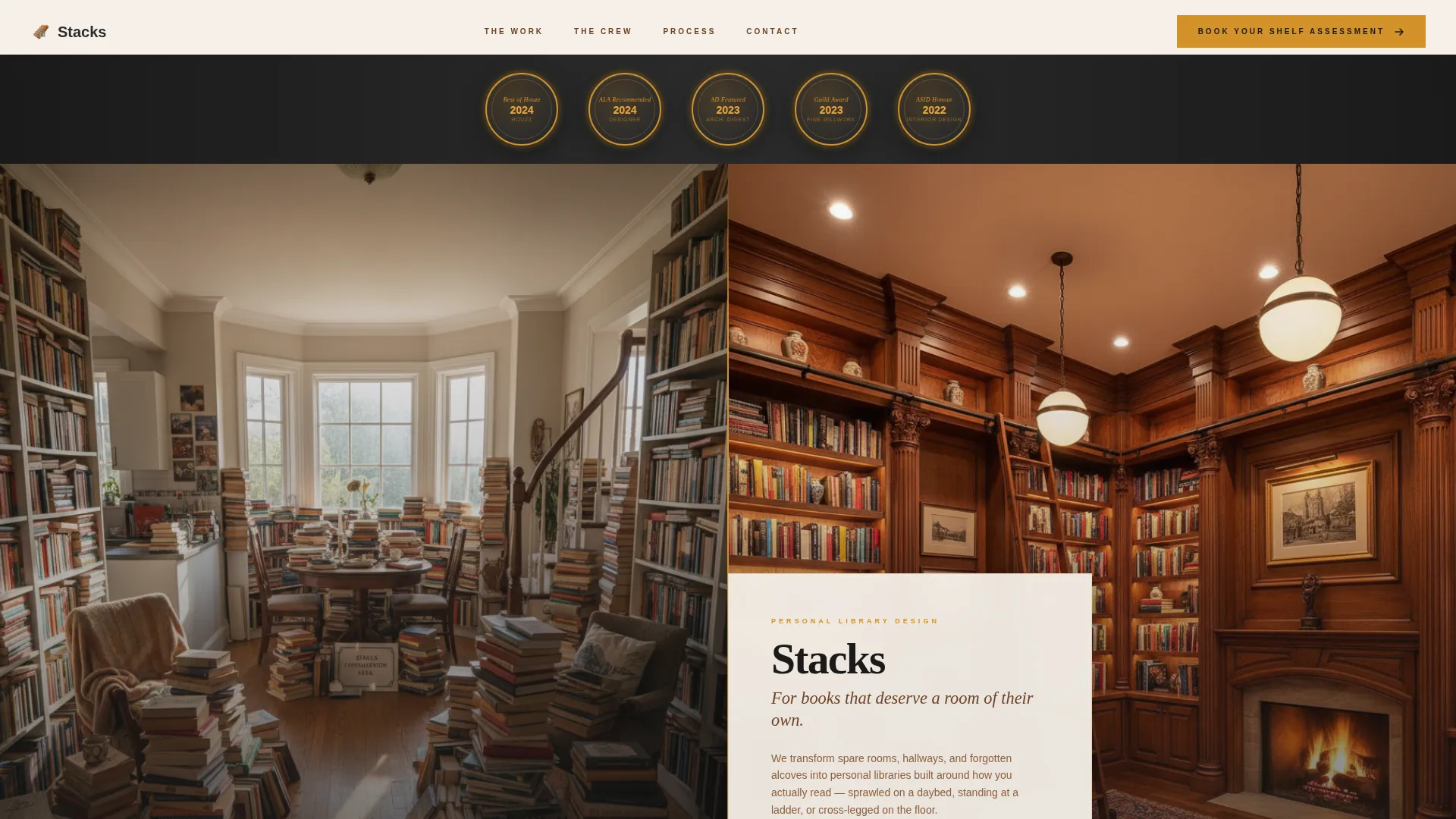
- A viewport-spanning award badge header with embossed foil-style credential seals
- A 50/50 split-screen team section that pairs each consultant with a project they personally led
- A three-question booking form and a secondary photo-upload modal for visitors not yet ready to schedule
Feature list
This template includes the following built-in design and layout capabilities drawn directly from the source brief.
Award Badge Header Row
Three credential badges open the page at full viewport width. Rendered as embossed, foil-stamped seals in amber and charcoal, they anchor trust before the visitor reads a single word of body copy. The badges reference recognition from respected industry and design publications.
Split-Screen Hero Section
The opening split screen places a candid portrait of the lead designer on the left and the completed transformation on the right. Both panels carry equal visual weight, making the before-and-after contrast immediate and legible without any extra explanation needed.
Scrolling Team Introductions
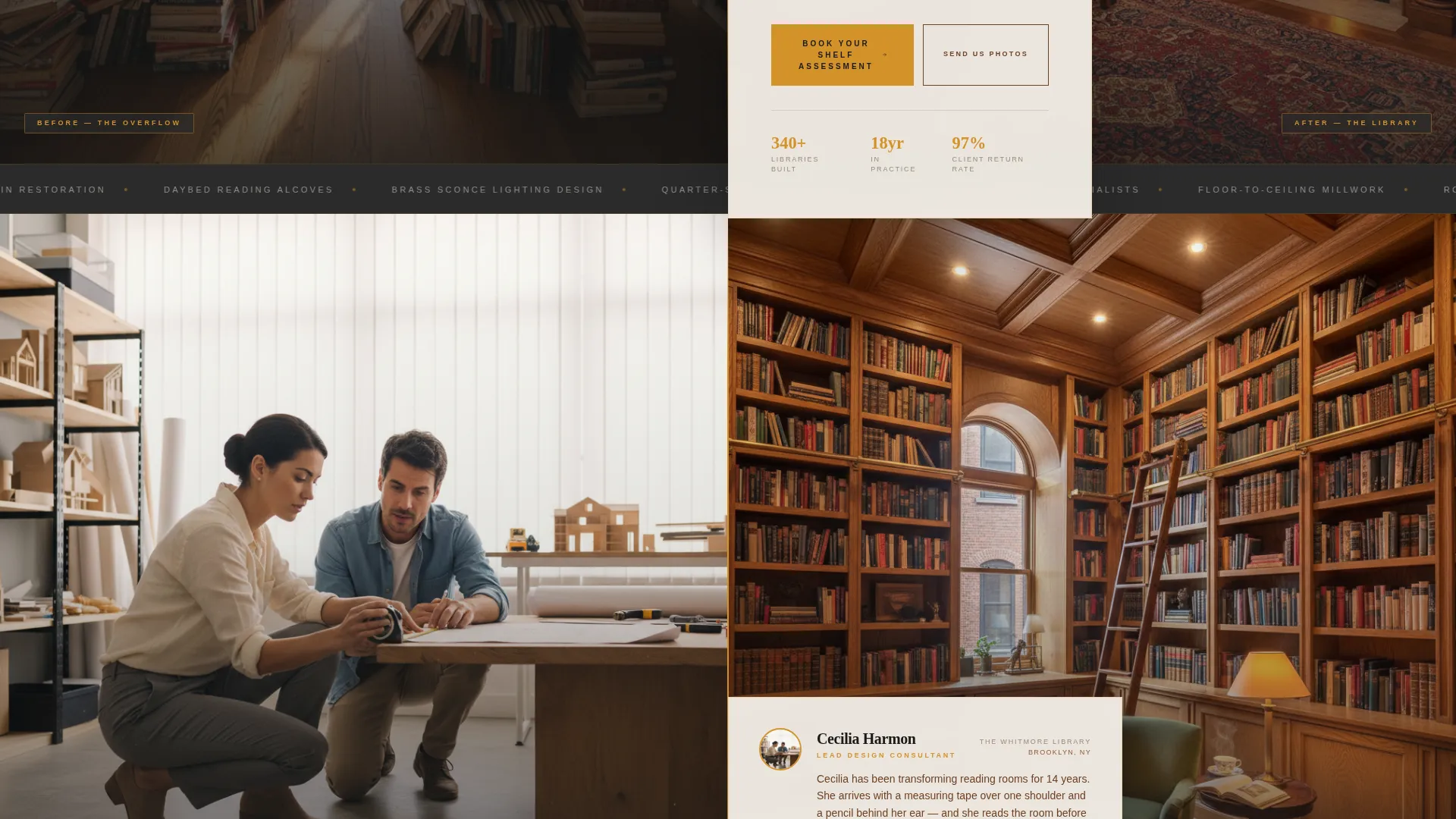
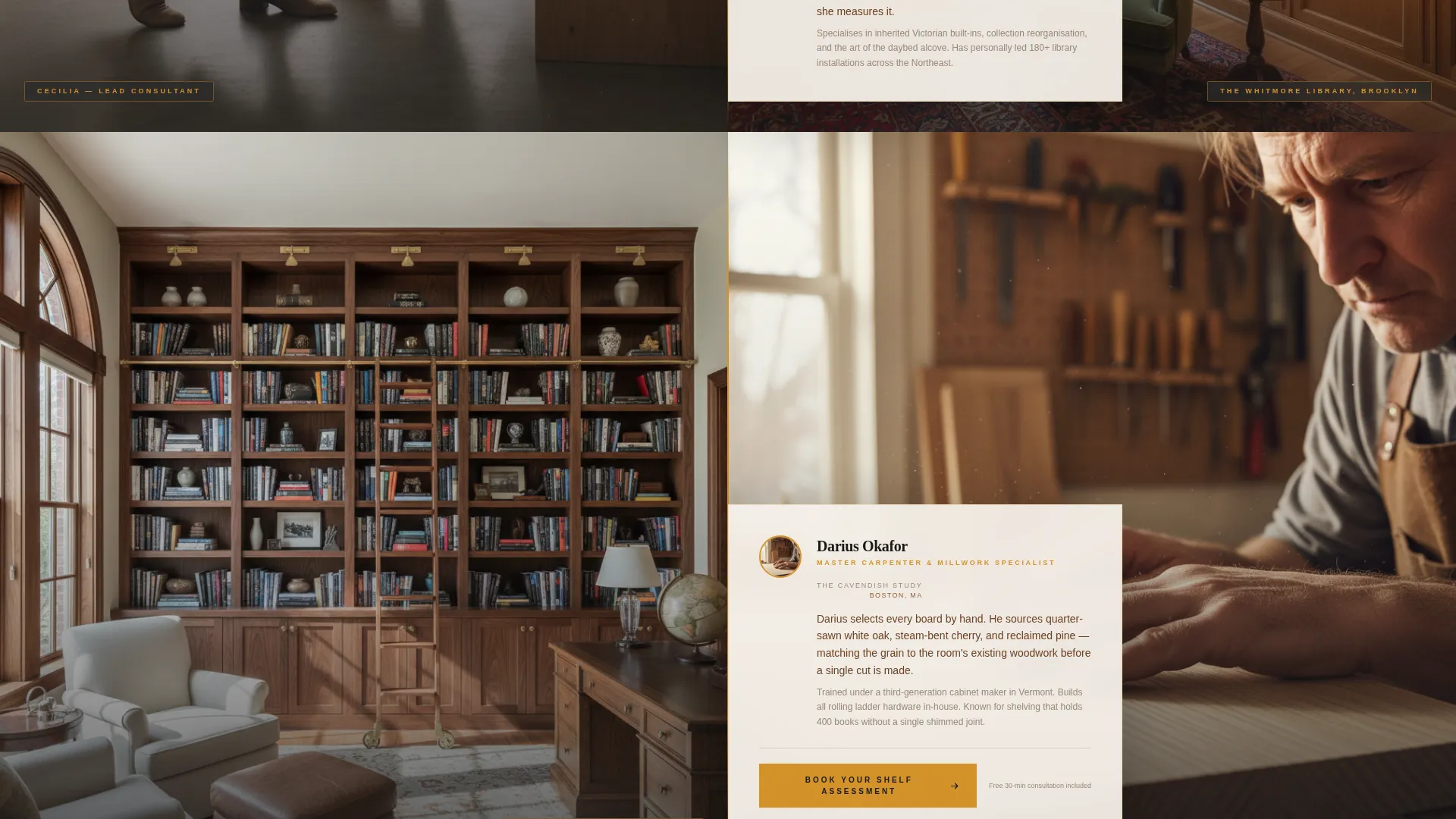
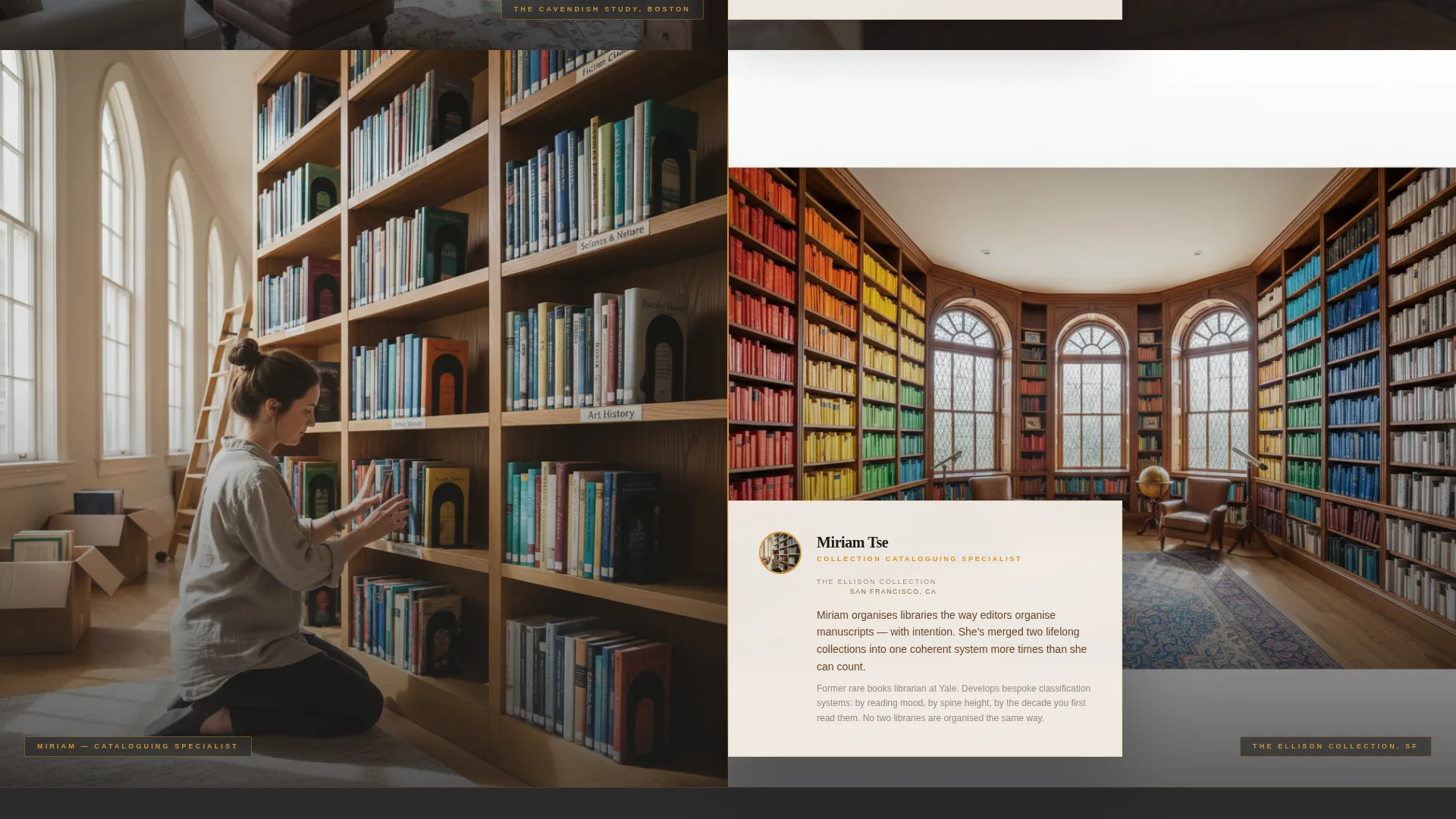
Each team member gets their own 50/50 split-screen moment as the visitor scrolls. The left panel always shows the human at work. The right panel always shows the finished result they personally delivered. The format makes the scroll feel like an introduction rather than a portfolio browse.
Repeating Booking Call to Action
The primary call to action, "Book Your Shelf Assessment," appears at the header fold and then again after every second team member section. The placement is deliberate: visitors encounter the form only after they have already built familiarity with the team.
Three-Step Booking Form
The inline booking form asks three sequential questions: room dimensions via a dropdown, estimated collection size in three ranges, and preferred consultation format. The structured approach reduces friction and sets accurate expectations before the first appointment.
Photo Upload Modal
A secondary path labeled "Send Us Photos of Your Space" opens a lightweight upload modal. It gives hesitant visitors a lower-commitment way to engage without abandoning the page entirely.
Page sections overview
| Section | Purpose |
|---|---|
| Award Badge Header | Opens with credential seals to anchor trust immediately |
| Split-Screen Hero | Introduces lead designer alongside a completed room transformation |
| Team Member One | Pairs consultant portrait with their personally led project |
| Booking call to action Block | First appearance of the "Book Your Shelf Assessment" form |
| Team Member Two | Second consultant introduction with matching project panel |
| Team Member Three | Third consultant with corresponding finished room result |
| Booking call to action Block | Repeated form placement after the second team pair |
| Photo Upload Path | Secondary modal for visitors not ready to schedule |
Design & branding system
The visual identity follows a Service Utility theme with a palette that feels like a reading room at dusk. Deep charcoal, aged-paper cream, amber lamplight, and muted walnut work together to create warmth without sacrificing clarity.
- Core colors: bookbinding charcoal (#2B2B2B), aged-paper cream (#F5F0E8), amber lamplight (#D4922A) for accents and hover states, and walnut (#6B4226) for secondary text and dividers
- The foil-stamped badge treatment in the header references physical book design, reinforcing the consultancy's deep connection to print culture and craft
- The split-screen layout keeps the color system consistent across both panels, with the human side slightly warmer and the result side slightly cooler to create visual rhythm
Mobile & speed optimization
The template is structured so that the 50/50 split-screen panels stack vertically on smaller screens, preserving the human-then-result narrative even when viewed in a single-column format.
- Portrait and project panels reflow into a top-and-bottom stack on mobile, keeping the storytelling sequence intact
- The booking form and photo upload modal are both sized for comfortable thumb interaction on phone screens
- Badge seals in the header scale down proportionally so credentials remain legible without overwhelming the mobile viewport
How this template helps you convert
The page is engineered around a single conversion goal: getting a qualified visitor to book a shelf assessment. Every layout decision supports that outcome.
- Trust is built before the ask. Visitors see credentials, then real people, then real results. By the time the booking form appears, familiarity is already established.
- The repeating call-to-action placement catches visitors at two distinct moments of readiness, so someone who scrolls past the first form will encounter the second one with more context.
- The photo upload modal keeps hesitant visitors inside the conversion funnel by offering a smaller first step, reducing the drop-off that comes from asking for a calendar commitment too early.
Other information about this template
This template is part of a broader library of specialty consulting landing pages built for service professionals who rely on trust, craft, and personal relationships to win clients. A few additional details worth noting:
- The "Team & People" creative direction is intentional: it positions the consultants as the product, not just the service
- The header concept draws on physical book design cues, including foil stamping and embossing, to signal that this studio understands its audience at a sensory level
- The booking flow is designed to pre-qualify leads before any calendar time is committed, which suits high-touch consulting practices
- The secondary photo upload path acknowledges that not every visitor is ready to schedule, and it keeps those visitors engaged rather than lost
Theme
Service Utility
Creative direction
Team & People
Color system
Charcoal & Amber
Style
Split Screen (50/50)
Direction
Booking/Scheduling
Page Sections
Award Badge Header Row
Split-screen Hero Section
Scrolling Team Introductions
Repeating Booking Call to Action
Three-step Booking Form
Photo Upload Modal
Related questions
Can I customize the team member sections for a solo consulting practice?
How many questions does the built-in booking form include?
What is the purpose of the photo upload modal?
Can the award badge header be updated with different credentials?
Is this template suited for a consultancy that offers multiple services?



