Immersive Live/Work Space Stager Landing Page
Stage is an immersive landing page template built for live/work space stagers. It opens with a full-viewport Before/After Slider, guides visitors through an Interactive Floor Plan Explorer across three unit typologies, and closes with a focused booking form. The design uses a Luxe Minimal dark emerald palette to make every staged transformation feel intentional and aspirational.
by Rocket studio
Quick summary
Stage is a single-page landing template designed for live/work space staging practices. It opens on a dramatic Before/After Slider, flows through an interactive floor plan explorer, and ends with a streamlined booking form. The dark emerald and warm alabaster palette keeps attention on the transformations. Every section earns the next scroll.
Who this template is for
This template is built for staging professionals who work with raw, hybrid, and adaptive-reuse properties. It speaks directly to the people responsible for turning empty shells into units buyers want to own immediately.
- Live/work space stagers presenting their portfolio to developer sales teams
- Listing agents and co-living operators preparing model suites for high-value hybrid units
- Staging practices targeting buyers and developers across studio lofts, one-bedroom duplexes, and penthouse flex spaces
What problem this template solves
Empty live/work lofts are hard to sell on photographs alone. A flat image of polished concrete and exposed ductwork does not help a buyer imagine their life there. Staging practices need a page that does the imaginative work before a single conversation starts.
- Properties that photograph flat lose buyer interest before a walkthrough is ever booked
- A stager's portfolio often lacks interactivity, leaving visitors passive rather than engaged
- Booking friction is high when inquiry forms ask too many questions too early
What you get with this template
This template delivers a complete, immersive single-page experience for a live/work staging practice. Every section is purposeful, ordered, and designed to build desire before asking for a commitment.
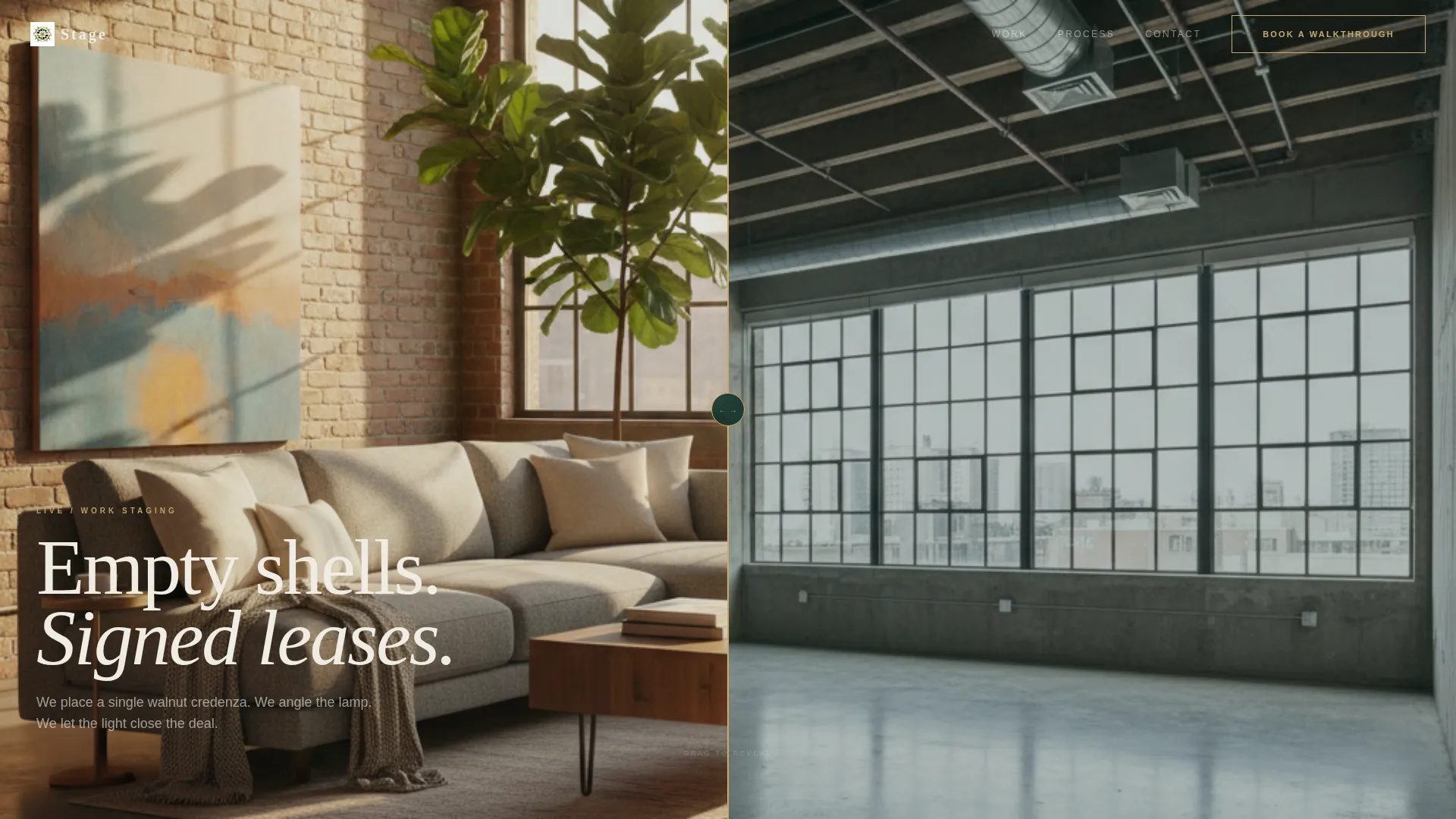
- A full-viewport Before/After Slider as the hero section, showing a raw loft shell transformed into a fully staged space
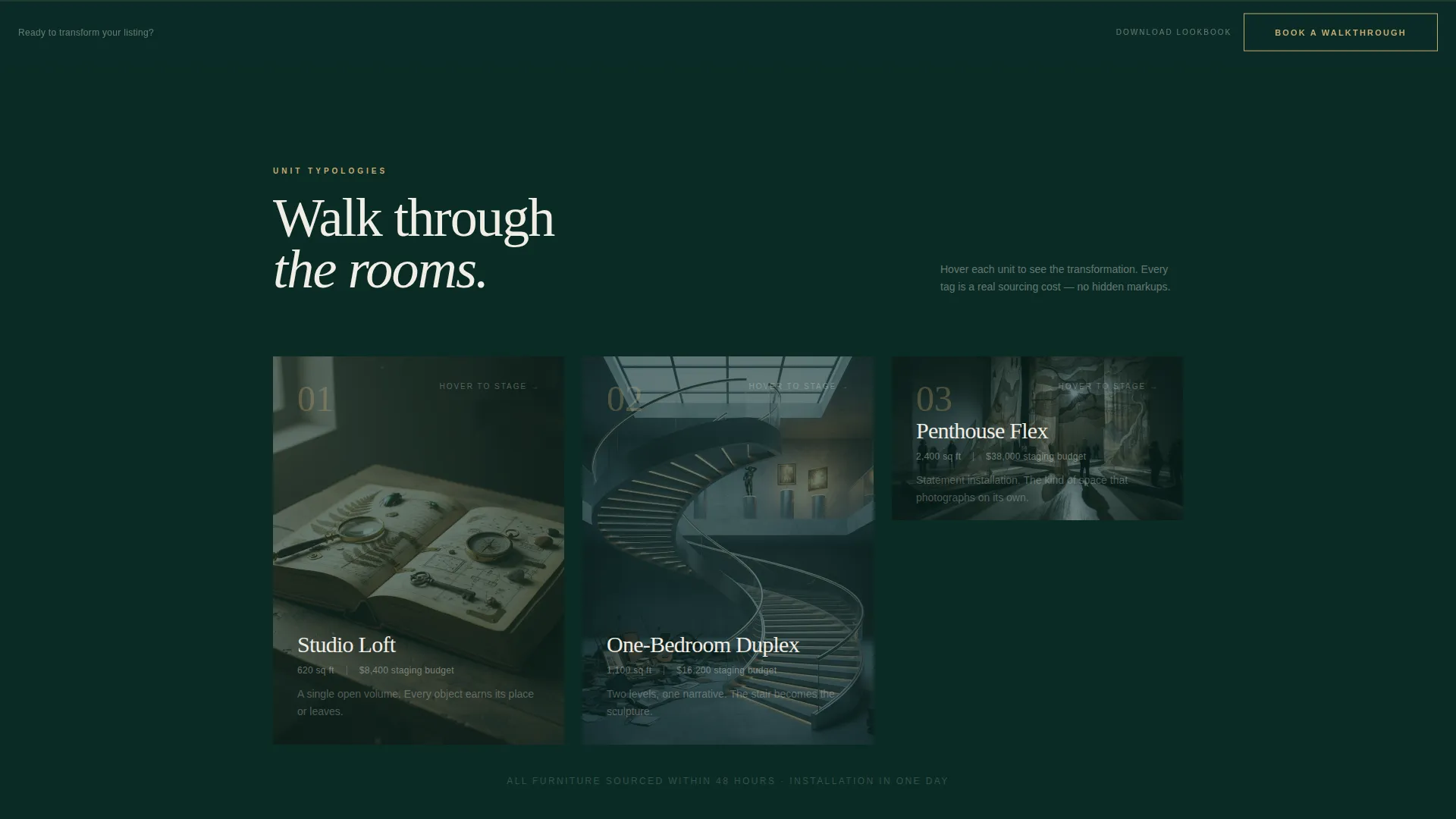
- An Interactive Floor Plan Explorer covering three unit typologies, with hover-activated staged photography and floating item tags
- A fixed bottom-bar booking call to action appearing after the second scroll, plus a full-width closing booking section with a three-field form
Feature list
This template is built around four core capabilities drawn directly from the staging practice brief. Each one serves a specific conversion purpose.
Full-Viewport Before/After Slider
The header fills the entire screen with a split view of the same loft angle, raw on the left and fully staged on the right. A thin brushed-gold handle lets visitors drag across the transformation at their own pace. The reveal is seamless and immediate, making the stager's value visible within seconds of arrival.
Interactive Floor Plan Explorer
Three unit typologies sit in sequence after the header: a studio loft, a one-bedroom duplex, and a penthouse flex space. Each appears as a clickable floor plan. On hover, the floor plan blooms into a full-bleed staged photograph with floating tags naming every key piece and its sourcing cost. Visitors explore at their own pace, choosing where to look and discovering layers as they scroll.
Progressive Typology Reveal
The explorer moves deliberately from smallest to largest unit and from modest budgets to statement installations. Each reveal is more ambitious than the last. This sequencing trains the visitor's eye and builds anticipation, so by the time the booking call to action appears, desire is already established.
Dual Conversion Paths
The primary call to action reads "Book a Walkthrough" in brushed gold on emerald black. It appears first as a fixed bottom bar after the second scroll, then again as a full-width closing section. A secondary path offers a staging lookbook download, capturing an email address in exchange for a curated PDF for visitors not yet ready to commit.
Focused Booking Form
The booking form asks for exactly three fields: property address, unit count, and a preferred walkthrough date via a calendar picker. Nothing more. This low-friction structure removes hesitation and keeps the path from interest to inquiry as short as possible.
Section-Anchored Visual Identity
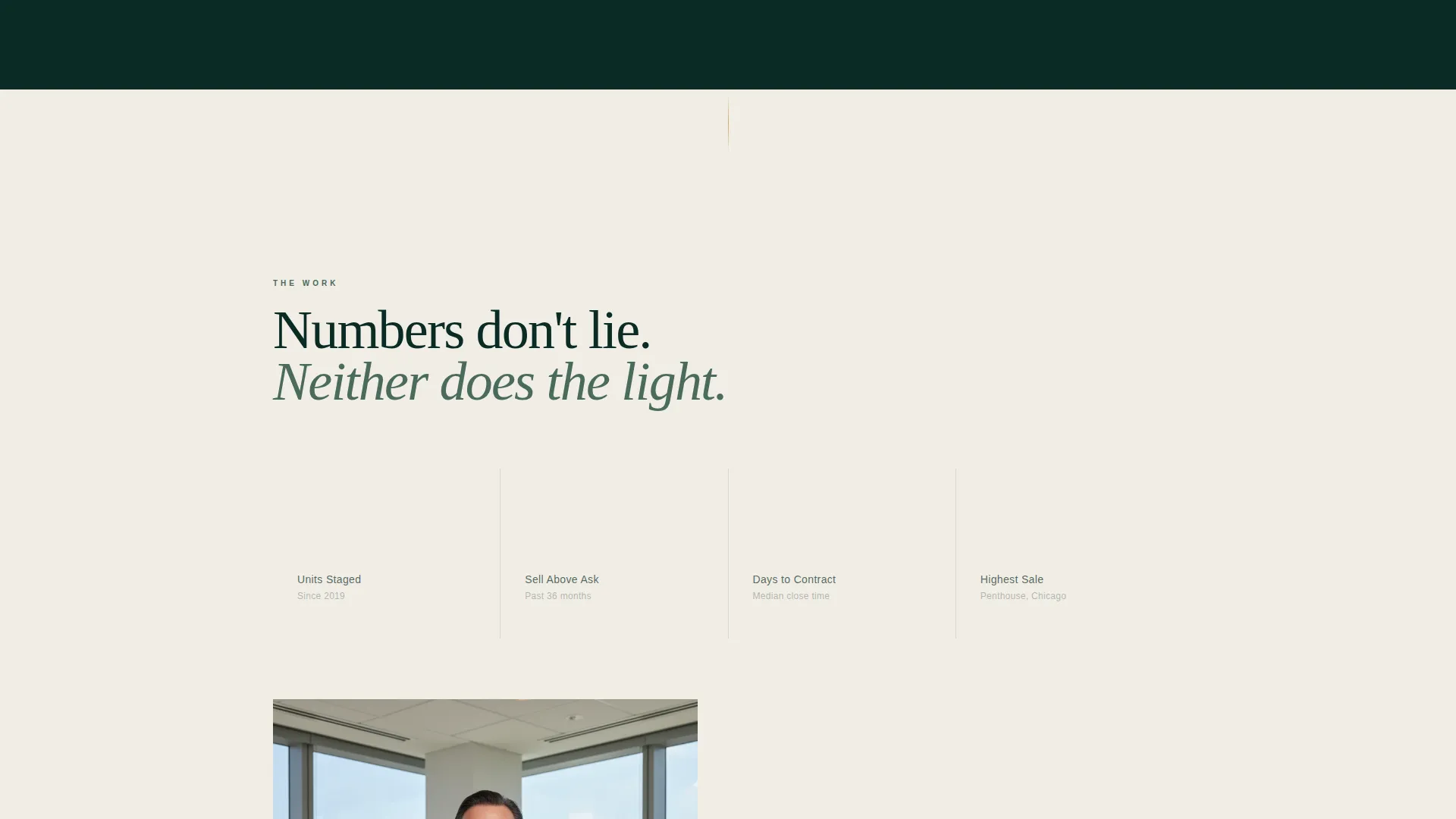
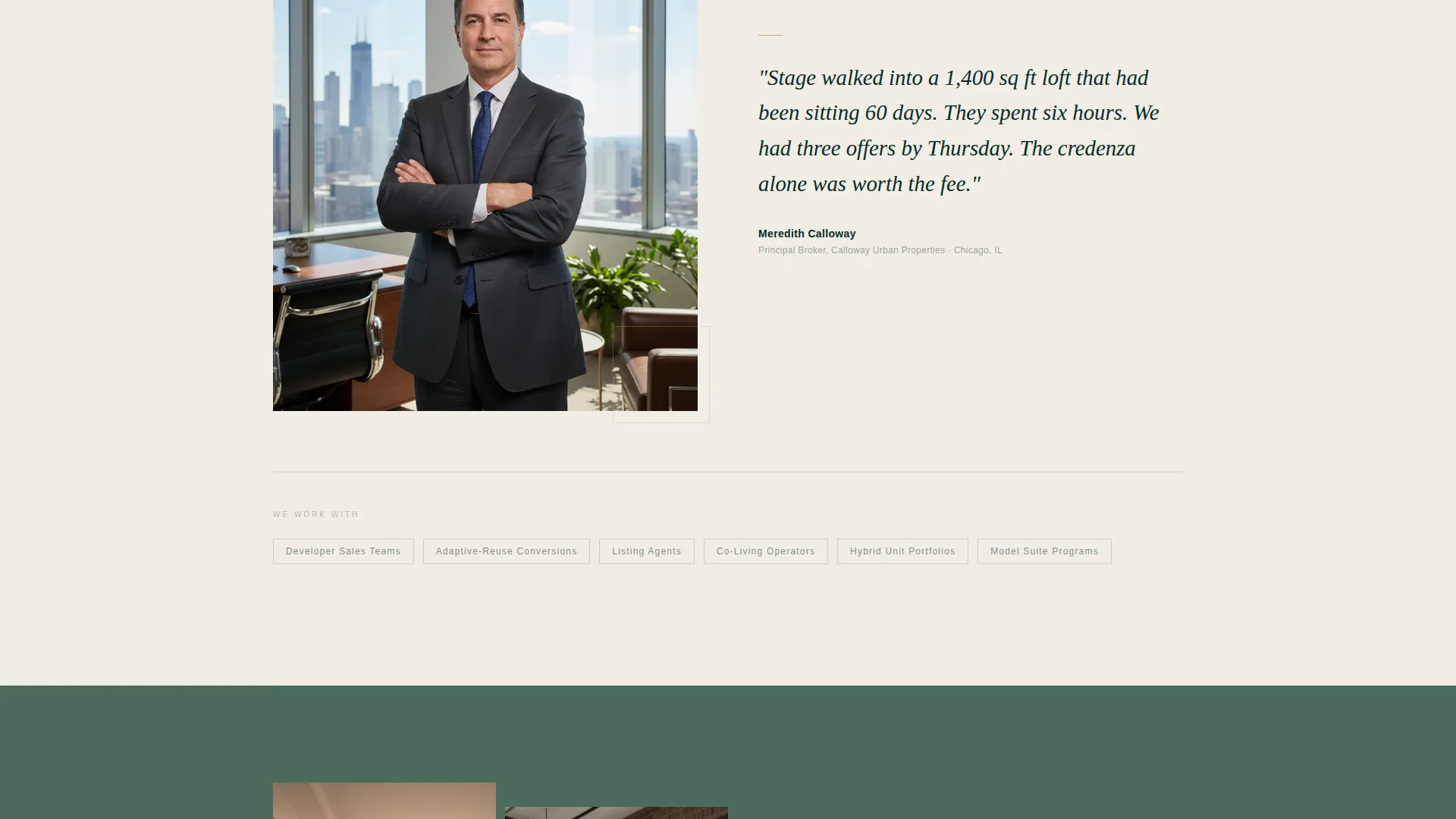
Backgrounds alternate between deep emerald black and warm alabaster throughout the page. A muted sage layer acts as a visual breath between sections. Brushed gold appears on hover states and call-to-action borders, used sparingly so it retains its weight every time it appears.
Page sections overview
| Section | Purpose |
|---|---|
| Before/After Slider | Opens the page with a full-viewport raw-to-staged transformation the visitor controls |
| Studio Loft Explorer | Introduces the first typology via a clickable floor plan with hover-activated staged photography |
| One-Bedroom Duplex Explorer | Scales up the typology reveal with a more complex layout and richer staging detail |
| Penthouse Flex Explorer | Delivers the most ambitious staged reveal, anchoring desire before the call to action |
| Fixed Booking Bar | Appears after the second scroll as a persistent brushed-gold prompt to book a walkthrough |
| Lookbook Download | Offers a secondary lead-capture path via a curated PDF for visitors not yet ready to book |
| Closing Booking Section | Full-width section with the three-field booking form and the primary call to action |
Design & branding system
The visual identity follows a Luxe Minimal theme built around a dark emerald color system. Every color decision is deliberate, and each tone earns its placement on the page.
- Core palette: deep emerald black (#0B2B26) and warm alabaster (#F0EDE5) alternate as section backgrounds, with muted sage (#4A6B5D) used as a transitional breathing layer between sections
- Accent usage: brushed gold (#C9A96E) is reserved exclusively for hover states and call-to-action borders, keeping it rare enough to carry visual weight each time it appears
- Overall feel: dark without brooding, rich without effort, with every surface designed to absorb light rather than compete with the staged photography
Mobile & speed optimization
The template is structured for responsive display so the immersive experience holds across screen sizes. The interactive elements scale to touch-friendly interactions on smaller screens.
- The Before/After Slider handle adapts to touch drag on mobile devices, keeping the hero section functional across all viewports
- Floor plan hover states translate to tap interactions on touch screens, preserving the typology explorer on mobile
- The fixed bottom-bar booking prompt remains visible on scroll across device sizes, keeping the conversion path accessible at every point in the journey
How this template helps you convert
This template is built so the visitor does the convincing themselves before the call to action ever asks for anything.
- The Before/After Slider delivers the stager's core value proposition in the first second of the visit, before a single word is read. The visitor drags the transformation themselves, making it personal and tactile.
- The Interactive Floor Plan Explorer keeps visitors active and invested. By the time they have explored all three typologies, they have spent meaningful time with the stager's work and built their own case for booking.
- The dual conversion paths reduce drop-off by meeting visitors where they are. Those ready to commit can book a walkthrough immediately. Those who need more time can download the lookbook, entering the lead pipeline without pressure.
Other information about this template
This template sits within the Real Estate and Property category, specifically targeting the live/work space staging niche. It is well suited to adaptive-reuse conversion projects and hybrid unit launches where visual storytelling is the primary sales tool.
- The page direction is lead generation, with both a direct booking path and a softer email capture path built into the structure
- The creative direction is a Before/After Reveal, carried through from the hero slider into the staged photography reveals in the floor plan explorer
- The template style follows a full-width immersive layout rather than a split-screen format, giving staged photography the full canvas it needs
- Template category alignment: Real Estate and Property, subcategory Live/Work Space Real Estate
Theme
Executive Suite
Creative direction
Before/After Reveal
Color system
Sunset Mesa
Style
Split Screen (50/50)
Direction
Lead Generation
Page Sections
Full-viewport Before/after Slider
Interactive Floor Plan Explorer
Progressive Typology Sequencing
Dual Lead Capture Paths
Three-field Booking Form
Section-anchored Color System
Related questions
Who is this landing page template designed for?
What does the Before/After Slider actually show?
How many fields does the booking form include?
What is the lookbook download for?
Can this template support different unit typologies?



