Luxury Condo Staging Service Landing Page Template
Stagecraft is a full-width luxury landing page template built for professional condo staging services. It combines an interactive city map header, dramatic before-and-after transformation sliders, and a structured booking module to turn passive visitors into qualified clients. The design uses a Pastoral Calm color system with deep charcoal, warm amber, and soft linen tones.
by Rocket studio
Quick summary
Stagecraft is a single-page landing template designed for luxury condo staging teams. It opens with a map-based credential display, flows through before-and-after reveal sections, and closes with a dual-path conversion module. The Charcoal and Amber color system keeps the page grounded, warm, and immediately premium in feel.
Who this template is for
This template is built for professionals who transform empty condo units into sale-ready spaces. It speaks directly to the clients they serve and the urgency those clients feel.
- Condo staging companies targeting developers, listing agents, and investment groups in urban markets
- Listing agents who need to justify premium price-per-square-foot in buildings with identical floor plans
- Investment groups flipping pre-construction purchases who need a staged unit photographed and listed within tight timelines
What problem this template solves
Staging services often lose potential clients because their websites look like portfolios rather than sales tools. The gap between showing beautiful work and earning a booking is where most staging businesses leak revenue.
- Generic portfolio pages fail to communicate speed, scale, or proven results to developer clients
- Visitors leave before reaching a contact form because there is no visual proof built into the scroll journey
- Competing services all look the same, leaving staging teams unable to show genuine range or market depth
What you get with this template
This template delivers a complete, conversion-focused landing page built around visual proof and structured buyer intent. Every section serves a specific role in moving visitors from curiosity to confirmed booking.
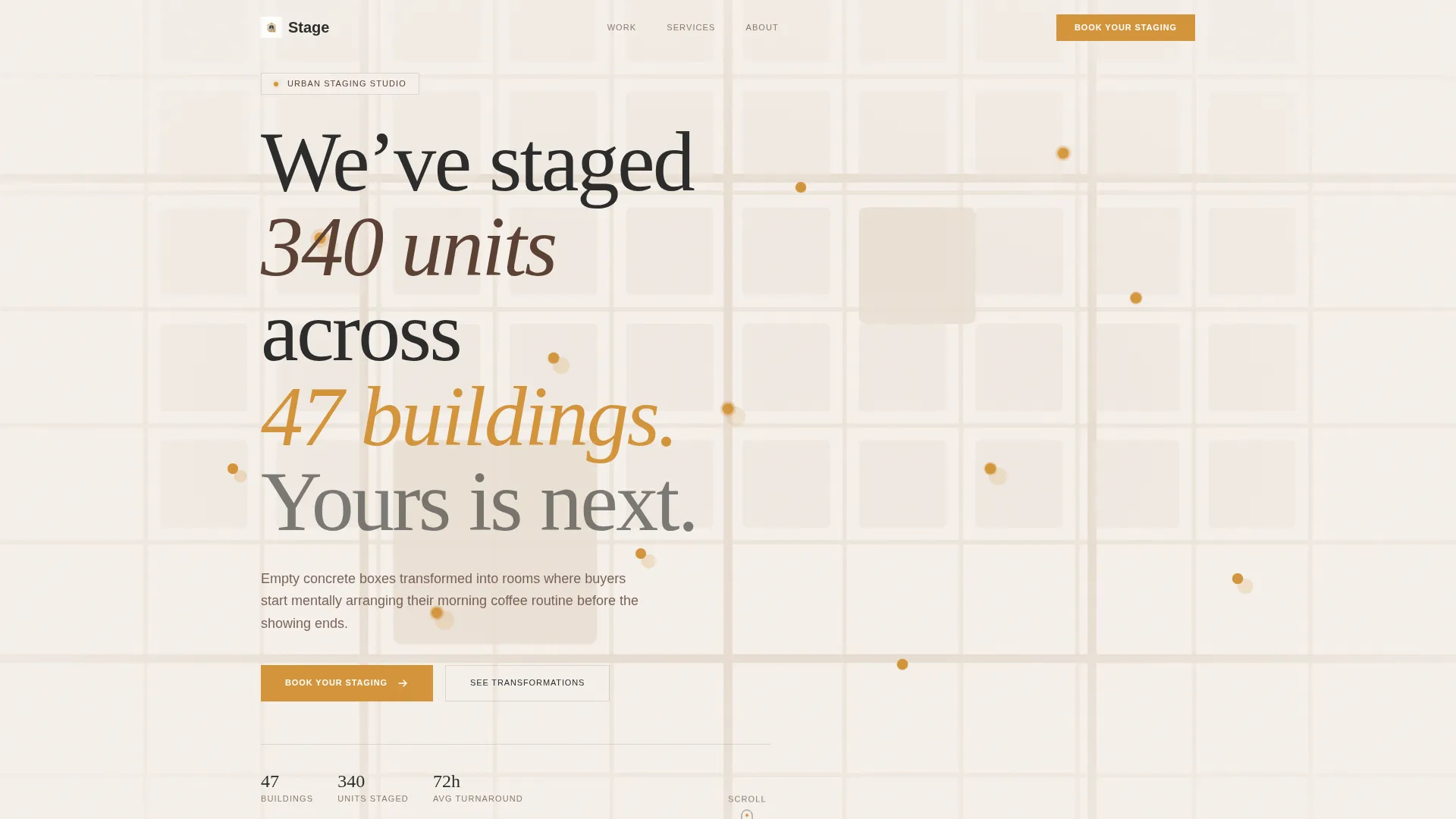
- A map-based header section showing staged buildings across the city, complete with pulsing amber pins and hover-reveal unit thumbnails
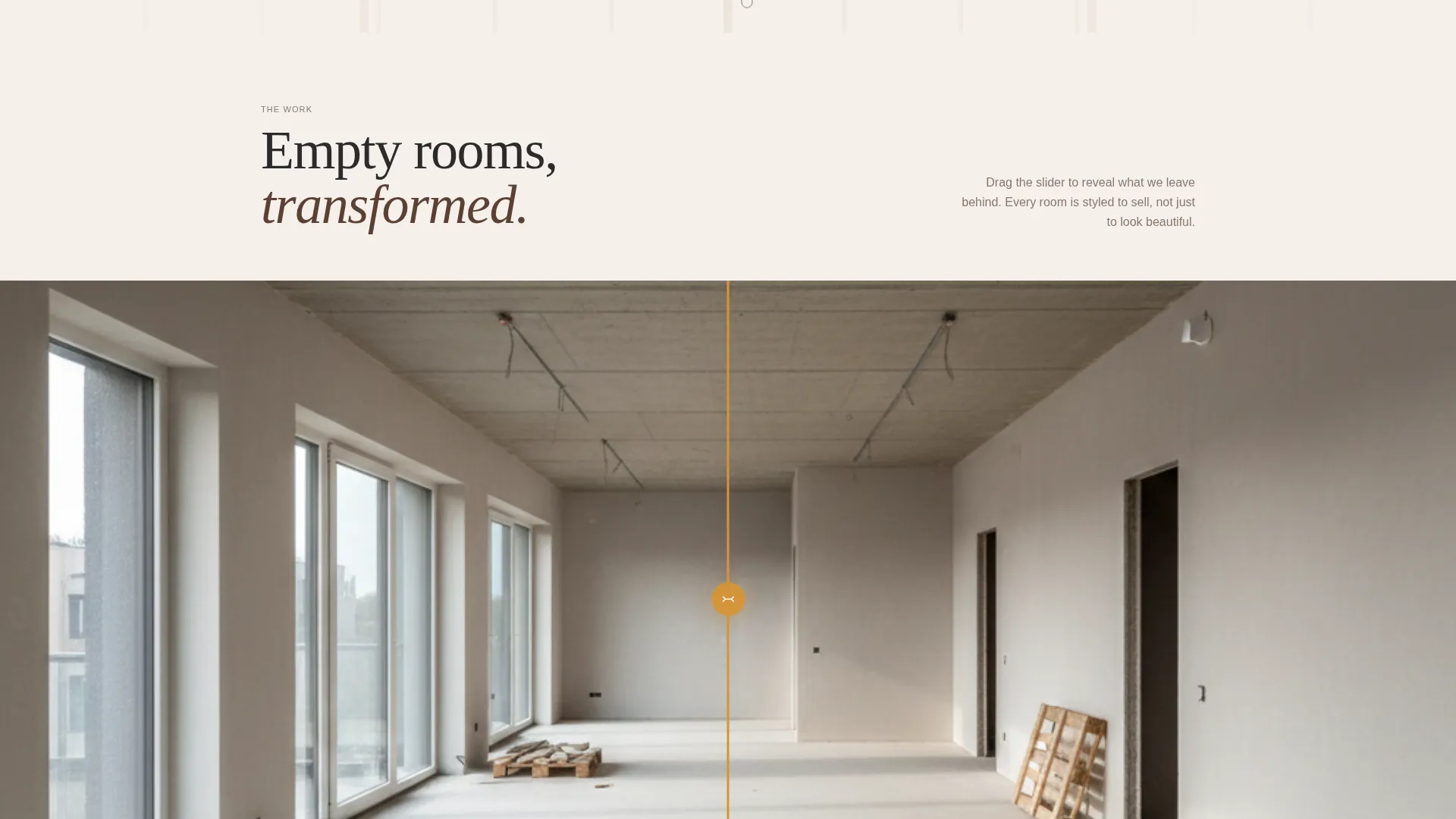
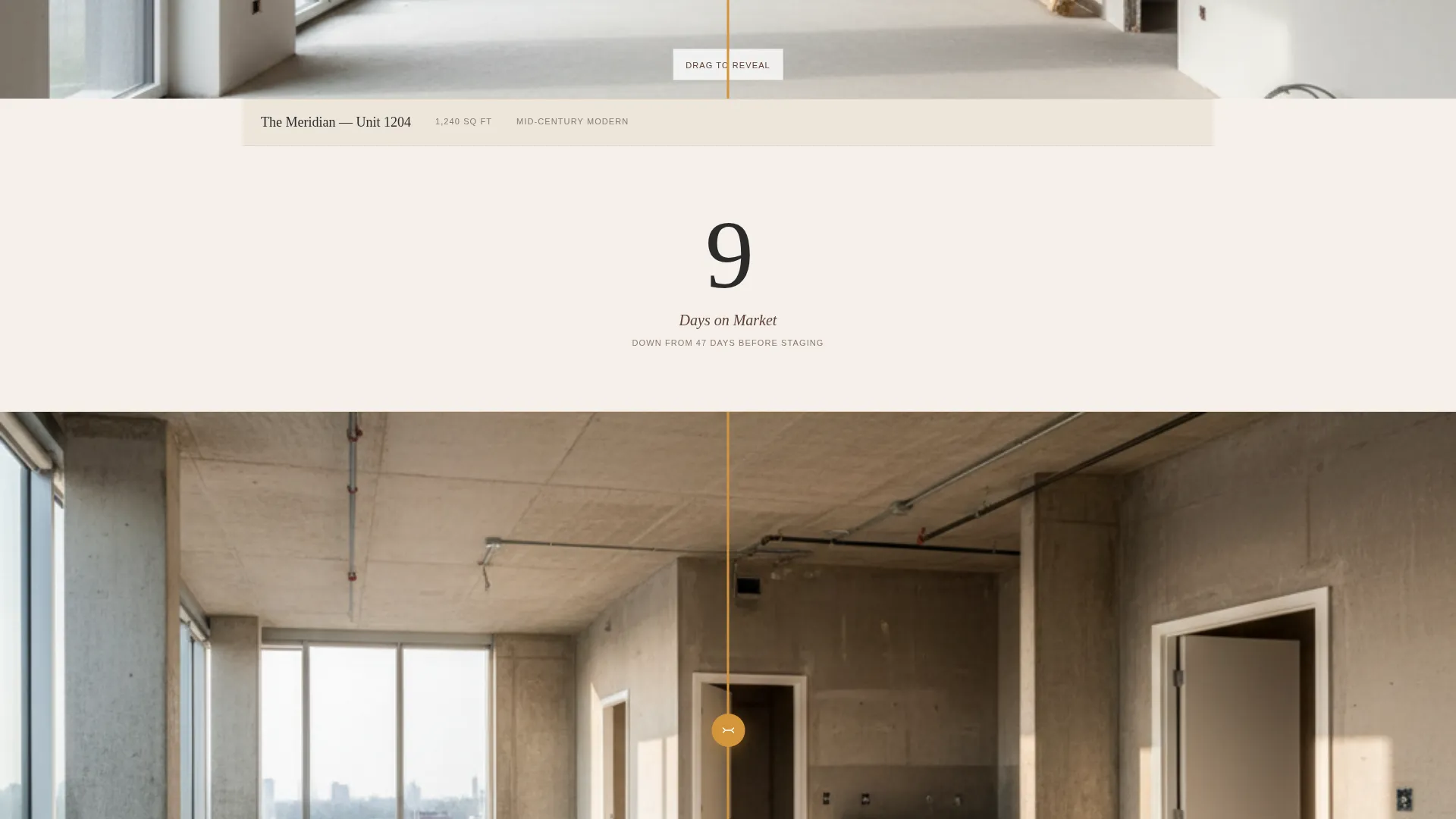
- A scrolling sequence of full-width before-and-after transformation sliders, each separated by a floating statistic about days-on-market results
- A two-path conversion module at the page base, with a direct booking scheduler and a rate card download option for developers comparing vendors
Feature list
This template is built around a small set of high-impact components. Each one is purposeful, not decorative.
Interactive City Map Header
The viewport opens with a muted charcoal-and-linen city map. Amber pins mark every building the staging team has worked in. Each pin pulses softly, and hovering one reveals a thumbnail of the staged unit inside. The headline "We've staged 340 units across 47 buildings. Yours is next." drifts in over the map, turning geography into a credential display.
Before-and-After Transformation Sliders
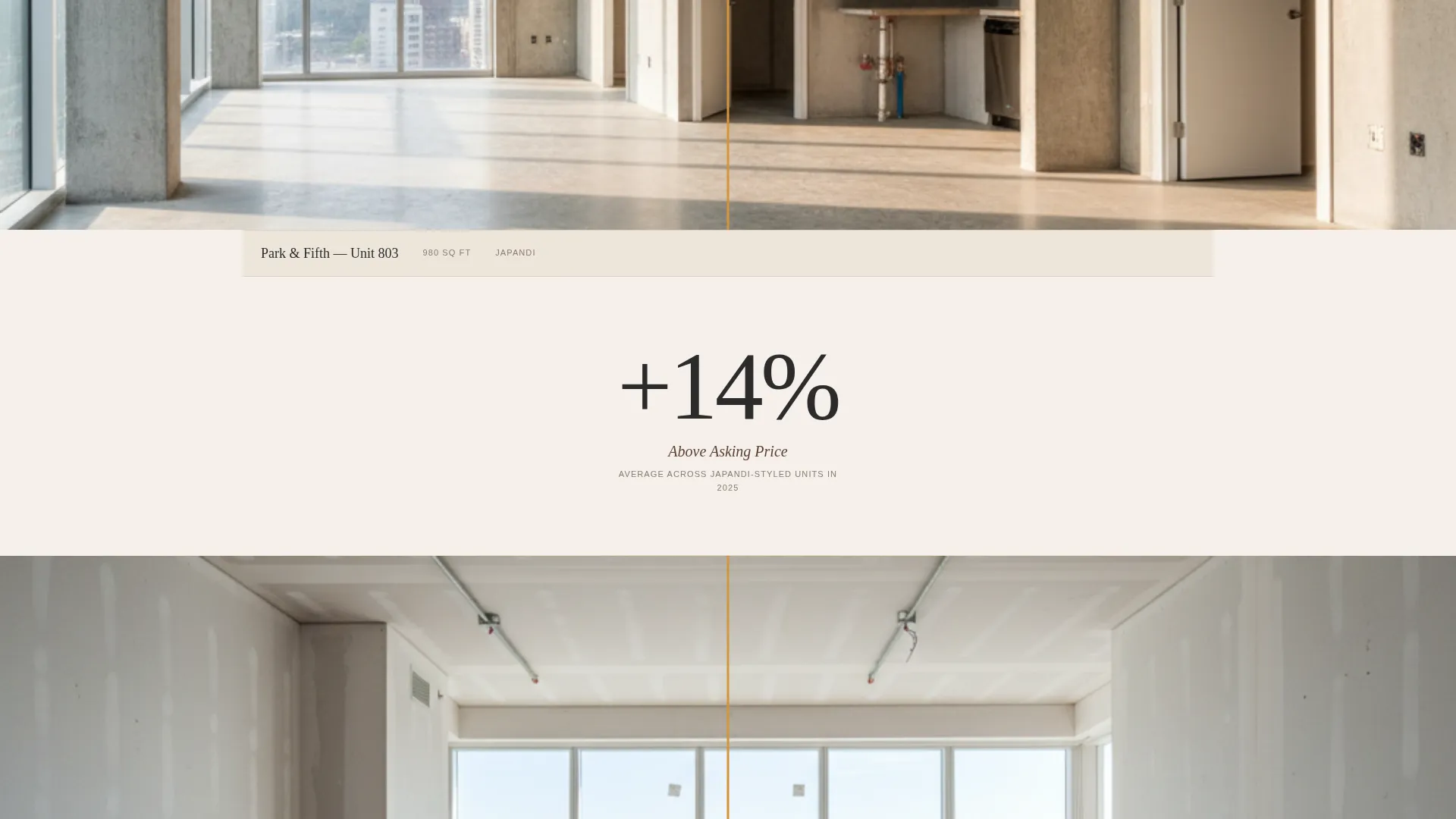
Each transformation occupies the full page width. A draggable slider bisects the image, letting visitors pull from the empty raw space on the left to the fully staged result on the right. Staging styles shift across units, from mid-century modern to Japandi to coastal minimalism, demonstrating range without stating it.
Floating Statistics Between Sections
Between each transformation, a single statistic floats on screen. The metric shown is average days-on-market before and after staging. The number shrinks visually as the visitor scrolls, reinforcing the business case at exactly the right moment in the reading journey.
Dual-Path Booking Module
The page base anchors a structured scheduling module. Visitors input building name, unit count, square footage range, and preferred staging style, chosen from a four-option visual mood picker. A secondary path captures email and project scale in exchange for a downloadable rate card, serving developers who are still comparing vendors.
Floating Call-to-Action Button
After the second transformation slider, a floating "Book Your Staging" button appears and stays visible as visitors continue scrolling. It removes friction by keeping the primary action accessible without requiring the visitor to scroll back up or hunt for a contact link.
Pastoral Calm Visual Identity System
The color palette uses deep hearth charcoal, smoked walnut, warm amber honey, and soft linen white. Charcoal anchors typography and section dividers. Linen white opens up backgrounds. Amber honey activates every button and hover state. Smoked walnut handles secondary text and subtle borders, giving richness a quiet voice throughout the page.
Page sections overview
| Section | Purpose |
|---|---|
| City Map Header | Opens with geographic proof of scale and building coverage |
| Headline Overlay | Introduces the team's reach with a specific, credible statement |
| First Transformation | Shows the first before-and-after unit reveal with draggable slider |
| Days-on-Market Stat | Floats a single shrinking number between transformation blocks |
| Second Transformation | Delivers a second slider reveal in a different staging style |
| Floating call to action Button | Appears after second reveal and follows visitor down the page |
| Third Transformation | Adds a third style variant to demonstrate versatility |
| Booking Scheduler | Collects building details, unit count, and style preference |
| Rate Card Download | Captures email and project scale for vendor-comparison visitors |
Design & branding system
The visual identity follows a Pastoral Calm theme. Every color choice serves a specific structural role, and nothing competes for attention without purpose.
- Deep hearth charcoal (#2B2B2B) for typography, section dividers, and the map base; smoked walnut (#5C4033) for secondary text and borders
- Warm amber honey (#D4943A) activates all buttons, hover states, and pin glow effects; soft linen white (#F5F0EB) fills backgrounds for breathing room
- The mood evokes late-afternoon light across a cashmere throw on dark leather, golden and grounded without being loud
Mobile & speed optimization
The layout is designed to remain immersive and functional on smaller screens. The full-width sliders and map header scale down without losing their core impact.
- Before-and-after sliders adapt to touch interaction, allowing swipe-based reveals on mobile devices
- The booking module stacks its input fields vertically on narrow viewports, keeping the form usable without horizontal scrolling
- Amber call-to-action buttons remain prominent at all screen sizes, maintaining the conversion path on every device
How this template helps you convert
The page earns the booking before it asks for one. Visual proof is layered into the scroll journey so that by the time a visitor reaches the form, the case has already been made.
- The map header establishes credibility immediately with specific numbers, 340 units and 47 buildings, rather than generic claims about expertise.
- Each transformation slider builds desire progressively, and the floating days-on-market statistic adds measurable business logic between emotional moments.
- The dual-path module at the page base captures both ready-to-book clients and early-stage researchers, reducing the number of visitors who leave without giving contact information.
Other information about this template
This template is a strong fit for staging businesses that operate in dense urban condo markets where speed and range are the main competitive advantages. It is designed to be used as a standalone service landing page rather than a full multi-page site.
- The rate card download path makes this template useful for developer-facing outreach campaigns where a PDF leave-behind is a standard part of the sales process
- The visual mood picker inside the booking module supports four staging style thumbnails, giving clients a low-effort way to communicate preference before any conversation starts
- The template suits teams who complete staging turnarounds within tight timelines, such as the seventy-two-hour window described for pre-construction flip clients
- It works well for staging companies that want to lead with proof of scale rather than testimonials or written case studies
Theme
Luxe Minimal
Creative direction
Immersive Visual
Color system
Dark Emerald
Style
Card Grid (Modular)
Direction
Click-Through
Page Sections
Interactive City Map Header
Full-width Before-and-after Sliders
Floating Days-on-market Statistics
Dual-path Conversion Module
Floating Book Your Staging Button
Pastoral Calm Color and Typography System
Related questions
Who is this landing page template designed for?
Can the before-and-after sliders show different staging styles?
How does the booking module collect project details?
What is the rate card download path for?
Can this template display real project statistics?



