Duplex & Multi-Family Real Estate Professional Website Template
Stagefront is a modular card-grid landing page built for duplex and multi-family staging companies. It opens with bold performance metrics, walks visitors through before-and-after project cards, and drives bookings through a pinned call to action bar and a three-step inline scheduling form. The Sunset Mesa color palette and luxe minimal design give the page the warmth of a freshly staged unit.
by Rocket studio
Quick summary
Stagefront is a single-page landing page template designed for multi-family and duplex staging professionals. It leads with three high-impact performance stats, displays completed projects in a flipping card grid, and converts visitors through a pinned "Schedule a Walkthrough" bar and inline booking form. The design feels warm, editorial, and expensive in exactly the right way.
Who this template is for
This template is built for staging businesses that serve residential investors and property managers. If you transform vacant units into lease-ready spaces, this page makes that work visible and compelling.
- Multi-family staging companies working across duplexes, four-plexes, and walkup buildings
- Property managers trying to fill stubborn vacancies faster
- House-hackers and small investors who need professional staging to cover carrying costs
What problem this template solves
Staging companies often struggle to communicate value before a client ever sees the work. A generic service page cannot show the before-and-after transformation that wins trust and bookings.
- Visitors leave without understanding the real-world lease-up impact of professional staging
- Potential clients have no clear path from "curious" to "scheduled a walkthrough"
- Project portfolios live in PDFs or Instagram feeds instead of a purpose-built conversion page
What you get with this template
You get a fully structured single landing page that does the heavy lifting from first impression to booking confirmation. Every section has a defined job, and nothing is filler.
- A stats bar with three oversized performance figures set in a high-contrast serif
- A modular before-and-after card grid that scales from studio units to eight-unit walkups
- A pinned terracotta call to action bar and a three-step inline scheduling form
Feature list
This template ships with purpose-built components drawn directly from the staging industry context. Each one is designed to move a skeptical landlord toward a booked consultation.
Stats and Metrics Header Bar
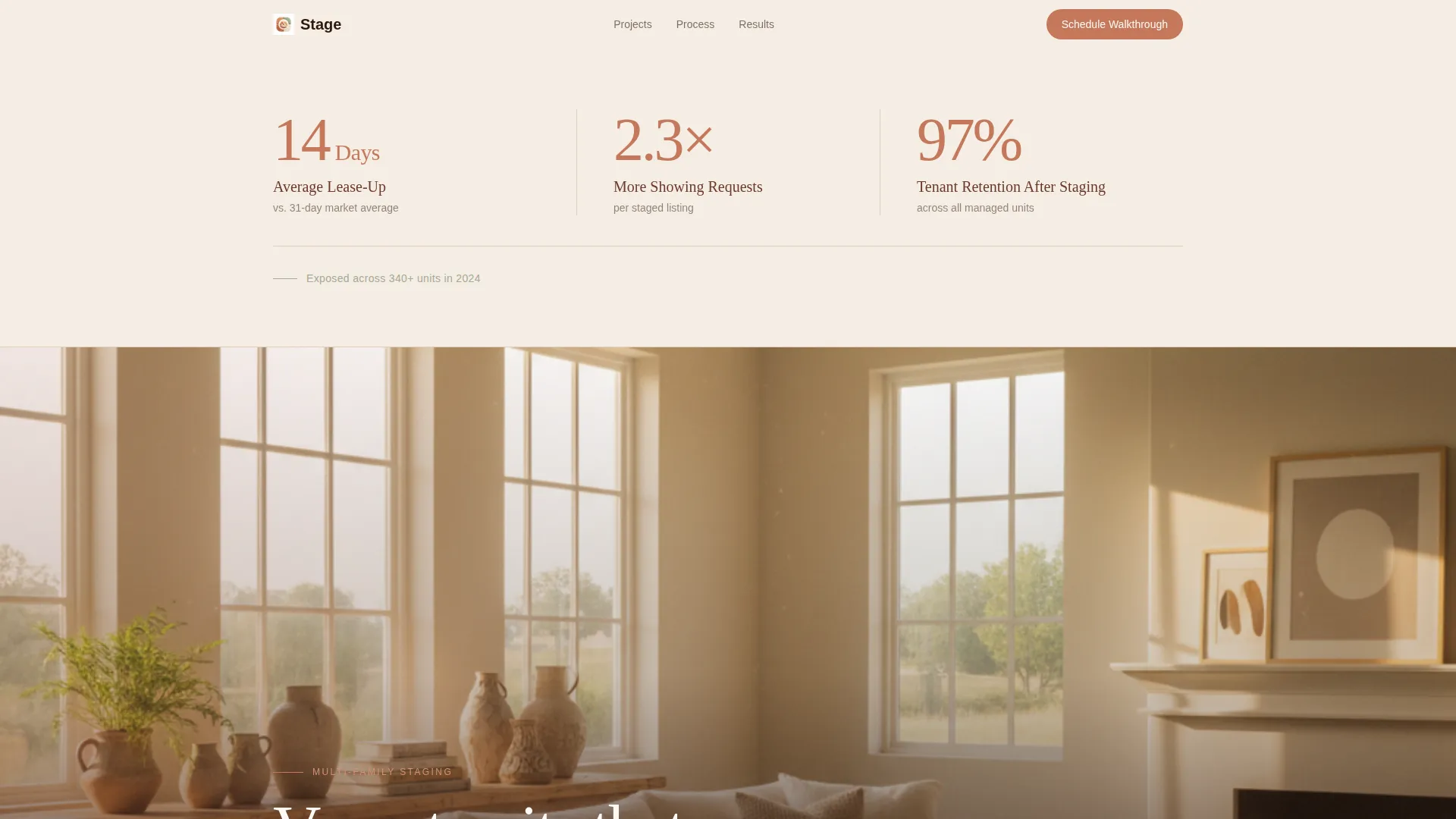
Three oversized performance figures appear above any imagery on a desert dusk cream field. Terracotta numerals pair with adobe labels for a financial-terminal clarity that sets immediate credibility. A single sage-toned line below anchors the numbers to real unit volume.
Before and After Card Grid
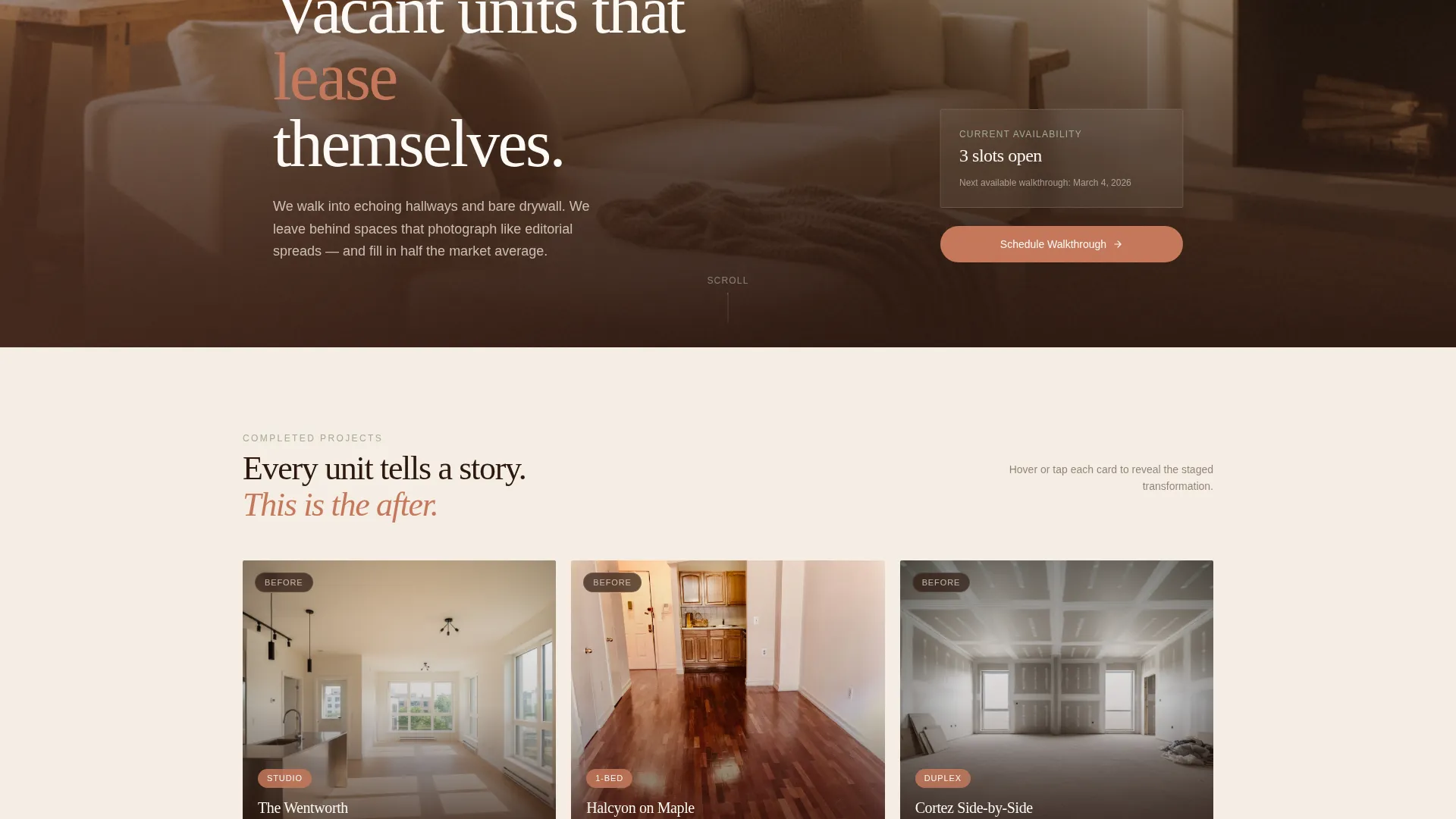
Each modular card shows the vacant unit on the front face and the staged result on the back. Cards flip on hover or tap. As visitors scroll, unit complexity grows from studio to full duplex to eight-unit walkup, building a quiet visual argument for the team's range.
Pinned Booking call to action Bar
A slim terracotta bar appears after the first card row and stays accessible as the visitor scrolls. It carries the primary call to action: "Schedule a Walkthrough." The bar is persistent but unobtrusive, so it never competes with the project showcase.
Three-Step Inline Scheduling Form
Clicking the call to action opens a three-step inline form without leaving the page. Step one collects unit count and property type. Step two asks for zip code and target move-in date. Step three presents a calendar picker for available consultation slots.
Pull-Quote Punctuation Rows
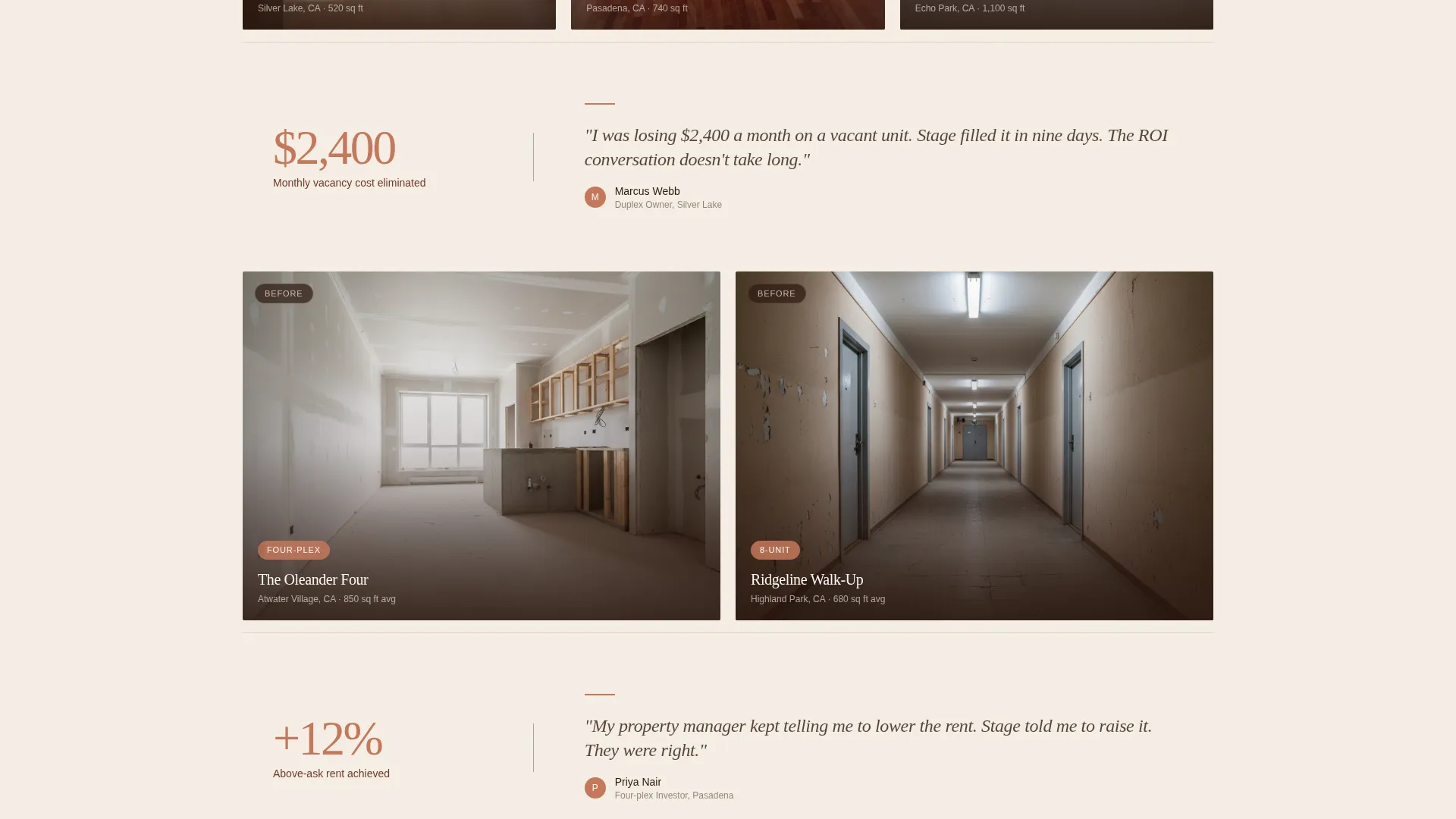
Between card rows, a single investor or property manager quote appears at full width. Each quote is grounded in a real dollar or lease-up outcome. These breaks slow the scroll just enough to let a result land before the next project row begins.
Per-Card Estimate Path
Each project card carries a secondary call to action: "Get a Staging Estimate." Visitors not ready to book can share square footage and unit count for a ballpark quote within 24 hours. This gives a lower-commitment entry point without diluting the primary booking flow.
Page sections overview
| Section | Purpose |
|---|---|
| Stats metrics bar | Opens with three performance figures to establish credibility before any imagery |
| Unit exposure line | One sage-toned line grounds the stats in real 2024 volume |
| Card grid row one | Displays studio and one-bed project cards with before-and-after flip |
| Pinned call to action bar | Persistent "Schedule a Walkthrough" bar anchors the booking path |
| Pull-quote row | Investor quote grounds the first project group in a real outcome |
| Card grid row two | Scales to full duplex and larger multi-family projects |
| Pull-quote row two | Property manager quote adds a second real-world result |
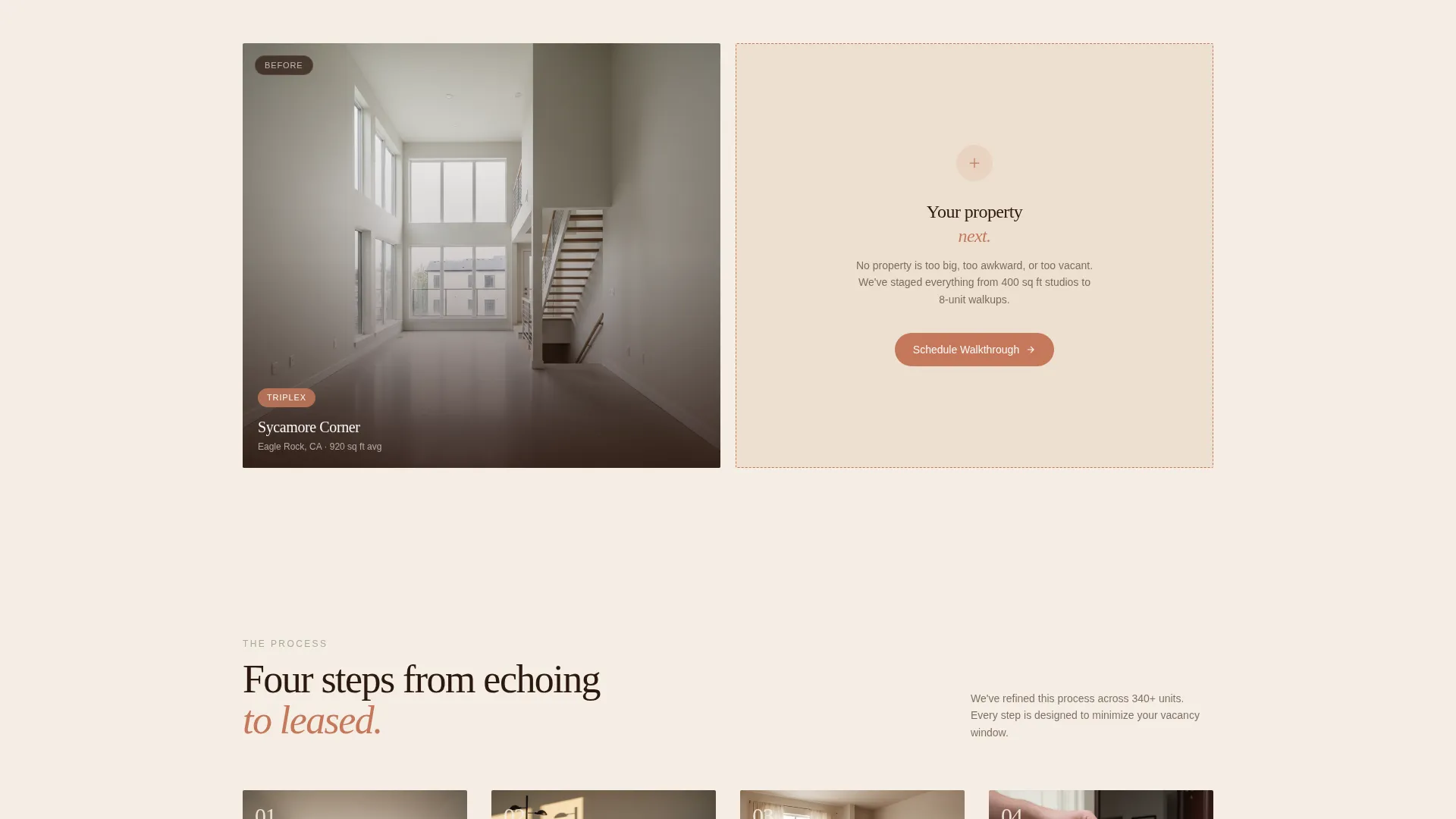
| Card grid row three | Closes with the most complex projects, eight-unit walkups |
| Estimate call to action footer | "Get a Staging Estimate" secondary path at page close |
| Three-step form | Inline scheduling form triggered by the pinned call to action |
Design & branding system
The Sunset Mesa color system gives this landing page a warmth that feels earned rather than applied. Every color decision reinforces the feeling of golden-hour light on a freshly plastered wall.
- Core palette: sun-bleached terracotta (#C4785B) for numerals and call to action bars, shadowed adobe (#6B3A2A) for labels and text, desert dusk cream (#F5EDE3) for backgrounds, and dry sage (#A3AA96) for hover states and divider lines
- Typography: a thin, high-contrast serif at display scale for the stats bar; proportional body text keeps the reading experience calm and editorial
- Visual tone: Luxe Minimal, warm without being loud, earthy without leaning rustic, and precise in the way that signals premium positioning
Mobile & speed optimization
The card grid is modular, so it adapts cleanly to narrow viewports without breaking the before-and-after flip interaction. The inline scheduling form steps stack vertically on mobile, keeping each step focused and easy to complete on a phone screen.
- Card flip interaction translates to a tap gesture on touch devices
- The pinned call to action bar remains accessible on scroll across all screen sizes
- Pull-quote rows reflow to single-column on smaller screens, preserving readability
How this template helps you convert
Every structural decision on this page points toward one outcome: a booked walkthrough or a submitted estimate request. Conversion is built into the layout, not bolted on afterward.
- The stats bar handles objection-clearing before the visitor sees a single project photo, so trust is established in the first scroll
- The pinned call to action bar keeps the booking action visible at every stage of the page without interrupting the project showcase
- The two-path conversion model (book now or get an estimate) captures both ready buyers and early-stage prospects in the same visit
Other information about this template
This template is purpose-built for the duplex and multi-family staging niche. It draws on real positioning language from the staging industry and reflects the specific concerns of residential investors, property managers, and house-hackers.
- The page is designed as a standalone single landing page, not a multi-page site
- The modular card grid supports any number of completed projects without redesigning the layout
- This template fits staging businesses operating in competitive urban and suburban rental markets
- The Luxe Minimal theme and Sunset Mesa palette are distinct from standard real estate templates and reflect a premium service tier
Theme
Executive Suite
Creative direction
Spatial & Architectural
Color system
Midnight Blue
Style
Full-Width Immersive
Direction
Lead Generation
Page Sections
Stats and Metrics Header Bar
Before and After Card Grid
Pinned Booking Call to Action Bar
Three-step Inline Scheduling Form
Pull-quote Punctuation Rows
Per-card Estimate Call to Action
Related questions
Can I add more project cards without breaking the layout?
How does the three-step booking form work?
What is the 'Get a Staging Estimate' path for?
Is this template suitable for staging companies working on large multi-family properties?
Can I customize the color palette and typography?



