Retail Space Staging Landing Page Template
Stagefront is a full-width retail space staging landing page built for teams that transform vacant storefronts into shoppable, lease-ready environments. It leads with an interactive Vacancy Cost Calculator, flows through before/after case study cards and a 72-hour process timeline, and closes with a focused lead-generation form, all wrapped in a sharp Navy Authority visual identity.
by Rocket studio
Quick summary
Stagefront is a single-page template designed for retail staging professionals. It opens with an immersive photo grid mosaic, drops visitors into a Vacancy Cost Calculator, then walks them through case studies, a process timeline, and a trust bar. Every section builds the financial case for staging and pushes toward one clear action: requesting a staging proposal.
Who this template is for
This template is built for teams that physically stage vacant retail spaces for commercial clients. It speaks directly to the people they serve and gives those buyers a clear reason to act.
- Commercial real estate brokers trying to reduce vacancy days on dark units in suburban plazas
- Retail brand managers scouting second locations who need to visualize themselves in a space
- Landlord asset managers cutting carrying costs on properties bleeding vacancy expenses
What problem this template solves
Vacant retail units are a financial drain, but the urgency is hard to communicate in a generic brochure or email pitch. Staging teams need a page that makes the cost of waiting feel real and immediate.
- Most staging service pages lead with portfolio images and bury the business case, costing credibility with numbers-driven clients
- Brokers and asset managers need to see data, not just aesthetics, before committing to a staging engagement
- Without a clear conversion path, interested visitors leave without providing contact details or requesting a proposal
What you get with this template
You get a complete, single-page layout that opens with a visual statement and immediately pivots to financial impact. The structure is built to hold a broker's attention from the first scroll to the final form submission.
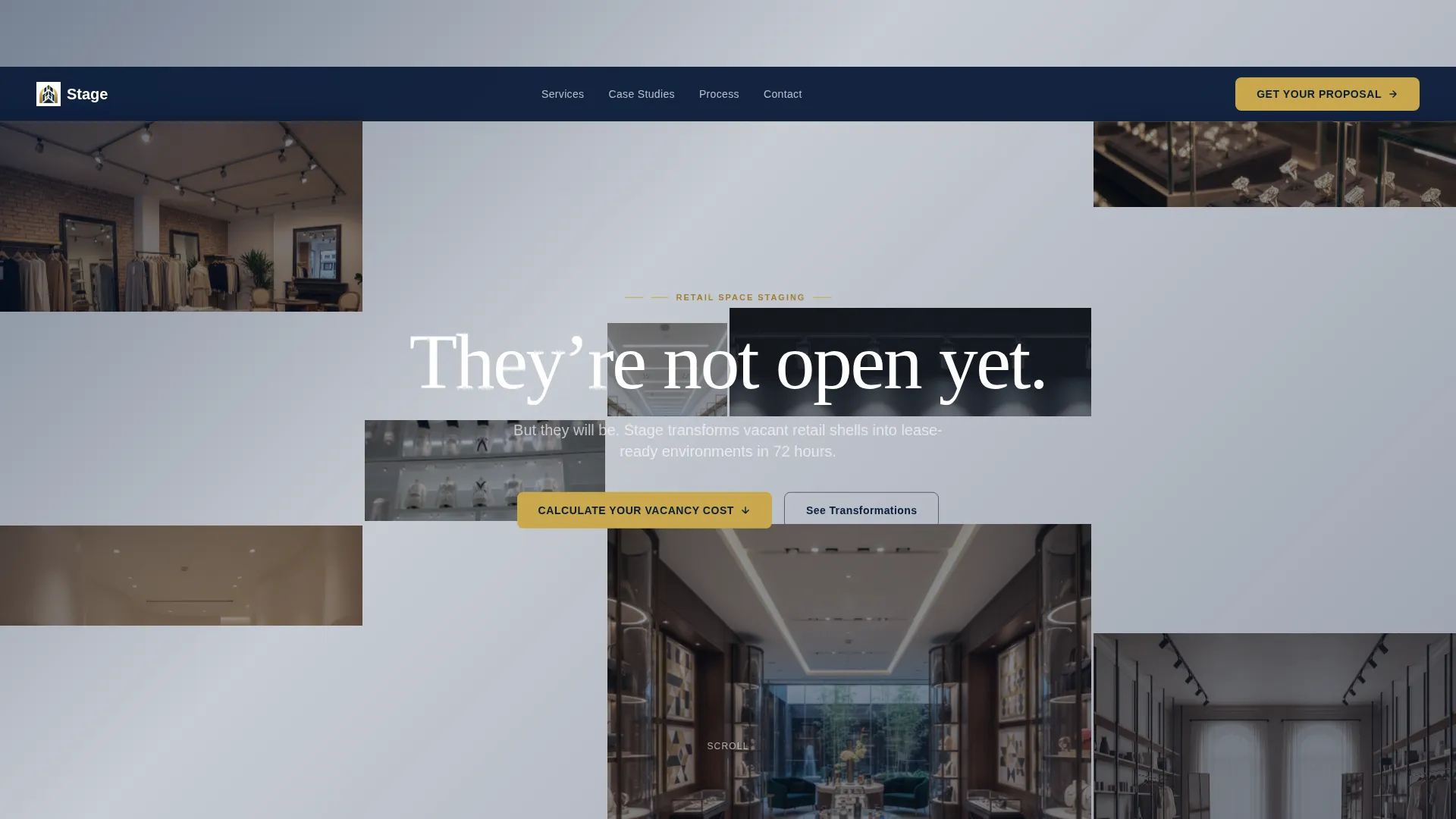
- A full-viewport photo grid mosaic header with twelve cropped retail staging images and a centered headline
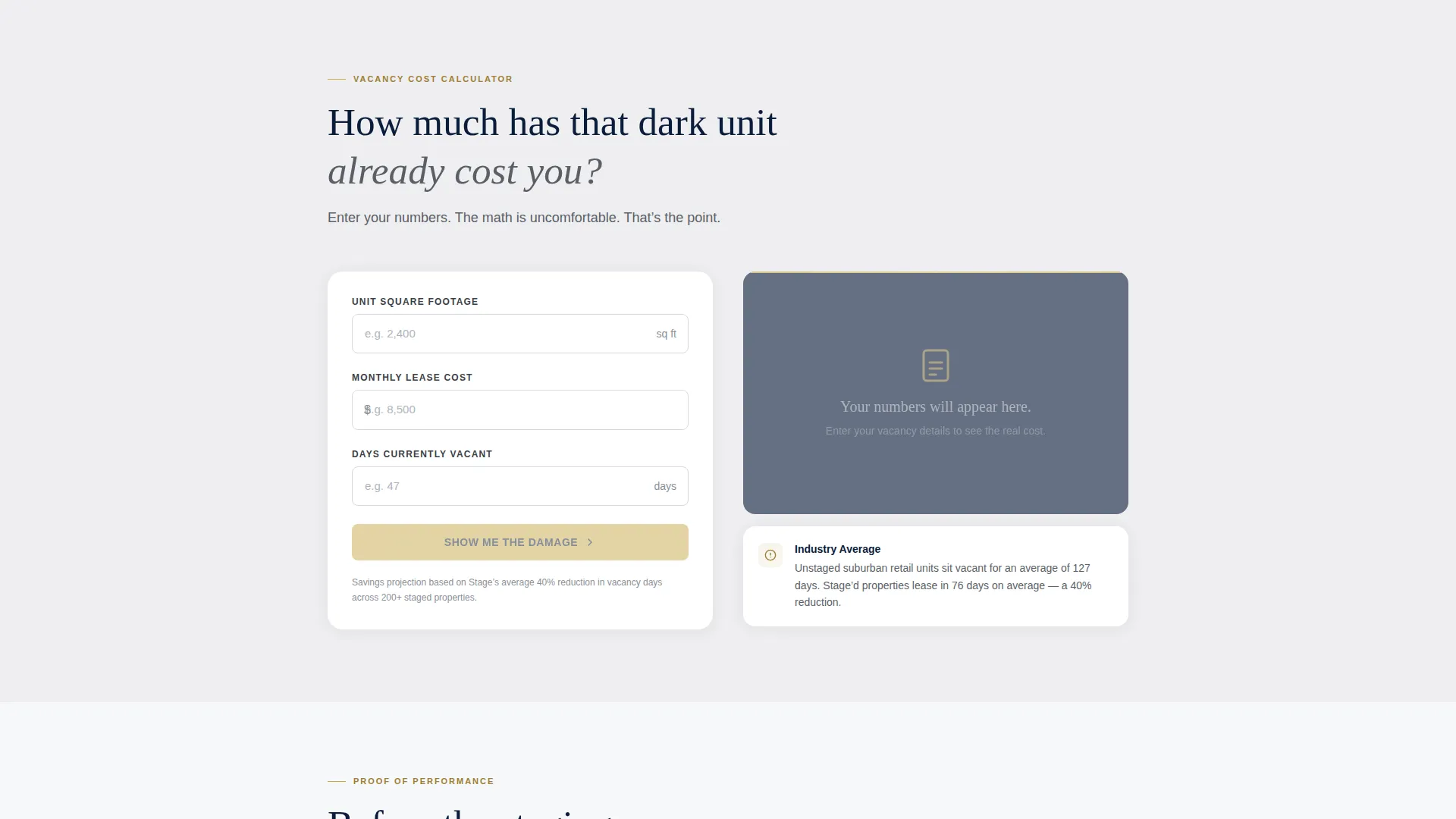
- An interactive Vacancy Cost Calculator that personalizes the financial argument for each visitor
- Before/after case study cards, a 72-hour process timeline, a brokerage trust bar, a lead-generation form, and a gated PDF download path
Feature list
The paragraph below introduces the core capabilities built into this template. Each feature is grounded in the brief and designed to serve a specific stage of the visitor's decision process.
Interactive Vacancy Cost Calculator
Visitors enter their square footage, monthly lease cost, and days vacant. The tool instantly returns how much revenue the empty space has already cost and projects savings if staged units lease 40 percent faster. The result is personal, uncomfortable, and hard to dismiss.
Photo Grid Mosaic Header
Twelve cropped retail staging images fill the full viewport in an asymmetric grid. No two tiles share the same size. The grid shifts subtly on scroll through a parallax effect, and a single white headline floats center-screen.
Before/After Case Study Cards
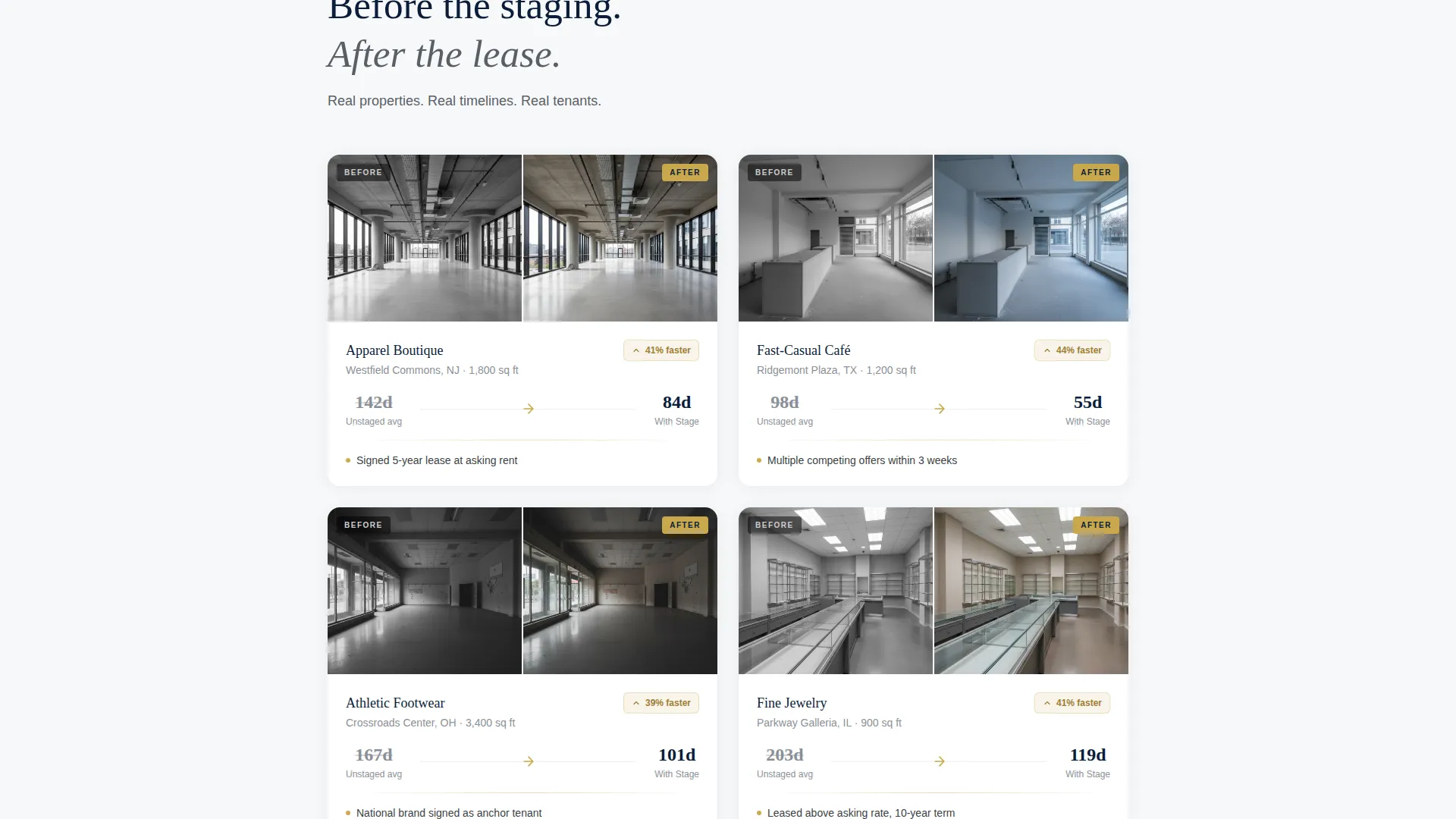
Each card pairs a specific retail category with a real before/after visual and days-on-market data. The cards give brokers and asset managers the proof points they need to justify a staging investment.
72-Hour Process Timeline
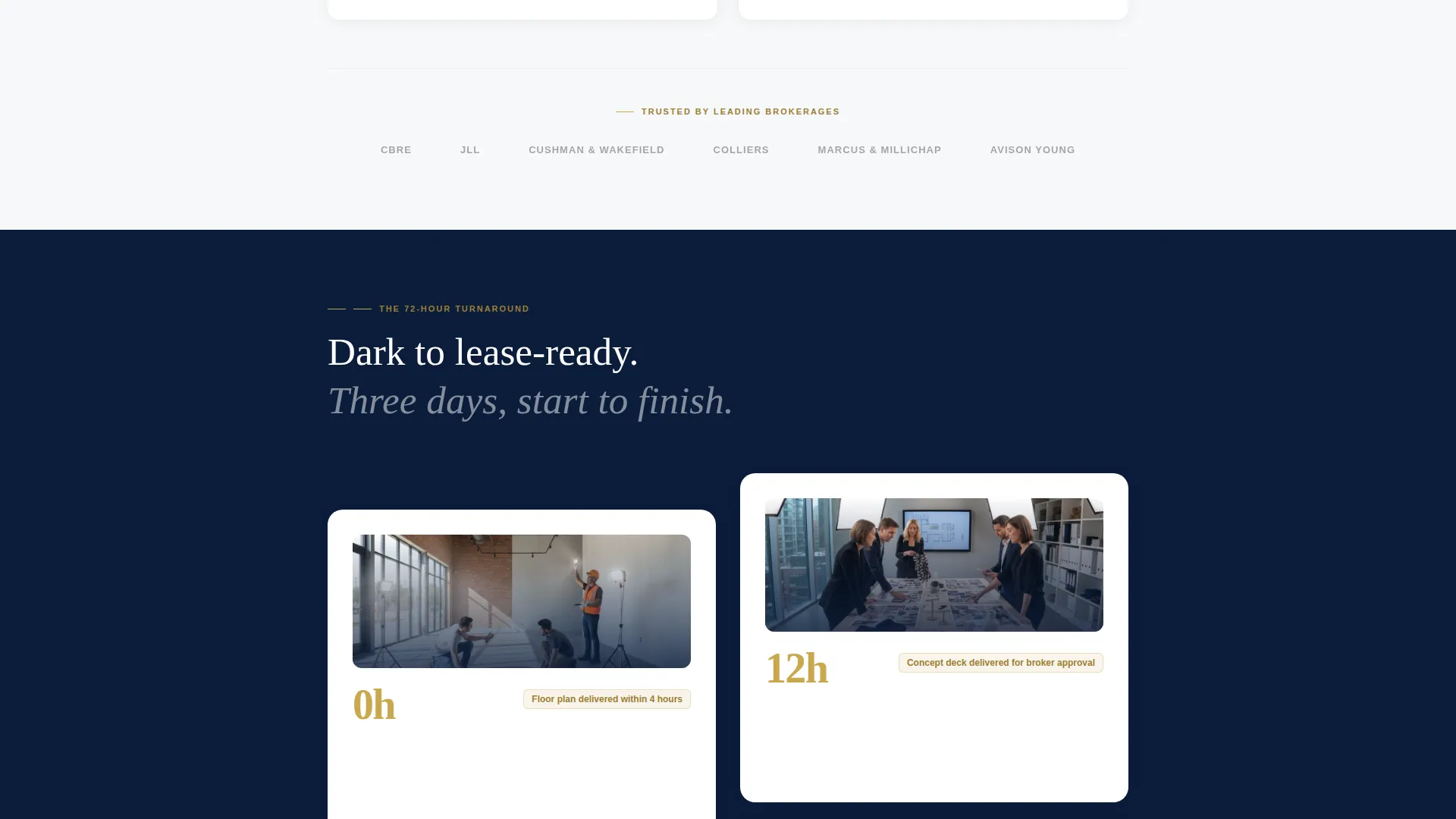
A visual timeline shows the complete staging turnaround from initial engagement to a lease-ready space in 72 hours. It removes hesitation by making the process feel fast, structured, and low-risk.
Dual Conversion Path
The primary call to action, "Get Your Staging Proposal," appears as a sticky button after the calculator renders results and again at the bottom of the page. A secondary path offers a gated PDF download for leads who need more time before committing.
Brokerage Trust Bar
A horizontal logo bar displays brokerage brand marks to establish credibility and signal that established firms already rely on this staging team. It sits below the case study section and reinforces the financial narrative.
Page sections overview
| Section | Purpose |
|---|---|
| Photo Grid Mosaic | Open with immersive staged-retail imagery and a teaser headline |
| Vacancy Cost Calculator | Personalize the financial cost of vacancy for each visitor |
| Case Study Cards | Demonstrate before/after results with days-on-market evidence |
| Process Timeline | Show the 72-hour staging workflow from start to lease-ready |
| Brokerage Trust Bar | Build credibility through recognized brokerage associations |
| Proposal Request Form | Capture property address, square footage, vacant units, and urgency |
| PDF Download Gate | Collect email and brokerage name from visitors not yet ready to commit |
Design & branding system
The visual identity follows a Navy Authority color system that communicates confidence and financial seriousness. The palette feels like the lobby of a Class A office building, not a mood board.
- Core colors are boardroom navy (#0B1D3A), polished charcoal (#3B3F45), gallery white (#F7F8FA), and brushed brass (#C9A84C) reserved for buttons, divider lines, and hover states
- The Executive Suite theme keeps contrast high, spacing generous, and typography clean so every number and headline reads at a glance
- Brass accents direct attention to interactive elements and calls to action without competing with the photographic content
Mobile & speed optimization
The template is structured to perform well at every screen size, keeping the calculator and forms fully usable on mobile devices where many brokers first encounter a referral link.
- The asymmetric photo grid collapses gracefully on smaller screens without losing visual impact
- The calculator input fields and proposal form are sized for comfortable thumb interaction on mobile
- Section stacking order is preserved on all breakpoints so the financial argument reads in sequence
How this template helps you convert
Every design decision in Stagefront is oriented toward one outcome: turning a curious broker or asset manager into a qualified lead.
- The Vacancy Cost Calculator creates a personalized financial stake before the visitor has scrolled past the first section, making the proposal request feel like a logical next step rather than a cold ask.
- The sticky "Get Your Staging Proposal" button stays visible after the calculator renders, reducing the distance between motivation and action at the moment when engagement is highest.
- The gated PDF download captures softer leads who are not yet ready to commit, keeping them in the pipeline with a low-friction exchange of contact details for a practical resource.
Other information about this template
This template is well suited to retail staging services that operate across multiple property types and want a single page that speaks to all three buyer personas simultaneously. The content structure supports services working with suburban plazas, mixed-use retail corridors, and second-location brand expansions.
- The proposal form includes a timeline urgency dropdown with three options: Immediate, Within 30 Days, and Exploring Options, allowing the staging team to prioritize follow-up by readiness
- The gated PDF, titled "The Vacancy Playbook: How Staging Cuts Lease-Up Time by 40%," functions as both a lead magnet and a positioning document
- The template is built as a standalone landing page, making it straightforward to deploy as a campaign-specific URL without requiring a full site rebuild
Theme
Pastoral Calm
Creative direction
Case Study Narrative
Color system
Charcoal & Amber
Style
Gallery + Detail
Direction
Booking/Scheduling
Page Sections
Interactive Vacancy Cost Calculator
Photo Grid Mosaic Header
Before/after Case Study Cards
Hour Process Timeline
Dual Lead Conversion Paths
Brokerage Trust Bar
Related questions
Who is the primary audience for this landing page template?
What does the Vacancy Cost Calculator actually do?
How many conversion paths does the template include?
Can the color scheme and branding be customized?
Is this template suitable for a staging team that works across multiple retail categories?



