Immersive Residential Staging Landing Page Template
Stager is a dark, immersive residential landing page template built for mid-rise property staging teams. It opens with a map-based header and an ROI calculator that earns trust before asking for a single contact detail. A five-question quiz then delivers a personalized staging recommendation, guiding development directors and sales agents from curiosity to a booked walkthrough.
by Rocket studio
Quick summary
Stager is a single-page template designed for residential staging companies targeting mid-rise property developers, sales agents, and interior designers. The page opens with a live cost calculator, transitions through before-and-after project photography, and closes with a quiz-driven conversion flow that delivers a personalized staging score and a calendar-linked booking call to action.
Who this template is for
This template is built for staging professionals who need to speak directly to clients sitting on unsold inventory. It works best when the audience is financially motivated and already aware that an empty unit is a liability, not just a vacancy.
- Development marketing directors managing unsold mid-rise units who need to justify staging spend quickly
- Sales agents whose model suites are underperforming and need a credible vendor to present to their team
- Interior designers subcontracted to dress buildings they did not design, who need a clear portfolio-led pitch
What problem this template solves
Empty units carry costs that compound every month. Most staging vendors lead with photography portfolios and hope the pictures do the persuading. This template reverses that sequence, leading with financial utility so the visitor calculates their own loss before they see a single mood image.
- Visitors arrive skeptical about staging costs and leave having calculated their own carrying-cost exposure
- Generic staging sites look identical, while this template uses project-pinned maps and real sell-through statistics to establish credibility fast
- The quiz replaces a cold contact form with a diagnostic that feels genuinely useful, lowering the barrier to conversion
What you get with this template
The template delivers a complete single-page layout structured around a calculator-first conversion strategy. Every section feeds into the next, moving the visitor from financial awareness to social proof to a personalized recommendation.
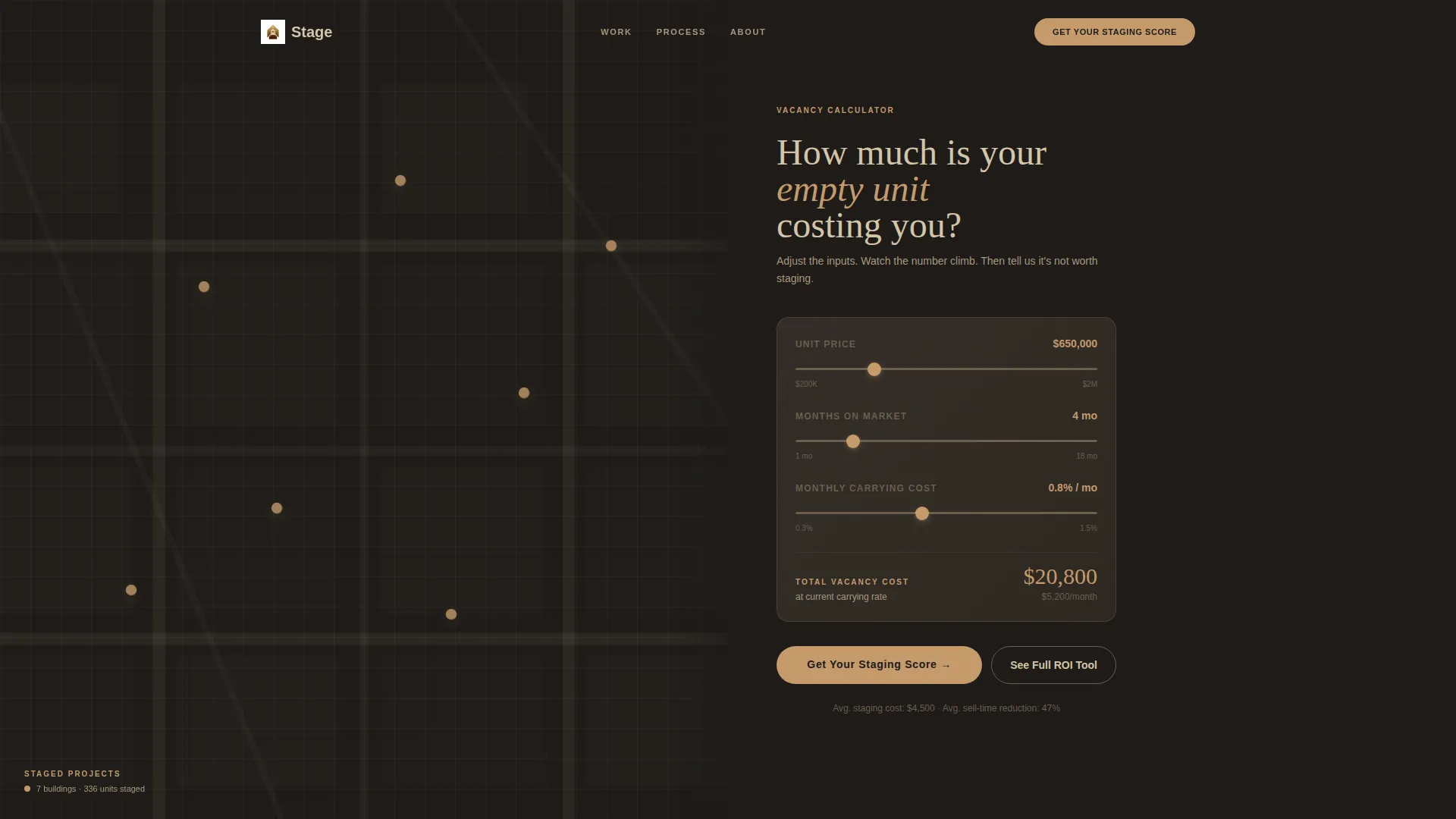
- A split-screen header with a dark city map on the left and a live carrying-cost calculator on the right
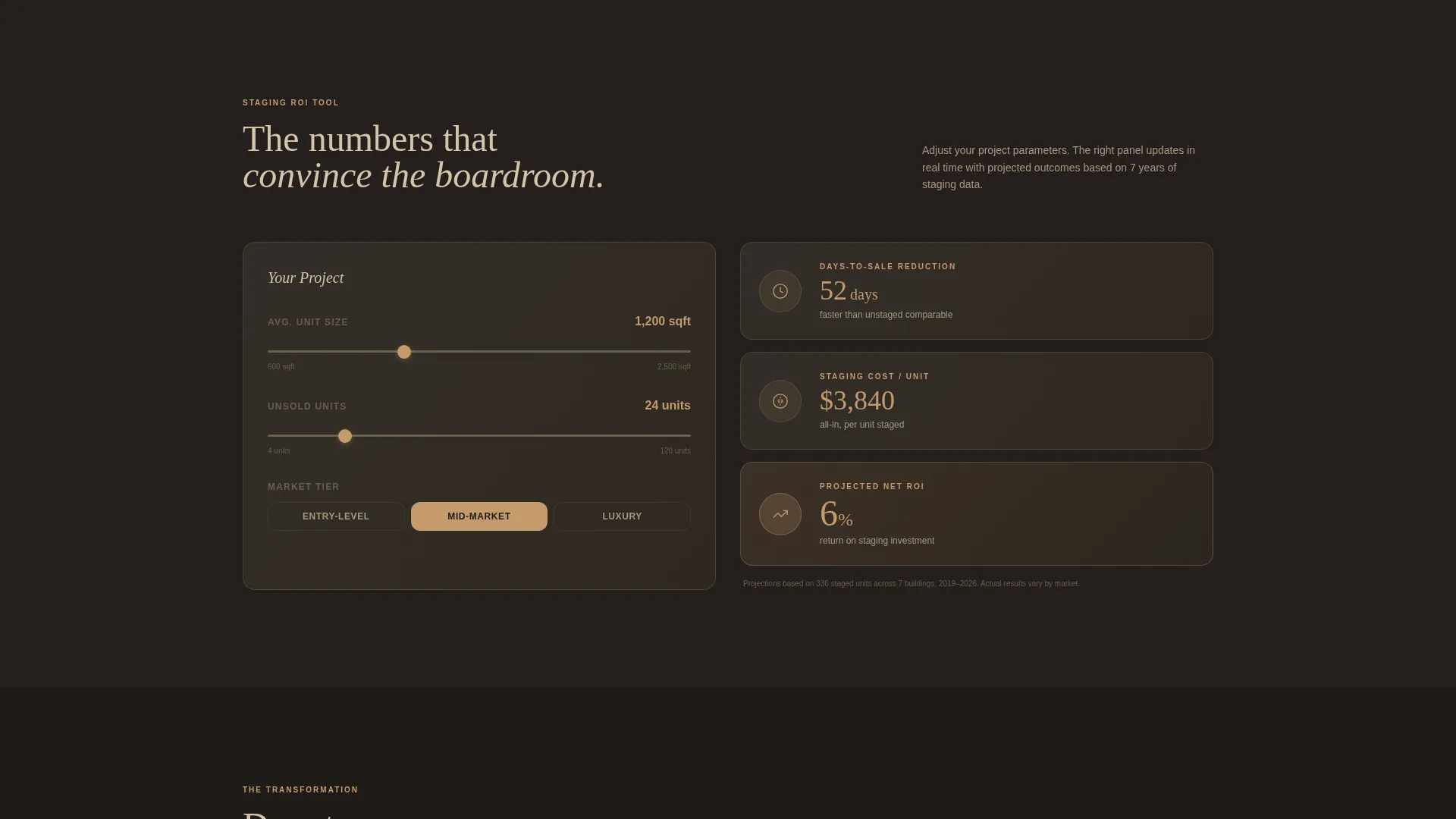
- A full staging ROI tool with adjustable inputs for square footage, unit mix, and market tier, with a real-time results panel
- A five-question staging quiz that outputs a personalized score, a cost estimate range, and a calendar-embed booking call to action
Feature list
This section covers the core functional and design components built into the template.
Map-Based Project Header
A dark, stylized city map fills the left panel of the header. Brass markers pin every staged building on the map. Each pin pulses on hover to reveal the project name, unit count, and sell-through rate. The right panel holds a single provocative headline and a compact pre-loaded calculator.
Staging ROI Calculator
The calculator expands below the header into a full interactive tool. Visitors adjust square footage, unit mix, and market tier on the left side. The right panel updates in real time with projected days-to-sale reduction, staging cost per unit, and net return on investment percentage.
Before-and-After Project Splits
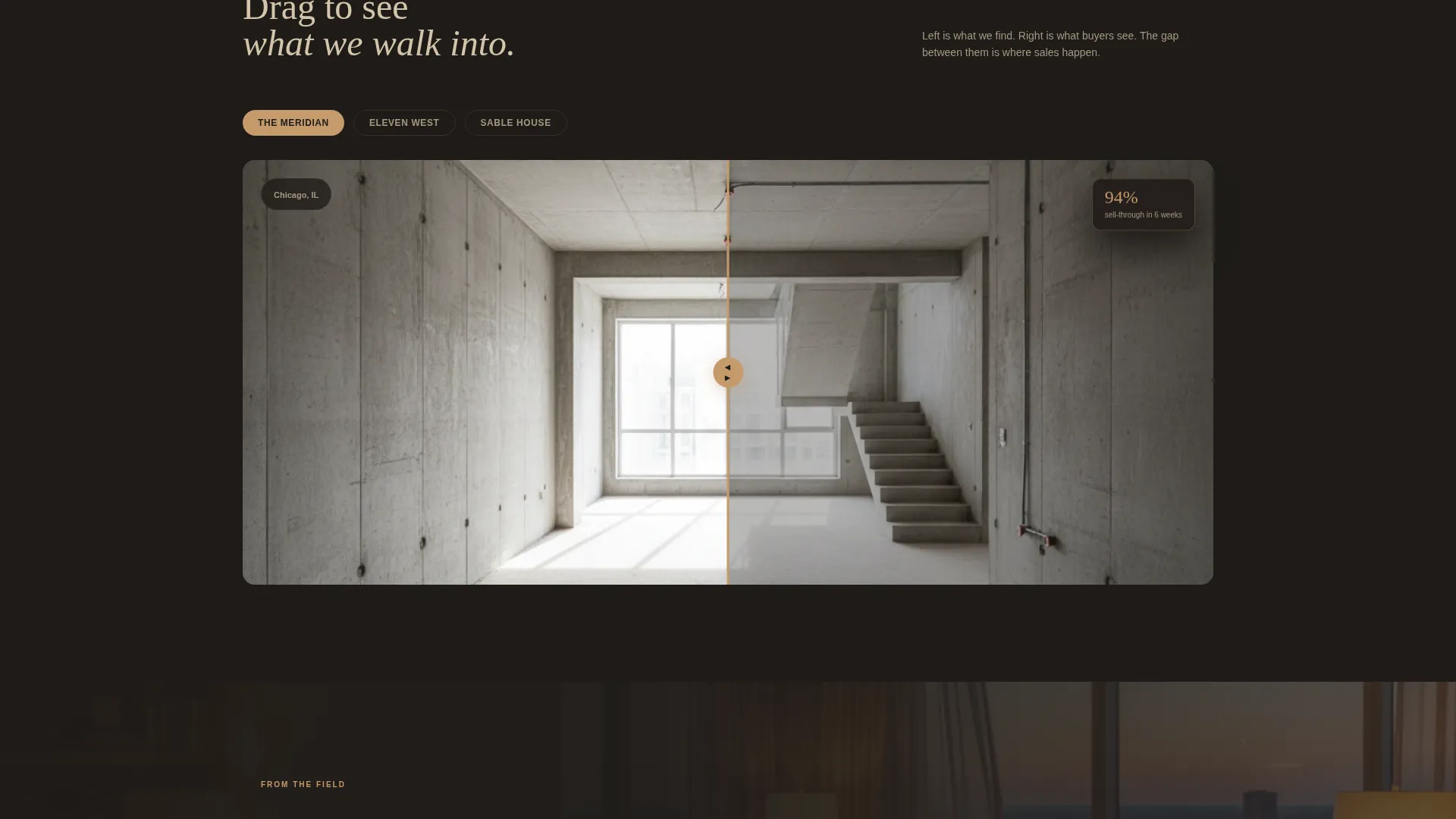
After the calculator, the page transitions into paired project panels. The left side shows raw concrete; the right side shows the staged result. Each pair reinforces the financial case the visitor just built using the tool above it.
Testimonial Pull Quotes
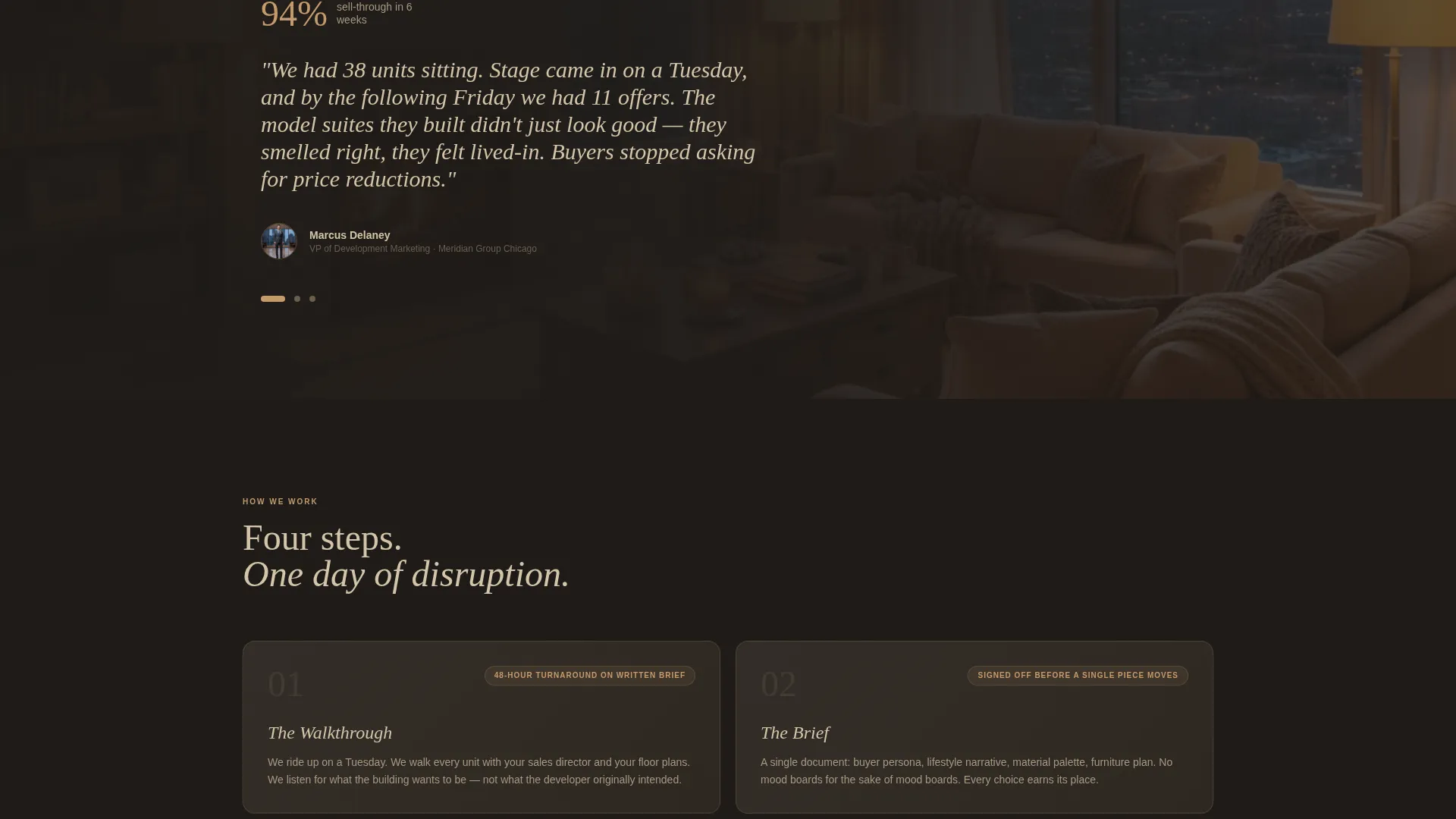
Development director testimonials appear as floating pull quotes layered over dark photography. Each quote cites a specific sell-through statistic, giving social proof a measurable anchor rather than relying on vague praise.
Five-Question Staging Quiz
The primary conversion path is a guided diagnostic rather than a passive contact form. Visitors answer five questions covering building type, total unsold units, average unit size, current days on market, and occupancy status. The results page delivers a personalized staging recommendation with a cost estimate range.
Calendar-Linked Booking Flow
The quiz results page includes a secondary call to action labeled "Book a Walkthrough." A calendar embed is built directly into the results screen, letting motivated visitors schedule without leaving the page or filling out a separate form.
Page sections overview
| Section | Purpose |
|---|---|
| Split-screen header | Presents the city map and pre-loaded carrying-cost calculator side by side |
| Expanded ROI tool | Lets visitors model staging economics with adjustable inputs and live output |
| Before-and-after splits | Pairs raw project photography with staged results to reinforce the ROI math |
| Testimonial overlays | Floats sell-through-cited quotes over dark photography for grounded social proof |
| Quiz entry point | Anchors the "Get Your Staging Score" call to action below the calculator section |
| Quiz results page | Delivers a personalized staging recommendation, cost range, and booking prompt |
Design & branding system
The visual identity follows a Dark Immersive direction built around a Warm Stone color system. Every color choice reinforces the feeling of a candlelit showroom: warm surfaces absorbing shadow, textures that invite touch before a word is read.
- Deep charcoal plaster (#1E1B18) dominates backgrounds and section dividers, keeping the page grounded and editorial
- Travertine cream (#D4C5A9) carries body text and card surfaces, while smoked walnut (#5C4033) anchors headlines for warm contrast
- Oxidized brass (#C49A6C) draws the eye to buttons, slider handles, calculator inputs, and all interactive hover states
Mobile & speed optimization
The layout is designed to remain usable on smaller screens without losing the immersive quality of the desktop experience. The split-screen panels reflow gracefully, and the calculator inputs stay accessible at any viewport width.
- The map header and ROI tool panels stack vertically on mobile, preserving the logical reading sequence
- Quiz steps are displayed one at a time, keeping the diagnostic interface clean and thumb-friendly on touch devices
How this template helps you convert
The conversion strategy is built on earning trust through utility before making any ask. Visitors are not asked for contact details until they have already invested time and attention in tools that deliver real value.
- The carrying-cost calculator creates a personalized financial stake in the first scroll, making the visitor an active participant rather than a passive browser
- The before-and-after panels and testimonial quotes provide the social proof needed to validate the numbers the visitor just calculated
- The staging quiz replaces a cold contact form with a diagnostic that delivers a tangible output, making the "Book a Walkthrough" call to action feel like a logical next step rather than a sales push
Other information about this template
This template is a strong fit for staging companies operating in competitive mid-rise residential markets where differentiation requires more than a portfolio. The page structure supports a consultative sales approach, positioning the staging team as financial advisors as much as design professionals.
- The quiz-to-results flow can be adapted for different building types including high-rise and townhome projects by adjusting the quiz answer options
- The map panel is designed to grow with the business, with each new brass pin representing a completed project and a data point for prospective clients
- This template suits teams who want their landing page to function as a pre-qualification tool, arriving at sales conversations with warmer, better-informed prospects
Theme
Corporate Precision
Creative direction
Immersive Visual
Color system
Charcoal & Amber
Style
Asymmetric Grid (60/40)
Direction
Lead Generation
Page Sections
Map-based Project Header
Staging ROI Calculator
Before-and-after Project Panels
Five-question Staging Quiz
Testimonial Overlays with Stats
Calendar-linked Booking Flow
Related questions
Who is this landing page template designed for?
Does the template include the calculator and quiz as functional components?
Can the template support building types other than mid-rise?
How does the calendar booking work within the template?
Can the city map be updated as the portfolio grows?



