Garage Bay & Workshop Rental Landing Page Template
Stall is an immersive landing page template built for a converted barn workspace and garage bay rental network. It guides visitors from a location-search header through atmospheric spatial reveals, ending at a three-step booking panel. The design uses deep hedgerow greens, warm timber tones, and brass accents to create a grounded, trustworthy property experience that earns bookings before visitors even reach the call to action.
by Rocket studio
Quick summary
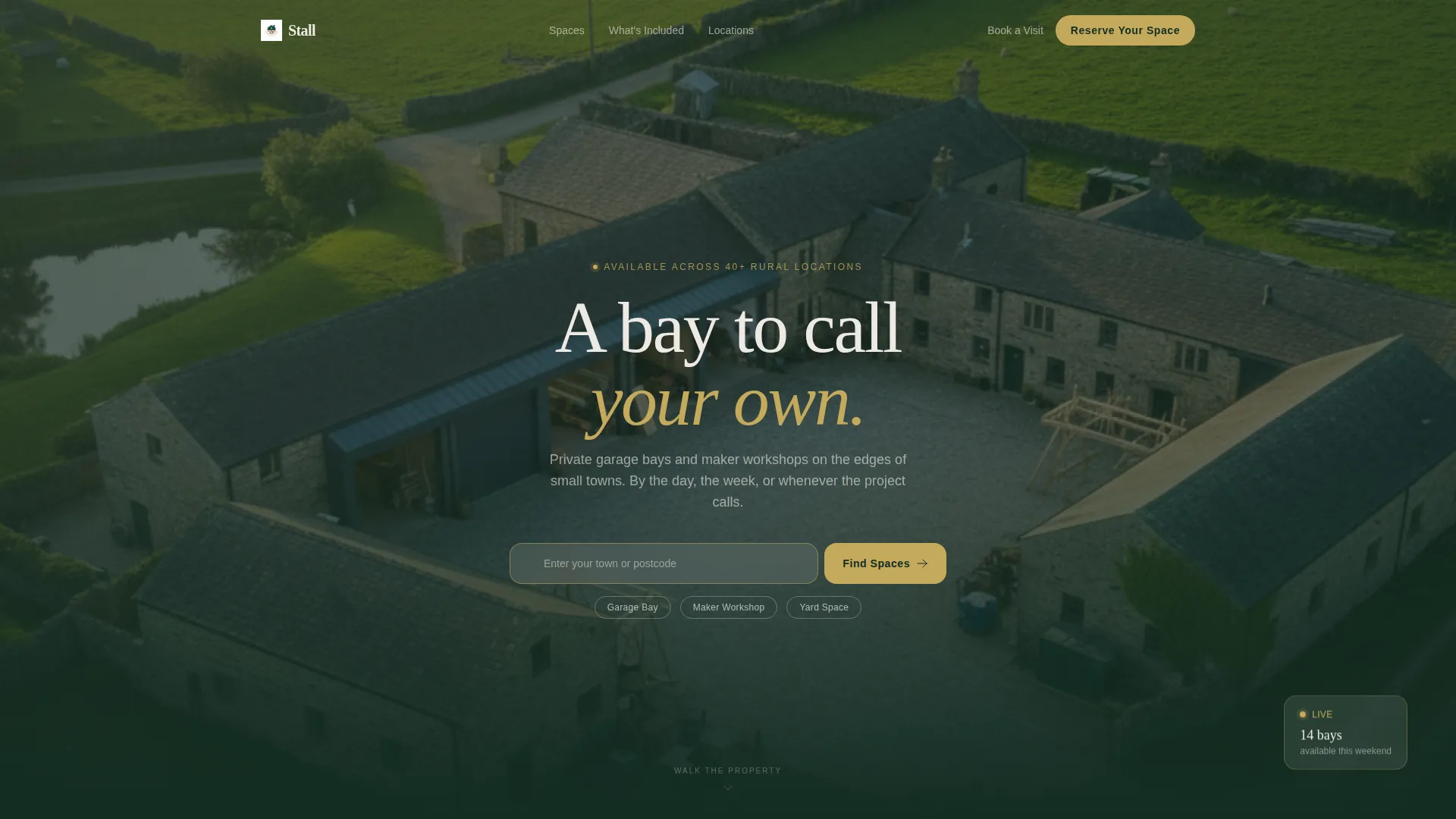
Stall is a single-page booking template for a rural garage and maker workshop rental network. It opens with an aerial golden-hour header and a location search field, then walks visitors through each workspace type using full-width photography and architectural annotations. A three-step booking panel closes the journey with clarity and confidence.
Who this template is for
This template suits any operator running a network of rentable workspaces in rural or semi-rural settings. It is designed for businesses where the physical space itself is the product and where showing that space honestly is the most persuasive thing you can do.
- Converted barn or farmstead networks offering private garage bays and maker workshops
- Workspace rental operators serving weekend restorers, furniture builders, and remote tradespeople
- Property owners with multiple workshop units who want a clear, bookable online presence
What problem this template solves
Finding and booking a suitable workshop or garage bay is usually a frustrating experience. Most rental platforms bury the details visitors actually need: room dimensions, power supply, door clearance, access hours. This template puts every practical detail front and center, so visitors arrive at the booking step already confident.
- Visitors struggle to picture a space from a thumbnail and a bullet list of specs
- Booking flows with too many steps push undecided renters away before they commit
- Generic property pages feel nothing like the calm, honest atmosphere a rural workspace should project
What you get with this template
You get a fully structured, immersive landing page designed around spatial storytelling and a smooth booking journey. Every section earns the next one, moving the visitor from discovery through inspection to reservation without friction.
- A location-input header with a search field, space-type filter pills, and a primary booking call to action
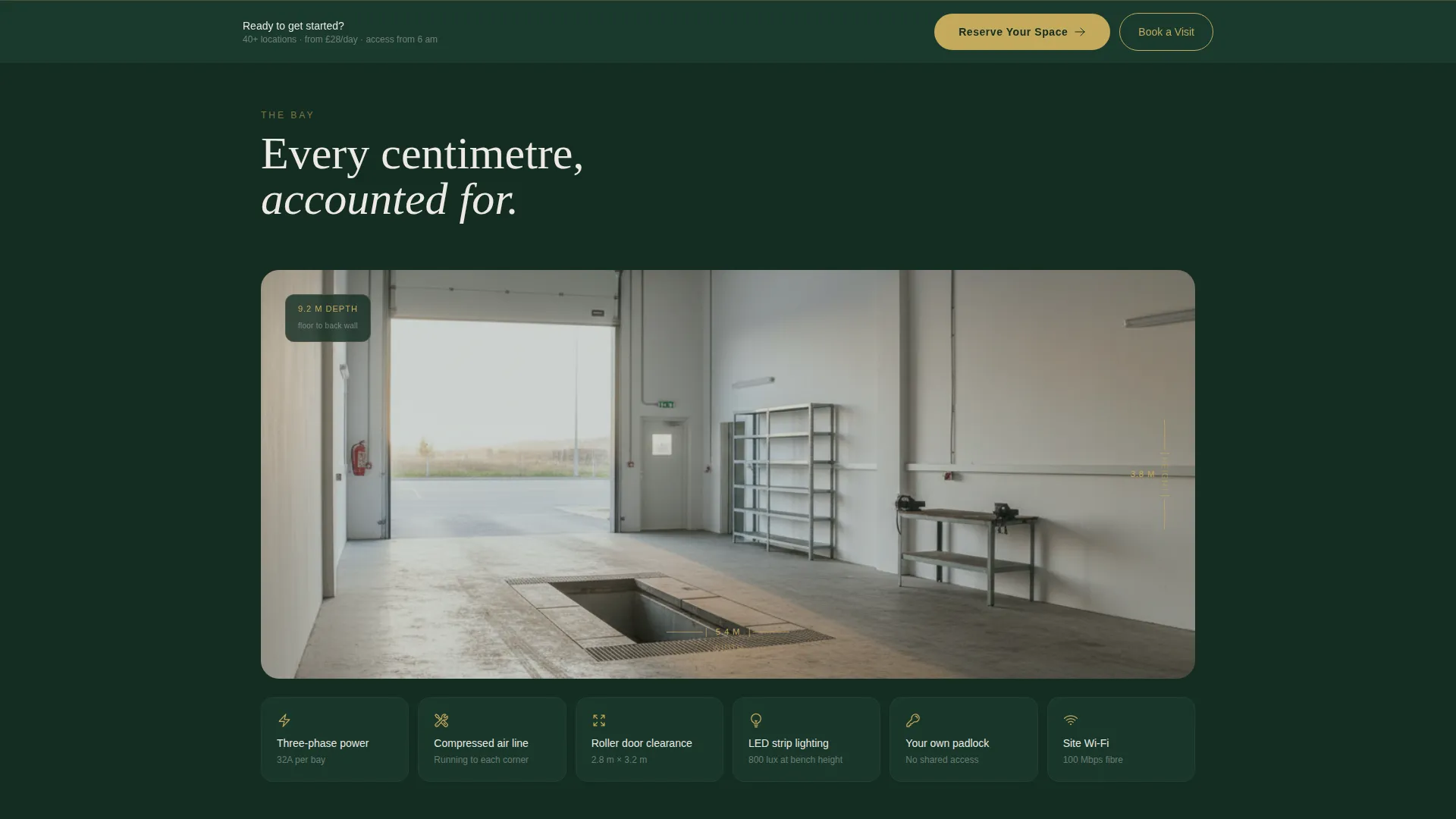
- Full-width workspace photography sections with hand-drawn-style dimension annotations and a sectional diagram showing ceiling height, power outlets, and door clearance
- A three-step booking panel covering location and space selection, a calendar grid with availability states, and a contact and project details form
Feature list
This section covers the core built-in components and interaction patterns delivered by the template.
Location Search Header
The header places an aerial drone photograph of the property at golden hour as its background. A centered search field with a brass-outlined border accepts a town name or postcode. Three filter pills beneath it let visitors pre-select a space type before scrolling.
Spatial Photography Sections
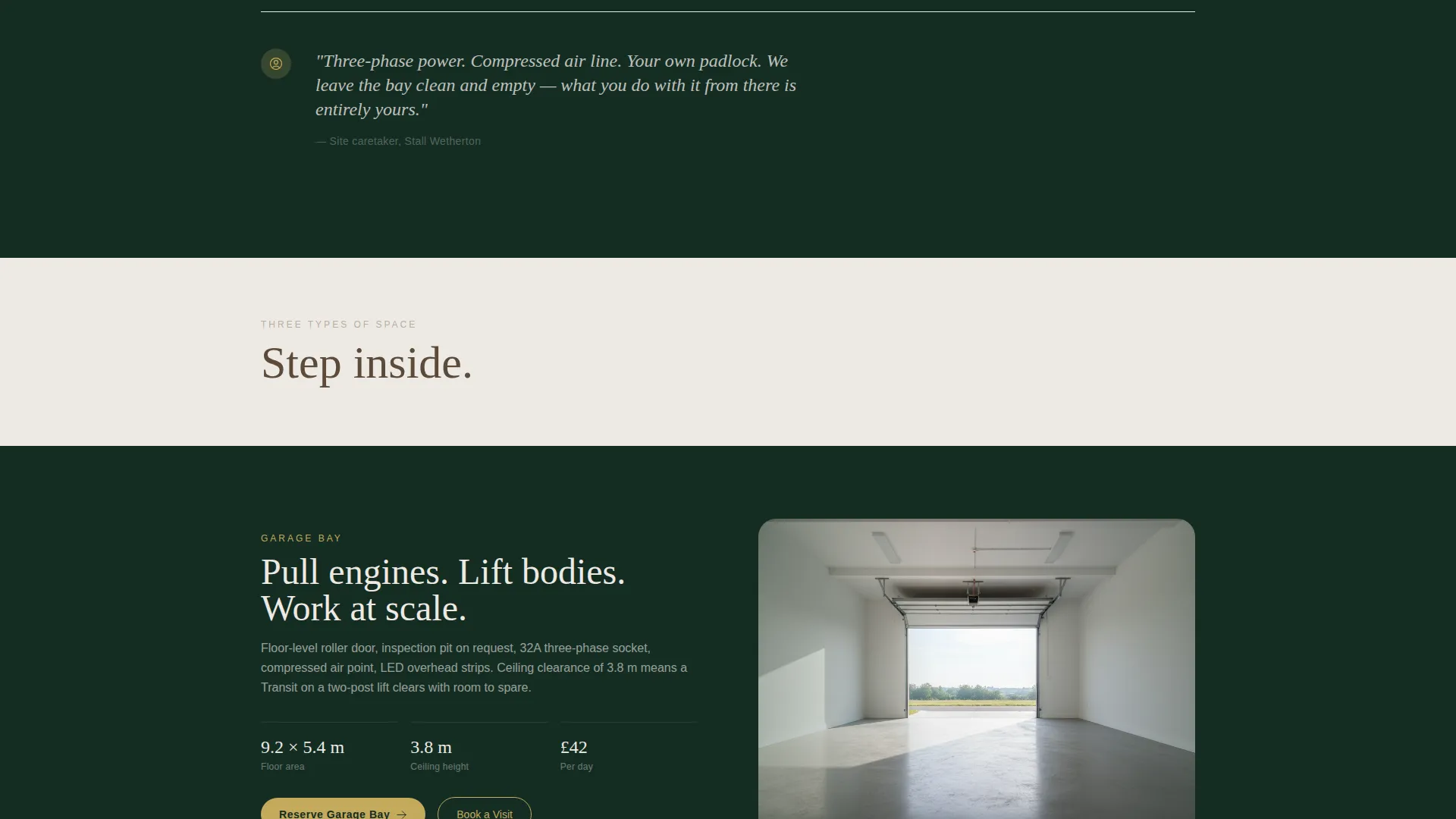
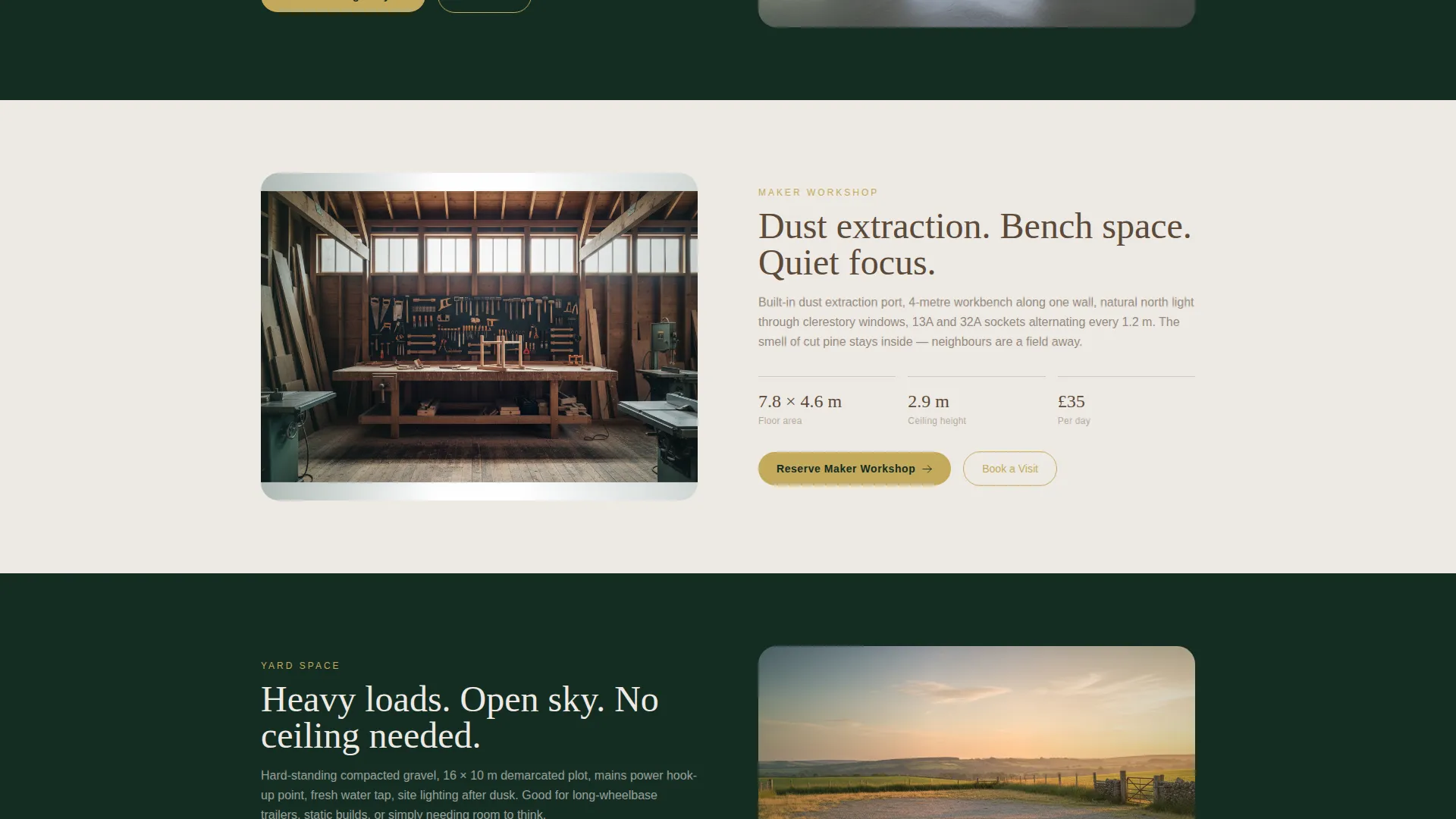
Each workspace type gets its own full-width photographic section. The camera is placed at the threshold looking inward, emphasising depth and natural light. Short caretaker-style text blocks appear between sections to describe what is physically included in each space.
Architectural Annotation Layer
An interior panorama of an empty bay includes hand-drawn-style dimension callouts. A sectional diagram follows, marking ceiling height, power outlet positions, and roller door clearance. These details replace the need for a separate specification sheet.
Three-Step Booking Panel
The booking flow opens from the primary call-to-action button. Step one pre-fills location and space type from the header input. Step two shows a calendar grid with brass-highlighted available slots and timber-toned taken slots. Step three collects name, phone number, and an optional project description field.
Sticky Reserve Bar
After the visitor scrolls past the second workspace section, a sticky bottom bar appears carrying the "Reserve Your Space" call to action in brass on dark emerald. It stays visible through the remaining scroll without blocking the content above it.
Secondary Visit Booking Path
A "Book a Visit" secondary call to action links to a simplified date picker for visitors who prefer to walk the property before committing. This path runs parallel to the main booking flow and reduces drop-off from undecided visitors.
Page sections overview
| Section | Purpose |
|---|---|
| Location Search Header | Entry point with aerial image, search field, and space-type filter pills |
| Interior Bay Panorama | Wide annotated view showing dimensions and spatial scale |
| Sectional Diagram | Diagram marking ceiling height, power outlets, and door clearance |
| Garage Bay Section | Full-width threshold photography for garage bay workspace type |
| Maker Workshop Section | Full-width threshold photography for maker workshop workspace type |
| Yard Space Section | Full-width threshold photography for yard and open-air space type |
| Caretaker Text Blocks | Short copy panels listing physical inclusions between spatial reveals |
| Three-Step Booking Panel | Sequential booking flow from space selection through calendar to contact form |
| Book a Visit Path | Simplified date picker for site-visit requests |
| Sticky Reserve Bar | Persistent bottom call-to-action bar activated after second workspace section |
Design & branding system
The visual identity follows a Pastoral Calm theme. Every colour and typographic choice is rooted in the texture of the physical spaces the template represents. The palette feels worn-in and dependable rather than polished or corporate.
- Four-colour system: deep hedgerow green (#1B3A2D) and morning fog white (#EDE9E3) alternate as section backgrounds, weathered timber brown (#5C4A3A) carries body text on light sections, and soft brass (#C4A95B) is reserved for buttons, pricing highlights, calendar availability markers, and interactive map pins
- Fog white text appears on all dark emerald background sections; timber brown appears on all fog white background sections, maintaining clear contrast throughout
- Brass is used sparingly so that every instance carries clear action intent, whether a button, a pricing figure, or a booking slot marker
Mobile & speed optimization
The template is structured for a smooth experience on smaller screens without compromising the spatial storytelling that makes it effective. Full-width photography scales responsively, and the sticky booking bar is sized for easy thumb access.
- The three-step booking panel stacks vertically on mobile, keeping each step on its own screen area for clarity
- Filter pills in the header wrap cleanly on narrow viewports so visitors can still pre-select a space type before scrolling
- The sticky reserve bar sits above the device navigation area so it never competes with browser controls
How this template helps you convert
The template earns bookings by showing the space so completely that visitors feel they have already stood inside it. Every design decision reduces the gap between curiosity and commitment.
- The header immediately tells visitors that finding a nearby space takes five seconds, lowering the perceived effort of the whole journey before they scroll at all.
- Threshold-perspective photography and architectural annotation details build physical familiarity, so by the time the booking panel appears, the visitor is deciding when to book rather than whether to book.
- The optional "Tell us what you're working on" field in step three makes the booking feel personal and low-pressure, which reduces form abandonment without removing any required information.
Other information about this template
This template is well suited to workspace rental operators who want a polished online presence without a complex build. It works as a standalone booking landing page or as the primary page in a wider property site.
- The Pastoral Calm visual identity and Spatial and Architectural creative direction are baked into the layout, making the template immediately distinctive in a category dominated by generic property listing grids
- The alternating dark emerald and fog white section backgrounds create a natural rhythm that guides the visitor down the page without needing scroll-triggered animations
- The template is designed for the Real Estate and Property category, specifically the Space and Rental Platforms subcategory, making it a practical fit for rural coworking spaces, shared trade workshops, and similar maker-economy rental concepts
- Operators with multiple property locations can adapt the location search header and map pin system to direct visitors to the nearest available site
Theme
Atelier Studio
Creative direction
Gallery Walk
Color system
Midnight Blue
Style
Zigzag/Alternating
Direction
Quiz/Assessment
Page Sections
Location Search Header with Filter Pills
Threshold Photography Workspace Sections
Architectural Annotation Diagram
Three-step Booking Panel
Sticky Reserve Bottom Bar
Secondary Visit Booking Path
Related questions
Can I use this template for multiple workshop locations?
Is the three-step booking panel customisable?
Does the template work for a single garage bay as well as a large network?
What workspace types does the template include sections for?
Can visitors book a site visit instead of reserving a space directly?



