Tool & Die Making Specialist Professional Website Template
Stamppro is a precision diemaking landing page template built for tool and die shops targeting automotive tier-one suppliers, medical device engineers, and contract manufacturers. It pairs a dark Engineering Blueprint visual identity with a zigzag Industry Report layout, leading with quantified performance data before gating any contact form, proof first, then conversion.
by Rocket studio
Quick summary
Stamppro is a single-page lead generation template for precision stamping die shops. It uses a charcoal and amber Engineering Blueprint theme with a zigzag section layout. Each section builds credibility through data points, shop photography, and process detail before presenting the primary contact form, keeping serious buyers engaged from first scroll to final click.
Who this template is for
This template is built for precision die shops that need to communicate technical capability to demanding industrial buyers. It speaks directly to the professionals who evaluate vendors on documented process discipline, not just price.
- Automotive tier-one suppliers sourcing progressive dies for high-volume stamping programs
- Medical device engineers specifying micro-precision tooling in titanium and other tight-tolerance materials
- Contract manufacturers looking to improve CPK (process capability index) numbers on existing transfer lines
What problem this template solves
Most die shop websites fail buyers who are mid-specification. They show generic shop photos and a contact form with nothing in between. Stamppro closes that gap by building credibility section by section before asking for anything in return.
- Buyers leave without converting because the page offers no technical proof of capability
- Serious industrial clients cannot evaluate a vendor without tonnage data, material lists, and process documentation
- Research-phase visitors have no low-commitment path and bounce before they are ready to send a print
What you get with this template
The template delivers a complete, conversion-focused landing page structured around an Industry Report content cadence. Every component is mapped to a stage in the buyer's evaluation process.
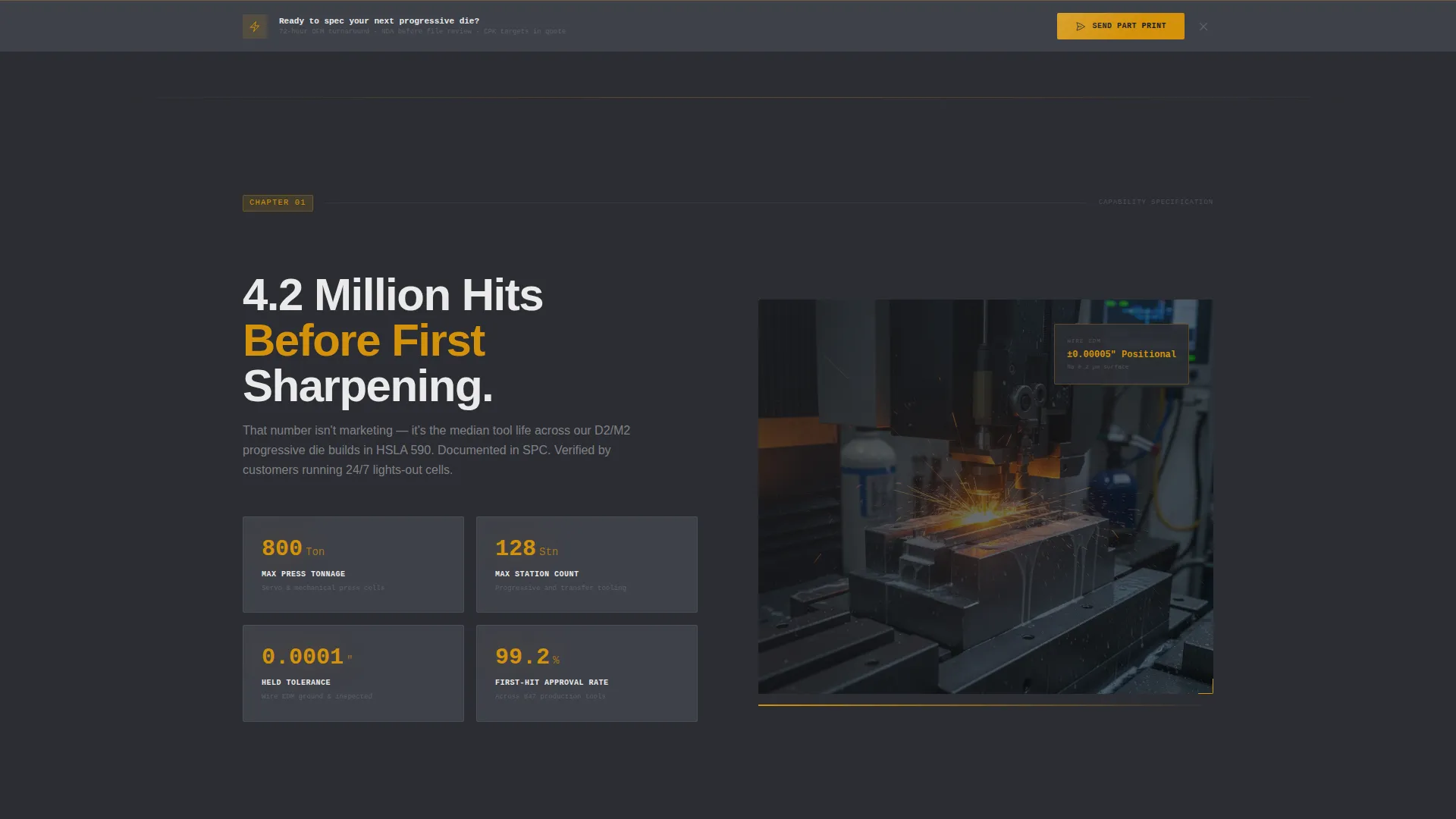
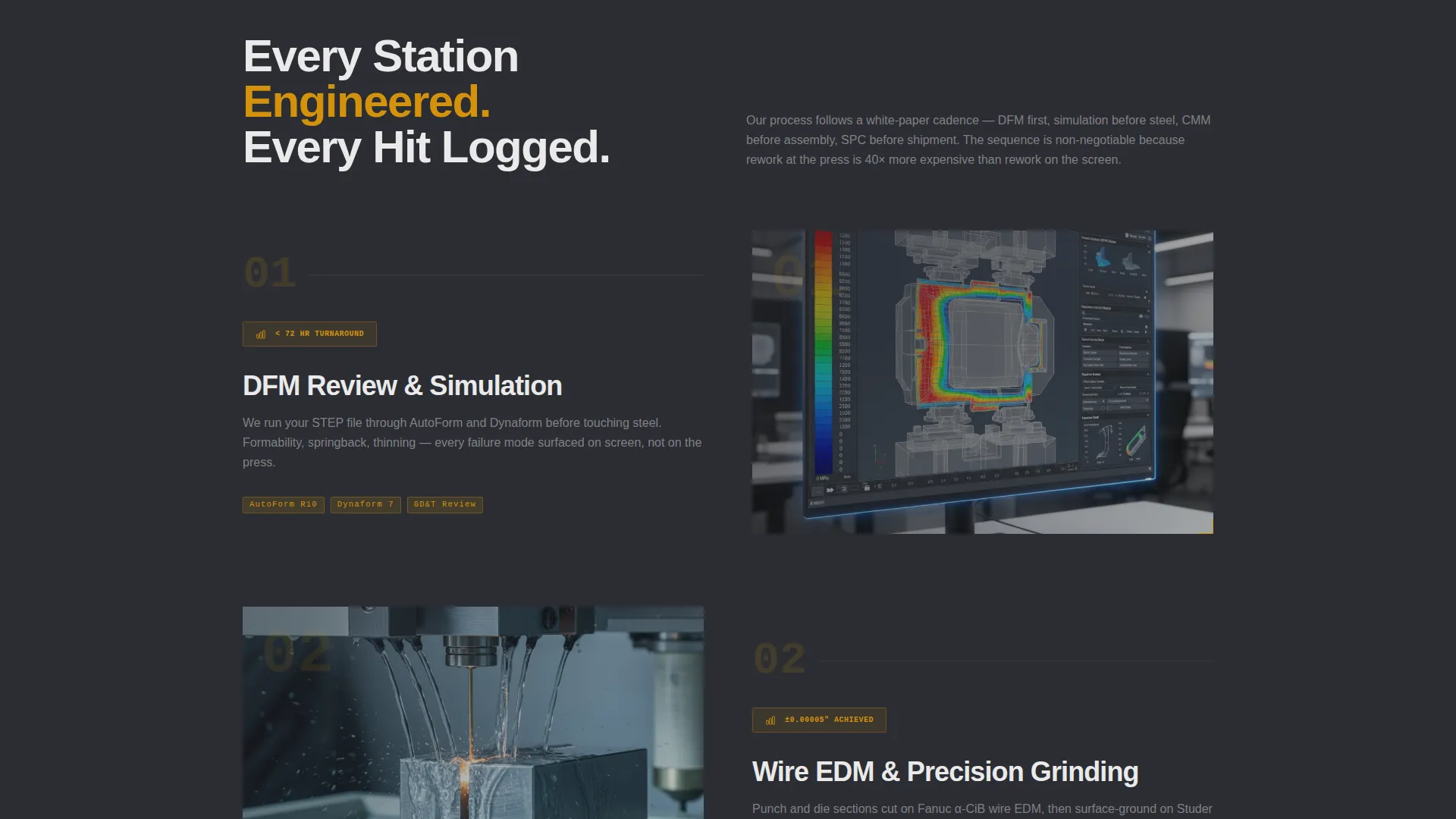
- A full zigzag alternating layout with bold data points paired against shop photos and CAD cross-sections
- A primary lead capture form asking for part material, thickness, annual volume, and a drag-and-drop file upload for prints or STEP files
- A secondary gated path offering a downloadable Tolerance Guide behind email capture for research-phase visitors
Feature list
This section describes the core capabilities built into the Stamppro template.
Behind-the-Scenes Header with Animated Overlays
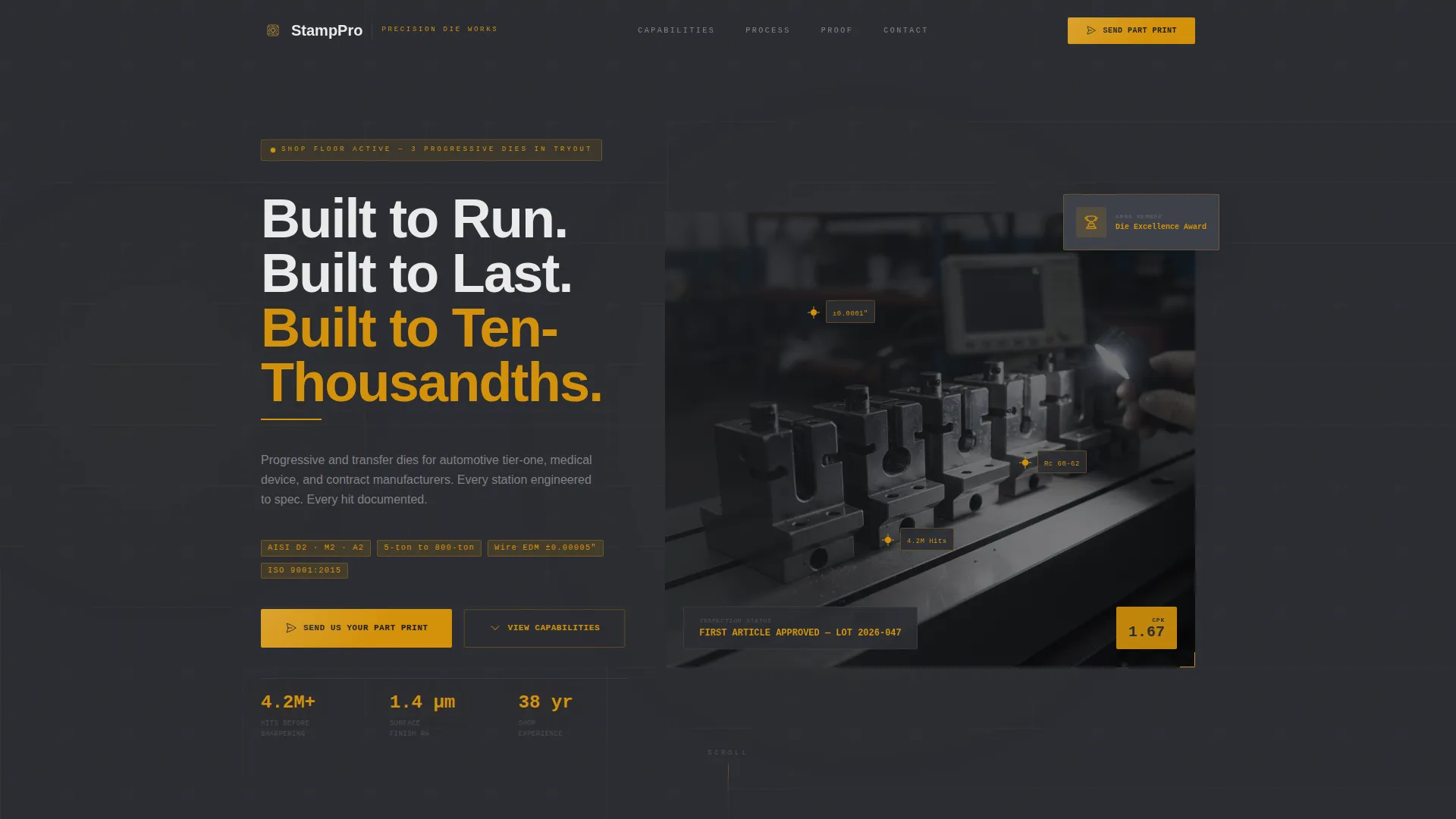
The header opens with a slow dolly-shot video pushing through the die shop past wire EDM machines and a surface grinder, landing on a finished progressive die under inspection lighting. Amber crosshair overlays tick onto critical dimensions as the camera settles, then the headline punches in: "Built to Run. Built to Last. Built to Ten-Thousandths."
Zigzag Industry Report Section Layout
Each alternating section opens with a bold data point on one side, such as "4.2 million hits before first sharpening", and a corresponding shop photo or CAD cross-section on the other. The scroll escalates from capability through process into proof, so the visitor stops evaluating and starts specifying by the midpoint.
Proof-First Lead Generation Form
The primary call to action, "Send Us Your Part Print," appears after the capability section and repeats as a sticky bar once scroll depth reaches sixty percent. The form captures part material and thickness first, then annual volume, then a file upload, then name and company last, structured to reduce friction for technical buyers.
Secondary Gated Resource Path
A second conversion path offers a downloadable Tolerance Guide PDF gated behind email capture. This gives research-phase visitors a low-commitment option and keeps them in the funnel without forcing them toward the primary form before they are ready.
Engineering Blueprint Color System
The dark workspace palette uses shop-floor gunmetal and technical-drawing charcoal as base tones, with machinist's amber for callouts, interactive highlights, and dimension-line accents. Tolerance-line white handles body text and grid overlays, giving the page the feel of a GD&T (Geometric Dimensioning and Tolerancing) drawing on a monitor at midnight.
Escalating Credibility Architecture
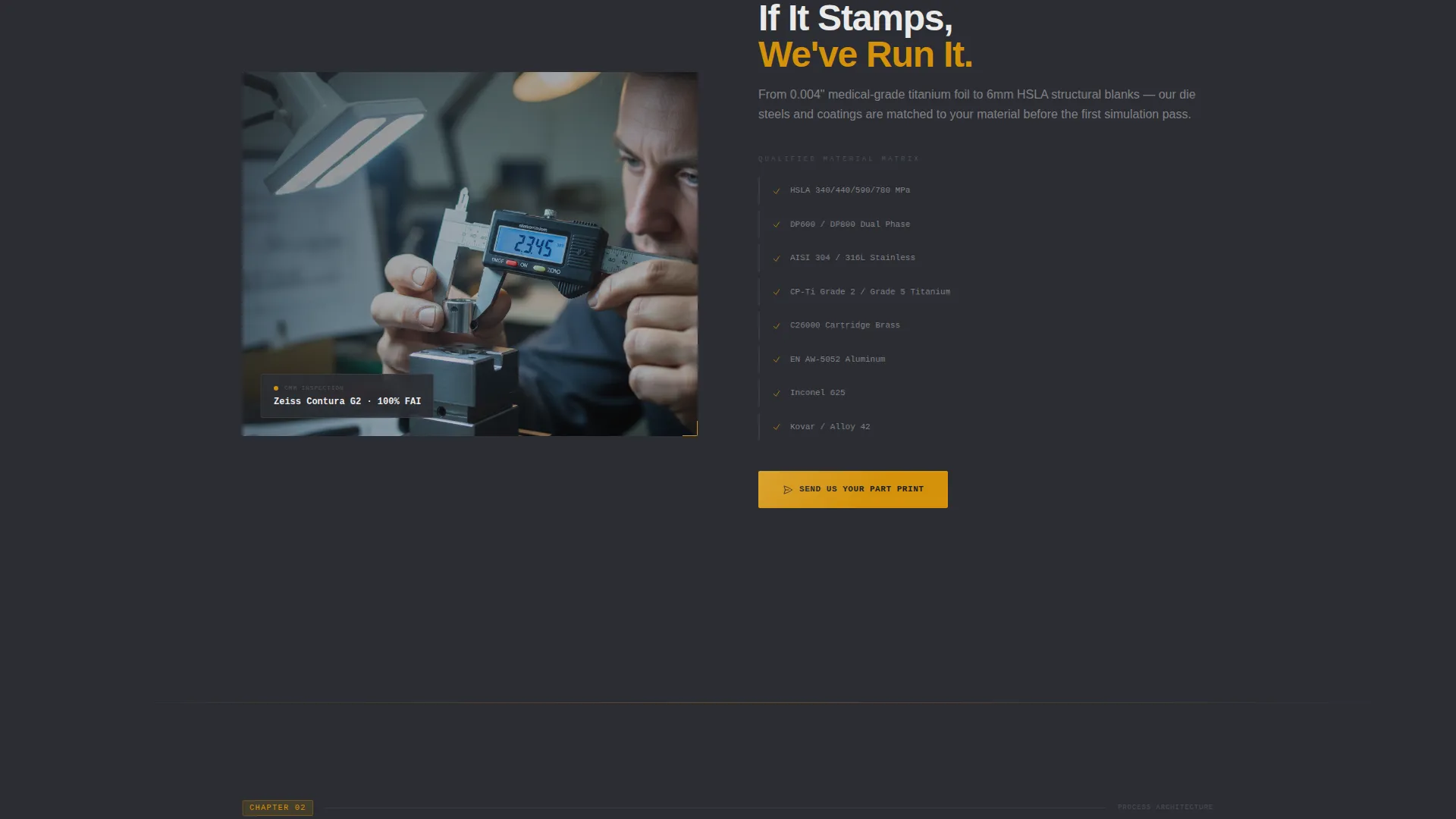
Sections progress through three defined content stages: capability (tonnage range, material list, station count), process (design for manufacturability review, simulation, wire EDM, tryout), and proof (SPC data, tool life graphs, and customer case studies with named part numbers). Each stage deepens trust before the next conversion prompt appears.
Page sections overview
| Section | Purpose |
|---|---|
| Header Hero | Introduce shop and headline |
| Capability Data Block | Display tonnage, materials, stations |
| Primary call to action Strip | Anchor "Send Us Your Part Print" |
| Process Walkthrough | Cover DFM, simulation, EDM, tryout |
| Proof and Case Studies | Show SPC data and part-number results |
| Sticky call to action Bar | Repeat form trigger at scroll depth |
| Tolerance Guide Gate | Capture research-phase email leads |
| Footer Contact Area | Close with supporting contact details |
Design & branding system
The visual identity is rooted in an Engineering Blueprint theme. Every color decision references real shop-floor and technical-drawing contexts, so the page feels credible to the engineers and procurement leads who will read it.
- Base tones: shop-floor gunmetal (#2B2D33) and technical-drawing charcoal (#3E4149) create a dark, focused workspace feel
- Accent system: machinist's amber (#D4920B) drives callouts, interactive highlights, and dimension-line overlays; tolerance-line white (#EAEAEA) handles text and grid details
- Visual motifs include amber crosshair overlays on critical-dimension callouts, GD&T-style annotation framing, and a controlled spark curtain from the surface grinder in the header video
Mobile & speed optimization
The template is structured for clean rendering on the devices that industrial buyers actually use during vendor evaluation, including tablets at the shop office and phones on the production floor.
- Zigzag sections reflow to a single-column stacked layout on smaller screens without losing the data-point-plus-image pairing
- The drag-and-drop file upload component and sticky call to action bar are designed to remain accessible and functional on touch interfaces
- Header video is intentionally composed for a cinematic dolly shot that communicates quality even when autoplay is muted on mobile
How this template helps you convert
Stamppro earns the click by sequencing proof before the ask. The layout is deliberately ordered to move a technical buyer from skepticism to specification.
- Leading sections present quantified performance data, hit counts, material lists, SPC outputs, before any contact information is requested, building credibility on the visitor's terms.
- The primary form is structured in the buyer's language: part material and thickness before name and company, so filling it in feels like specifying a job rather than submitting a sales lead.
- The secondary Tolerance Guide download creates a parallel conversion path for visitors who are not yet ready to commit, keeping them engaged and in the funnel.
Other information about this template
Stamppro is suited to any precision tooling or stamping operation that needs to communicate technical authority online. The template structure supports content covering progressive die design, transfer die applications, and multi-stage forming operations.
- The Industry Report cadence works well for shops that already produce SPC reports, tool life data, or case studies with named part numbers, existing documentation slots directly into the content blocks
- The gated Tolerance Guide section can support a range of downloadable resources relevant to stamping die buyers, including material selection guides or DFM (design for manufacturability) checklists
- The template's single-page structure keeps all decision-relevant content in one scrollable journey, which suits buyers who evaluate multiple vendors quickly and need a fast but thorough read
Theme
Engineering Blueprint
Creative direction
Industry Report
Color system
Charcoal & Amber
Style
Zigzag/Alternating
Direction
Lead Generation
Page Sections
Behind-the-scenes Hero Header
Zigzag Industry Report Layout
Proof-first Lead Capture Form
Gated Tolerance Guide Download
Escalating Credibility Architecture
Related questions
Who is this landing page template designed for?
Does the template include the lead capture form layout?
What is the secondary conversion path in this template?
Why does the form ask for part details before contact information?
Can the zigzag sections be adapted to different shop capabilities?



