Product Managers Community Landing Page Template
Standup is a single-page landing page template built for product manager Slack communities. It uses a warm masonry gallery layout, a hand-drawn parallax hero illustration, and a healing-space color palette to build trust through real anonymized member voices. The page guides visitors toward a single call to action, joining a community where PMs can be honest about the hard parts of the job.
by Rocket studio
Quick summary
Standup is a landing page template designed for a private Slack community where product managers find honest peer support. The layout pairs a custom illustrated hero with a scrolling masonry gallery of real member moments. Everything on the page builds trust quietly, no forms, no dashboards, just warm editorial design and a single "Find Your People" call to action.
Who this template is for
This template is made for community builders and product managers who run or launch peer spaces for other PMs. It fits communities that lead with emotional honesty rather than professional polish.
- Mid-career product managers at Series B startups who want a space to talk about prioritization pressure without performance anxiety
- Senior product managers at enterprise companies working through reorgs who need grounded peer connection
- First-time product leads who inherited a difficult backlog and team situation and are looking for others who understand
What problem this template solves
Product management is a role that often feels isolating. PMs own outcomes that few others fully understand, and most public communities feel too polished or too performative to invite real honesty. This template solves the trust gap between a new visitor and a private community.
- It replaces cold sign-up forms with layered social proof, letting member voices do the convincing
- It signals psychological safety through its visual design, tone, and editorial rhythm before asking for any action
- It removes friction by sending the visitor directly to a Slack invite flow rather than a gated multi-step funnel
What you get with this template
You get a fully structured, single-page landing page template with every section already planned and designed. The layout, typography, color system, and interaction patterns are all built in and ready to customize.
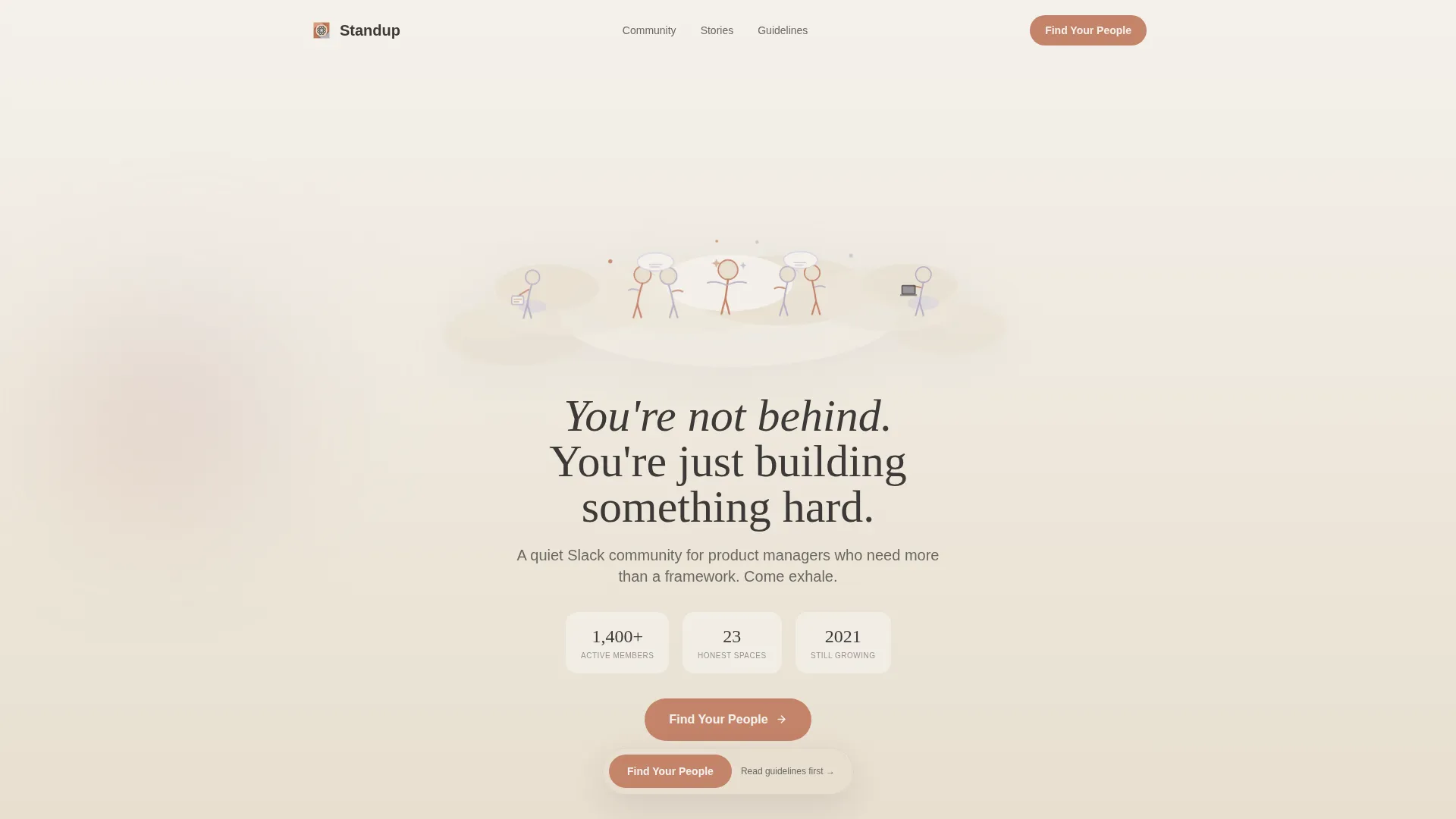
- A parallax hero section with a custom hand-drawn illustration, floating community stats, and a fade-in headline
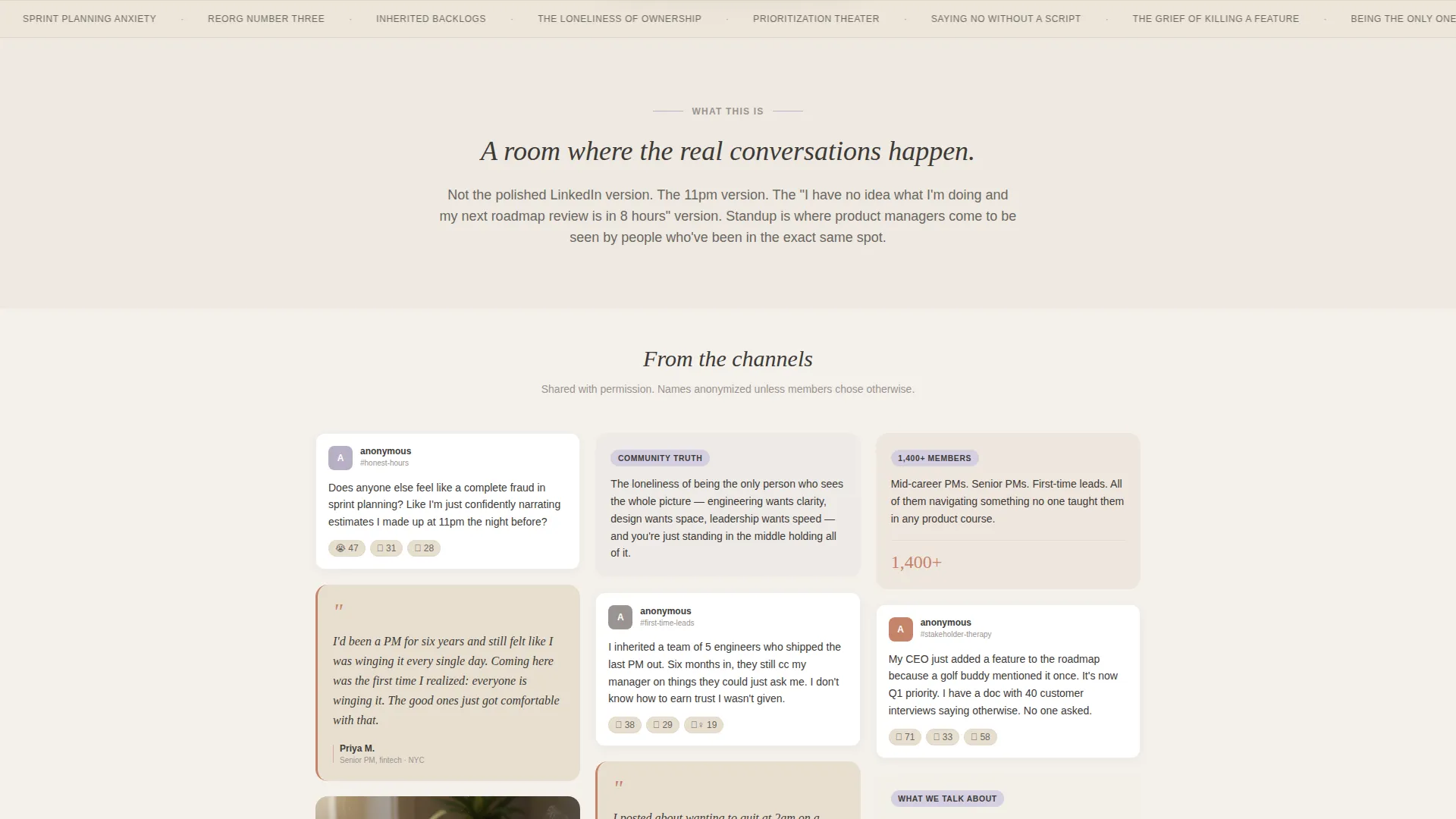
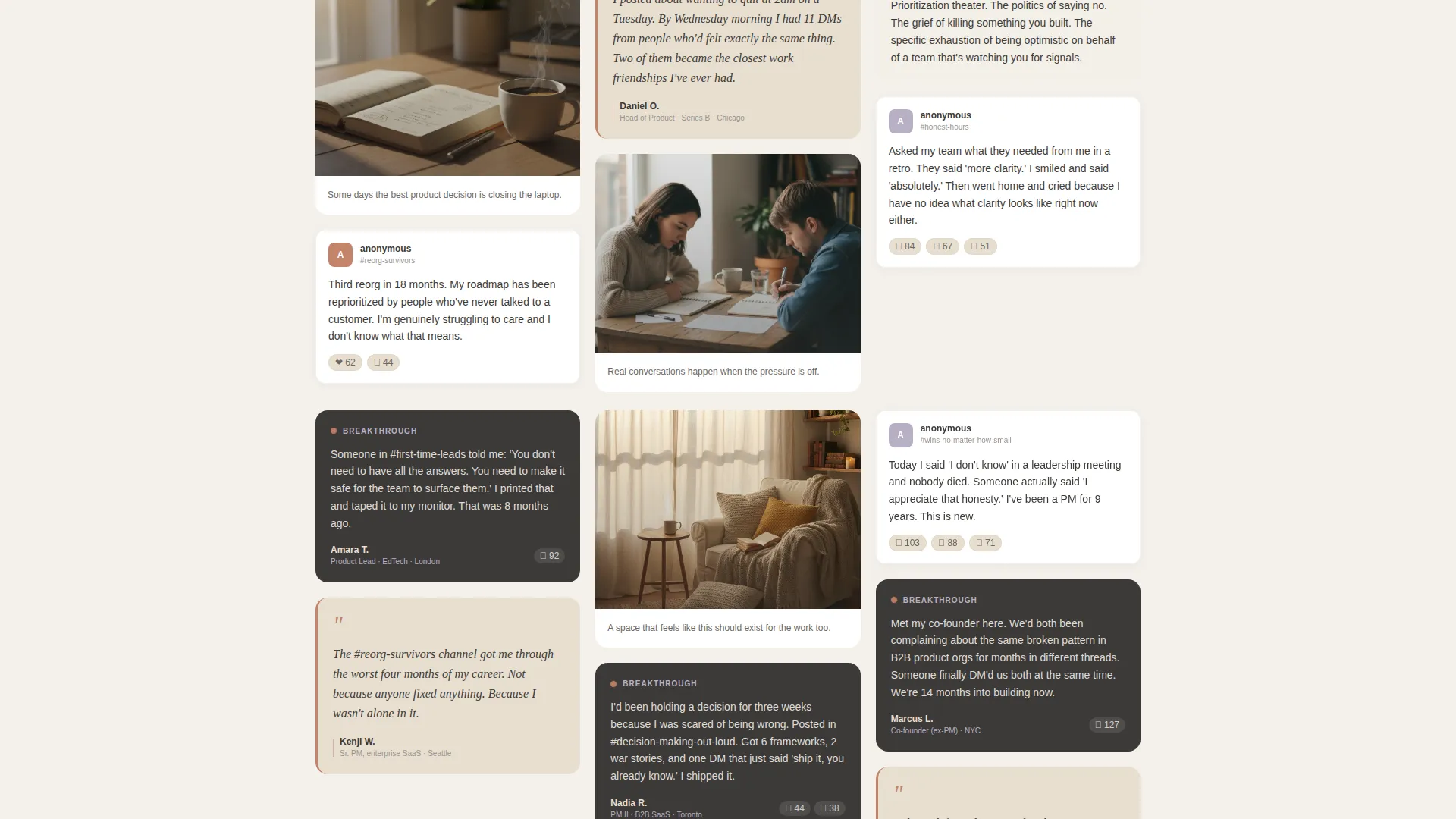
- A scrolling masonry gallery grid that reveals anonymized member messages, pull-quote tiles, and illustrated vignettes at varying card heights
- Two call-to-action placements, a floating button after the third gallery row and a full-width warm section at the bottom of the page
Feature list
This template includes several built-in design and layout features grounded in the source brief.
Parallax Illustrated Hero
The header features a hand-drawn scene of small figures sitting on soft cloud shapes, some talking, some writing, one stretching. The line work is loose and colored in lavender and terracotta washes. Subtle parallax scroll gives the clouds gentle depth as the visitor moves down the page.
Masonry Gallery Grid
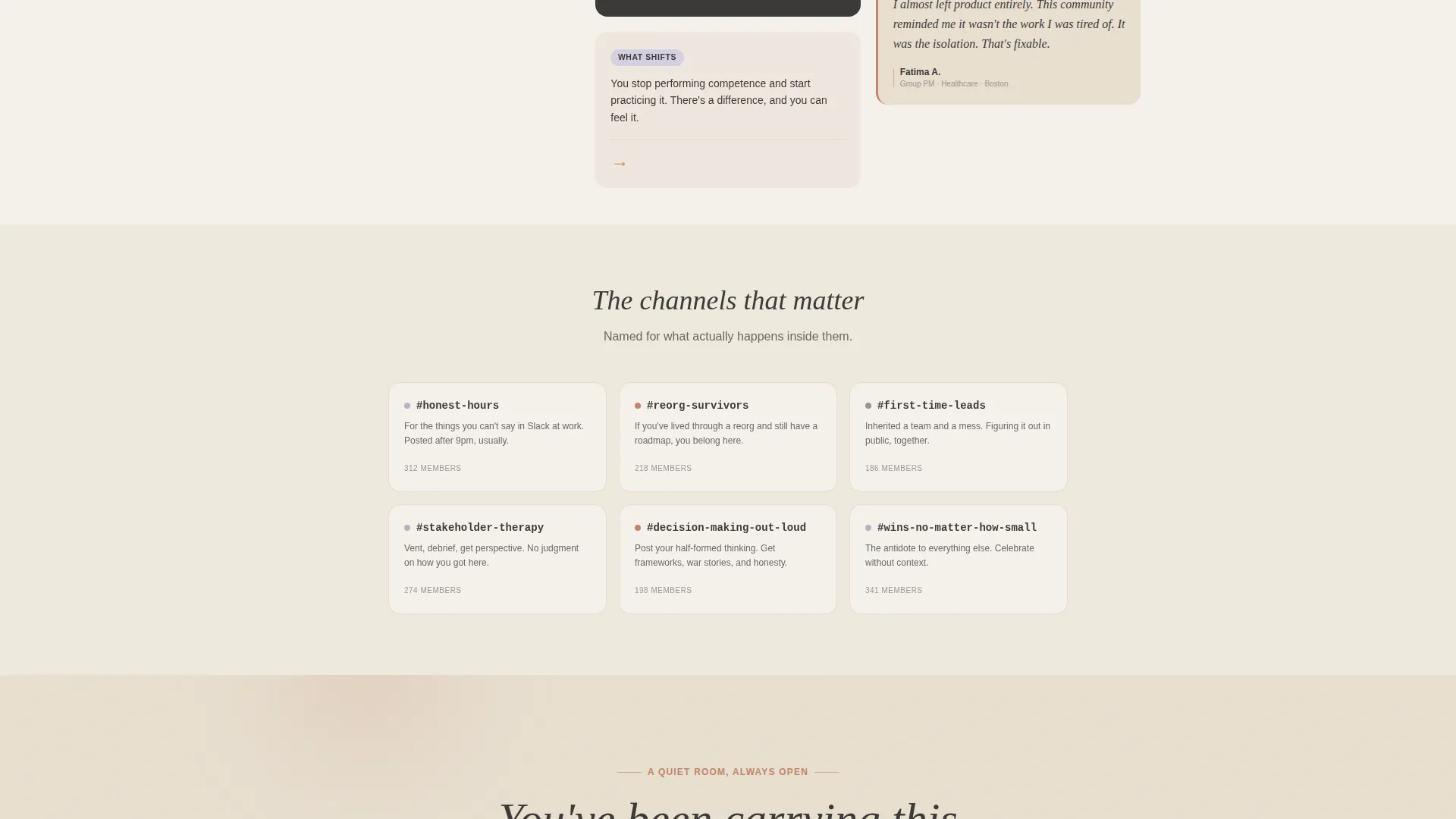
The page reveals a Pinterest-style masonry grid of real anonymized member moments. Cards vary in height to create a browsed rhythm rather than a presented one. The deeper a visitor scrolls, the more specific and honest the cards become, moving from relatable frustrations toward breakthrough moments and genuine friendships.
Floating and Full-Width Call to Action
The single call to action, "Find Your People," appears first as a floating terracotta button after the third gallery row. It reappears as a full-width warm section at the bottom of the page. A secondary text link reading "Read our community guidelines first" sits beneath for cautious visitors.
Staggered Card Reveal Animations
Gallery cards animate in with staggered reveals as the visitor scrolls. Hover states on each card are built into the masonry grid interaction layer. The animation approach keeps the scroll feeling calm and browsed rather than busy or corporate.
Healing Space Typography System
Headlines use Fraunces, a serif display typeface that feels unhurried and editorial. Body copy and interface elements use DM Sans for clean readability. All text renders in soft charcoal (#3D3A38) to avoid harsh contrast while maintaining legibility.
Breakthrough Moments Section
A dedicated section between the gallery and the final call to action surfaces deeper, more specific member transformation stories. It moves the narrative arc from "I feel seen" to "this community changed how I work", building the final layer of trust before the visitor clicks.
Page sections overview
| Section | Purpose |
|---|---|
| Hero Illustration | Opens with a parallax illustrated scene, floating stats, and fade-in headline |
| Masonry Gallery | Scrolling grid of anonymized member messages, pull quotes, and vignettes |
| Floating Call to Action | Terracotta button appears after the third gallery row to invite a click |
| Breakthrough Moments | Deeper member transformation stories building final trust before the call to action |
| Full-Width Call to Action | Warm full-width section repeating "Find Your People" with secondary guidelines link |
| Page Footer | Horizontal footer pattern closing the page |
Design & branding system
The visual identity follows a Healing Space theme built on the Cloud Canvas color system. The palette is designed to feel like morning light through linen curtains, warm, unhurried, and deliberately un-corporate.
- Core colors: fog white (#F4F1EB) and warm parchment (#E8DFD0) alternate as section backgrounds; soft charcoal (#3D3A38) carries all body text; muted lavender-gray (#B8B0C4) provides quiet accents throughout the illustration and gallery cards
- Terracotta (#C4836A) appears only on interactive elements and hover states, including the "Find Your People" button, so every use of it signals an invitation to act
- Typography pairs Fraunces serif display headlines with DM Sans body text for a warm editorial register that feels personal without being informal
Mobile & speed optimization
The template is built desktop-first with a strong mobile experience designed for community browsers who often discover and visit landing pages on their phones. The scroll-driven interactions adapt to smaller screens without losing the warm, editorial feel.
- Masonry grid layout shifts to a single or double column on mobile so card content remains readable and unhurried
- CSS animations are structured for GPU acceleration, keeping parallax and staggered reveals smooth across devices
- All images in the gallery and hero illustration are set up for size optimization so the page loads without unnecessary delay
How this template helps you convert
The page earns trust before it asks for anything. That trust is the conversion mechanism. Every design decision points toward a single, low-friction click rather than a form submission.
- The masonry gallery layers dozens of real member voices across the scroll, creating a volume of social proof that makes the community feel genuinely alive before a visitor reaches the call to action
- The floating "Find Your People" button appears only after the visitor has already seen enough of the gallery to feel safe, timing the ask with the moment trust is highest
- The secondary "Read our community guidelines first" link gives cautious visitors a way to go deeper rather than bounce, keeping them in the experience longer and building a second layer of trust
Other information about this template
This template belongs to the Community and Nonprofit category and is specifically designed for the product managers community niche. It is a single-page click-through landing page, meaning it carries no embedded forms and routes every conversion action to an external Slack invite flow.
- The template style is Masonry/Pinterest, making it well-suited to communities that have a meaningful volume of real member moments, screenshots, or pull quotes to populate the gallery
- The creative direction is Community Gallery, which means the template's emotional impact depends on authentic content, the more real and specific the member voices, the stronger the trust signal
- The header concept is a Custom Illustration, so the template does not rely on stock photography or product screenshots; the illustrated scene is part of the designed asset set included with the template
- This template is a strong fit for product manager Slack community landing pages, PM peer groups, and similar community-led membership spaces that prioritize psychological safety and honest peer connection over feature lists and pitch decks
Theme
Healing Space
Creative direction
Community Gallery
Color system
Cloud Canvas
Style
Masonry/Pinterest
Direction
Click-Through
Page Sections
Parallax Illustrated Hero Section
Masonry Gallery Grid
Floating and Full-width Call to Action
Staggered Card Reveal Animations
Breakthrough Moments Section
Healing Space Typography Pairing
Related questions
Does this landing page template include a sign-up form?
Can I use this template if my community is newer and has fewer member stories?
What makes this template different from a standard community landing page?
Is this template suitable for communities outside of product management?
What typography and color assets come with this template?



