Storage Unit Rental Landing Page Template
Stash is a dark-immersive storage rental landing page built on an asymmetric 60/40 grid. It leads with a live-feel city map, moves through cinematic tenant case studies, and closes with a three-step progressive lead form. The result is a high-trust, conversion-focused page for any urban self-storage platform that needs to turn browsing visitors into booked units.
by Rocket studio
Quick summary
Stash is a single-page storage rental template built around urgency, specificity, and trust. An aerial dark-mode map anchors the header, tenant case studies build credibility through the scroll, and a floating "Find Your Unit" bar captures leads before the visitor exits. The template is ready to carry a storage platform's full conversion story.
Who this template is for
This template is built for urban self-storage platforms that need more than a basic pricing table. It works best for operators managing multiple city locations and speaking to time-pressured, need-it-now renters.
- Apartment dwellers mid-renovation who need a fast, nearby unit for displaced furniture
- Small business owners storing seasonal inventory between pop-up events
- Individuals downsizing, relocating, or dividing a household who need neutral, flexible storage
What problem this template solves
Most storage rental pages feel like digital spreadsheets. They list prices and sizes, but they do not show available inventory, they do not tell a story, and they do not earn trust quickly. Visitors leave unsure whether a unit is actually nearby or available.
- No visible proof of real, nearby inventory to anchor visitor confidence
- No human stories to help renters recognise their own situation and act
- No guided path from casual browsing to a completed lead or booking
What you get with this template
You get a complete, scroll-driven landing page designed specifically for a storage unit rental platform. Every section has a defined job, and the layout uses a zigzag asymmetric grid to keep the eye moving downward.
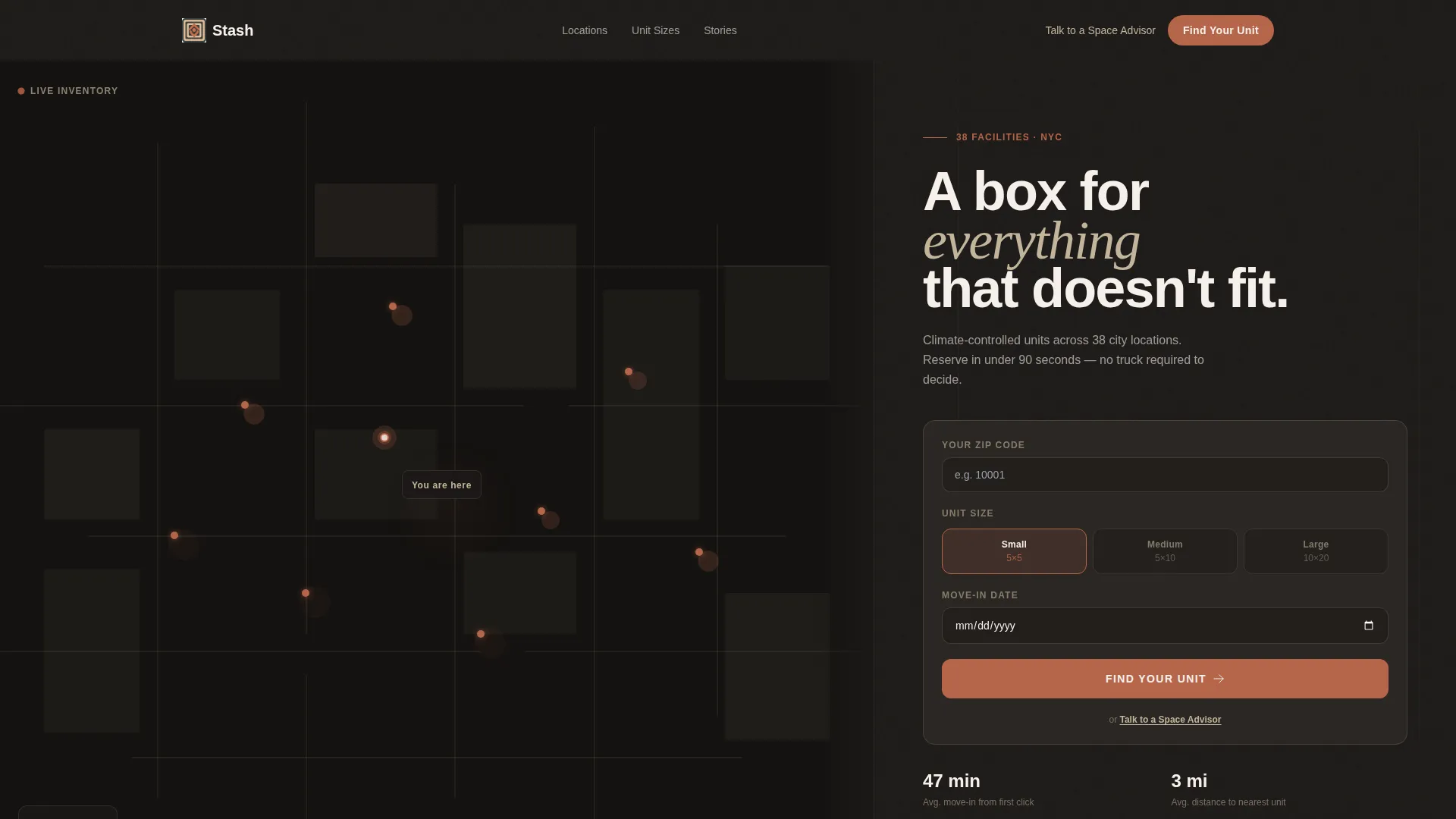
- A map-based header with a 60/40 asymmetric grid, terracotta facility dots, and an integrated zip code search form
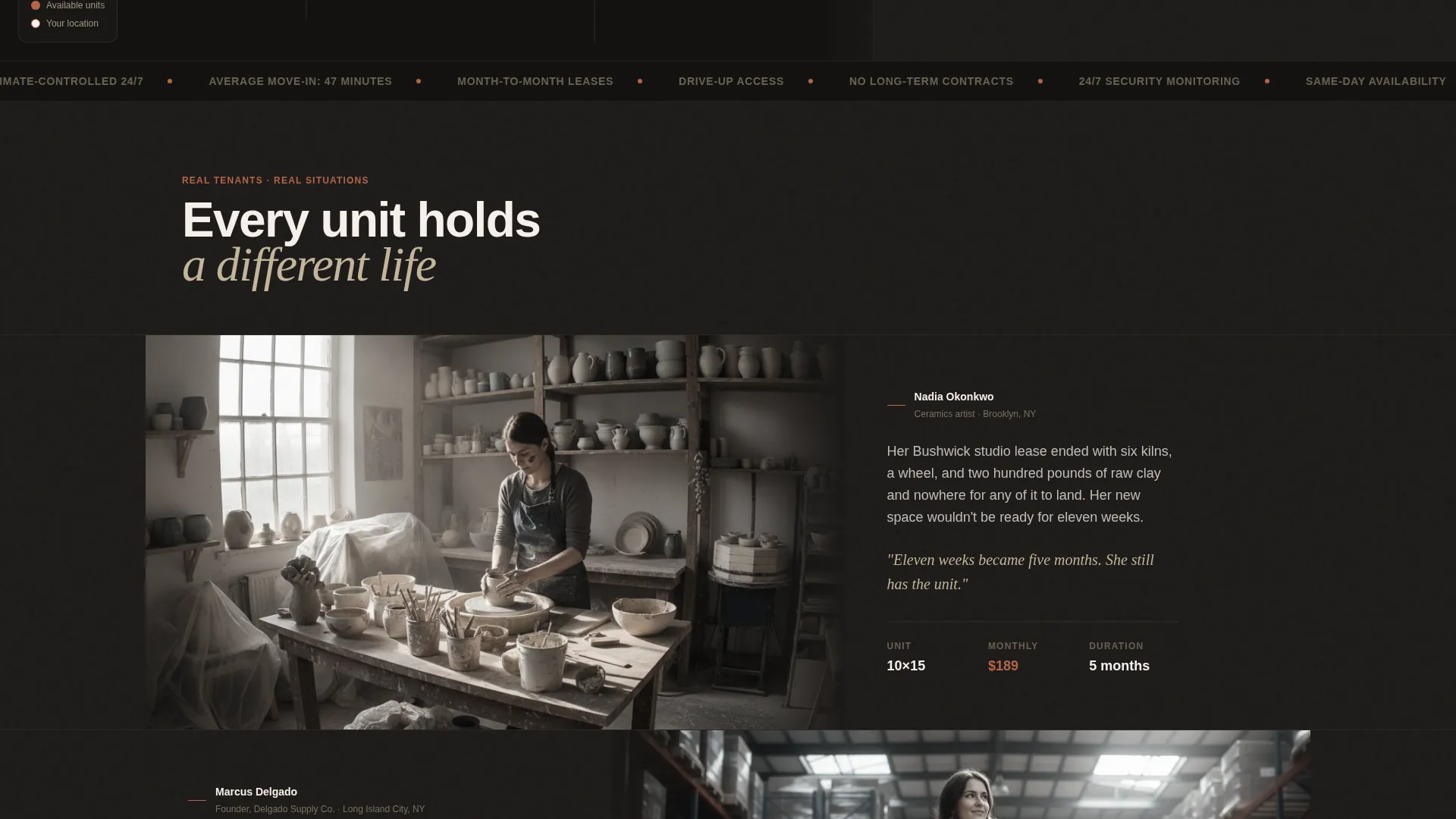
- A case study narrative section with alternating cinematic photography and punchy tenant story copy
- A three-step progressive lead capture form plus a direct "Talk to a Space Advisor" secondary call to action
Feature list
This section describes the core built-in capabilities delivered by the template.
Map-Based Inventory Header
The wider 60% column holds an aerial dark-mode city map. Pulsing terracotta dots mark available facilities and a soft radial glow centers on the visitor's approximate location. The 40% column carries a minimal search form with a zip code field, a unit size slider, and a move-in date picker.
Asymmetric Zigzag Case Study Grid
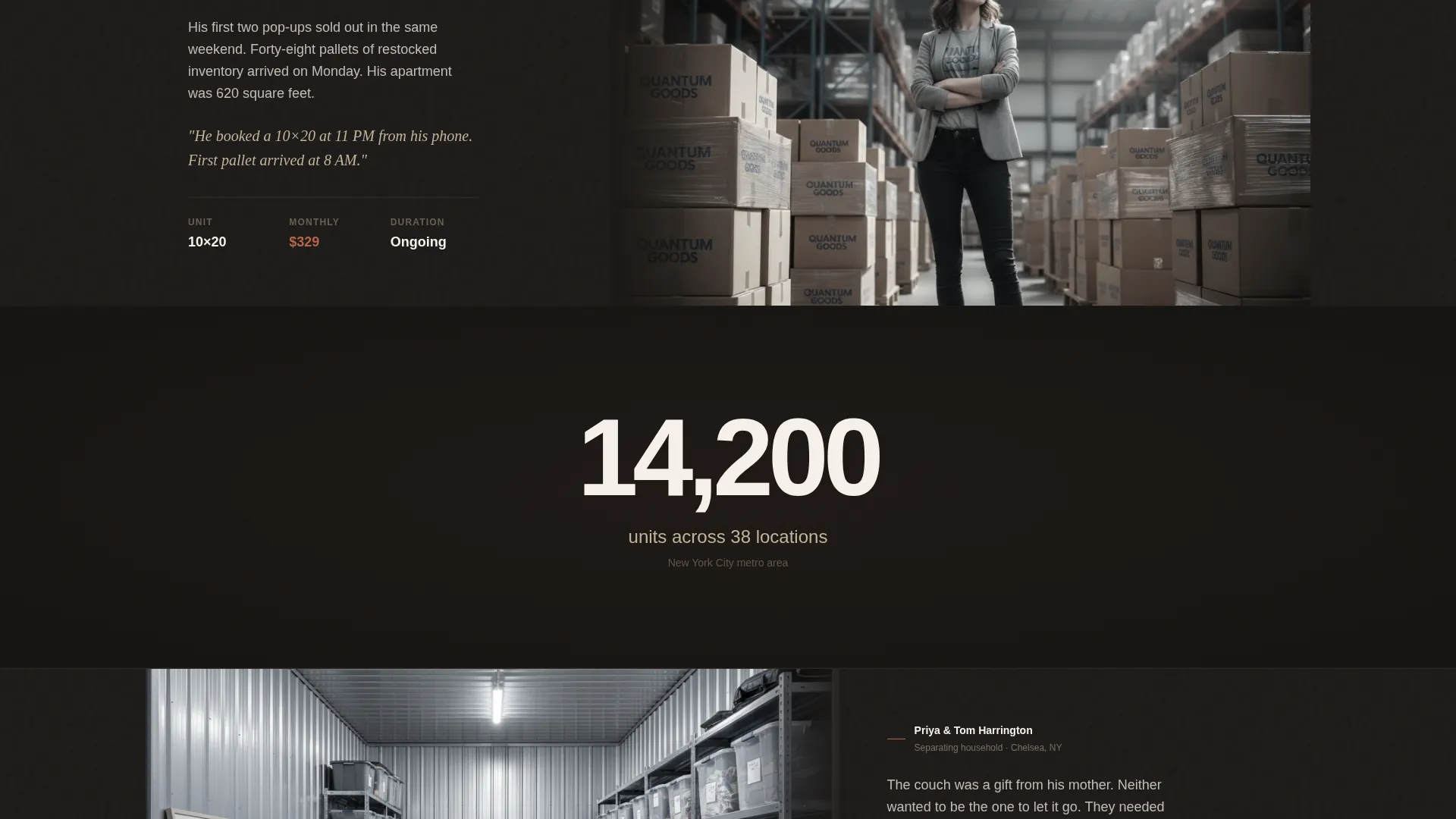
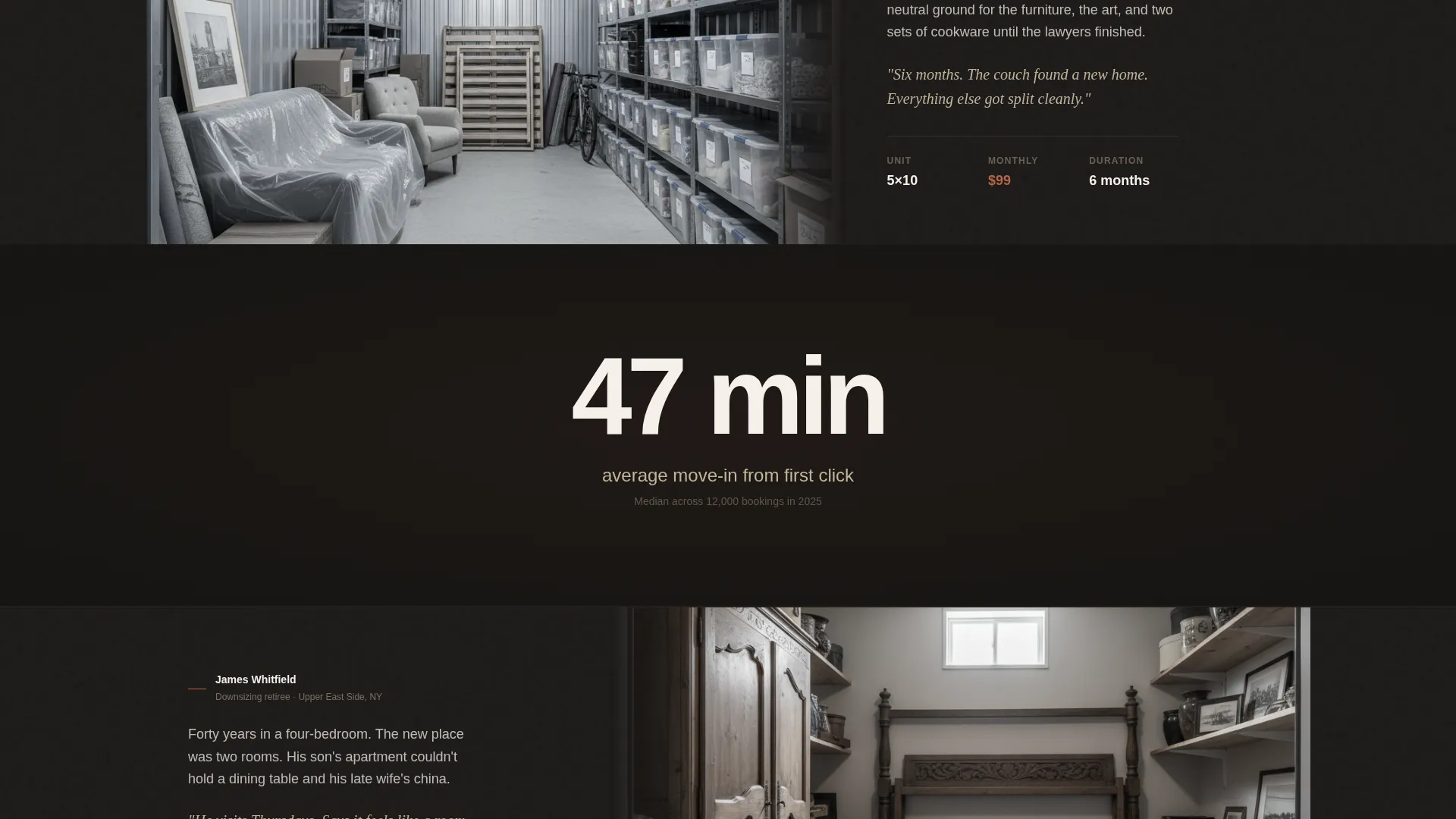
Real-tenant stories scroll in alternating 60/40 columns. One side carries a cinematic photograph, the other carries punchy copy covering the problem, the unit size chosen, the monthly cost, and the outcome. The grid flips sides between stories, creating a visual pull that draws readers downward through the page.
Floating Lead Capture Bar
After the visitor scrolls past the header map, a terracotta "Find Your Unit" bar pins to the viewport. It stays visible through the entire case study section, so the call to action is never more than one click away regardless of scroll position.
Three-Step Progressive Form
Clicking the floating bar opens a multi-step form. Step one collects zip code and size estimate using visual box illustrations. Step two captures move-in timeline and access frequency. Step three asks for name, phone, and email. Breaking the form into steps reduces perceived friction.
Full-Dark Stat Interstitials
Between case study blocks, single-stat panels float on near-black backgrounds. These panels surface credibility numbers such as total unit count and average move-in time. They break the scroll rhythm and reinforce platform scale without cluttering the narrative sections.
Warm Stone Dark Color System
The entire template runs on a four-tone palette of deep charcoal, sandstone tan, weathered concrete, and muted terracotta. Terracotta is reserved strictly for calls to action, hover states, and price tags, so every actionable element stands out instantly against the dark background.
Page sections overview
| Section | Purpose |
|---|---|
| Map Header | Show nearby inventory and capture initial search intent |
| Search Form Panel | Collect zip code, unit size, and move-in date |
| Case Study Block | Build trust through real tenant stories and outcomes |
| Stat Interstitial | Reinforce platform scale with single credibility figures |
| Floating call to action Bar | Keep the primary lead action visible throughout scroll |
| Progressive Lead Form | Guide visitors to submit contact details in three steps |
| Space Advisor Link | Offer a direct-call secondary path for hesitant visitors |
Design & branding system
The visual identity is a Dark Immersive theme built on a Warm Stone color system. Every design decision references the atmosphere of a well-lit storage corridor at midnight: warm halogen on sealed concrete, a single terracotta exit glow as the only active color.
- Four-tone palette: deep charcoal (#1C1917), sandstone tan (#C2B59B), weathered concrete (#6B6560), and muted terracotta (#B5654A)
- Backgrounds run near-black; body text lives in sandstone and off-white (#F5F0EB); terracotta activates only on calls to action and price elements
- No stock photography of smiling people; visuals are cinematic and context-specific, anchored in real storage environments and tenant subjects
Mobile & speed optimization
The 60/40 asymmetric grid is designed to reflow cleanly on smaller viewports. The map header, case study blocks, and stat interstitials each maintain their visual hierarchy when columns stack vertically on mobile screens.
- The floating "Find Your Unit" bar remains pinned and functional on mobile, keeping the primary call to action accessible at every scroll depth
- The three-step progressive form uses large touch targets and visual box illustrations that scale without requiring hover interactions
How this template helps you convert
The page is structured as a deliberate trust-building sequence. Each section reduces a specific objection before the lead form appears.
- The map header removes doubt about nearby availability before the visitor reads a single line of copy, making inventory feel real and accessible from the first second on the page.
- The alternating case study grid answers the question "does this actually work for someone like me?" by matching specific life situations to specific unit choices and costs.
- The progressive three-step form reduces form anxiety by asking for low-commitment information first, so visitors reach the contact step already invested in the process.
Other information about this template
This template is categorised under Real Estate and Property, within the Space and Rental Platforms subcategory. It is designed for storage unit rental platforms operating in urban markets where speed of booking and proof of nearby inventory are the two biggest conversion drivers.
- The template style is a Zigzag/Alternating grid layout, which suits any platform that wants to present multiple user stories or property types in a visually engaging scroll
- The landing page is built as a single-page flow with no multi-page navigation, keeping visitors focused on one conversion path
- The "Talk to a Space Advisor" secondary call to action is styled in sandstone and positioned as a lower-friction alternative for visitors not ready to complete the form
Theme
Atelier Studio
Creative direction
Gallery Walk
Color system
Midnight Blue
Style
Zigzag/Alternating
Direction
Quiz/Assessment
Page Sections
Map-based Inventory Header
Zigzag Case Study Grid
Floating Lead Capture Bar
Three-step Progressive Form
Full-dark Stat Interstitials
Warm Stone Dark Color System
Related questions
What type of business is this landing page template designed for?
Does the template include the three-step lead form as a built-in component?
Can I use this template for a single storage location instead of a multi-site platform?
How does the zigzag grid layout affect the reading experience?
Is the Warm Stone color palette customisable?



