Real Estate & Property Law Specialist Booking Website Template
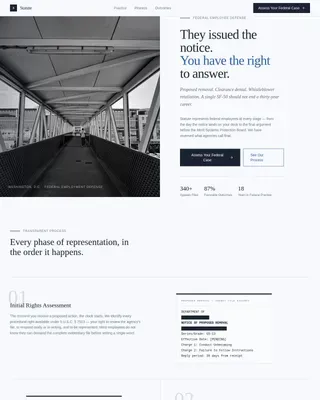
Statute is a single-page landing page template built for environmental land use law firms. It follows a Problem-to-Solution arc, using a manifesto header, stark problem cards, and a persuasive comparison table to move visitors from anxiety to action. The primary call to action drives consultation bookings. A secondary lead-capture path offers a downloadable regulatory checklist.
by Rocket studio
Quick summary
Statute is a landing page template designed for environmental land use law firms serving developers, ranchers, and planners in active regulatory disputes. It opens with a bold serif manifesto, walks visitors through three common legal nightmares, then uses a comparison table to show exactly what counsel changes. The page closes with a focused booking form and a secondary checklist download.
Who this template is for
This template is built for law firms and legal practitioners who handle complex land use and environmental regulatory matters. The intended user is a firm principal or marketing lead who needs a high-credibility page that converts project-pressured clients quickly.
- Environmental land use attorneys who want a client-facing page that earns immediate trust
- Legal marketing professionals building a dedicated intake funnel for permitting, compliance, or eminent domain work
- Boutique firms serving developers, ranchers, or municipal planners with active regulatory exposure
What problem this template solves
Regulatory crises move fast. Developers facing a cease-and-desist, ranchers with revoked grazing permits, and planners stalled mid-National Environmental Policy Act review do not have time for a generic law firm homepage. They need to see, immediately, that this firm understands their situation and has resolved it before.
- Generic legal templates fail to communicate urgency or domain authority for land use matters
- Visitors arrive mid-crisis and leave without booking if the page does not reflect their specific problem
- Without a structured comparison, visitors cannot quickly weigh the cost of inaction against the cost of retaining counsel
What you get with this template
You get a complete single-page layout built around a Problem-to-Solution persuasion arc. Every section earns its place by moving the visitor one step closer to the intake form. The design system uses editorial serif typography and a restrained four-color palette that projects calm authority.
- A manifesto hero section, three problem cards, a side-by-side comparison table, social proof callouts, and a three-field booking form
- A secondary lead-capture path with a checklist download modal for visitors not yet ready to schedule
- Fraunces serif headlines paired with DM Sans body text, styled in a brief-paper cream and storm-front charcoal palette
Feature list
This template ships with a focused set of interactive and visual components, each grounded in the brief's persuasion arc and legal-authority design direction.
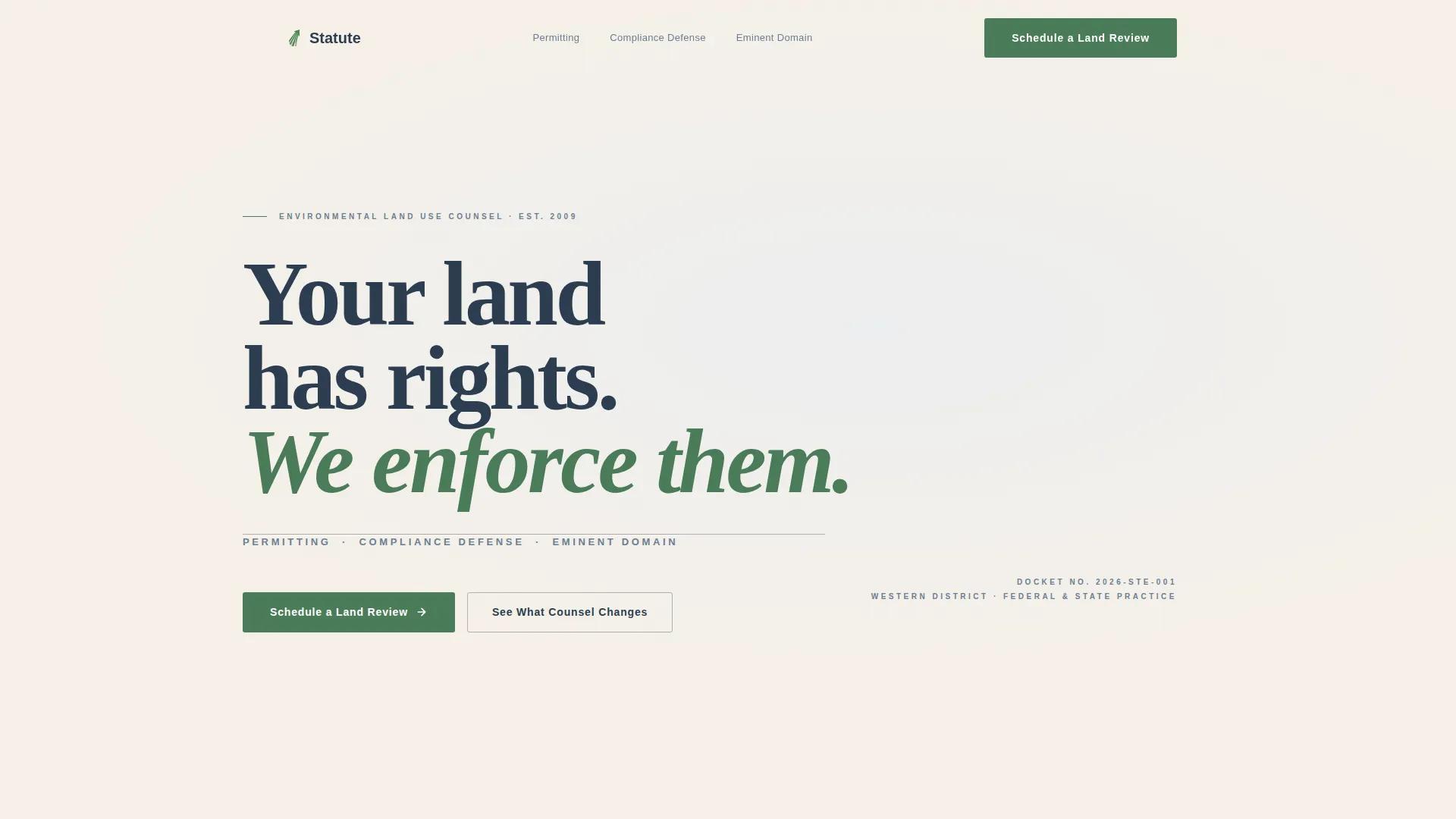
Manifesto Hero with Practice Area Rule Line
The header holds a single typographic statement set in sharp Fraunces serif: "Your land has rights. We enforce them." A thin horizontal rule beneath it names the three practice areas, permitting, compliance defense, and eminent domain. No imagery is used. The language functions as the visual anchor.
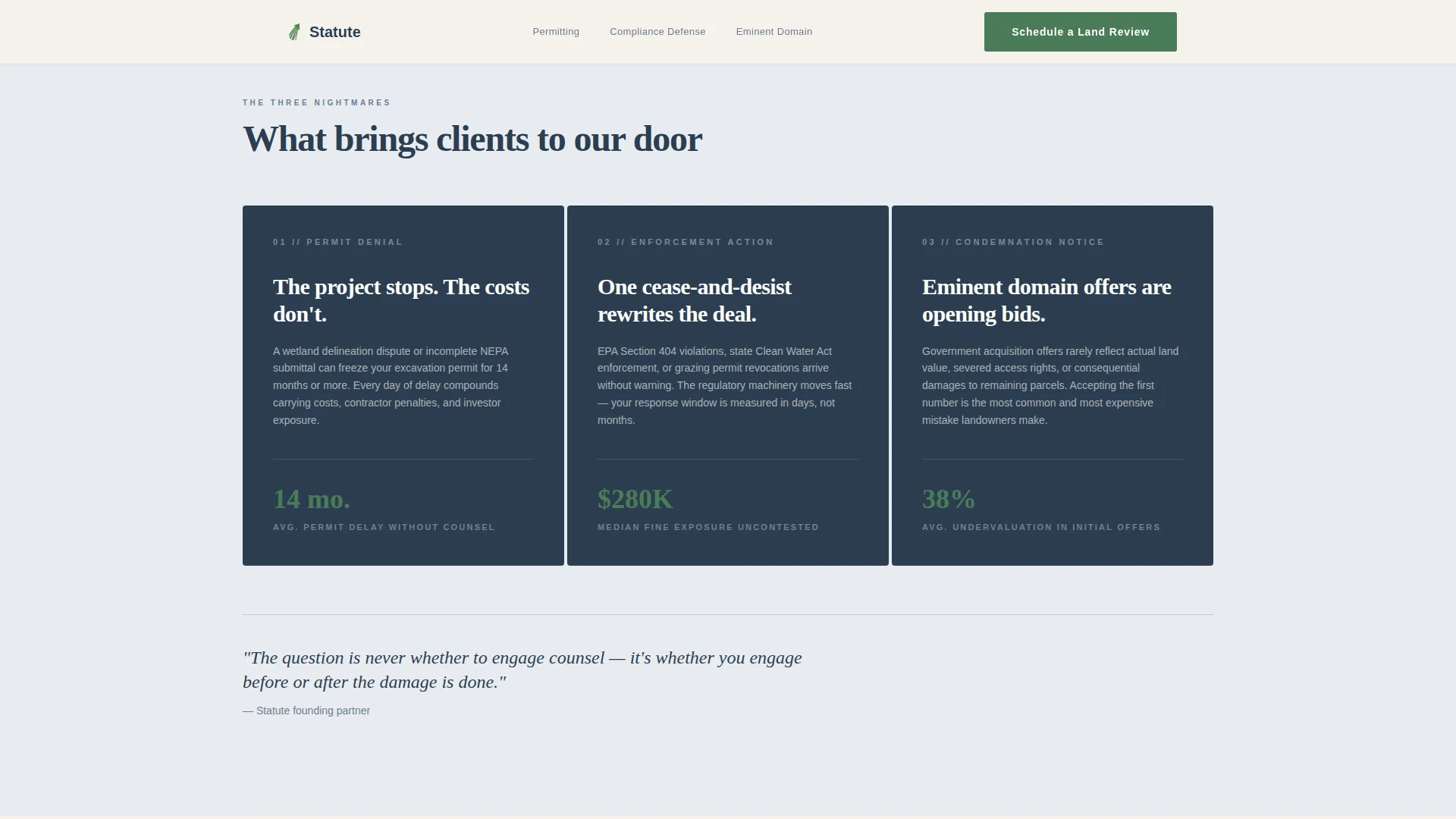
Three Problem Cards
Three stark charcoal cards name the core client nightmares: permit denial, enforcement action, and condemnation notice. Each card is presented without softening language. Scroll-triggered reveals animate the cards into view, reinforcing the weight of each problem before the solution is introduced.
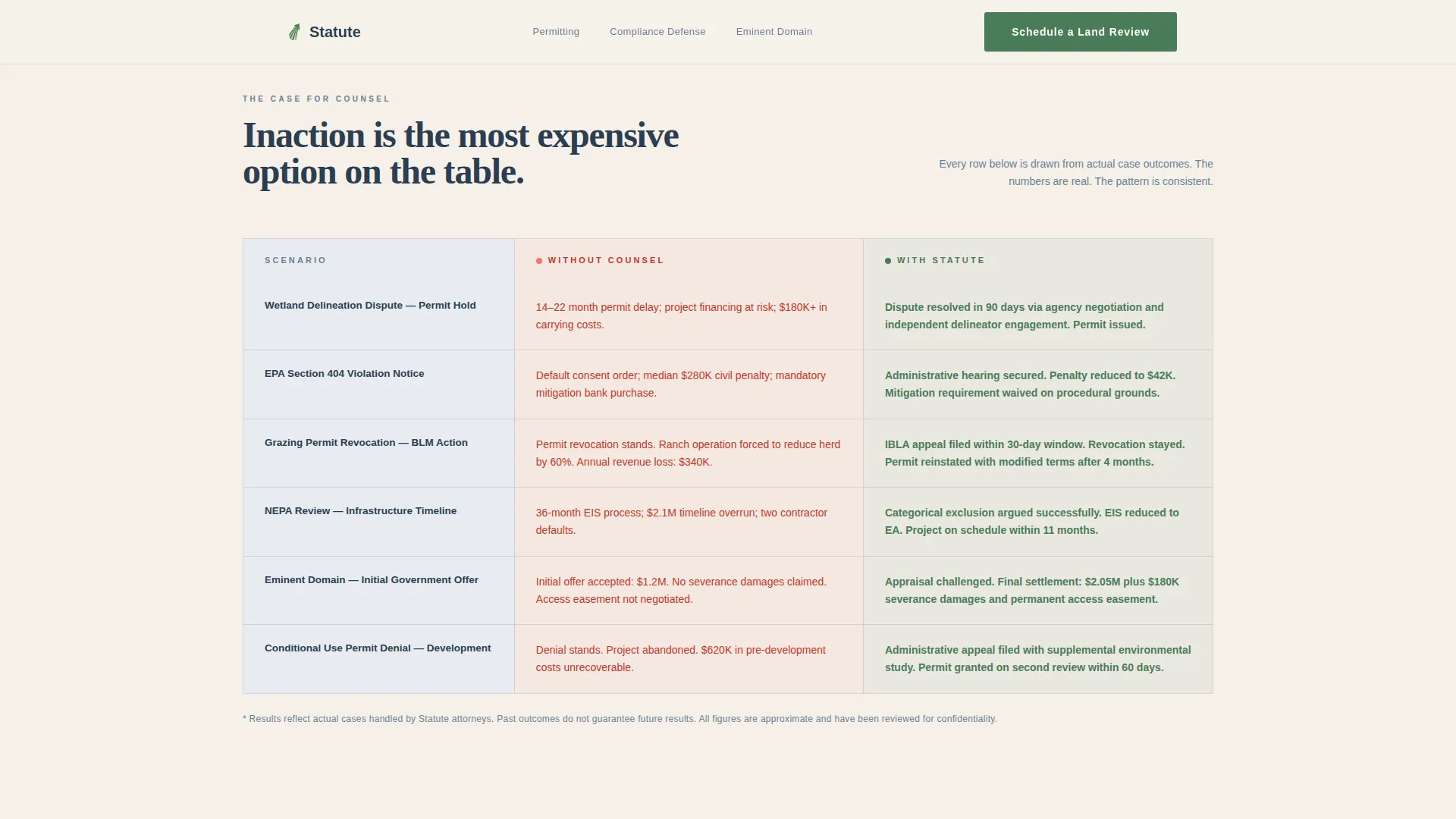
Persuasive Comparison Table
The core persuasion engine maps each problem against the firm's intervention. Rows compare timelines without counsel versus timelines with the firm, typical regulatory outcomes versus the firm's case results, and regulatory exposure before and after engagement. Data points are specific, such as a 14-month permit delay reduced to 90 days. Table rows stagger in on scroll.
Consultation Booking Form
The primary call to action is "Schedule a Land Review." The intake form collects three fields: property address, issue type via a dropdown (permitting, enforcement, acquisition threat, or other), and a preferred consultation window. Only the form components use client-side rendering; the rest of the page uses static server components.
Regulatory Checklist Lead Capture
A secondary conversion path offers a downloadable Landowner's Regulatory Checklist. Visitors who are not ready to book can submit their email through a modal to receive the checklist. This path captures contacts for nurture without requiring an immediate commitment.
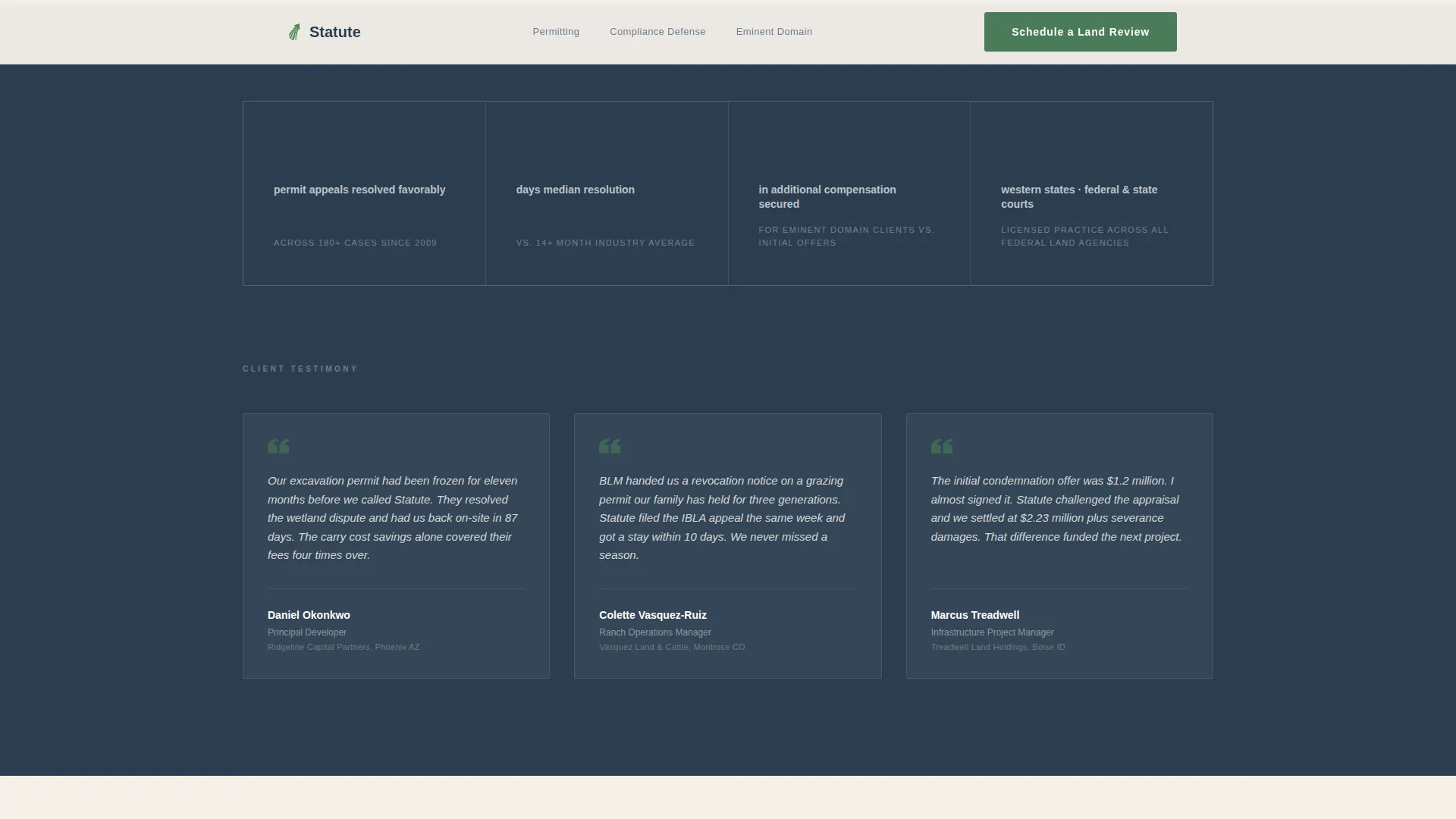
Social Proof Callouts
Specific case result numbers appear as standalone callout blocks alongside client role attributions. These figures reinforce the comparison table's claims and give hesitant visitors a concrete reference point before they reach the form.
Page sections overview
| Section | Purpose |
|---|---|
| Manifesto Hero | Opens with a bold typographic statement and practice area names |
| Three Nightmare Cards | Names permit denial, enforcement action, and condemnation notice |
| Comparison Table | Maps each problem to firm outcomes with real timeline data |
| Social Proof Callouts | Reinforces case results with specific numbers and client roles |
| Booking Intake Form | Captures property address, issue type, and preferred meeting window |
| Checklist Capture Modal | Offers a secondary lead path via downloadable regulatory checklist |
| Footer | Linear single-row layout with firm contact and navigation links |
Design & branding system
The visual identity follows a Legal Shield theme built on a Cloud Canvas color system. The palette draws from overcast white (#E8ECF1), brief-paper cream (#F5F0E8), storm-front charcoal (#2C3E50), and precedent green (#4A7C59). Green is reserved strictly for calls to action and verdict-positive indicators. The result feels like a stack of case files on a mahogany desk beside a rain-streaked window.
- Typography: Fraunces serif for all headings; DM Sans for body copy and form labels
- Color use: Brief-paper cream as the page background; storm-front charcoal for primary text and cards; precedent green only on calls to action
- Animation: Medium intensity with scroll-triggered section reveals, comparison table row stagger, and card hover states
Mobile & speed optimization
The template is designed desktop-first, reflecting the brief's note that primary users review during project planning at a desk. The layout adapts cleanly for smaller screens without sacrificing the editorial weight of the serif typography or the readability of the comparison table.
- Static server components handle all non-interactive sections for fast initial rendering
- Client-side rendering is scoped exclusively to the booking form and checklist modal
- The comparison table is structured to reflow gracefully on narrower viewports without losing row clarity
How this template helps you convert
The entire page is built as a single persuasion sequence. By the time a visitor reaches the form, the template has already done the argumentative work.
- The manifesto header establishes authority immediately, setting the firm apart from generic legal service pages before the visitor scrolls.
- The problem cards name specific crises the visitor is likely living through, creating recognition that this firm understands their exact situation.
- The comparison table quantifies the cost of inaction with real timeline and outcome data, making the booking form feel like a logical next step rather than a cold ask.
Other information about this template
This template is categorized under Legal and Compliance, with a subcategory of Real Estate and Property Law and a niche focus on environmental land use law. It is localized for United States audiences, using USD and MM/DD/YYYY date formatting throughout. The intersection match score for this template's category, subcategory, and niche alignment is 13.
- The footer uses a Pattern 1 linear single-row layout with firm contact and minimal navigation
- The template is built for B2B legal services with project-based clients, not consumer-facing general practice
- Device priority is desktop-first, though the layout supports full responsive reflow for tablet and mobile viewing
Theme
Legal Shield
Creative direction
Problem→Solution Arc
Color system
Cloud Canvas
Style
Comparison Table
Direction
Booking/Scheduling
Page Sections
Manifesto Hero with Practice Area Line
Three Problem Cards with Scroll Reveals
Side-by-side Comparison Table
Three-field Consultation Booking Form
Checklist Download Lead Capture Modal
Social Proof Case Result Callouts
Related questions
What kind of law firm is this template designed for?
Can I edit the comparison table to reflect my firm's actual case results?
What does the intake form collect from visitors?
Is there a lead capture option for visitors not ready to book?
What sections are included in this landing page?