Federal Code Enforcement Agency Landing Page Template
The Statute template is a split-screen landing page built for federal code enforcement agencies. It pairs an oversized civic headline with a structured quick-access panel, then walks visitors through escalating FAQ sections tied to real downloadable resources. The result is an authoritative, no-filler page that serves code officers, property owners, and city attorneys with equal clarity.
by Rocket studio
Quick summary
Statute is a desktop-first, split-screen landing page template for federal code enforcement agencies. It leads with a bold typographic headline, guides visitors through three escalating FAQ sections with attached downloadable resources, and closes with a role-gated Enforcement Toolkit download. The design feels institutional and deliberate, modeled on civic authority rather than marketing persuasion.
Who this template is for
This template is built for federal and municipal agencies that need to communicate code enforcement rules clearly and credibly. It serves multiple distinct audiences from a single page without diluting the message for any of them.
- Municipal code officers who need updated federal guidelines, model ordinances, and penalty references
- Property owners who have received a notice of violation and need to understand their rights and response timelines
- City attorneys and municipal planners building enforcement cases who need penalty schedules and statutory references
What problem this template solves
Most government agency pages bury critical information under navigation layers or present dense legal text without context. Visitors arrive with urgent, specific questions and leave without answers.
- Code officers waste time hunting for the right federal standard when local amendments conflict
- Property owners receiving a notice of violation often do not know how much time they have or what the appeal process looks like
- City attorneys need penalty matrices and model ordinances in one place, not scattered across separate portals
What you get with this template
This template delivers a fully structured, single-page layout with no stock imagery and no decorative filler. Every section does a specific job.
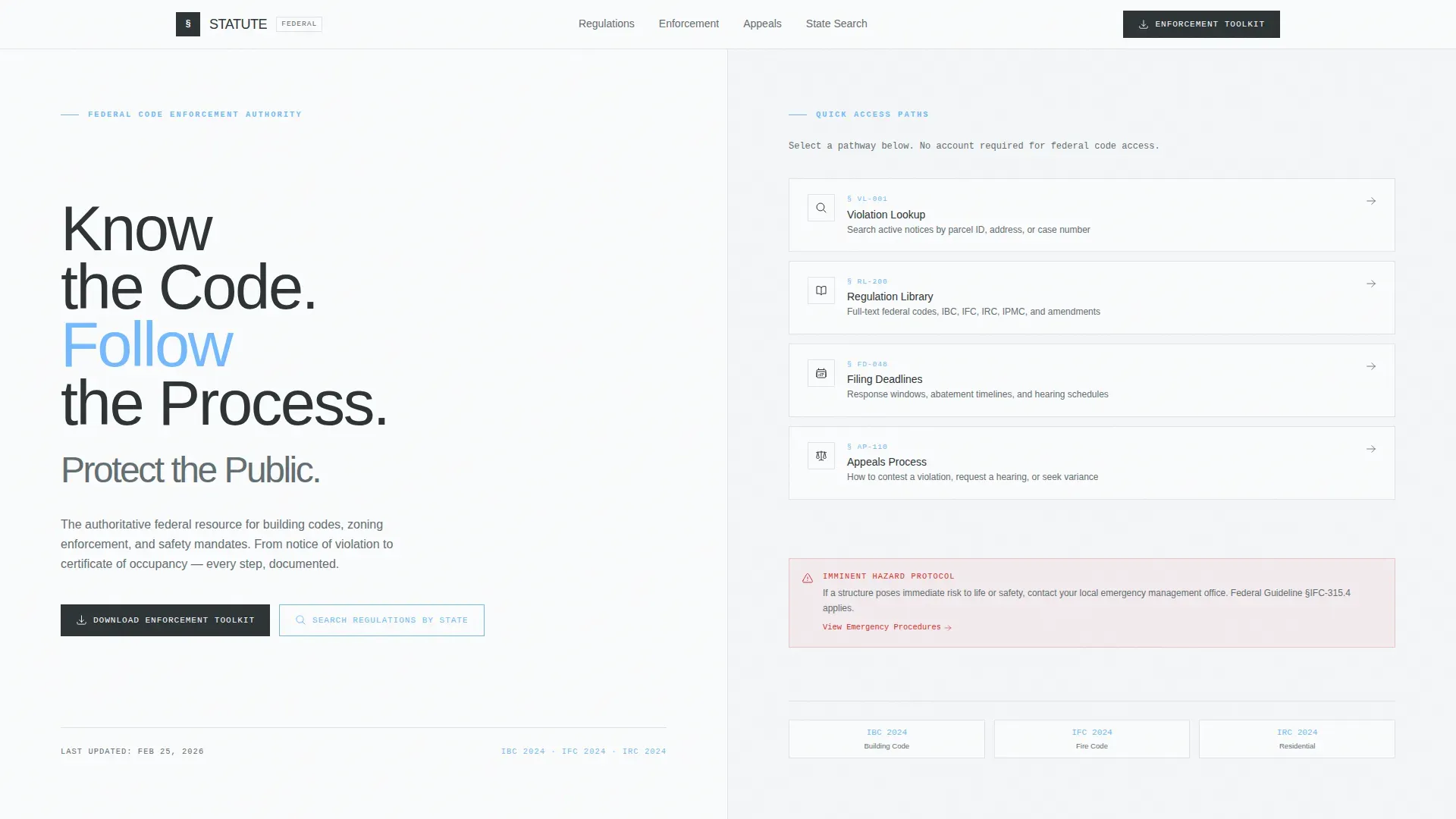
- A split-screen hero with a commanding typographic headline on the left and a four-path quick-access panel on the right
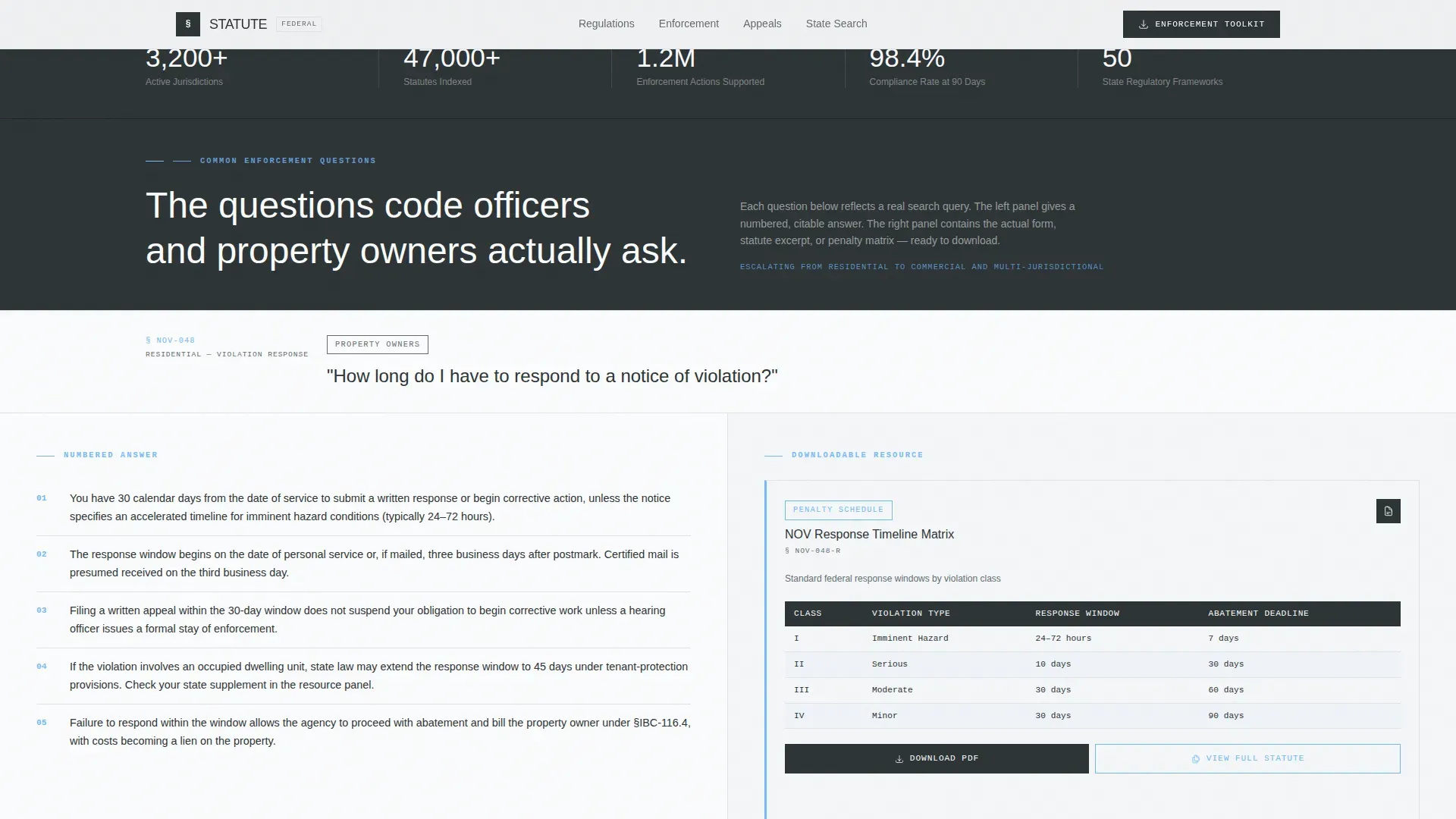
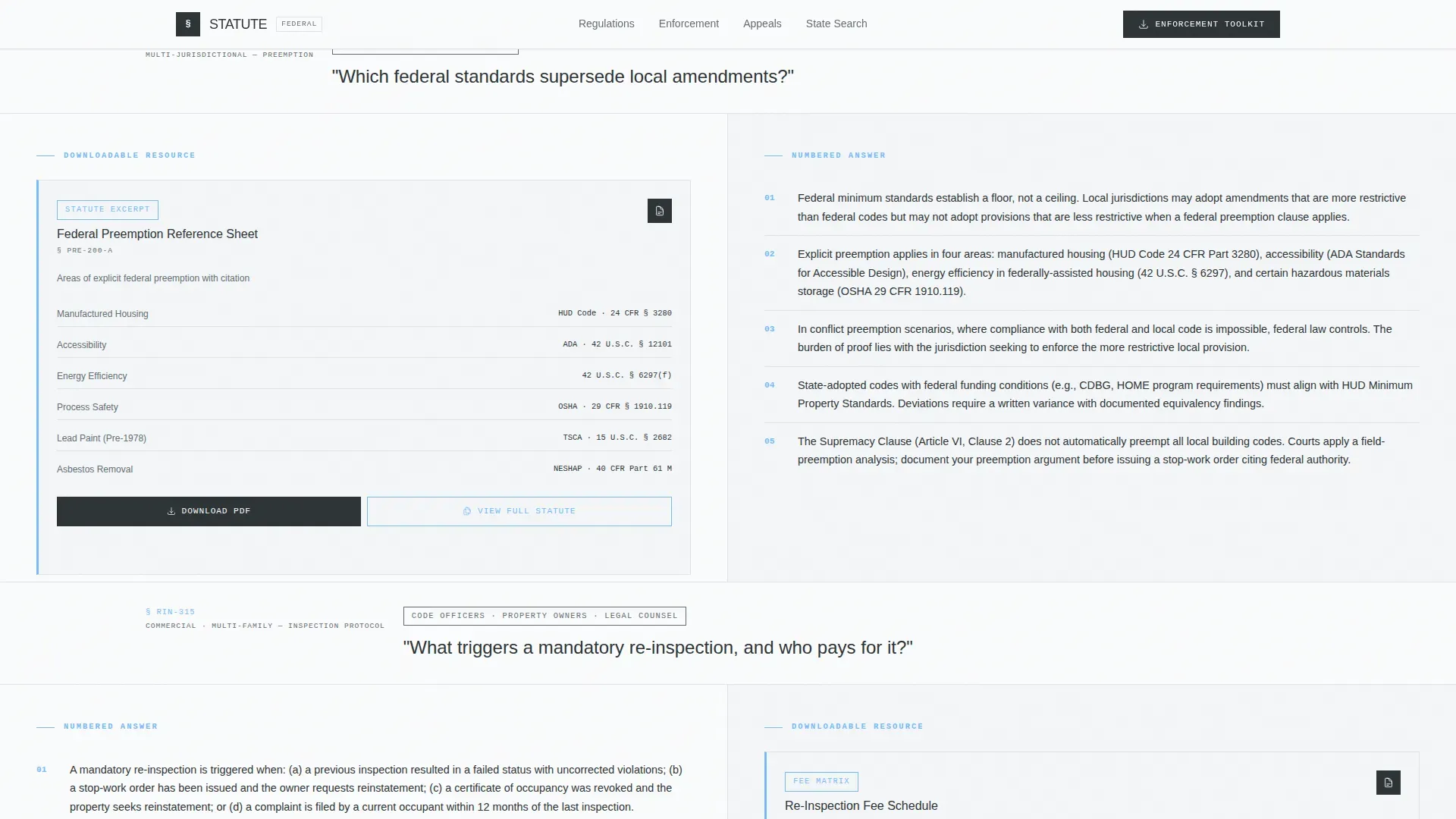
- Three escalating FAQ panels, each pairing a plain-language question and numbered answer with a corresponding downloadable resource
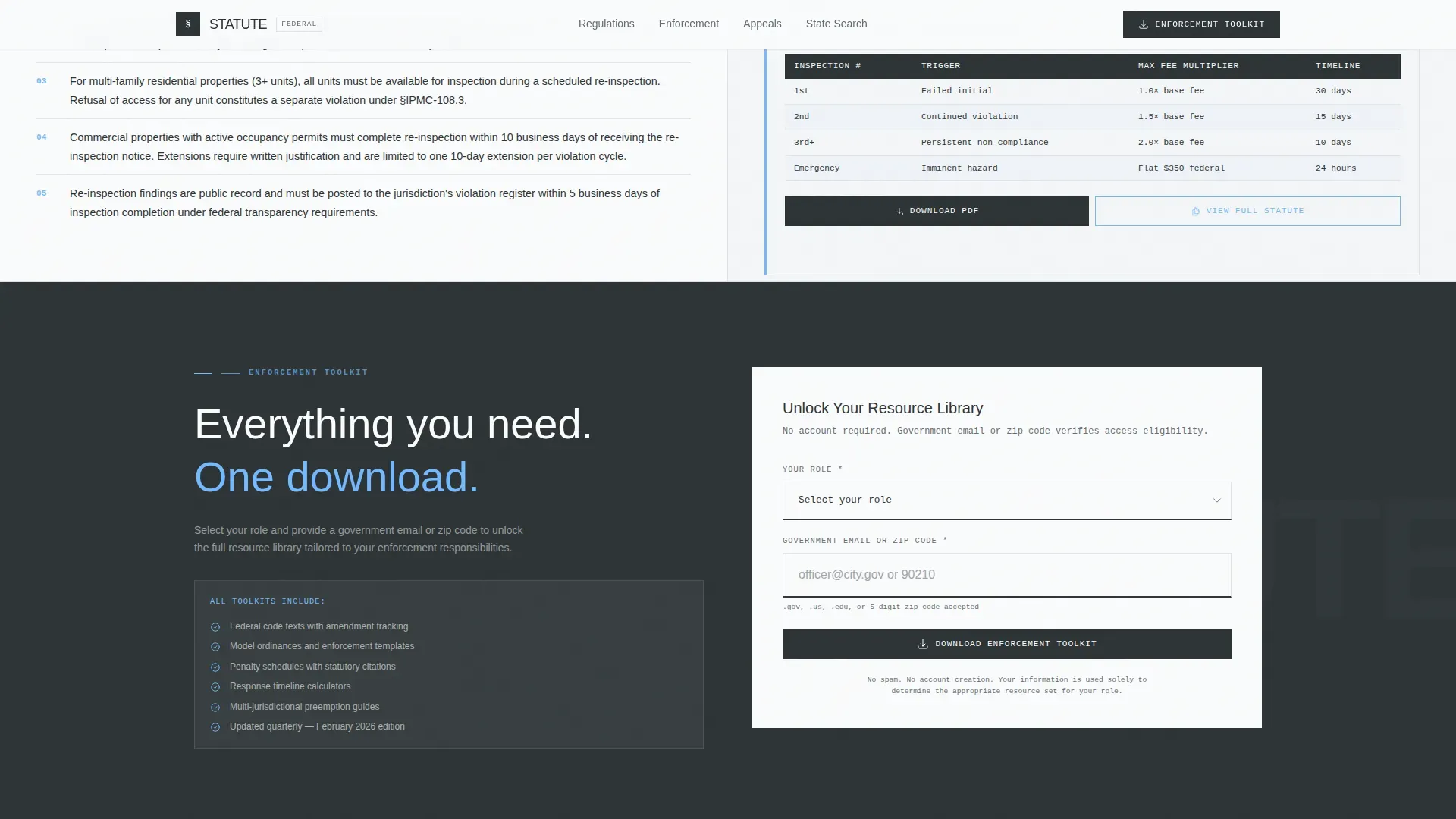
- A role-selector Enforcement Toolkit call to action, a no-form state regulation search tool, and a single-row footer
Feature list
This template includes six core functional components, each designed with a specific audience task in mind.
Split-Screen Typographic Hero
The left half displays an oversized DM Sans headline set at building-facade scale. The right half holds four clearly labeled search paths: violation lookup, regulation library, filing deadlines, and appeals process. No images are used. Typography carries all the authority.
Escalating FAQ Layout
Three question-and-answer sections are arranged in alternating left-right panels. Questions escalate from common residential inquiries to complex commercial and multi-jurisdictional scenarios. Each FAQ block answers fully before any download or form appears.
Downloadable Resource Panels
Each FAQ section links directly to an attached downloadable resource: the actual form, the statute excerpt, or the penalty matrix relevant to that question. Resources are surfaced in context, not hidden behind a general library page.
Enforcement Toolkit Call to Action
A role-selector form appears at the page midpoint and repeats in the footer. Visitors choose their role (code officer, property owner, legal counsel, or municipal planner) and enter a government email or zip code to unlock the full resource library.
No-Form State Regulation Search
A secondary search path lets visitors look up regulations by state without filling in any form. This provides immediate value and builds trust before the download request appears.
Institutional Trust Bar
A statistics bar displays institutional metrics such as jurisdictions covered, statutes indexed, and enforcement actions supported. These figures reinforce agency credibility without marketing language.
Page sections overview
| Section | Purpose |
|---|---|
| Hero, Split 50/50 | Headline statement left, quick-access panel right |
| Institutional Trust Bar | Displays jurisdictional and statutory metrics |
| FAQ Block One | Residential violation questions with downloadable form |
| FAQ Block Two | Inspection and re-inspection questions with statute excerpt |
| FAQ Block Three | Commercial and multi-jurisdictional questions with penalty matrix |
| Enforcement Toolkit call to action | Role selector and government email or zip code form |
| State Regulation Search | Immediate no-form search by state |
| Footer, Single Row | Linear footer with essential agency links |
Design & branding system
The visual identity follows a Civic Service theme built around the Slate and Sky color system. The palette reads like the granite steps of a federal courthouse on a clear morning: precise, stable, and professionally restrained.
- Deep charcoal (#2D3436) anchors primary text and navigation; institutional mid-gray (#636E72) handles secondary copy; open-sky blue (#74B9FF) marks active links and interactive elements; federal white (#FAFBFC) fills content panels
- DM Sans carries all authority headlines at oversized civic scale; IBM Plex Mono renders codes, statute references, and form identifiers for legibility and institutional tone
Mobile & speed optimization
The template is designed desktop-first, reflecting that the primary users work at desks with printed materials nearby. Full mobile support is included so the same content remains usable on any device.
- The typography-only hero eliminates image loading entirely, keeping the above-the-fold experience fast and focused
- Server components handle static sections, and GSAP ScrollTrigger powers medium-weight reveal animations and staggered FAQ entrances without adding decorative overhead
How this template helps you convert
The page earns engagement by delivering genuine value before it asks for anything in return. The conversion structure is sequenced deliberately.
- Three complete FAQ answers with real downloadable resources appear before any form or call to action, so visitors already trust the agency before they see the Enforcement Toolkit prompt
- A no-form state regulation search gives immediate utility to visitors who are not yet ready to submit information, keeping them on the page longer and increasing the likelihood they return to the download offer
Other information about this template
This template suits agencies that need to serve multiple distinct user roles without a separate portal for each. A few additional details worth noting:
- The page uses English (United States) language conventions, with dates formatted as MM/DD/YYYY and currency in USD where applicable
- Animation is intentionally moderate: GSAP ScrollTrigger reveals and staggered FAQ entrances add motion without distracting from content authority
- Interactivity is high, with an active role selector, a live state search tool, expandable FAQ states, and downloadable resource panels all built into the layout
- The footer uses a Pattern 1 linear single-row layout, keeping the exit experience as clean and organized as the rest of the page
Theme
Civic Service
Creative direction
FAQ-Driven
Color system
Slate & Sky
Style
Split Screen (50/50)
Direction
Content/Resource
Page Sections
Split-screen Typographic Hero
Escalating FAQ Section Layout
Contextual Downloadable Resource Panels
Role-gated Enforcement Toolkit Call to Action
No-form State Regulation Search
Institutional Metrics Trust Bar
Related questions
Can this template support multiple visitor roles at once?
Does the page require images or stock photography?
How are the downloadable resources tied to the FAQ sections?
Is this template designed primarily for desktop users?
Can visitors search state regulations without submitting a form?



