Professional Childwatch Landing Page Template
Sitter is a single-page babysitting coupon and discount landing page built around a transparent, editorial magazine aesthetic. It presents three service tiers in a side-by-side comparison table, pairs honest per-hour pricing with a clear sitter vetting process, and routes parents directly to booking with a pre-selected coupon parameter and zero form friction on the page.
by Rocket studio
Quick summary
Sitter is a comparison table landing page for a neighborhood babysitting service. It lays out three discount tiers side by side, demystifies sitter vetting in three plain steps, and moves parents to booking with a single coral button. The editorial magazine style earns trust visually before a parent reads a single line of pricing.
Who this template is for
This template is built for neighborhood childcare providers who want to convert browsing parents into confirmed bookings without complicated forms. It works best when you have multiple service tiers and want parents to self-select their level of commitment before clicking through.
- Babysitting services promoting first-visit discounts or recurring-care packages
- Local childcare providers running seasonal or referral coupon campaigns
- Independent sitters or small agencies needing a professional, trust-first promotional page
What problem this template solves
Parents hesitate when pricing is vague and vetting is invisible. This template removes both obstacles at once. It puts honest, tier-by-tier pricing on the page and explains your sitter screening process before parents ever reach the booking button.
- Unclear pricing that makes parents abandon before clicking through to book
- Safety concerns that coupon pages typically ignore or underplay
- Friction caused by asking parents to fill out a form before they have chosen a tier
What you get with this template
You get a fully structured single-page layout that handles discovery, trust-building, and click-through in one scroll. Every section has a defined job, and nothing asks the parent for more than one action.
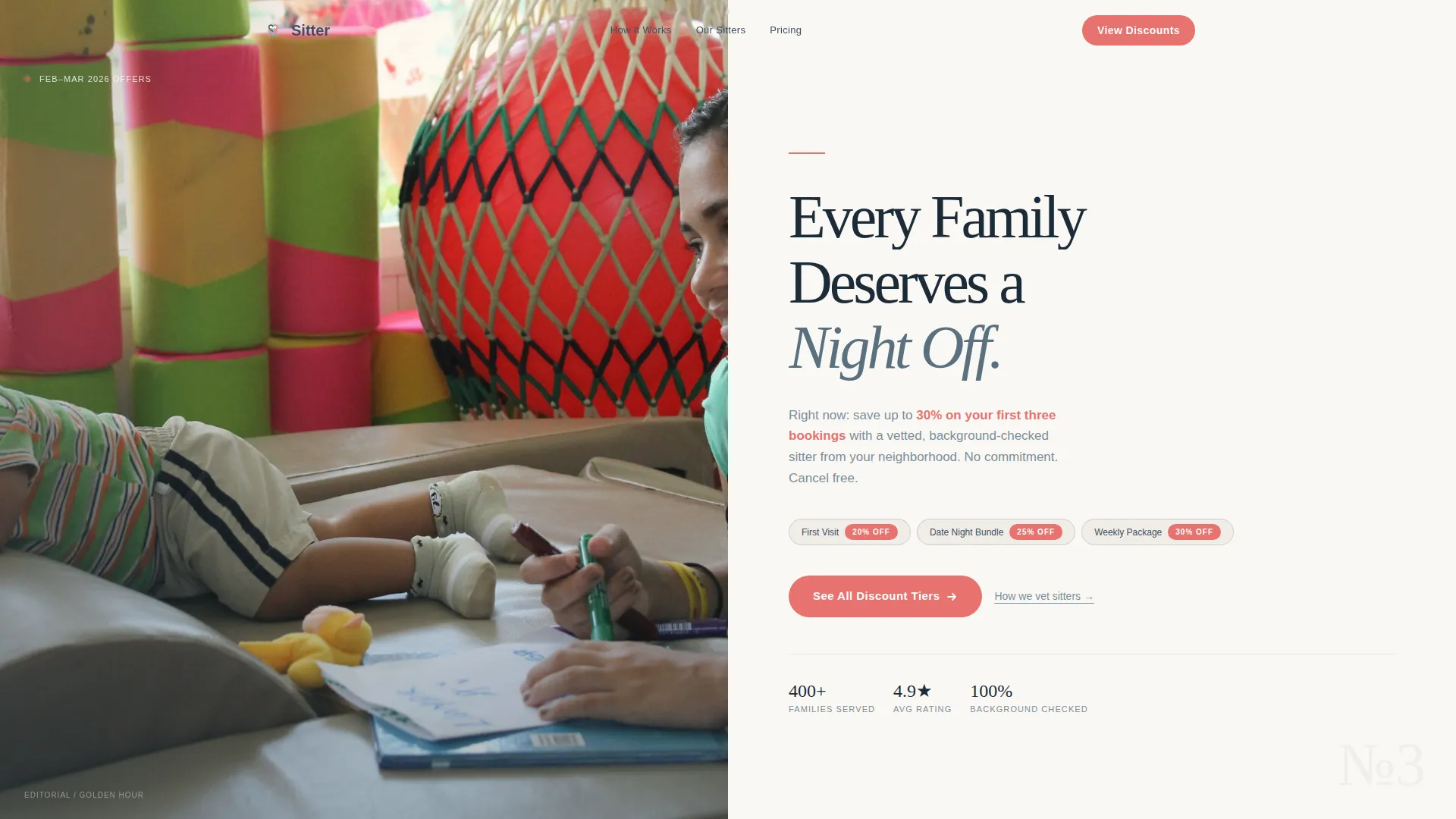
- A hero split with editorial photo placement and a serif headline area
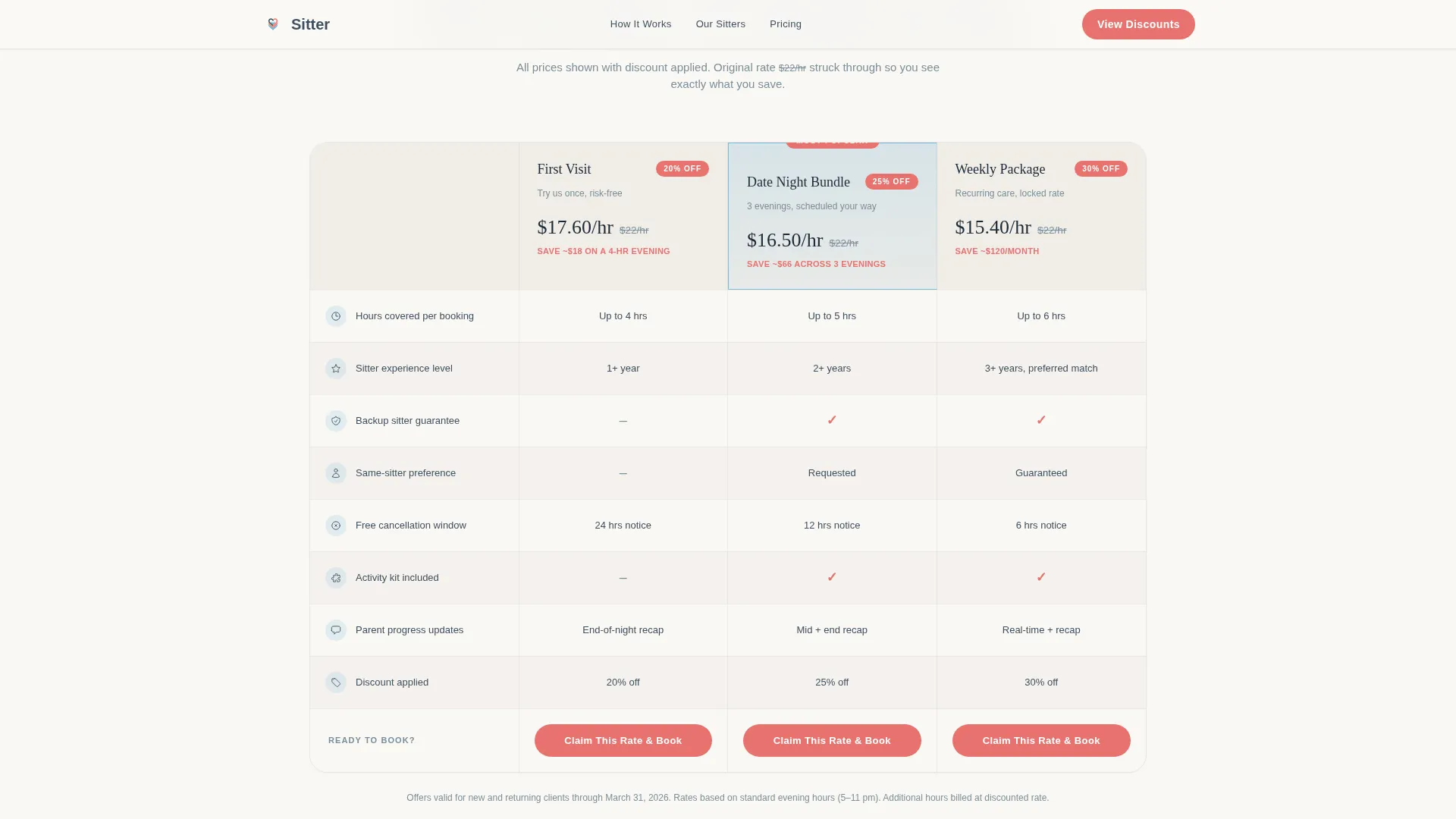
- A three-column comparison table covering hours, experience level, backup guarantees, cancellation terms, and discounted per-hour pricing
- A sitter vetting process strip, magazine-style parent pull quotes, and a sticky mobile call-to-action bar
Feature list
This template ships with a focused set of components, each one chosen to move a skeptical parent closer to clicking "Claim This Rate & Book."
Editorial Hero Split
The header divides into two equal halves. The left side holds a golden-hour candid photograph. The right side presents a serif display headline with a subhead describing the active promotion and a single coral call-to-action button. No decorative clutter competes for attention.
Three-Tier Comparison Table
The comparison table runs three columns: First Visit, Date Night Bundle, and Weekly Package. Each row surfaces hours covered, sitter experience level, backup guarantees, cancellation flexibility, and the discounted per-hour cost with the original price visually struck through. Columns highlight on hover for easy scanning.
Sitter Vetting Process Strip
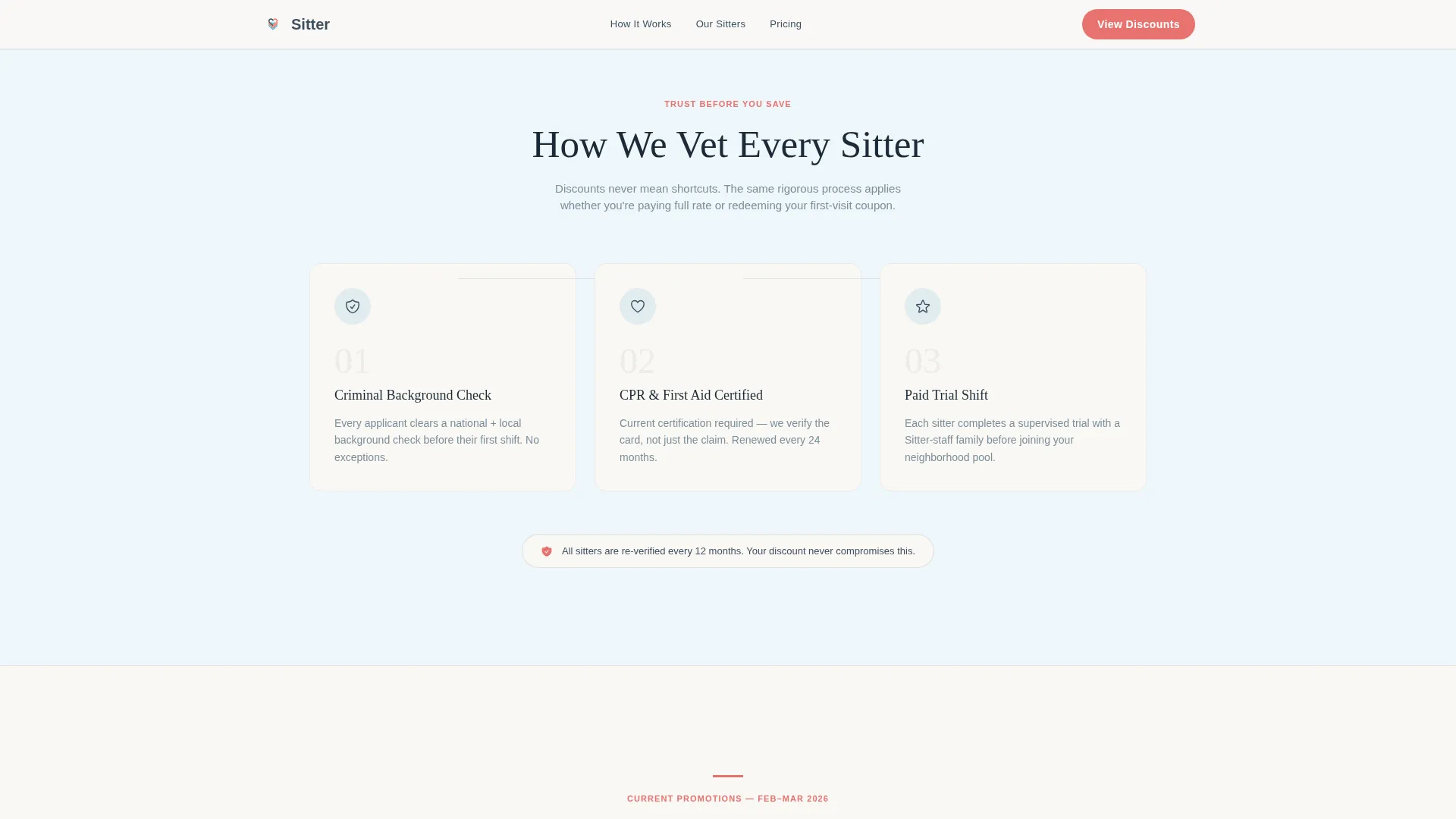
A horizontal three-step strip explains background checks, CPR certification status, and trial-shift requirements in plain language. It sits between table sections so savings never feel like a safety trade-off.
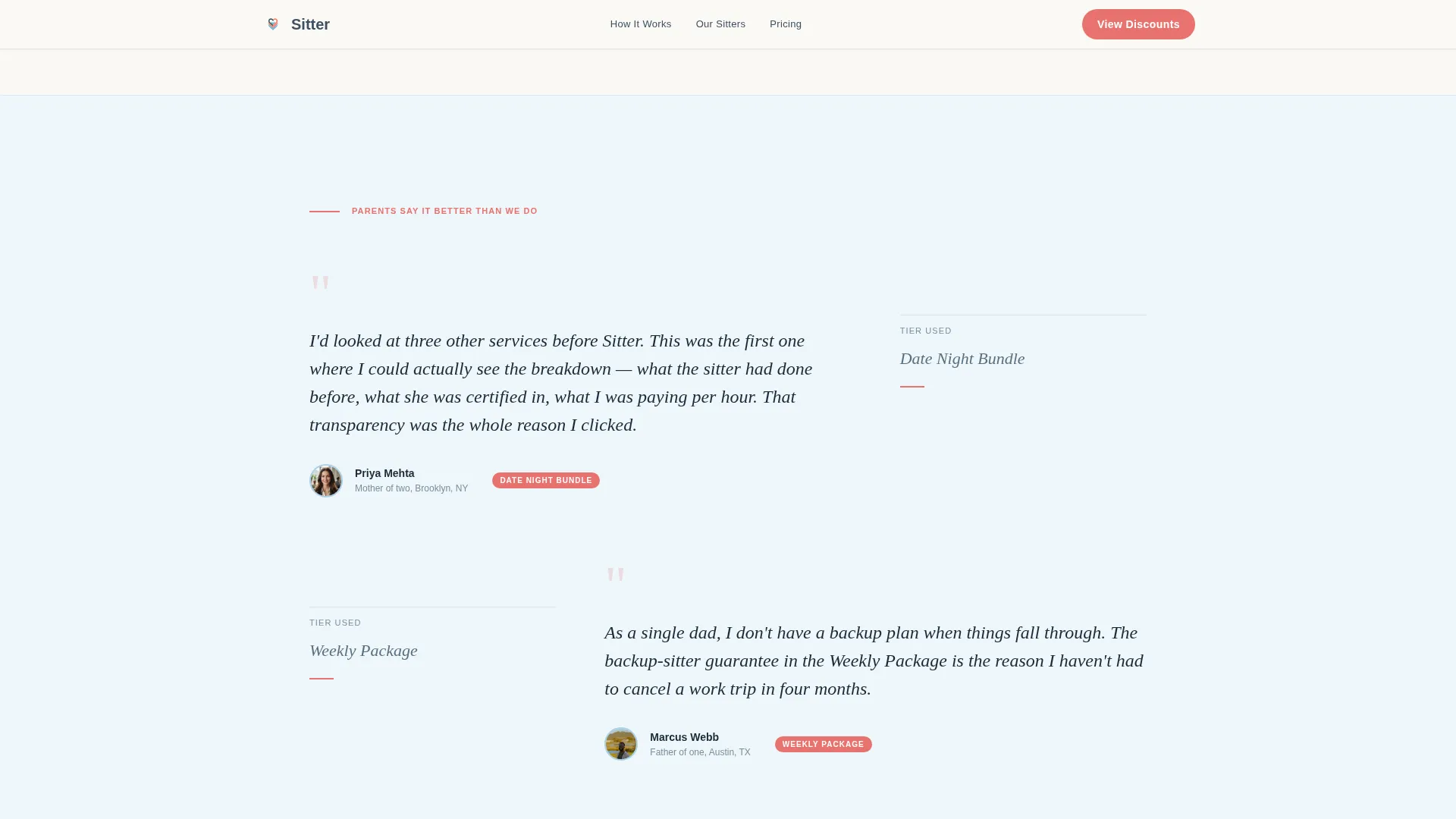
Magazine-Style Pull Quotes
Parent testimonials are formatted as editorial callouts that break the grid between sections. They function like pull quotes in a print magazine, adding social proof without disrupting the table layout.
Coupon Tier Click-Through
Each comparison column contains its own "Claim This Rate & Book" button. Clicking it passes the selected tier as a parameter to the booking platform. No form appears on this page.
Sticky Mobile Call-to-Action Bar
On mobile, a persistent bottom bar carries the tier selector and the primary booking button. Parents can claim a rate at any scroll depth without hunting back to the top.
Page sections overview
| Section | Purpose |
|---|---|
| Hero photo split | Introduce offer with editorial credibility |
| Sitter vetting strip | Establish safety before pricing is judged |
| Comparison table | Show all three discount tiers side by side |
| Parent pull quotes | Reinforce trust between table sections |
| Sticky mobile bar | Keep booking action reachable at all times |
| Footer row | Provide single-row legal and contact links |
Design & branding system
The visual identity follows an Editorial Magazine theme built on the Slate and Sky color system. Every color has a specific role, and none are used interchangeably. The typeface pairing keeps headlines warm and body text clinical enough for pricing clarity.
- Soft charcoal slate (#3D4F5F) for all headline type, confident coral (#E8726E) exclusively for discount badges, call-to-action buttons, and savings callouts
- Cloud-washed sky blue (#A8D0E6) as the primary background wash, warm newsprint white (#FAF8F5) for card surfaces and table rows
- Fraunces serif for display headlines, DM Sans for body copy and table labels, creating a Sunday supplement reading feel
Mobile & speed optimization
The template is built mobile-first. Parents booking childcare typically reach a page on their phone, often between tasks, so the layout prioritizes thumb-reachable actions and fast visual scanning over desktop-first grids.
- Sticky bottom bar keeps "Claim This Rate & Book" available without scrolling back to the hero
- Scroll-triggered table row animations and a GSAP line-reveal hero load progressively, keeping the interface responsive during scroll
- Server Components handle static content sections while Client Components manage animations, separating rendering concerns cleanly
How this template helps you convert
Trust is the conversion mechanism on this page. The layout earns it in layers before the coral button appears, so clicking feels like a logical next step rather than a leap of faith.
- The vetting strip appears above the comparison table, so safety credibility is established before parents evaluate price, removing the most common objection to discounted childcare.
- Struck-through original pricing inside each table column makes the discount concrete and scannable, giving parents a clear reason to act now rather than return later.
- Each column's dedicated "Claim This Rate & Book" button passes the selected tier directly to the booking platform, eliminating the form-filling step that causes the highest drop-off in service booking flows.
Other information about this template
This template is categorized under Professional Services, specifically within the Babysitting Service Marketing subcategory, and is designed for the Babysitting Service Coupon and Discount Page niche. A few additional details worth knowing before you customize it.
- The page direction is Click-Through, meaning conversion happens off-page at your booking platform, not through an on-page form
- Animation intensity is set to medium: the hero uses a GSAP line-reveal, table rows animate on scroll, and pricing counters can be configured for emphasis
- The footer follows a Linear Single-Row pattern, keeping legal, contact, and policy links minimal and unobtrusive
- All copy, pricing figures, parent quotes, and tier names are placeholder content ready to be replaced with your actual service details
Theme
Editorial Magazine
Creative direction
Transparent Process
Color system
Slate & Sky
Style
Comparison Table
Direction
Click-Through
Page Sections
Editorial Hero Split Layout
Three-tier Discount Comparison Table
Sitter Vetting Process Strip
Magazine Pull Quote Blocks
Coupon Tier Click-through Buttons
Sticky Mobile Booking Bar
Related questions
Does this template include a booking form?
Can I change the service tier names and pricing in the comparison table?
Is this template suitable for a solo sitter or only for an agency?
What happens to the parent pull quote sections if I do not have testimonials yet?
How does the sticky mobile bar work on this landing page?



