Diabetes Support Group Landing Page Template
Steady is a warm, split-screen landing page template built for diabetes support groups. It leads visitors through a five-question assessment that personalizes their starting point inside the community. Forest-toned visuals, an animated path illustration, and transparent section reveals make every scroll feel like an honest invitation rather than a sales pitch.
by Rocket studio
Quick summary
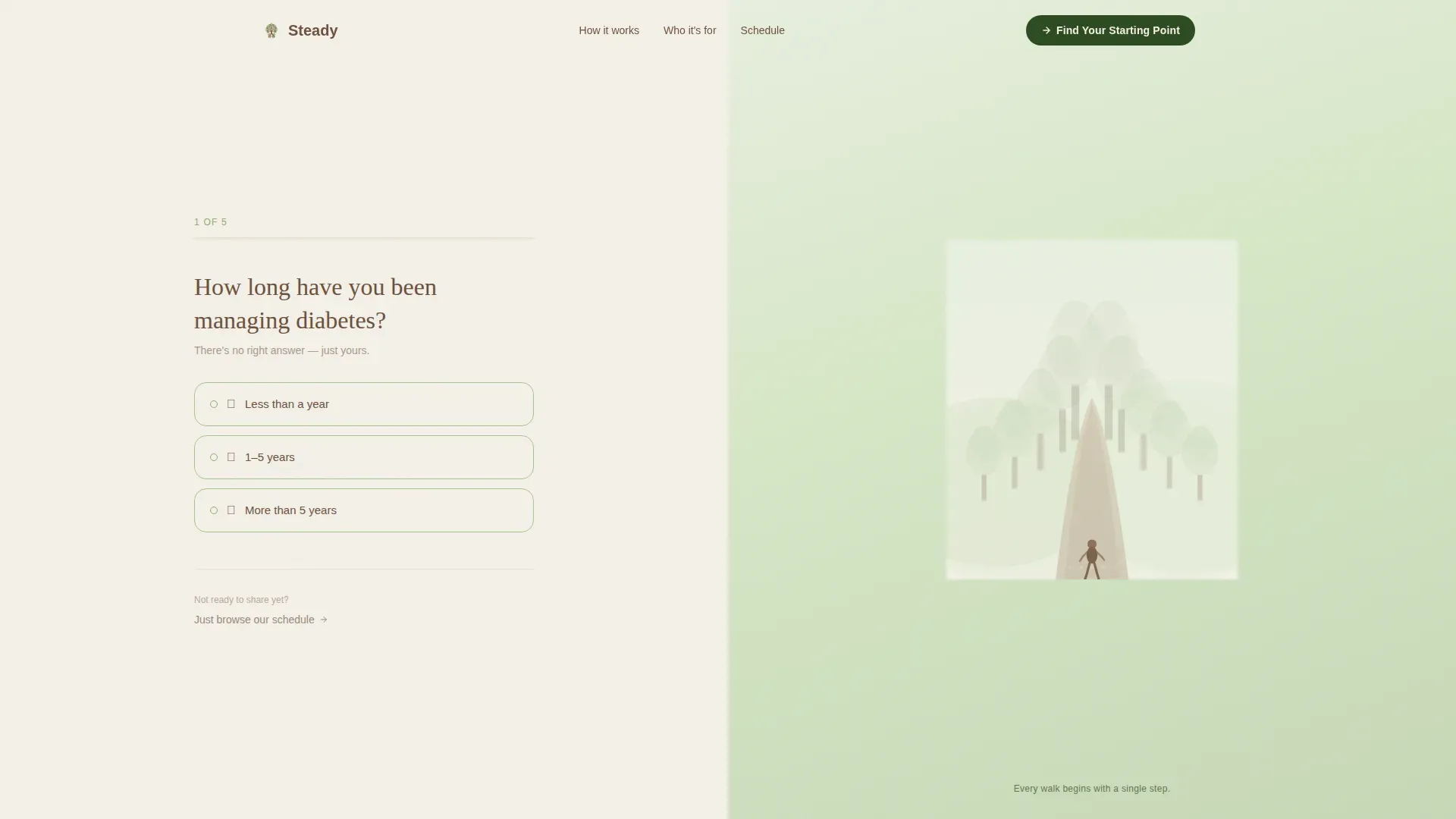
Steady is a single-page, split-screen template designed for peer-led diabetes support communities. The hero opens with a multi-step intake form on the left and an animated forest-path illustration on the right. Scroll sections peel back the group's real structure with radical transparency. The primary call to action, "Find Your Starting Point," threads a five-question assessment through the entire page.
Who this template is for
This template is built for community organizers, peer health advocates, and support-group leaders who want a warm, non-clinical online presence for a diabetes support group. It works equally well for small grassroots circles and larger organized programs.
- Newly diagnosed adults who need orientation without overwhelm
- Long-time Type 2 managers and caregivers looking for a welcoming first impression
- Group facilitators who want sign-up friction kept as low as possible
What problem this template solves
Most health-related landing pages feel like clinic intake forms. They lead with disclaimers, hide the community behind walls, and give visitors no reason to trust before they commit. Steady flips that pattern entirely.
- Visitors see the real group structure before they ever sign up
- The quiz flow personalizes the experience so no one feels like a generic case
- A secondary path, "Just Browse Our Schedule," keeps low-intent visitors engaged without forcing disclosure
What you get with this template
You get a fully structured, single-page layout with five distinct content sections, a five-step assessment quiz, and a clear visual identity system. Every component comes ready to customize for your own group's voice and schedule.
- A hero section with a multi-step form and an animated SVG forest-path illustration that reacts to quiz answers
- Three split-screen scroll sections covering your process, member portraits, and meeting schedule
- A final call-to-action section with dual paths and a linear single-row footer
Feature list
This template is built around a specific set of functional and visual capabilities drawn from its brief. Each one serves the core goal of making a stranger feel like a future member.
Five-Step Assessment Quiz
The primary interactive element guides visitors through five questions: diagnosis type, biggest daily challenge, current support level, preferred meeting format, and one open text field. Each answer feeds into a personalized results page that recommends a specific group track.
Animated Forest Path Illustration
The right panel of the hero displays a custom SVG forest-path scene. As visitors progress through the quiz steps, the illustrated path and tree canopy visually respond, turning the assessment into a metaphor for the journey already in motion.
Transparent Process Scroll Sections
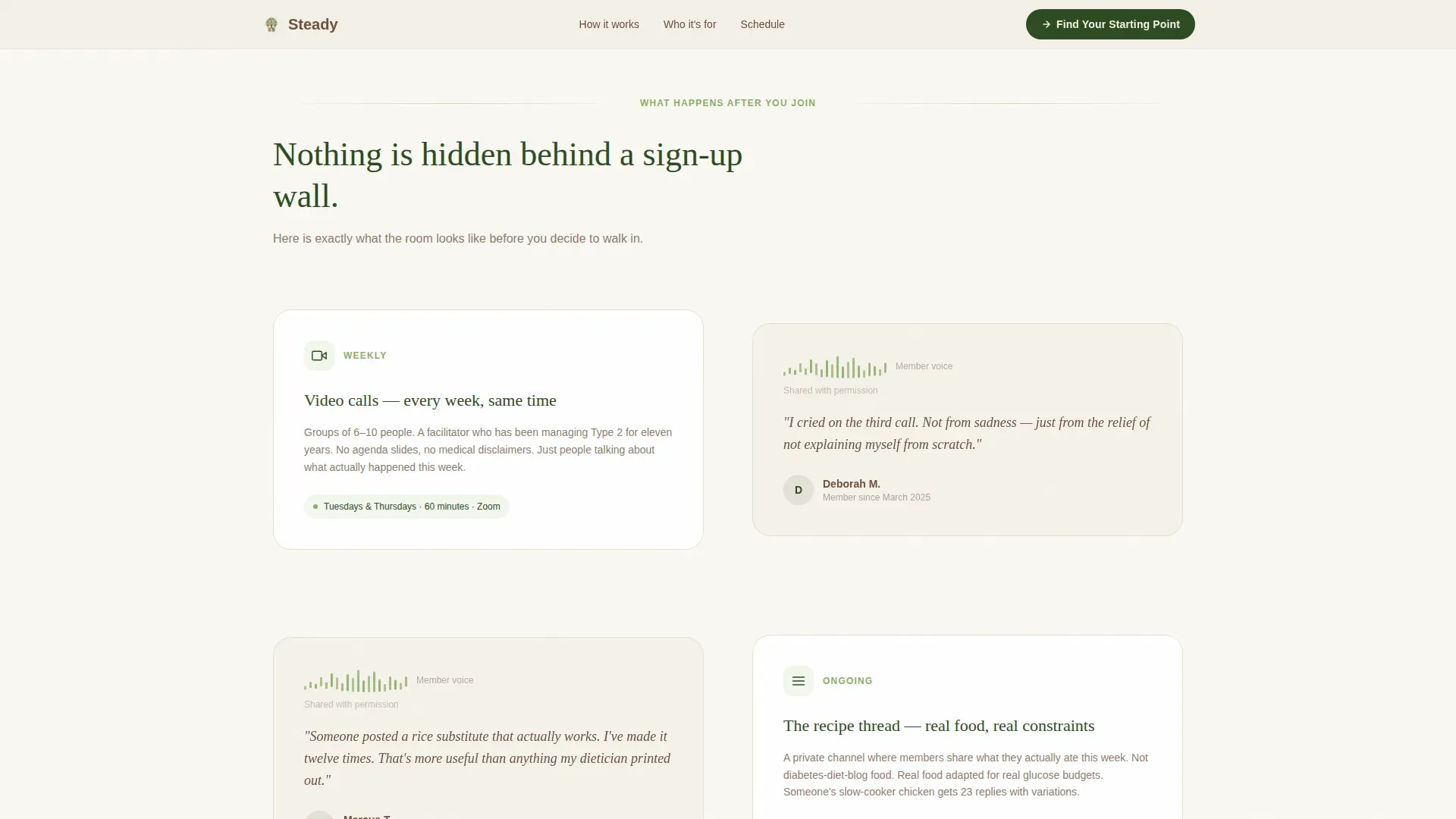
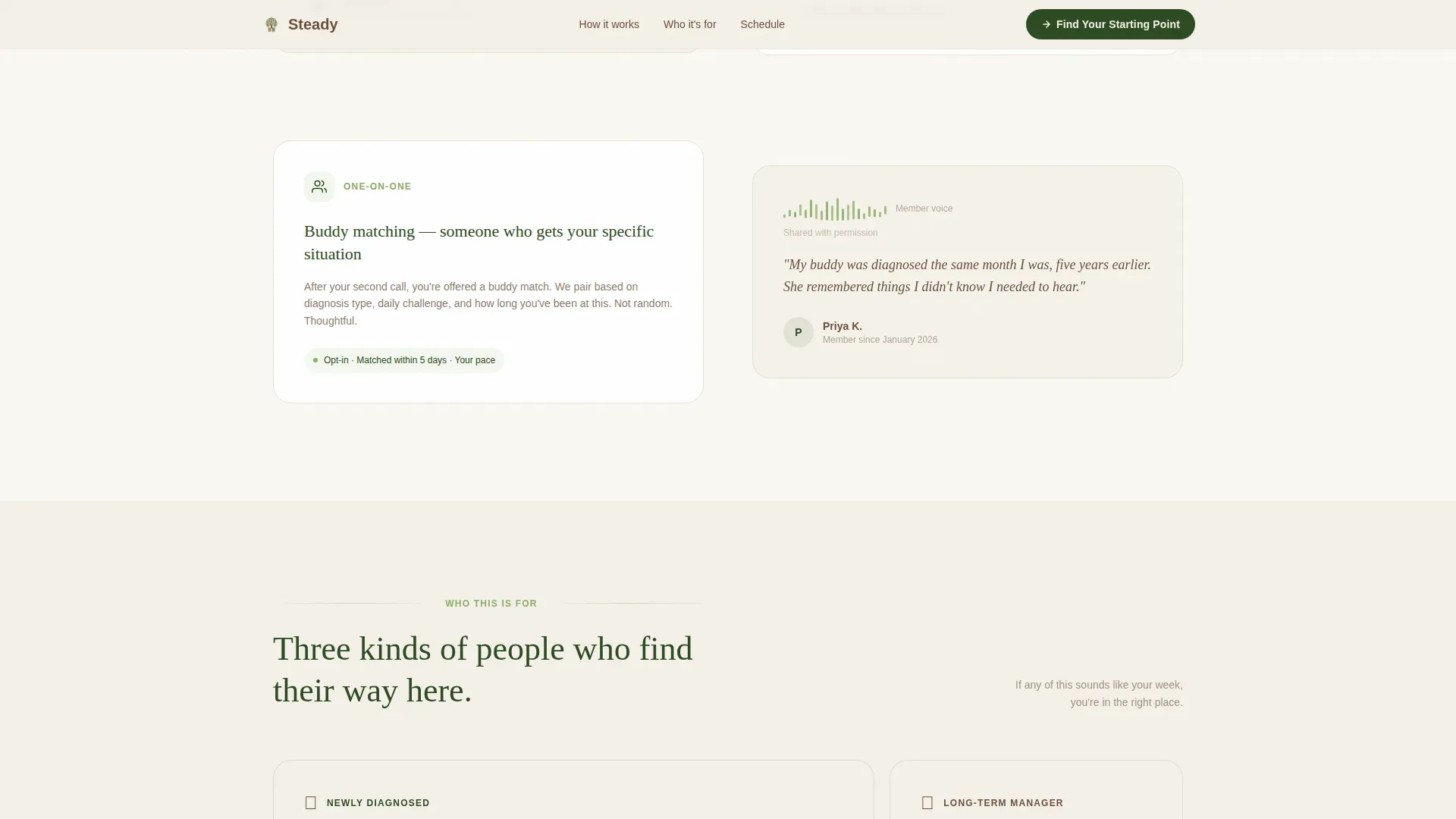
Each scroll section follows a split layout: the left side shows the real group structure (weekly video calls, a private recipe thread, a buddy-match system) while the right side presents an honest member quote or an audio-waveform visual from a first-month description.
Dual Call-to-Action Architecture
The primary call to action, "Find Your Starting Point," drives quiz completion and group sign-up. A secondary option, "Just Browse Our Schedule," sits below it to capture intent from visitors who are not yet ready to self-disclose.
Organic Flow Visual System
Typography pairs Fraunces for warm, expressive headings with DM Sans for clear, readable body text. The Forest Trust color palette and organic layout rhythm create visual breathing room throughout every section.
Member Portrait Bento Layout
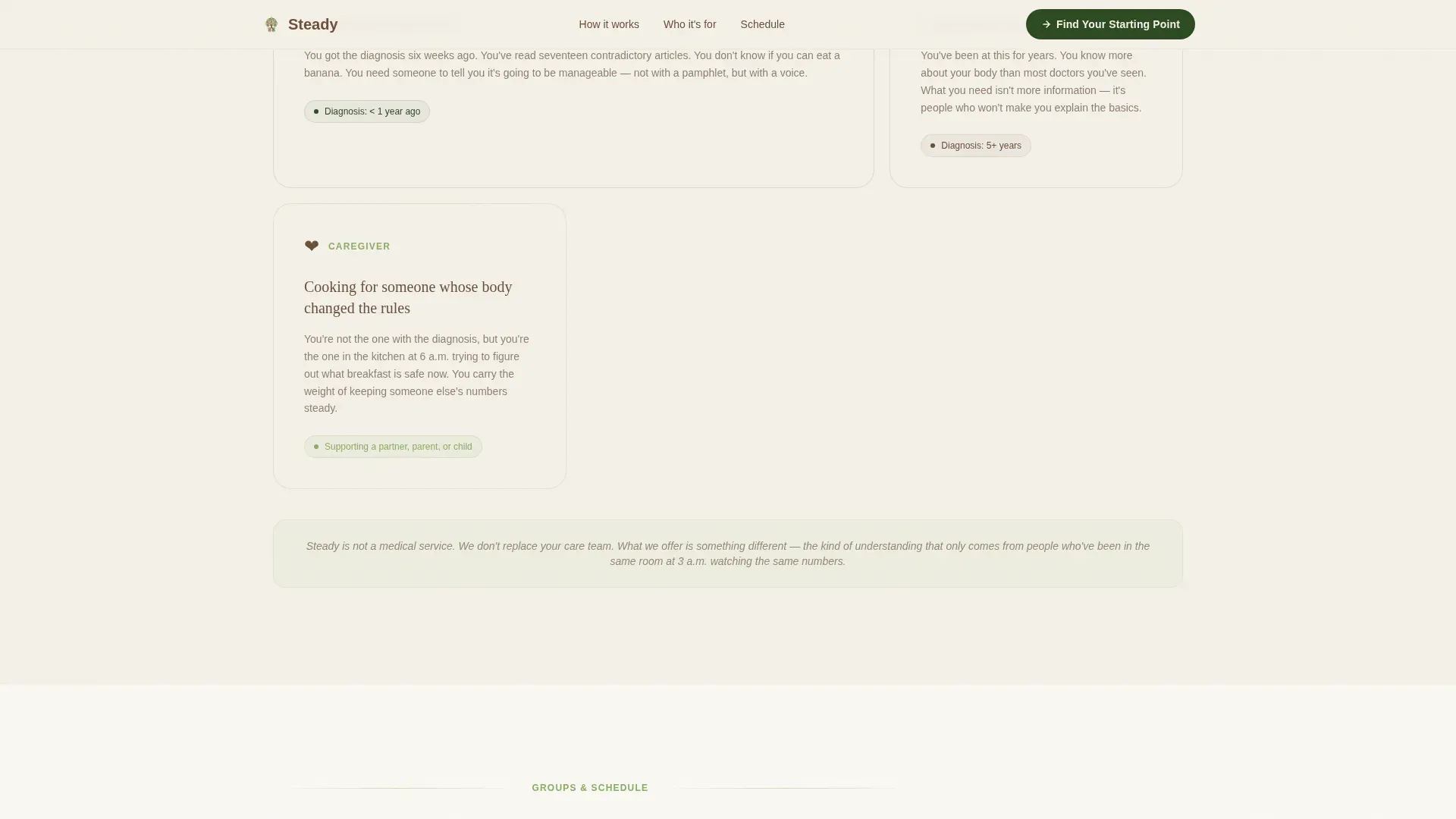
The "Who This Is For" section uses an asymmetric bento grid to present three honest member portraits. Each portrait reflects a distinct audience segment without clinical language or stock photography.
Page sections overview
| Section | Purpose |
|---|---|
| Hero Quiz Panel | Opens with a warm diagnostic question and three answer cards; right panel shows the animated forest path |
| Transparent Process Reveal | Split layout showing real group structure on the left and authentic member quotes on the right |
| Who This Is For | Asymmetric bento grid with three member portraits covering each primary audience segment |
| Schedule and Tracks | Lists real meeting formats, group tracks, and available times |
| Final Call to Action | Dual-path section with primary quiz entry and a low-friction schedule browsing option |
| Footer | Linear single-row footer with essential navigation and contact links |
Design & branding system
The visual identity follows an Organic Flow theme. Every color, typeface, and spacing choice is rooted in the metaphor of a quiet woodland trail: grounding, breathing, and free of clinical harshness.
- Forest Trust palette: deep moss (#2D4A22) for section backgrounds, soft fern (#A8C686) for buttons and progress indicators, weathered bark (#6B4F3A) for body text, and birch white (#F4F0E8) for open breathing space
- Typography: Fraunces headings for warmth and character, DM Sans body text for everyday readability
- No stock photography or clinical imagery; all visuals use illustrated metaphor and waveform audio clips
Mobile & speed optimization
The template is built desktop-first as a split-screen experience, but every section is designed to stack gracefully on smaller screens. Interactive components are isolated so the static layout loads first.
- Split-screen panels collapse to a single stacked column on mobile without losing content hierarchy
- Quiz interactivity is handled through client components only, keeping the base page static and fast to paint
- Scroll-reveal animations are medium weight, providing visual feedback without blocking page rendering
How this template helps you convert
Steady builds trust incrementally, so visitors arrive at the call to action already feeling oriented rather than recruited.
- The multi-step form opens mid-conversation, lowering the psychological barrier of a blank intake form and immediately signaling that the group already understands the visitor's experience.
- Transparent scroll sections show the community's real structure before any commitment is required, so signing up feels like a natural next step rather than a leap of faith.
- The dual call-to-action design captures both ready and hesitant visitors, reducing drop-off without pressuring anyone who needs more time.
Other information about this template
Steady is categorized under Health and Medical, specifically within the Diabetes Care subcategory and the Diabetes Support Group niche. The template style is a 50/50 split screen and the header concept is a multi-step form. The creative direction is Transparent Process and the landing-page direction centers on a quiz and assessment flow.
- The template is English (United States) localized with standard date formatting and no currency displays
- Animation weight is set to medium: scroll reveals, forest-path SVG progress, and quiz step transitions are included
- The footer uses Pattern 1, a linear single-row layout, keeping the page close without adding visual complexity
- Social proof elements include real member quote blocks and an audio-waveform visual representing a first-month member description
Theme
Organic Flow
Creative direction
Transparent Process
Color system
Forest Trust
Style
Split Screen (50/50)
Direction
Quiz/Assessment
Page Sections
Five-step Personalized Assessment Quiz
Animated SVG Forest Path
Transparent Process Scroll Sections
Dual Call-to-action Design
Member Portrait Bento Layout
Forest Trust Color and Type System
Related questions
Can I change the quiz questions to match my group's needs?
Does the forest-path illustration require a designer to customize?
Is this template suitable for a caregiver-focused diabetes support group?
What does a visitor see after completing the five-step quiz?
Can visitors explore the page without taking the quiz?



