Advanced Manufacturing Processes Professional Website Template
Sterilize is a hub-and-spoke anchor-nav landing page built for autoclave service providers. It guides practice managers, facility directors, and infection-control officers through service tiers, supported equipment specifications, and certification proof, all within a dark, instrument-panel visual identity designed to earn trust before asking for a single contact detail.
by Rocket studio
Quick summary
Sterilize is a single-page, section-led template for autoclave repair and maintenance businesses. It uses a sticky anchor navigation with five spoke sections, Services, Specifications, Certifications, Coverage, and Request Service, to walk technical buyers through proof-first content that earns the lead before the form ever appears.
Who this template is for
This template is built for autoclave service providers who serve regulated, compliance-driven facilities. It suits businesses whose clients demand documentation, not just a repair receipt.
- Preventive maintenance and emergency repair shops serving dental clinics, tattoo studios, surgical centers, and pharmaceutical labs
- Service operations managing multi-unit facility contracts where scheduling and validation records are tracked closely
- Independent technicians or regional service companies that need to present manufacturer-specific capability clearly
What problem this template solves
Autoclave service buyers are not casual shoppers. They need to confirm competence before committing, and a generic service page does not do that job. This template replaces vague promises with structured, spec-level evidence.
- Visitors arrive skeptical; the page front-loads technical proof so credibility is established before any ask is made
- Buyers need to know their specific machine is supported; the specifications section addresses that directly with manufacturer and model-level detail
- Compliance officers need audit-ready documentation; the certifications section presents that as visual proof, not just a text claim
What you get with this template
You get a complete, structured landing page layout built around a lead-generation flow that qualifies visitors as it converts them. Every section serves a purpose in a deliberate credibility sequence.
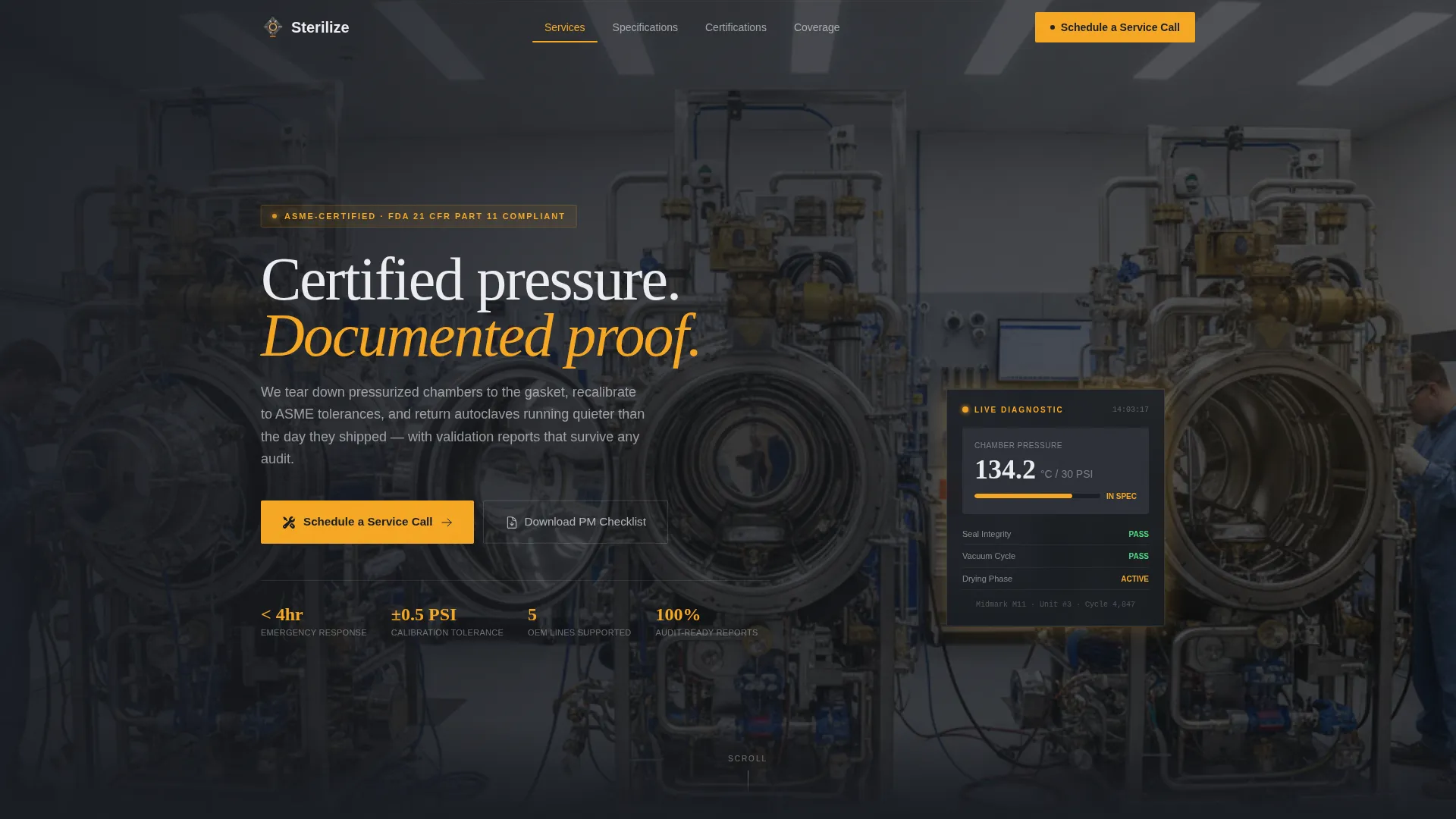
- A panoramic header with a technical service-bay photograph, a bold instrument-white headline, and an amber diagnostic accent light establishing the visual tone immediately
- Five anchor-linked spoke sections covering service tiers, equipment specifications, certification previews, service coverage, and an inline request form
- Two conversion paths: a primary "Schedule a Service Call" form and a secondary "Download PM Checklist" email-capture path for visitors not yet ready to commit
Feature list
This section covers the core built-in capabilities of the Sterilize template.
Sticky Anchor Navigation Bar
A persistent top navigation links directly to each of the five spoke sections: Services, Specifications, Certifications, Coverage, and Request Service. The "Schedule a Service Call" call-to-action button is pinned inside the nav so it stays visible at every scroll position.
Three-Tier Service Section
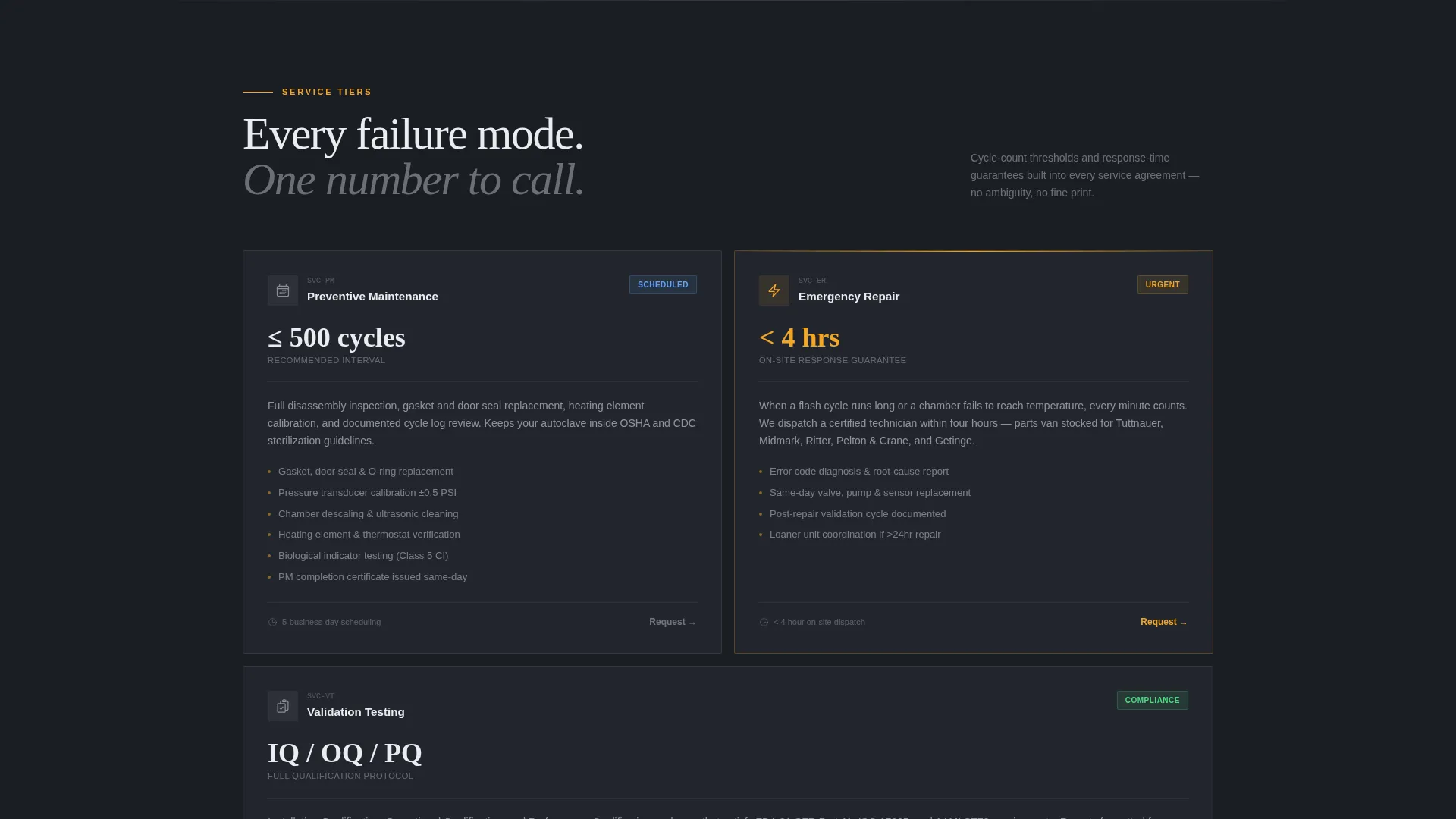
The Services spoke breaks the offering into preventive maintenance, emergency repair, and validation testing. Each tier displays cycle-count thresholds and response-time guarantees so buyers can immediately match their situation to the right service level.
Manufacturer Specifications Grid
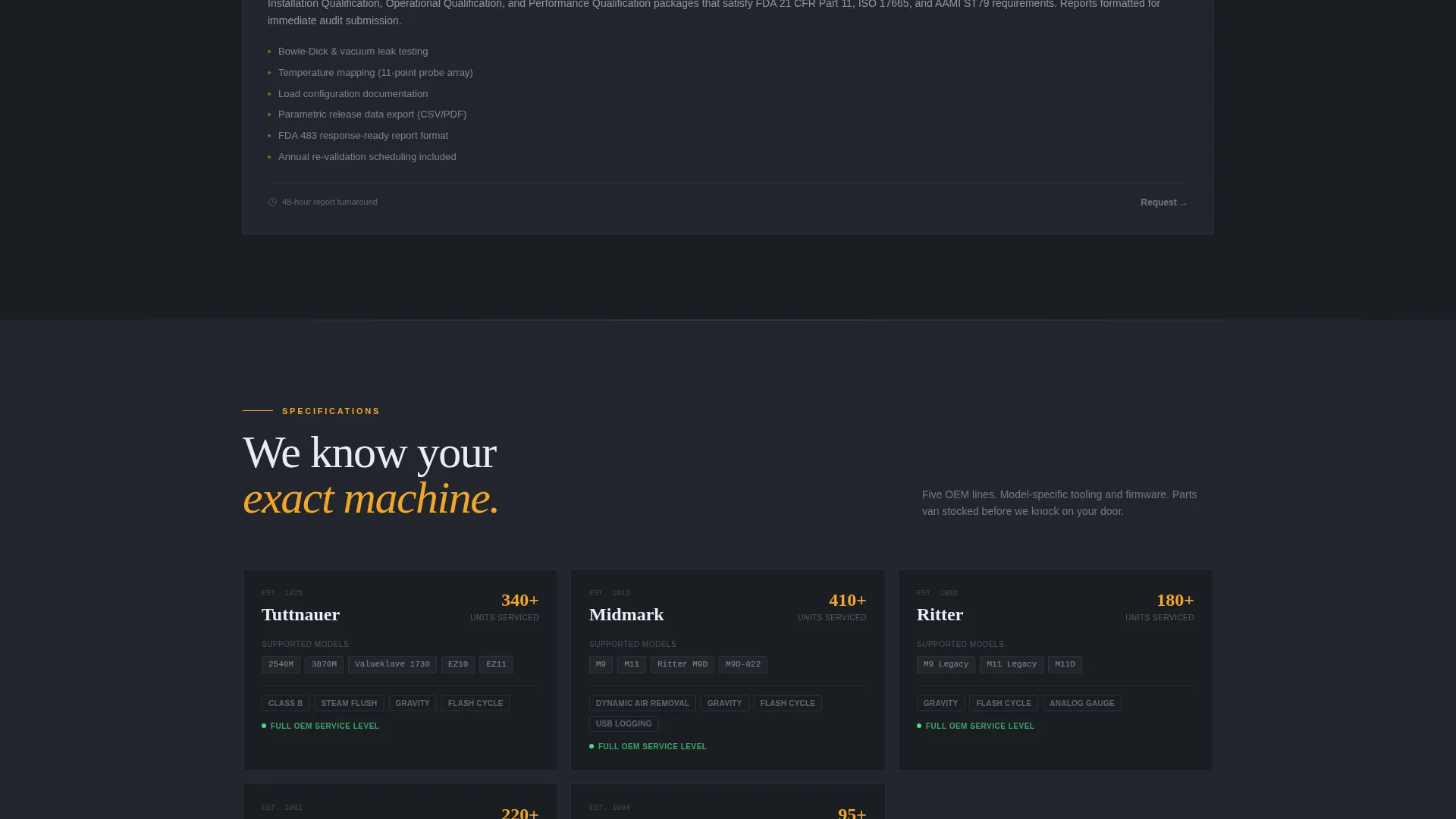
The Specifications spoke renders supported equipment in a structured grid with model-specific capability tags. This layout lets a practice manager or facility director confirm in seconds that their exact unit is covered before reading further.
Certification Document Previews
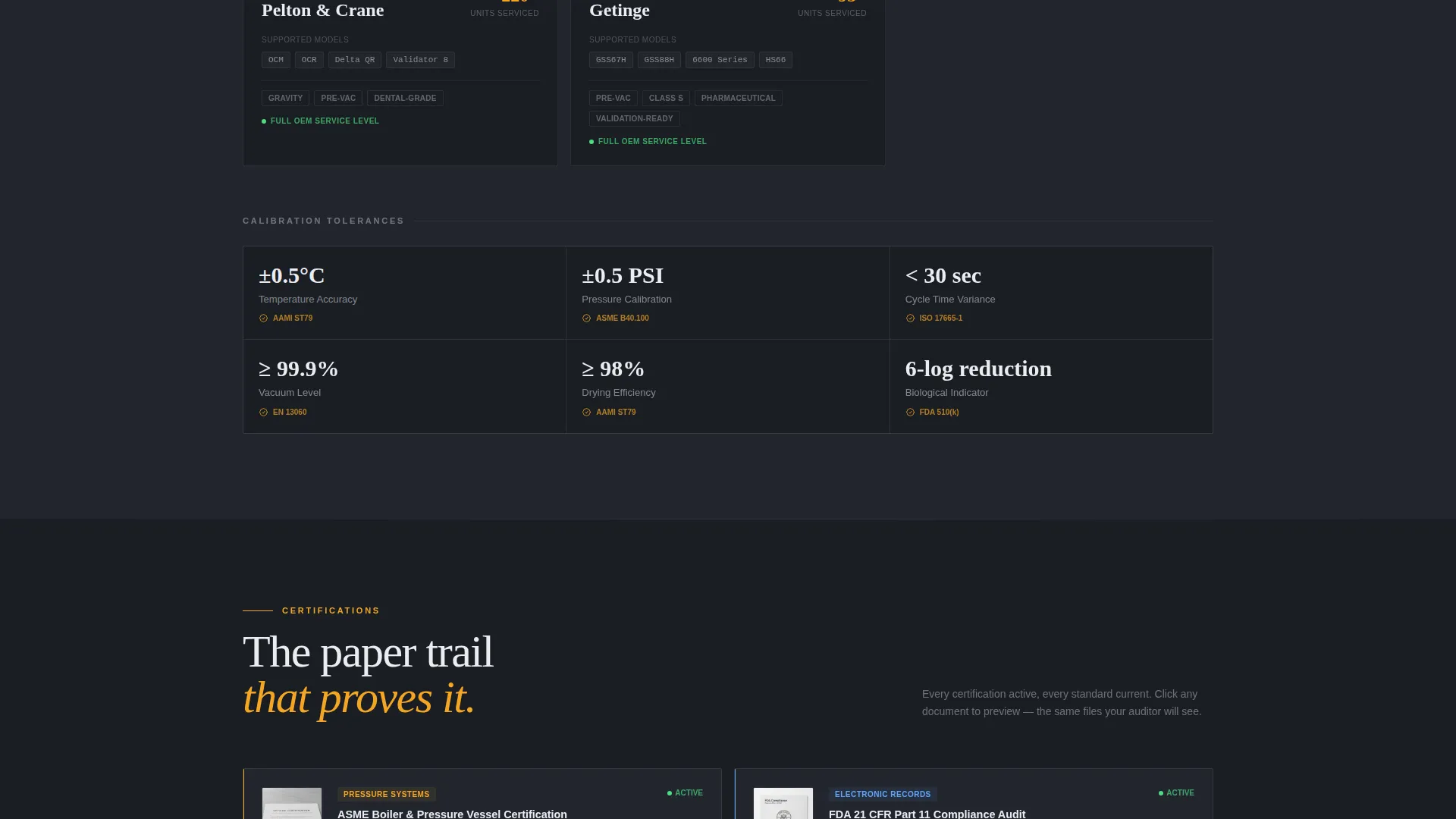
The Certifications section displays credentials as actual document thumbnails that visitors can preview inline. This converts abstract compliance claims into visible, tangible proof without requiring a separate download or page.
Dual Conversion Paths
The primary path opens an inline form that collects autoclave manufacturer and model, facility type, unit count, and service urgency. The secondary path captures email through a "Download PM Checklist" offer, qualifying visitors who are not yet ready to book.
Spec-Sheet Creative Layout
Each spoke section opens with a single bold metric or tolerance value before expanding into supporting detail. This spec-sheet rhythm keeps technically minded buyers engaged and signals that the content was written by people who understand the equipment.
Page sections overview
| Section | Purpose |
|---|---|
| Panoramic Header | Sets technical tone and headline |
| Sticky Anchor Nav | Persistent section jump links |
| Services Spoke | Three service tiers with thresholds |
| Specifications Spoke | Manufacturer and model grid |
| Certifications Spoke | Document thumbnail previews |
| Coverage Spoke | Service area scope display |
| Request Service Form | Inline lead-capture form |
| PM Checklist Capture | Secondary email opt-in path |
Design & branding system
The visual identity uses a Carbon Fiber color system modeled after the control panel of a Class B vacuum autoclave. Every element is functional; nothing is purely decorative.
- Deep graphite (#1A1D23) and brushed titanium (#4A4E57) form the matte dark surfaces of the layout, while instrument-white (#EAECF0) carries all primary text and labels
- Diagnostic amber (#F5A623) is reserved for call-to-action buttons, status indicators, and hover states, creating instant visual priority without disrupting the technical tone
- The Dashboard Pro theme applies precise grid spacing and clean typographic hierarchy that reads like a technical readout rather than a marketing brochure
Mobile & speed optimization
The layout is built to function cleanly on smaller screens without losing its technical precision. Buyers in the field checking service status or submitting urgent repair requests need the same clarity a desktop user gets.
- The sticky anchor navigation collapses cleanly for smaller viewports so key section links and the primary call-to-action remain accessible at all times
- The manufacturer specifications grid and certification thumbnail previews are structured to reflow into readable single-column layouts on mobile devices
How this template helps you convert
The page is designed as a deliberate credibility sequence, not a scroll-and-hope layout. Every section adds a layer of trust before the form appears.
- The header photograph and bold headline establish immediate technical authority, filtering in qualified buyers and signaling that this is a specialist operation, not a generalist handyman service.
- The spec-sheet content rhythm, opening each section with a bold metric before expanding into detail, keeps technically minded buyers reading instead of bouncing.
- The dual conversion paths capture visitors at two different stages of readiness, so neither the buyer who is ready to book nor the one still evaluating leaves the page empty-handed.
Other information about this template
This template is categorized under Manufacturing and Industrial, with a subcategory focus on manufacturing processes and a niche alignment toward autoclave service providers.
- The template style is Hub and Spoke with Anchor Navigation, meaning all sections live on one page and are reachable from the persistent top bar without any page reload
- The creative direction follows a Spec Sheet format, a deliberate choice for an audience that reads technical documentation as part of their daily work
- The header concept is a Panoramic or Wide shot, providing an edge-to-edge service-bay photograph that sets physical context before a single word of body copy is read
- The Dashboard Pro theme and Carbon Fiber palette are pre-configured in the template, so color values, spacing, and typographic hierarchy are ready to apply from the first edit
Theme
Dashboard Pro
Creative direction
Spec Sheet
Color system
Carbon Fiber
Style
Hub & Spoke (Anchor Nav)
Direction
Lead Generation
Page Sections
Sticky Anchor Navigation with Pinned Call to Action
Three-tier Service Breakdown
Manufacturer and Model Specifications Grid
Inline Certification Document Previews
Dual Lead-capture Conversion Paths
Spec-sheet Section Rhythm
Related questions
Who is this landing page template designed for?
Can I adapt the service tiers to match my own offerings?
How does the dual conversion path work?
Does the template support multiple facility types in the request form?
Is this template suitable for a provider covering multiple locations?



