Thoracic Surgeon Landing Page Template
Sternum is a split-screen thoracic surgeon landing page template built for lead generation. It leads with board credentials, walks visitors through a Problem-to-Solution procedure arc, and closes with a two-path conversion bar. Designed in a clean Alpine Fresh palette with serif headlines, it speaks equally to anxious patients and referring physicians making high-stakes decisions.
by Rocket studio
Quick summary
Sternum is a single-page thoracic surgeon landing page template that converts patient anxiety and physician referral intent into consultation requests. It front-loads credentials, walks through procedures in a Problem-to-Solution arc, and ends with a persistent two-path call-to-action bar. The Corporate Precision design feels sterile without feeling cold.
Who this template is for
This template is built for thoracic surgery practices that need to earn trust before they earn a click. It serves both patient-facing and physician-facing audiences from the same page.
- Thoracic surgeons and surgical practices seeking new patient consultations and physician referrals
- Pulmonologists, oncologists, and hospitalists who need a reliable place to send complex cases and upload records
- Practice managers building a credentialed online presence for a board-certified surgeon
What problem this template solves
Patients searching for a thoracic surgeon are often frightened, under time pressure, and comparing unfamiliar names. Referring physicians need to see credentials and outcomes quickly. A generic medical website template meets neither need.
- There is no clear credential hierarchy, so first-time visitors do not immediately understand the surgeon's qualifications
- Patients cannot find condition-specific procedure information without navigating away from the page
- Referring physicians have no direct path to upload records or request a case review
What you get with this template
This template delivers a fully structured, single-page layout with every section already planned and positioned for a thoracic surgery practice. You get a professional design system, interactive components, and a conversion flow built around two distinct visitor types.
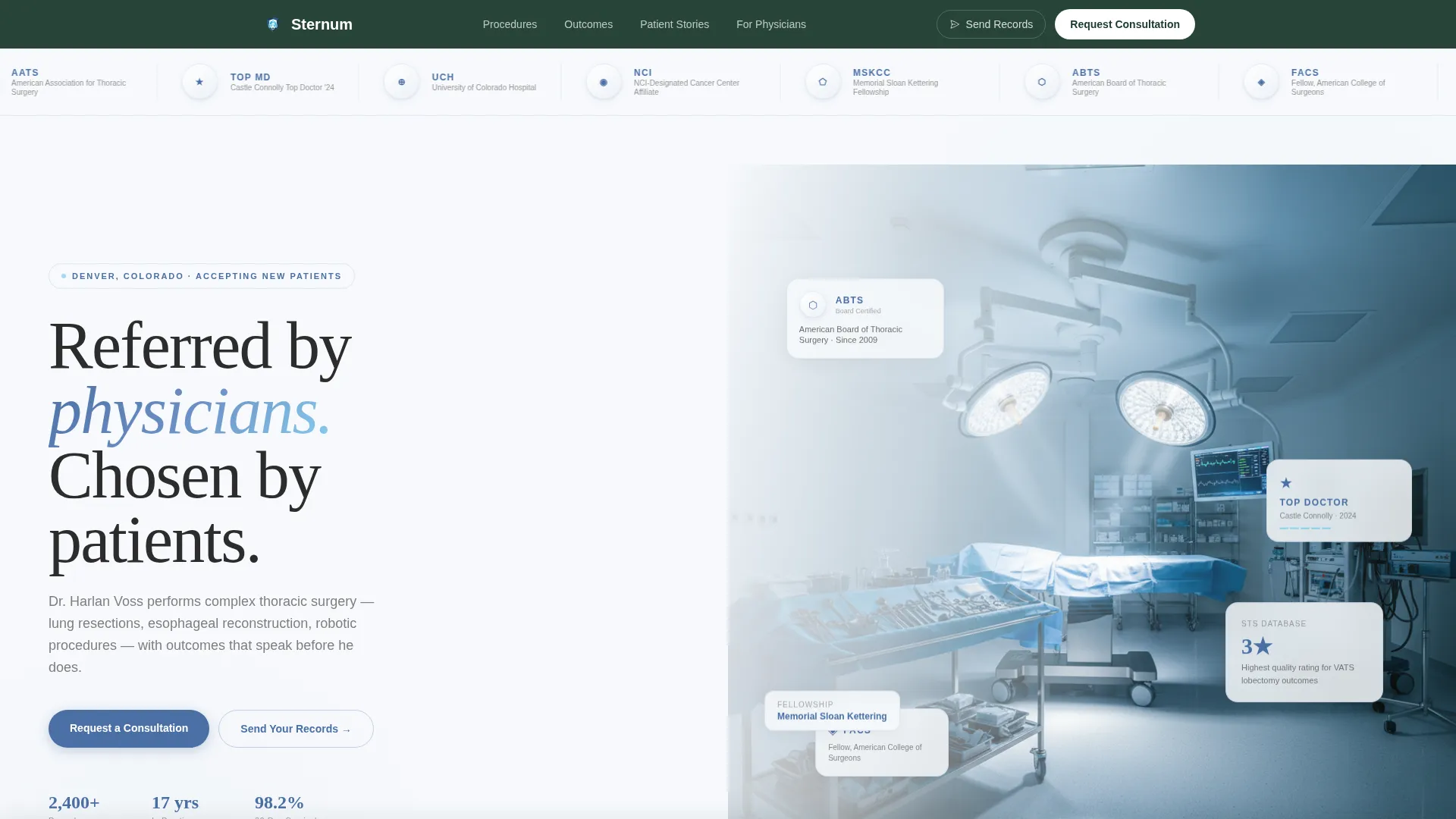
- A split-screen hero with an award badge band, serif headline, and trust statistics
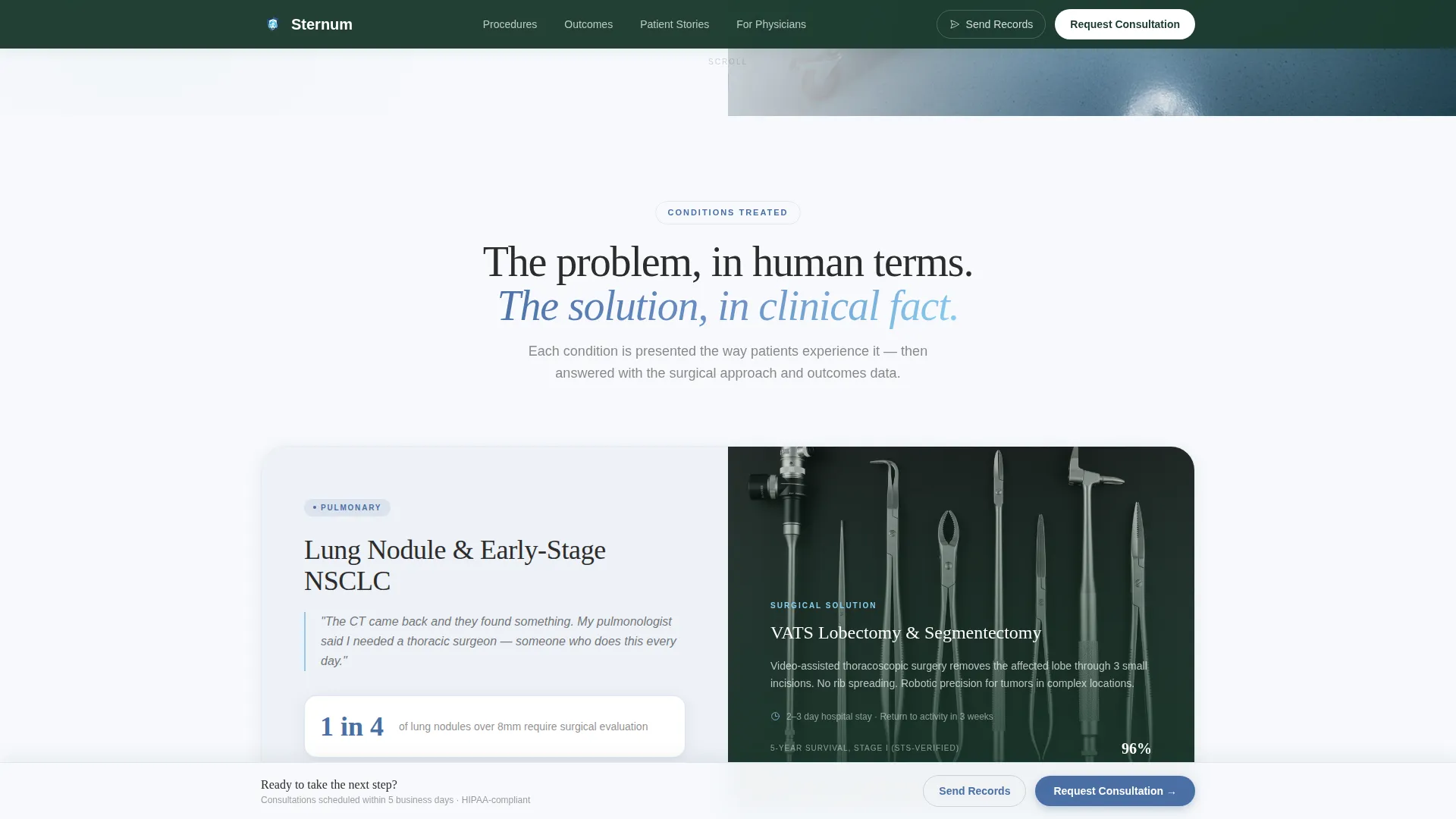
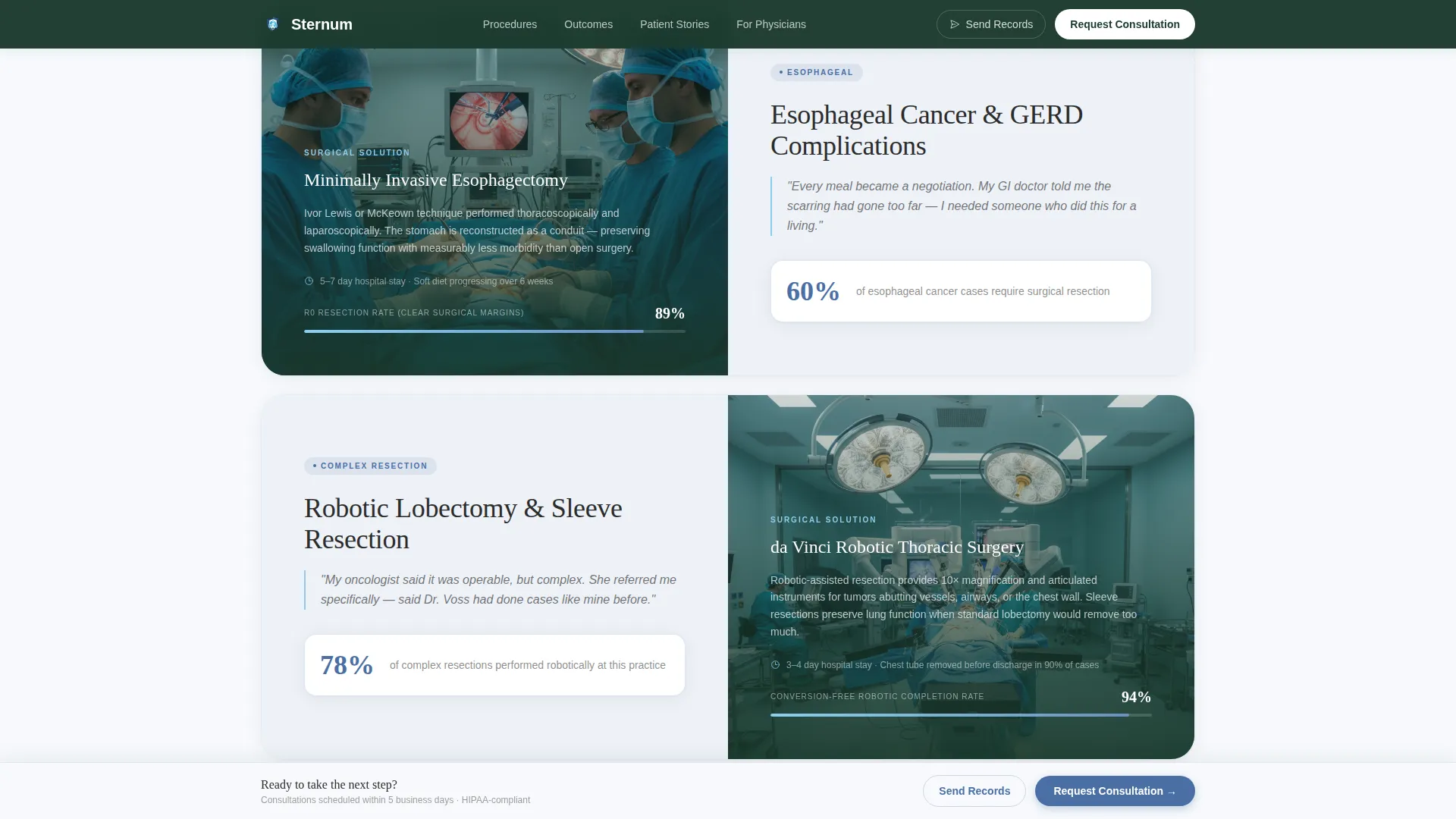
- A Problem-to-Solution procedure arc covering lung nodule biopsy through robotic lobectomy and esophagectomy
- A two-path conversion bar with a consultation request form and a direct record-upload path for referring physicians
Feature list
This template is organized around one idea: earn trust before asking for action. Every feature below serves that goal.
Award Badge Header Band
The header opens with board certifications, hospital affiliations, fellowship crests, and Top Doctor medallions. Each badge renders in muted metallics against a snow-white background, arranged like honors on a dress uniform. Credentials do the talking before a single word is read.
Split-Screen Procedure Arc
Each procedure section uses a 50/50 split layout. The left panel presents the condition in human terms using anatomical highlights, a single statistic, and a patient quote. The right panel answers with procedural clarity, recovery timelines, and outcome data. The scroll escalates from common to complex, building confidence at every step.
Clinical Outcomes Bento Grid
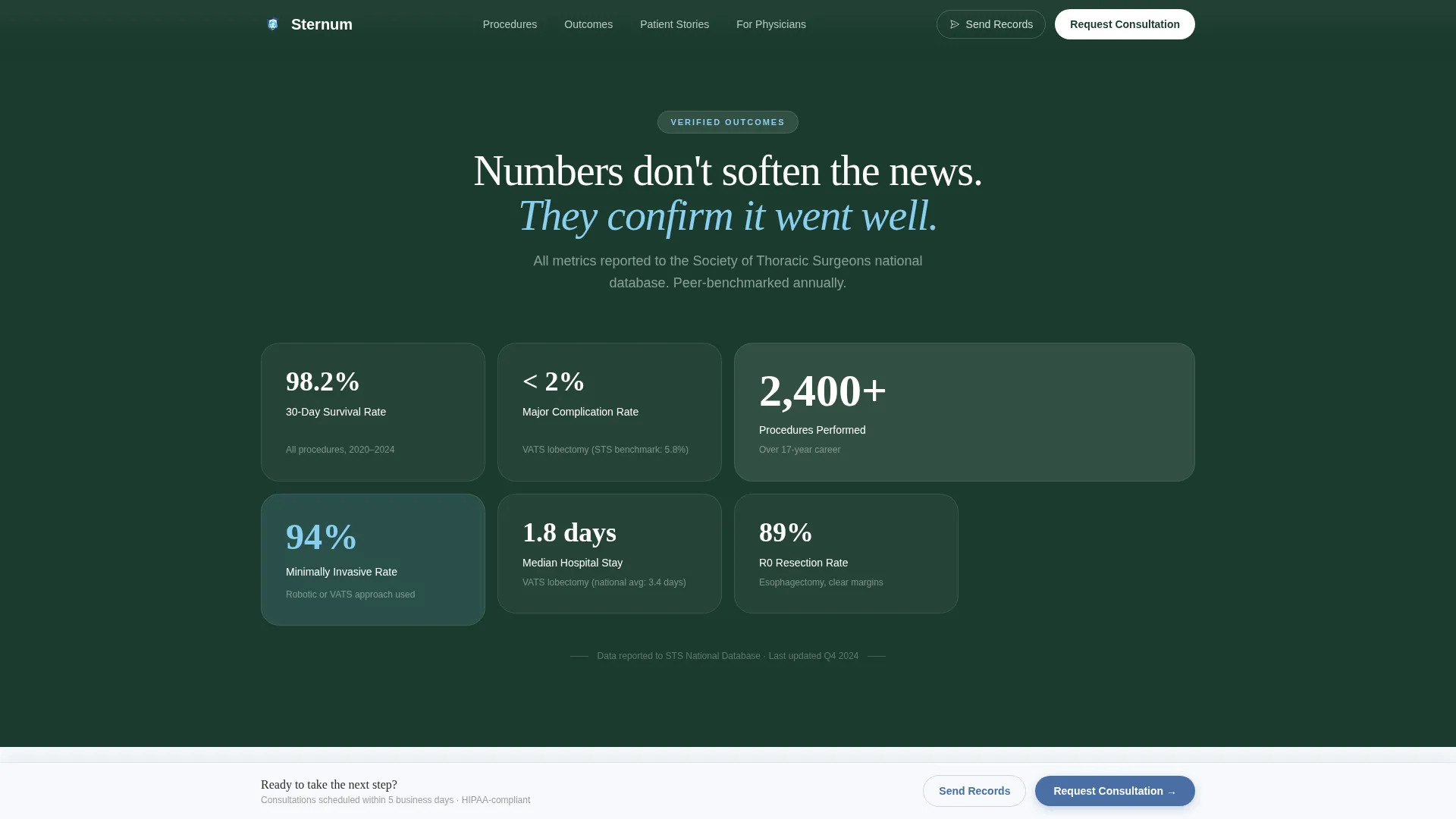
A dedicated outcomes section displays surgical metrics in a structured bento grid format. Survival rates, complication rates, and case volume sit side by side. This section gives both patients and referring physicians the data they need to feel confident in the choice.
Inverted Testimonial Split
Midway through the page, the split layout inverts. Patient video testimonials occupy the right panel while the surgeon's calm narration anchors the left. This shift moves authority from credentials to lived proof, giving the page an emotional turn at exactly the right moment.
Persistent Two-Path Conversion Bar
A sticky bottom bar appears after the first scroll and stays visible throughout. It offers two clear paths: a consultation request form for patients and a records-upload path for referring physicians. The patient form includes a condition-type dropdown, referral source, insurance carrier, and preferred contact method fields.
FAQ Accordion and Modal Interactivity
The page includes a collapsible FAQ accordion for patient questions and a consultation form modal triggered from the call-to-action bar. Scroll-fade blur reveals and staggered badge entry animations add motion context without overwhelming the clinical tone.
Page sections overview
| Section | Purpose |
|---|---|
| Hero Badge Band | Establish credentials and trust before any copy is read |
| Serif Hero Headline | Set the emotional tone with a single authoritative statement |
| Procedures Split Arc | Walk visitors through conditions and surgical solutions side by side |
| Outcomes Data Grid | Display clinical metrics that support the surgeon's case volume and results |
| Inverted Testimonial Split | Shift authority from credentials to patient and physician stories |
| Consultation call to action Bar | Offer two conversion paths in a persistent, always-visible bottom bar |
| Footer Band | Anchor navigation and practice contact details in deep evergreen |
Design & branding system
The Alpine Fresh color system drives every visual decision in this template. It feels like clean mountain air filling recovering lungs: sterile without being hostile, elevated without being distant.
- Colors: clinical snow white (#F7F9FC) for open backgrounds, surgical steel blue (#4A6FA5) for headings and trust anchors, deep evergreen (#1B3A2D) for the footer and navigation, glacier accent (#89CFF0) on hover states and interactive elements, and charcoal (#2C2C2C) for body text
- Typography: Fraunces serif for headlines (authoritative and unhurried) paired with DM Sans for body copy (clean and readable at clinical detail density)
- Visual style: Corporate Precision with muted metallic badge rendering, subtle embossed credential details, no stock photography in the hero, and anatomical silhouette highlights used in procedure sections
Mobile & speed optimization
This template is designed desktop-first for physicians reviewing cases on workstations. At the same time, the mobile layout is fully optimized for patient family members searching from a phone in a parking lot.
- The split-screen sections reflow to single-column stacks on smaller screens, keeping the Problem-to-Solution arc readable without side-by-side panels
- The persistent conversion bar adapts to a compact mobile footer strip, keeping both call-to-action paths accessible without crowding the viewport
- Static content sections use server-rendered components while the consultation form modal and sticky bar rely on client-side interactivity, keeping initial load weight low
How this template helps you convert
The page is engineered around a single principle: by the time the form appears, the visitor has already decided. The template holds the door open.
- Credentials are shown first, before any copy, so both patients and physicians establish trust within the first scroll
- The Problem-to-Solution arc builds procedural confidence section by section, reducing the fear and hesitation that cause visitors to leave without acting
- The two-path conversion bar removes friction for both audience types by giving patients a consultation form and physicians a direct record-upload path in the same persistent element
Other information about this template
Sternum is a purpose-built template for thoracic surgery practices. A few additional details worth knowing before you customize and launch:
- The template is part of a Health & Medical category collection and is categorized specifically under the Thoracic Surgeon Website subcategory
- Animation is set to medium intensity: scroll-fade blur reveals, staggered badge entries, and subtle float animations are included but do not override clinical readability
- The footer follows a minimal developer-adapted pattern, keeping navigation and practice details clean without visual clutter
- Localization defaults are set for English language, United States date formatting (MM/DD/YYYY), and USD currency display
- The consultation form modal includes fields designed for a healthcare intake context: condition type, referral source, insurance carrier, and preferred contact method
Theme
Corporate Precision
Creative direction
Problem→Solution Arc
Color system
Alpine Fresh
Style
Split Screen (50/50)
Direction
Lead Generation
Page Sections
Award Badge Credential Header
Split-screen Procedure Arc
Clinical Outcomes Bento Grid
Inverted Testimonial Split
Persistent Two-path Conversion Bar
FAQ Accordion and Scroll Animations
Related questions
Can referring physicians use this template to send patient records?
Does the template serve both patients and referring physicians from the same page?
Can I customize the procedures shown in the split-screen sections?
Is this template designed for a solo surgeon or a group practice?
What interactive components are included in this template?



