Historic Property Management Landing Page Template
Steward is a dark, immersive landing page template built for historic home property management firms. It features a panoramic estate header, zigzag alternating sections with hover-triggered detail overlays, and a lead-generation form designed to capture serious preservation clients. The Deep Emerald color system and parchment serif typography give every section the weight and authority these properties deserve.
by Rocket studio
Quick summary
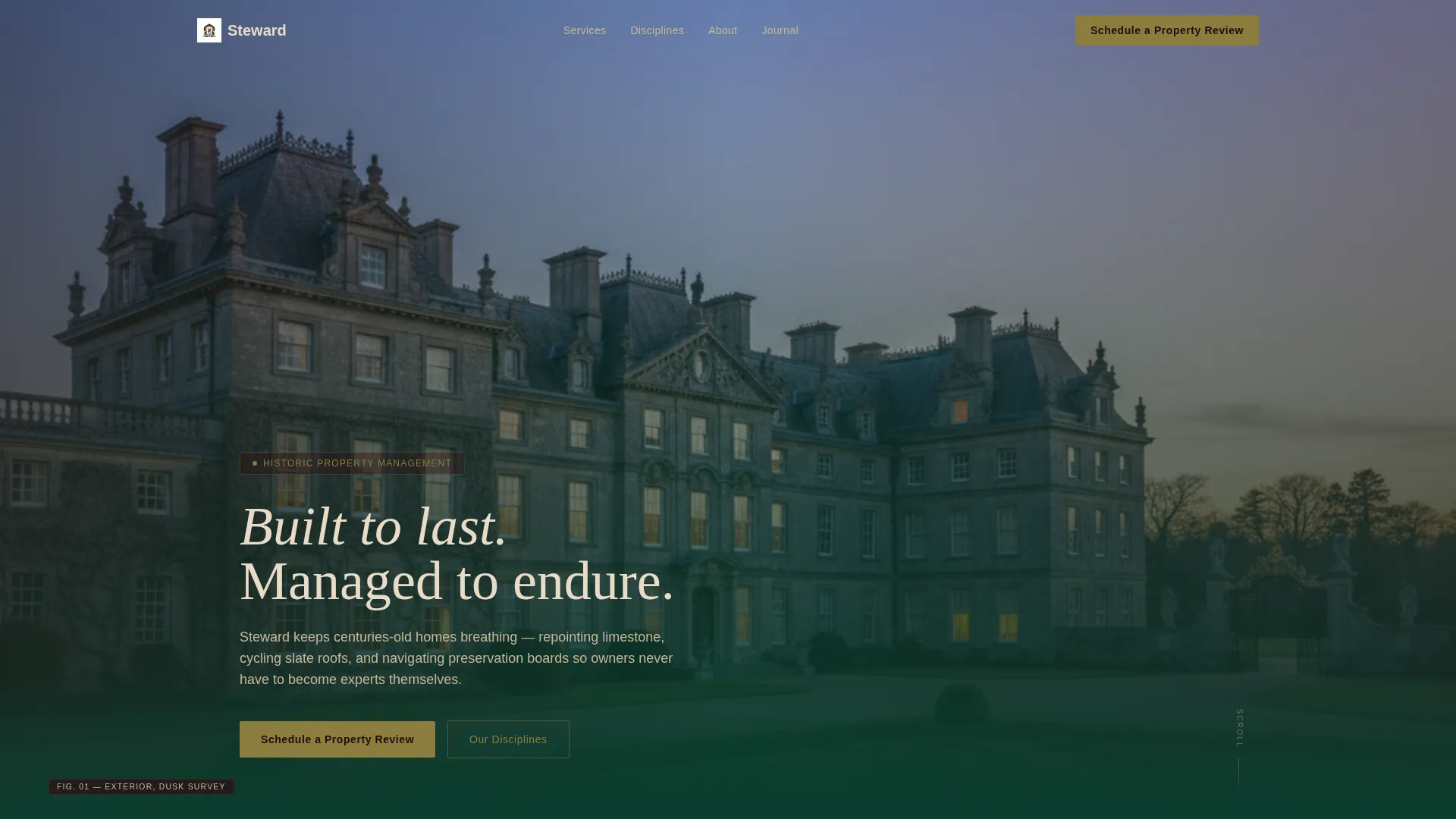
Steward is a single-page landing page template for historic property management firms. It opens on a sweeping twilight estate photograph and walks visitors through every preservation discipline, from roofing and envelope to regulatory compliance. Two conversion paths run throughout: a primary lead form and a secondary downloadable resource. The design feels like a private library at dusk.
Who this template is for
This template is built for specialist firms that manage registered historic properties on behalf of owners who cannot be present every season. It fits businesses where trust, expertise, and discretion are the product.
- Absentee owners of National Register or locally landmarked properties who need a firm they can hand the keys to
- Estate trustees overseeing ancestral homes and needing clear documentation of services offered
- Boutique hoteliers converting Gilded Age mansions into revenue while protecting architectural character
What problem this template solves
Owners of historic properties often struggle to find a management firm that speaks their language. A generic real estate or property management page does not communicate the specific depth of knowledge these clients require before they will make contact.
- The template makes specialist credentials visible at a glance, building trust before a visitor scrolls halfway down
- It separates each preservation discipline into its own section, so prospects self-identify with their exact concern
- It offers two conversion paths so visitors who are curious but not yet ready to call still leave a contact detail
What you get with this template
The template delivers a complete, single-page layout structured around the inspection and stewardship journey of a historic property. Every section is purposeful and sequenced to build confidence.
- A panoramic header section with a twilight estate image, atmospheric overlay, and a single parchment-colored serif headline
- Five zigzag alternating content sections, each covering a distinct preservation discipline with a detail photograph and narrative text block
- A primary lead-generation form collecting property address, year built, historic designation status, and a free-text concern field
- A secondary gated download path offering a Seasonal Preservation Calendar in exchange for name and email
Feature list
This section highlights the key functional and design capabilities built into the Steward landing page template.
Panoramic Estate Header
The header stretches beyond the viewport edges with a sweeping twilight photograph of a historic estate facade. Every window glows from within against a bruised violet sky. A single parchment-colored serif line appears over the image: "Built to last. Managed to endure."
Zigzag Alternating Section Layout
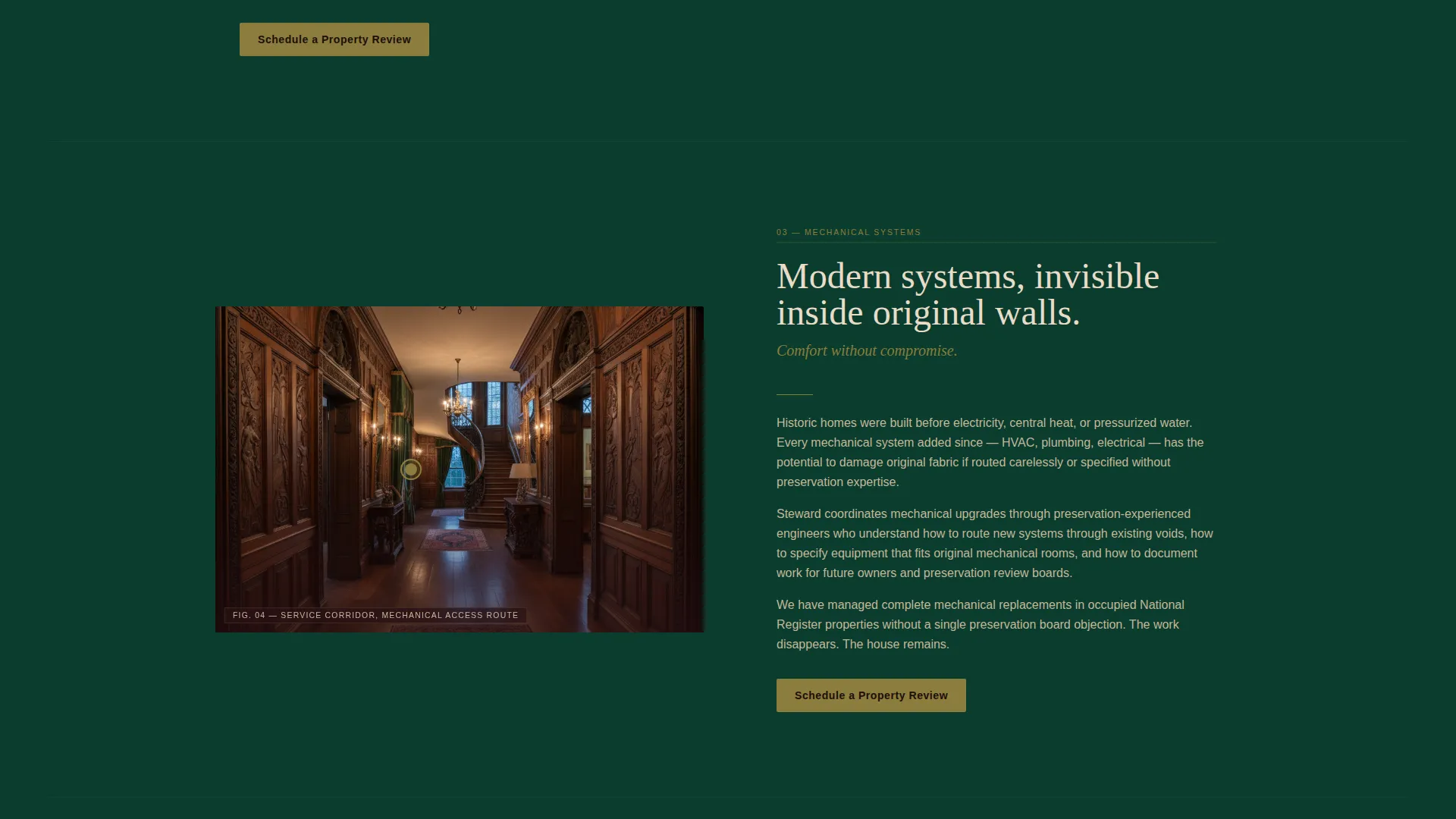
Each content section alternates image and text in a classic split layout. The sequence escalates from visible exterior concerns, such as roofing and envelope, inward to invisible complexities like mechanical systems hidden inside original walls. This structure guides the visitor through a logical, trust-building progression.
Hover-Triggered Hotspot Overlays
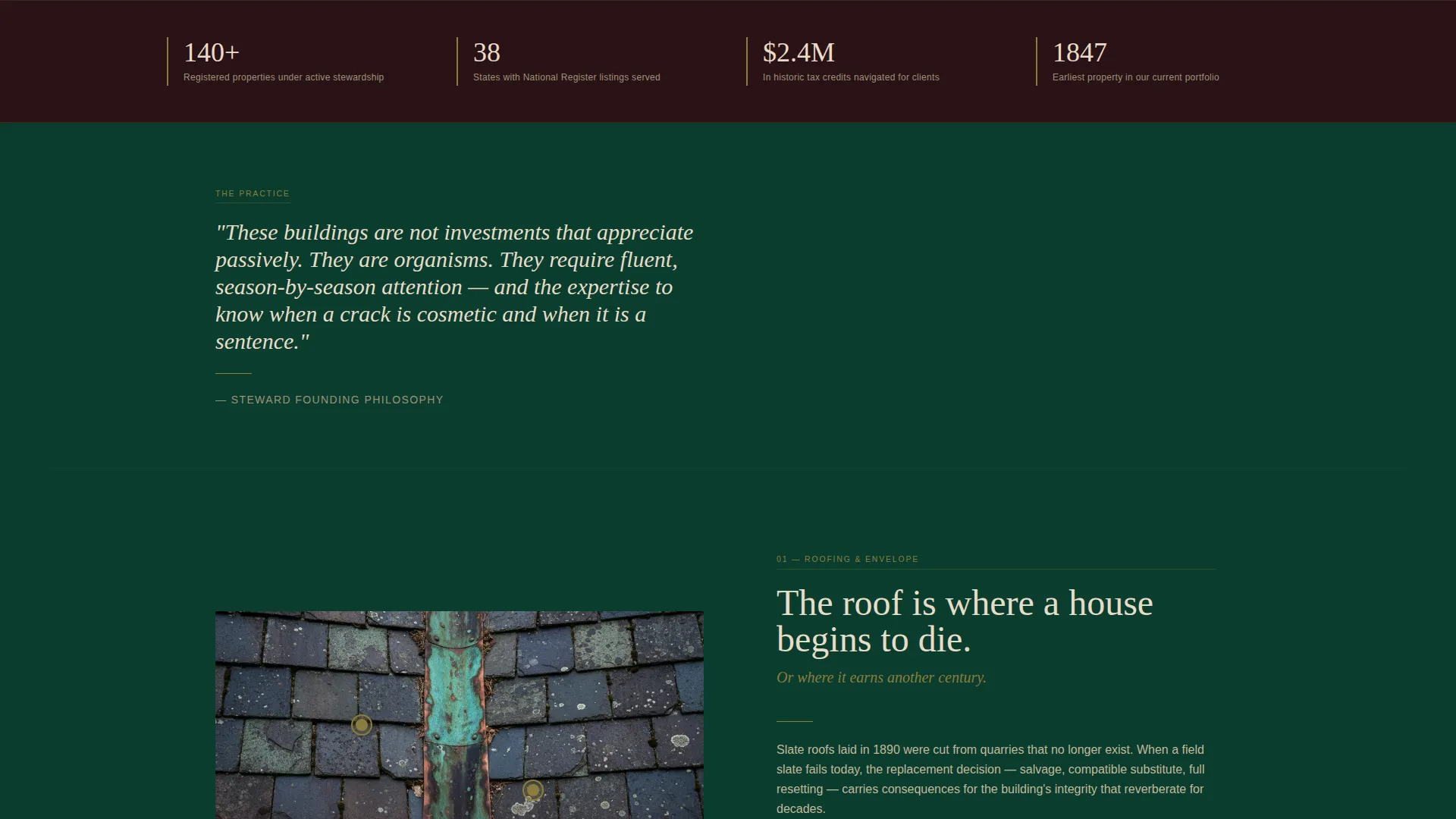
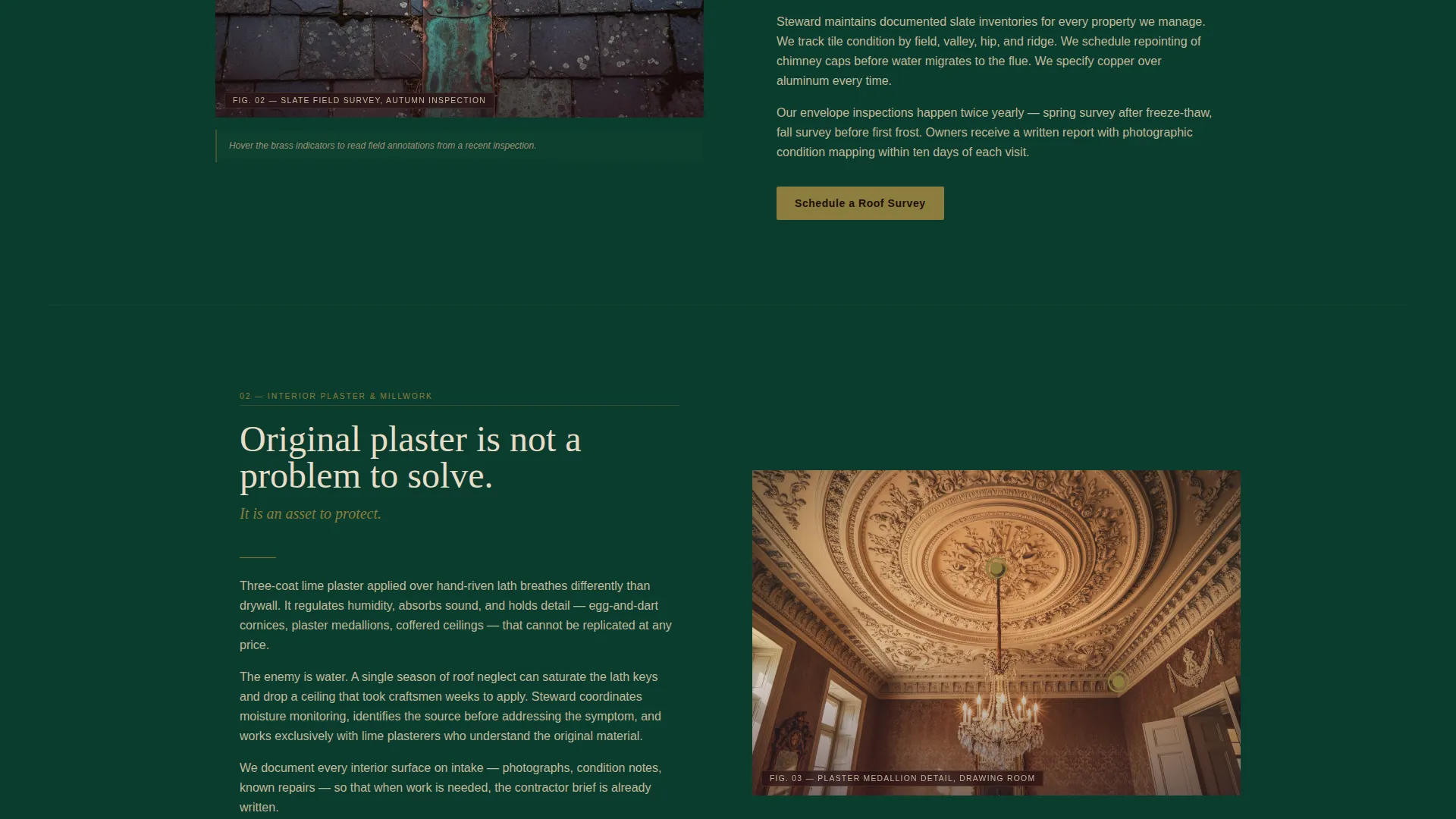
Detail photographs in each section support hover-activated annotation overlays. A visitor mousing over a chimney stack, for example, sees flash annotations about repointing schedules, flashing conditions, and cap integrity. This interaction makes expertise tangible without requiring a brochure.
Persistent Navigation Call to Action
A brass-colored "Schedule a Property Review" button sits in the navigation bar and remains visible as visitors scroll. The same call to action reappears anchoring every other zigzag section, keeping conversion accessible throughout the entire reading journey.
Dual Conversion Path Design
The page carries two parallel conversion routes. The primary path leads to a detailed lead-generation form for owners ready to engage. The secondary path offers a gated downloadable PDF resource for owners who are not yet ready to call but are already thinking about what the next season will bring.
Lead Form with Designation Dropdown
The terminal lead form asks for property address, year built, and a historic designation status dropdown with four options: National Register, local landmark, contributing district, and unsure. A free-text field labeled "What concerns you most right now?" invites owners to name their specific worry before the first conversation.
Page sections overview
| Section | Purpose |
|---|---|
| Panoramic Estate Header | Opens with scale and atmosphere; delivers the brand headline |
| Persistent Navigation Bar | Keeps the primary call to action visible throughout the scroll |
| Roofing and Envelope | Addresses slate roof cycles, flashing, and chimney repointing |
| Interior Plaster and Millwork | Covers original plaster stabilization and ornamental woodwork care |
| Hidden Mechanical Systems | Explains how modern systems are integrated without damaging fabric |
| Grounds and Landscape Heritage | Covers formal garden cycles, boxwood parterre, and heritage plantings |
| Regulatory Compliance Section | Navigates preservation board approvals and tax credit pathways |
| Primary Lead Form | Captures property details and the owner's specific concern |
| Seasonal Calendar Download | Secondary conversion path gated behind name and email |
Design & branding system
The visual identity uses a Dark Immersive theme built on a Deep Emerald color system. Every color decision reinforces the feeling of a private library at midnight, where expertise feels old, earned, and trustworthy.
- Deep estate green (#0B3D2E) and aged mahogany trim (#2A1215) carry all backgrounds, giving the page its atmosphere of contained authority
- Tarnished brass (#8B7D3C) drives all hover states and interactive affordances, catching the eye the way a banker's lamp catches a desktop
- Antique parchment (#E8DCC8) renders headline type and highlighted elements, reading like gilt lettering pressed into a heritage plaque
Mobile & speed optimization
The Steward template is structured to translate its immersive desktop experience to smaller screens without losing the atmosphere that makes the design persuasive.
- The panoramic header image scales and crops responsively so the estate facade remains impactful on a phone screen
- Zigzag sections reflow to a stacked single-column layout on mobile, keeping the image-then-text narrative sequence intact
- The persistent navigation call-to-action button and the dual conversion forms remain fully accessible on touch devices
How this template helps you convert
Every structural decision in this template is designed to move a hesitant owner closer to making contact. The page does not rush conversion; it earns it section by section.
- The hotspot overlays on each detail photograph demonstrate specialist knowledge in real time, giving visitors proof of expertise before they reach any form
- The persistent "Schedule a Property Review" button removes friction at every scroll depth, so an owner who is convinced mid-page does not have to search for the next step
- The secondary PDF download path captures undecided visitors who leave a name and email, creating a follow-up opportunity even when they are not ready to commit
Other information about this template
This template is designed specifically for the historic home real estate and preservation services sector. It fits firms whose work sits at the intersection of property stewardship, architectural heritage, and specialist client relationships.
- The template style follows a zigzag alternating layout, originally referenced as a Split Screen approach, adapted here with immersive dark theming rather than a minimal treatment
- The lead-generation direction is the primary conversion model, with a booking and scheduling intent embedded in the "Schedule a Property Review" call to action
- The designation status dropdown and the free-text concern field make the lead form genuinely useful for qualifying prospects before the first conversation
Theme
Luxe Minimal
Creative direction
Case Study Narrative
Color system
Warm Stone
Style
Split Screen (50/50)
Direction
Booking/Scheduling
Page Sections
Panoramic Twilight Estate Header
Zigzag Alternating Content Sections
Hover-triggered Hotspot Overlays
Persistent Brass Navigation Button
Dual Conversion Path Layout
Qualification-focused Lead Form
Related questions
Can I customize the color palette for my firm's branding?
Do I need to provide my own photography for the header and zigzag sections?
Can I add or remove preservation discipline sections?
Is the lead form connected to any booking system out of the box?
Can the Seasonal Preservation Calendar download be replaced with a different resource?



