Templates
Real Estate & Property
Mixed-Use Development Real Estate
Steward - Commanding Mixeduse Landing Page Template
Steward - Commanding Mixeduse Landing Page Template
Steward is a commanding single-page landing page template built for mixed-use property management firms. It opens with a cinematic twilight header, leads immediately with an interactive Portfolio Assessment tool, and flows into a moody gallery of managed properties. Every section is designed to earn trust through proof, then convert through a clear scheduling path.
by Rocket studio
Quick summary
Steward is a gallery and detail landing page template for firms managing mixed-use developments. It pairs a filmic full-width header with an instant-value calculator, a proof-driven property gallery, and a streamlined booking flow. The design is anchored in a Luxe Minimal palette that signals authority at first glance and guides every visitor toward a portfolio review call.
Who this template is for
This template is built for professional property management firms operating at the intersection of residential and commercial real estate. It speaks directly to the operators who handle the daily complexity of buildings where people live, shop, and work in the same structure.
- Mixed-use development managers handling both residential units and retail leases
- Asset owners and development partners presenting their portfolio to institutional investors
- Firms moving upmarket who need a client-facing presence that matches the quality of their buildings
What problem this template solves
Managing a mixed-use asset is nothing like managing a single-use property. The firm must account for residential floors, commercial tenants, shared amenity spaces, and investor reporting, all at once. Most templates are built for one audience, not three.
- Prospects land on a generic page that does not reflect the scale or sophistication of the work
- Potential clients cannot quickly see proof that the firm understands their specific asset type
- There is no fast path for decision-ready visitors to book a conversation without a long scroll
What you get with this template
This template delivers a fully structured, single-page layout with every section designed around the buyer journey of a high-value property management client. Nothing is generic or borrowed from a residential-only or retail-only template.
- A cinematic header with a timed headline fade-in and a letterboxed filmic aspect ratio
- An interactive Portfolio Assessment tool positioned above the property gallery for immediate utility
- A moody, expandable property gallery with tenant mix breakdowns, property stats, and asset owner testimonials
- A primary booking flow with an embedded calendar selector and a secondary lead-capture path for warmer prospects
Feature list
This section covers the core functional and design components that define the Steward template and separate it from general real estate landing page layouts.
Cinematic Panoramic Header
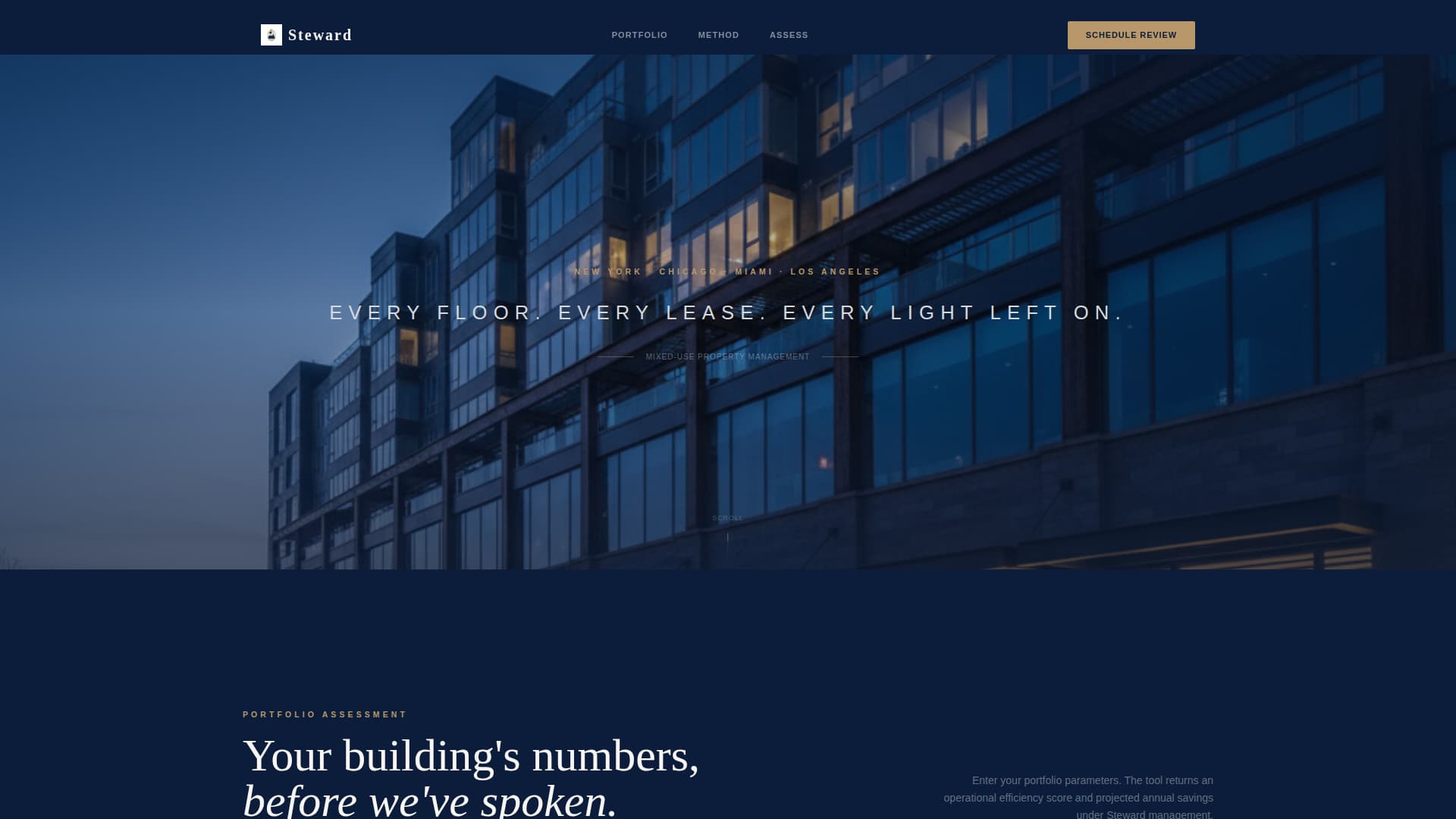
The header uses a sweeping twilight photograph stretched edge to edge and beyond the viewport. Slim navy bars frame the top and bottom in a letterboxed ratio. After a two-second pause, a single platinum headline fades in with tracked-out spacing, setting a tone of composed authority before any copy appears.
Interactive Portfolio Assessment Tool
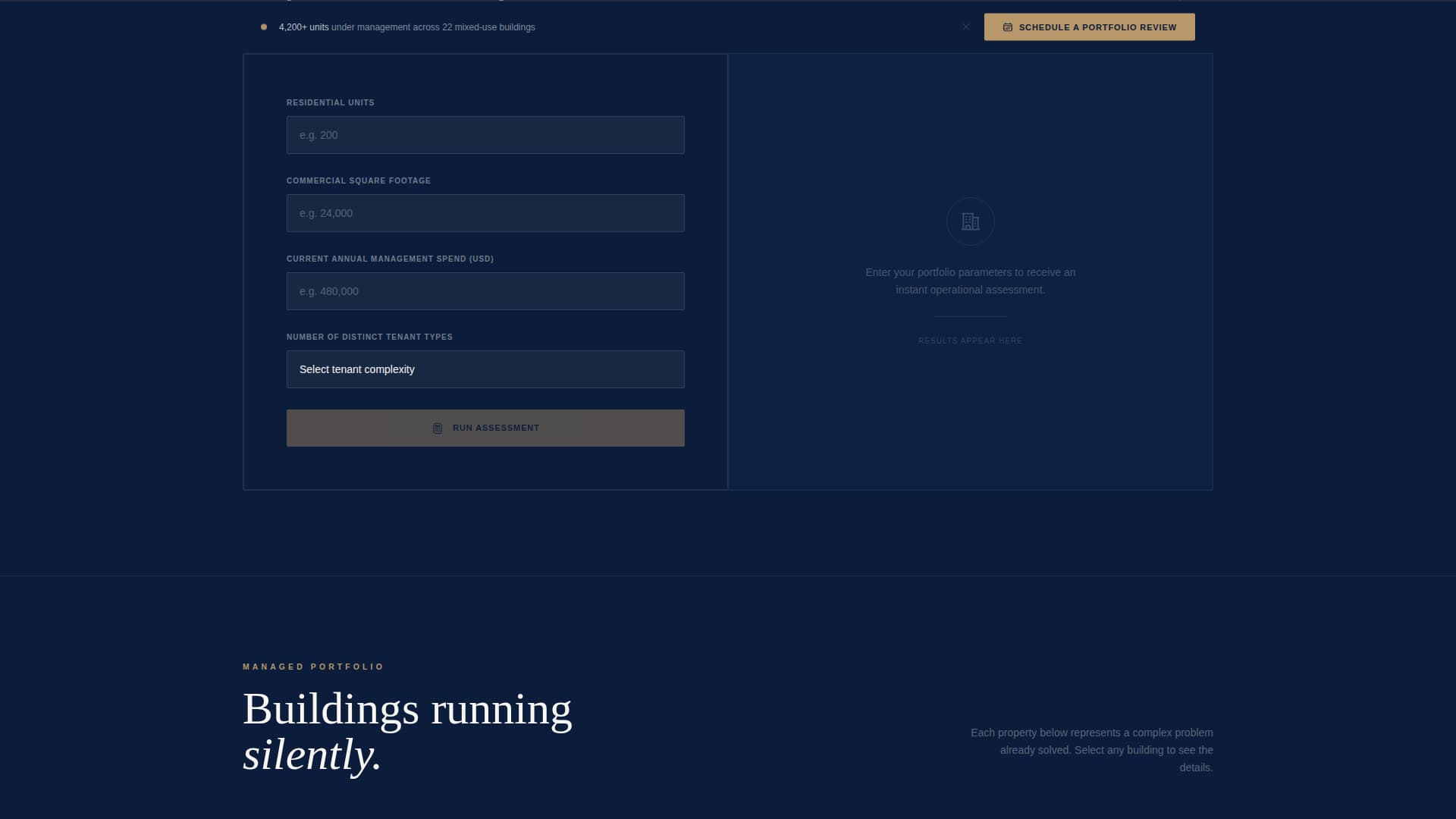
Positioned directly below the header, before any company narrative, the calculator asks for number of units, commercial square footage, current management spend, and number of tenant types. It returns a projected operational efficiency score and estimated annual savings in gold numerals on a navy background. This earns visitor attention through immediate, relevant utility.
Expandable Property Gallery
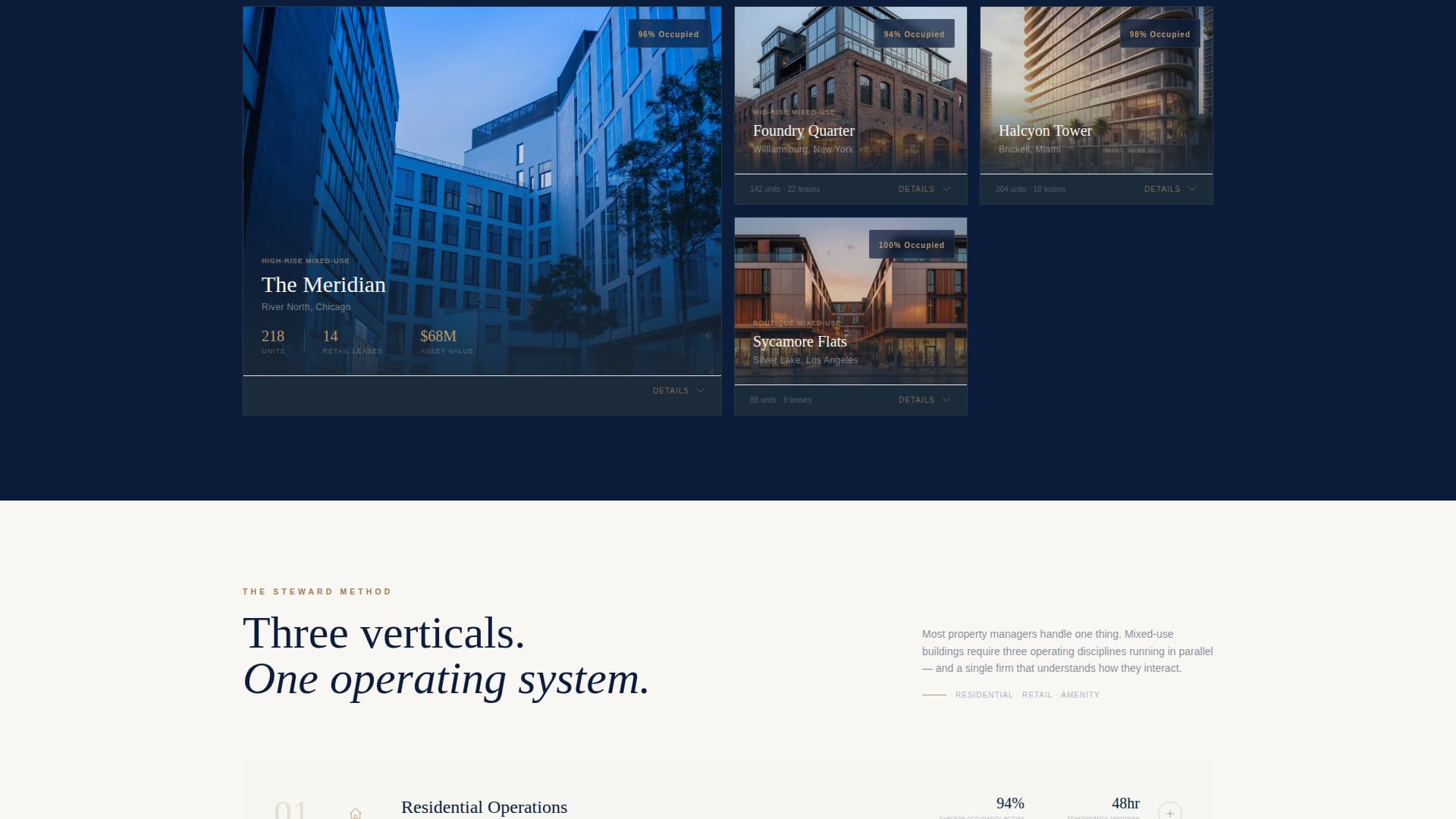
Each gallery card shows a moody, architecturally-lit exterior thumbnail. Clicking or hovering expands a detail panel that displays property statistics, a tenant mix breakdown, and a single testimonial from the asset owner. Cards animate into view with a restrained ease transition that keeps the page feeling deliberate rather than busy.
Dual Conversion Paths
The primary call to action, "Schedule a Portfolio Review," locks to the bottom of the calculator results and reappears as a floating bar after the third gallery property. A secondary path, "Download Our Mixed-Use Capabilities Deck," captures email and property type for leads who need more time before a conversation.
Booking Form with Calendar Selector
The scheduling form collects property name, total units and commercial square footage, current management arrangement, and a preferred meeting window. An embedded calendar selector displays 30-minute booking blocks so prospects can commit to a specific time without leaving the page.
Luxe Minimal Visual Identity
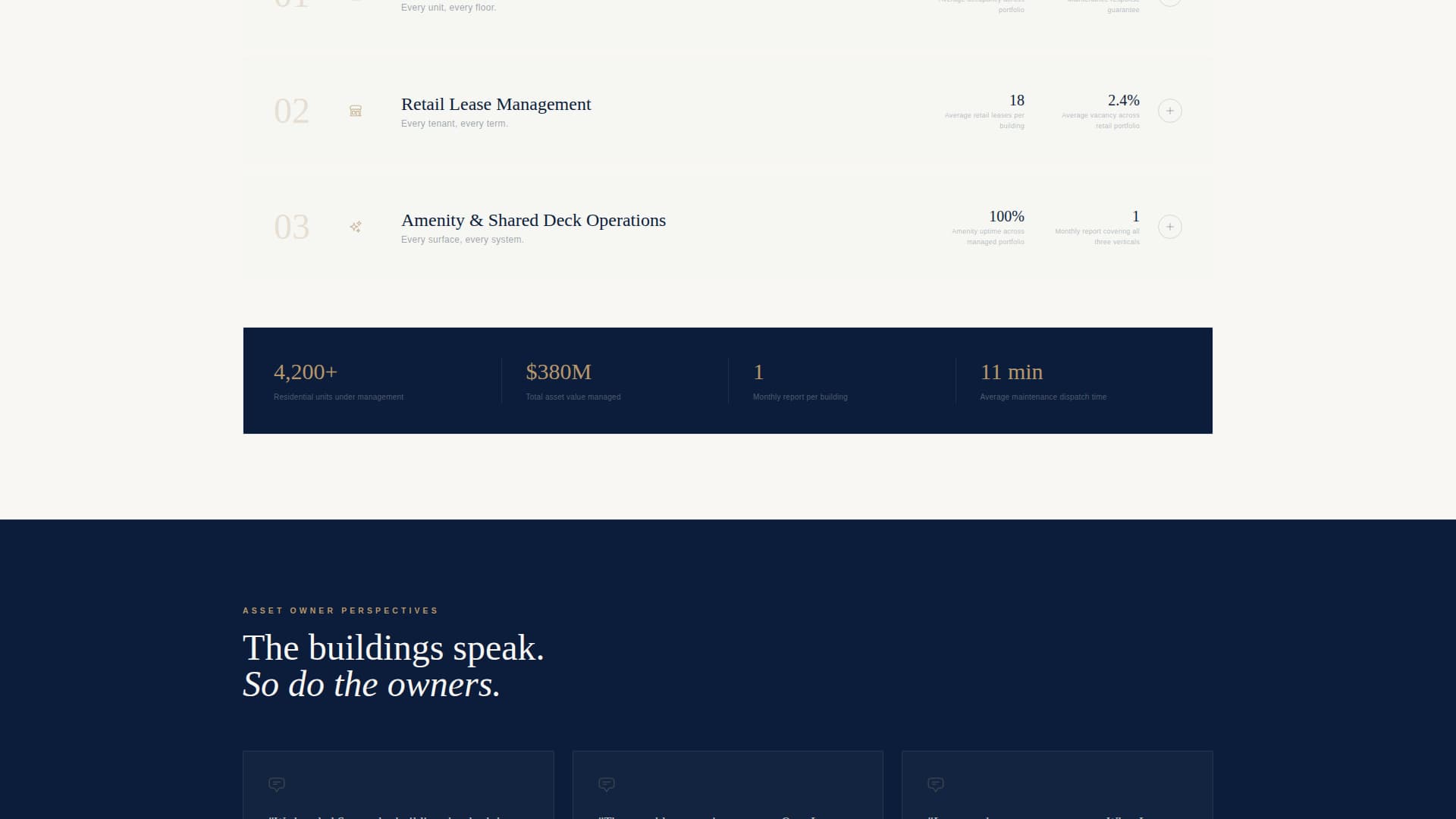
The color system uses midnight command blue as the primary background, ivory tower white for content panels, brushed platinum for dividers and secondary surfaces, and understated gold reserved exclusively for interactive elements and data highlights. This palette is applied consistently across every section to maintain a single visual voice from top to bottom.
Page sections overview
| Section | Purpose |
|---|---|
| Panoramic hero header | Sets cinematic tone and brand positioning |
| Portfolio Assessment tool | Delivers immediate value before company story |
| Calculator results panel | Shows efficiency score and savings in gold |
| Primary call to action block | Anchors first "Schedule a Portfolio Review" prompt |
| Property gallery grid | Proves firm capability through managed assets |
| Gallery detail panels | Shows stats, tenant mix, and owner testimonials |
| Floating call to action bar | Re-engages visitor after third gallery property |
| Booking form | Collects lead details and meeting window |
| Calendar selector | Enables direct 30-minute block scheduling |
| Capabilities deck capture | Secondary path for email and property-type leads |
Design & branding system
The Steward template uses a Luxe Minimal theme anchored by a Navy Authority color system. Every color has a defined role, and none of them overlap. The result is a page that reads as considered and controlled, like the firms it is designed to represent.
- Midnight command blue (#0B1D3A) dominates the header, footer, calculator, and floating bar for structural authority
- Ivory tower white (#F8F7F4) holds mid-page content panels so body copy stays readable and calm
- Brushed platinum (#D6D9DE) appears on secondary surfaces and divider lines to separate sections without visual noise
- Understated gold (#B8976A) is reserved strictly for interactive elements, call-to-action buttons, and numerical data highlights
Mobile & speed optimization
The Steward template is structured to maintain its visual hierarchy and functional layout across screen sizes. The cinematic header, calculator tool, gallery grid, and booking form are each built to reflow cleanly on smaller viewports without losing their intended impact.
- The panoramic header and gallery cards are sized to scale proportionally on mobile without cropping the subject matter
- The Portfolio Assessment tool inputs and results panel stack vertically on narrow screens so the calculator remains fully usable
- The floating call-to-action bar is positioned to remain visible and tappable on touch devices without blocking content
How this template helps you convert
Steward is built around a deliberate conversion architecture. Every scroll is a step forward in trust, and every trust-building moment is followed by an action prompt.
- The calculator creates a personalized, numbers-first interaction before a single pitch is made, making the firm feel competent and informed before introductions are exchanged.
- The property gallery converts passive browsing into active evaluation. Each expanded detail panel gives the visitor enough proof to feel confident moving to the next step.
- The dual conversion paths mean neither the ready-to-book prospect nor the still-researching lead leaves the page without a next step. The primary booking form captures the warm lead; the capabilities deck captures the curious one.
Other information about this template
Steward is designed specifically for the mixed-use development segment of the real estate market. It is not a general-purpose real estate template adapted for this use case. Every structural decision, from the calculator placement to the gallery detail format, reflects the specific decision-making journey of a property owner or investor evaluating a management firm for a complex, high-value asset.
- The template suits firms managing assets in the range described in the brief: portfolios combining 100 or more residential units with multiple commercial leases and shared amenity infrastructure
- It works equally well for firms pitching to homeowners association (HOA) boards, institutional investors, and private development partners, since the gallery and calculator speak to all three audiences
- The single-page structure keeps the full story visible in one scroll session, which suits the focused decision-making context of asset owners who do not have time for multi-page navigation
- The secondary lead-capture path (capabilities deck download) makes the template useful at trade events, referral introductions, and cold outreach, not just inbound web traffic
Theme
Corporate Precision
Creative direction
Immersive Visual
Color system
Cloud Canvas
Style
Asymmetric Grid (60/40)
Direction
Direct Sales
Page Sections
Cinematic Panoramic Header with Timed Fade
Interactive Portfolio Assessment Tool
Expandable Property Gallery
Dual Conversion Architecture
Embedded Booking Form and Calendar
Luxe Minimal Navy Authority Palette
Related questions
Who is the Steward template designed for?
Can I update the calculator inputs and outputs to match my firm's approach?
How does the property gallery work if I have a small portfolio?
Is the booking calendar connected to a live scheduling system?
Can I remove the secondary lead-capture path and keep only the booking form?