Property Management & HOA Cost Calculator Website Template
Steward is a single-page landing page template built for commercial property management firms. It combines an interactive map header, an inline net operating income calculator, and a case-study cascade into a disciplined asymmetric 60/40 grid. The Luxe Minimal design signals institutional credibility from the first scroll, guiding qualified asset owners toward a detailed services page.
by Rocket studio
Quick summary
Steward is a landing page template designed for commercial property management firms serving REITs, private equity sponsors, and family offices. It leads with a map-based interactive canvas and an inline NOI calculator, then layers in animated case studies. Every design choice reinforces authority, and every section pushes qualified visitors toward a click-through to a full services and pricing page.
Who this template is for
This template is built for firms that manage institutional-grade commercial real estate. If your clients hold Class A office towers, mixed-use complexes, or suburban office parks, Steward reflects the standard they expect.
- Commercial property management companies targeting institutional and private owners
- Firms handling tenant buildouts, CAM reconciliations, and operating expense reporting
- Property managers serving REITs, private equity real estate sponsors, and family office portfolios
What problem this template solves
Most commercial property management landing pages look like residential firm websites dressed up with stock photos. They fail to communicate the operational depth and financial precision that institutional owners require. Steward closes that gap immediately.
- Owners cannot quickly gauge whether a firm handles their asset class and reporting complexity
- Generic pages force visitors to dig for proof of performance before they trust the firm
- Without a calculator or data hook, high-intent visitors leave before converting to a consultation
What you get with this template
You get a fully structured single-page layout that moves a qualified visitor from curiosity to click-through in one clean scroll. The template delivers real interactive components, animated data sequences, and a conversion path built around value delivery first.
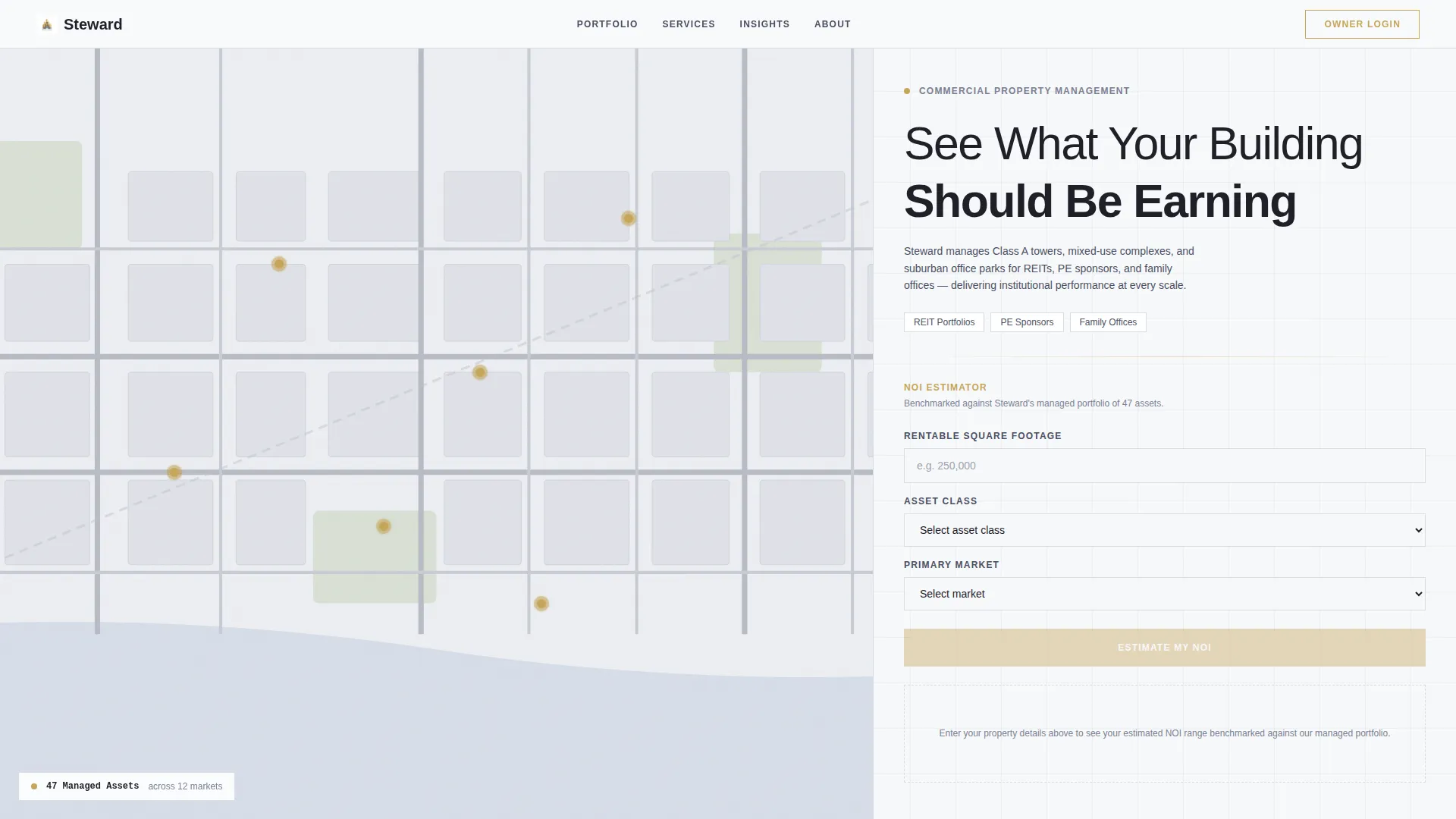
- A full-viewport map canvas with animated property pins and hover-triggered property cards
- An inline NOI calculator that benchmarks visitor inputs against managed portfolio averages
- An alternating case-study cascade with scroll-triggered number animations and a secondary PDF capture link
- A sticky gold-bordered call to action bar and a click-through path that carries calculator inputs as URL parameters
Feature list
This template ships with purpose-built components matched to the complexity of commercial property management marketing.
Interactive Map Header Canvas
The header occupies the full viewport with a stylized, muted-tone metro map rendered in grayscale. Pre-loaded pin clusters mark managed properties, each pulsing faintly in brushed gold. On hover, a slim card slides out showing the property thumbnail, square footage, occupancy rate, and asset class.
Inline NOI Calculator
A compact net operating income calculator sits in the 40-column right rail of the header section. Visitors enter square footage, asset class, and market, then receive an estimated NOI range benchmarked against the firm's managed portfolio averages. Calculator results appear instantly, delivering value before any call to action is shown.
Animated Case-Study Cascade
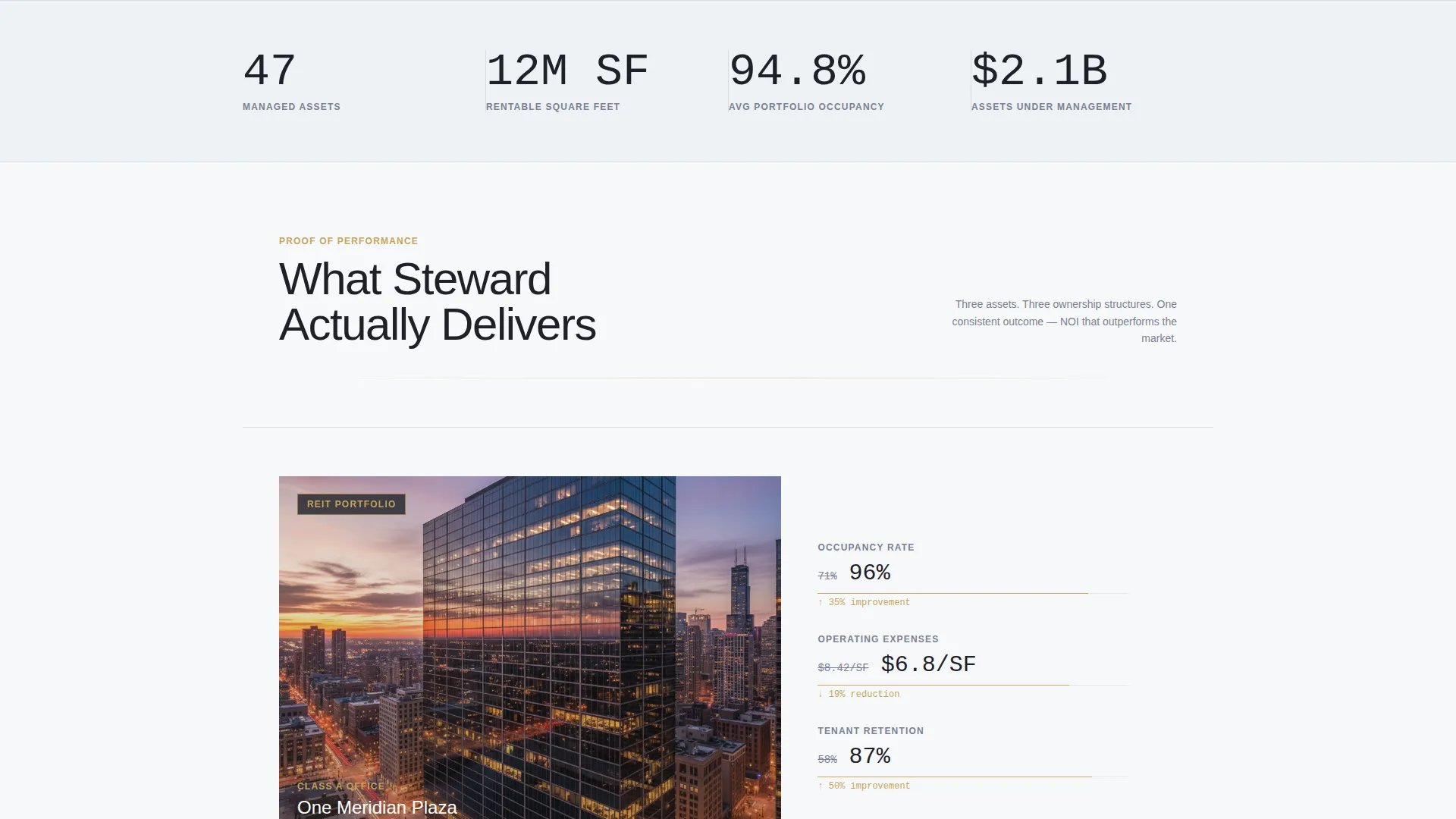
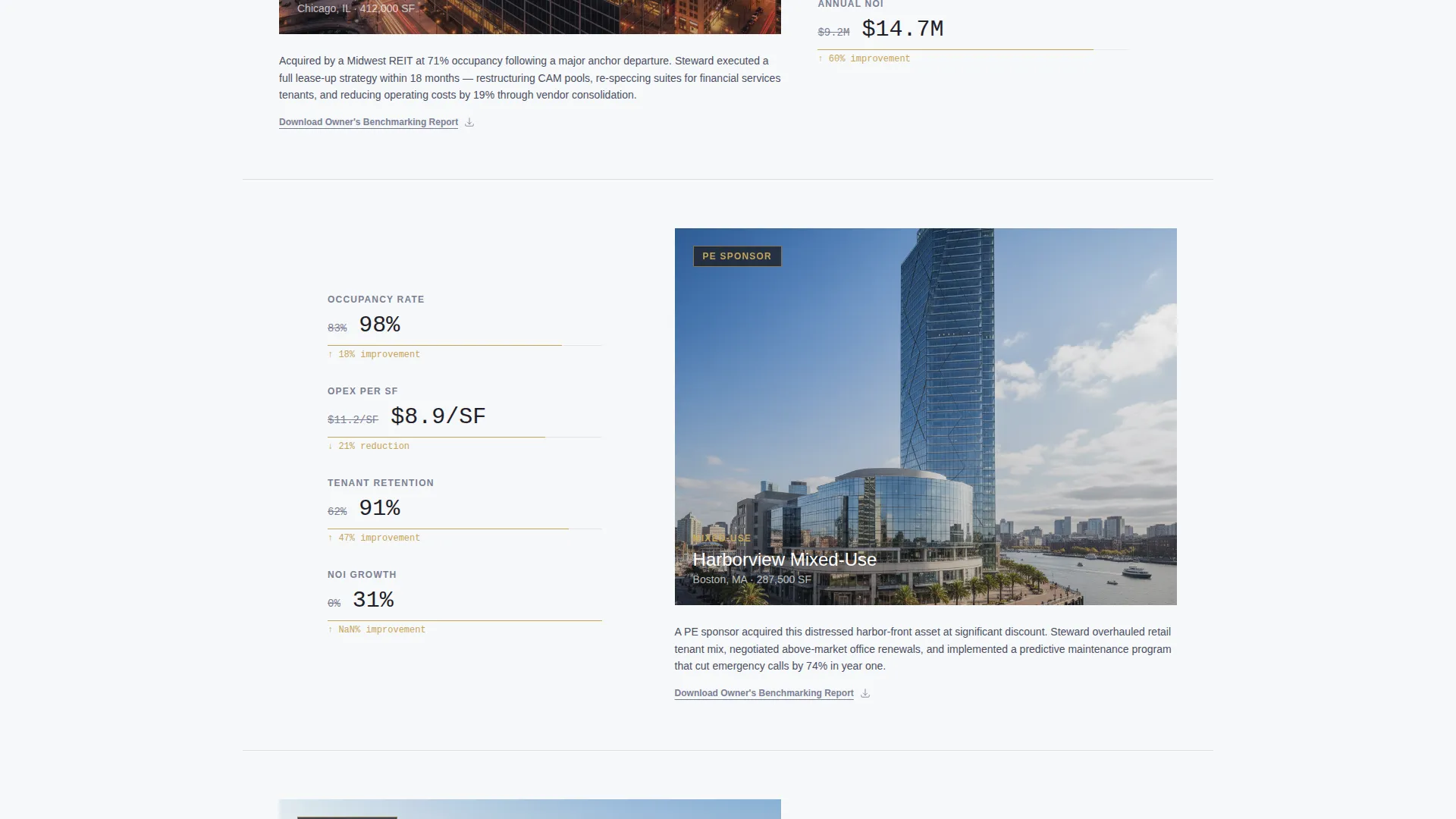
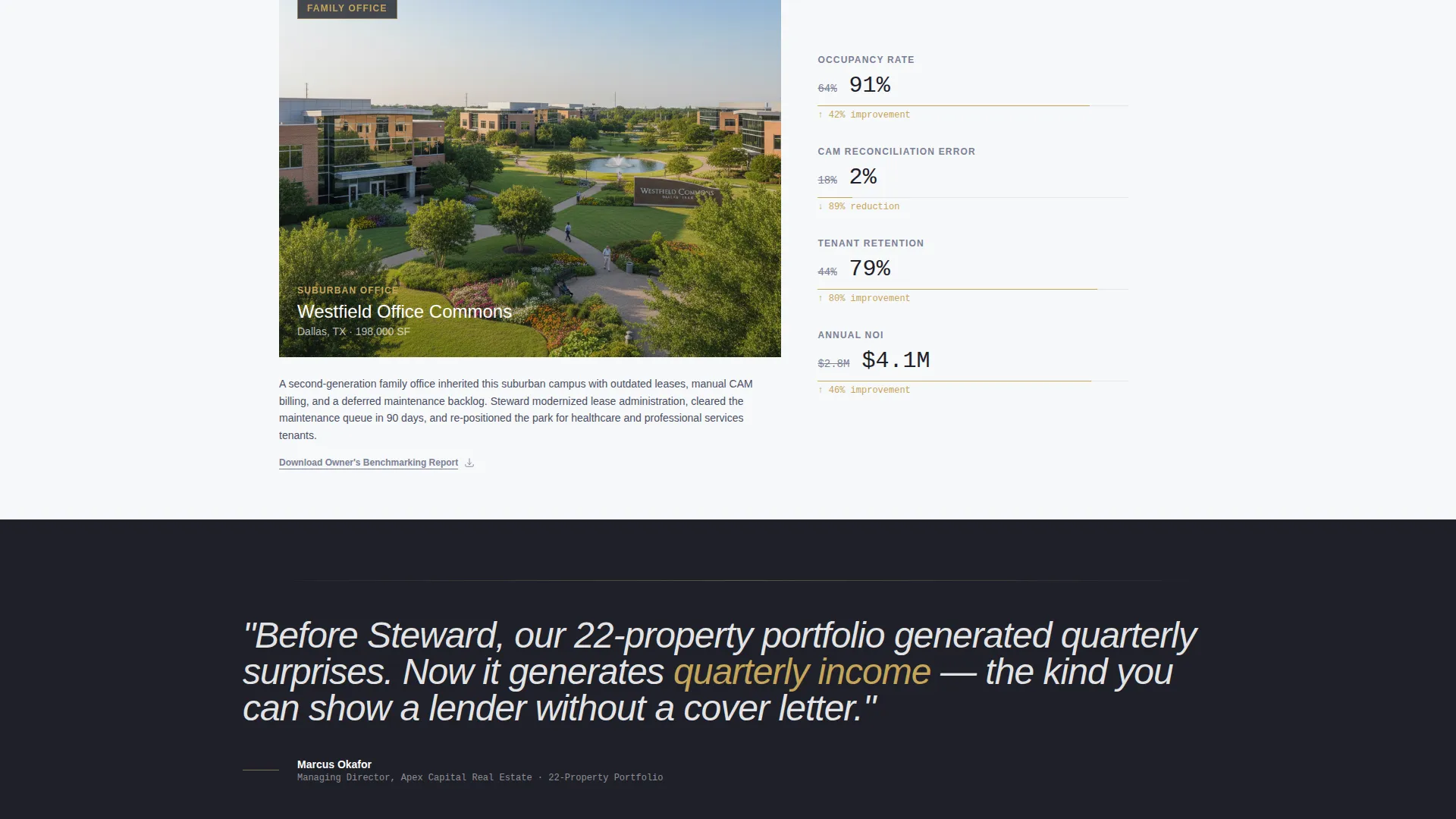
Below the header, the page presents a series of case-study sections. Each pairs a property photograph in the 60-column frame with a vertical data strip in the 40-column frame. Occupancy lifts, operating expense reductions, and tenant retention rates animate on scroll, counting up like a financial ticker.
Alternating Grid Layout
The 60/40 asymmetric grid alternates between photo-left/data-right and data-left/photo-right configurations. This zigzag rhythm keeps the eye moving down the page without visual fatigue. The layout creates a natural reading path that mirrors the cadence of a well-structured investor report.
Sticky Click-Through call to action Bar
A gold-bordered sticky bar appears at the bottom of the viewport as the visitor scrolls. The primary call to action, "See Our Full Management Scope," carries the visitor's calculator inputs as URL parameters to the next page. This allows the destination page to personalize the experience based on what the visitor already entered.
Secondary PDF Lead Capture
Beneath each case study, a text link offers a downloadable Owner's Benchmarking Report. Visitors who are not yet ready to click through can exchange their email for the PDF, keeping them inside the funnel at a lower commitment level.
Page sections overview
| Section | Purpose |
|---|---|
| Map Canvas Header | Displays managed properties on a full-viewport interactive map with hover cards |
| NOI Calculator Rail | Lets visitors estimate net operating income benchmarked to portfolio data |
| Case Study One | Pairs a property photo with animated before-and-after performance data |
| Full-Grid Testimonial | Presents a single italicized portfolio manager quote spanning the full grid width |
| Case Study Two | Alternates layout to data-left, photo-right with scroll-triggered number animation |
| Case Study Three | Continues the zigzag cascade with a third property performance data strip |
| Secondary PDF Link | Offers an Owner's Benchmarking Report download beneath each case study section |
| Sticky call to action Bar | Persists at the viewport bottom with a gold-bordered click-through button |
Design & branding system
The visual identity follows a Luxe Minimal theme built on the Cloud Canvas color system. Every color decision is deliberate and restrained, with nothing decorative competing for attention. The overall effect reads like a freshly printed investor report placed on a white quartz conference table.
- Open-sky white (#F7F8FA) and soft cumulus gray (#E2E5EA) form the page foundation, keeping layouts airy and weightless
- Deep charcoal (#1E2028) is used exclusively for headlines and data figures, delivering authority without visual noise
- Brushed gold (#C5A55A) appears only on interactive elements, call-to-action borders, and key metric highlights, making every touchpoint feel considered and premium
Mobile & speed optimization
The template layout is structured to translate its asymmetric grid discipline into a clean single-column flow on smaller screens. Interactive components like the map canvas and calculator are designed within the layout to remain functional and uncluttered as viewport width decreases.
- The 60/40 grid stacks gracefully so property photos and data strips read in logical sequence on mobile
- Sticky call to action bar and hover-triggered property cards adapt to touch-friendly interaction patterns within the layout structure
How this template helps you convert
Steward is built around a Calculator/Tool First creative direction, meaning the page delivers measurable value before it ever asks for anything. Every conversion element is placed at the moment of highest visitor intent.
- The NOI calculator creates a personal, data-backed reason to stay on the page and engage with the firm's methodology before seeing any sales message.
- The "See Our Full Management Scope" call to action appears first inside the calculator results panel, catching the visitor at peak interest, then repeats as a sticky bar so it is always one tap away.
- The secondary PDF download link beneath each case study captures emails from visitors who need more evidence before committing, keeping the funnel active at every stage of readiness.
Other information about this template
Steward is part of a broader template ecosystem designed for high-trust, high-value professional services that operate in complex markets. A few additional details worth noting for firms evaluating this template:
- The template is optimized for the commercial property management niche, covering asset types including Class A office towers, mixed-use complexes, and suburban office parks
- The Click-Through landing page direction means no contact form lives on this page; the conversion goal is a qualified page visit to a services and pricing destination
- URL parameter passing from the calculator to the next page is built into the template's call to action link structure, supporting a personalized follow-up experience without requiring additional configuration
- The page is suitable for firms that need to demonstrate institutional-grade reporting capabilities and operational depth to prospective REIT, private equity, and family office clients
- The header map canvas references a grayscale custom tileset aesthetic consistent with tools like Mapbox-style implementations, giving the property pin layout a professional cartographic feel
Theme
Luxe Minimal
Creative direction
Calculator/Tool First
Color system
Cloud Canvas
Style
Asymmetric Grid (60/40)
Direction
Click-Through
Page Sections
Interactive Map Header with Property Pins
Inline NOI Calculator
Scroll-animated Case Study Cascade
Alternating 60/40 Asymmetric Grid
Sticky Gold-bordered Call to Action Bar
Secondary PDF Lead Capture Link
Related questions
Is this template designed for a single page or a multi-page website?
Can the NOI calculator be customized with my firm's portfolio data?
What happens to the visitor's calculator inputs when they click the call to action?
Does this template include a contact form or lead form?
Who is the ideal client profile this template is designed to attract?



