Mountain Property Management Landing Page Template
Steward is a full-width immersive landing page template built for mountain property management companies. It opens with a stylized topographic map hero, leads visitors directly into an interactive property assessment tool, and guides second-home owners toward a personalized care report. The design uses a Midnight Blue color system with lantern amber call-to-action highlights for a calm, authoritative feel.
by Rocket studio
Quick summary
Steward is a property management landing page template designed for companies that care for remote mountain cabins, chalets, and A-frames. It combines an atmospheric topographic map hero with a Calculator/Tool First creative direction, placing an interactive property assessment tool front and center. Visitors build confidence before they ever read a marketing headline, and the landing page converts that trust into meaningful action.
Who this template is for
This template is built for property management company owners and operators who serve second-home owners in mountain regions. It is the right choice for any professional management business targeting the Mountain West or Appalachian markets.
- Mountain property management companies launching or refreshing their landing page
- Real estate landing page designers building for vacation rental and second-home niches
- Property managers who want a high-converting website without writing code from scratch
What problem this template solves
A landing page for a trusted mountain property management service must bridge the gap between high-end vacation appeal and professional management. Most property management landing pages either feel too corporate or too casual. Steward solves both sides of that problem.
- Second-home owners visiting a property management landing page need confidence before they share personal details
- Generic real estate landing page templates do not address mountain-specific challenges like winterization, snow removal, and seasonal risk
- Creating a compelling, benefit-focused website from a blank canvas takes significant time and effort
What you get with this template
This template delivers a complete, professionally designed property management landing page framework. Every section is pre-structured, so your team can focus on content and branding rather than layout decisions.
- A full-width immersive landing page with six purpose-built sections including a topographic map hero, interactive assessment tool, services bento grid, testimonials, seasonal calendar, and a footer
- A multi-step property assessment tool with five inputs and personalized results, gated behind a short lead-capture form
- A Midnight Blue design system with Fraunces serif headlines and DM Sans body type, built around the Pastoral Calm theme
Feature list
This template's features are drawn directly from its source design brief, ensuring every element you see has a clear purpose.
Topographic Map Hero
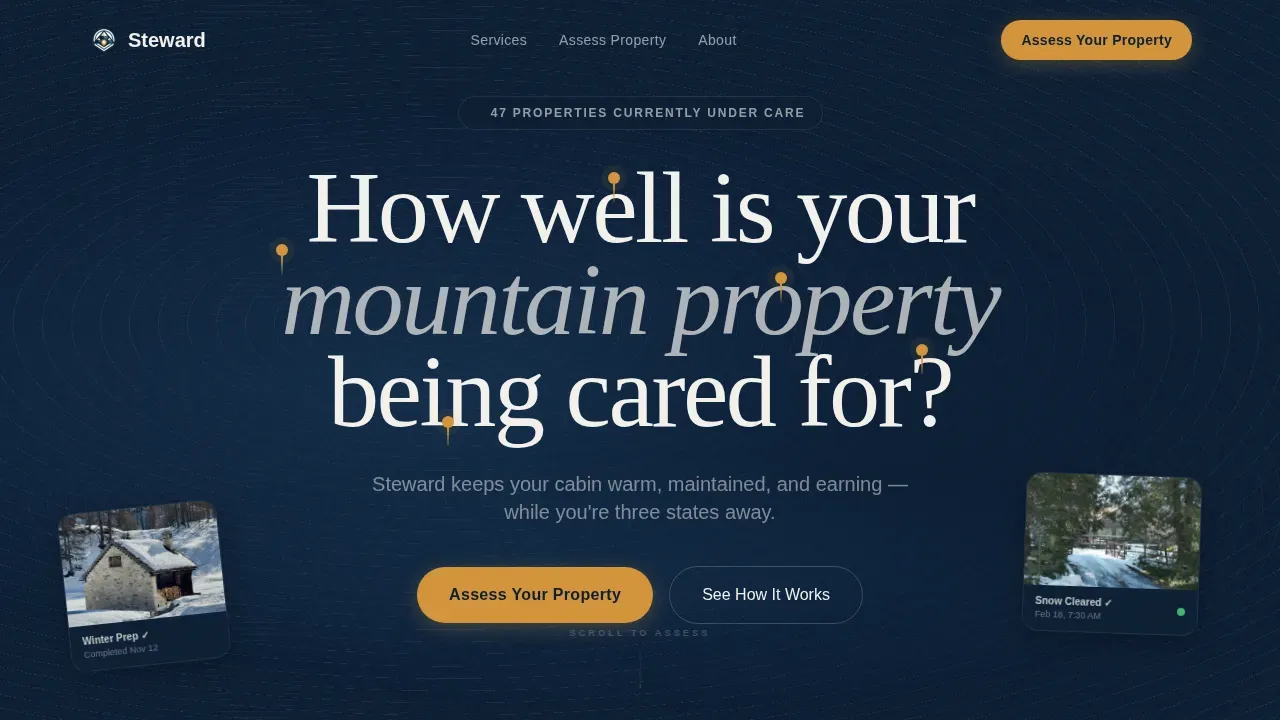
The hero fills the entire viewport with a layered topographic map rendered in midnight navy and twilight blue. Contour lines in birch-bark white create depth, while amber pins mark managed property locations. On hover, pins glow and reveal thumbnail snapshots of real property conditions, pulling visitors into the experience immediately.
Interactive Property Assessment Tool
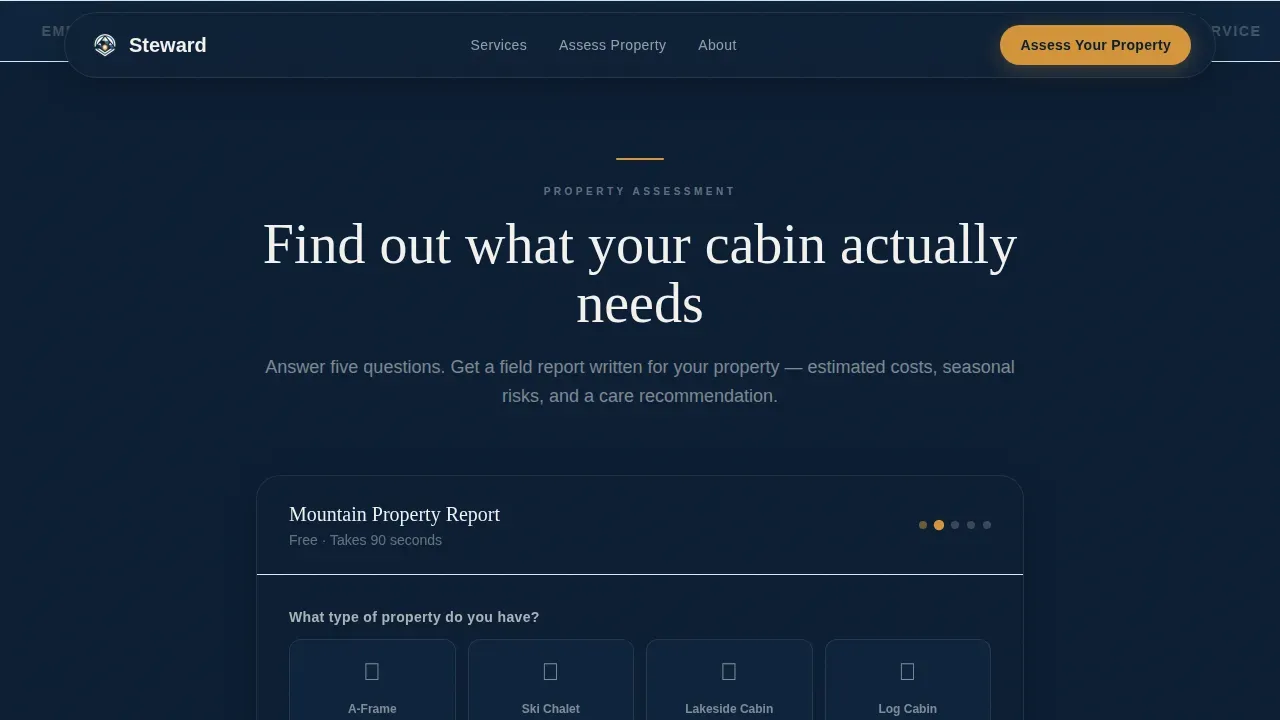
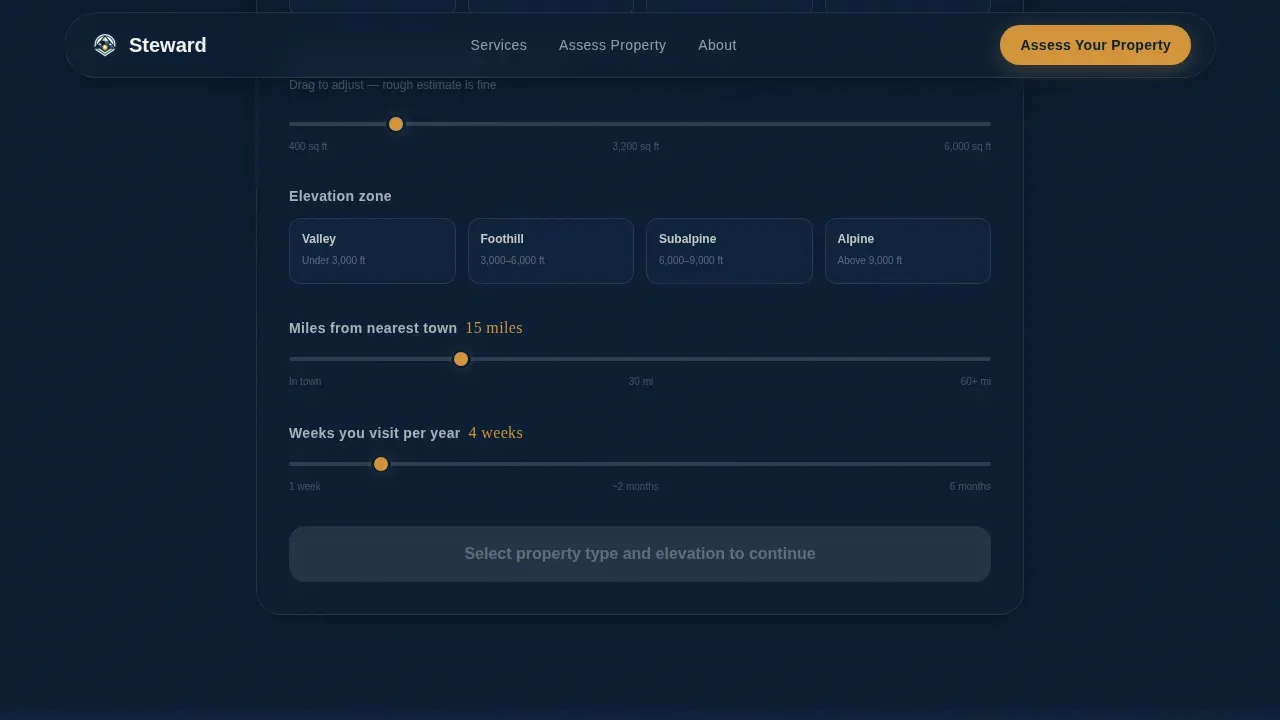
Placed immediately below the hero, this tool is the core conversion engine of the landing page. Visitors input property type, square footage, elevation zone, distance from the nearest town, and annual visit frequency. The tool then surfaces personalized results covering estimated maintenance costs, seasonal risk factors, and a care-level recommendation.
Gated Lead Capture Form
The final assessment output is held behind a concise three-field form asking for name, email, and property address. It is framed as the natural last step of the tool rather than a standalone form, which reduces friction for potential clients. A secondary path offers a downloadable seasonal maintenance checklist for visitors not yet ready to commit.
Services Bento Grid
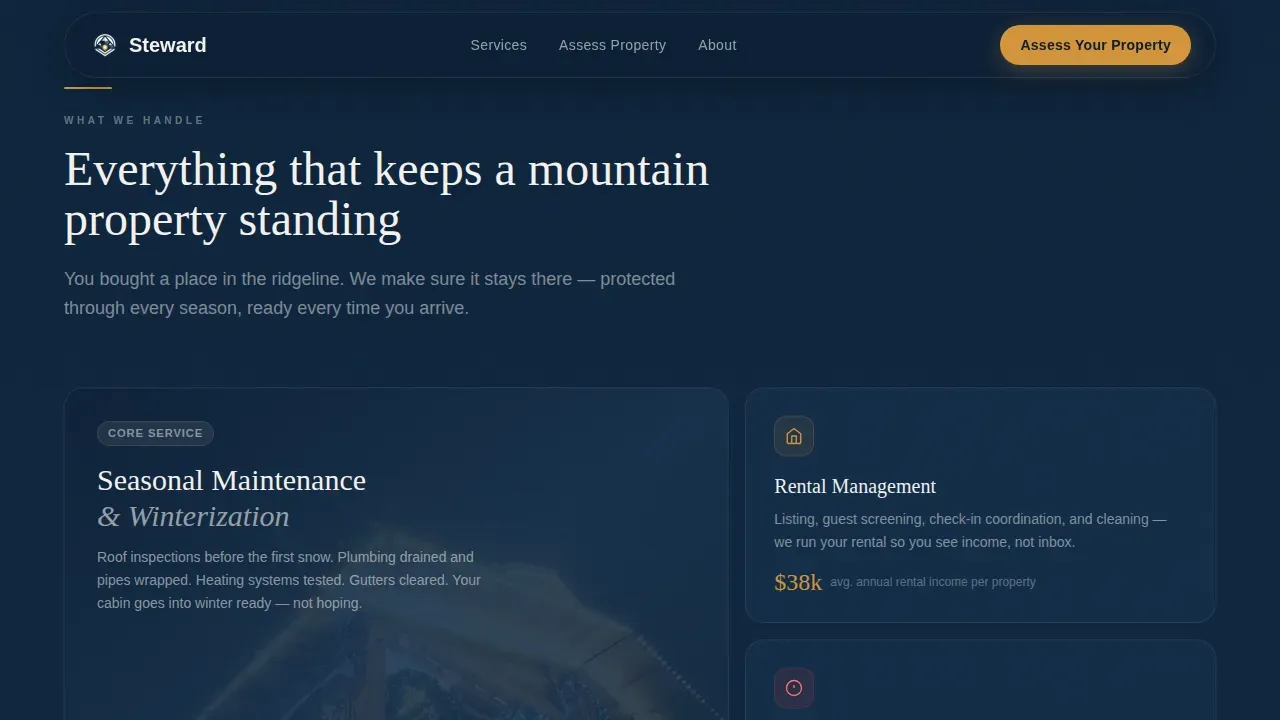
An asymmetric grid section displays the company's core services across maintenance, rental coordination, seasonal preparation, and emergency response. Each tile is designed to communicate value at a glance, helping customers quickly understand the full scope of care on offer.
Testimonials with Location Specificity
Owner quotes include property type and location detail, giving social proof real geographic weight. Displaying this level of specificity builds authority and signals genuine local expertise to prospects researching mountain property management options.
Seasonal Coverage Calendar
A visual calendar strip shows what the property management company does across every season while owners are away. This section addresses the core anxiety of remote ownership by making the care schedule easy to read and understand at a glance.
Page sections overview
| Section | Purpose |
|---|---|
| Topographic Map Hero | Immersive atmospheric entry with glowing amber property pins and hover snapshot cards |
| Property Assessment Tool | Five-input interactive calculator delivering personalized maintenance and risk results |
| Services Bento Grid | Asymmetric visual grid presenting core property management service categories |
| Owner Testimonials | Location-specific social proof quotes building trust and regional authority |
| Seasonal Coverage Calendar | Visual strip showing care practices across all four seasons |
| Arc Split Footer | Contact, navigation, and secondary resources organized in a split-panel layout |
Design & branding system
The design is built on the Pastoral Calm theme, which channels the quiet authority of a well-kept mountain property. The color system communicates at two levels: atmosphere and action.
- Midnight navy (#0B1D33) dominates backgrounds; twilight blue (#1B3A5C) anchors secondary containers; birch-bark white (#F4F1EC) carries body text panels
- Lantern amber (#D4943A) appears only on call-to-action buttons, interactive toggles, and the glowing map pins, ensuring high contrast so every action point stands out
- Fraunces serif headlines pair with DM Sans body type for an editorial luxury style that feels professional without being cold
Mobile & speed optimization
The landing page is desktop-first to match the research behavior of second-home owners, while maintaining full mobile support across all sections.
- Static sections use server-side rendering practices; interactive components like the assessment tool and hero map use client-side rendering for smooth performance on any device
- GSAP parallax powers the hero, Intersection Observer handles section reveals, and the amber pin glow runs as a lightweight pulse animation
- The sticky "Get Your Full Care Report" button appears after the first two assessment inputs and remains accessible regardless of scroll position
How this template helps you convert
An attractive, high-converting landing page is essential to the success of any property management business. This template structures the visitor journey around trust-building before commitment.
- The interactive property assessment tool builds confidence by delivering genuine value upfront, so visitors arrive at the lead form already engaged with their own results rather than reading passive marketing copy
- The gated report form is framed as a natural step in the tool flow, and the secondary checklist download provides a low-friction path for capturing email addresses from visitors who need more time before choosing full management services
Other information about this template
The Steward trusted mountain property management landing page template is built to serve a specific, underserved niche in the real estate landing page market. The following points help users understand its broader context and practical value.
- Templates provide a proven design framework that property management company teams can customize to their own logo, color adjustments, and content without starting from scratch
- No-code website builders and drag-and-drop tools allow users to publish this landing page with less effort and without traditional programming skills, making professional pages accessible to non-technical business owners
- Displaying a company logo alongside logos of professional affiliations provides third-party validation, and owner visibility elements such as a video message can increase trustworthiness on a property management landing page
- Good stewardship in property management involves maintaining or improving ecological processes and landscape functions, and this template's design language reflects that responsible, conservation-aware public image
- Management practices must adapt to changing seasonal conditions, and the seasonal calendar section keeps that commitment visible to site visitors
- Templates for property management landing pages can be published quickly, shared across social media platforms, and updated regularly to improve effectiveness over time
- Property management website templates are designed to be responsive and easy to use, and this one is no different: it is built to deliver professional results from the moment it goes live
- This template can support portfolio display, helping property management companies show the variety and scale of properties they manage to build confidence with prospective clients
- Real estate landing page designers and property management professionals choose this template because it bridges high-end mountain aesthetics with practical conversion design, providing a clear path to reach new clients with genuine interest in long-term care services
Theme
Pastoral Calm
Creative direction
Calculator/Tool First
Color system
Midnight Blue
Style
Full-Width Immersive
Direction
Quiz/Assessment
Page Sections
Topographic Map Hero with Amber Pins
Interactive Five-input Property Assessment Tool
Gated Report with Low-friction Lead Capture
Services Bento Grid Section
Location-specific Testimonials Section
Seasonal Coverage Calendar Strip
Related questions
Who is this landing page template designed for?
Can I customize the colors and logo to match my brand?
Does the assessment tool actually calculate results, or is it a static mockup?
What happens after a visitor completes the assessment?
Is this template suitable for mobile visitors?



