Condo & Apartment Real Estate Professional Website Template
Steward is a split-screen landing page template built for condo and apartment property management firms. It pairs cinematic architectural photography with precise typographic panels, guides visitors through a five-step Building Health Score quiz, and converts board presidents, apartment investors, and HOA treasurers into qualified leads through a diagnostic-first approach.
by Rocket studio
Quick summary
Steward is a single-page template designed for full-service property management companies. It uses a 50/50 split-screen layout, an Atelier Studio visual identity, and a five-step interactive quiz to turn hesitant property owners into engaged leads. The page earns trust by diagnosing a building's needs before asking for contact details.
Who this template is for
This template is built for property management firms that serve residential buildings. It speaks directly to the decision-makers who feel the daily weight of running a building without enough support.
- Condo board presidents overwhelmed by maintenance requests and resident complaints
- Apartment investors managing three or more buildings without on-site staff
- HOA treasurers working from inherited spreadsheets and unclear reserve fund data
What problem this template solves
Most property management firms lead with a services list and a generic contact form. That approach asks for trust before it earns it. Steward flips that dynamic entirely.
- Prospective clients arrive unsure whether they need outside management help
- A cold inquiry form creates friction and rarely converts a hesitant visitor
- Without a clear diagnosis, decision-makers cannot justify the switch to a new firm
What you get with this template
You get a fully structured landing page that moves visitors from curiosity to commitment through architecture, storytelling, and a smart interactive quiz. Every section has a defined role in the conversion journey.
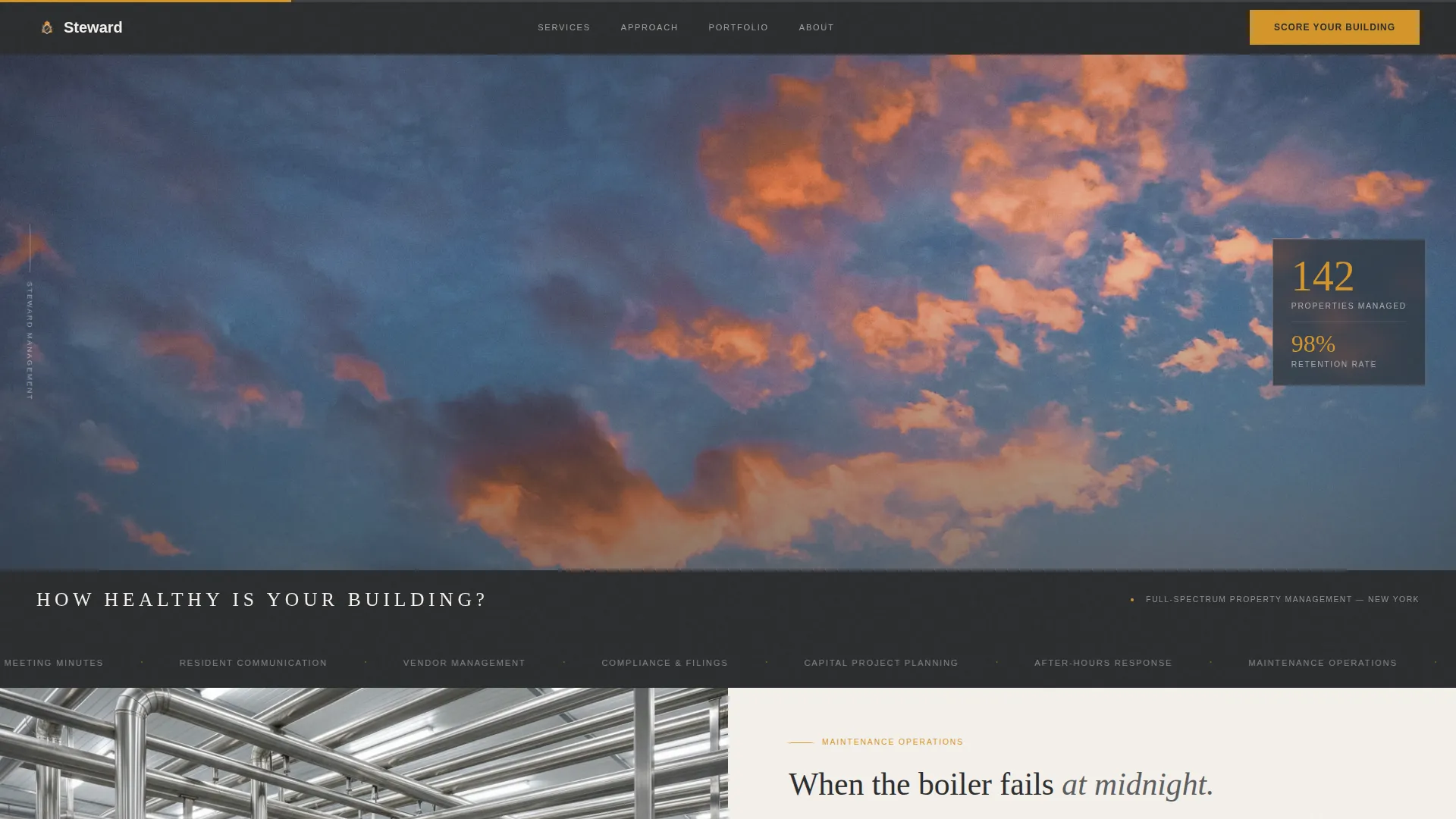
- A cinematic panoramic hero with a letterboxed rooftop photograph and a single headline: "How Healthy Is Your Building?"
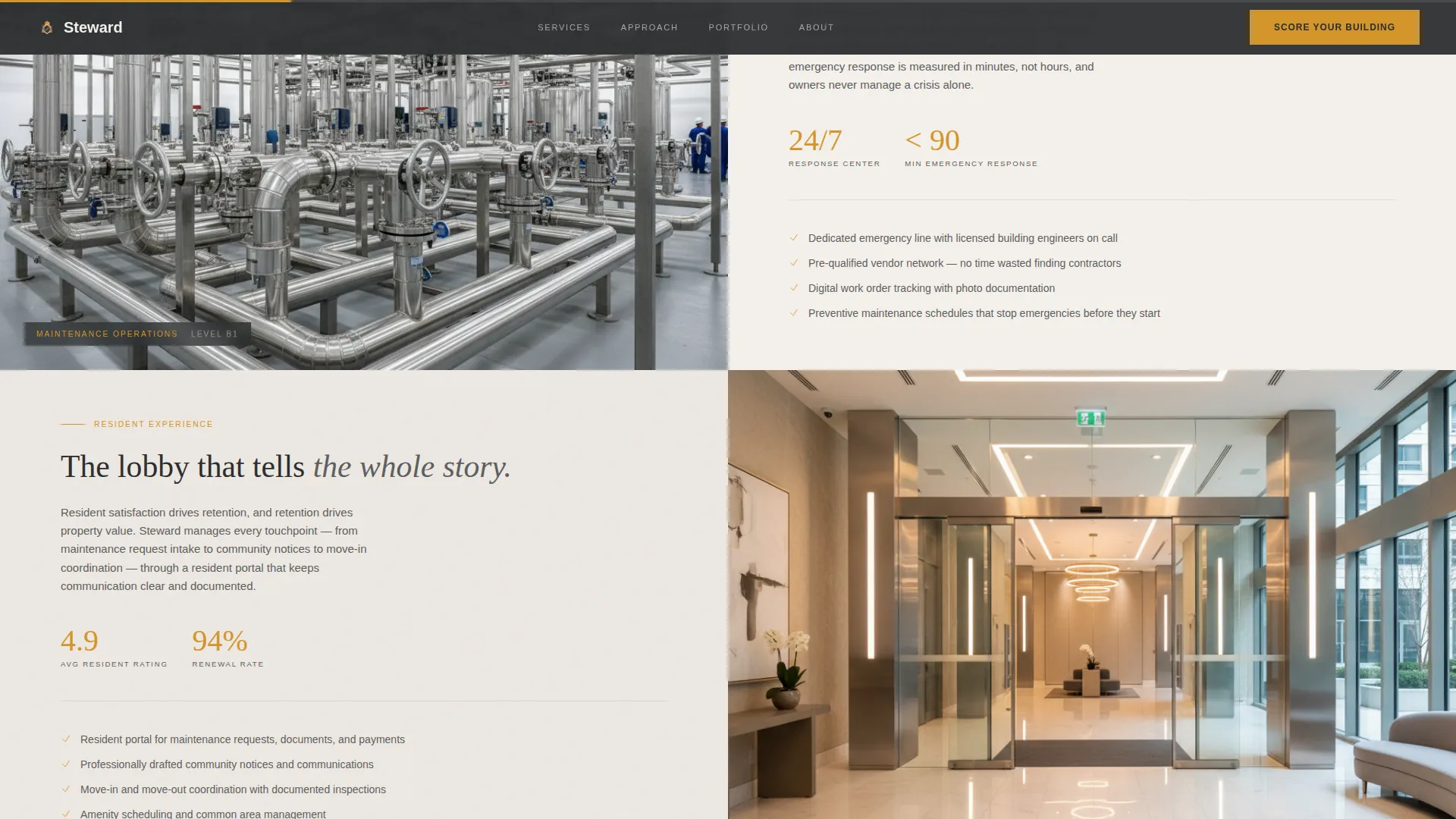
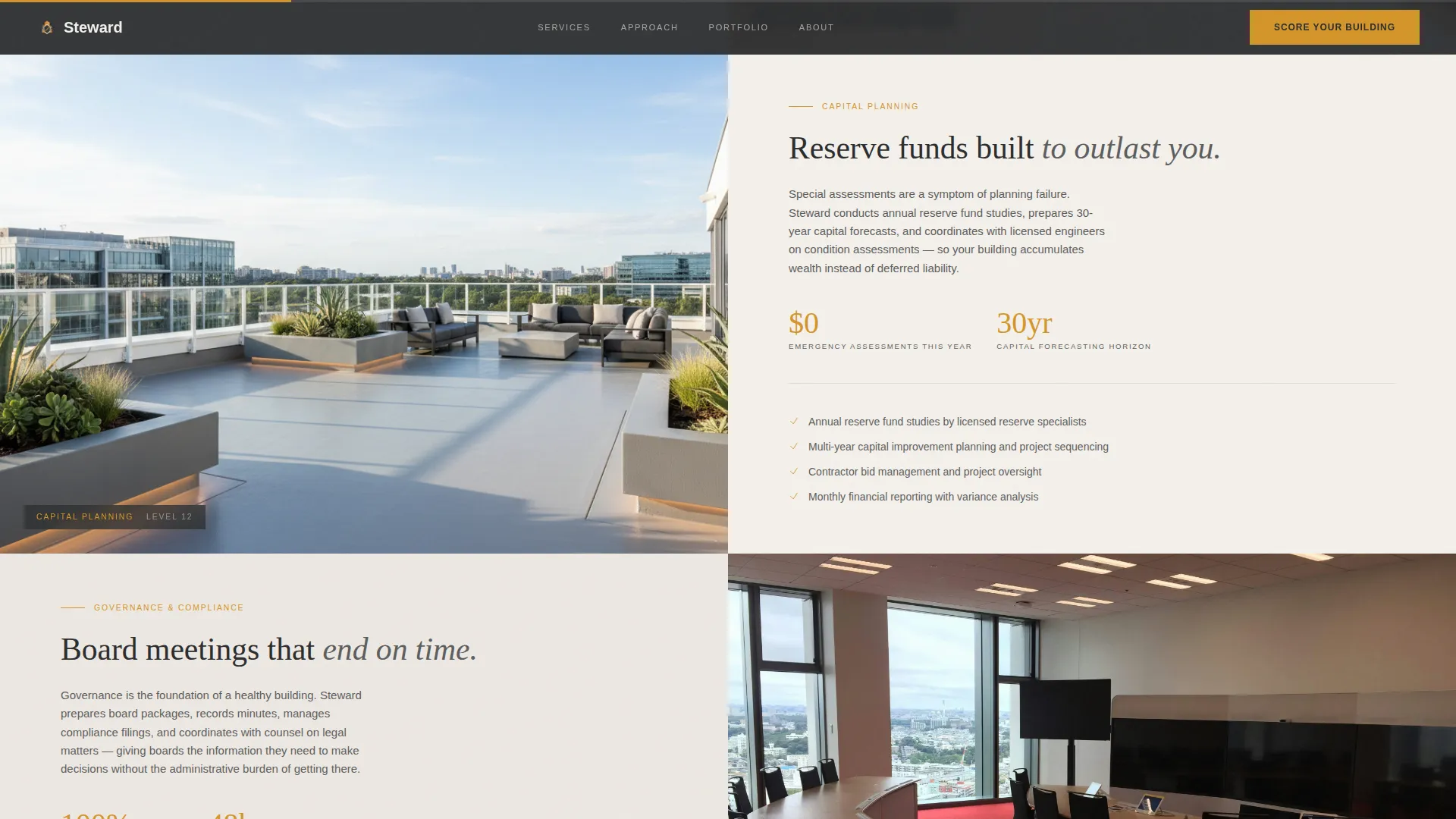
- Four split-screen floor-by-floor content sections covering maintenance, resident experience, capital planning, and governance
- A five-step interactive Building Health Score quiz with an amber progress bar and gated results
Feature list
This template includes the following built-in features, each designed to support a specific part of the management firm's sales story.
Cinematic Letterboxed Hero
The header stretches edge to edge with a golden-hour rooftop photograph. Slim charcoal bars frame the image top and bottom, creating a cinematic ratio. A tracked-out headline in light capitals sits on the lower bar, immediately anchoring the visitor's attention.
Floor-by-Floor Split-Screen Journey
Four 50/50 split-screen sections pair atmospheric photography of real building spaces with precise typographic management content. The left panel always shows a physical space; the right always carries structured copy. The scroll sequence moves from basement to penthouse, building the management story from reactive to strategic.
Five-Step Building Health Quiz
The primary conversion tool is a five-question interactive assessment titled "Score Your Building." Each question occupies its own full split-screen step. Questions cover building type, unit count, biggest pain point, current management status, and the visitor's role. An amber progress bar fills across the top of each step.
Personalized Quiz Results
After completing the quiz, each visitor receives a personalized Building Health Score with a tailored summary paragraph. A secondary call to action, "Get Your Full Report," gates the detailed results behind a short form collecting name, email, and property address.
Social Proof Strip
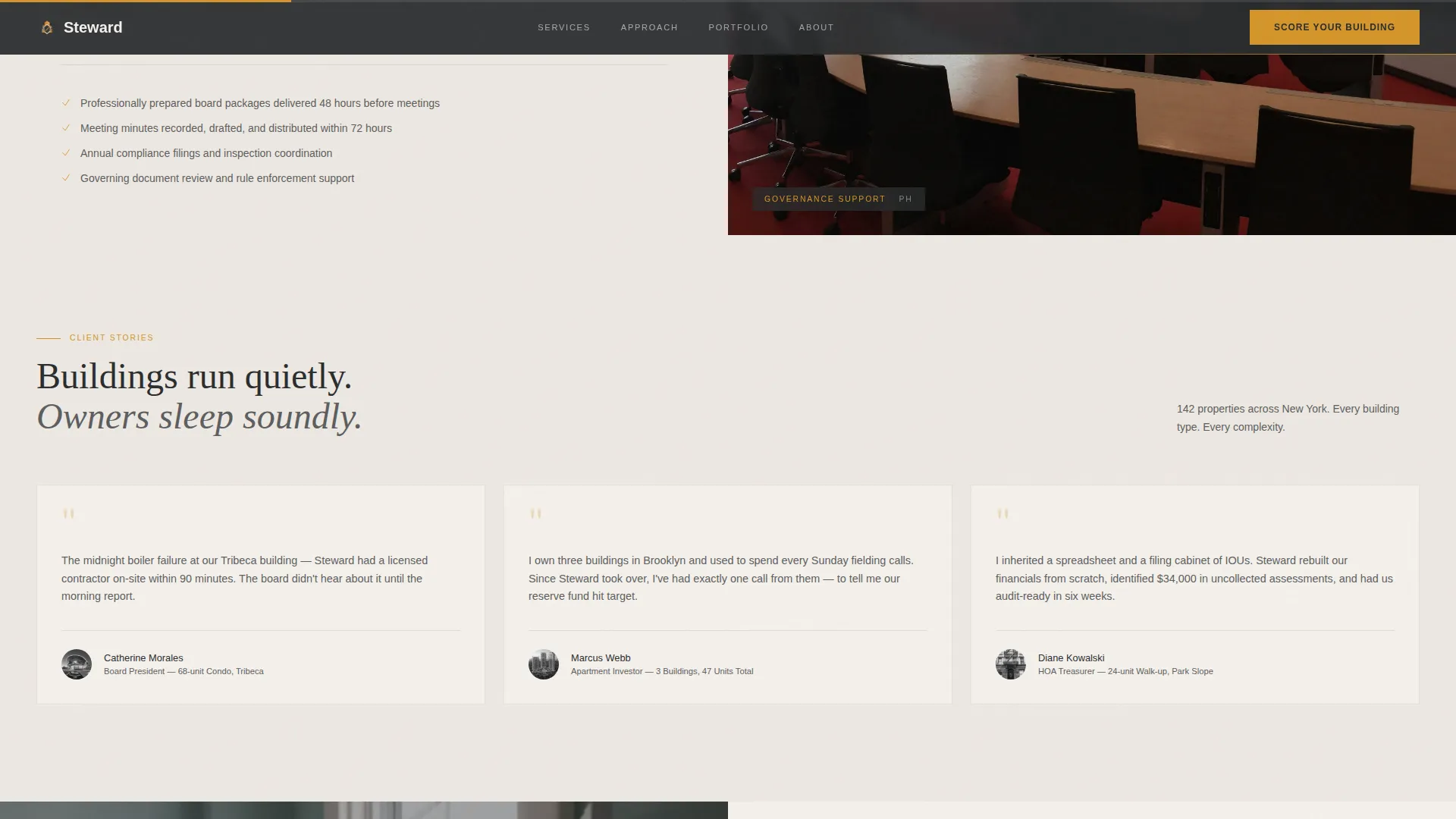
A marquee strip and three editorial testimonial cards from named board presidents and investors provide grounded social proof. Specific building statistics and trust indicators appear alongside the testimonials to reinforce credibility.
Scroll-Linked Animation System
The template uses fadeSlideIn transitions with blur, beam border animations, and scroll-linked parallax reveals. Interactive hover states on calls to action and image panels use amber as the signal color throughout.
Page sections overview
| Section | Purpose |
|---|---|
| Panoramic Hero | Sets the cinematic tone and surfaces the core diagnostic question |
| Split-Screen Journey | Tells the four-discipline management story floor by floor |
| Social Proof Strip | Builds credibility with named testimonials and building statistics |
| Quiz Assessment | Guides visitors through a five-step interactive building evaluation |
| Results and Lead Capture | Delivers a personalized score and gates the full report behind a form |
| Linear Single-Row Footer | Provides navigation closure in a compact, professional format |
Design & branding system
The visual identity follows an Atelier Studio direction. Every color choice is intentional, referencing architectural materials rather than generic digital palettes.
- Deep architectural charcoal (#2B2D2F) dominates structural elements, navigation, and letterbox bars; warm plaster white (#F4F0EB) opens up content panels for breathing room
- Brushed amber (#D4952A) appears sparingly on calls to action, quiz progress indicators, and hover states, functioning like a brass door handle that draws the eye naturally
- Typography pairs Fraunces serif for headlines with DM Sans for body text and interface elements, balancing editorial warmth with functional clarity
Mobile & speed optimization
The template is built desktop-first, reflecting the reality that condo board presidents and apartment investors most often evaluate management options from a laptop or desktop workstation. Mobile responsiveness is included.
- Static content sections use server-rendered components to keep initial load light and fast
- The quiz and all animation-heavy elements use client-side components, isolating interactivity from static delivery
- Scroll-linked parallax and staggered reveal animations are scoped to desktop viewports where the spatial storytelling works at full effect
How this template helps you convert
The Steward template is structured so every scroll step moves the visitor closer to submitting their contact details. The conversion path is deliberate and sequential.
- The panoramic hero surfaces a diagnostic question, creating immediate personal relevance for any building owner or board member who lands on the page
- The split-screen journey builds authority section by section, showing competence across maintenance, finances, communication, and governance before any ask is made
- The Building Health Score quiz turns passive browsing into active self-assessment, so by the time the gated results form appears, the visitor already feels understood and is ready to share their contact information
Other information about this template
This template is designed specifically for the condo and apartment property management niche in the United States market. All date formats, currency references, and copy conventions follow United States standards.
- The quiz logic supports five distinct question types: single-select, a unit-count slider, multiple-choice pain point selection, a yes/no toggle, and a role identifier
- The footer uses Pattern 1, a linear single-row layout that keeps the page closing clean and professional without competing with the quiz conversion flow
- The page is localized for the USA market with USD currency references and MM/DD/YYYY date formatting where applicable
- This template is a strong fit for firms managing properties ranging from small twelve-unit walk-ups to sixty-unit towers, as the quiz dynamically addresses both scale and complexity
Theme
Atelier Studio
Creative direction
Spatial & Architectural
Color system
Charcoal & Amber
Style
Split Screen (50/50)
Direction
Quiz/Assessment
Page Sections
Cinematic Letterboxed Hero Section
Floor-by-floor Split-screen Layout
Five-step Interactive Building Quiz
Personalized Building Health Score
Social Proof Strip with Testimonials
Scroll-linked Animation System
Related questions
Who is this template designed for?
Can I customize the quiz questions to match my firm's intake process?
How does the Building Health Score earn the lead rather than just requesting it?
Is this template suitable for a firm managing both condos and rental apartments?
Do I need a developer to connect the gated results form?



