Kids Drums Booking Website Template
Sticks is a warm, modular landing page template built for kids drums academies. It opens with an interactive quiz, flows through a scrapbook-style community gallery, and closes with a no-commitment enrollment call to action. Designed for parents of children aged 4 to 12, it turns curiosity into confidence before a single lesson is booked.
by Rocket studio
Quick summary
Sticks is a single-page, card grid landing page template for children's drum schools. It greets visiting parents with a playful personality quiz, then guides them through a scrapbook gallery of real academy life. Every section builds emotional trust. The primary call to action, "Find Their First Lesson," appears three times at natural decision points.
Who this template is for
This template is built for drum school owners and music educators who serve young beginners. It speaks directly to parents who are ready to turn their child's restless tapping into something joyful and structured.
- Studio owners running group or private drum lessons for children aged 4 to 12
- Music educators who want an enrollment page that feels warm, not clinical
- Gift-givers such as grandparents or aunts and uncles researching lesson programs for a child
What problem this template solves
Most music school pages look like brochures. They list prices and schedules without ever making a nervous parent feel that their child will be safe, seen, and celebrated. Sticks solves that trust gap by leading with play and proof instead of facts and fees.
- Parents searching on their phones during school pickup need emotional reassurance fast
- A generic landing page cannot show the personality of a small, caring drum studio
- Low-commitment entry points are missing from most local music school pages
What you get with this template
You get a fully structured, mobile-first landing page with five distinct content sections and a footer. Every section is purposeful and designed to move a parent from curious to confident.
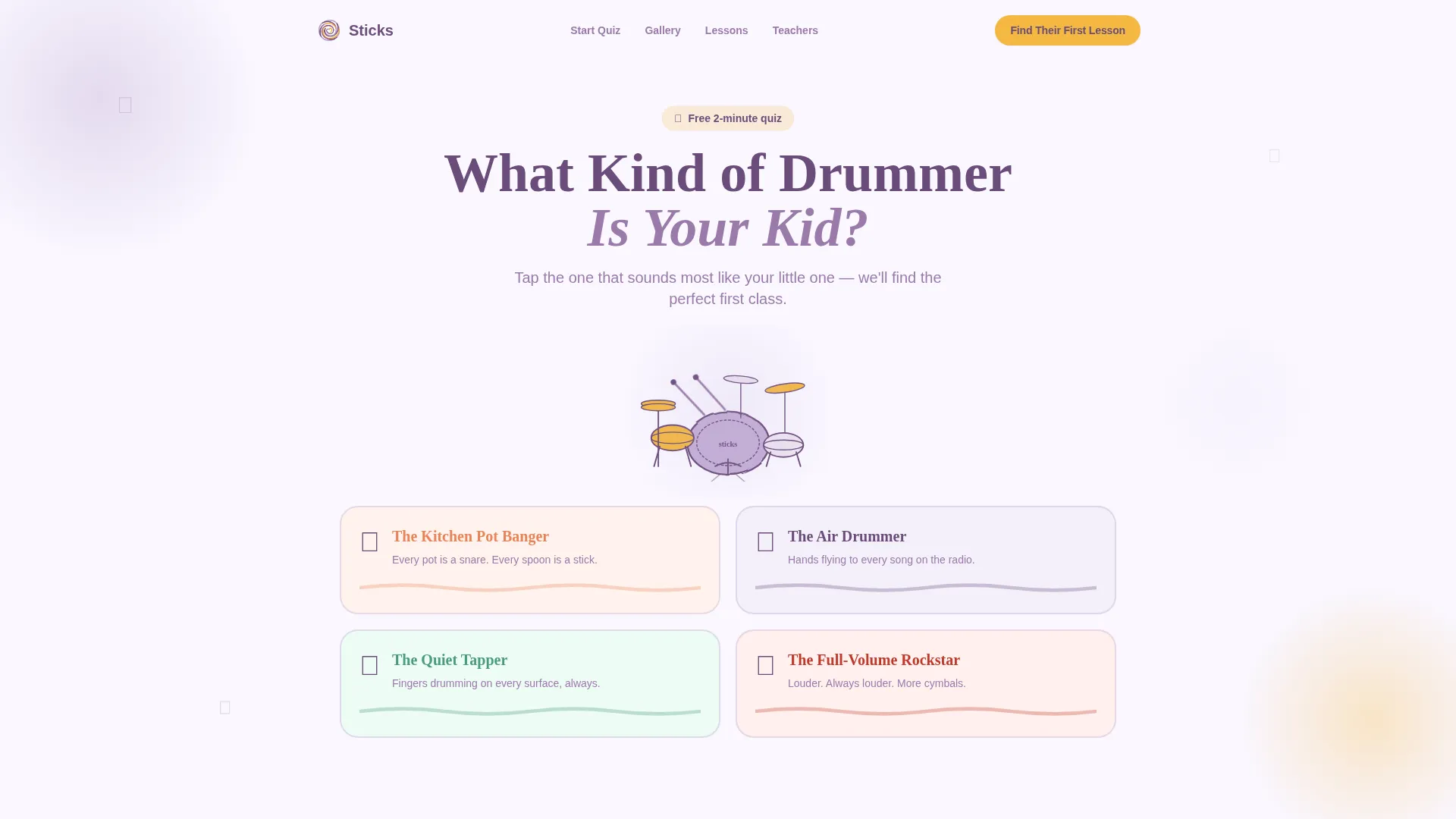
- An interactive hero quiz with four playful answer cards and a personalized result screen
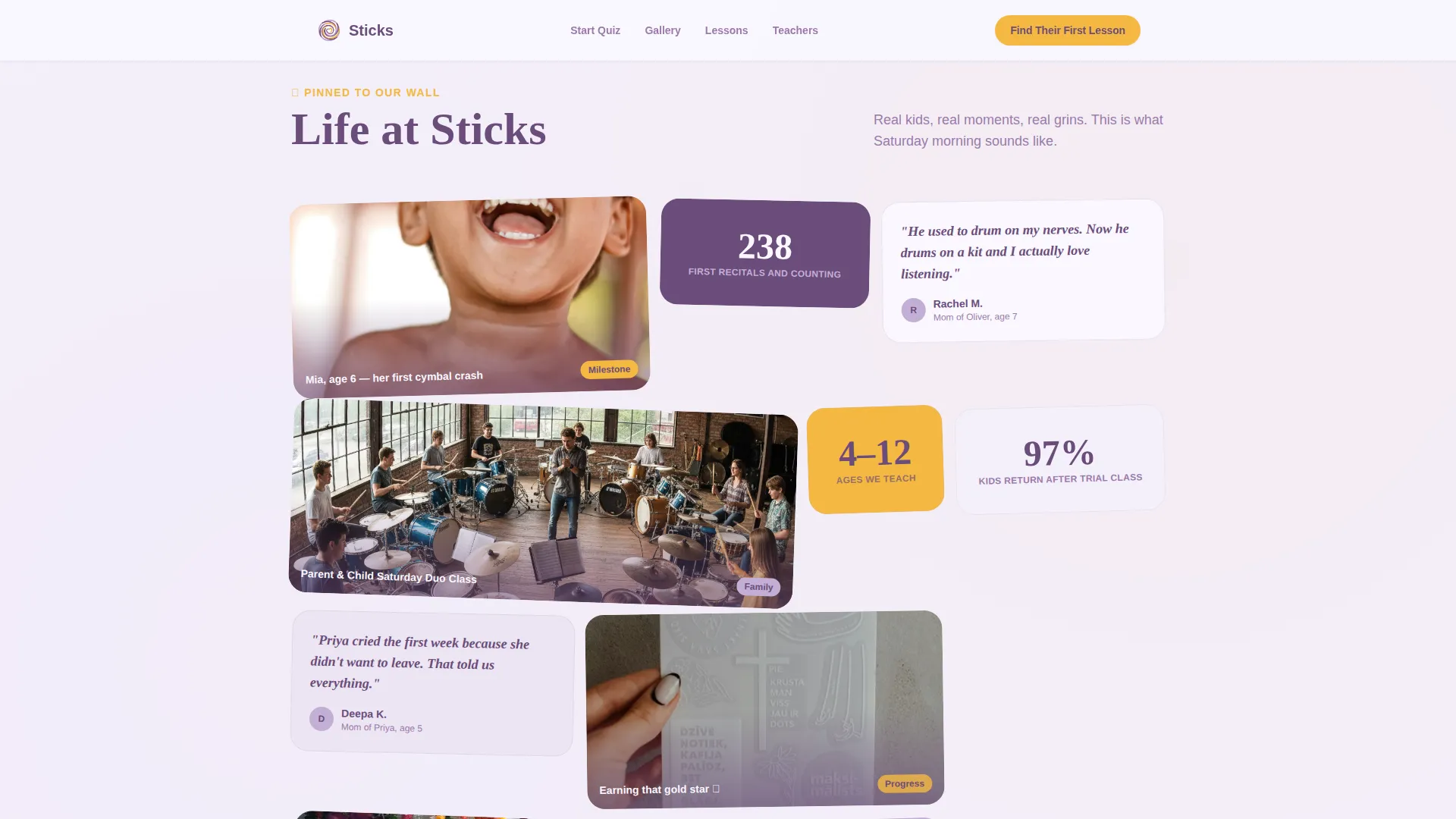
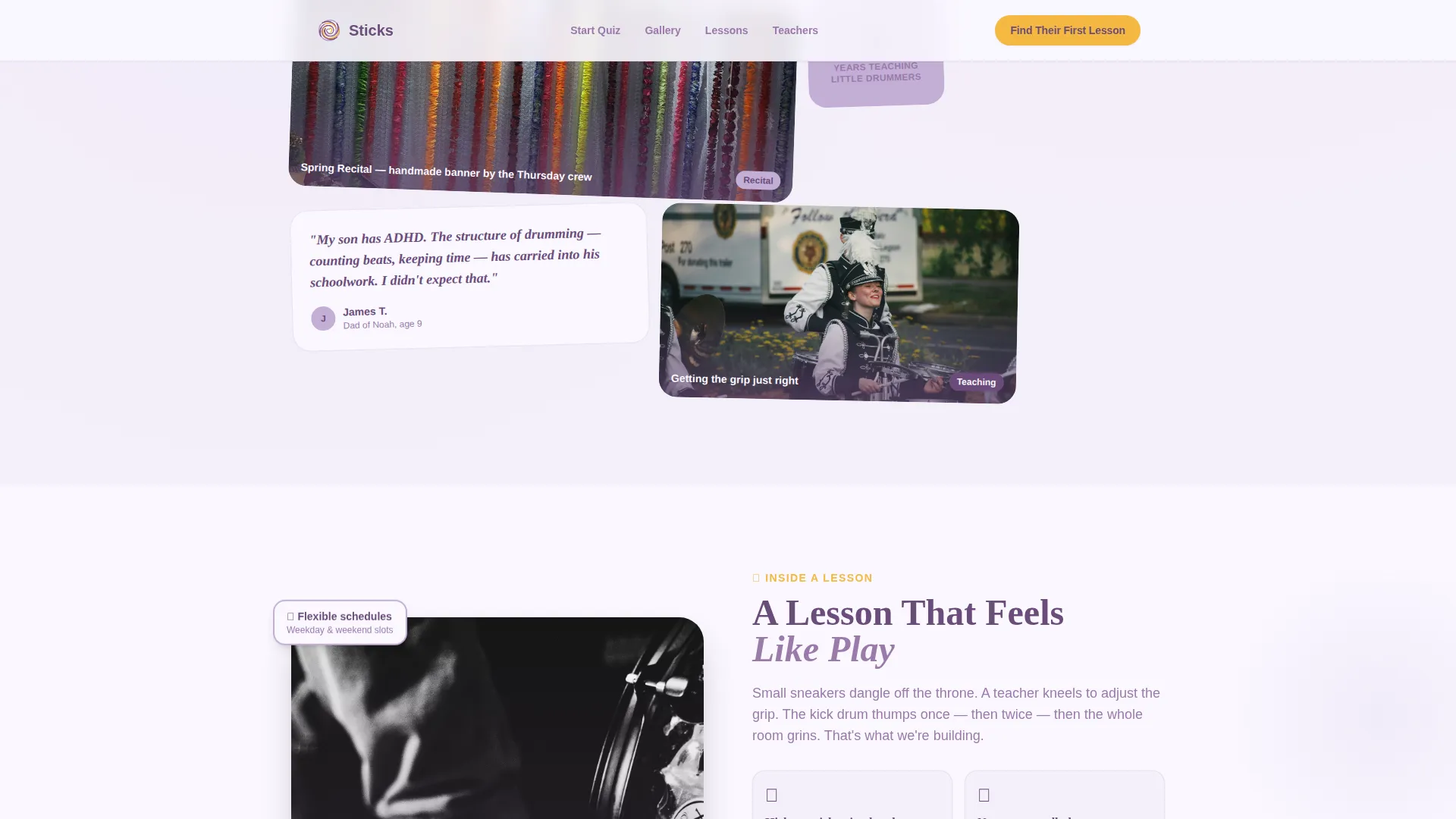
- A modular, scrapbook-style community gallery with variable card sizes for photos, testimonials, and stat badges
- Three strategically placed "Find Their First Lesson" calls to action tied to the quiz result, the studio walkthrough, and the bottom reassurance block
Feature list
A paragraph of context: each feature below is built into the template structure and reflects the brief exactly. Nothing here is assumed or speculative.
Interactive Personality Quiz
The header opens with an illustrated drum kit and a four-card quiz asking "What Kind of Drummer Is Your Kid?" Answer cards include "The Kitchen Pot Banger," "The Air Drummer," "The Quiet Tapper," and "The Full-Volume Rockstar." Each card wobbles on hover and the result screen delivers a personalized call to action.
Scrapbook Bento Gallery
The community gallery uses a modular card grid that breathes unevenly, like a scrapbook. Cards vary in size and purpose. Some hold a single photo, some carry a short parent testimonial, and some display a stat badge such as "238 first recitals and counting."
Three-Point Call to Action Flow
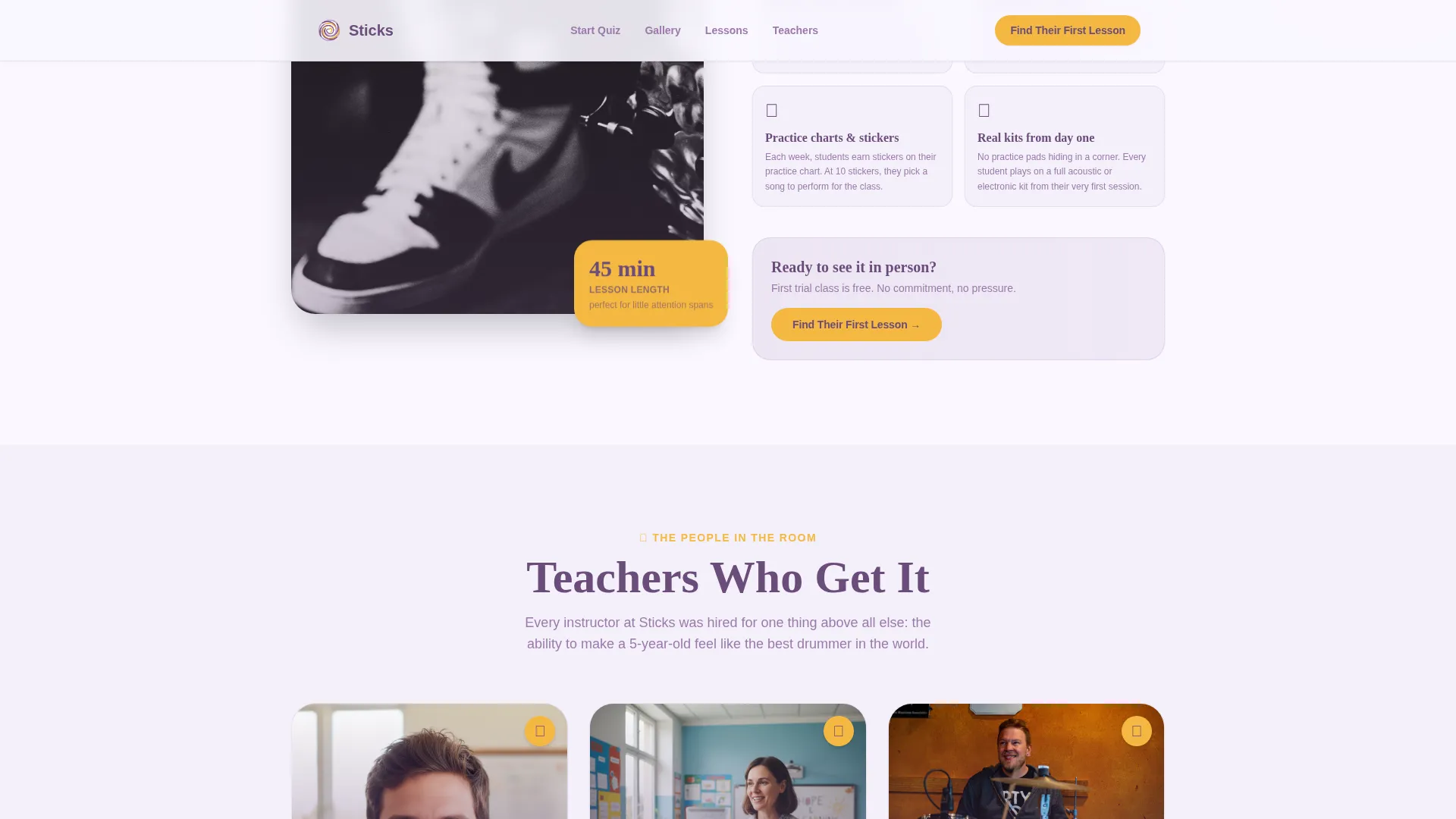
The primary call to action, "Find Their First Lesson," appears at the quiz result, midway through the gallery anchored to the studio walkthrough card, and again at the bottom beside a reassurance line about no-commitment trial classes.
Warm Teacher Profile Section
A dedicated section shows teacher profiles through a kneeling-to-adjust-grip philosophy. The design communicates care and patience, giving parents a clear picture of who will be in the room with their child.
Hand-Drawn Illustrated Style
All visual elements follow a wobbly, hand-drawn illustration style. There are no stock photos. The aesthetic feels like a child's watercolor painting, soft enough to comfort a parent and warm enough to excite a curious kid.
Scroll Animations and Hover States
Medium-to-high animation is built in throughout. Quiz cards wobble on hover, sections reveal on scroll, and blob animations add organic warmth. Client-side interactivity handles the quiz state while static sections use server components for performance.
Page sections overview
| Section | Purpose |
|---|---|
| Hero Quiz | Engage parents with a personalized, low-commitment entry point |
| Community Gallery | Build emotional proof through scrapbook-style academy snapshots |
| A Lesson Looks Like | Show the studio environment and anchor the mid-page call to action |
| Teacher Profiles | Humanize the instructors and reinforce the nurturing philosophy |
| Trial Call to Action | Reassure parents and drive enrollment with a no-commitment message |
| Footer | Provide navigation with logo, tagline, and links in an arc layout |
Design & branding system
The visual identity follows a Nurture and Care theme. The palette feels like a child's watercolor painting drying on a sunny windowsill: soft enough to soothe an anxious parent, warm enough to delight a curious child.
- Colors: soft lavender (#C3AED6) as the base, cloud white (#FAF7FF) for backgrounds, gentle plum (#6B4C7A) for headings and anchoring text, and cheerful marigold (#F5B841) reserved for buttons, badges, and interactive highlights
- Typography: Fraunces, a warm serif, handles all headings; Plus Jakarta Sans handles body copy for clean readability
- Style: warm scrapbook aesthetic with hand-drawn wobble, watercolor softness, and illustrated characters rather than stock photography
Mobile & speed optimization
Parents discover drum schools on their phones, often during school pickup or a spare moment between errands. This template is built mobile-first to serve that exact scenario.
- Mobile-first layout ensures the quiz, gallery cards, and calls to action stack cleanly on small screens
- Server components handle all static sections, keeping initial load light; client-side rendering is scoped only to the interactive quiz
- Scroll-reveal animations and blob effects are tuned to medium-to-high engagement without overloading the viewport
How this template helps you convert
Every design and copy decision on this page works toward one outcome: a parent clicking "Find Their First Lesson" with confidence already built.
- The quiz lowers the commitment threshold to nearly zero. Parents interact playfully before they have to make any decision, and the personalized result makes the next step feel like a natural fit rather than a sales push.
- The community gallery replaces generic claims with specific emotional proof. Variable-size cards showing real academy moments, parent quotes, and milestone stats like "238 first recitals" make the studio feel real and trustworthy before a parent ever visits in person.
- The three-point call to action placement ensures no motivated parent reaches a dead end. Each "Find Their First Lesson" button appears exactly when a parent has just seen something that moved them closer to saying yes.
Other information about this template
This template is categorized under Kids and Family, with a specific focus on the Kids Drums Academy and School niche. It is localized for English-language audiences using United States date format and USD pricing conventions.
- Template style: Card Grid (Modular), making individual sections easy to rearrange or extend as the academy grows
- Footer pattern: Arc layout with logo and tagline on the left and navigation links on the right
- Localization: English, USD, United States date format
- The intersection match score of 13 confirms a tight alignment between the Kids and Family category, the Kids Drums subcategory, and the Kids Drums Academy and School niche
Theme
Nurture & Care
Creative direction
Community Gallery
Color system
Lavender Dream
Style
Card Grid (Modular)
Direction
Click-Through
Page Sections
Interactive Personality Quiz with Personalized Result
Scrapbook Bento Community Gallery
Three-point Call to Action Placement
Warm Teacher Profile Section
Hand-drawn Illustrated Visual Style
Scroll Animations and Hover Interactions
Related questions
Can I change the quiz answer cards to match my studio's personality?
Does this template work for a studio offering both group and private lessons?
How many calls to action does the template include?
Is this template suitable for a studio serving children outside the 4 to 12 age range?
What happens when a parent clicks the call to action button?



