Emergency Preparedness B2B Landing Page Template
Stockpile is a B2B-focused emergency preparedness landing page built for warehouse-grade supply operations selling to corporate facilities managers, school district procurement officers, and property management firms. It combines an interactive compliance audit tool, tiered comparison tables, and dual conversion paths into one structured, high-trust page that turns a compliance gap into a clear purchasing decision.
by Rocket studio
Quick summary
Stockpile is a single-page B2B conversion template for a professional emergency supply and kit operation. It guides institutional buyers through a facility compliance audit, surfaces their supply gaps with visual clarity, and moves them toward a direct audit request or a gated compliance report download. The design is sharp, utilitarian, and built for procurement-minded decision makers.
Who this template is for
This template is built for emergency preparedness suppliers and survival kit operations that sell to institutional clients rather than individual consumers. It suits businesses where the sales cycle involves procurement teams, compliance requirements, and bulk purchasing decisions.
- Corporate facilities managers responsible for stocking floor-by-floor emergency cabinets
- School district procurement officers fulfilling state compliance mandates
- Property management firms outfitting multi-unit residential or high-rise buildings with physical emergency inventory
What problem this template solves
Most emergency supply businesses lack a page that speaks directly to institutional buyers. A consumer-style product catalog does not address compliance requirements, bulk pricing structures, or the documentation needs of a procurement team. This template closes that gap.
- Institutional buyers need to see compliance alignment and cost justification before they can act
- Piecemeal procurement is difficult to compare against a structured partnership package without a clear side-by-side view
- Decision makers need a low-commitment entry point to gather internal buy-in before committing to a call
What you get with this template
You get a fully structured comparison-table landing page designed around the B2B emergency preparedness sales process. Every section is sequenced to move a facilities professional from awareness to action without friction.
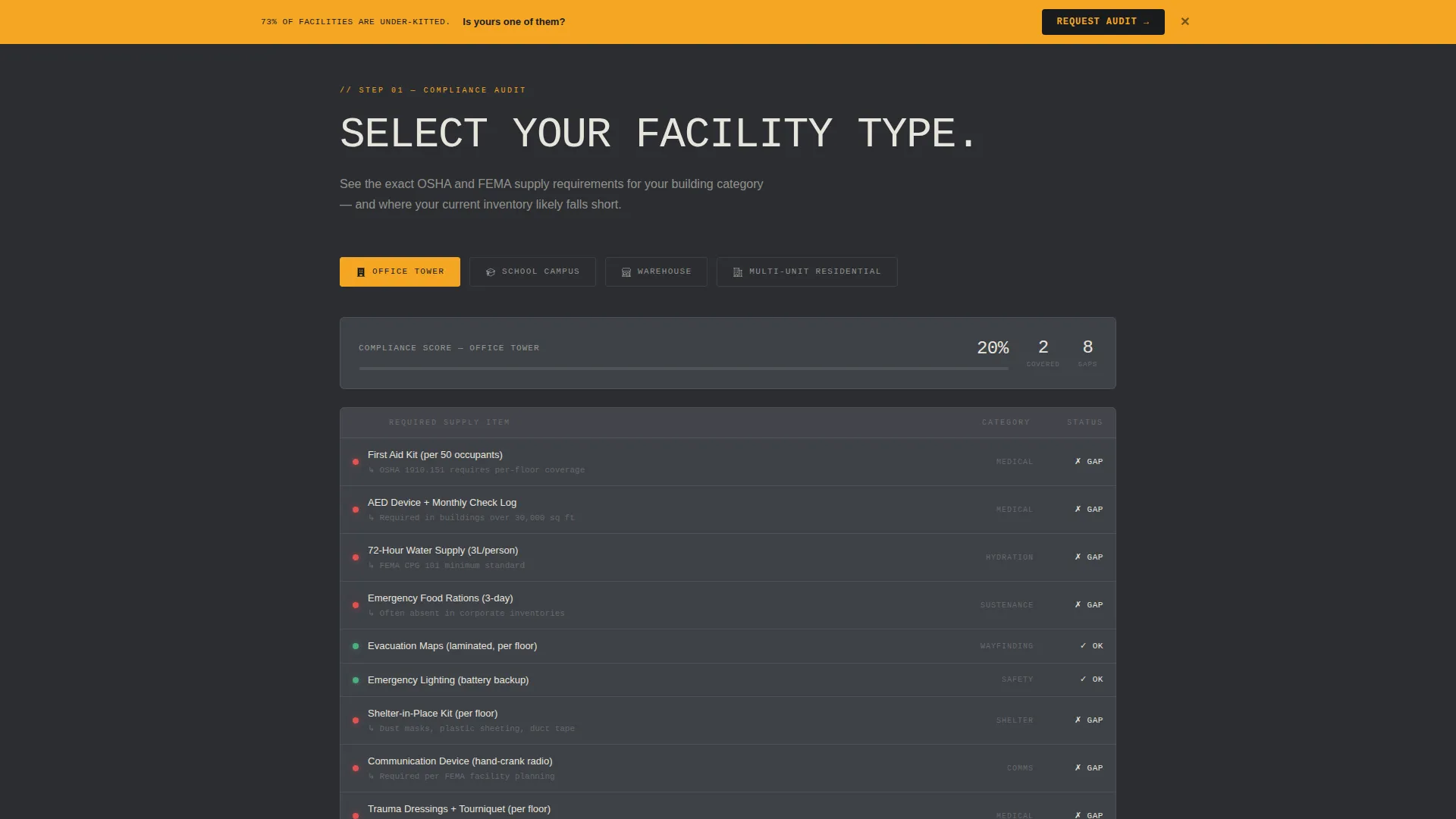
- An interactive compliance audit section where visitors select their facility type and see a required-supply checklist auto-populate with red or green status indicators
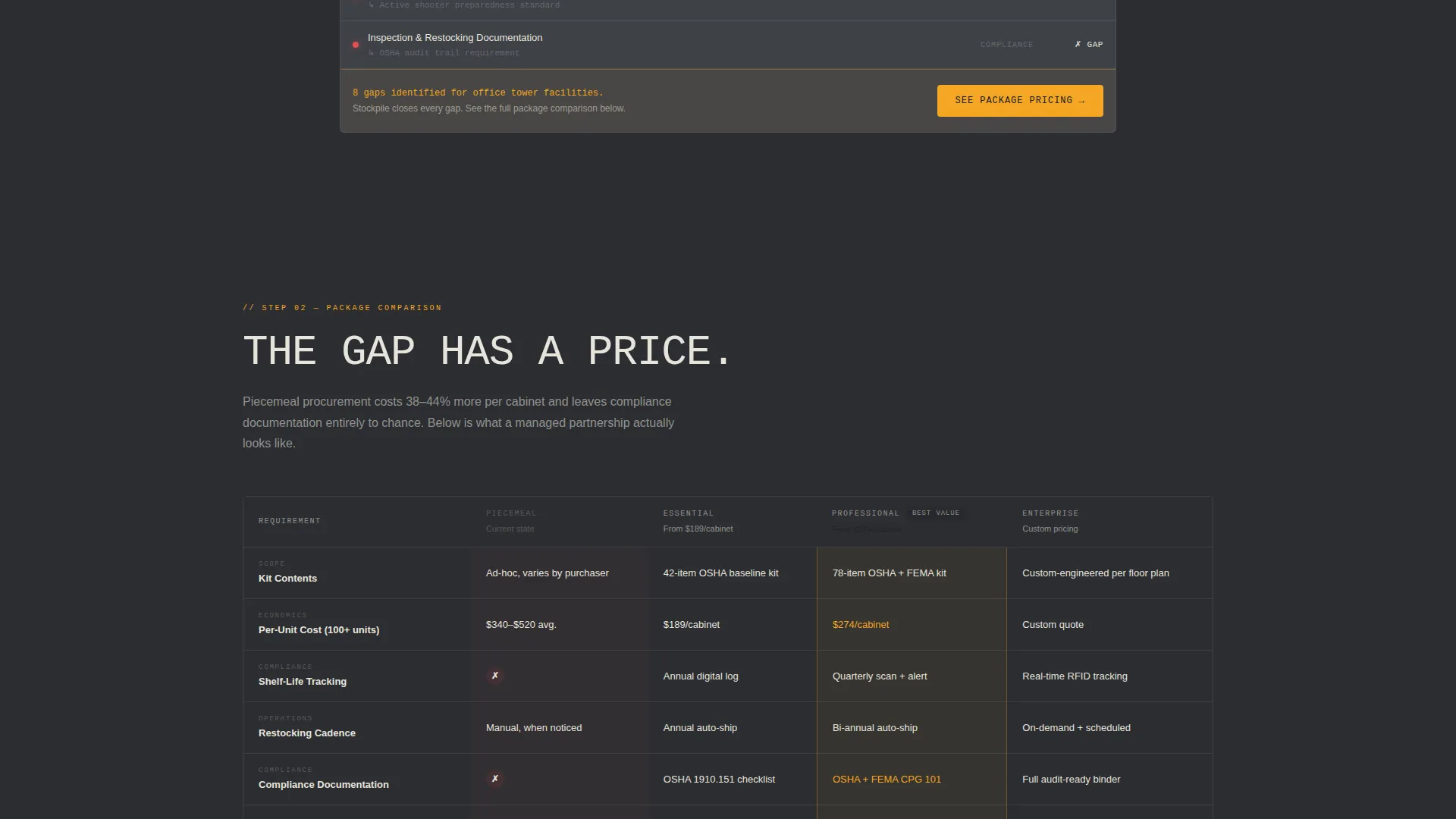
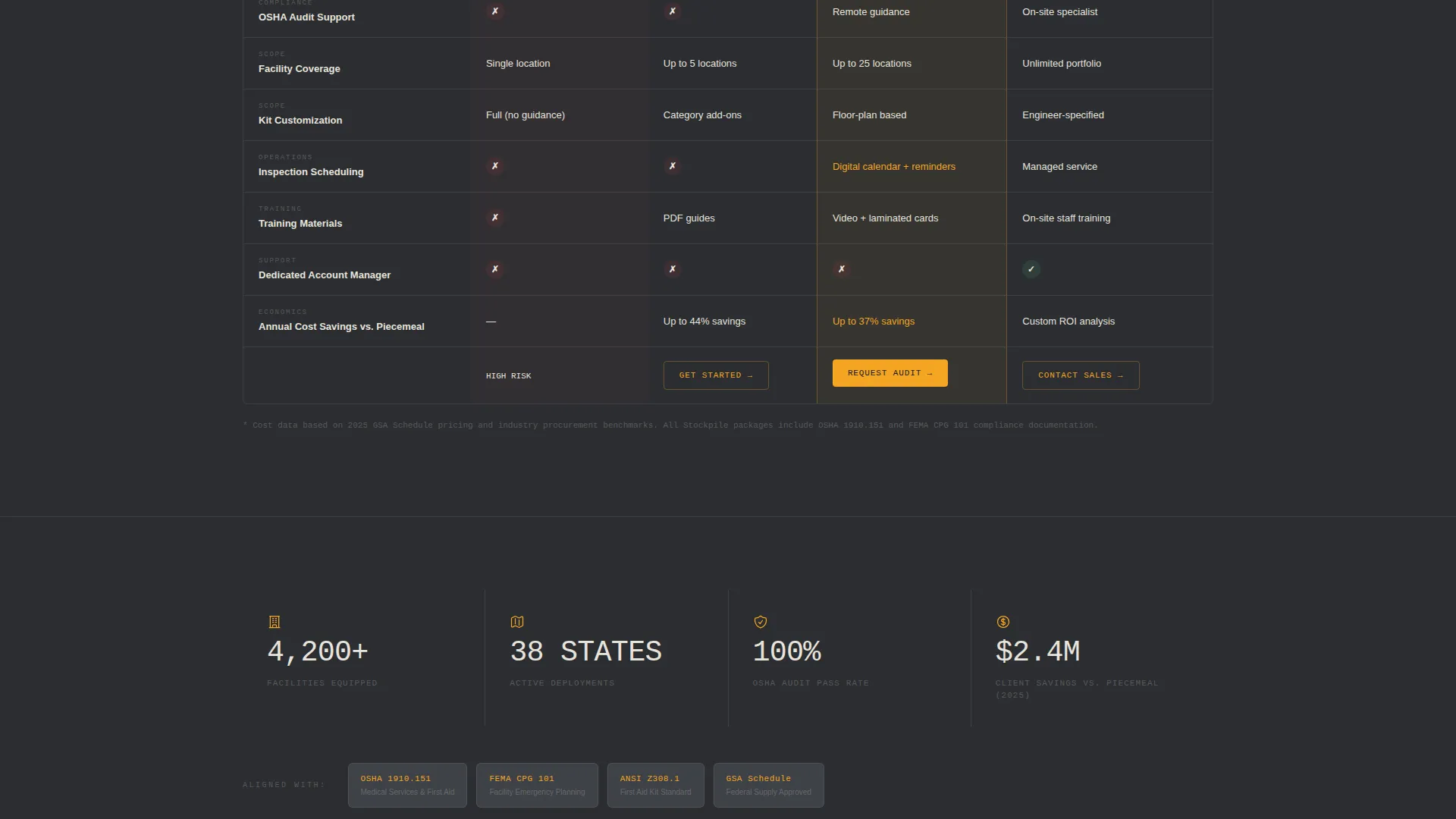
- Side-by-side comparison tables covering kit contents, per-unit cost at scale, restocking cadence, shelf-life tracking, and compliance documentation
- A primary conversion form capturing company name, facility count, facility type, and preferred contact method, plus a secondary gated PDF download path for leads not yet ready to commit
Feature list
This template is engineered around a specific B2B buyer journey. Each feature below maps directly to a stage in the institutional sales process.
Interactive Facility Compliance Audit
Visitors select their facility type from four options: office tower, school campus, warehouse, or multi-unit residential. A checklist of required supplies then auto-populates, with each item displaying a red or green status icon. The audit makes the compliance gap visible and personal before a single product is mentioned.
Tiered Package Comparison Tables
The comparison tables put Stockpile's partnership packages head-to-head against piecemeal procurement. Columns cover kit contents, per-unit cost at scale, restocking cadence, shelf-life tracking, and compliance documentation included. The layout makes the value case without requiring a sales conversation.
Dual Conversion Path Design
The primary call to action reads "Request a Facility Audit" and locks to the bottom of the comparison table. A sticky amber bar reinforces it on scroll. A secondary path offers a gated PDF compliance gap report requiring only a work email, warming leads who need internal buy-in first.
B2B Lead Capture Form
The audit request form captures company name, facility count, facility type, and a contact method toggle between email and phone. Each field is chosen to qualify the lead and give the sales team context before the first conversation.
Engineering Blueprint Visual System
The charcoal and amber color system, condensed mono-weight typeface, and zero-decoration layout signal institutional credibility at a glance. The visual language mirrors the laminated emergency procedures binder that facilities professionals already trust.
Argument-Led Scroll Structure
Each scroll section tightens the case in a deliberate sequence: here is what you need, here is what you probably have, here is the gap, and here is what closing it costs. The structure does the selling so the form does not have to.
Page sections overview
| Section | Purpose |
|---|---|
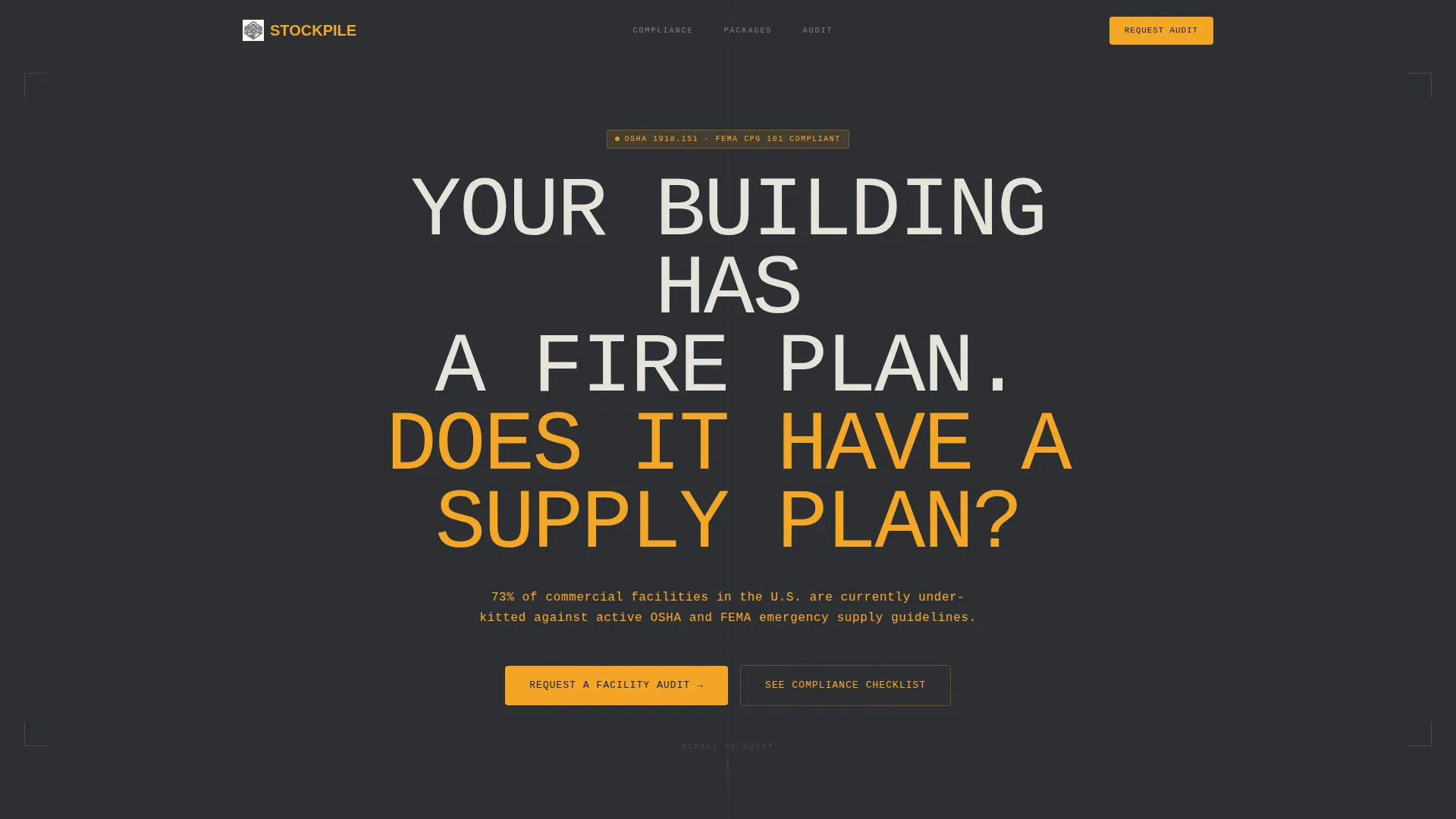
| Hero headline | Challenges facilities teams to assess their supply readiness |
| Amber compliance callout | States the number of under-kitted facilities against OSHA and FEMA guidelines |
| Facility audit tool | Lets visitors select their facility type and see a compliance checklist |
| Compliance gap display | Shows red or green status icons per required supply item |
| Package comparison tables | Compares Stockpile tiers against piecemeal procurement across five columns |
| Sticky call to action bar | Keeps the audit request visible throughout the scroll |
| Primary audit form | Captures company name, facility count, type, and contact preference |
| Gated PDF download | Offers the compliance gap report in exchange for a work email |
Design & branding system
The visual identity follows an Engineering Blueprint theme. Every design decision reinforces the idea that this is a serious, institutional operation where nothing is decorative and everything has a function.
- Color system uses deep graphite (#2B2D31) as the primary background, technical charcoal (#3E4147) for card surfaces and table rows, high-visibility amber (#F5A623) on calls to action and critical callouts, and drafting-paper off-white (#E8E4DC) for body text and gridlines
- Typography uses a condensed, mono-weight typeface that reads like stenciled text on a military crate, reinforcing the zero-decoration institutional tone
- The header section uses a single giant centered headline on a charcoal field with no imagery, so the emptiness of the frame mirrors the empty emergency cabinet the page is designed to fill
Mobile & speed optimization
The template is structured with institutional procurement workflows in mind. Facilities managers and procurement officers often review proposals on mobile devices between site visits or during building walkthroughs, so the layout is built to remain readable and functional at any screen size.
- The comparison tables and compliance audit tool are designed to remain scannable and usable on smaller screens without losing column context
- The sticky amber call to action bar and dual conversion paths are positioned to stay accessible throughout the scroll on both desktop and mobile viewports
How this template helps you convert
The page is built around a single conversion philosophy: show the gap before you show the product. Institutional buyers convert when they understand the risk, not just the offer.
- The compliance audit section personalizes the page immediately. Visitors see their own facility type reflected in the checklist, which makes the gap feel real and specific rather than hypothetical.
- The comparison tables remove the need for a sales call to justify cost. Buyers can see per-unit pricing, restocking schedules, and documentation coverage in one view, which shortens the internal approval cycle.
- The dual conversion paths capture buyers at two different readiness levels. The gated PDF warms leads who need time, while the audit request form converts leads who are ready to act, so no qualified visitor leaves empty-handed.
Other information about this template
This template is designed for emergency preparedness suppliers operating at the institutional scale, where a single contract can cover dozens of facilities. The page logic is built around business continuity planning conversations, not retail purchasing impulses.
- The template suits operations aligned with business continuity planning requirements, where supply chain reliability, shelf-life tracking, and compliance documentation are part of the sales conversation
- The gated PDF download is specifically structured to support multi-stakeholder procurement cycles, where a facilities manager may need to present a compliance gap report to a finance or risk team before a purchase order can move forward
- The card grid layout used in the comparison and audit sections supports modular content updates, so kit contents and pricing tiers can be refreshed without restructuring the page
Theme
Service Utility
Creative direction
Case Study Narrative
Color system
Charcoal & Amber
Style
Card Grid (Modular)
Direction
Partnership/B2B
Page Sections
Interactive Facility Compliance Audit
Tiered Package Comparison Tables
Dual Conversion Path Structure
B2B Lead Qualification Form
Argument-led Scroll Sequence
Engineering Blueprint Visual Identity
Related questions
Who is this landing page template designed for?
What conversion actions does this template support?
Can I update the kit tiers and compliance checklist items to match my products?
What makes this template different from a standard product catalog page?
Does the template include the actual compliance checklist data or status logic?