Kids Entertainment & Media Expert Booking Website Template
Storytime is a masonry-style children's YouTube channel landing page built for family creators running monthly live singalong events. It pairs a Lottie-animated hero with a four-step guided scroll, a Pinterest-style episode grid, a social-proof testimonial strip, and a minimal three-field RSVP form, all wrapped in a soft, picture-book color palette that feels as warm as a Sunday story hour.
by Rocket studio
Quick summary
Storytime is a single-page event registration landing page for a family children's YouTube channel. The template blends a Lottie vector hero, a masonry card grid, and a lightweight RSVP form into one warm, illustrated flow. It is designed to turn casual viewers, millennial moms, homeschool families, and grandparents, into registered guests for a monthly live singalong event.
Who this template is for
This template fits family content creators who already have an audience and want a dedicated space to drive event sign-ups. It suits channels that prioritize trust, warmth, and child-safe branding over aggressive sales tactics.
- Family-run children's YouTube channels hosting live or streamed events
- Homeschool content creators building recurring weekly rituals with their audience
- Grandparent-friendly channels looking for a safe, inviting page grandchildren can sit beside them and enjoy
What problem this template solves
Most channel homepages were not built for event registration. They scatter attention across playlists, merch links, and subscribe buttons. Parents scrolling during naptime need a clear, fast path from "I saw this video" to "we have a seat saved."
- No dedicated RSVP flow means families miss live events they would have gladly attended
- Generic landing pages feel cold and out of place for a warm, illustrated family brand
- Long forms and confusing calls to action cause parents to abandon the sign-up before completing it
What you get with this template
You get a fully structured, single-page layout designed around one goal: registering families for a live monthly singalong. Every section has a clear job, and the visual system holds the page together from top to bottom.
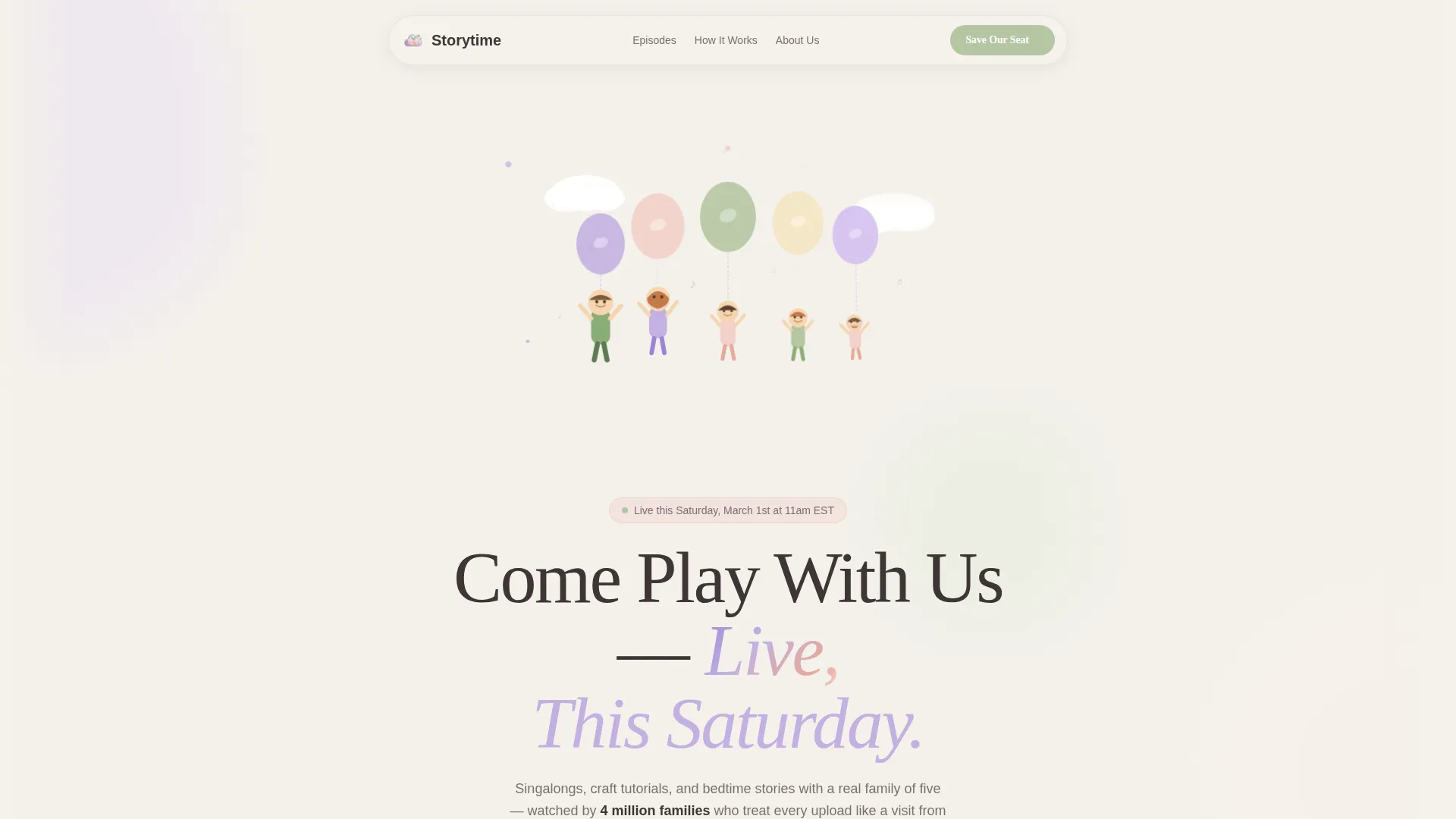
- A full-width Lottie-animated hero with a hand-drawn balloon family, blinking stars, and a self-writing crayon channel name
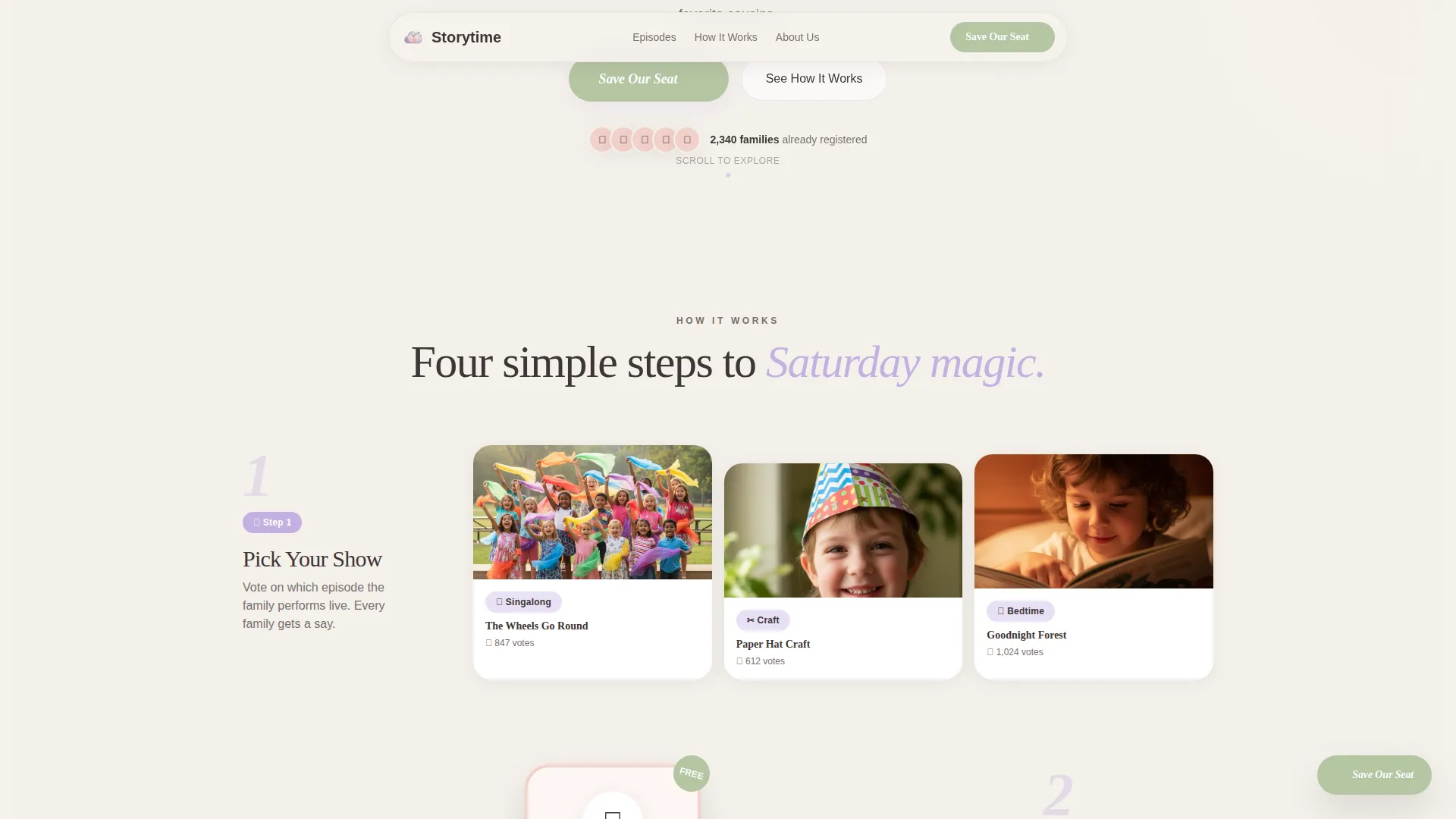
- A four-step masonry card guide that walks families from episode discovery through live chat participation
- A three-field RSVP form with a social proof testimonial strip and a family registration counter
Feature list
This template is built around a specific set of interactive and visual components. Each one serves the registration goal while keeping the tone playful and trustworthy.
Lottie Vector Hero Animation
The header runs a full-width Lottie animation featuring a hand-drawn family of five rising on pastel balloons. Stars blink in soft loops, a paper airplane traces a lazy arc, and the channel name writes itself in a wobbly crayon font. The animation is lively enough to delight a toddler but gentle enough not to overwhelm one.
Four-Step Masonry Card Guide
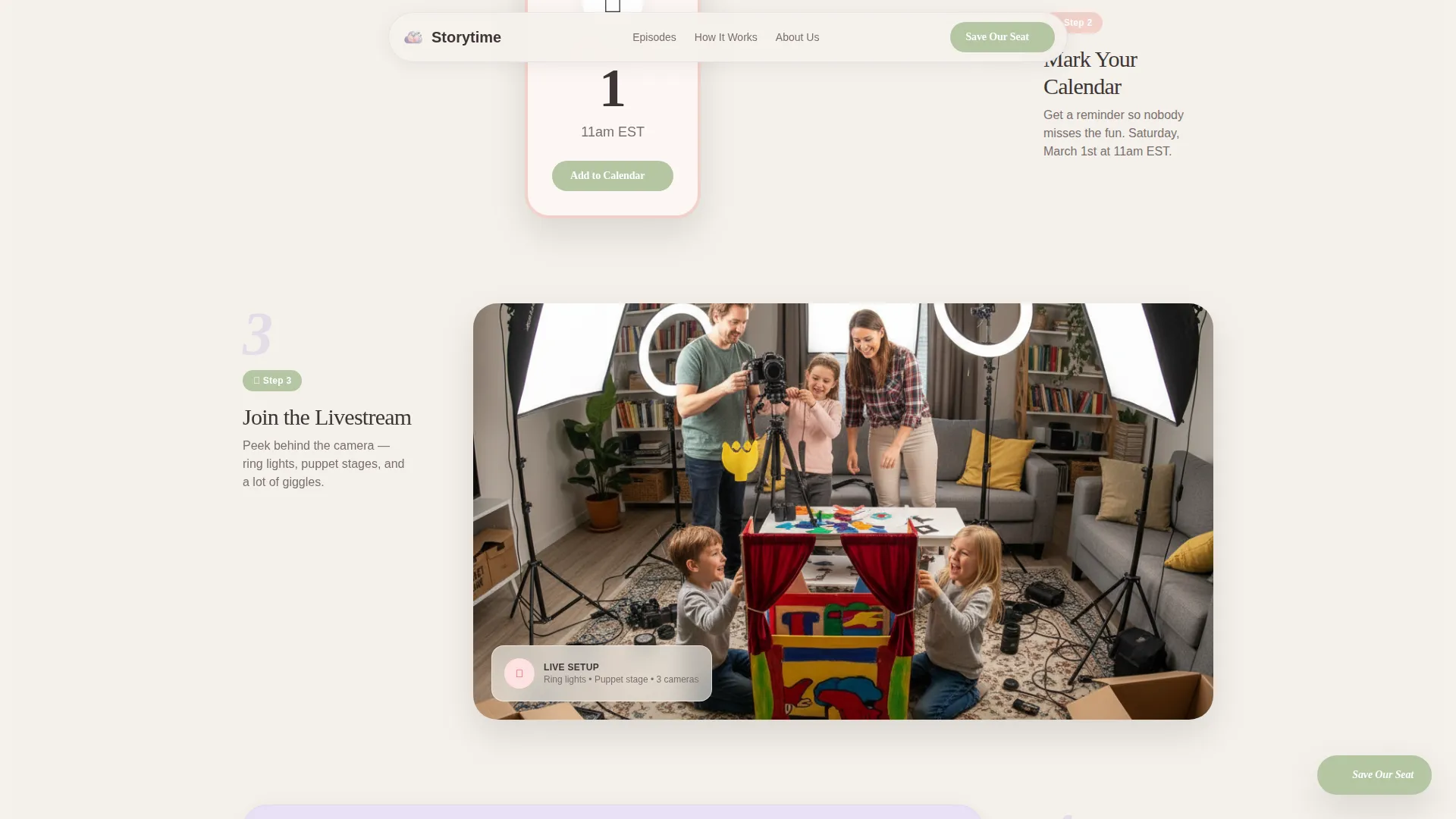
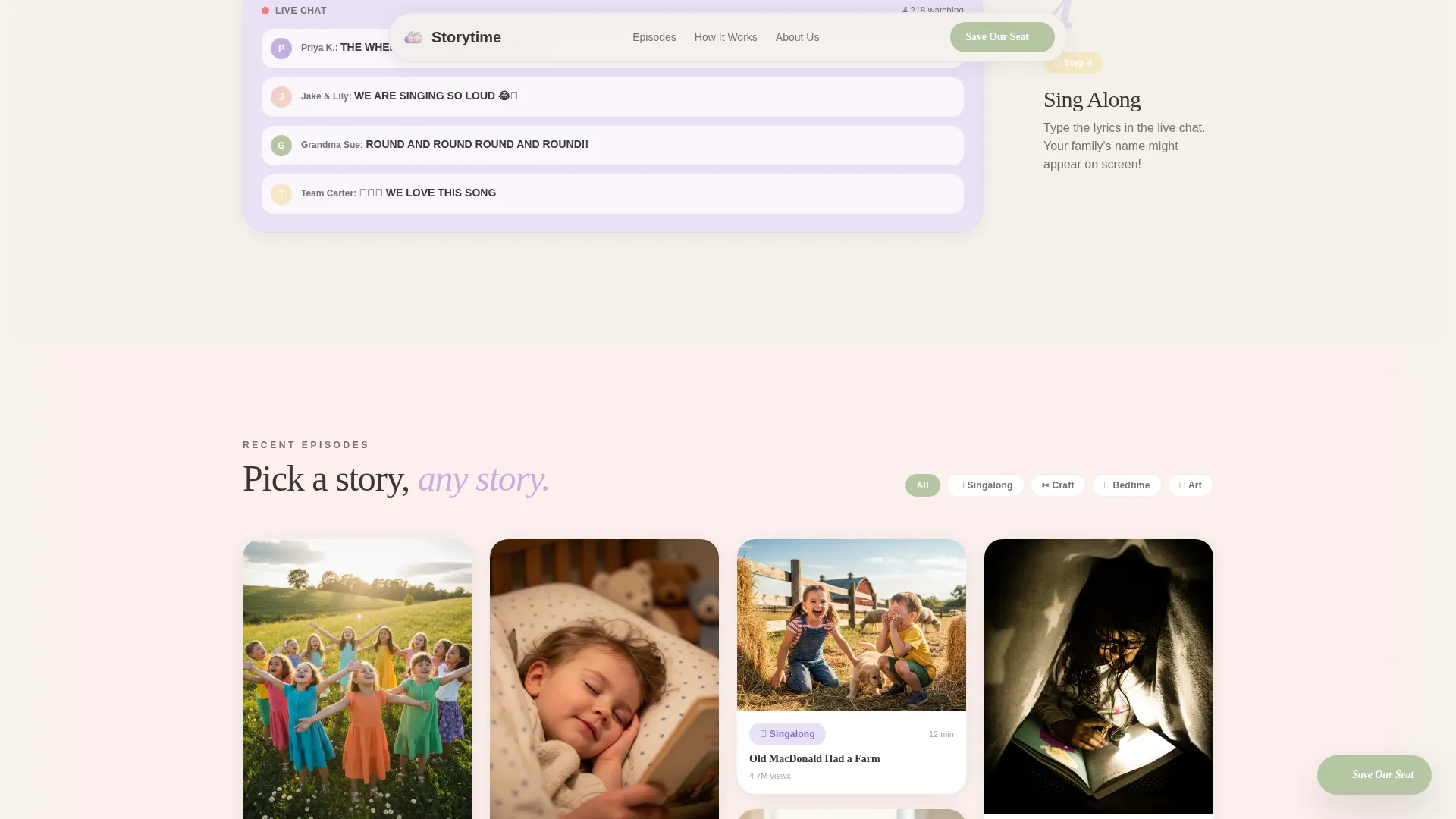
The scroll is structured as a numbered path with four distinct steps. Each step expands into a cluster of masonry cards: episode thumbnail tiles, an animated calendar stamp, a behind-the-scenes looping clip, and real live-chat screenshots. Cards stagger at different heights and lift with a pillowy shadow on hover.
Floating RSVP Button
A soft floating button labeled "Save Our Seat" pins to the viewport after the first scroll. It stays visible throughout the page without blocking content, giving parents a constant, low-pressure path to the registration form.
Dual-Path Registration Form
The RSVP form collects just three fields in a deliberate order: parent's first name, child's first name and age, and email address. A secondary option lets returning subscribers tap "We're Already Subscribed, Just RSVP" to skip the email capture step entirely.
Social Proof Trust Strip
Directly above the registration form, a rotating strip of single-sentence parent testimonials builds confidence before the ask. A visible counter showing families already registered reinforces that the livestream is a real gathering with real attendance.
Pinterest-Style Episode Grid
Upcoming episode thumbnails are displayed in a masonry grid that breathes and staggers. Hovering any tile lifts it with a soft shadow effect, making the browsing experience feel tactile and inviting rather than flat.
Page sections overview
| Section | Purpose |
|---|---|
| Animated Hero | Introduces the channel with a Lottie balloon-family illustration and the live event headline |
| Four-Step Guide | Walks families through picking a show, saving the date, joining the stream, and singing along |
| Episode Thumbnail Grid | Displays upcoming episodes in a masonry layout families can browse and vote on |
| Testimonials and Registration | Builds trust with rotating parent quotes and a family counter before presenting the RSVP form |
| Behind the Scenes | Shows the family setting up for a livestream, adding warmth and authenticity |
| Minimal Footer | Closes the page cleanly with essential links in a horizontal pattern |
Design & branding system
The visual identity uses the Soft Mist color system, a palette that feels like watercolor dropped into milk. Every hue is diluted to its gentlest version, creating a space that guides an adult's eye without startling a child.
- Colors: cloud white (#F4F1EB) as the base, sleepy lavender (#C3B1E1), morning-blanket blush (#F2D0C9), and gentle sage (#B5C5A3) on buttons and interactive tags
- Typography: Fraunces serif for headlines, DM Sans for body text, with custom letter-spacing that evokes a hand-lettered, crayon-written quality
- The illustration IS the brand, no photography competes with the hand-drawn vector style, keeping the page consistent and recognizable at every scroll depth
Mobile & speed optimization
The primary user is a millennial mom scrolling on her phone during naptime. Every layout decision prioritizes that context: fast loading, easy tapping, and no element too small to press with a thumb.
- The masonry grid, RSVP form, and floating button are all built mobile-first so the experience holds up on a phone screen without pinching or horizontal scrolling
- Static sections use server-side rendering while animated and interactive components are handled client-side, keeping the initial page load light
- Card hover effects translate to tap interactions on touch screens, so the tactile, felt-board feeling carries through on mobile devices
How this template helps you convert
Every layout decision points toward one outcome: a registered family. The template reduces friction at each step and adds trust exactly where parents are most likely to hesitate.
- The floating "Save Our Seat" button stays visible throughout the scroll, removing the need to hunt for the sign-up after the hero section passes from view.
- The three-field form, with the child's name asked before the email address, signals to parents that this event is genuinely for their kid, not a marketing list disguised as a children's program.
- The testimonial strip and family counter placed directly above the form give parents social proof at the exact moment they decide whether to complete the registration.
Other information about this template
This template is part of a curated set built around the Family First theme, pairing the Soft Mist color system with the Step-by-Step Guide creative direction and a Lottie/Vector header concept. It sits within the Kids and Family category, specifically the Kids Entertainment and Media subcategory, targeting the children's YouTube channel niche.
- The template style is Masonry/Pinterest, meaning the grid layout is a core structural element, not a decorative option
- The landing page direction is Event Registration, so the entire scroll is optimized for a single conversion action rather than general channel promotion
- The intersection match score for this category, subcategory, and niche combination is 13, reflecting a tight, well-defined audience fit
- This template is built for English-language audiences using United States date formatting and is scoped for a business-to-consumer context
Theme
Family First
Creative direction
Step-by-Step Guide
Color system
Soft Mist
Style
Masonry/Pinterest
Direction
Event Registration
Page Sections
Lottie Vector Hero Animation
Four-step Masonry Card Guide
Floating RSVP Button
Dual-path Registration Form
Social Proof Trust Strip
Pinterest-style Episode Grid
Related questions
Can I use this template for a different type of family event, not just a singalong?
Is the RSVP form connected to an email platform by default?
How many fields does the registration form include?
Can the color palette be changed to match a different brand?
Does the animated hero require any special setup to display correctly?



