Specialty Beauty Treatments Blog Website Template
Strand is a masonry-style landing page template built for hair extension training academies. It guides stylists through a five-step quiz that recommends the right method course based on their experience and income goals. The design blends editorial warmth with a clear enrollment funnel, moving booth renters, salon owners, and beauty graduates from curiosity to confirmed reservation.
by Rocket studio
Quick summary
Strand is a single-page template designed for a hair extension specialist training academy. It uses a Pinterest-style masonry grid, a full-viewport portrait header, and a guided quiz to match each visiting stylist with the right certification path. The layout is mobile-first, editorially styled, and built around one clear action: finding your extension specialty and reserving your kit.
Who this template is for
This template is built for beauty educators and training academies that teach hands-on extension methods. It speaks directly to the stylists those academies are trying to enroll.
- Booth renters who are currently referring out tape, micro ring, or sew-in clients and losing significant monthly income
- Salon owners who want to add extension services to their menu but need a structured curriculum to start from
- Beauty school graduates who have strong color and cut foundations but have never completed a full extension install
What problem this template solves
Most extension training pages feel like a course catalog. Stylists land on them, feel overwhelmed by options, and leave without enrolling. Strand removes that friction.
- The quiz-led funnel replaces the catalog problem by asking five targeted questions and returning a named curriculum recommendation
- The masonry grid presents each training method as a visual editorial tile, so stylists browse by instinct rather than reading a list
- The sticky call-to-action bar keeps the primary action visible after the third scroll, so the moment a stylist feels ready, the button is already there
What you get with this template
Strand delivers a complete single-page enrollment experience, pre-built and ready to customize with your academy's course names, pricing, and supply bundle details.
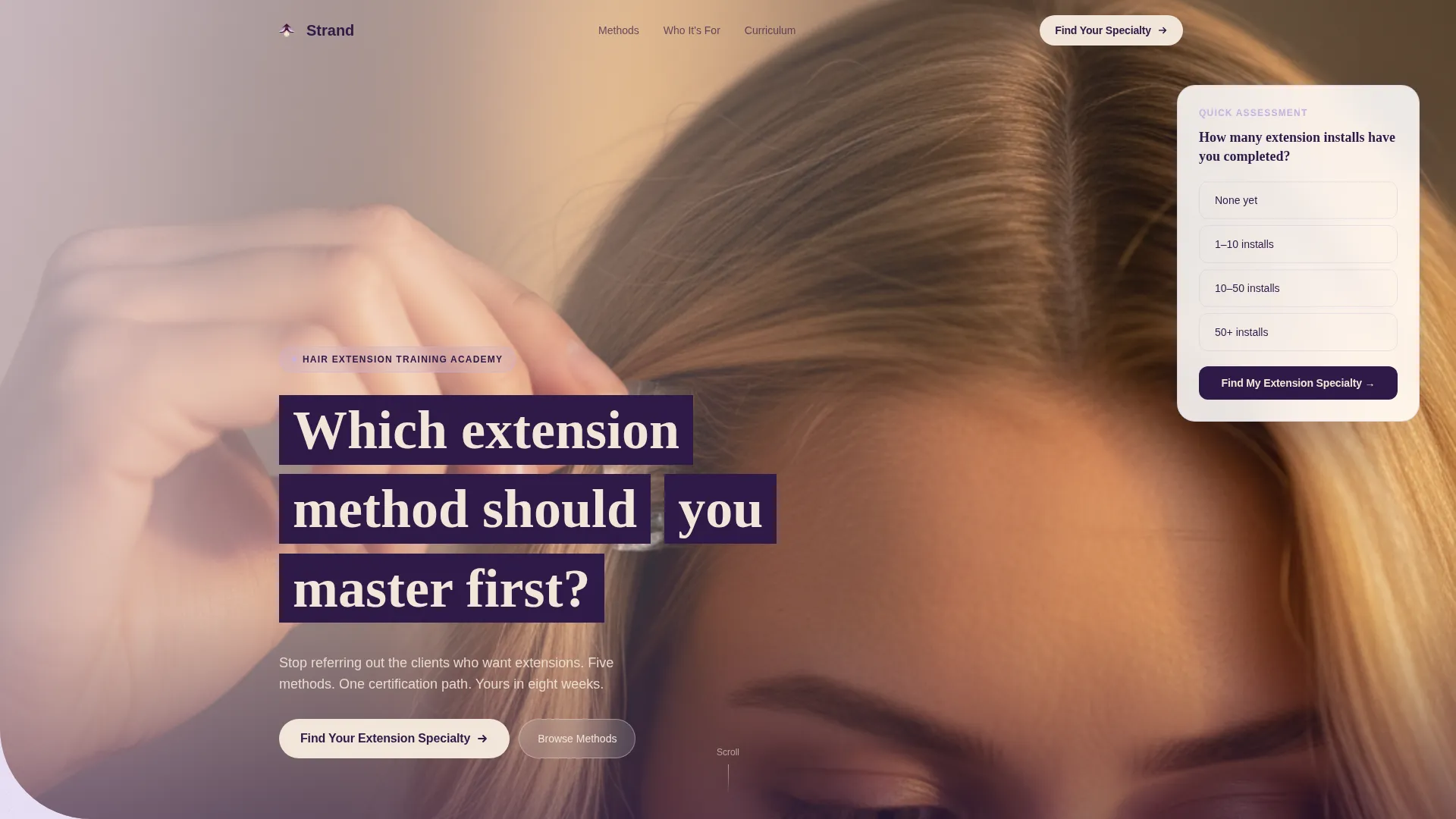
- Full-viewport portrait hero section with a floating quiz entry card and a champagne-colored call-to-action button
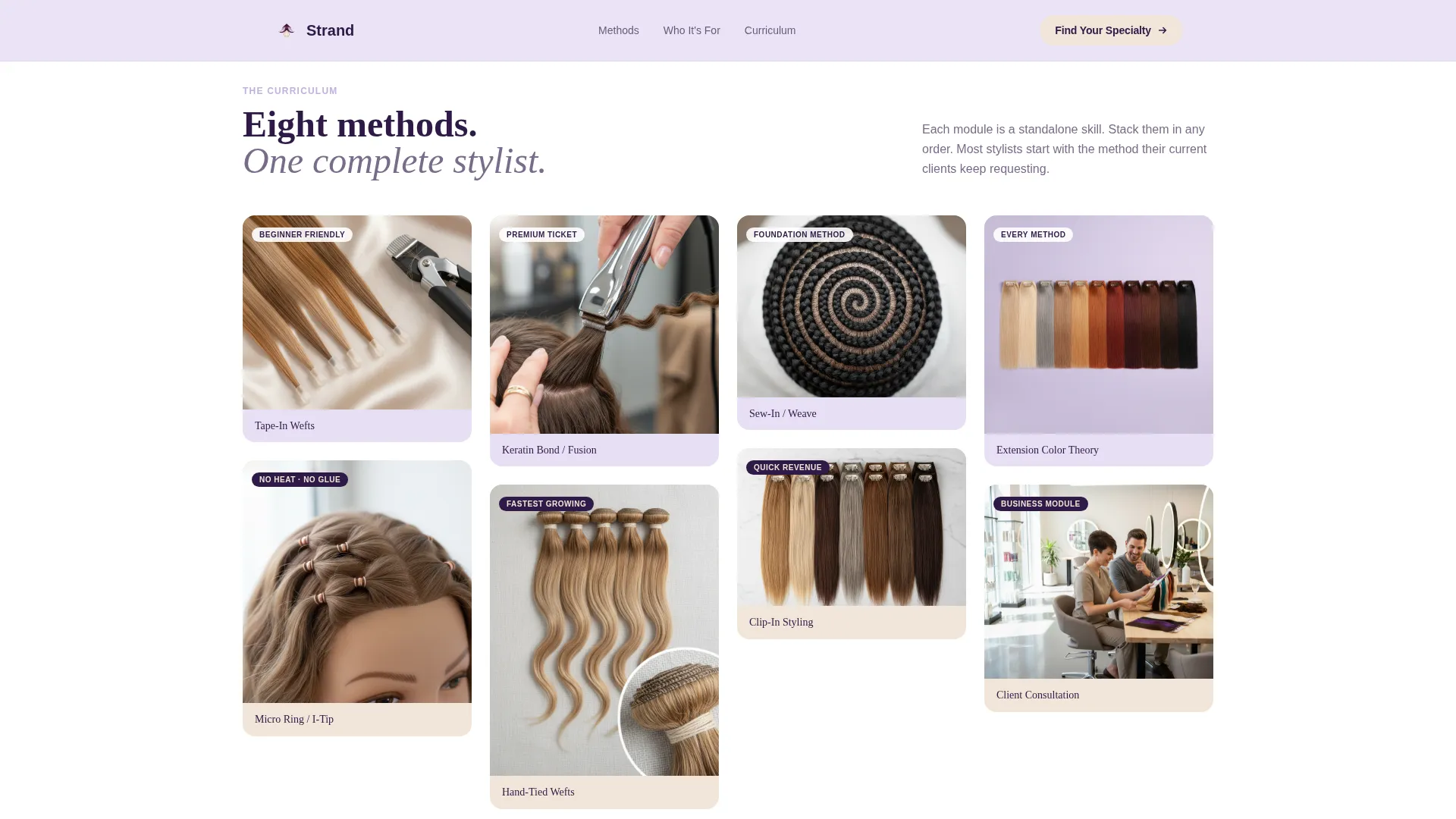
- CSS columns masonry grid with editorial training module tiles, a full-width testimonial break, and three asymmetric persona cards
- Five-step quiz modal that collects experience level, preferred technique, salon setup, and income goals, then returns a personalized course path with a price and a "Reserve Your Kit" secondary call to action
Feature list
This template is built around a small set of high-impact components. Each one serves the enrollment funnel directly.
Five-Step Guided Quiz Modal
The quiz opens with a single low-friction question about install experience. It then moves through technique preference, salon setup, and income goals across five taps. The result is a named curriculum path, a listed price, and a reservation call to action, so stylists leave the quiz knowing exactly where to start.
Pinterest-Style Masonry Module Grid
The training module grid uses CSS columns masonry with Intersection Observer stagger animation. Tiles vary in height and saturation, pulling the eye diagonally down the page. Each tile is styled as an editorial mood board representing one training method, such as tape wefts, micro rings, or sew-in techniques.
Sticky Enrollment Bar
After the third scroll, a bottom bar slides into view and stays fixed. It repeats the primary call to action so the enrollment button is always within one tap. The bar uses the champagne color to signal interaction without interrupting the reading flow.
Full-Width Testimonial Break
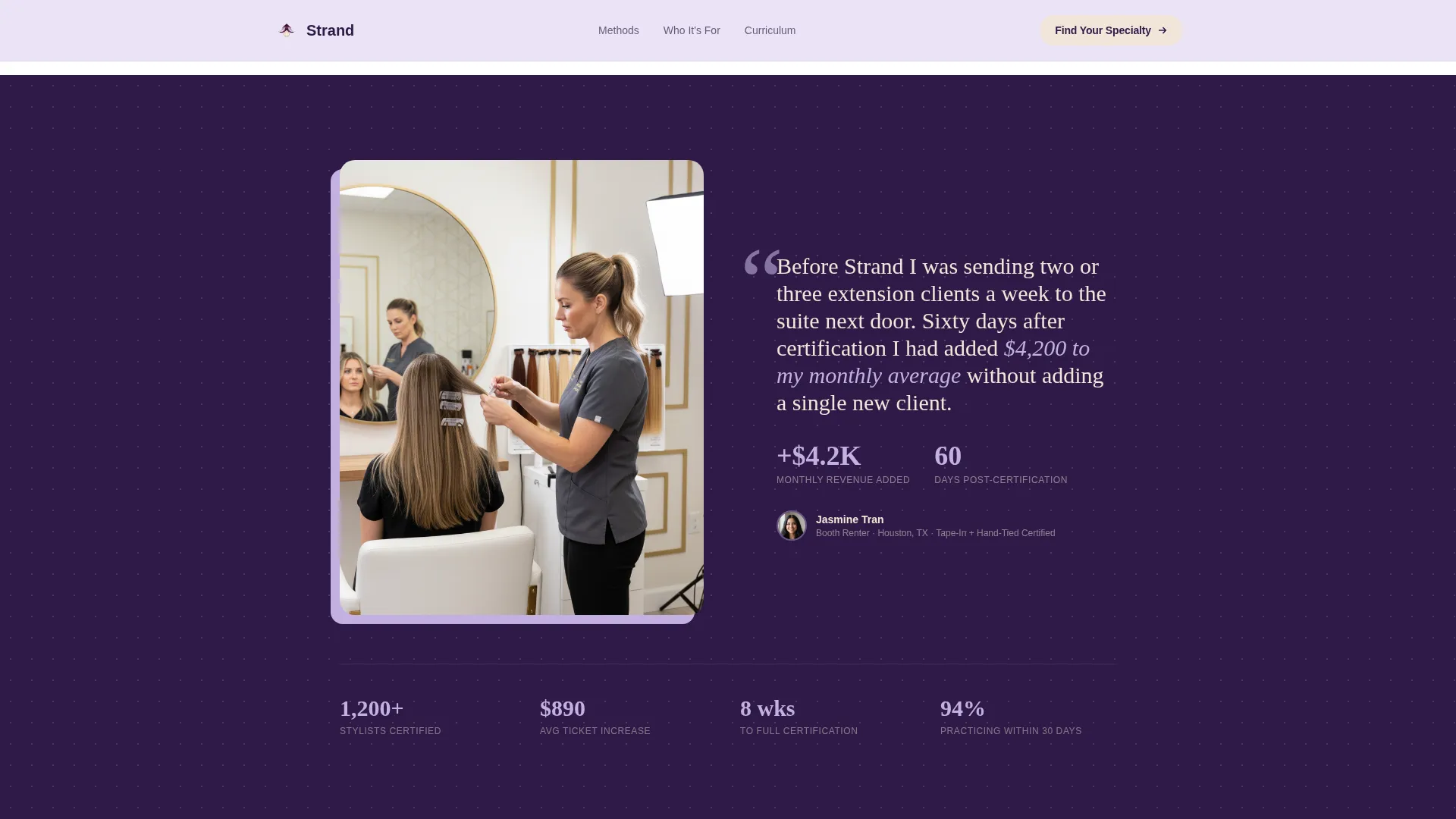
Midway through the page, the masonry grid pauses for a single full-width testimonial from a named stylist with specific ticket average numbers. This break resets the visual rhythm and provides social proof at the moment a visitor is deepest in evaluation mode.
Persona Cards Section
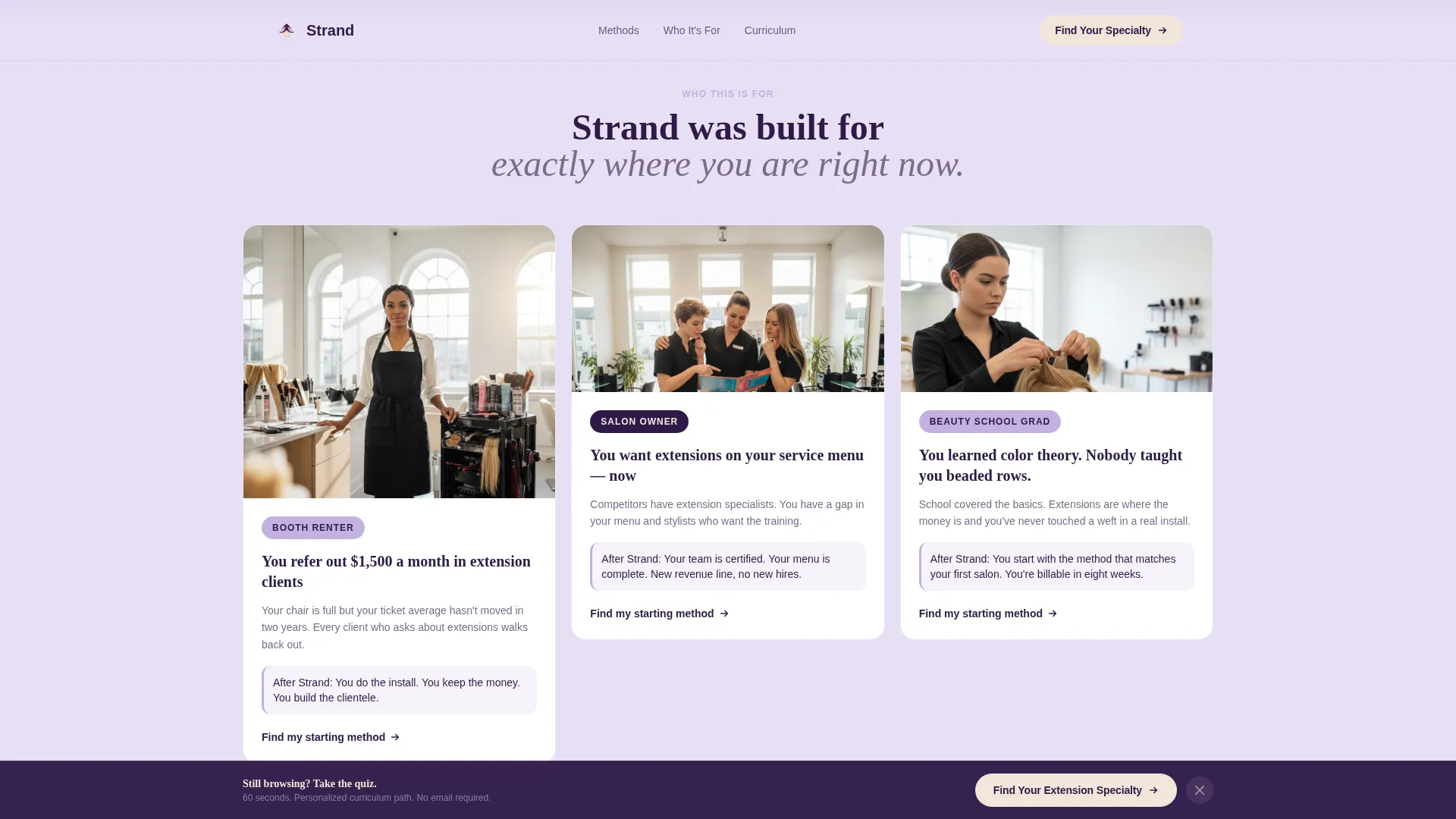
Three asymmetric cards identify the booth renter, the salon owner, and the beauty school graduate by name. Each card mirrors the language a real visitor would use to describe their own situation, helping every type of prospective student feel recognized before they scroll further.
Page sections overview
| Section | Purpose |
|---|---|
| Portrait Hero | Introduce the quiz and primary call to action above the fold |
| Masonry Module Grid | Browse each training method as an editorial tile |
| Testimonial Break | Deliver social proof with real revenue numbers at mid-scroll |
| Who This Is For | Three persona cards identifying each target student type |
| Kit and Enrollment | Present the supply bundle, curriculum path, and reservation call to action |
| Footer | Horizontal flow navigation and academy contact links |
Design & branding system
The visual identity follows a Luxe Minimal editorial direction. The palette is built around four tones that each carry a specific role on the page.
- Plum-noir (#2E1A47) anchors all typography and primary surfaces; whisper lilac (#E8DFF5) washes across card backgrounds; muted French lavender (#C3B1E1) accents tiles and hover states
- Warm champagne (#F2E6D9) appears only on call-to-action surfaces and hover states, reserving its warmth for the exact moment a finger is about to tap
- Display headlines use a Fraunces serif for editorial weight; body copy uses DM Sans for clean legibility across all screen sizes
Mobile & speed optimization
This template is designed mobile-first because stylists typically browse between clients on their phones. Every interaction is built for thumb reach and small-screen scanning.
- The masonry grid uses CSS columns rather than JavaScript-heavy libraries, keeping the layout responsive without added load overhead
- The sticky call-to-action bar and quiz modal are both optimized for one-thumb interaction, with tap targets sized for mobile use
- Next.js Image optimization is used for hero and tile photography, reducing visual load time on slower mobile connections
How this template helps you convert
Strand is structured as a quiz-led enrollment funnel. Every design decision points toward one outcome: a stylist clicking "Reserve Your Kit."
- The quiz replaces the overwhelming course catalog with a personalized recommendation, lowering the decision barrier from the very first interaction
- The masonry grid builds desire by letting stylists browse training methods the same way they browse inspiration on a mood board, so they arrive at the persona cards already picturing themselves enrolled
- The sticky bar ensures the call to action is never more than one tap away, regardless of where on the page the stylist decides they are ready
Other information about this template
Strand is part of the Luxe Minimal theme family and uses the Lavender Dream color system. It is built as a Next.js project with high animation fidelity, including Intersection Observer stagger entries on masonry tiles and a scroll-triggered sticky bar.
- The template ships with a Vercel Horizontal Flow footer pattern, making it straightforward to deploy on Vercel or any Next.js-compatible hosting environment
- The quiz modal is a five-step in-page component that does not require a third-party survey tool to function; it is self-contained within the template
- Tile hover states reveal additional detail about each training module, adding a layer of interactivity that rewards slower browsing without hiding key information from fast scrollers
Theme
Luxe Minimal
Creative direction
Curated Collection
Color system
Lavender Dream
Style
Masonry/Pinterest
Direction
Quiz/Assessment
Page Sections
Five-step Quiz Enrollment Funnel
Editorial Masonry Module Grid
Sticky Bottom Call-to-action Bar
Full-width Testimonial Section
Persona Cards for Each Student Type
Portrait Hero with Floating Quiz Card
Related questions
Can I customize the quiz questions for my own course offerings?
Does this template work if I only teach one extension method?
How does the Reserve Your Kit call to action work?
Is this template suitable for stylists who are completely new to extensions?
What makes the masonry layout different from a standard course grid?