Education Operations Consultant Landing Page
Streamline is a sidebar companion landing page template built for education operations consultants. It uses a fixed sidebar navigation, testimonial-led problem-solution sections, and two clear conversion paths: a booking widget and a gated checklist download. The design is clean and utility-focused, built to earn trust before asking for a commitment.
by Rocket studio
Quick summary
Streamline is a single-page, sidebar companion landing page template for education operations consultants. It guides charter school directors, district operations managers, and private school administrators from recognition of a familiar problem to a confident booking decision. The layout stacks administrator testimonials alongside consultant methodology, building credibility with every scroll.
Who this template is for
This template is built for consultants who fix the operational infrastructure of schools. If your work touches attendance workflows, enrollment pipelines, compliance calendars, or staff onboarding systems, this page was designed with your practice in mind.
- Education operations consultants working with charter schools, district offices, or private school networks
- Independent school systems advisors who need a professional booking presence without a complex website
- Consultants transitioning from referral-only work to inbound scheduling and lead capture
What problem this template solves
Most consultants in this space have deep expertise but no page that communicates it credibly to a skeptical administrator. School leaders are busy. They need to feel understood before they will book anything.
- Administrators do not trust generic consultant pages that list services without showing operational context
- Without a structured conversion path, visitors read and leave without taking action
- A single call-to-action page with no secondary offer loses visitors who are curious but not yet ready to commit
What you get with this template
You get a fully structured landing page that earns trust through proof, then converts it through two clear paths. The layout does the heavy lifting so your content can stay focused on what you actually do.
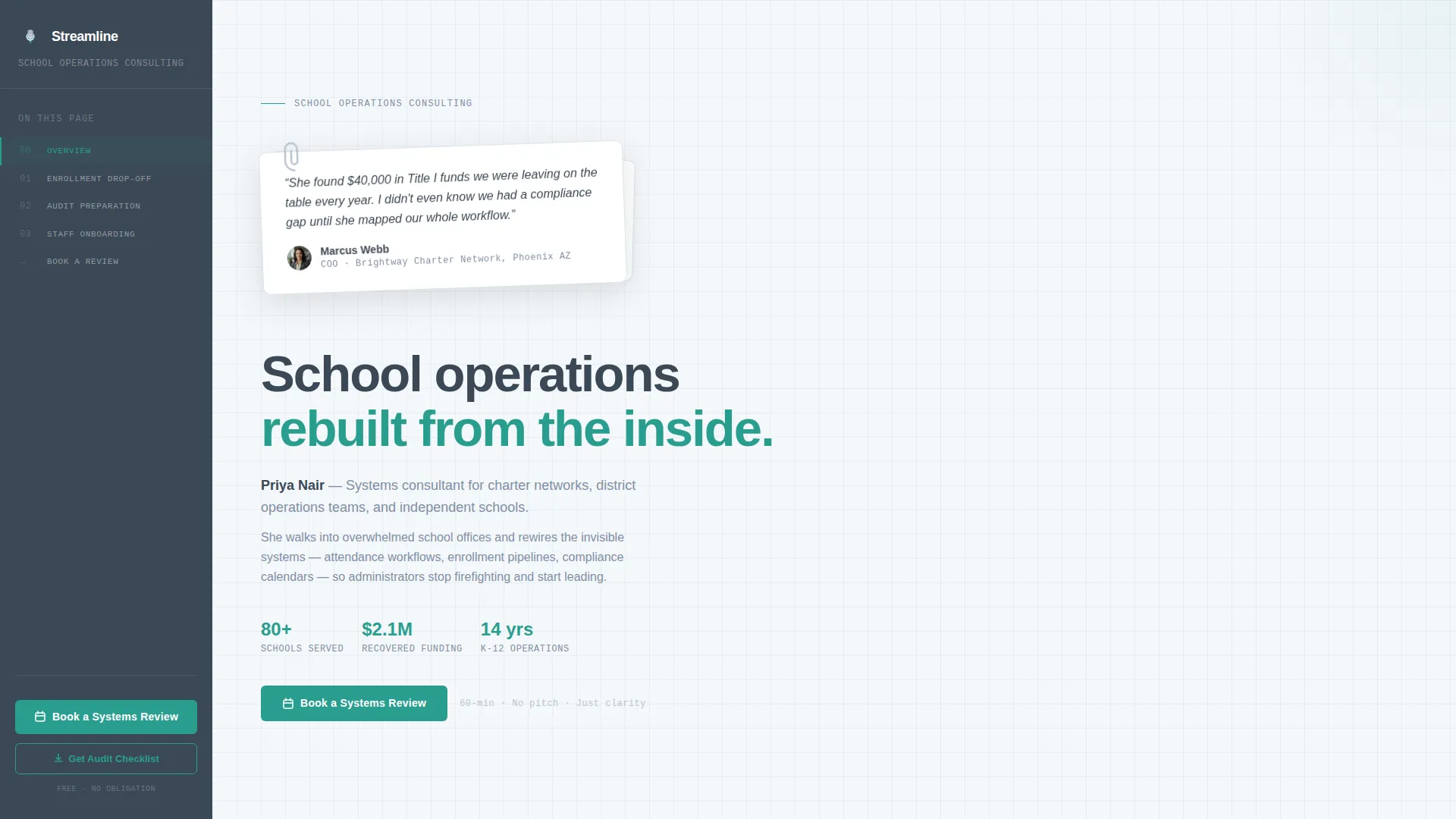
- A fixed sidebar that acts as a live table of contents, always surfacing the booking button as the visitor scrolls
- A testimonial-card header with a physical card design element, soft shadow, and paperclip graphic anchoring a real administrator quote
- An Expert Panel scroll structure that pairs each operational problem with a matching methodology section and a repeated call-to-action
Feature list
Every feature in this template maps directly to a specific decision a school administrator makes while reading your page.
Fixed Sidebar Navigation
The sidebar stays visible as the visitor scrolls through every section. It highlights the current section in real time and always displays the primary "Book a Systems Review" button. This keeps the path to booking visible at every point on the page.
Testimonial Card Header
The header is built around a physical card design element, slightly rotated, with a paperclip graphic and a soft drop shadow. It opens the page with a peer-sourced quote, such as a charter network COO crediting the consultant with recovering funds. This immediately signals credibility through a voice that is not the consultant's own.
Expert Panel Scroll Structure
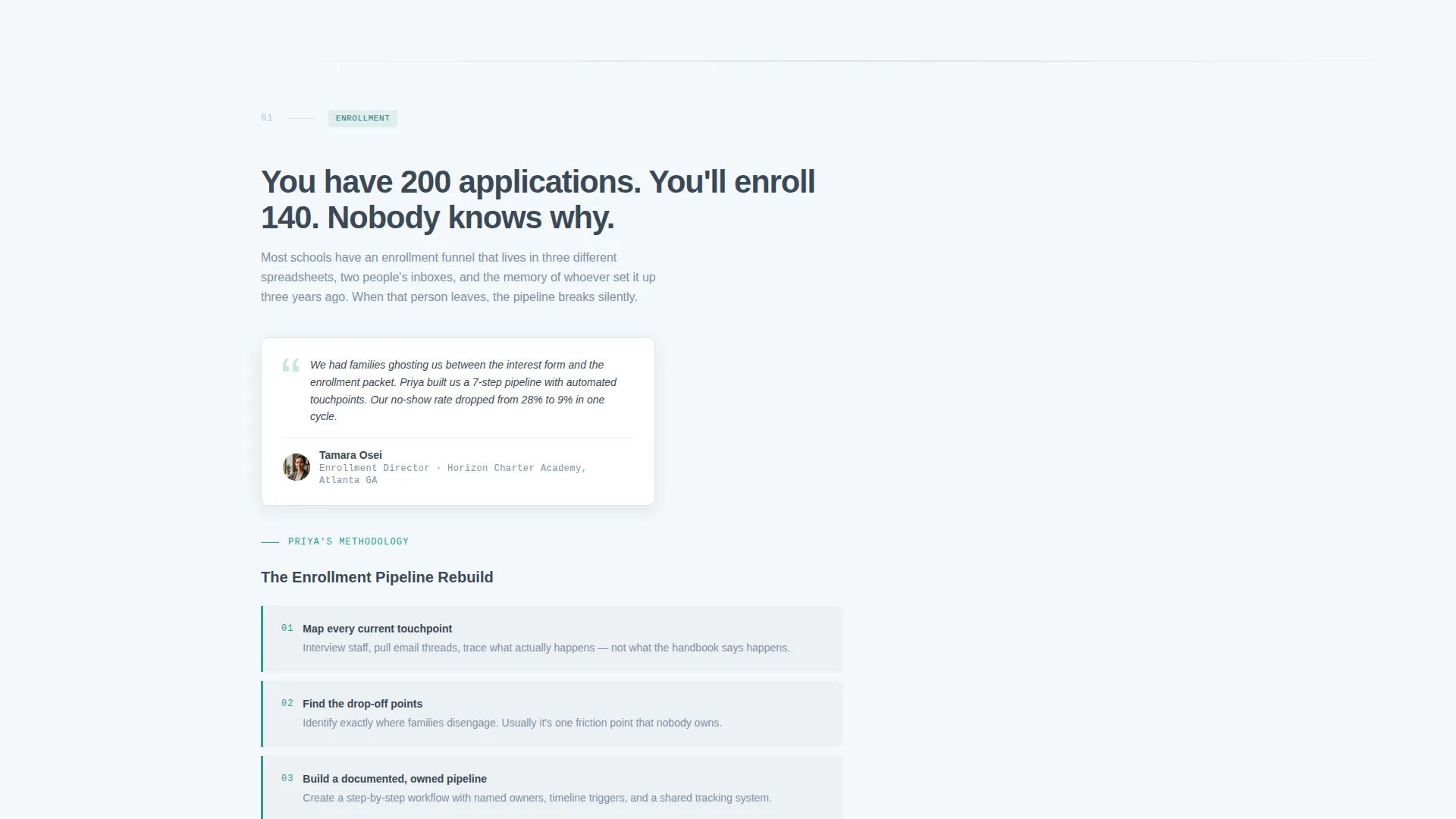
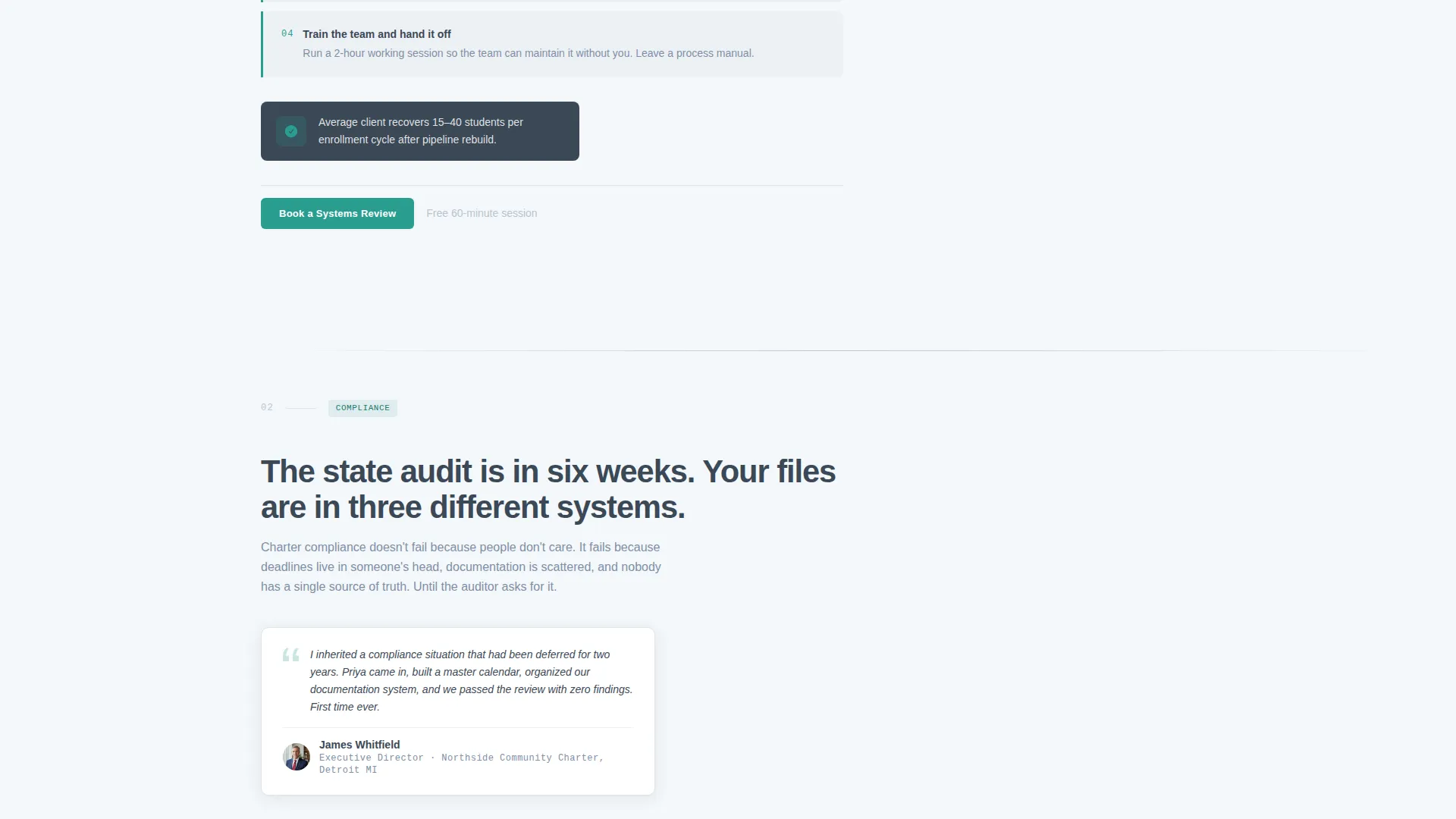
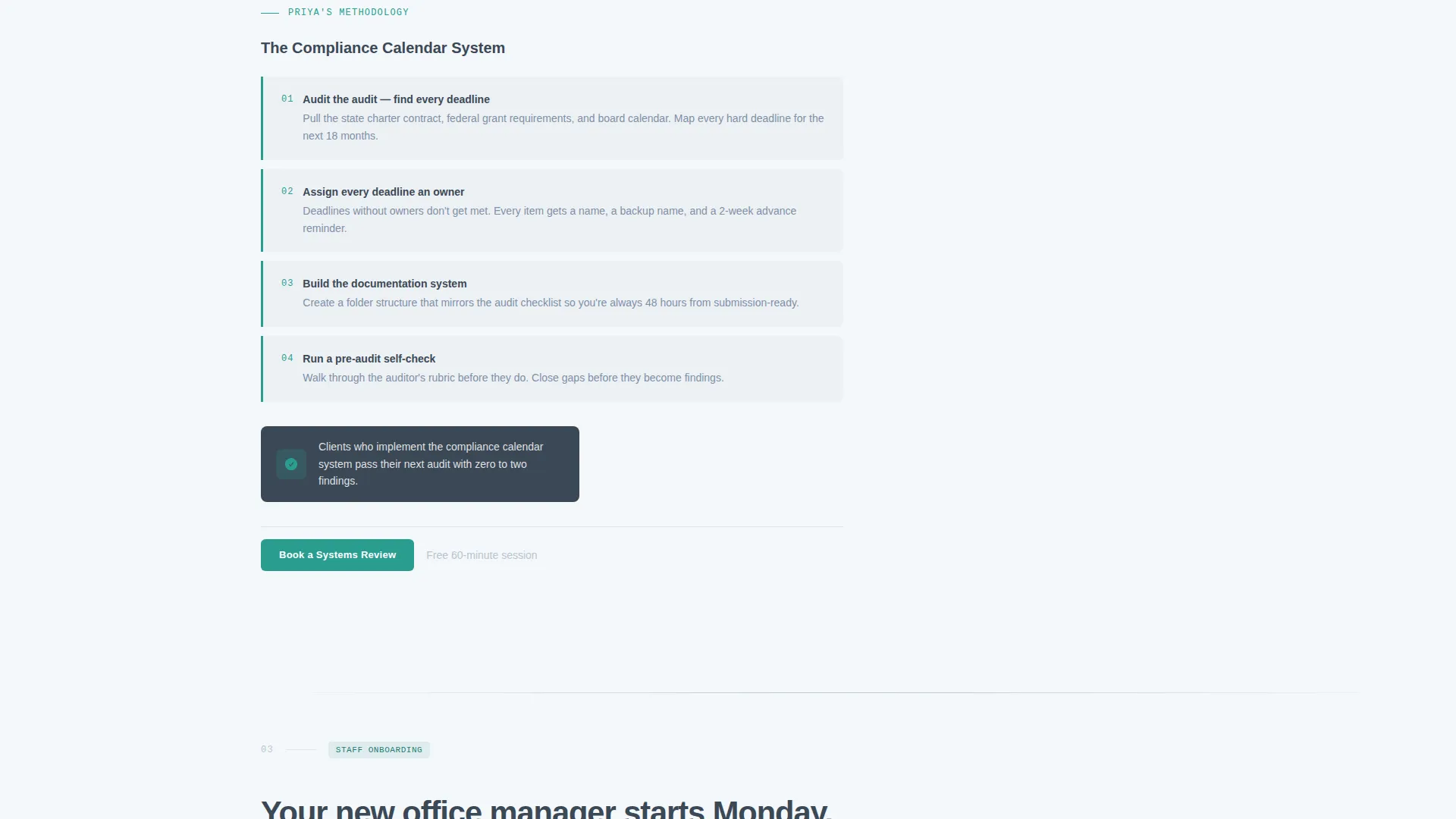
Each scroll section introduces one operational problem through a short administrator testimonial, then presents the consultant's specific methodology for solving it. Problems covered include enrollment drop-off, audit preparation, and staff onboarding gaps. The structure makes the consultant feel like a known and trusted name before the visitor reaches the bottom.
Dual Conversion Paths
The primary call-to-action, "Book a Systems Review," is placed in the fixed sidebar and repeated after every problem-solution pair. A secondary path offers a gated PDF download, the Operations Audit Checklist, for visitors not yet ready to book. The gated form collects name, role, and email.
Embedded Booking Widget
Clicking the primary call-to-action opens an embedded calendar widget. The widget asks for school type, such as charter, district, private, or charter management organization, number of campuses, and the visitor's single biggest operational pain point as a short text field. This qualifies the lead before the first conversation.
Cloud Canvas Color System
The palette uses soft cloud white as the primary background, chalkboard slate for body text and the sidebar, muted periwinkle for dividers and secondary labels, and a single decisive teal reserved exclusively for buttons and active states. The result feels like a clean conference room surface, not a decorated website.
Page sections overview
| Section | Purpose |
|---|---|
| Testimonial Card Header | Opens with peer proof and consultant identity |
| Fixed Sidebar | Persistent navigation and primary booking button |
| Enrollment Drop-Off Problem | Testimonial plus methodology for enrollment systems |
| Audit Preparation Problem | Testimonial plus methodology for compliance readiness |
| Staff Onboarding Problem | Testimonial plus methodology for onboarding gaps |
| Booking Call-to-Action | Repeated prompt to schedule a systems review |
| Embedded Calendar Widget | Qualifies and captures booking leads inline |
| Checklist Download Gate | Secondary offer capturing name, role, and email |
| Closing Proof Stack | Final administrator testimonials before page end |
Design & branding system
The visual identity follows a Service Utility theme. Every color and layout decision is functional, not decorative. The palette feels like a freshly wiped whiteboard in a well-lit conference room.
- Cloud white (#F4F7FA) as the primary background, chalkboard slate (#3B4856) for body text and the sidebar, and muted periwinkle (#7E8FA6) for dividers and secondary labels
- Decisive teal (#2A9D8F) used exclusively for buttons and active states, keeping the visual hierarchy clear and the call-to-action unmistakable
- The testimonial card in the header uses a slight rotation, paperclip graphic, and soft shadow to create a physical, document-like feel that contrasts with the clean canvas behind it
Mobile & speed optimization
The sidebar companion layout is designed to reflow cleanly on smaller screens. The fixed sidebar collapses appropriately so mobile visitors still have access to navigation and the booking button without layout conflicts.
- The card-based testimonial sections stack vertically on mobile, keeping the problem-solution pairing intact and readable
- The embedded booking widget and gated download form are sized for touch interaction and do not require horizontal scrolling
How this template helps you convert
The page is structured so that by the time a visitor reaches the booking widget, multiple administrators have already explained why they hired this consultant. Proof comes before the ask.
- Each problem-solution pair ends with a "Book a Systems Review" call-to-action, so the decision moment arrives naturally after a credibility beat, not in isolation.
- The gated checklist download gives hesitant visitors a low-commitment entry point, capturing their contact details and keeping them in the funnel even if they are not ready to book today.
Other information about this template
This template is part of the Streamline collection, built for service-based professionals who need a conversion-focused landing page without visual clutter. The Sidebar Companion format is particularly well-suited to consultants whose work covers multiple service areas, because the fixed sidebar lets visitors jump directly to the problem most relevant to them. The Expert Panel creative direction was chosen specifically for trust-dependent services like education consulting, where social proof from peers in the same industry carries more weight than polished copywriting alone. The Cloud Canvas color system and Service Utility theme together signal competence and organization, which mirrors the core value proposition of an education operations consultant.
- The template is built as a single landing page, not a multi-page website
- The booking widget includes a qualifying intake form, reducing time spent on discovery calls
- The secondary checklist download path is useful for administrators who are researching vendors before a budget cycle opens
- This template supports the full consultant workflow from awareness through to a scheduled meeting
Theme
Service Utility
Creative direction
Expert Panel
Color system
Cloud Canvas
Style
Sidebar Companion
Direction
Booking/Scheduling
Page Sections
Fixed Sidebar Navigation
Testimonial Card Header
Expert Panel Scroll Structure
Dual Conversion Paths
Embedded Booking Widget
Cloud Canvas Color System
Related questions
Can I use this template if I work with multiple school types?
What does the embedded booking widget collect from visitors?
How does the secondary checklist download work?
Is this template designed for a solo consultant or a larger firm?
Can I replace the sample testimonials with my own client quotes?



