Pediatric Foot Care Assessment Landing Page Template
Stride is a single-column landing page template built for pediatric podiatry clinics. It opens with a multi-step symptom quiz, walks parents through a Problem-to-Solution narrative, and closes with a gait analysis booking flow. The Alpine Fresh color system and illustrated foot SVG give the page a warm, clinical confidence that turns a worried parent's first tap into a booked appointment.
by Rocket studio
Quick summary
Stride is a single-column landing page template designed for pediatric foot care clinics. Parents arrive, tap a concern tile, and move through a gentle quiz that pre-fills their symptom data before they ever speak to a receptionist. The page earns scroll by replacing parental worry with clear, evidence-backed steps, and every section nudges the reader toward one goal: booking a gait analysis appointment.
Who this template is for
This template is built for any clinic, practice, or specialist whose work centers on children's feet and lower-limb development. It speaks directly to the people doing the searching, which are almost always parents, school nurses, or referring pediatricians who need quick answers and a trustworthy next step.
- Pediatric podiatry clinics offering gait analysis, custom orthotics, and growth-tracking follow-up appointments
- Children's physiotherapy practices that treat cases such as flat feet, in-toeing, heel pain, or club feet
- Pediatricians and school health teams looking to refer families to a specialist evaluation service
What problem this template solves
Most clinic landing pages ask parents to read a wall of text before they can book an appointment. That approach loses the worried parent who is already mid-scroll on a phone in a waiting room. Stride flips the order: the child's concern comes first, and the information follows once trust is established.
- Parents feel unheard when a page leads with clinic awards instead of their child's specific symptom
- Generic booking forms do not capture the symptom context that a specialist needs before an evaluation
- Long, jargon-heavy copy raises anxiety rather than reducing it, causing parents to leave without booking
What you get with this template
You get a complete, single-column landing page ready to present to parents from the first click. Every section is purposeful, every color choice is intentional, and the multi-step quiz at the top does meaningful work before the parent even reads a headline.
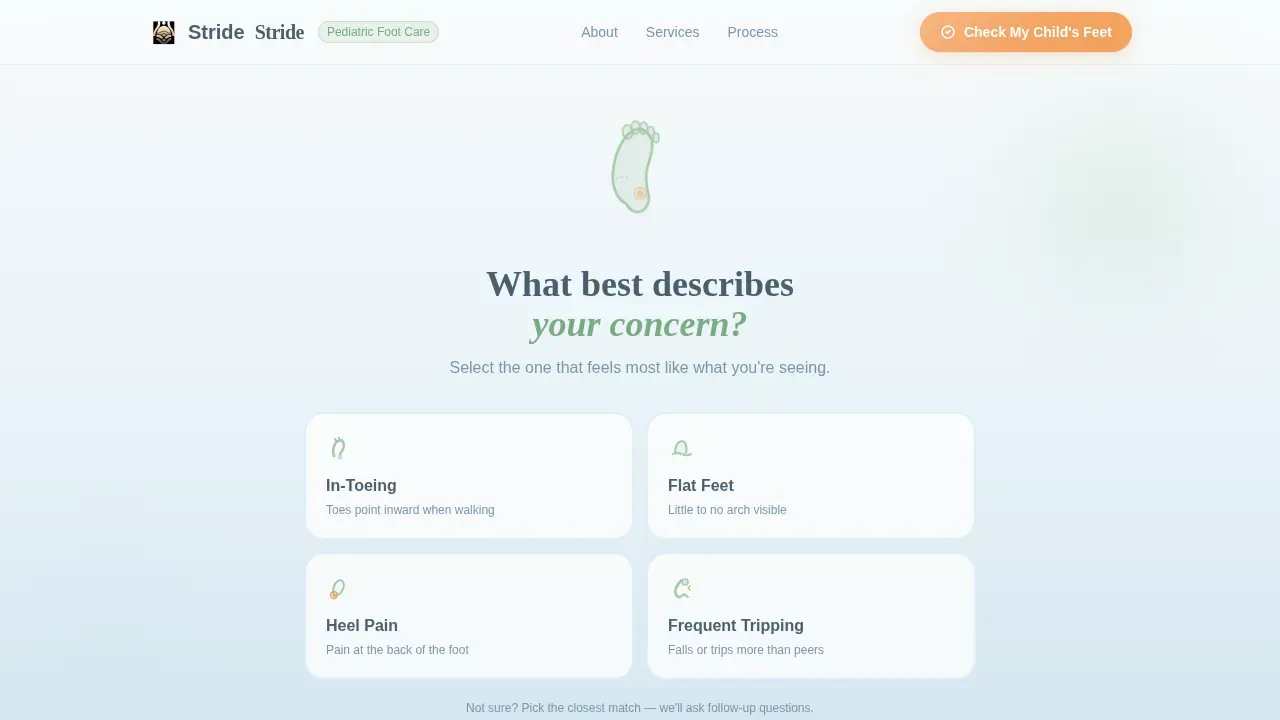
- A header multi-step quiz with four illustrated concern tiles (In-Toeing, Flat Feet, Heel Pain, Frequent Tripping), gradient shift on selection, and slide-in transitions
- A Problem-to-Solution narrative arc covering "What You're Seeing," "What's Actually Happening," and "How We Fix It" sections with pressure-map visuals and biomechanical diagrams
- A mid-page "Check My Child's Feet" call-to-action, a sticky header button, a photo-upload step, and an instant preliminary assessment result in green, yellow, or orange tiers
Feature list
This template packs purposeful interaction and clear content structure into every scroll. Below is a closer look at what each major feature delivers and why it matters for your clinic's conversion goal.
Symptom-Led Multi-Step Quiz
The page opens with an illustrated foot outline and a single friendly question. Parents tap one of four soft-edged concern tiles, and the form remembers their choice. Subsequent steps collect the child's age range, how long the symptom has been present, the frequency of episodes, and a shoe-wear photo upload. Because the quiz captures structured data from the start, the evaluation process begins before any clinic staff get involved.
Instant Preliminary Assessment Result
On completing the quiz, the parent receives an immediate result in one of three color-coded tiers: green for low urgency, yellow for moderate concern, and orange for cases that need prompt attention. Each tier comes with a plain-language explanation and a recommended next step. This removes the delay between a parent's concern and their first point of guidance, making the leap to a booked appointment feel small and logical.
Problem-to-Solution Narrative Arc
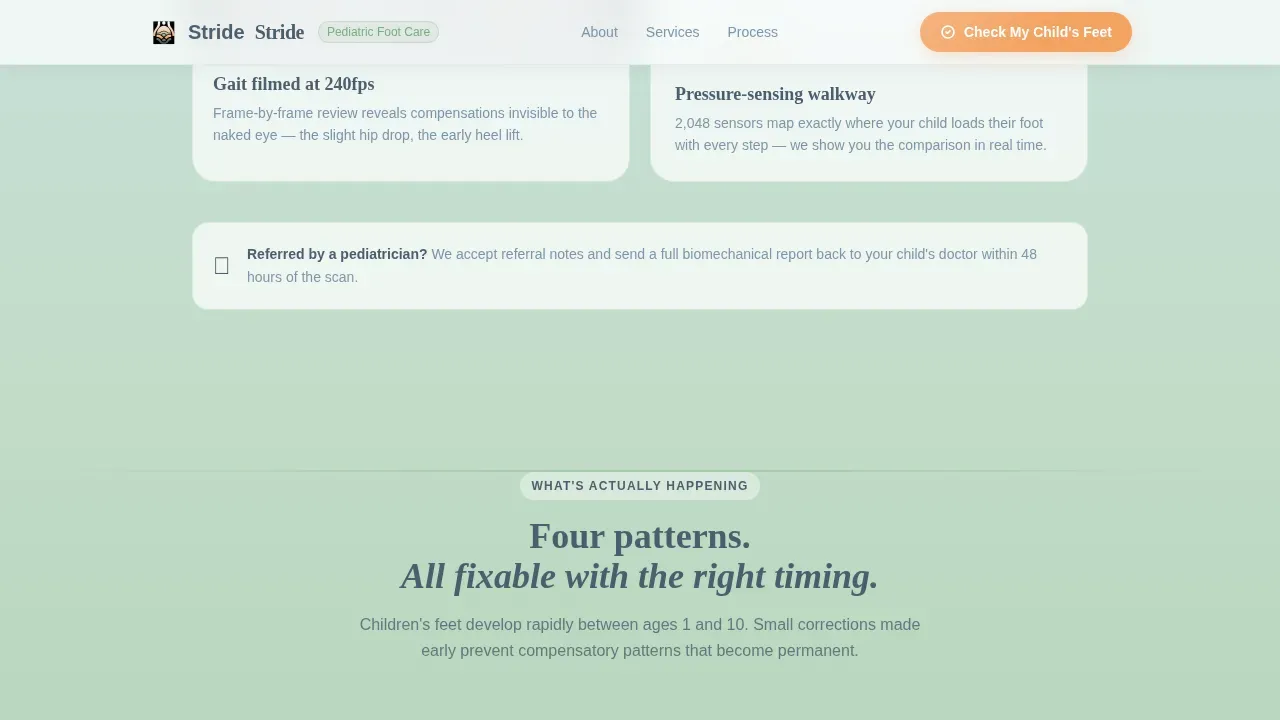
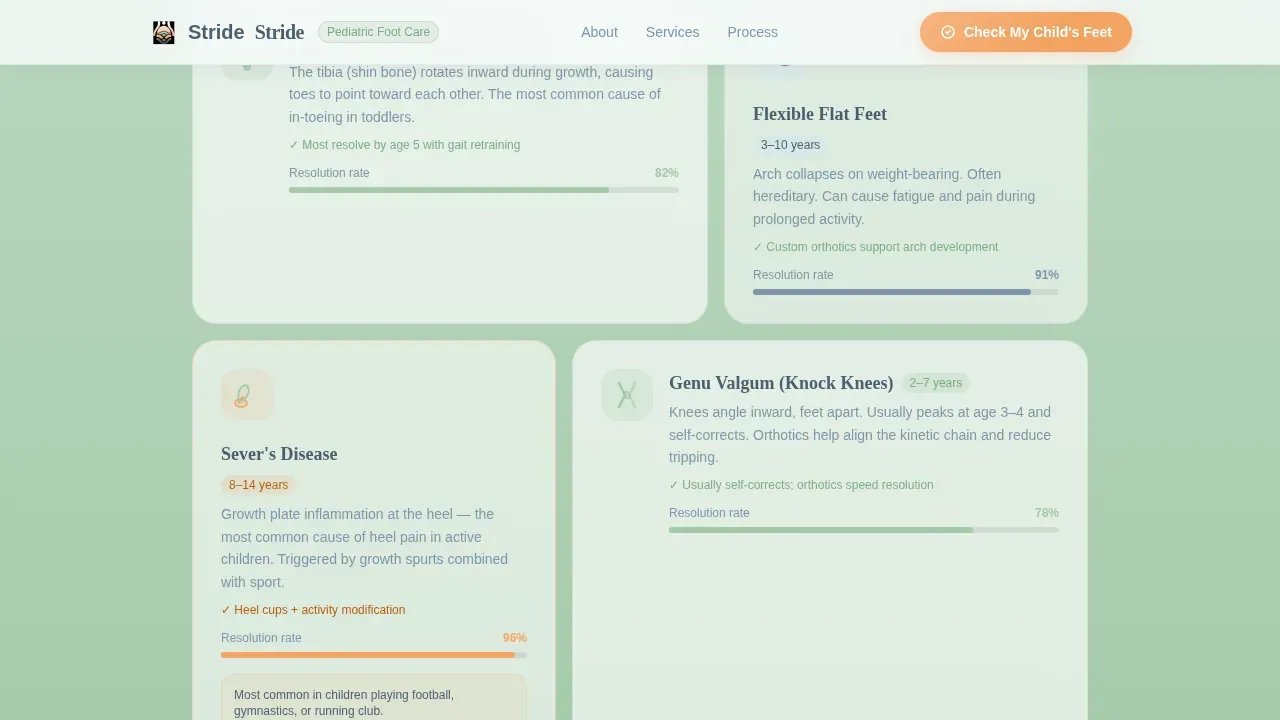
Three consecutive content sections mirror the parent's emotional journey. "What You're Seeing" validates their observation using pressure-map visuals and slow-motion gait stills. "What's Actually Happening" explains the biomechanics in simple diagram form without clinical jargon. "How We Fix It" walks through the 3D scanning process, orthotic fabrication, and the growth-tracking check-up schedule. The section backgrounds warm gradually from glacier mist toward meadow sage, so the visual temperature rises with the parent's growing confidence.
Sticky Header with Primary Call to Action
The "Check My Child's Feet" button stays visible at the top of the page throughout the entire scroll duration. This means a parent who skips the quiz to read testimonials first can still reach the appointment flow at any time without scrolling back up. The apricot button color appears only in this role and in progress indicators, so every tap target is instantly recognizable.
Testimonial Card Rail
A rotating card rail presents parent quotes alongside outcome metrics and pediatrician referral badges. Social proof at this point in the page addresses the final hesitation before booking. Parents can see that others in similar cases chose this clinic, had a positive experience, and saw measurable progress in their child's gait and foot development.
Minimal Footer with Booking Flow Entry
The footer follows a horizontal flow pattern that keeps the page feeling light at the close. It surfaces the booking call to action one final time and provides only the contact and navigation links that are actually required. Nothing competes with the appointment button.
Page sections overview
| Section | Purpose |
|---|---|
| Header Quiz | Captures symptom with four concern tiles and begins multi-step evaluation flow |
| What You're Seeing | Validates parent's observation using pressure-map visuals and slow-motion gait stills |
| What's Actually Happening | Explains biomechanics with illustrated diagrams in plain language |
| How We Fix It | Shows 3D scan, orthotic fabrication, and growth-tracking process with mid-page call to action |
| Testimonials Rail | Builds trust with parent quotes, outcome metrics, and pediatrician referral badges |
| Minimal Footer | Closes with horizontal flow, booking entry point, and essential links |
Design & branding system
The Alpine Fresh color system gives Stride its distinctive feel: part children's clinic, part Swiss mountain cabin. Every color has a specific role, and none of them overlap. The typography pairing reinforces the same balance between warmth and precision.
- Colors: snow-melt white (#F7FAFA) and glacier mist blue (#D0E4F0) for backgrounds with long vertical gradients, meadow sage (#A3C9A8) for section dividers and iconography, soft stone (#4A5E6D) for body text, and warm apricot (#F4A261) reserved exclusively for buttons and progress indicators
- Typography: DM Sans for all interface and body copy (rounded, approachable, easy to scan on a phone), paired with Fraunces serif for emotional section headers where a slightly slower, more deliberate read supports the tone
- Animation and interaction: high-motion clip-in reveals, gradient transitions between sections, spotlight hover states on tiles, and smooth step-slide form transitions throughout the quiz
Mobile & speed optimization
This template is built mobile-first because the parents most likely to use it are searching on a phone, often during or just after a pediatric appointment. The single-column layout means no reflow surprises on small screens. Every tap target is sized for a thumb, not a cursor.
- The single-column flow eliminates horizontal scroll and keeps content hierarchy intact at every viewport width
- Client components handle all quiz interactivity and form state management, while static content sections use server components to reduce the load required for initial paint
- Tap targets, tile sizes, and button dimensions are set for comfortable one-handed use, reducing friction at every click point in the conversion flow
How this template helps you convert
Stride is engineered around one conversion goal: turning a parent's first tap into a confirmed appointment. It does this by reducing the emotional and practical distance between arriving on the page and completing the booking form.
- The symptom quiz captures intent immediately and pre-fills the evaluation form, so the parent never needs to re-enter their concern. This lowers the effort required at each subsequent step and keeps the appointment flow moving forward without interruption.
- The three-tier instant assessment result gives parents a concrete, personalized recommendation before they commit to a full appointment. This intermediate step builds enough trust that clicking "Book a Gait Analysis" feels like a logical next move rather than a leap of faith.
Other information about this template
Stride is a strong fit for any clinic that needs to present pediatric foot care services online in a setting that earns trust quickly. It is particularly useful when the goal is to convert curious, anxious parents into scheduled appointments without relying on a phone call as the first point of contact.
- Clinic staff can use the built-in photo upload step to receive shoe-wear pattern images ahead of the appointment, which can support the podiatrist's preparation and reduce the duration of the initial evaluation visit
- The template's illustrated concern tiles cover the most common pediatric foot concerns, including flat feet, in-toeing, heel pain, and frequent tripping. For more complex cases, such as club feet treatment or conditions that involve ankle alignment correction, the quiz still works as a triage entry point before a full clinical evaluation
- Pediatric physiotherapy plays a crucial role in the treatment of club feet, a congenital condition where a baby's foot is turned inward and downward. Treatment methods for club feet typically include the Ponseti method, which involves manipulation and casting alongside physiotherapy. A pediatric physiotherapist works with other healthcare professionals to address muscle imbalances and improve flexibility and strength. Regular follow-up appointments are necessary to monitor treatment progress, and the goal is to correct foot position to allow for normal function and appearance. Stride's growth-tracking section and follow-up scheduling flow support exactly this kind of ongoing care relationship
- Children with diabetes are at increased risk for foot complications due to neuropathy and poor circulation. Common concerns include walking issues, flat feet, and toe walking. Regular foot examinations are essential for these children to identify risk factors early. Loss of protective sensation, known as LOPS, is a significant risk factor for foot ulcers, and foot ulcers can lead to serious complications, including infections. Children with diabetes should be assessed for peripheral neuropathy starting at diagnosis and at least annually thereafter. Foot care management for this group includes monitoring for foot deformities and skin integrity, educating families on daily inspections, and ensuring the child wears well-fitted shoes. Early recognition and treatment of foot problems can prevent serious complications. Stride's evaluation and appointment flow can support clinics serving this population by making the booking process faster and less intimidating for families
- From a documentation standpoint, custom templates can streamline the assessment process inside clinical practice management tools. Custom templates can be created within the Settings tab of those applications. Using custom templates alongside prefilled templates offers the greatest efficiency for documentation workflows. Required sections in a custom template should not be deleted, as doing so can prevent proper evaluation locking. Users typically need Site Administrator permission to access those settings. The Stride landing page template works alongside those internal tools by delivering structured intake data from the quiz before the clinical documentation process begins
- Patients should download the necessary patient forms and bring them to their appointment. It is important to fill out patient forms prior to appointments to ensure a smooth check-in process. The Stride template can support this by directing parents to a download link for required forms immediately after they receive their preliminary assessment result, keeping the pre-appointment process organized and reducing the time spent on administration at the clinic
- The core purpose of a pediatric foot care landing page is to convert visitors into booked appointments by addressing common concerns about children's foot health. Highlighting unique aspects of your service, such as same-day appointments for urgent cases, can differentiate your clinic at a glance. Benefit-oriented headlines like "Expert Care for Tiny Feet" are important for engaging parents quickly. Authentic photos of staff and the clinic setting, rather than generic stock images, help lower parental anxiety and build credibility. Provider qualifications should be visible and specific, highlighting specialization in pediatric podiatry and relevant experience. A calming color scheme with soft blues and greens, such as the Alpine Fresh palette used here, creates a welcoming environment from the first scroll

Theme
Soft Gradient
Creative direction
Problem→Solution Arc
Color system
Alpine Fresh
Style
Single Column Flow
Direction
Quiz/Assessment
Page Sections
Symptom-led Multi-step Quiz
Instant Three-tier Assessment Result
Problem-to-solution Narrative Arc
Sticky Primary Call-to-action Button
Rotating Testimonial Card Rail
Mobile-first Single-column Layout
Related questions
Can I customize the quiz tiles for different symptoms?
How does the preliminary assessment result work?
Is this template suitable for clinics treating complex conditions like club feet?
Can parents download patient forms through this template?
What information does the quiz collect from parents?



