Trail Running Tournament Landing Page Template
Stride is a storybook-style trail running landing page built for tournament series and race organizers. It pairs a dark, ember-lit visual identity with a scroll-driven race-day narrative, from a headlamp-lit start-line header to animated elevation profiles and a persistent registration call-to-action. Every section is designed to build adrenaline and push visitors toward claiming their bib.
by Rocket studio
Quick summary
Stride is a full-page trail running landing page template built for competitive race series. It uses a Dynamic Motion design system, a Ruby and Chrome color palette, and a Launch Energy scroll structure to carry visitors through the full emotional arc of race day. The goal is simple: turn curiosity into a registration click before the visitor ever sees a form.
Who this template is for
Stride is built for anyone organizing or promoting a trail running tournament, multi-distance race series, or competitive trail event. It speaks directly to audiences who already understand the sport and just need one final push to commit.
- Race directors and event organizers launching a new trail running tournament season
- Running clubs and local race committees promoting multi-distance competition events
- Trail running series looking to convert hesitant visitors into registered athletes
What problem this template solves
Most race registration pages are functional but flat. They list distances, fees, and dates without capturing what the race actually feels like. Serious trail runners respond to atmosphere, not spreadsheets. Stride solves the gap between information and inspiration.
- Generic event pages fail to convey course character, elevation drama, or community energy
- Visitors land, scan a table of distances, and leave without registering because nothing made them feel it
- Race organizers need a page that builds the same anticipation as standing at the start line
What you get with this template
Stride delivers a complete single-page layout built around a clear click-through funnel. Every section is a stage in the race-day story, and every scroll pushes the visitor closer to the registration button.
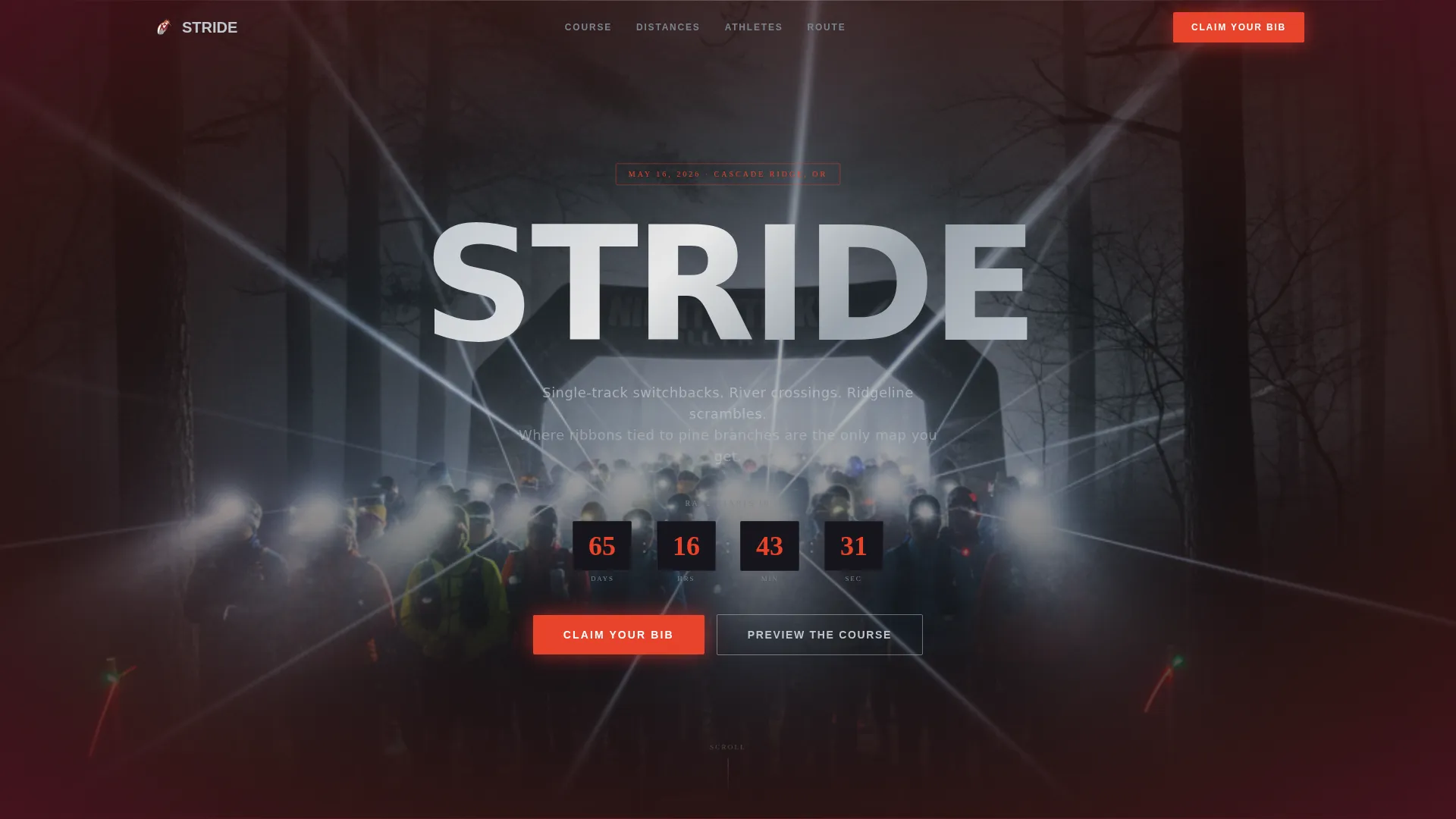
- A dark full-bleed header with a night-start photograph, a staggered headline reveal, and a live countdown clock ticking toward the next event date
- Scroll-driven course sections including an animated elevation profile, a split-screen course comparison, and raw athlete testimonial blocks with blurred motion photography
- A persistent floating bottom bar with the primary call-to-action that locks in place on final scroll, plus a ghost-button secondary path to the interactive elevation map
Feature list
Stride includes purpose-built components that serve the trail running competition context specifically. Each one contributes to the race-day atmosphere and the registration funnel.
Staggered Headline Reveal with Countdown Clock
The header holds blank for two seconds, then the race name punches in letter by letter in chrome white. A pulsing countdown clock sits beneath it, ticking toward the next event date and creating immediate urgency without a single word of copy.
Animated Elevation Profile
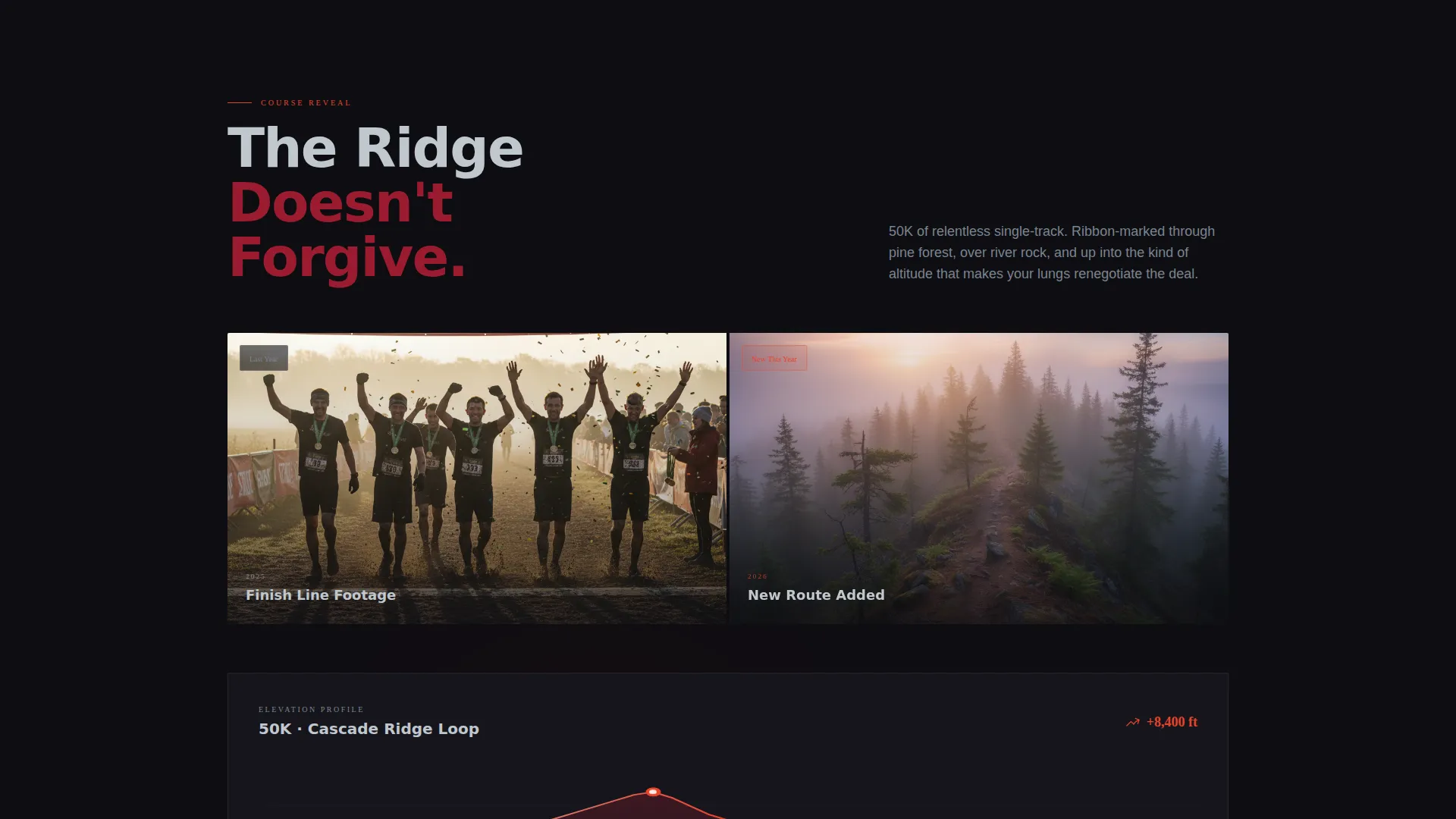
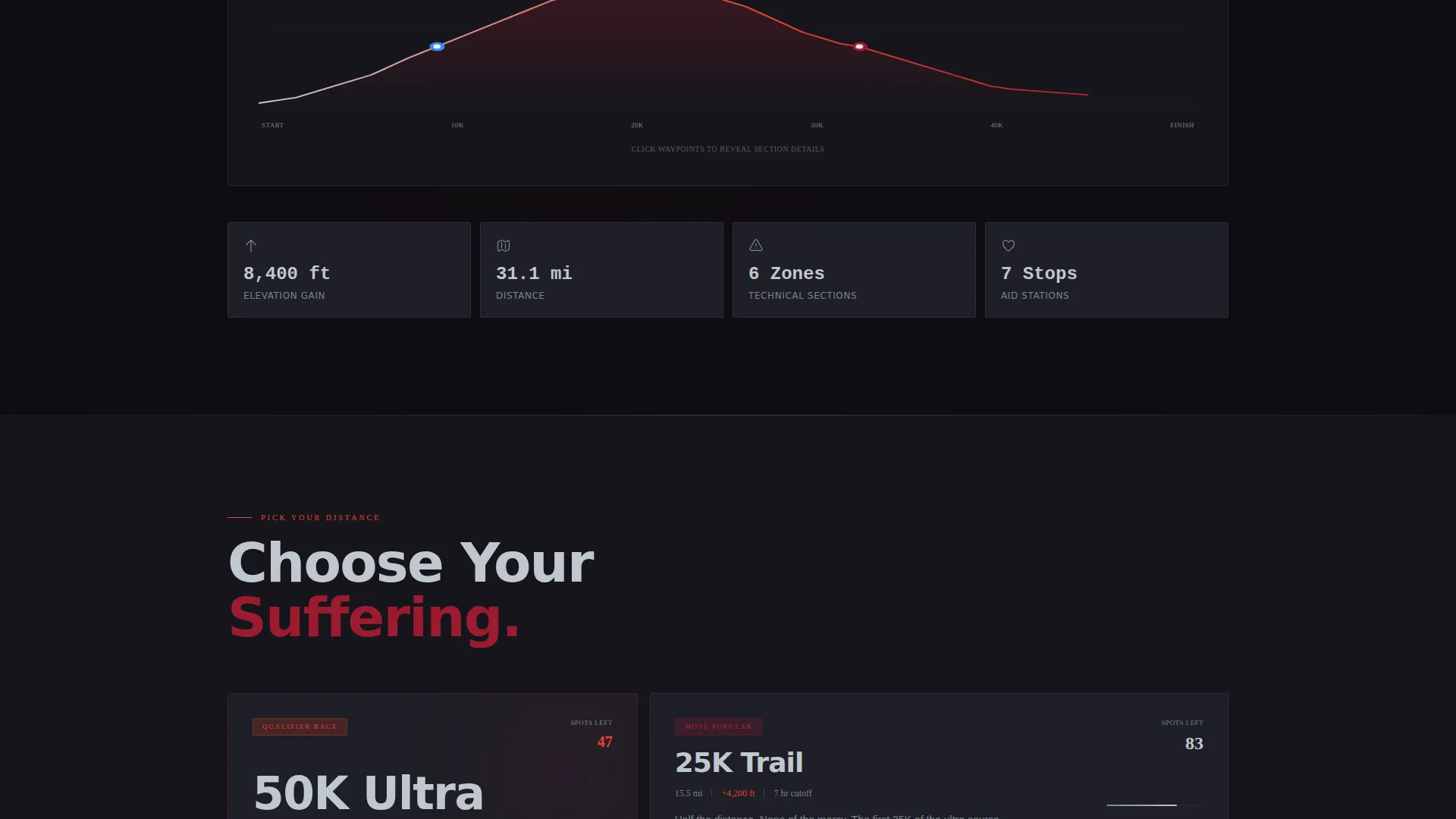
As visitors scroll through the course reveal section, the elevation profile draws itself across the screen. The animation mirrors the experience of the course itself, flat approach, technical ascent, summit exposure, making the route feel real before the runner ever laces up.
Split-Screen Course Comparison
A side-by-side layout places last year's finish-line footage against this year's new route. It rewards returning runners with nostalgia and gives new visitors a sense of scale, history, and what they are signing up for.
Floating Registration Bar
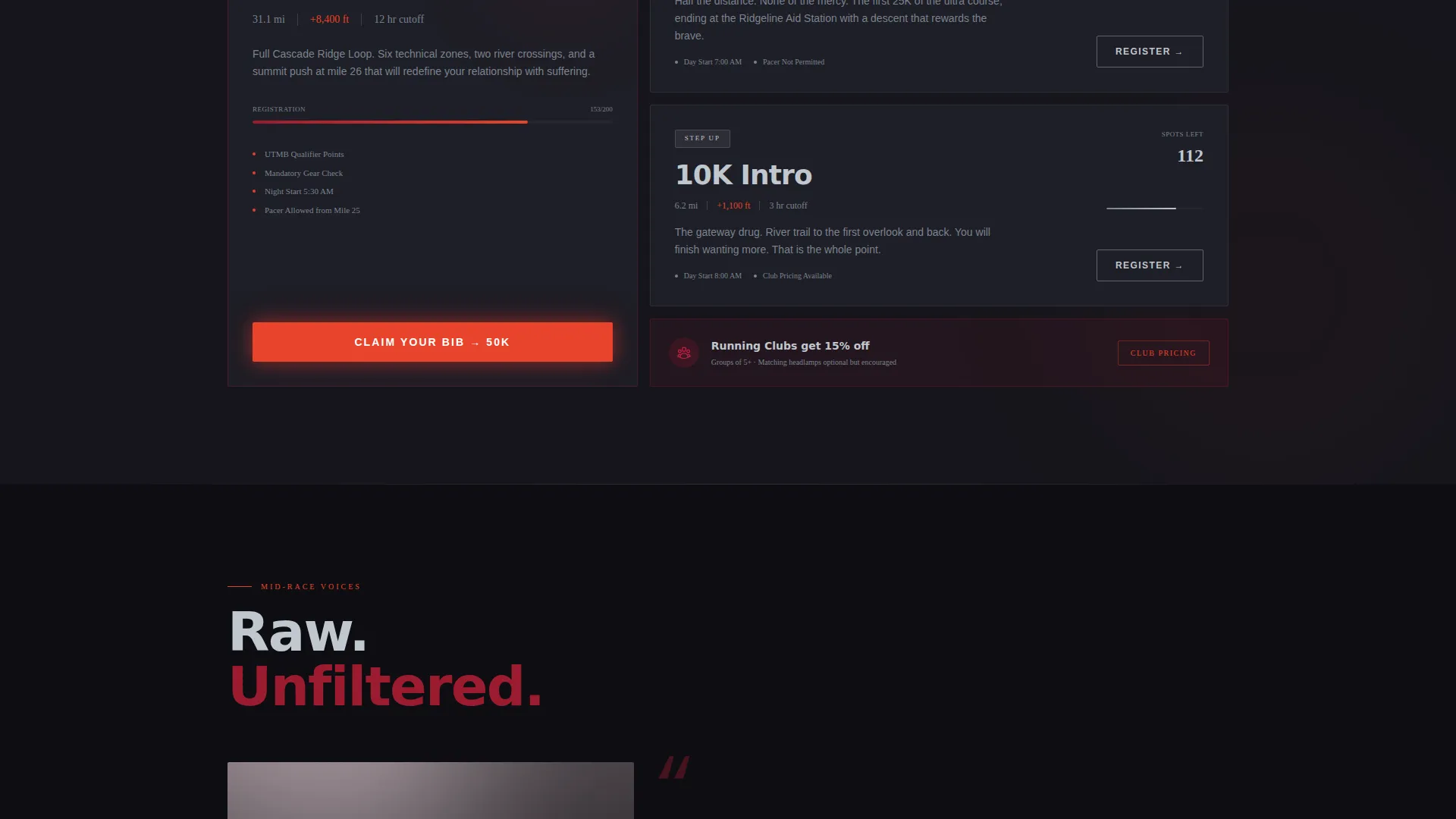
A ruby-red call-to-action button appears first in the header, resurfaces after the course reveal, and then locks into a floating bottom bar on the final scroll. Clicking it carries the visitor to the registration platform with race distance already pre-selected.
Athlete Testimonial Blocks
Raw mid-race audio quotes appear over blurred motion photography, giving the testimonial section genuine texture. The format feels like dispatches from the course rather than polished marketing copy.
Ghost Button Secondary Path
A chrome-outlined ghost button labeled "Preview the Course" gives hesitant visitors a lower-commitment next step. It jumps directly to the interactive elevation map, giving undecided runners one more reason to stay on the page and commit.
Page sections overview
| Section | Purpose |
|---|---|
| Night Start Header | Establishes atmosphere and race identity with headlamp imagery, staggered headline, and countdown clock |
| Registration Buzz | Opens the conversion funnel early with the primary call-to-action and event context |
| Course Reveal | Presents the animated elevation profile and course character to build route excitement |
| Split-Screen Comparison | Contrasts last year's finish footage with this year's new route to reward and recruit |
| Athlete Testimonials | Delivers social proof through raw mid-race quotes over motion photography |
| Floating Bottom Bar | Locks the registration call-to-action into view on final scroll to close the conversion |
Design & branding system
The Ruby and Chrome color system was chosen to feel urgent, metallic, and alive in low light. Trail black dominates full-bleed backgrounds. Chrome carries body text and section dividers. Ruby activates on hover states and race category highlights. Hot ember is reserved for calls-to-action and countdown elements.
- Volcanic red (#9B1B30) and hot ember (#E8432A) power primary calls to action, countdown timers, and hover states throughout the page
- Polished chrome silver (#C0C7CE) handles body text, section dividers, and ghost button outlines for readability against dark backgrounds
- Deep trail black (#0E0E12) fills full-bleed backgrounds, reinforcing the pre-dawn start-line atmosphere across every section
Mobile & speed optimization
The template is structured to deliver the same emotional impact on a phone as on a wide desktop screen. Sections stack cleanly and the floating bar remains visible across viewport sizes.
- Full-bleed sections and motion-photography blocks are designed to reflow for narrow viewports without losing visual weight
- The floating registration bar is positioned to remain accessible on mobile scroll without blocking content
- The staggered headline reveal and countdown clock are sized to read clearly at smaller font scales
How this template helps you convert
Stride is not a brochure. It is a pressurized sequence built to move a trail runner from arrival to registration click in a single session.
- The header creates an immediate emotional hook with the night-start photograph, the delayed headline reveal, and the countdown clock, visitors feel the race before they read a word about it
- Each subsequent section escalates intensity, moving from course details to social proof to the locked floating bar, so the registration click feels like a natural next step rather than a form to fill out
Other information about this template
Stride is categorized under Sports and Recreation with a specific focus on trail running tournaments and competition events. It is a storybook-style, full-page landing page template built within the Dynamic Motion theme family.
- Template style: Storybook and Full-Page
- Theme: Dynamic Motion
- Color system: Ruby and Chrome
- Creative direction: Launch Energy
- Header concept: Dark Full-Bleed with Glow
- Landing page direction: Click-Through
- Category: Sports and Recreation
- Subcategory: Trail Running
Theme
Dynamic Motion
Creative direction
Launch Energy
Color system
Ruby & Chrome
Style
Storybook/Full-Page
Direction
Click-Through
Page Sections
Staggered Headline Reveal with Countdown
Scroll-driven Animated Elevation Profile
Split-screen Course Comparison
Persistent Floating Registration Bar
Raw Athlete Testimonial Blocks
Ghost Button Secondary Path
Related questions
Does this template include a registration form?
Can I use this template for a single race or a multi-distance series?
Is the countdown clock connected to a live event date?
Can I replace the course photography and elevation profile with my own content?
What type of race organizer gets the most from Stride?