Swim Instructor FAQ Landing Page Template
Stroke is a swim instructor landing page template built for poolside professionals who teach nervous beginners of every age. It pairs a warm, airy visual identity with a zigzag FAQ layout that walks parents and adult learners through every concern before their first lesson. A clear click-through flow guides visitors toward booking without any on-page form.
by Rocket studio
Quick summary
Stroke is a single-page swim instructor landing page template designed around trust-building through conversation. Its zigzag FAQ structure mirrors a real back-and-forth dialogue, moving visitors from basic safety questions to detailed technique guidance. A soft Cloud Canvas color palette, strong credential display, and two clear calls to action carry hesitant visitors confidently toward their first booking.
Who this template is for
This template is built for swim instructors who work with nervous first-timers and want their page to feel as reassuring as their poolside presence. It suits independent instructors, small swim schools, and aquatics educators who rely on parent confidence as the first step to enrollment.
- Swim instructors and coaches marketing private or group lessons to families
- Aquatics educators serving adult beginners, homeschool households, or children at early learning stages
- Swim school owners who want a resource-led page that builds trust before asking for a booking
What problem this template solves
Parents searching late at night for answers about swim safety and lesson readiness rarely find a page that speaks directly to their worries. Most instructor sites skip the conversation and go straight to pricing, leaving hesitant visitors with unanswered questions and no reason to book.
- Families lack a clear, warm source of guidance on age readiness, lesson structure, and what to expect
- Adult beginners feel embarrassed asking basic questions and need a page that addresses them without judgment
- Instructors lose potential students because their site never earns enough trust before presenting a call to action
What you get with this template
You get a fully structured, single-page layout that guides every type of visitor from curiosity to confident action. The page is designed to feel like a patient conversation rather than a sales pitch.
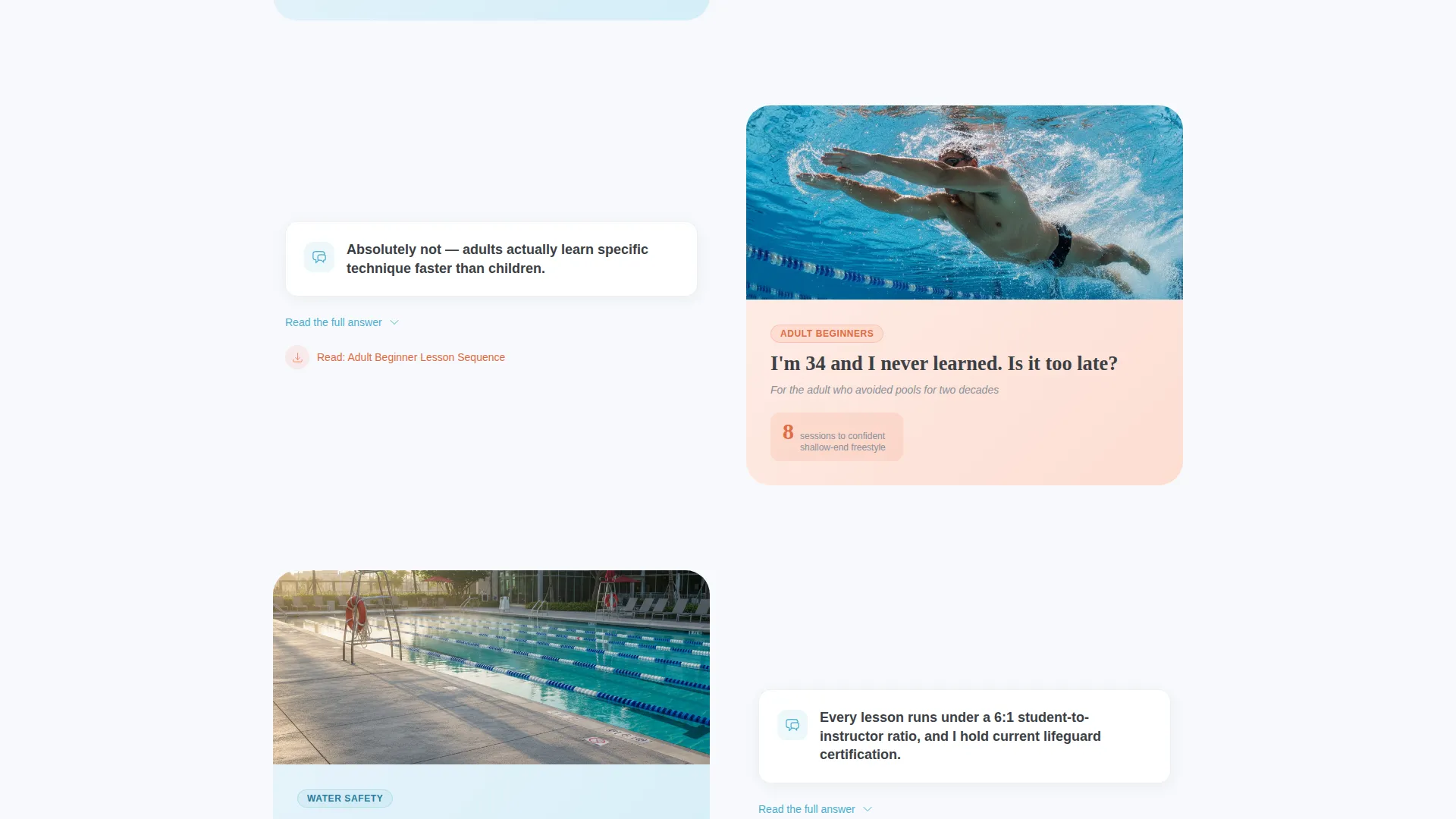
- A zigzag alternating FAQ section layout that pairs each parent concern with a warm, direct answer
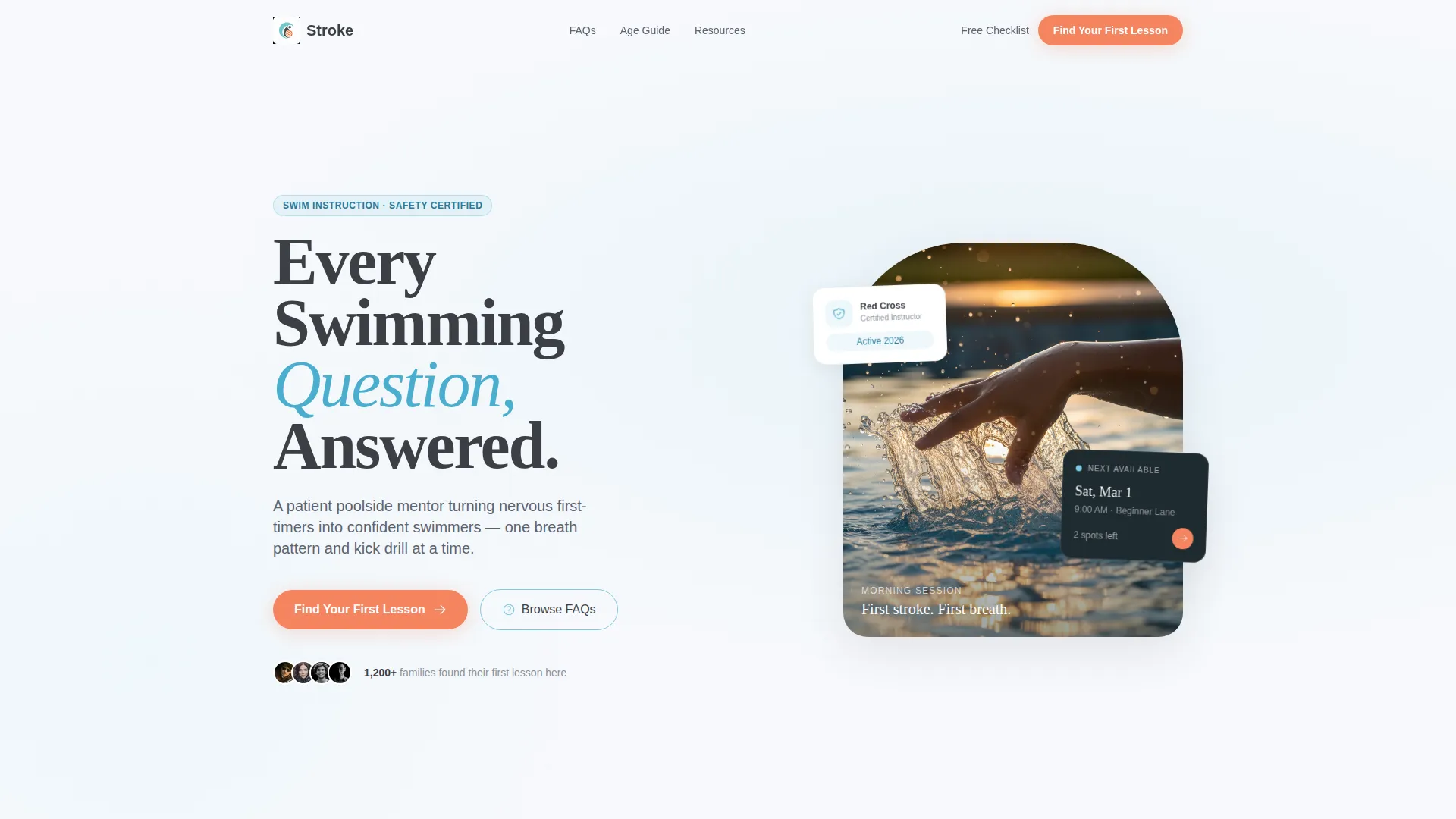
- A header zone with oversized headline and a soft-focus hero image that sets an inviting, calm tone
- A credential band, two strategically placed call-to-action buttons, and a secondary low-commitment PDF offer path
Feature list
This template includes a set of purposeful layout and design features, each grounded in what a swim instructor audience actually needs to see before they book.
Giant Headline Header Zone
The header uses a bold, oversized sans-serif headline anchored to the left third of the viewport. The right side holds a soft-focus photograph of a child's hand breaking the water mid-freestyle, with droplets frozen in warm backlight. White space around the text mimics the calm surface of an empty lane.
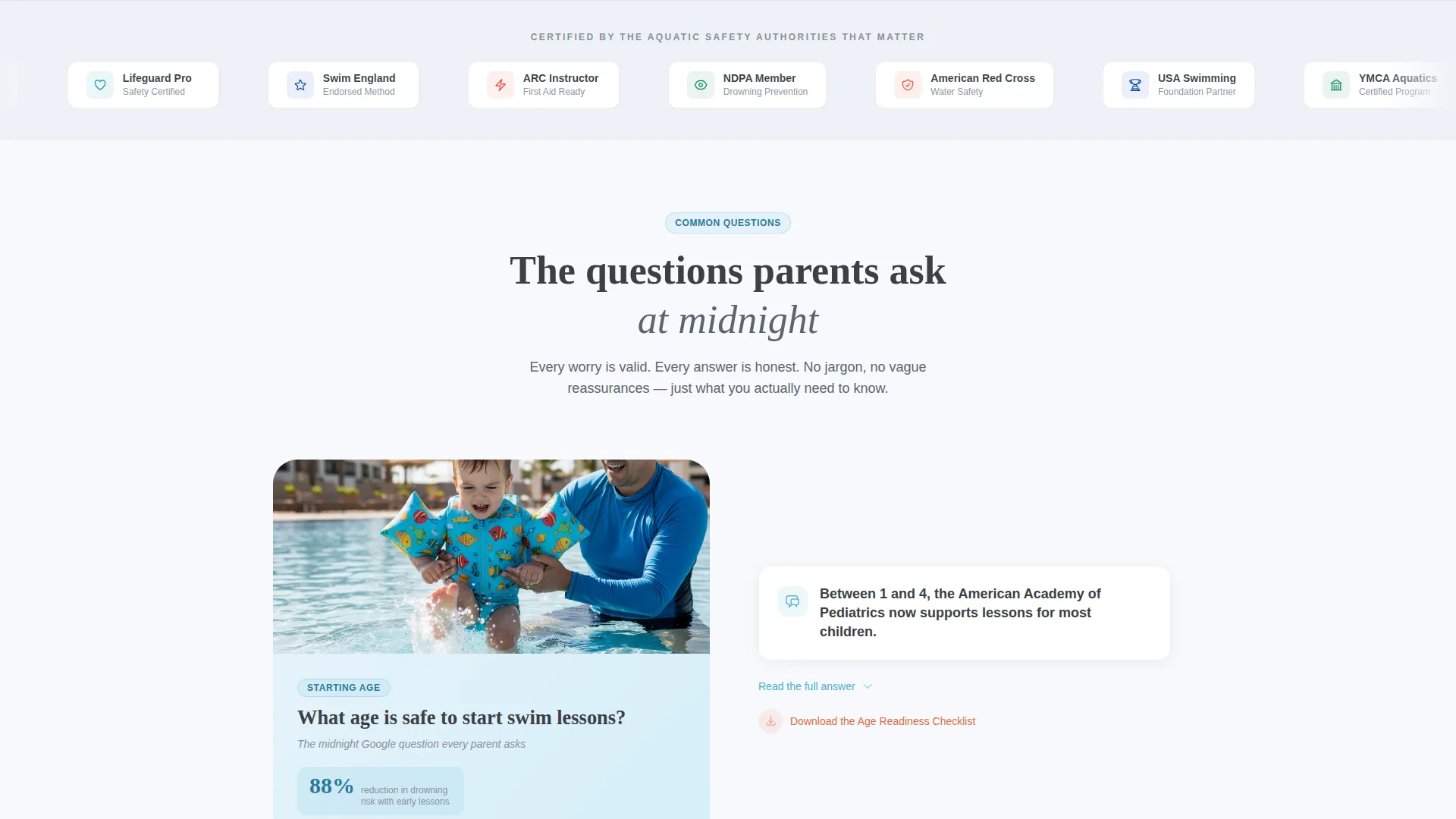
Logo Wall Credential Band
Immediately below the header, a horizontal band displays certification badges, aquatic safety council logos, and partner swim school emblems. This establishes professional credibility before a visitor reads a single FAQ answer, reducing the hesitation that stops parents from scrolling further.
Zigzag FAQ Conversation Layout
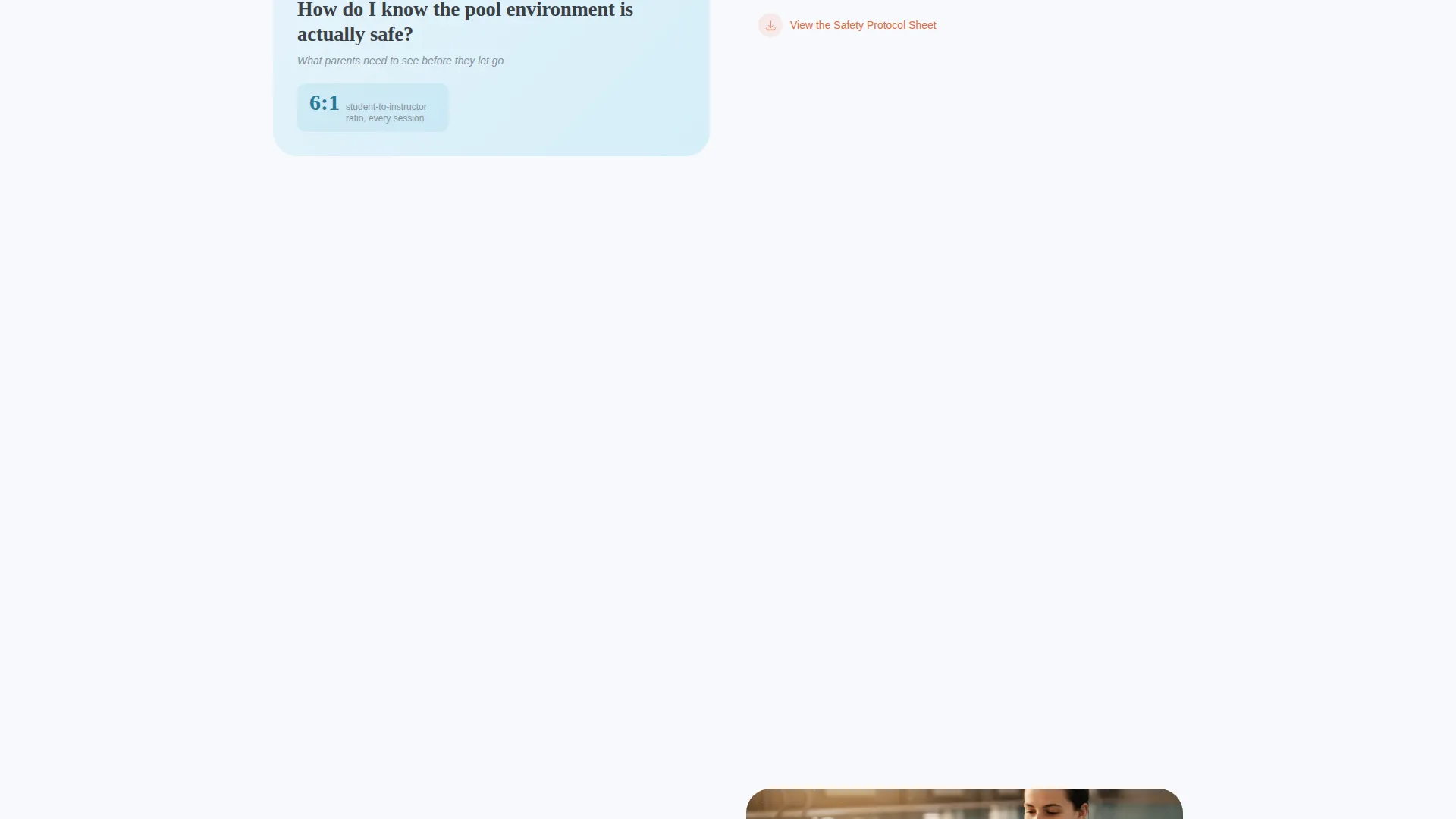
Each FAQ pair alternates sides: the left block raises a specific parent or beginner concern, and the right block delivers a clear, warm answer with an embedded resource link. The sections then swap positions. The rhythm deepens progressively, moving from age readiness questions into stroke technique and sensory-friendly lesson notes.
Escalating Trust Sequence
The FAQ pairs are ordered by emotional depth, not just topic. Simpler questions appear first to build comfort. More specific questions about technique, safety, and special learning needs follow. This mirrors how trust actually develops in a real intake conversation.
Dual Call-to-Action Placement
A tangerine "Find Your First Lesson" button appears after the third FAQ pair, once enough context has been established. It repeats at the bottom of the page. No scheduling form lives on this page; the click carries the visitor to a separate booking flow.
Free Checklist Secondary Path
A secondary offer invites hesitant visitors to download a free "Pool-Ready Checklist" PDF by providing their email. This gives undecided parents a low-commitment next step and keeps them in the instructor's orbit before they are ready to schedule.
Page sections overview
| Section | Purpose |
|---|---|
| Hero Header Zone | Opens with bold headline and warm hero photo to set tone |
| Credential Logo Band | Displays badges and affiliations to establish authority early |
| FAQ Pair One | Addresses age readiness and first-lesson safety concerns |
| FAQ Pair Two | Covers lesson structure and what parents should expect |
| FAQ Pair Three | Explores stroke technique and beginner skill progression |
| Primary call to action Block | Places "Find Your First Lesson" button after trust is earned |
| FAQ Pair Four | Handles sensory-friendly and special-needs lesson adaptations |
| PDF Checklist Offer | Presents low-commitment download path for hesitant visitors |
| Closing call to action Block | Repeats booking button at page bottom to capture late deciders |
Design & branding system
The Cloud Canvas color system gives this template its signature poolside warmth. Every color choice is intentional, evoking a sun-bleached kickboard on pale morning concrete rather than a sterile clinic or a loud sports brand.
- Soft cumulus white (#F7F9FC) and shallow-end aqua (#7EC8E3) form the calm base palette across headers, content blocks, and background zones
- Lane-line charcoal (#3B3F45) anchors body text and section dividers with quiet authority
- Whistle-cord tangerine (#F4845F) appears exclusively on buttons and callout badges, making every call to action visually distinct without competing with the content
Mobile & speed optimization
The zigzag layout adapts cleanly to narrower screens without losing its conversational rhythm. Alternating sections reflow to a stacked single-column format that preserves the question-and-answer pairing on any device.
- The header image and credential band are sized to remain legible and well-proportioned on mobile viewports
- Tangerine call-to-action buttons remain prominently placed in the mobile flow, appearing after the third FAQ pair and again at the page bottom
How this template helps you convert
This template is built around a specific conversion psychology: earn trust first, then ask for action. The structure removes the friction that stops worried parents and nervous adult beginners from booking.
- The credential band and escalating FAQ sequence answer the exact concerns visitors carry before they would ever reach out directly, reducing the need for back-and-forth inquiry emails and warming up cold traffic.
- The dual call-to-action placement and free checklist offer create two conversion paths suited to visitors at different stages of readiness, so both confident and hesitant visitors have a clear next step.
Other information about this template
This template is part of the broader Content and Resource landing page direction, which suits instructors whose primary conversion tool is education rather than direct promotion. It is designed for swim instructor online presence use cases where the booking page is separate and the landing page serves as a trust-building gateway.
- The template style follows a resource-forward layout suited to FAQ-heavy service pages in the professional services category
- The Educational Guide theme prioritizes readable type, calm visual hierarchy, and approachable imagery over bold sales tactics
- The page is built as a click-through landing page; no booking form, intake widget, or payment element is included in this template
- Instructors can adapt the zigzag FAQ content to reflect their own specialty areas, lesson formats, or geographic focus without changing the core layout structure
Theme
Executive Suite
Creative direction
Testimonial Mosaic
Color system
Cloud Canvas
Style
Comparison Table
Direction
Content/Resource
Page Sections
Giant Headline Header Zone
Logo Wall Credential Band
Zigzag FAQ Conversation Layout
Escalating Trust Sequence
Dual Call-to-action Placement
Free Checklist Secondary Path
Related questions
Does this template include a booking form or scheduling tool?
Can I customize the FAQ pairs to match my own lesson offerings?
What is the 'Pool-Ready Checklist' section for?
Who is this landing page template best suited for?
Can the colors be updated to match my own brand?



