Basement Renovation Specialist Booking Website Template
Subgrade is a card grid landing page template built for basement smart home integration services. It guides suburban homeowners from recognizing their wiring frustrations to booking a consultation, using flip cards, project photo modules, and a sticky call-to-action bar. The design runs warm and grounded, built around a Fire and Earth color palette that feels like a finished basement at its best.
by Rocket studio
Quick summary
Subgrade is a single-page, click-through landing page template for basement smart home integration services. It opens with a cinematic full-bleed hero, moves through a Problem to Solution flip-card arc, and closes with a sticky "Plan My Basement System" call-to-action bar. Every module builds trust before asking for the click.
Who this template is for
This template is built for home service businesses that specialize in low-voltage wiring, smart home integration, and basement renovation. It suits crews or small firms that need to convert curious homeowners into booked consultations without requiring a form on the landing page itself.
- Basement smart home integrators serving suburban renovation markets
- Low-voltage wiring specialists targeting homeowners mid-basement-framing
- Home AV and automation firms who want a polished, project-forward online presence
What problem this template solves
Most general home service pages look the same. They list services in plain text and ask for a quote before earning any trust. Basement integration is a niche with a specific buyer who needs proof of expertise first. This template addresses that gap directly.
- Homeowners arrive without context; the flip-card arc walks them from frustration to fix
- Visitors need to see real project scope before they click a consultation link
- Generic service templates do not support modular proof blocks or equipment callouts
What you get with this template
The template ships as a fully structured, modular card grid landing page. Each section is self-contained and purpose-built for the basement smart home integration sales flow.
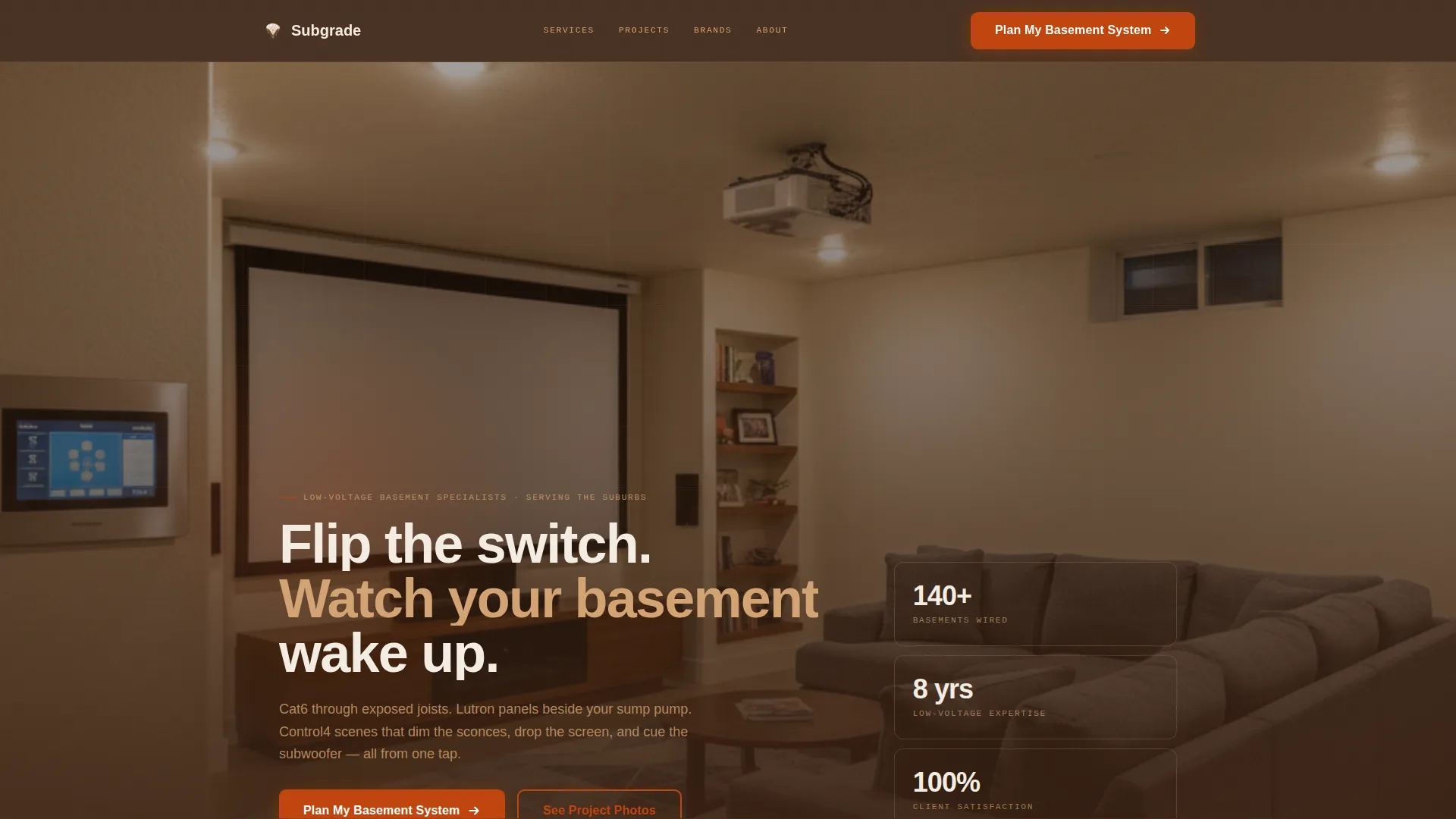
- Full-bleed hero section with headline, subheadline, and a primary call-to-action button
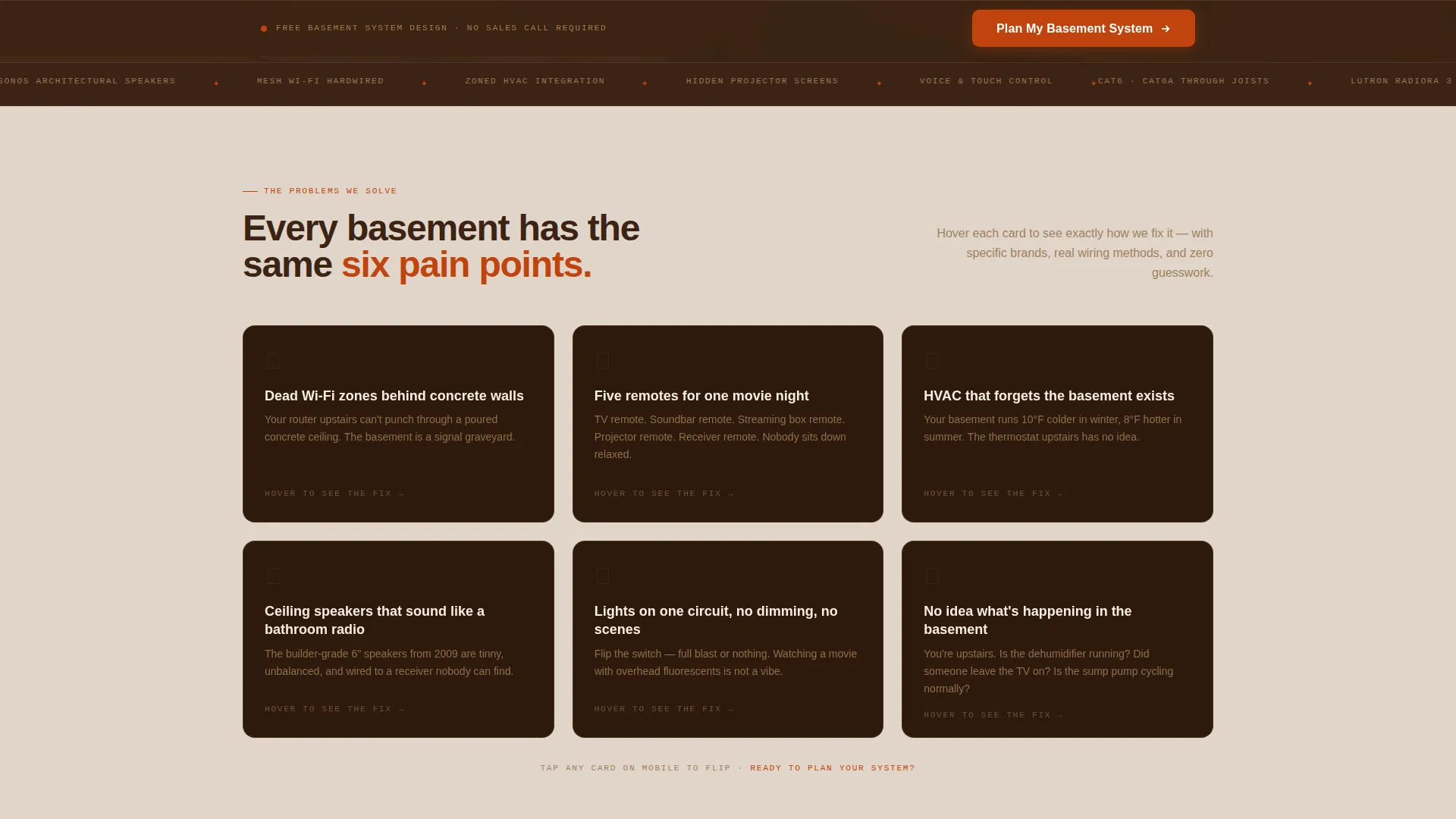
- Flip-card problem and solution module with hover interaction for three core pain points
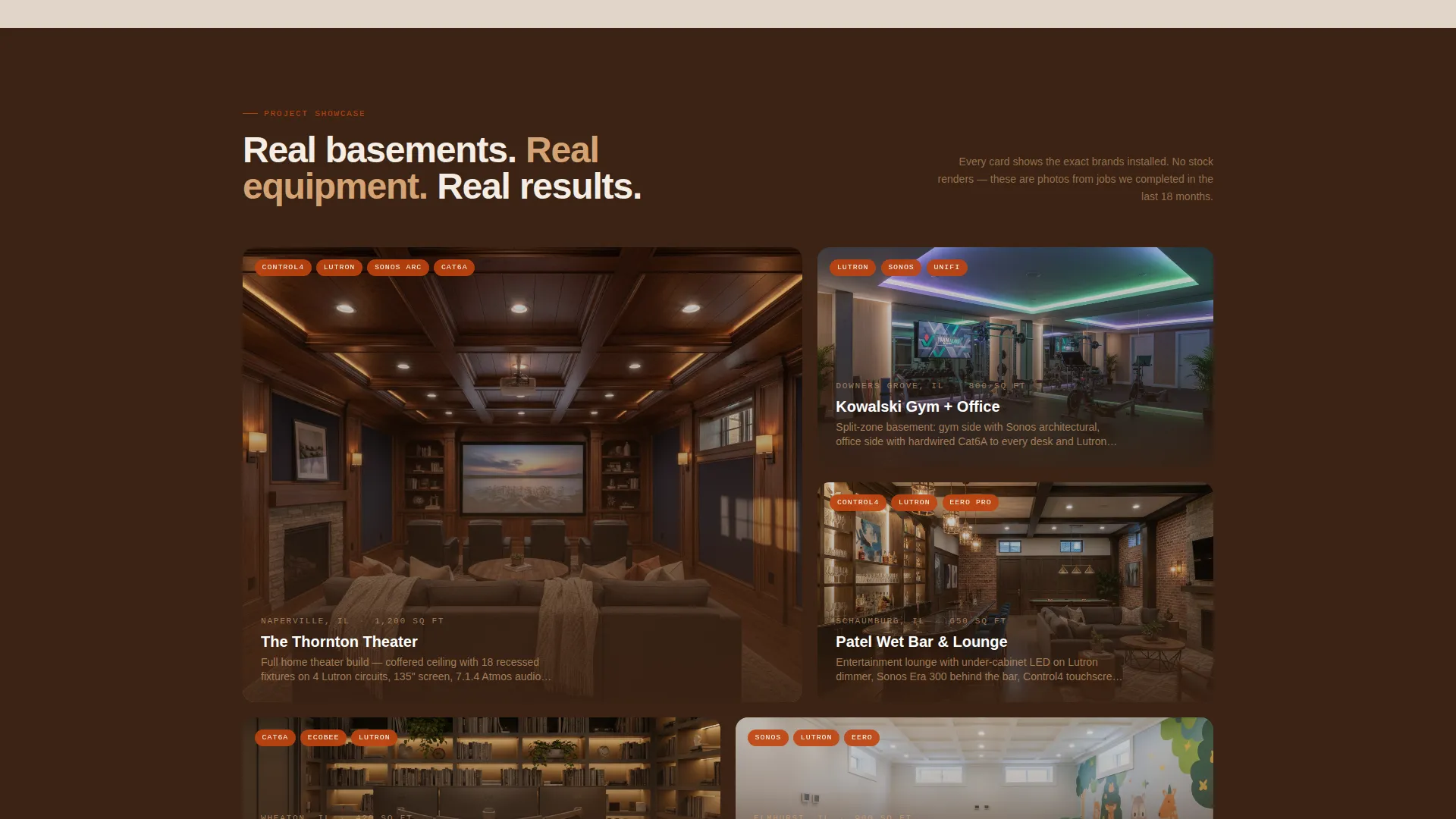
- Project showcase card grid with labeled equipment slots and a brand callout module
Feature list
The Subgrade template is built around high-interactivity components designed to move a skeptical homeowner toward a confident booking click.
Flip-Card Problem and Solution Arc
Each card in this module shows a basement pain point on the front face. On hover, the card flips to reveal the specific integration fix. Three cards cover dead Wi-Fi zones, multi-remote chaos, and HVAC blind spots, the exact frustrations your target visitors already feel.
Full-Bleed Cinematic Hero
The hero section uses a warm-toned, evening-lit basement photograph that fills the entire viewport. A Ken Burns animation keeps the image alive without distraction. The headline and primary call-to-action button sit over the image, immediately orienting the visitor to the service.
Sticky Call-to-Action Bar
After the visitor scrolls past the second card row, a sticky bar appears at the bottom of the screen. It carries the "Plan My Basement System" prompt persistently, so the conversion path is always visible without interrupting the reading flow.
Project Showcase Cards
A dedicated card grid displays real-project photos with labeled equipment metadata. Each card communicates scope and credibility before the visitor reaches the booking click.
Brand and Equipment Callout Module
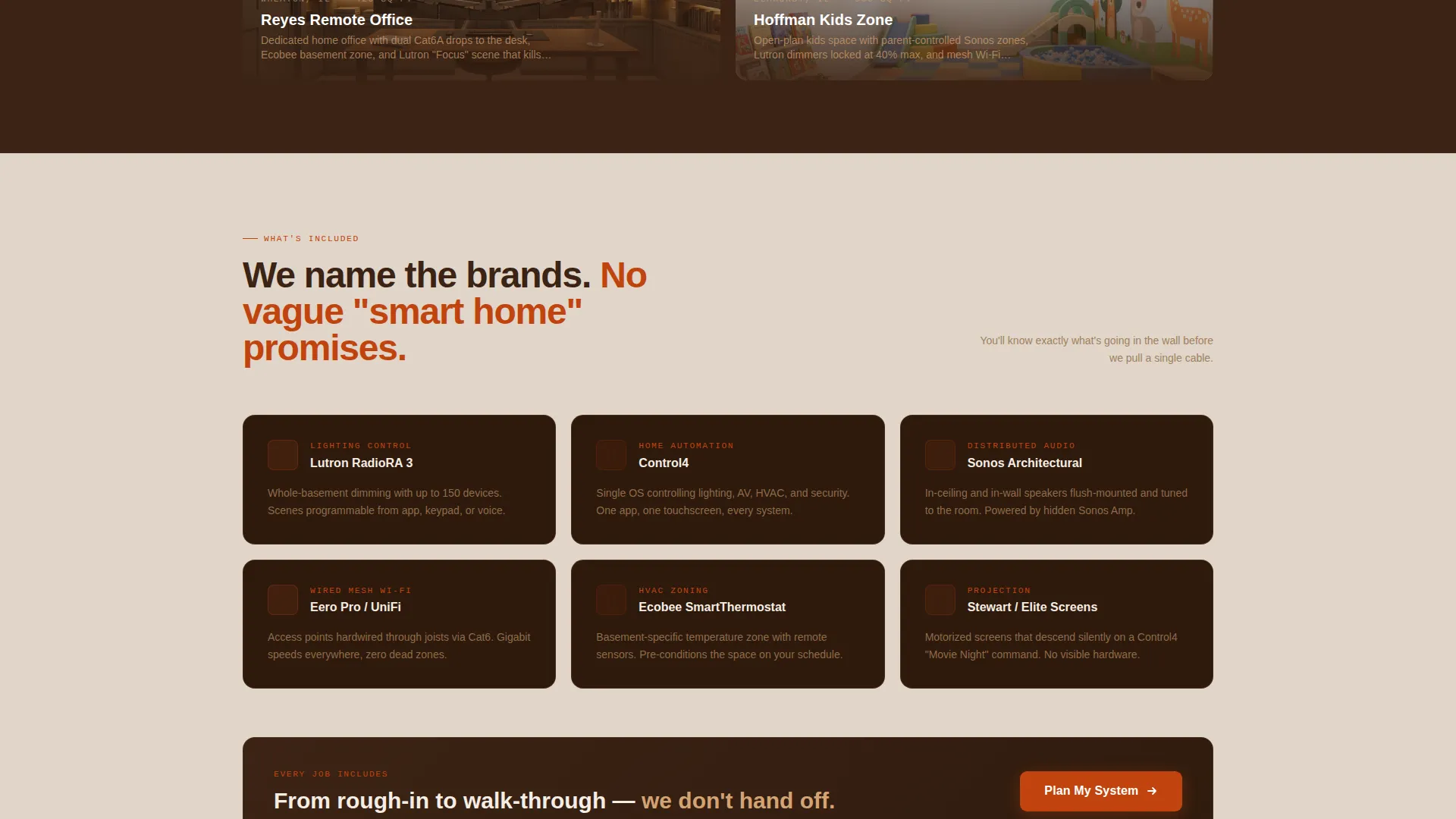
A "What's Included" section names the specific product categories used on a typical project. This sets scope expectations clearly so the visitor arrives at the consultation questionnaire already aligned on capability.
Scroll-Reveal Animation System
Section modules animate into view as the visitor scrolls. This keeps the page feeling responsive and guides attention naturally from the hero down through the full Problem to Solution arc.
Page sections overview
| Section | Purpose |
|---|---|
| Full-Bleed Hero | Establish service identity and surface the primary call-to-action |
| Flip-Card Problems | Show basement pain points with hover-reveal integration fixes |
| Project Showcase Grid | Build credibility with labeled real-project photo cards |
| What's Included Module | Name equipment categories and set consultation scope expectations |
| Sticky Call-to-Action Bar | Keep the booking prompt visible throughout the scroll journey |
| Final Call-to-Action | Deliver a last push to the consultation booking page |
| Single-Row Footer | Close with a clean linear footer pattern |
Design & branding system
The visual identity follows a Service Utility theme built on a Fire and Earth color palette. The goal is warmth and function together, a basement that feels finished and purposeful, not cold or clinical.
- Foundation brown (#3B2314) anchors background sections to feel like poured concrete slab
- Terracotta ember (#C1440E) drives call-to-action buttons and icon accents with high-contrast energy
- Warm hearthstone (#D4A373) softens card borders and secondary text for readability
- Poured-concrete gray (#E0D5C8) washes the main canvas between darker sections
- Typography pairs DM Sans for headlines with JetBrains Mono for labels and equipment metadata
Mobile & speed optimization
The template is designed desktop-first with strong support for mobile viewports. Homeowners frequently browse on their phones during active renovation projects, so the layout adapts cleanly across screen sizes.
- Card grid columns stack responsively for comfortable mobile reading
- Ken Burns hero animation and flip-card interactions are handled with CSS animations and Intersection Observer for smooth performance
- Next.js Image optimization is built into the asset pipeline to keep photo-heavy sections loading efficiently
How this template helps you convert
The entire page is structured as a one-direction trust funnel. Every section exists to reduce doubt and increase the visitor's confidence before they click through to the consultation questionnaire.
- The flip-card arc mirrors the visitor's real frustrations first, making the service feel immediately relevant before any capability claims are made.
- The project showcase and equipment module provide specific, visual proof of scope so the visitor arrives at the booking page already understanding what they are buying.
- The sticky call-to-action bar ensures the conversion path is never more than a glance away, regardless of where the visitor is in their scroll.
Other information about this template
This template is built for the USA suburban market and is priced and scoped for a USD service context. The consultation flow it clicks through to is a guided questionnaire covering basement square footage, current finish state, and desired capabilities.
- The template references specific product categories including Sonos audio systems, Lutron lighting control, and Control4 home automation platforms in the brand callout module
- Animation level is high throughout, with flip-card hover effects, scroll-reveal entrance animations, a Ken Burns hero, and a scroll-triggered sticky bar
- The footer follows a linear single-row pattern for a clean, minimal close
- The page does not include a form; all lead capture happens on the linked consultation questionnaire page
Theme
Service Utility
Creative direction
Problem→Solution Arc
Color system
Fire & Earth
Style
Card Grid (Modular)
Direction
Click-Through
Page Sections
Flip-card Problem and Solution Module
Full-bleed Cinematic Hero Section
Sticky Call-to-action Bar
Project Showcase Card Grid
Brand and Equipment Callout Module
Scroll-reveal Animation System
Related questions
Does this template include a contact form?
What interactive elements are built into this template?
Is this template suitable for mobile visitors?
Can I adapt this template for a different home service niche?
What makes this different from a standard home service template?



