Premium Intern Housing Landing Page Template
Sublet is a premium intern housing landing page template built around a modular card grid layout. It opens with an interactive rate estimator, flows into a city-filtered apartment card grid with flip-reveal amenities, and closes the sale through a transparent three-step booking flow. The design feels quietly aspirational, restrained gold accents, soft whites, and warm greige surfaces.
by Rocket studio
Quick summary
Sublet is a single-page intern housing template designed for a concierge-style furnished apartment service. The page leads with a city and room-type rate estimator, then populates a dynamic card grid of available units. Every design decision builds trust and moves a twenty-one-year-old, or their parent, toward reserving a room before their first day.
Who this template is for
This template is built for short-term furnished housing operators targeting summer interns. It works equally well for individual landlords, co-living operators, and university housing coordinators managing block bookings.
- Furnished apartment services placing interns in major cities like New York, San Francisco, Chicago, or London
- University co-op offices or housing coordinators booking multiple beds for incoming cohorts
- Property operators who want a direct-sales page that shows pricing before asking for personal details
What problem this template solves
Interns and their families need housing fast, often before an offer letter is even signed. Generic rental sites feel impersonal, and most housing pages bury the price behind a contact form. This template solves that by putting the exact cost front and center from the very first interaction.
- No price transparency: the estimator shows weekly rate, total summer cost, and a per-day breakdown immediately
- No visual trust signals: the card grid, testimonial mosaic, and partner university crests make the service feel credible
- No clear path to booking: the three-step flow guides the visitor from city selection all the way to a refundable deposit
What you get with this template
You get a fully structured, single-page layout built around a modular card grid. Every section connects logically, from discovery through pricing to reservation, without requiring the visitor to leave the page.
- A working rate estimator section with city dropdown, move-in month, and room type inputs feeding a visible price result
- A filterable apartment card grid with flip-reveal amenity icons, lightbox gallery, floor plan view, and neighborhood map per unit
- A three-step booking flow with internship details, unit selection, and payment with a refundable deposit callout
Feature list
This template ships with purpose-built components that work together as a complete sales journey for intern housing.
Rate Estimator Hero
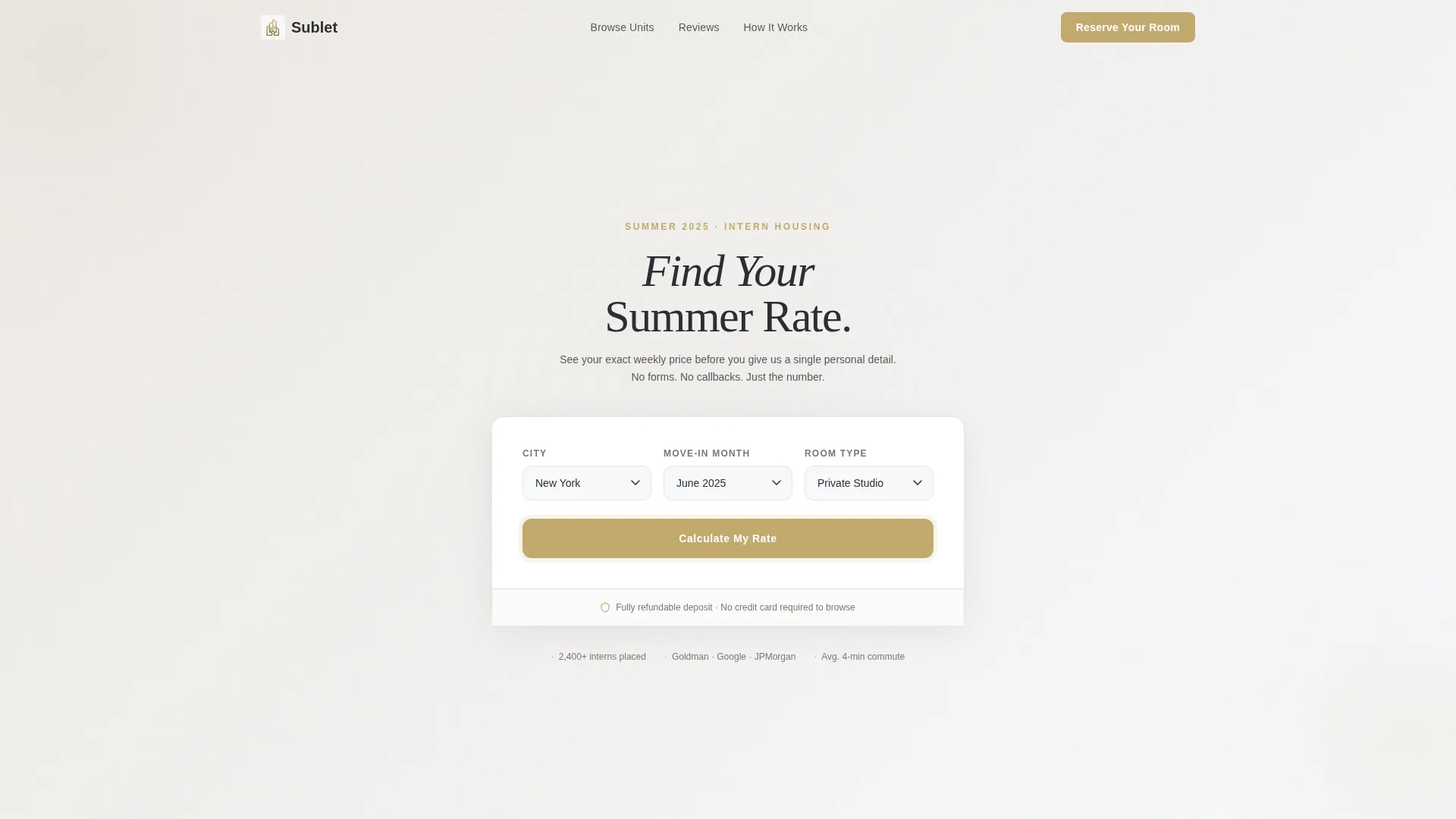
The page opens with a centered "Find Your Summer Rate" calculator. Visitors choose a city, move-in month, and room type. The tool instantly returns a weekly price, total summer cost, and a per-day figure that makes the number feel manageable. The result button pulses in muted gold and links directly to available units.
Dynamic City-Filtered Card Grid
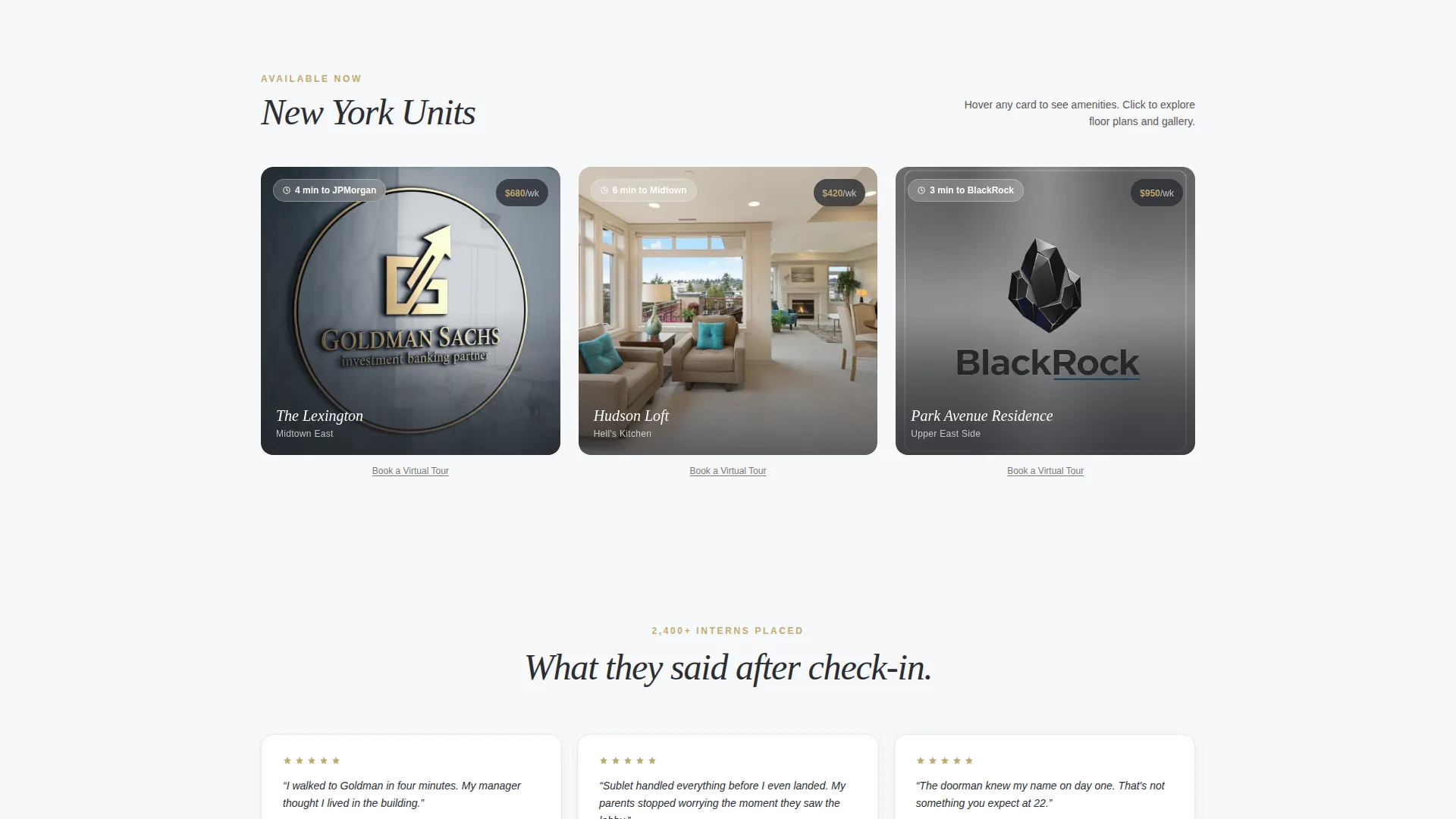
Below the estimator, a modular grid populates based on the selected city. Each card shows an editorial interior photo, neighborhood name, a walkability badge, and the weekly rate in gold. Hovering a card flips it to reveal amenity icons covering gym access, rooftop, doorman, and in-unit laundry.
Lightbox Unit Gallery
Clicking any apartment card opens a full lightbox. Inside, visitors see a floor plan, a neighborhood map with the nearest transit line highlighted, and a "Reserve This Unit" button. A secondary "Book a Virtual Tour" text link sits beneath every card for parents or cautious buyers.
Testimonial Mosaic Section
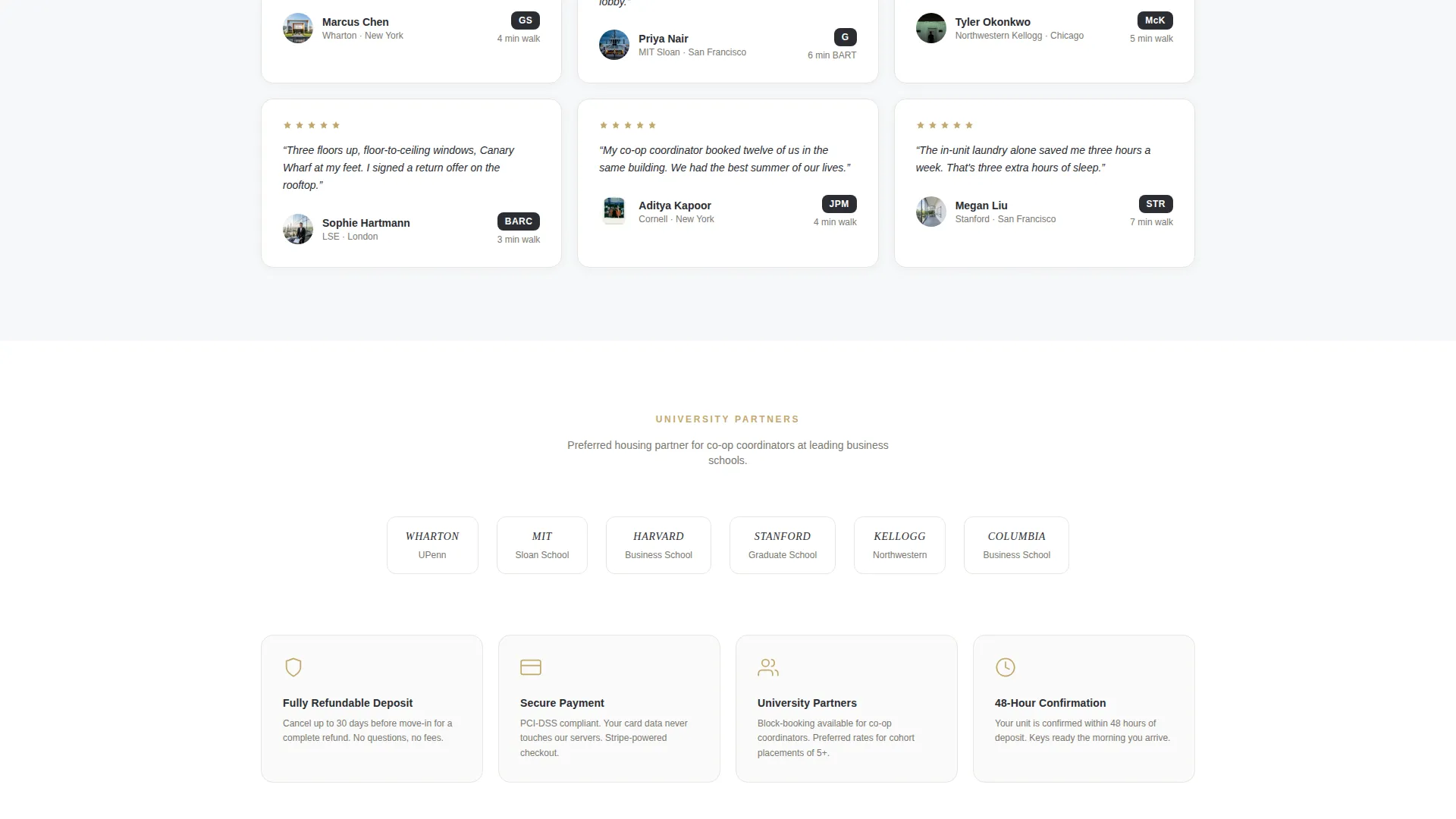
As the visitor scrolls deeper, the card grid transitions into a testimonial mosaic. Cards now display intern headshots, employer logos, and short first-person quotes. The format keeps the social proof visual and consistent with the rest of the grid layout.
Three-Step Booking Flow
The reservation path is broken into three clear steps. Step one collects internship company and start date. Step two handles unit and lease length selection. Step three presents payment with a bold refundable deposit callout, removing financial anxiety before the visitor commits.
Trust Signal Row
The final card row surfaces partner university crests, secure payment badges, and a flexible cancellation policy summary. These signals appear at the natural end of the scroll, reinforcing credibility exactly when hesitation peaks.
Page sections overview
| Section | Purpose |
|---|---|
| Rate Estimator Hero | Show instant pricing by city, month, and room type |
| City Card Grid | Browse furnished units filtered by destination |
| Unit Lightbox View | Explore floor plans, maps, and amenities per listing |
| Testimonial Mosaic | Build trust through intern quotes and employer logos |
| Trust Signal Row | Reinforce credibility with university crests and payment badges |
| Sticky Mobile Bar | Keep the primary call-to-action visible while scrolling |
| Three-Step Booking | Guide visitor from details to payment in one flow |
Design & branding system
The visual identity follows a Luxe Minimal theme. The palette is restrained and adult-feeling, evoking linen bedsheets and polished concrete rather than a loud student housing site.
- Colors: soft cloud white (#F7F8FA) for open backgrounds, warm greige (#D5CEC5) on card surfaces, charcoal graphite (#2B2D33) for headlines and body text, and muted gold (#C2A96E) reserved for pricing, call-to-action buttons, and hover states
- Typography and spacing lean minimal and open, letting the editorial apartment photography carry visual weight without competing with the pricing tool
- Gold accents appear sparingly: on the estimator result button, on weekly rate figures inside each card, and on the primary "Reserve Your Room" button throughout the page
Mobile & speed optimization
The sticky bottom bar keeps the primary call-to-action reachable on smaller screens without interrupting the browsing experience. The modular card grid reflows cleanly into a single-column layout on mobile.
- The sticky "Reserve Your Room" bar appears on mobile at the bottom of the screen, maintaining purchase intent as users scroll the card grid
- The estimator inputs are touch-friendly dropdowns, and the result display remains legible at smaller viewport sizes
- Card flip interactions adapt for touch devices, keeping the amenity reveal accessible without a hover state
How this template helps you convert
This template earns the reservation by showing the full price before asking for a single personal detail. Every section reduces a specific friction point that typically causes intern housing browsers to abandon.
- The estimator leads with price transparency, so visitors arrive at the unit grid already knowing what they can afford and feeling confident rather than guarded
- The card grid with flip-reveal amenities and lightbox galleries lets visitors self-qualify by neighborhood, room type, and lifestyle features before clicking "Reserve Your Room"
- The three-step booking flow breaks the commitment into small, logical actions, and the bold refundable deposit callout in step three removes the last hesitation before payment
Other information about this template
This template is categorized under Real Estate and Property, specifically within the student housing and accommodation niche. It is designed to serve the co-living space for young professionals as well as traditional intern sublet arrangements in major urban markets.
- The template style is a Card Grid (Modular) layout, making it straightforward to add or remove unit cards without rebuilding the page structure
- The landing page direction is built for direct sales, meaning every section path leads to a reservation rather than an off-page click-through
- This template is well suited for operators running furnished sublet programs across multiple cities, given the city-dropdown logic built into the estimator and the grid filter behavior
- The page structure supports block-booking use cases where a university coordinator might reserve multiple units at once for an incoming intern cohort
Theme
Pastoral Calm
Creative direction
Case Study Narrative
Color system
Navy Authority
Style
Card Grid (Modular)
Direction
Click-Through
Page Sections
Rate Estimator Hero Section
City-filtered Apartment Card Grid
Lightbox Gallery with Floor Plans
Testimonial Mosaic Cards
Three-step Booking Flow
Trust Signal Row
Related questions
Can I add more cities to the estimator dropdown?
Does the card grid filter based on the city chosen in the estimator?
Is the three-step booking flow connected to a payment processor?
Can this template support block bookings for university cohorts?
Where does the "Reserve Your Room" call-to-action appear on the page?



