Subsea Pipeline Installation Contractor Website Template
The Subsea Precision Pipeline landing page is a single-page, split-screen template built for subsea pipeline installation contractors. It leads with operational telemetry as hero typography, front-loads five critical capability figures, and drives qualified offshore project managers toward a vessel specification PDF and mobilization inquiry form through two focused calls to action.
by Rocket studio
Quick summary
This is a click-through landing page for a subsea pipeline installation contractor. It uses a 50/50 split-screen layout paired with a Dashboard Pro theme and a Fire and Earth color system. The page front-loads five key performance figures, then drives offshore field development managers toward a detailed vessel specification PDF and a mobilization inquiry form.
Who this template is for
This template is built for subsea pipeline installation contractors who need to present technical capability to a demanding, time-pressured audience. The target visitor is an offshore field development manager at a national oil company (NOC) or international oil company (IOC) who is actively comparing contractor spreads before a final investment decision (FID) is reached.
- Subsea pipeline contractors marketing J-lay or S-lay vessel spreads to project managers
- Offshore engineering firms pitching pipelay capability to NOC and IOC procurement teams
- Marine and maritime service companies that need a spec-forward, no-fluff single page
What problem this template solves
Most contractor web pages bury technical specs inside paragraphs of marketing copy. An offshore project manager comparing spread rates and tensioner capacities does not have time to read promotional text. This template solves that problem by structuring the page like a bid table, not a brochure.
- Visitors can not quickly locate the five numbers they compare first: max water depth, lay rate, pipe diameter range, tensioner capacity, and vessel DP class
- Generic maritime templates lack the visual authority needed to build trust with engineers who read pipe-in-pipe thermal specs daily
- No clear click-through path means qualified visitors leave without taking action toward an inquiry
What you get with this template
You get a fully structured, single-page click-through landing page that is ready to be styled and deployed. Every section is purpose-built for the subsea pipeline installation niche, from the cinematic hero header to the fixed bottom call-to-action rail.
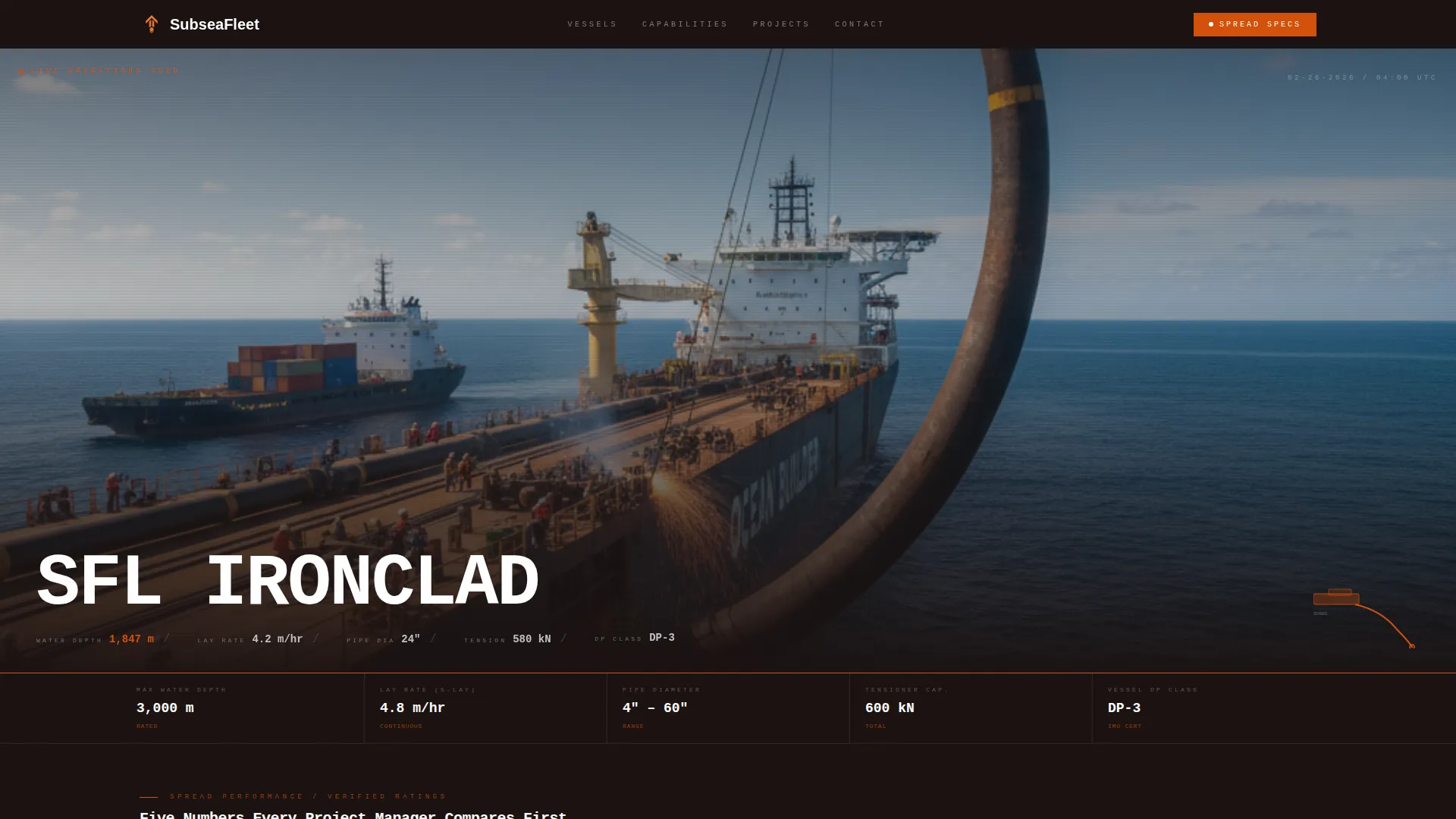
- A 21:9 panoramic hero header with overlaid monospaced telemetry typography showing vessel name, water depth, lay rate, and pipe diameter
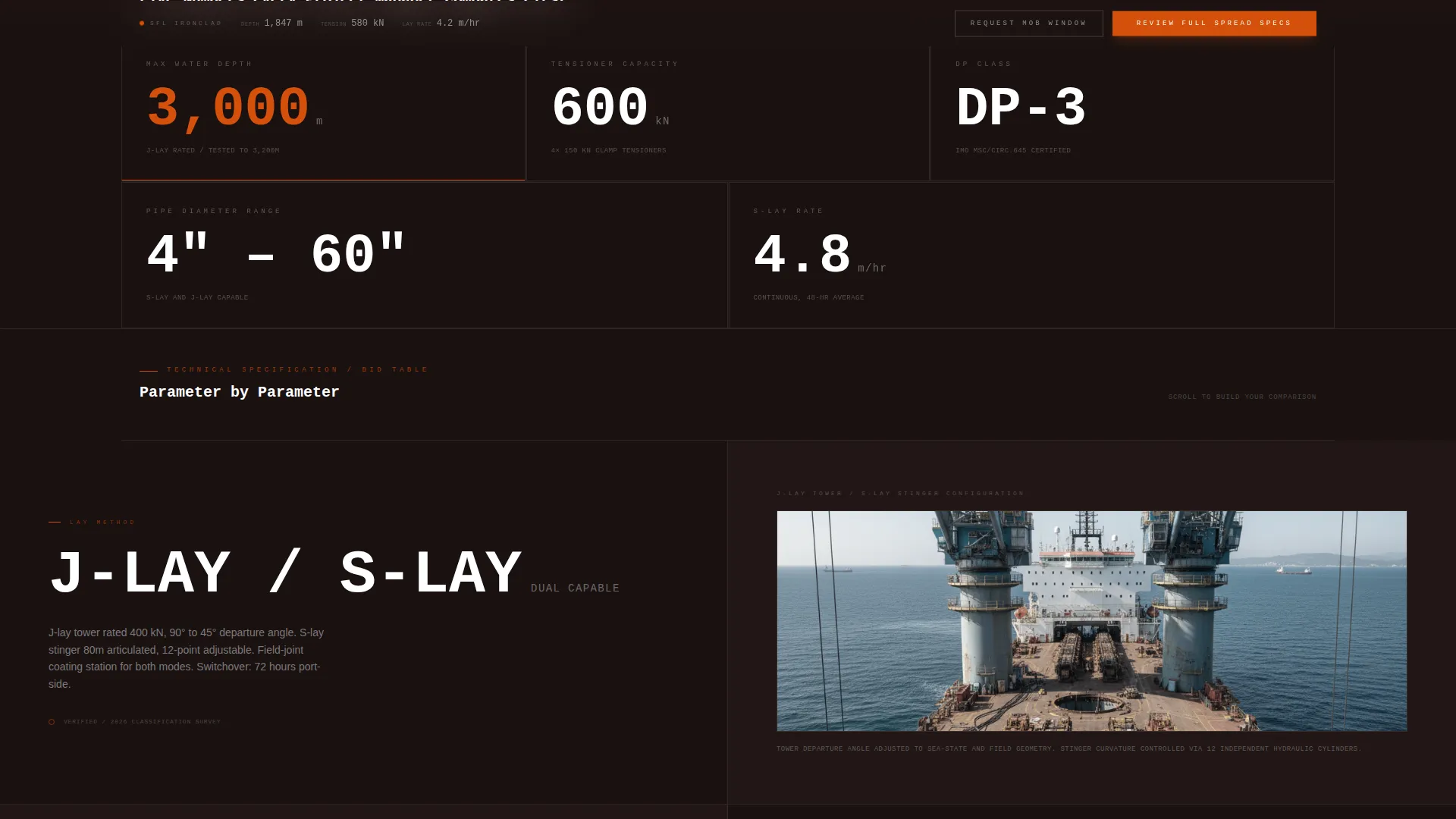
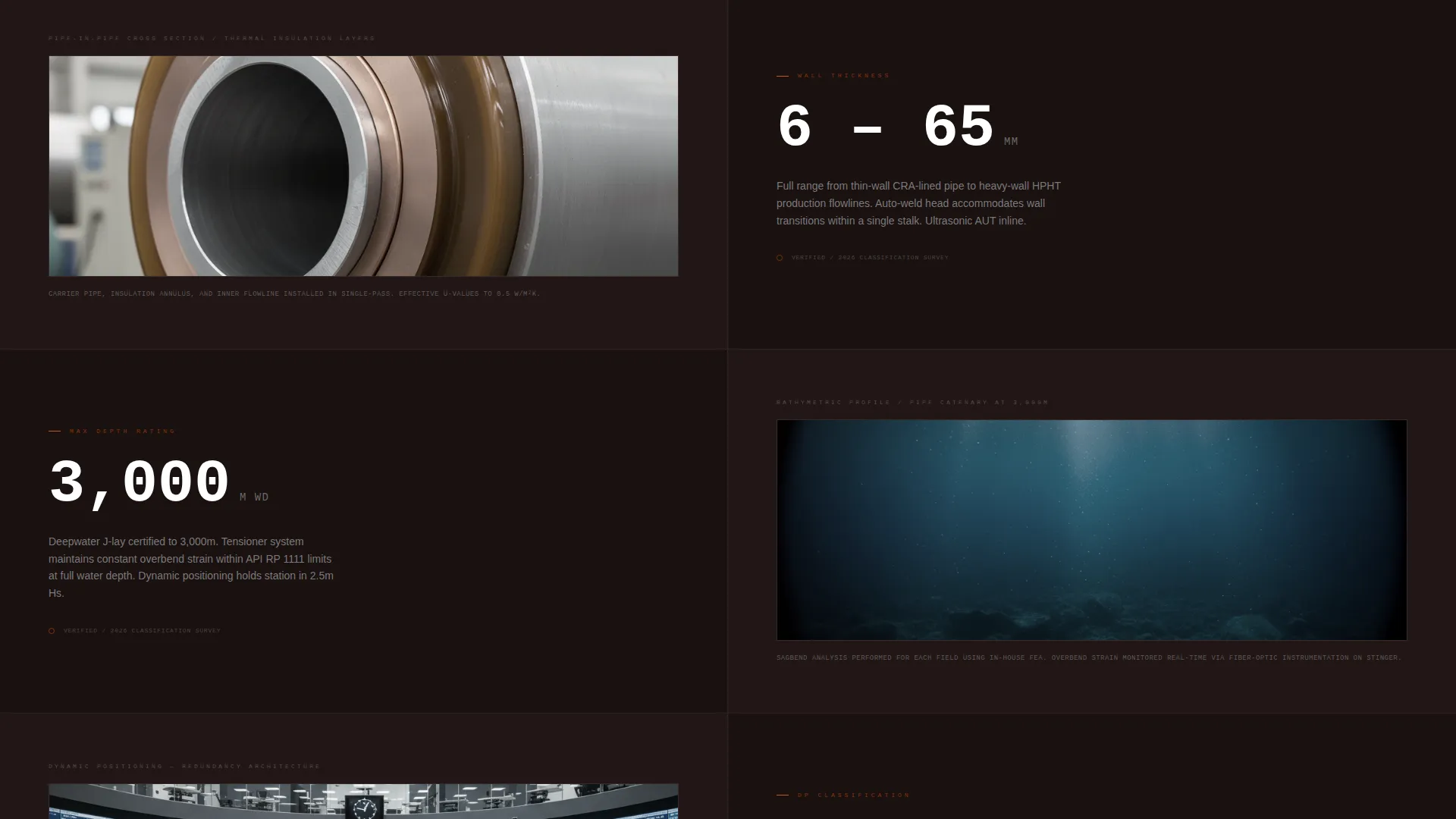
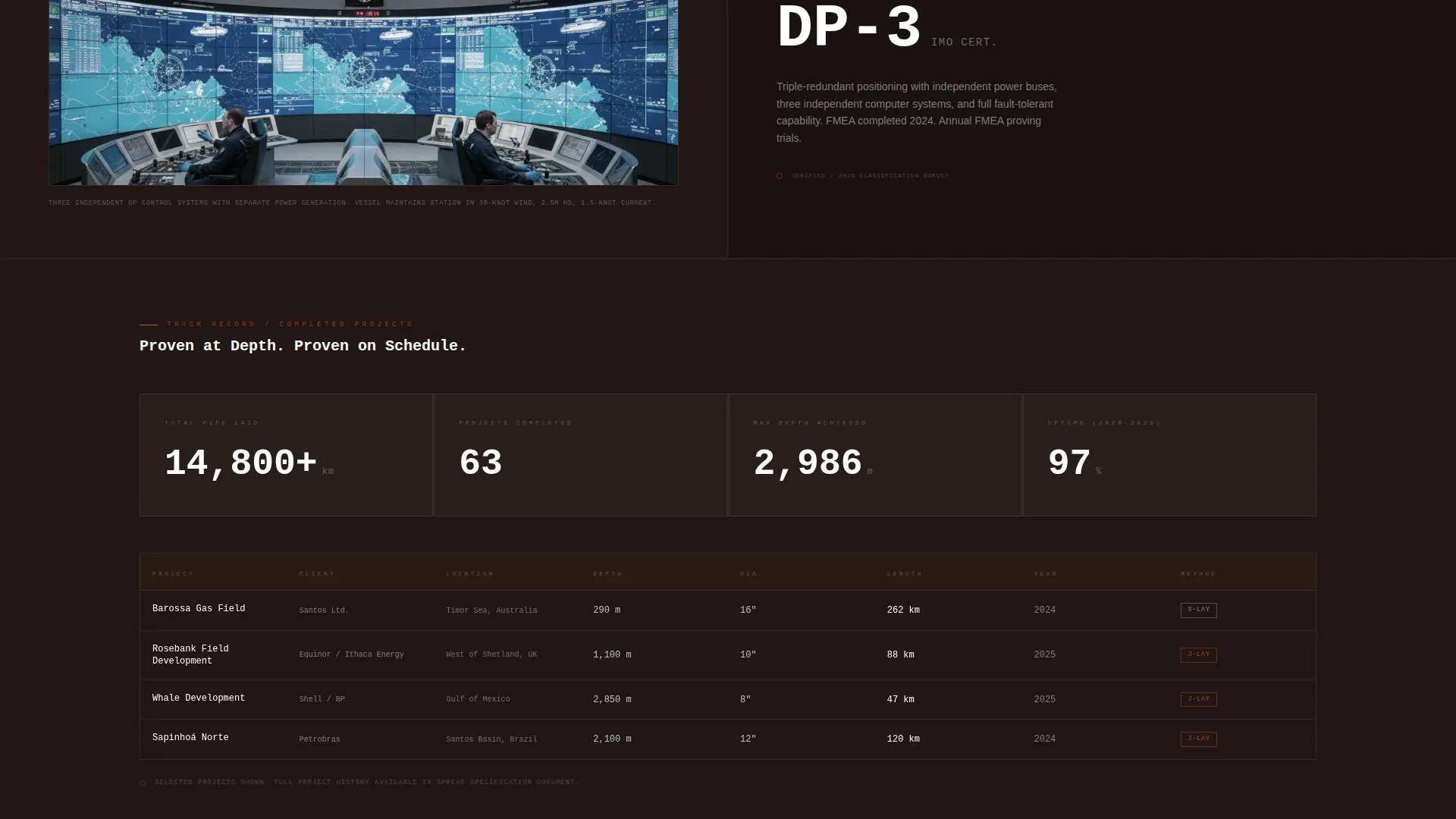
- A scrolling split-screen spec layout where each row pairs a technical parameter on the left with real-world context on the right
- Two conversion touchpoints: a primary flare-orange "Review Full Spread Specs" button and a secondary ghost-outline "Request Mob Window" link, both fixed to a bottom rail after the first scroll
Feature list
This section describes the core built-in components that make this template work for subsea pipeline contractors.
Panoramic Hero Header with Telemetry Overlay
The header uses a 21:9 letterboxed aerial image of a pipelay vessel mid-operation. Monospaced white type overlays real operational data fields: vessel name, current water depth, lay rate in meters per hour, and pipe diameter. The image holds for four seconds before a thin horizontal rule transitions the page into the first spec row.
Split-Screen Spec Sheet Layout
Each scroll increment reveals a new 50/50 split-screen data pair. The left side shows a technical parameter in large monospaced numerals with unit labels. The right side shows corresponding visual context such as a cross-section diagram, a bathymetric profile, or a field joint coating station image.
Five-Figure Capability Block
The page front-loads the five figures every subsea project manager compares first. Max water depth, lay rate, pipe diameter range, tensioner capacity, and vessel DP (dynamic positioning) class are all surfaced before the primary call to action. This builds technical trust before asking for a click.
Fixed Bottom Call-to-Action Rail
After the first scroll, a bottom-anchored rail appears and stays visible throughout the page. It holds the primary "Review Full Spread Specs" button in high-contrast flare orange and a secondary ghost-outline "Request Mob Window" link. There is no form on this page; both actions lead to the next page.
Dashboard Pro Theme with Fire and Earth Color System
The visual identity applies deep wellhead black, molten flare-stack orange, riser-mud brown, and pipeline cathodic gray as a structured palette. Typography uses monospaced numerals for data fields and clean secondary text for context labels, creating a look that reads like live operational instrumentation.
Click-Through Conversion Architecture
This template is optimized as a click-through page, not a lead capture form. All conversion energy points toward two actions: reviewing the full vessel specification PDF and submitting a mobilization inquiry on the following page. The page earns the click by delivering value first.
Page sections overview
| Section | Purpose |
|---|---|
| Panoramic Hero Header | Establish vessel identity and display live-format telemetry as hero typography |
| Telemetry Typography Row | Show vessel name, water depth, lay rate, and pipe diameter in monospaced type |
| Five-Figure Capability Block | Front-load max depth, lay rate, diameter range, tensioner capacity, and DP class |
| Split-Screen Spec Rows | Pair each technical parameter with real-world visual context per scroll increment |
| Fixed call to action Rail | Anchor primary and secondary calls to action after the first scroll |
Design & branding system
The template uses a Dashboard Pro theme built around a Fire and Earth color system. The palette is drawn from the physical environment of subsea operations: the heat of a flare stack, the weight of coated steel, and the gray of a pipe under cathodic protection. Every color carries an industrial reference.
- Deep wellhead black (#1A1110) as the base background, molten flare-stack orange (#D4500A) as the primary accent and call-to-action color, riser-mud brown (#6B3A2A) as a secondary surface tone, and pipeline cathodic gray (#BFC2C7) for data fields and secondary text
- Monospaced typography for all numerical data fields, creating the look of live instrumentation readouts on a vessel bridge
- A thin horizontal rule divides the hero header from the first spec row, reinforcing the spec-sheet aesthetic throughout the page
Mobile & speed optimization
The split-screen layout and data-heavy design are structured to remain readable and navigable at smaller screen sizes. The fixed call to action rail is designed to stay accessible regardless of scroll position, which is important on mobile where vertical space is limited.
- The 50/50 split-screen sections are built to stack vertically on mobile, keeping technical parameters and their visual context paired and legible
- The fixed bottom rail keeps both the primary and secondary calls to action visible without competing with the main content area
- The 21:9 panoramic header is framed to crop and reposition gracefully on narrower viewports without losing the key visual elements
How this template helps you convert
This template is built around a single conversion objective: getting a qualified offshore project manager to click through to the vessel specification PDF and mobilization inquiry form. Every design and content decision supports that one outcome.
- The five-figure capability block surfaces the most compared numbers before the first call to action appears, so the visitor arrives at the call to action already confident in the contractor's capability rather than still searching for basic data.
- The fixed bottom rail keeps the primary "Review Full Spread Specs" button and the secondary "Request Mob Window" link persistently visible, removing friction at the exact moment a visitor is ready to act.
Other information about this template
This template was designed specifically for the subsea pipeline installation niche within the broader Marine and Maritime category. It sits at the intersection of maritime services and offshore field development sales, where technical credibility is the primary purchase driver. The visual language and layout choices reflect the operational environment of pipelay vessels working in deep water.
- The template style is Split Screen (50/50) under a Dashboard Pro theme, categorized under Marine and Maritime / Maritime Services
- The creative direction follows a Spec Sheet approach, meaning the page is structured to build a bid-table impression in the visitor's mind rather than telling a narrative story
- The header concept is Panoramic/Wide, using a 21:9 letterboxed format to communicate scale and operational intensity from the first visible frame
- The landing page direction is Click-Through, with no form on the page itself; all inquiry activity is deferred to the destination page reached after clicking either call to action
Theme
Dashboard Pro
Creative direction
Spec Sheet
Color system
Fire & Earth
Style
Split Screen (50/50)
Direction
Click-Through
Page Sections
Panoramic Hero Header with Telemetry Overlay
Split-screen Spec Sheet Layout
Five-figure Capability Block
Fixed Bottom Call-to-action Rail
Dashboard Pro Theme with Fire and Earth Palette
Related questions
Does this template include a contact form?
Can I update the telemetry figures in the hero header?
Is the split-screen layout suitable for different vessel types?
Who is the intended audience for this landing page?