A-Frame House Real Estate Portfolio & Case Study Website Template
Ridgeline is a dark, immersive split-screen landing page built for A-frame mortgage specialists. It combines a topographic map header, a cinematic gallery of real loan stories, and a five-step qualification quiz. The design uses deep navy, slate, and signal amber to project institutional confidence with a cabin-country warmth that speaks directly to unconventional property buyers.
by Rocket studio
Quick summary
Ridgeline is a single-page lending template designed for specialists who finance A-frame properties. It opens with a parallax topographic map, walks visitors through a gallery of completed loan deals, and closes with a five-step qualification quiz. Every section is built around the split-screen format, giving equal weight to visual storytelling and practical loan context.
Who this template is for
This template is built for lending professionals whose entire practice centers on A-frame and non-standard residential properties. It speaks to buyers and builders who have already heard "no" from a conventional lender.
- Mortgage specialists and lending desks focused on A-frame, cabin, and triangular-floor-plan properties
- Remote workers, weekend-land buyers, and couples converting ski cabins into primary residences
- Builders and developers whose projects fall outside standard underwriting guidelines
What problem this template solves
Conventional mortgage pages treat every property the same. That approach fails the A-frame buyer, who needs a lender that understands sloped rooflines, cathedral ceilings, and appraisal challenges that most banks cannot navigate.
- Visitors arrive skeptical after being turned away elsewhere, so the page must quickly establish specialist credibility
- Generic lending pages offer no proof of past success with unconventional structures
- Buyers need a clear, guided path from "does my property qualify?" to booking a call with an expert
What you get with this template
You get a fully structured split-screen landing page that covers every stage of the buyer journey, from first impression to booked consultation. The layout, quiz flow, and gallery are all defined and ready to populate with your own project photography and loan data.
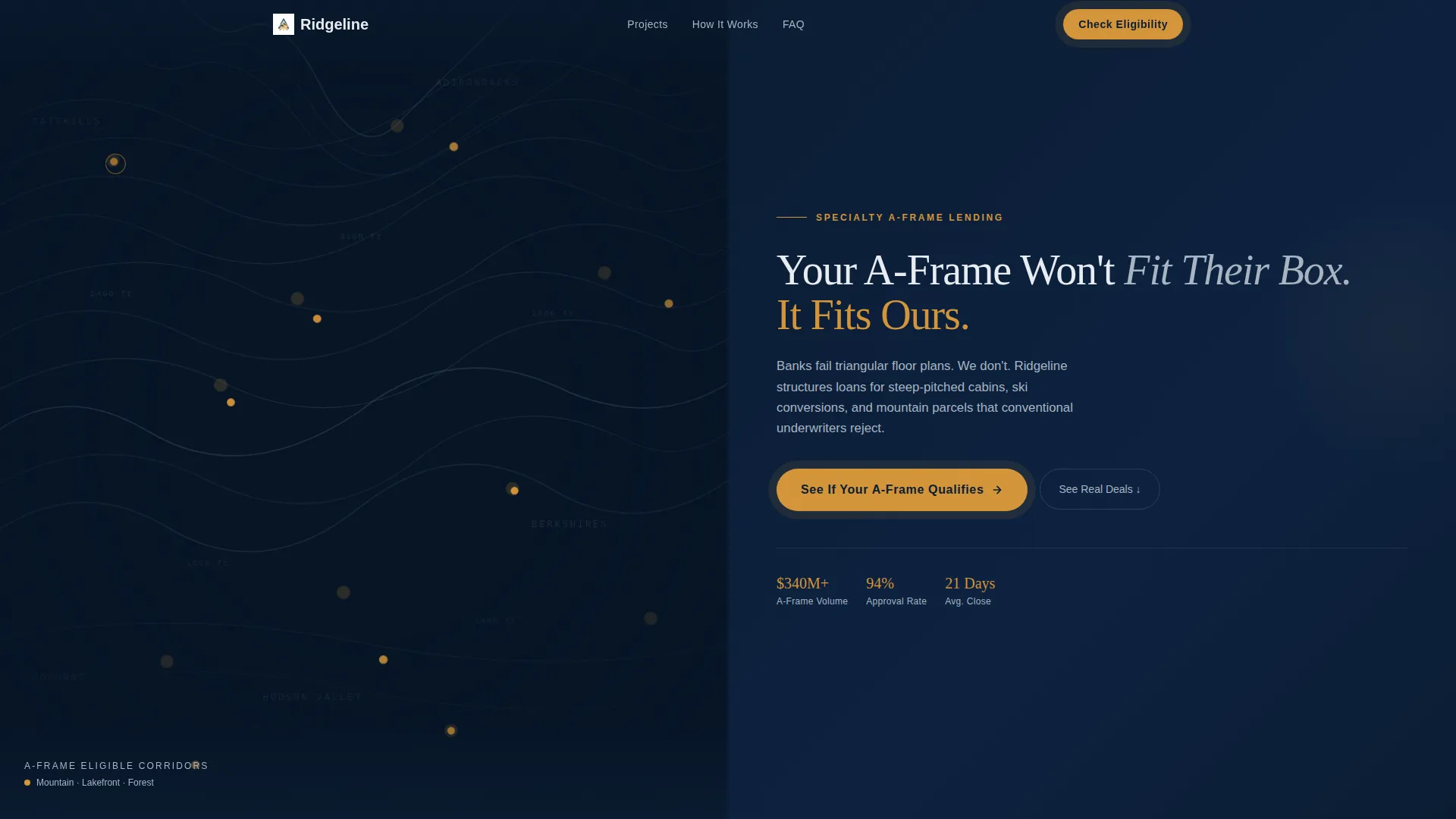
- A parallax topographic map header with amber location pins and a bold headline
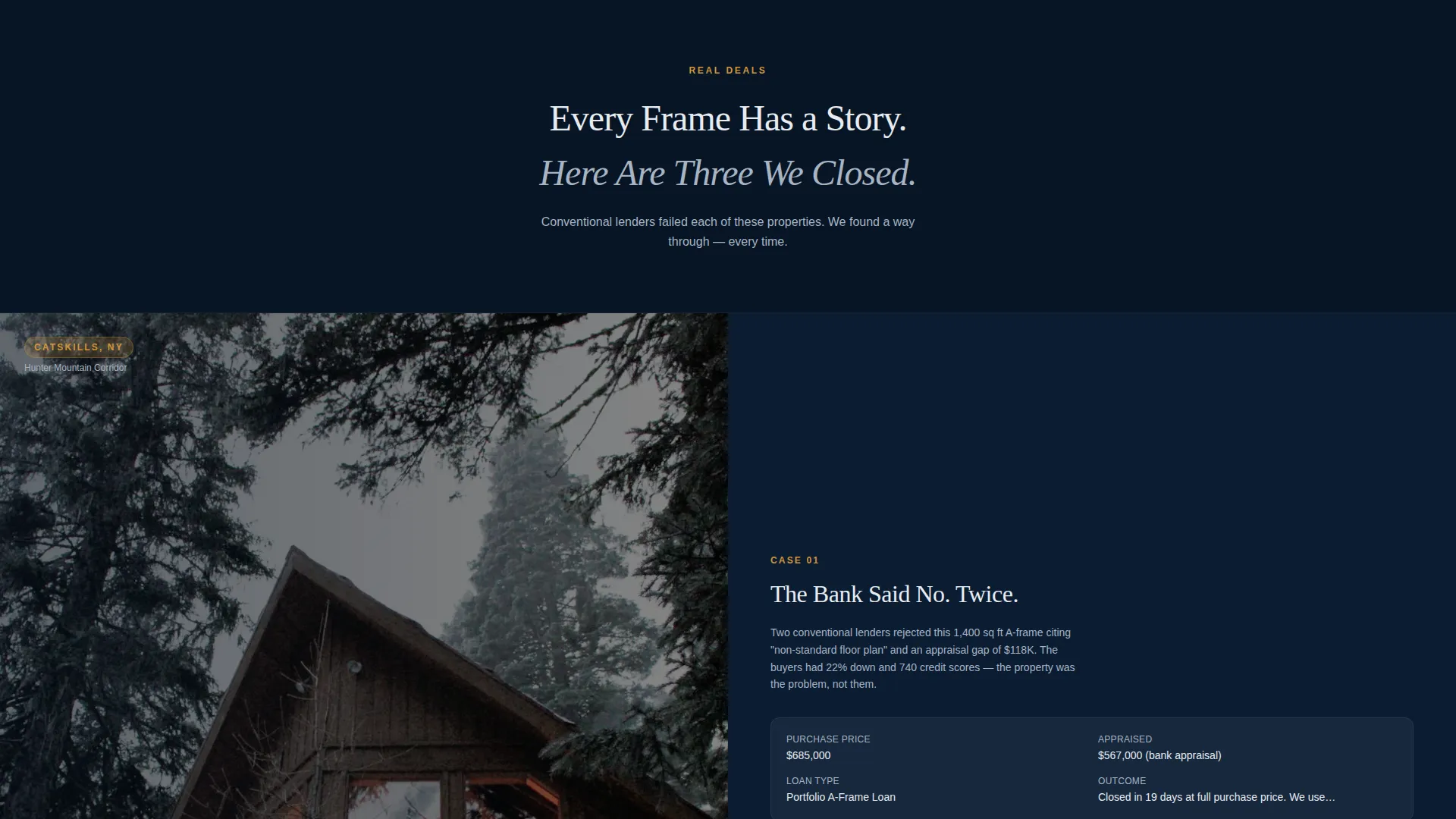
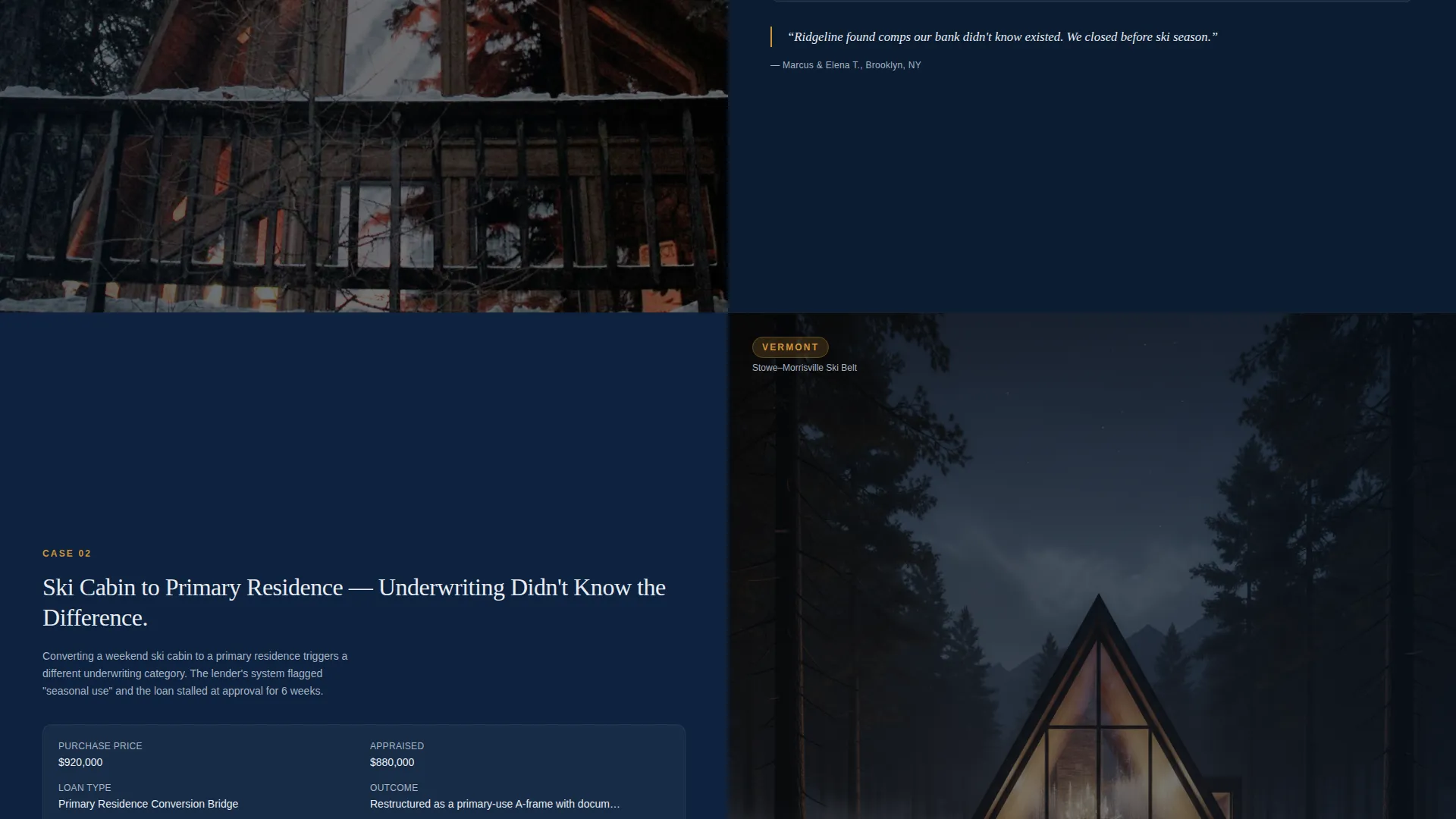
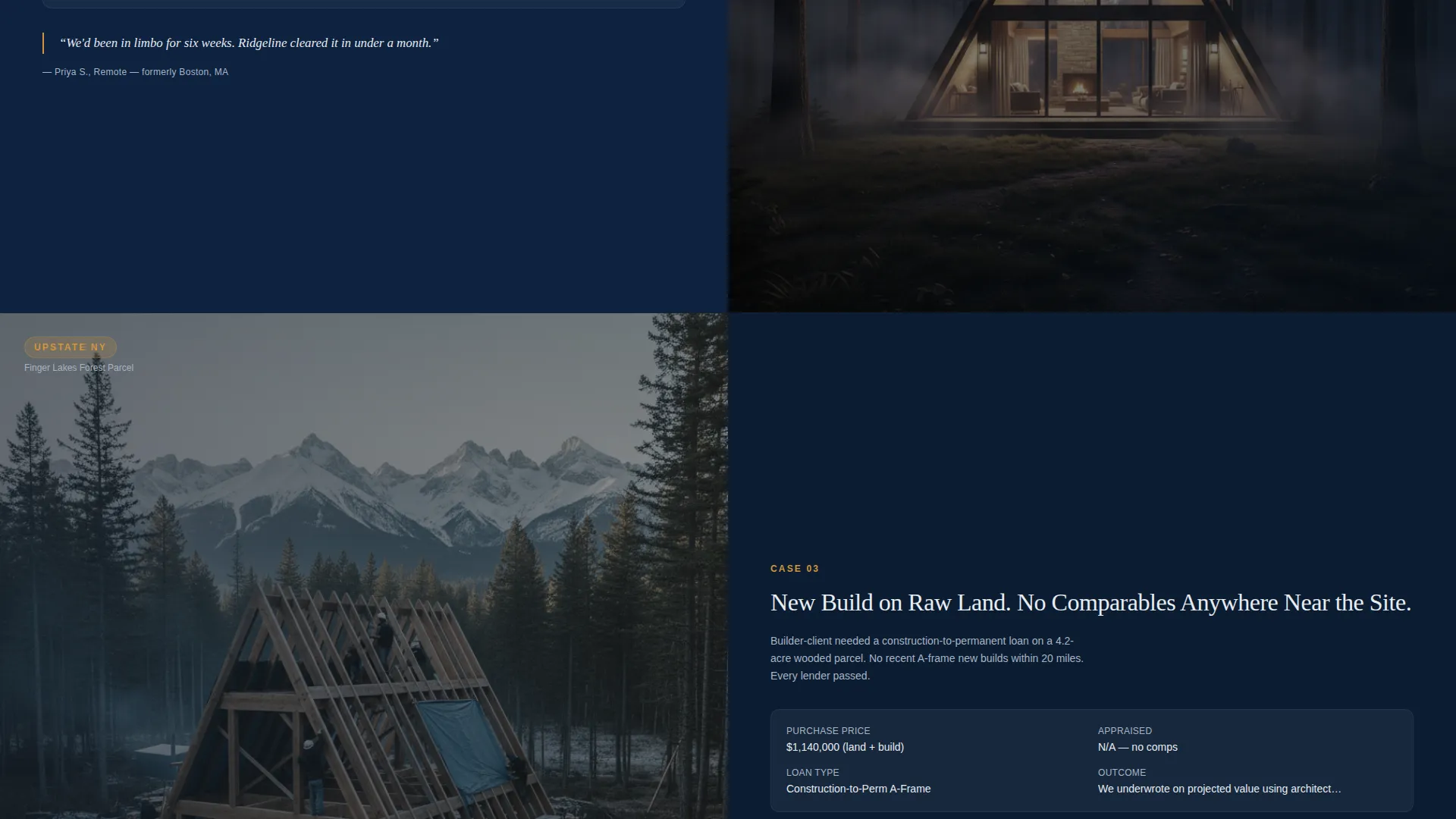
- A cinematic gallery section featuring one A-frame loan story per viewport in the split-screen format
- A five-step qualification quiz that ends with a personalized eligibility snapshot and a calendar booking embed
Feature list
This section details the key functional components built into the Ridgeline template.
Parallax Topographic Map Header
The left panel of the header displays a dark topographic map rendered in slate contour lines on navy. Amber pins mark A-frame-eligible regions across mountain corridors, lakefronts, and forest parcels. The map drifts slowly on parallax scroll, creating a sense of terrain viewed from altitude.
Split-Screen Gallery Walk
After the header, the page enters a curated gallery. Each frame occupies one full viewport in a 50/50 split: the left side shows a moody, dark-exposed photograph of a finished A-frame cabin, while the right side presents the loan story behind it. Purchase price, appraised value challenges, and deal structure are displayed clearly, building specialist authority with every scroll.
Five-Step Qualification Quiz
The primary call to action launches a five-step assessment embedded directly in the page. Each step uses the full split-screen layout, with the question on the left and a contextual A-frame image on the right. An amber progress bar climbs the edge of the screen as the visitor advances.
Personalized Eligibility Snapshot
On completing the quiz, the visitor receives a personalized eligibility result rather than a generic "we will call you" message. This output is framed around their specific inputs and leads directly into a calendar booking embed for a fifteen-minute specialist call.
Signal Amber Interactive System
Every interactive element, including the pulsing call-to-action button, the quiz progress bar, and highlighted selections, uses a single accent color: signal amber. This keeps the user's eye moving through the page without visual noise.
Navy Authority Color Architecture
The entire page is anchored by a layered dark palette. Deep officer navy forms every background, slate ridge surfaces the secondary panels and cards, and cold pine white handles all body text and headlines. The result is a page that feels institutional and authoritative without feeling cold.
Page sections overview
| Section | Purpose |
|---|---|
| Topographic Map Header | Establish specialist identity and invite quiz entry |
| Hero Headline Panel | State the core value proposition clearly |
| Loan Story Gallery | Demonstrate past deal success across property types |
| Quiz Step One | Capture property type input from the visitor |
| Quiz Step Two | Capture location state from the visitor |
| Quiz Step Three | Capture estimated property value range |
| Quiz Step Four | Capture credit confidence tier |
| Quiz Step Five | Capture timeline to close |
| Eligibility Snapshot | Deliver personalized qualification result |
| Calendar Booking Embed | Convert qualified visitors into booked calls |
Design & branding system
The Ridgeline template uses a Dark Immersive visual identity built on a Navy Authority color system. Every design decision reinforces the feeling of a specialist institution that understands remote, off-grid, and non-standard residential properties.
- Deep officer navy (#0B1D33) anchors all backgrounds; slate ridge (#3A4A5C) surfaces secondary panels and card areas; cold pine white (#E8ECF1) is used for all body text and headlines
- Signal amber (#D4943A) appears exclusively on calls to action, progress indicators, and interactive highlights, keeping the page visually disciplined
- The overall tone is described as a federal document stamped by firelight: institutional confidence wrapped in woodsmoke and wool
Mobile & speed optimization
The split-screen layout and cinematic gallery are designed with a viewport-first approach. Each quiz step and gallery frame is sized to occupy exactly one screen, which makes the experience feel intentional on both desktop and mobile.
- The 50/50 split-screen format adapts naturally to vertical viewport orientations
- The parallax map header and gallery photography are structured for clean, controlled rendering on smaller screens
- The amber progress bar and pulsing button remain visually prominent at all screen sizes
How this template helps you convert
Ridgeline is structured to move a skeptical visitor through a sequence that builds trust before it asks for anything. The page earns the click rather than demanding it.
- The topographic map header and bold headline immediately signal specialist expertise, reducing the bounce rate among visitors who have been turned away by conventional lenders.
- The gallery of completed loan stories provides concrete social proof in a format that mirrors the buyer's own situation, making the specialist's track record feel real and relevant.
- The five-step quiz replaces a generic contact form with a guided assessment that gives the visitor something in return: a personalized eligibility snapshot and a direct path to booking a call.
Other information about this template
Ridgeline is a purpose-built template for a narrow but underserved lending niche. It is not a general mortgage page. Every section assumes the visitor already knows their property is unconventional, and the copy, layout, and quiz flow all reflect that starting point.
- The template is designed for the A-frame house real estate category, specifically for appraisal-aware lending specialists
- The creative direction is gallery walk and cinematic scroll, not a standard hero-plus-form layout
- The quiz completion screen includes the phrase "Talk to a Specialist Who Speaks Triangle," which is a ready-to-use copywriting hook for the booking embed
- The template can support custom project photography and real loan data to make the gallery section specific to each lending practice
Theme
Corporate Precision
Creative direction
Interactive Explorer
Color system
Dark Emerald
Style
Card Grid (Modular)
Direction
Direct Sales
Page Sections
Parallax Topographic Map Header
Cinematic Split-screen Gallery
Five-step Qualification Quiz
Personalized Eligibility Snapshot
Signal Amber Interactive System
Navy Authority Color Architecture
Related questions
Can I replace the gallery images with my own project photos?
Does the quiz connect to a calendar booking tool?
Is this template suitable for a general mortgage business?
How many steps does the qualification quiz include?
Can this template work for cabin conversion clients as well as new build buyers?



