Solar Roof Installation Website Template for Homeowners
Sunroof is a split-screen solar installation landing page built for crews that mount photovoltaic panels and rewire meters. It guides homeowners, landlords, and small-business owners through a numbered step-by-step scroll, shows real dollar figures at every phase, and funnels every visitor toward a personalized solar proposal with a single address input and one clear click.
by Rocket studio
Quick summary
Sunroof is a single-page solar roof installation template built on a 50/50 split-screen layout. It opens with a satellite rooftop image beside a live address input, then walks visitors through four numbered phases of going solar. Real savings figures appear at each step, and the primary call to action pushes visitors into a personalized solar proposal tool.
Who this template is for
This template is built for solar installation companies that need a high-converting landing page to move hesitant visitors toward a detailed savings estimate. It fits businesses targeting residential and commercial rooftop clients.
- Roofing and solar installation crews marketing to homeowners with high monthly electricity bills
- Landlords and property managers evaluating return on investment for rental rooftops
- Small-business owners with flat commercial roofs looking to offset operating costs
What problem this template solves
Most solar service pages overwhelm visitors with too many form fields or too little proof. Visitors arrive unsure whether their roof qualifies, what installation actually looks like, and when they will see real savings. This template resolves each of those anxieties in sequence.
- Visitors leave before converting because they cannot visualize the process or trust the numbers
- Generic contact forms create friction before the visitor feels ready to commit
- No clear path from curiosity to a personalized estimate causes drop-off
What you get with this template
You get a fully designed, single-page layout that walks every visitor through the solar installation journey from address input to proposal click. The structure is ready to adapt to your service area and pricing data.
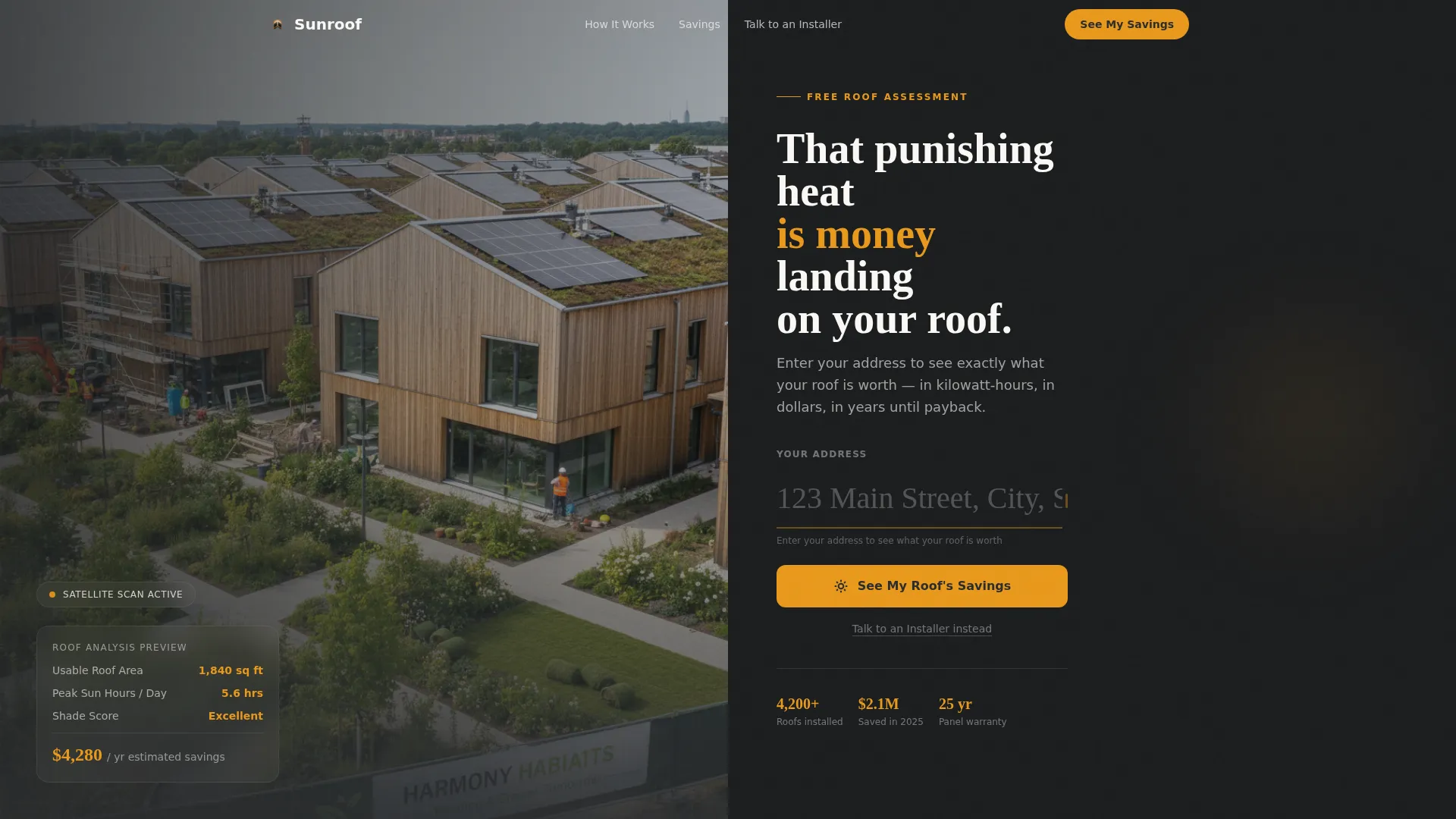
- A split-screen header with a satellite rooftop image and an oversized amber address input field
- Four scroll-triggered step sections, each pairing a technical visual with a savings-focused outcome
- A sticky amber call-to-action button and a secondary text link for visitors ready to talk directly
Feature list
This template is built around a focused set of design and interaction features drawn directly from the brief. Each one serves a specific role in moving solar prospects from curiosity to commitment.
Split-Screen 50/50 Layout
Every section of the page uses a strict left-right split. One side carries a visual or diagram, and the other side delivers the data or copy that gives that visual meaning. This format keeps the page scannable and prevents information overload.
Location Input Header
The header presents a satellite-style aerial photograph of a sun-drenched rooftop on the left. The right half holds a single oversized address field with a pulsing amber cursor. As a visitor types, the rooftop image subtly shifts to suggest a personalized result before any click happens.
Four-Phase Step-by-Step Scroll
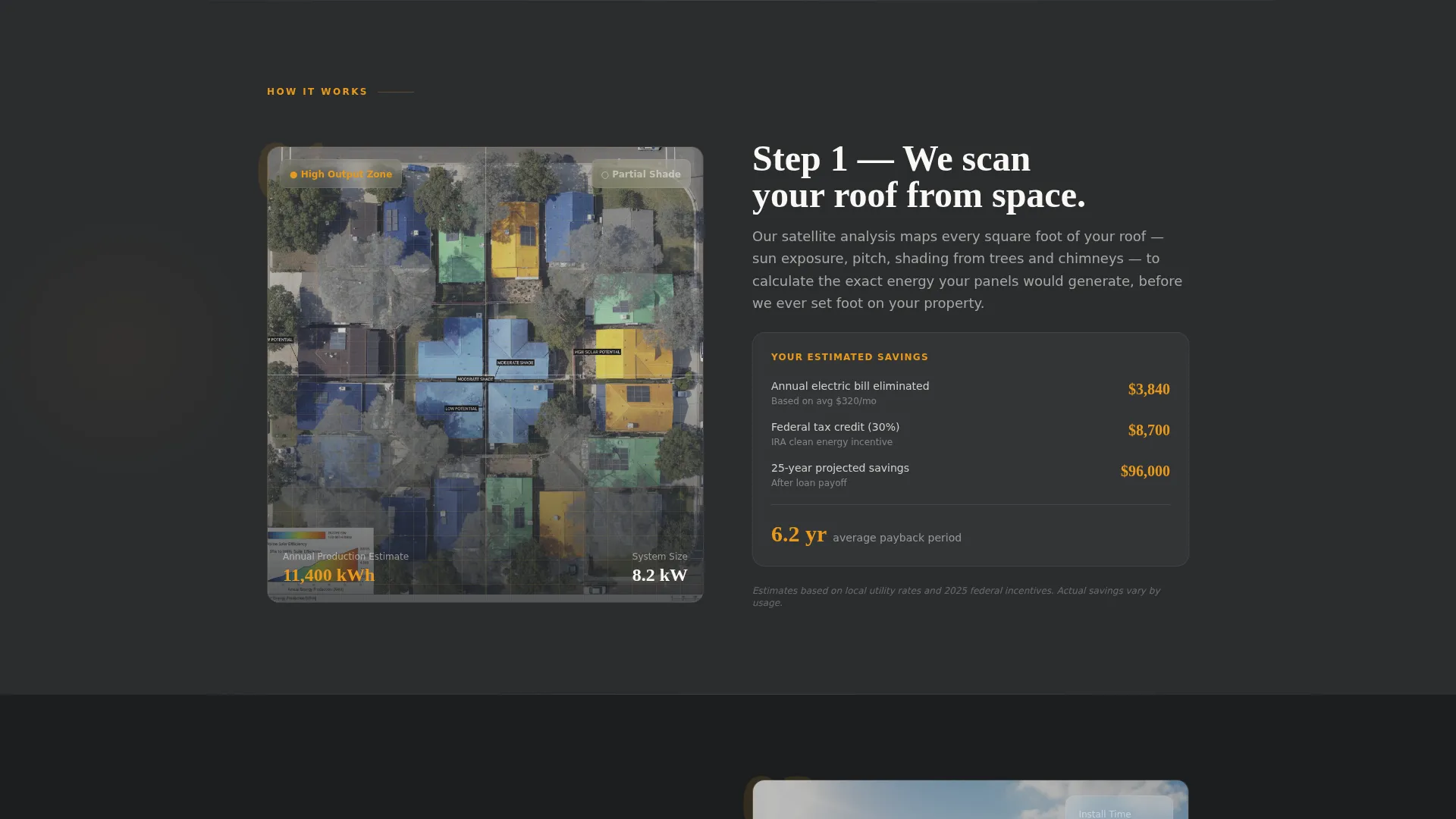
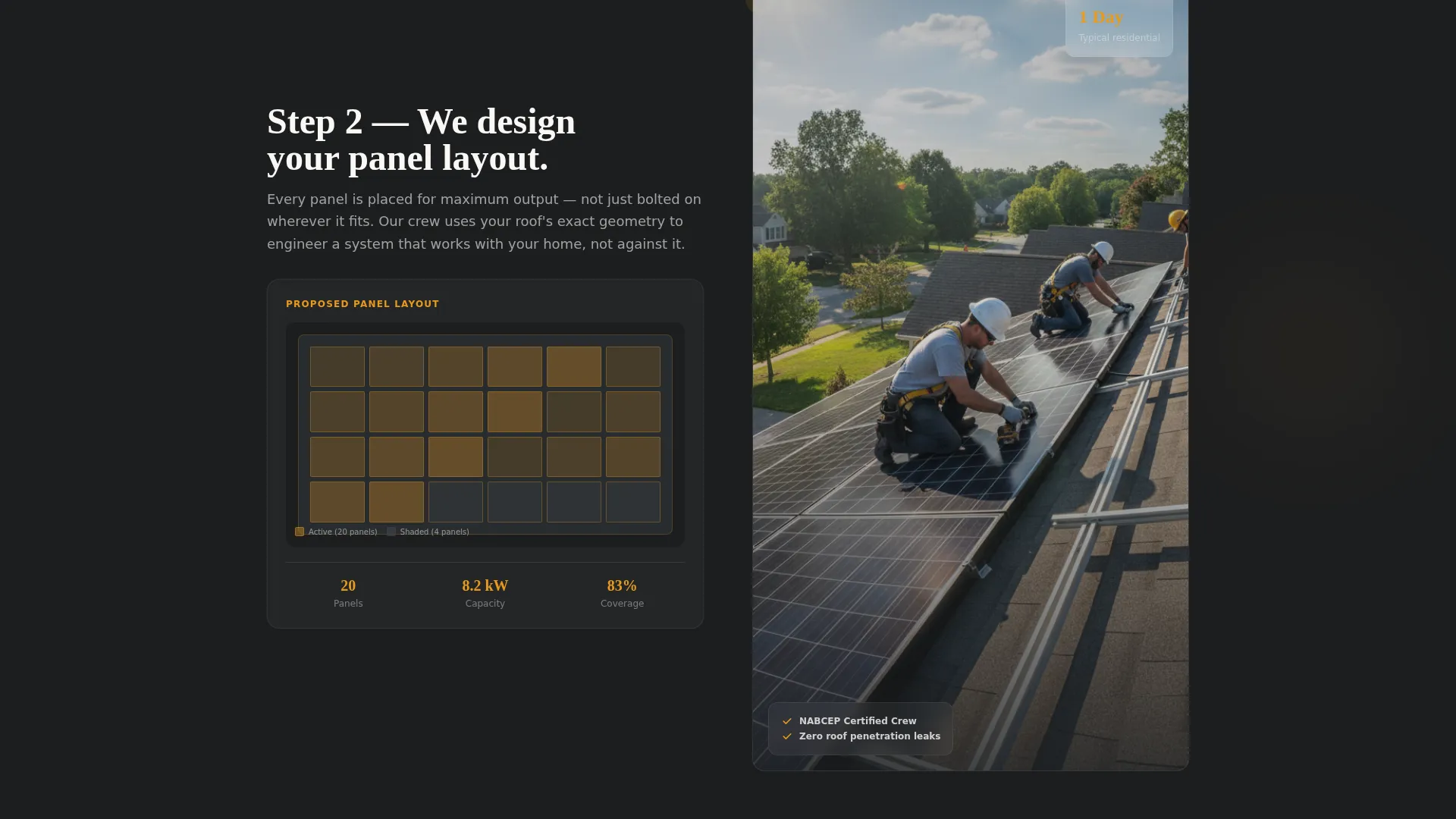
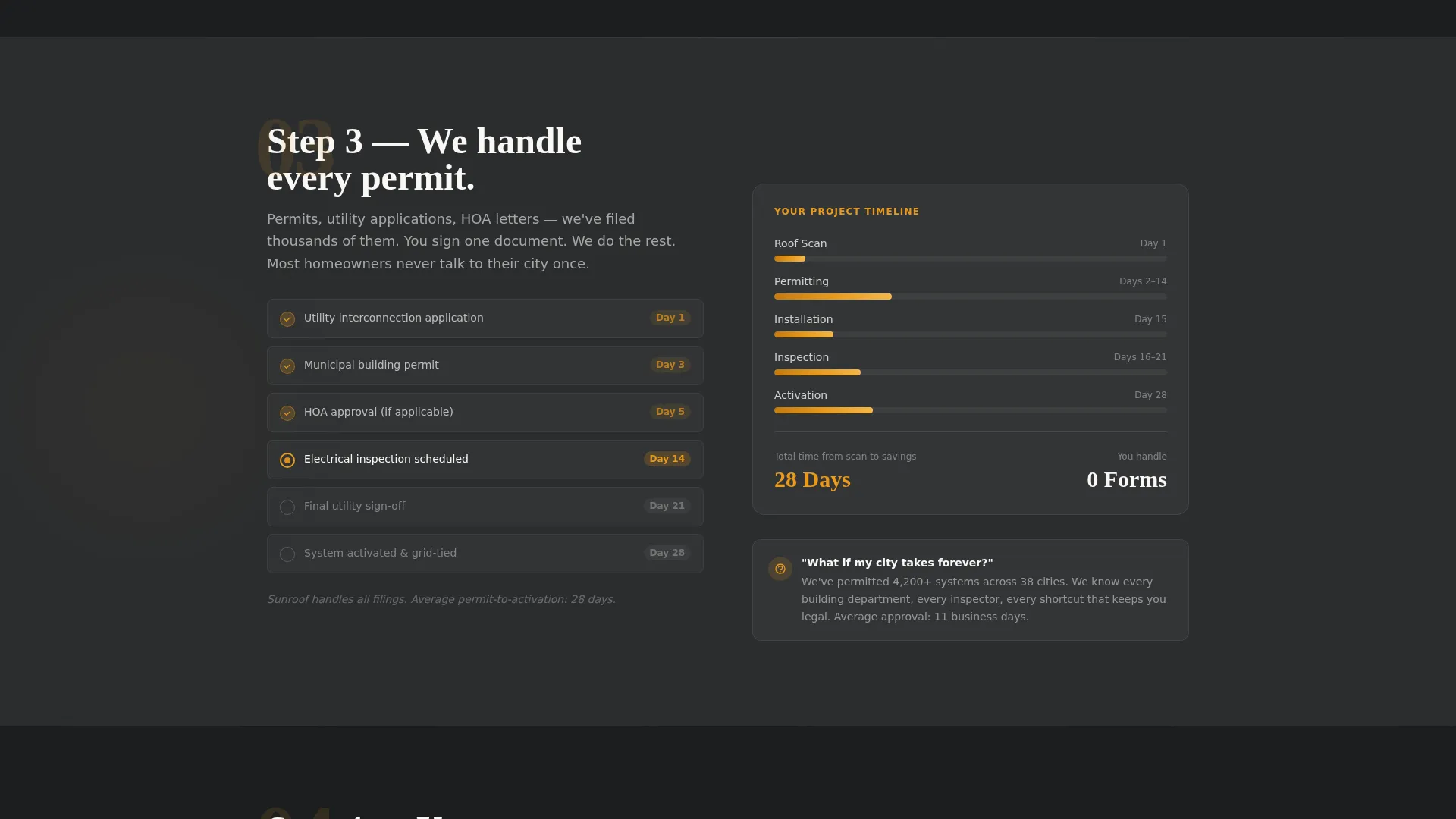
The page is structured as four numbered phases: satellite roof scan and shade analysis, panel layout diagram versus a real installation photo, permit paperwork checklist against a timeline bar, and a meter swap illustration beside a monthly bill comparison. Each phase resolves one specific visitor anxiety.
Real Savings Figures at Every Step
Estimated annual energy production in kilowatt-hours, projected 25-year savings, and payback period appear throughout the scroll. Showing concrete numbers at each phase builds confidence and makes the final click feel like a logical next step rather than a leap of faith.
Sticky Click-Through Call to Action
The primary call to action, "See My Roof's Savings," first appears inside the header address input. After step two, it reappears as a sticky amber button that follows the visitor down the page. A secondary text link, "Talk to an Installer," floats beneath it for visitors ready to skip the calculator.
Charcoal and Amber Visual System
Deep charcoal dominates backgrounds and section dividers. Warm inverter amber highlights every button, progress indicator, and savings figure. Daylight white provides breathing room in data-heavy blocks. The palette reinforces the industrial-meets-golden-hour feel of real solar hardware in use.
Page sections overview
| Section | Purpose |
|---|---|
| Header address input | Captures attention and prompts visitors to enter their address for a personalized rooftop estimate |
| Step 1: Roof scan | Pairs a satellite shade analysis visual with a projected savings estimate to answer "Will my roof work?" |
| Step 2: Panel layout | Shows a panel diagram alongside a real installation photo to answer "What does install look like?" |
| Step 3: Permit checklist | Displays a permit paperwork checklist against a timeline bar to answer "Who handles permits?" |
| Step 4: Meter swap | Places a meter swap illustration beside a before-and-after bill comparison to answer "When do I save?" |
| Sticky call to action bar | Keeps the primary action and secondary installer link visible throughout the scroll |
Design & branding system
The template uses a Service Utility theme grounded in a Charcoal and Amber color system. The palette evokes the physical reality of solar hardware: matte-black panel surfaces caught in warm afternoon light.
- Core colors: deep roof-slate charcoal (#2B2D2F), panel-frame gunmetal (#4A4E54), warm inverter amber (#E8991C), and clean daylight white (#FAF8F5)
- Charcoal fills backgrounds and dividers; amber activates every interactive element and highlights every savings figure
- Daylight white creates visual breathing room in data-heavy sections so numbers stay readable at a glance
Mobile & speed optimization
The split-screen layout is designed to reflow cleanly on smaller screens. Each 50/50 section stacks vertically on mobile so visuals lead and copy follows, keeping the step-by-step narrative intact without requiring horizontal scrolling.
- The sticky call-to-action button remains anchored at the bottom of the viewport on mobile devices
- The address input field is sized and spaced for comfortable thumb interaction on phones and tablets
- Data-heavy blocks use daylight white backgrounds to maintain contrast and readability on small screens
How this template helps you convert
The page is built as a click-through funnel with one destination: a personalized solar proposal. Every design and copy decision points toward that single action.
- The address input in the header creates immediate personalization. Visitors feel the experience is about their roof, not a generic pitch, before they have clicked anything.
- Real kilowatt-hour production estimates, 25-year savings projections, and payback period figures appear at each scroll step. By the time a visitor reaches the bottom, clicking "See My Roof's Savings" feels like collecting money they already know is theirs.
Other information about this template
This template is categorized under Construction and Home, specifically within the Roofing and Waterproofing subcategory, with a Solar Roof niche focus. It is a strong fit for solar installation businesses that rely on digital lead generation to fill their installation calendar.
- The template style is Split Screen (50/50), matching the intersection context for this Solar Roof niche
- The creative direction follows a Step-by-Step Guide format, which maps naturally to the multi-phase solar installation process
- The header concept is a Location Input, aligning with how solar savings tools typically qualify leads by address
- The landing page direction is Click-Through, meaning no lengthy qualification form sits between the visitor and the proposal tool
- The theme is Service Utility, reinforcing trust through clear process visibility and concrete financial data rather than aspirational lifestyle imagery
Theme
Service Utility
Creative direction
Step-by-Step Guide
Color system
Charcoal & Amber
Style
Split Screen (50/50)
Direction
Click-Through
Page Sections
Split-screen 50/50 Layout
Location Input Header
Four-phase Step-by-step Scroll
Real Savings Figures Throughout
Sticky Click-through Call to Action
Charcoal and Amber Visual System
Related questions
What type of businesses should use this template?
Does this template require visitors to fill out a long form?
Can I adapt the savings figures shown in each step?
What happens when a visitor clicks "See My Roof's Savings"?
Is the secondary installer link customizable?



