Specialist Fire Safety & Prevention Cost Estimator Website Template
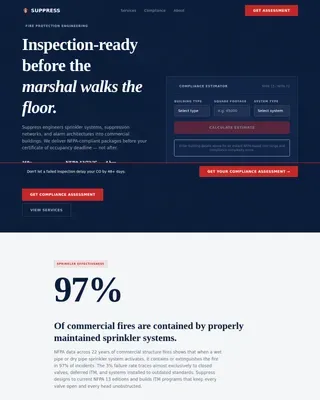
Suppress is a single-column landing page template built for commercial fire suppression contractors. It leads with a live Coverage Estimator, walks visitors through every project phase in a sequential dashboard layout, and closes with a bid-request form. The design feels like an approved inspection report: precise, authoritative, and built for the contractors and facility managers who need it.
by Rocket studio
Quick summary
Suppress is a fire suppression landing page template designed for commercial fire sprinkler contractors. It opens with an interactive Coverage Estimator and guides visitors through a phase-by-phase project dashboard. Every section is built to communicate precision and process, so contractors, facility managers, and property developers trust the company before submitting a bid request.
Who this template is for
This template speaks directly to the buyers who commission commercial fire suppression work. It is built for teams that need to evaluate a contractor quickly and move a project forward without guesswork.
- General contractors managing multi-phase commercial builds who need a reliable fire suppression sub before the schedule advances
- Facility managers at hospitals, schools, and public buildings working against compliance deadlines and inspection timelines
- Property developers who require fire suppression sign-off before a certificate of occupancy is issued
What problem this template solves
Commercial fire suppression contractors often struggle to communicate technical credibility through a standard marketing page. Clients arrive with real project variables and need answers, not brochure copy. This template replaces vague marketing language with a structured, process-driven presentation that earns trust before the first conversation.
- Buyers cannot quickly assess whether a contractor understands their specific building type, occupancy class, or compliance requirement
- The gap between a contractor's actual expertise and how that expertise appears online costs qualified leads at the decision stage
- Bid forms that lack relevant fields waste time for both sides and produce incomplete project submissions
What you get with this template
You get a fully structured single-column landing page that puts the Coverage Estimator front and center and walks every visitor through the complete project lifecycle. The layout is dashboard-style, clinical, and built for a B2B audience that values precision over aesthetics.
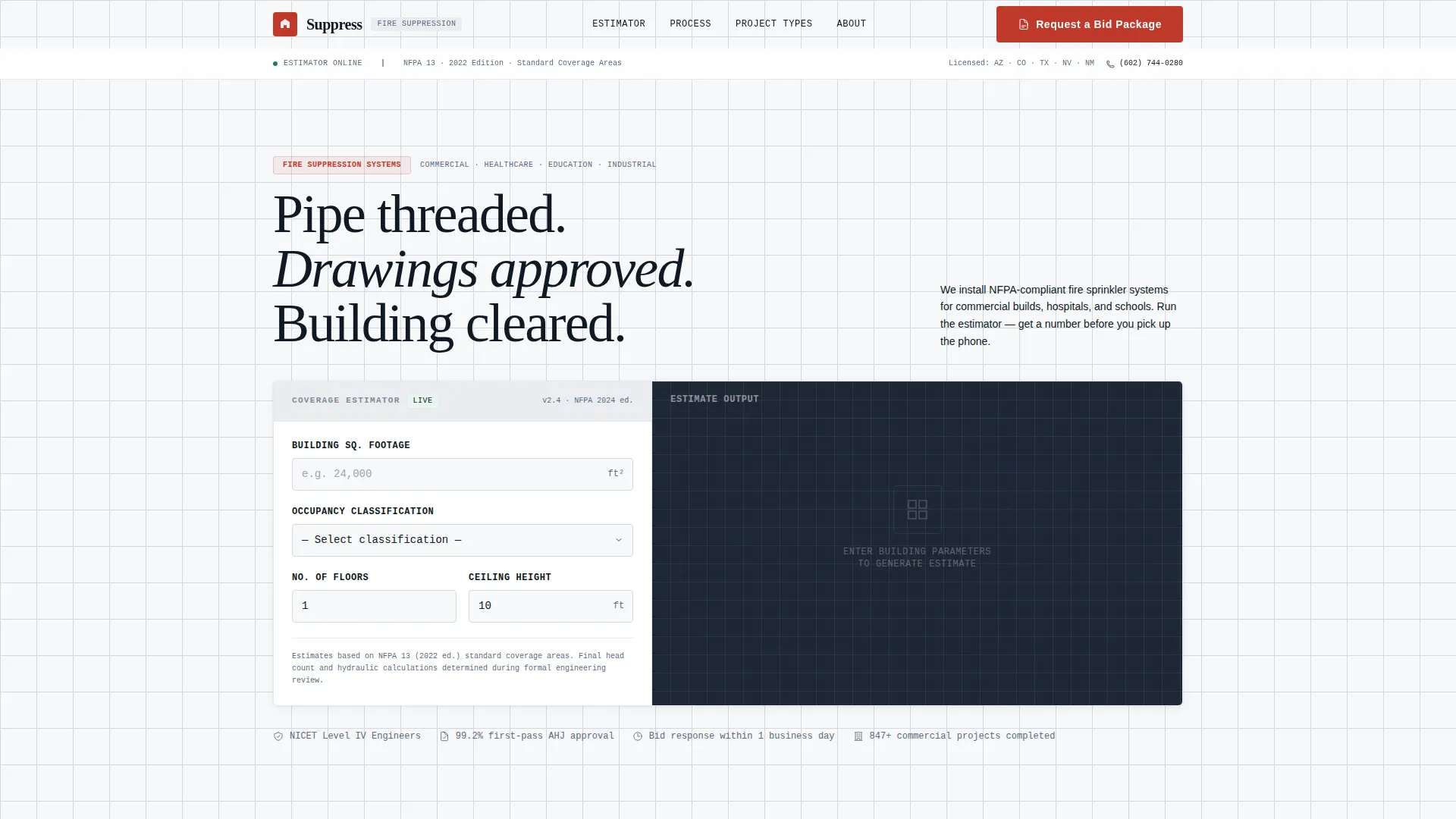
- A header-level Coverage Estimator that accepts building square footage, occupancy classification, floor count, and ceiling height, then outputs estimated head count, pipe linear footage, and a compliance tier badge (NFPA 13, 13R, or 13D)
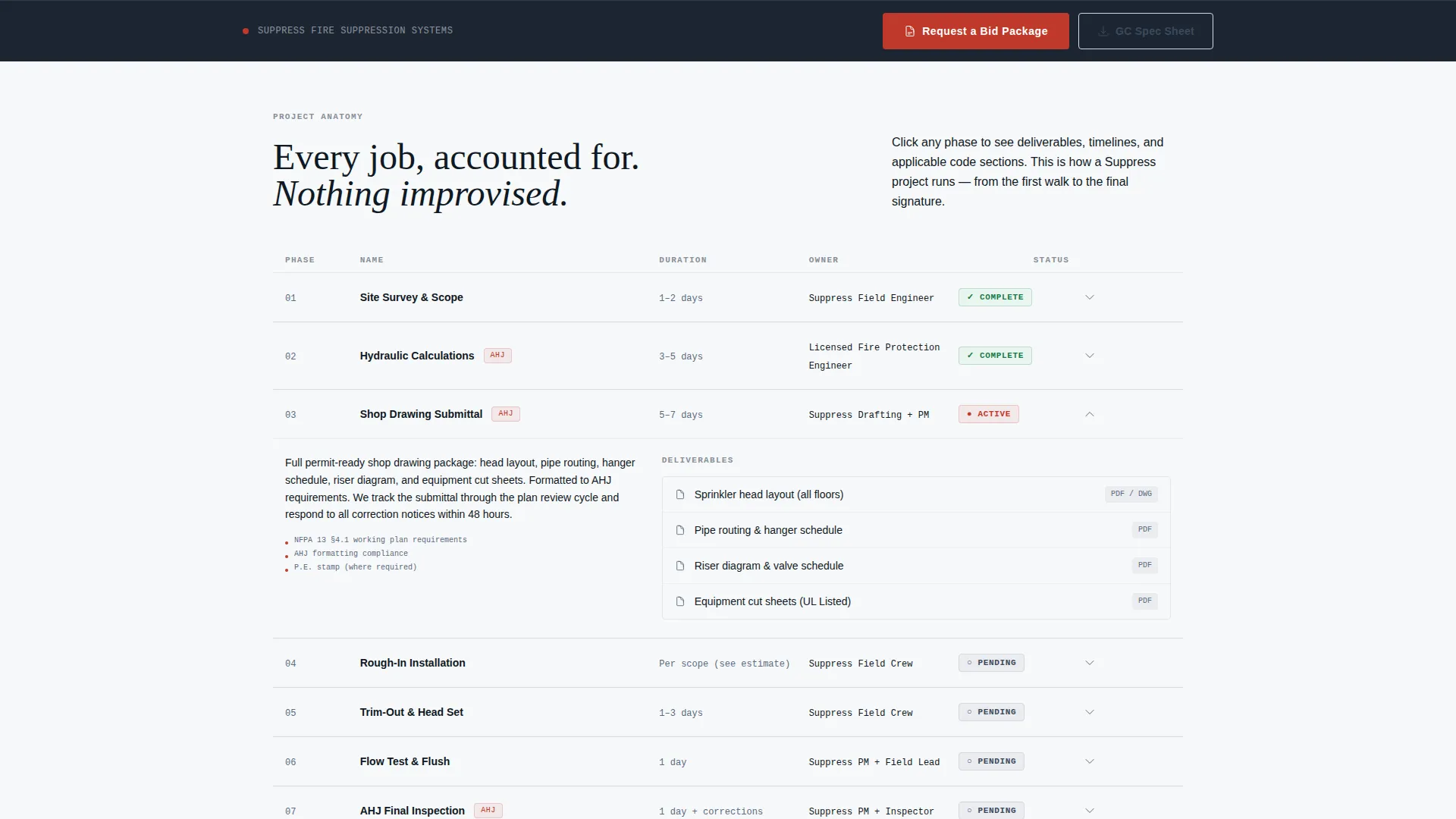
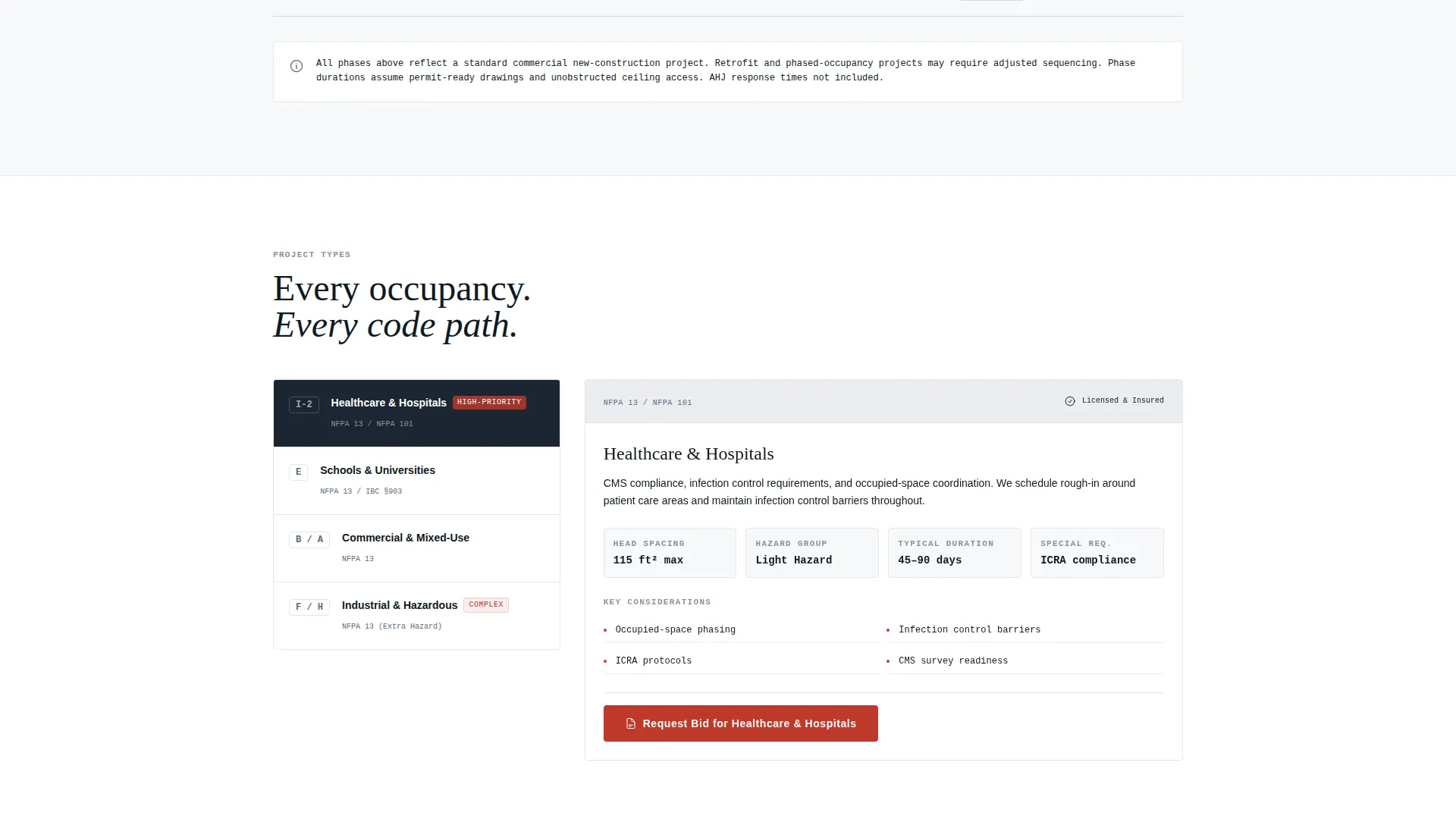
- A scrollable project phase dashboard covering site survey, hydraulic calculations, shop drawing submittal, rough-in, trim-out, flow test, and Authority Having Jurisdiction (AHJ) inspection, each with real timelines, deliverable thumbnails, and status indicators
- A primary "Request a Bid Package" call-to-action placed inside the estimator output panel and pinned at the scroll footer, plus a secondary "Download Our GC Spec Sheet" lead capture gated behind email and company name
Feature list
This template delivers purpose-built components for commercial fire protection contracting. Each feature is grounded in what the brief specifies and nothing more.
Live Coverage Estimator
Visitors input building square footage, occupancy classification, number of floors, and ceiling height. The grid auto-populates estimated head count, pipe linear footage, and a compliance tier badge showing NFPA 13, 13R, or 13D. The tool serves as the first impression and demonstrates technical depth before any paragraph is read.
Sequential Project Phase Dashboard
The scroll unfolds as a structured reveal of how a project moves from bid to final inspection. Each dashboard row expands into a phase, complete with real timelines, deliverable thumbnails, and status indicators. Visitors experience the full anatomy of a fire suppression job without needing a phone call first.
Dual Conversion Path
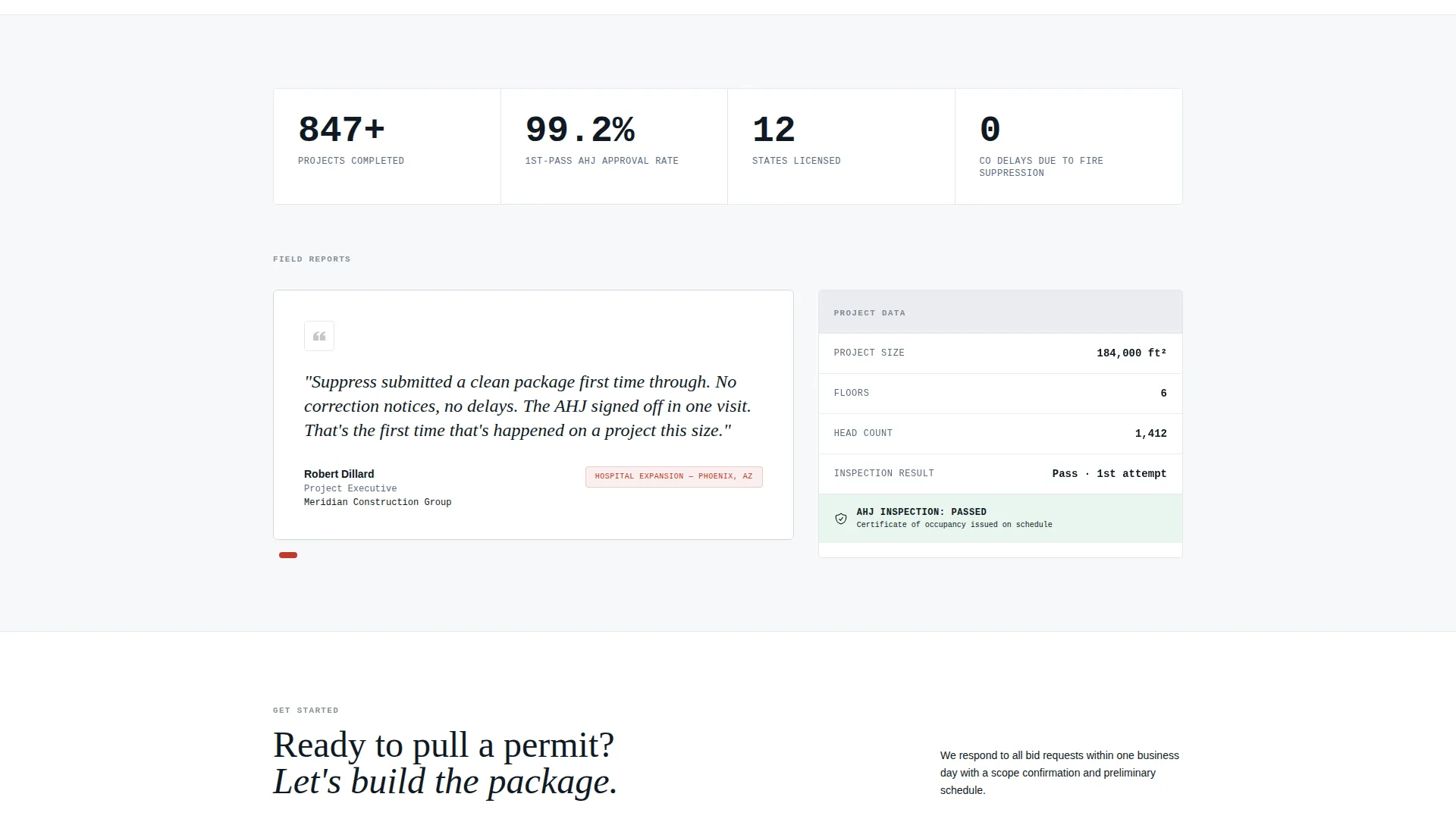
The primary call-to-action, "Request a Bid Package," captures company name, project address, construction phase, estimated square footage, and a plan upload field. A secondary path, "Download Our GC Spec Sheet," is gated behind email and company name, capturing contractors who are still scoping subcontractors before a project breaks ground.
Dashboard-Style Data Grid Layout
The visual layout follows a data grid structure. Sections are organized like rows in a compliance report. Grid lines, status badges, and section headers give every block a clear function, so visitors can scan the page the same way they scan a set of shop drawings.
Compliance Tier Badging
The estimator output panel displays an NFPA compliance tier badge tied to the values the visitor enters. This communicates regulatory awareness instantly and positions the contractor as fluent in the standards that matter to inspectors and plan reviewers.
Page sections overview
| Section | Purpose |
|---|---|
| Coverage Estimator Header | Calculates estimated head count, pipe footage, and compliance tier from visitor inputs |
| Project Phase Dashboard | Reveals each project stage with timelines, deliverables, and status indicators |
| Bid Package Form | Captures project details including construction phase, square footage, and plan upload |
| GC Spec Sheet Gate | Secondary lead capture for contractors still scoping subcontractors |
| Pinned Footer call to action | Keeps the "Request a Bid Package" action accessible throughout the full scroll |
Design & branding system
The visual identity follows a Civic Service theme. Every color and layout decision is grounded in the feeling of a freshly stamped inspection report under fluorescent light. Nothing is decorative; every element carries a functional role.
- Arctic White color system: clinical white (#F7F8FA) for open backgrounds, station-house red (#C0392B) reserved strictly for alerts and primary action buttons, blueprint steel (#3B4A5C) for data labels and section headers, and permit-stamp gray (#D5D8DC) for grid lines, dividers, and inactive states
- No stock imagery and no hero photography; the Coverage Estimator tool is the visual anchor of the header, establishing credibility through function rather than decoration
- Typography and layout follow a Medical Clarity theme, with clean data labels, structured section headers, and a single-column flow that keeps the reading path unambiguous
Mobile & speed optimization
The single-column flow makes this landing page naturally suited to smaller screens. The layout does not rely on wide multi-column grids that break down at mobile widths. Every section stacks cleanly and remains fully readable without horizontal scrolling.
- The estimator inputs and grid output are structured to work within a compact vertical layout, keeping the tool functional on touch devices
- Dashboard rows are designed to expand and collapse within a single-column container, so the phase reveal works as well on a phone as it does on a widescreen monitor
How this template helps you convert
The entire page is built around one business outcome: getting qualified commercial projects into a bid pipeline. Every structural decision supports that goal.
- The Coverage Estimator pre-qualifies visitors by asking real project questions upfront, so the leads who submit the bid form have already confirmed their project type, size, and compliance context
- The project phase dashboard replaces trust-building small talk with a structured walkthrough of real work, giving facility managers and developers the confidence to move from browsing to submitting before they have spoken to anyone
- The dual call-to-action paths serve two different buyer stages: the bid form captures decision-ready clients, while the spec sheet download captures contractors still in the scoping phase, expanding the lead pool without diluting conversion intent
Other information about this template
This template is positioned within the commercial fire protection niche and is built to support lead generation for fire sprinkler system contractors working on institutional, commercial, and multi-phase development projects.
- The landing page style is a single-column flow, consistent with high-converting B2B lead generation pages where a clear, linear path reduces friction
- The Stats-First Impact creative direction is reflected in the estimator-led header, which leads with calculated outputs rather than marketing claims
- The Calculator/Estimator header concept is a recognized conversion driver for technical service businesses where buyers need to see competence before committing to a conversation
- The template is ready to be customized with your company's actual project timelines, compliance references, and phase deliverables to reflect the specifics of your operation
Theme
Medical Clarity
Creative direction
Stats-First Impact
Color system
Navy Authority
Style
Single Column Flow
Direction
Lead Generation
Page Sections
Live Coverage Estimator
Sequential Project Phase Dashboard
Dual Conversion Path Design
Compliance Tier Badging
Data Grid Visual Layout
Related questions
Can I use this template without any coding experience?
What occupancy classifications does the estimator cover?
Is this template suitable for residential fire sprinkler contractors?
What does the bid request form capture?
What is the secondary lead capture path for?