Surge — Elite Pressure Washing Landing Page Template
Blast is a single-column landing page template built for Toronto pressure washing services. It uses a Legal Shield visual identity with a case-study narrative structure, guiding visitors through dated, evidenced before-and-after case files. A compliance guide download anchors the primary conversion path, while a fixed bottom bar captures ready-to-book visitors at any scroll depth.
by Rocket studio
Quick summary
Blast is a single-column pressure washing landing page template designed around authoritative proof. It presents service work as a series of numbered case files, each with factual summaries, method details, and before-and-after image pairs. The page builds credibility scroll by scroll and converts visitors through two distinct paths: a compliance guide download and a same-week quote form.
Who this template is for
This template is built for Toronto-area pressure washing operators whose clients expect accountability and results, not just a price list. It suits service businesses that want to present their work as documented evidence rather than a simple portfolio.
- Property managers and commercial account holders who need convincing proof before booking
- Restaurant owners and realtors facing bylaw deadlines or listing timelines
- Pressure washing crews ready to move upmarket into commercial and municipal contracts
What problem this template solves
Most service business websites show a few photos and a phone number. That is not enough for a property manager fielding tenant complaints or a restaurant owner holding a city bylaw notice. This template closes the trust gap by turning completed jobs into organized, dated, and verifiable case files.
- Visitors do not trust a service without proof of results on jobs like theirs
- Generic landing pages fail to speak to the specific urgency of compliance deadlines or resale timelines
- Without a clear lead-capture offer, high-intent visitors leave without any contact exchange
What you get with this template
You get a fully structured single-column landing page that presents pressure washing work with the weight of documented evidence. Every section is purpose-built to serve a specific audience segment, from first-time researchers to property managers ready to book.
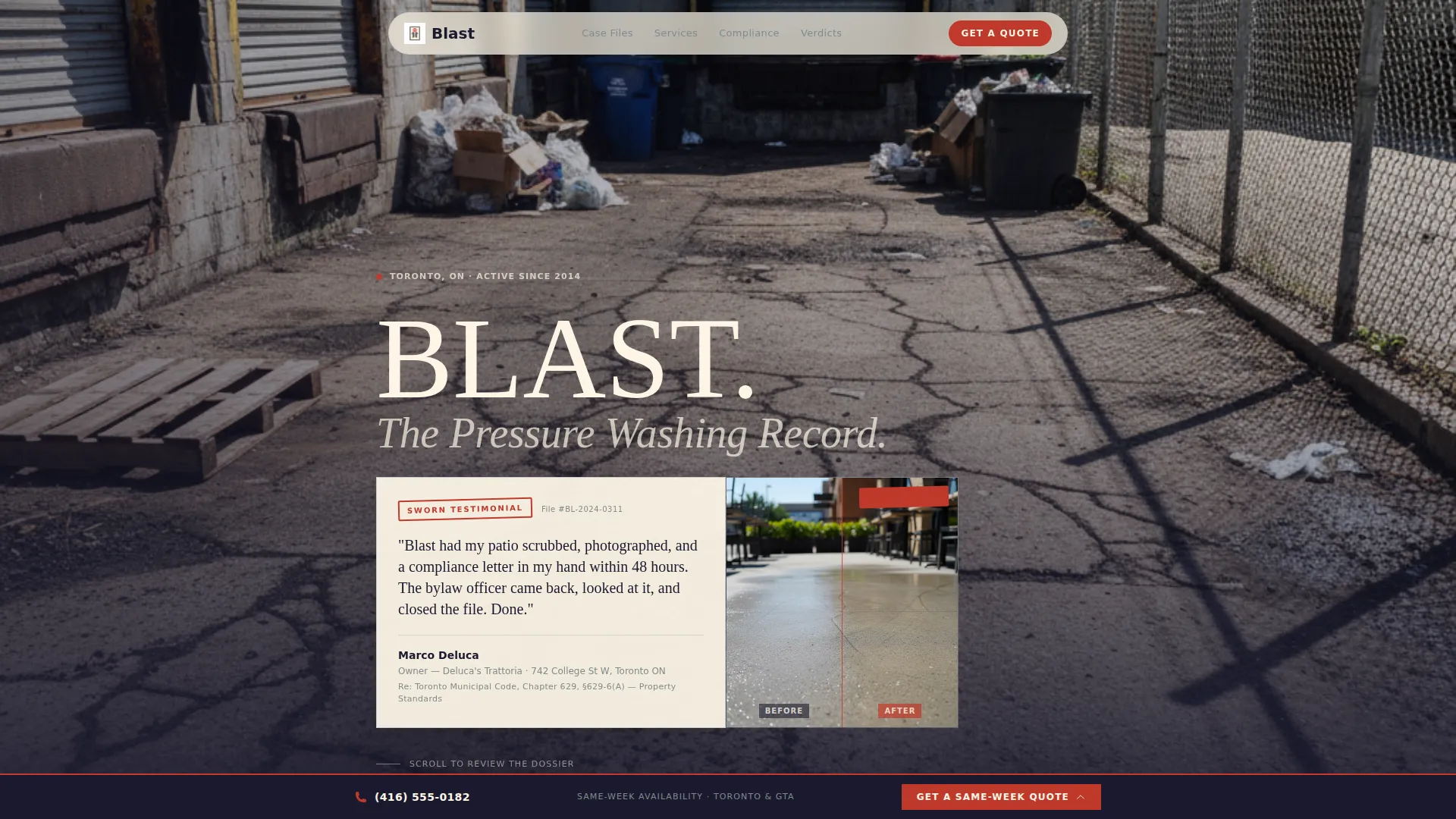
- A testimonial header card with legal-declaration typesetting and a before-and-after thumbnail
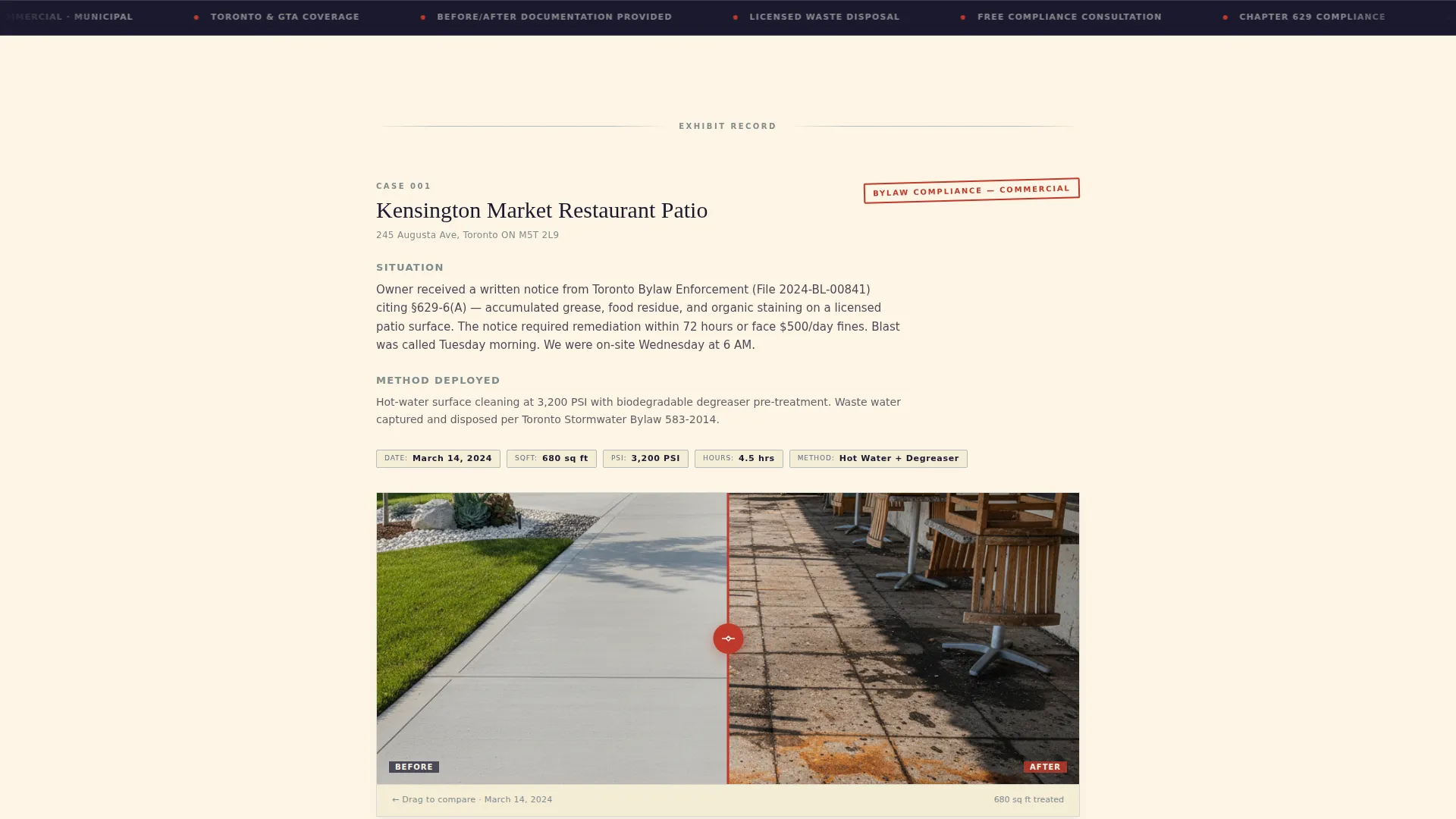
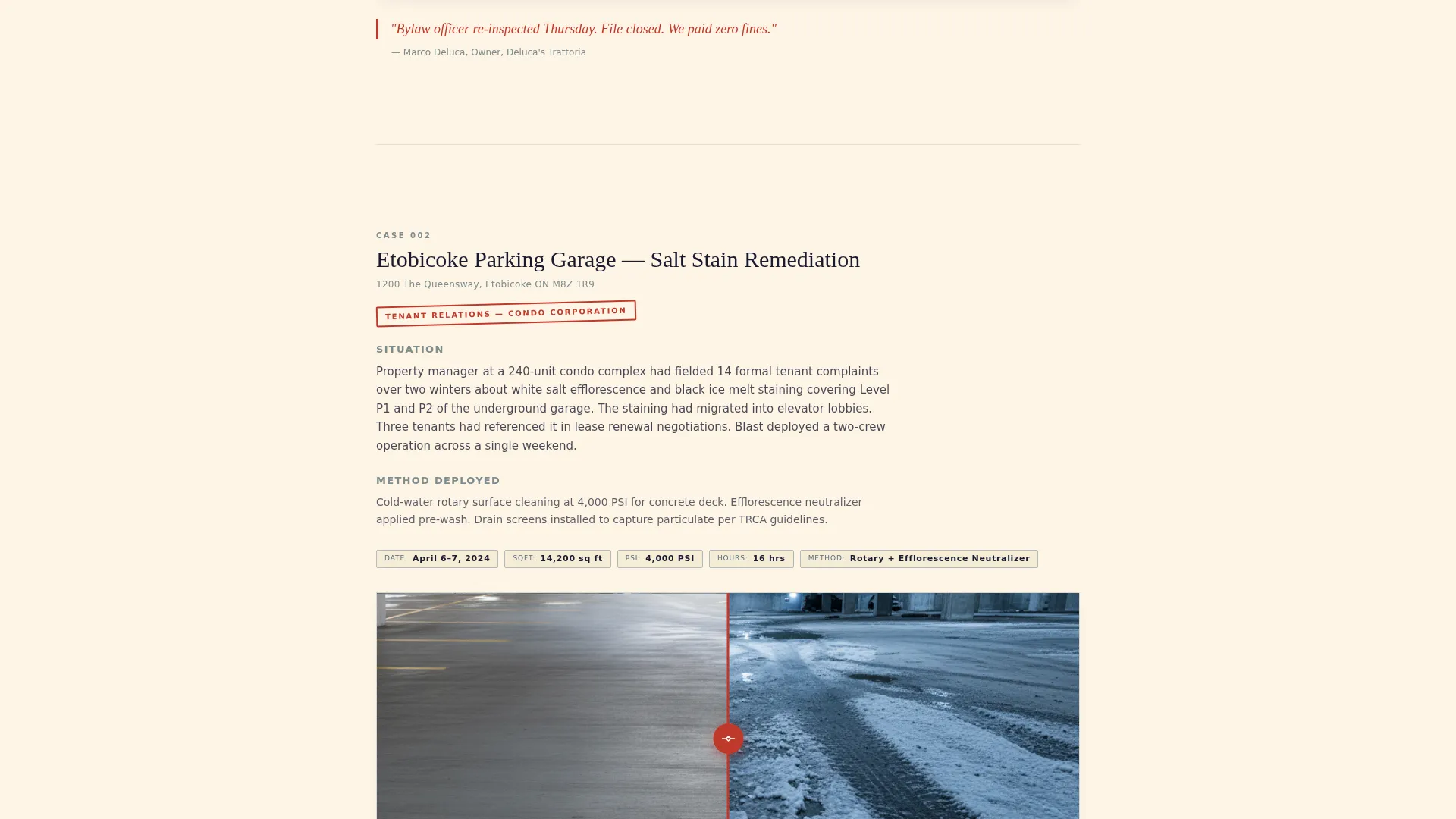
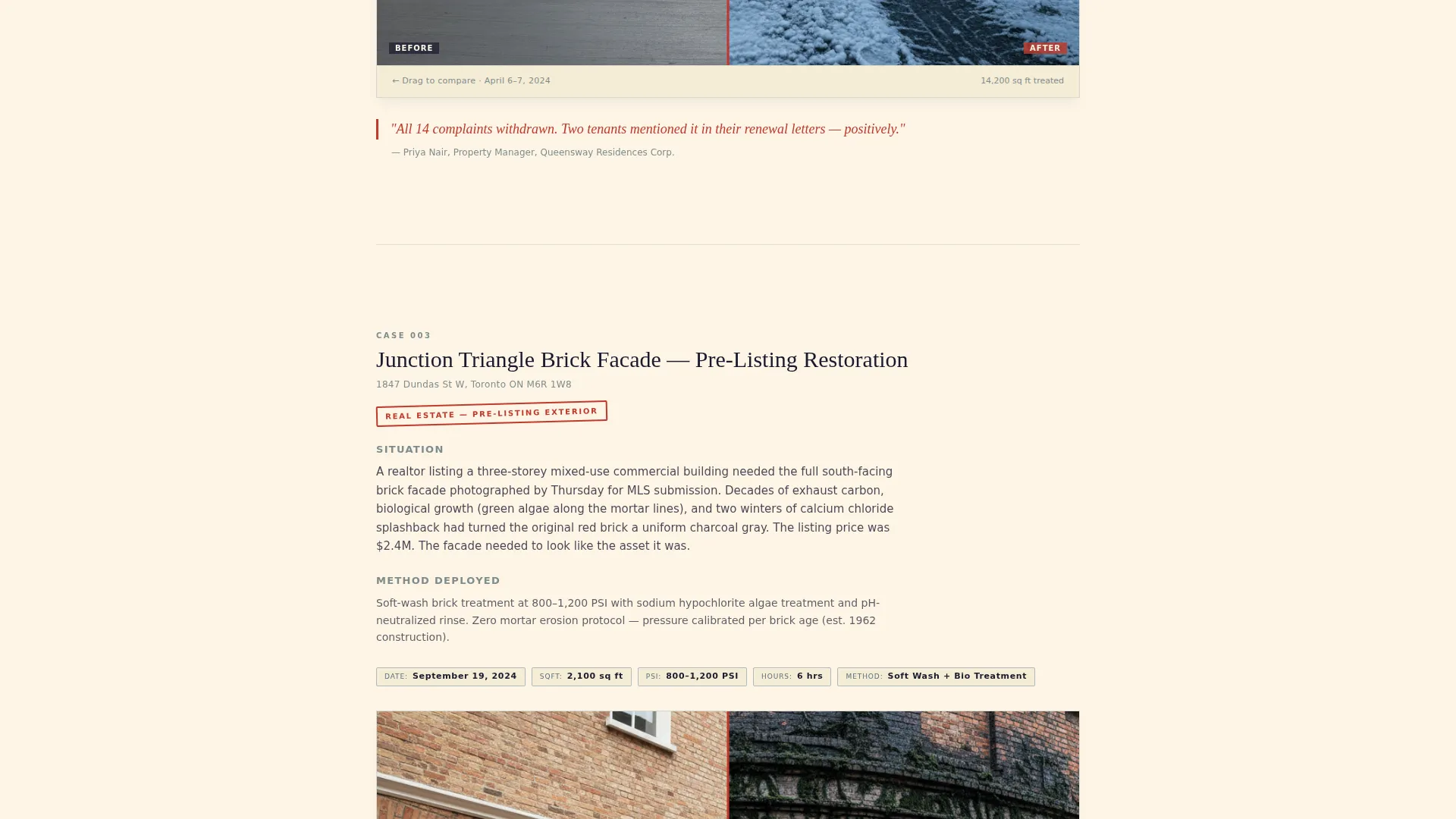
- A scrollable case-study section with numbered case files, service metadata, and client verdict lines
- A dual conversion system: a compliance guide download form and a fixed same-week quote bar
Feature list
This template includes a focused set of page components that work together to build trust and capture leads at two distinct intent levels.
Legal-Declaration Testimonial Header
The page opens with a single oversized card typeset like a formal declaration. It carries a real client quote referencing a bylaw compliance deadline met in 48 hours, with the client name, property address, and the specific Toronto municipal code cited beneath in gray type. A before-and-after thumbnail sits at the card's right edge, visible enough to intrigue but small enough to prompt a scroll.
Numbered Case File Sections
Each scroll section opens as a new case file with a numbered header, such as "Case 001: Kensington Market Restaurant Patio." Every case includes a factual situation summary, the pressure washing method used, and a full-width before-and-after image pair. Service metadata, including date, square footage, PSI level, and hours on site, is stamped onto each image pair.
Escalating Case Study Narrative
The case files are arranged in a deliberate sequence. The scroll moves from residential driveways to commercial storefronts to municipal contracts, building a record of competence that grows with every section. Each case closes with a one-sentence client verdict in red italic, styled like a closing argument.
Compliance Guide Lead Capture Form
The primary conversion path offers a free downloadable PDF covering Toronto's Chapter 629 property standards bylaws, what triggers an inspection, and seasonal pressure washing schedules. The form captures email first, then property type via a dropdown, then Toronto neighbourhood from a district list.
Fixed Same-Week Quote Bar
A slim black bar stays fixed at the bottom of the screen throughout the entire scroll. It holds a secondary conversion path with a phone number and address field, catching visitors who arrive ready to book rather than research. It remains visible without interrupting the main reading experience.
Ink and Paper Color System
The Legal Shield palette uses four defined colors applied with clear roles. Deep deposition black carries all body text, legal-pad cream dominates backgrounds, redline markup red marks calls to action and key statistics, and steel filing-cabinet gray frames dividers and secondary elements.
Page sections overview
| Section | Purpose |
|---|---|
| Testimonial Header Card | Opens with a client declaration, before-and-after thumbnail, and bylaw reference to anchor credibility immediately |
| Case File 001 | Documents a restaurant patio job with situation summary, method used, image pair, and client verdict |
| Case File 002 | Presents a residential driveway case with full service metadata and a dated before-and-after image pair |
| Case File 003 | Covers a commercial facade or loading dock job, escalating the scope of work demonstrated |
| Municipal Contracts Case | Closes the case study scroll with a high-authority job that signals capacity for large contracts |
| Compliance Guide Form | Captures leads with an email form offering the Toronto property maintenance compliance PDF download |
| Fixed Quote Bar | Persistent bottom bar with phone number and address field for visitors ready to request a same-week quote |
Design & branding system
The template uses a Legal Shield visual identity with an Ink and Paper color system. Every design decision reinforces the feeling of reviewed, stamped, and filed documentation. The overall impression is authoritative without being cold.
- Four-color palette: deep deposition black (#1A1A2E), legal-pad cream (#FDF5E6), redline markup red (#C0392B), and steel filing-cabinet gray (#7F8C8D)
- Cream backgrounds carry the page like bond paper, red annotations mark calls to action and key statistics, and gray tones frame dividers and secondary text
- Typography is typeset in a legal-declaration style, with oversized quote cards, compact metadata labels, and red italic verdict lines that close each case file
Mobile & speed optimization
The single-column layout is a natural fit for mobile viewing. The scroll flow works the same on a phone as it does on a desktop, and the fixed quote bar remains accessible at all screen sizes without covering essential content.
- Full-width before-and-after image pairs and case file cards reflow cleanly into a single mobile column
- The fixed bottom bar is sized to stay legible and tappable on small screens without overlapping the main content area
- The form within the compliance guide section uses a simple three-field structure that is easy to complete on a mobile keyboard
How this template helps you convert
The page is structured around two distinct buyer mindsets: the visitor who needs to be convinced, and the visitor who is already ready to act. Both paths are supported simultaneously without one interrupting the other.
- The case study scroll builds a documented win record that moves skeptical researchers toward the compliance guide form, capturing their contact details and property type in exchange for a genuinely useful PDF.
- The fixed same-week quote bar stays visible at every scroll depth, so a property manager or realtor with an urgent deadline can submit their address without waiting to reach a contact section at the bottom of the page.
Other information about this template
This template is built specifically for the Toronto market and reflects local service realities. The compliance guide offer references Toronto's Chapter 629 property standards bylaws, and the neighbourhood dropdown covers Toronto districts directly.
- The template style follows a single-column flow layout, making it straightforward to customize case file sections as new jobs are completed
- The case file format works equally well for residential pressure washing, commercial storefront cleaning, parking garage maintenance, and municipal sidewalk contracts
- The redline red color applied to calls to action and statistics creates a strong visual anchor that draws the eye without relying on animation or motion effects
- This template is suitable for operators who want to position their service as a compliance and property standards partner, not just a cleaning crew
Theme
Editorial Magazine
Creative direction
Stats-First Impact
Color system
Navy Authority
Style
Sidebar Companion
Direction
Content/Resource
Page Sections
Legal-declaration Testimonial Header
Numbered Case File Scroll Sections
Escalating Proof Narrative
Compliance Guide Lead Capture Form
Fixed Same-week Quote Bar
Ink and Paper Color System
Related questions
Can I add more case file sections as I complete new jobs?
Is the compliance guide PDF included with the template?
Does the fixed quote bar stay visible on mobile devices?
Can I adapt this template for a city other than Toronto?
Who is this landing page template best suited for?



